AWS Glue vs dbt on AWS: Data Transformation Decision Guide for 2026
Quick summary: Glue does EL; dbt does T. July 2026 refresh — Glue 5.1 DPU economics, dbt-athena/Redshift, and the combined stack most teams converge on.
Key Takeaways
- July 2026 refresh — Glue 5.1 DPU economics, dbt-athena/Redshift, and the combined stack most teams converge on
- As of July 2026, the durable answer on AWS is still: Glue for EL (and Spark-scale T); dbt for SQL T inside Redshift/Athena — usually both
- Engagement shape (anonymized): mid-market SaaS, ~40 Glue jobs (ingestion + Iceberg MERGE), dbt Core on Redshift Serverless for ~120 models, MWAA orchestration
- Reproduce this: Glue vs dbt decision matrix Two Tools, Two Jobs The clearest mental model is this: AWS Glue does EL
- AWS Glue is the EL engine
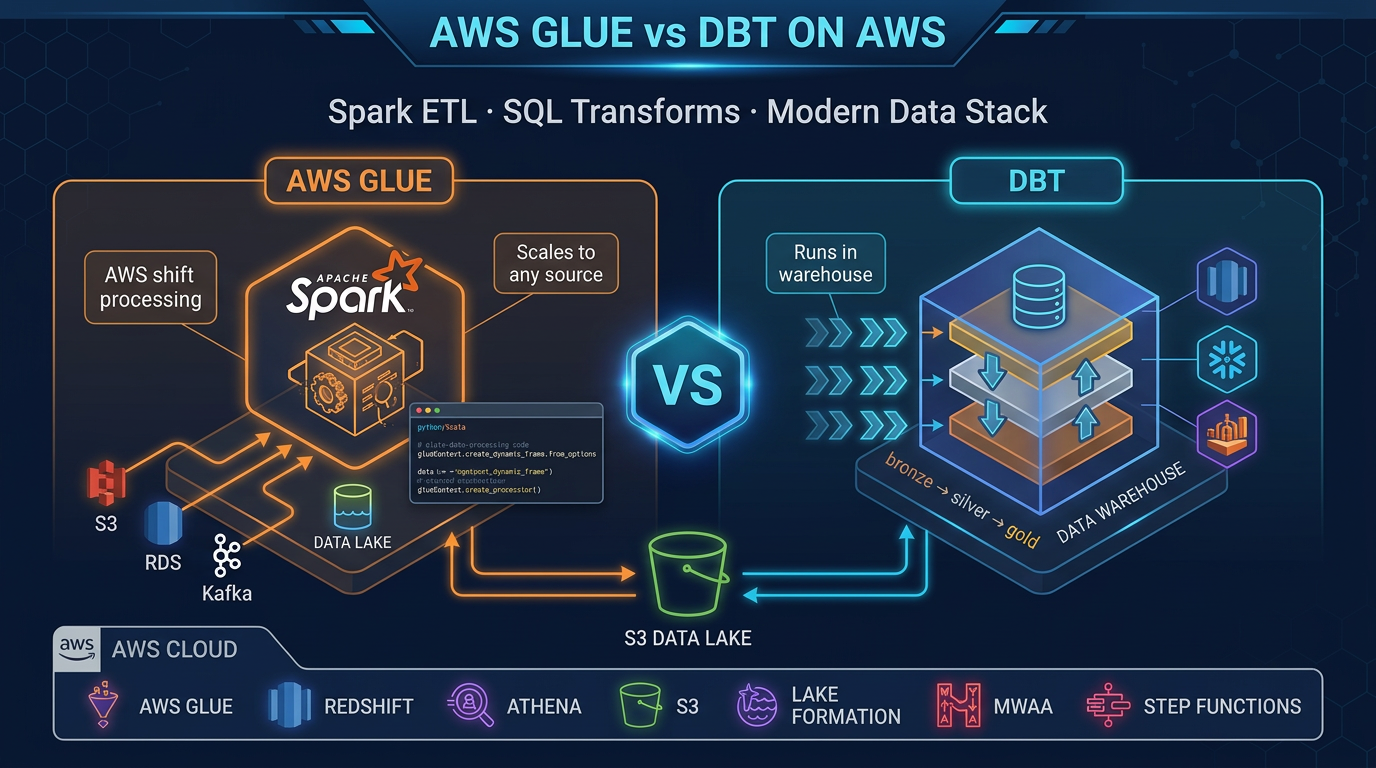
Table of Contents
Where do transforms belong? As of July 2026, the durable answer on AWS is still: Glue for EL (and Spark-scale T); dbt for SQL T inside Redshift/Athena — usually both.
Engagement shape (anonymized): mid-market SaaS, ~40 Glue jobs (ingestion + Iceberg MERGE), dbt Core on Redshift Serverless for ~120 models, MWAA orchestration. Glue DPU spend dominated extract; warehouse spend dominated mart refreshes.
Reproduce this: Glue vs dbt decision matrix
Two Tools, Two Jobs
The clearest mental model is this: AWS Glue does EL. dbt does T.
In a traditional ETL pipeline, you extract data from sources, transform it into a new shape, and load the result somewhere. In the modern ELT architecture (which nearly every cloud-native data team uses today), you extract raw data and load it first — quickly, with minimal transformation — then transform it inside the warehouse where compute is cheap and scalable.
AWS Glue is the EL engine. It speaks to every source (S3 flat files, RDS databases, DynamoDB tables, on-premises JDBC connections, streaming data), runs distributed Spark to process data at any scale, and loads results into your data lake or warehouse staging layer. Glue does not care what format data comes in — JSON, CSV, Parquet, Avro, ORC — and it handles cross-system joins that no SQL warehouse can do natively.
dbt is the T engine. Once your raw data is in Redshift, Athena, or another SQL-accessible warehouse, dbt takes over. Every dbt model is a SELECT statement. dbt compiles those statements, manages execution order based on dependencies, runs tests on the output, and generates documentation automatically. Data analysts — not just engineers — can contribute meaningfully to a dbt project.
The friction between these tools almost always means someone is using one where the other should be.
AWS Glue Deep Dive
AWS Glue is a fully managed ETL service built on Apache Spark. You do not provision or manage Spark clusters — Glue handles that. You write your logic, configure your job, and Glue runs it.
Glue 5.x: What Is Running Under the Hood
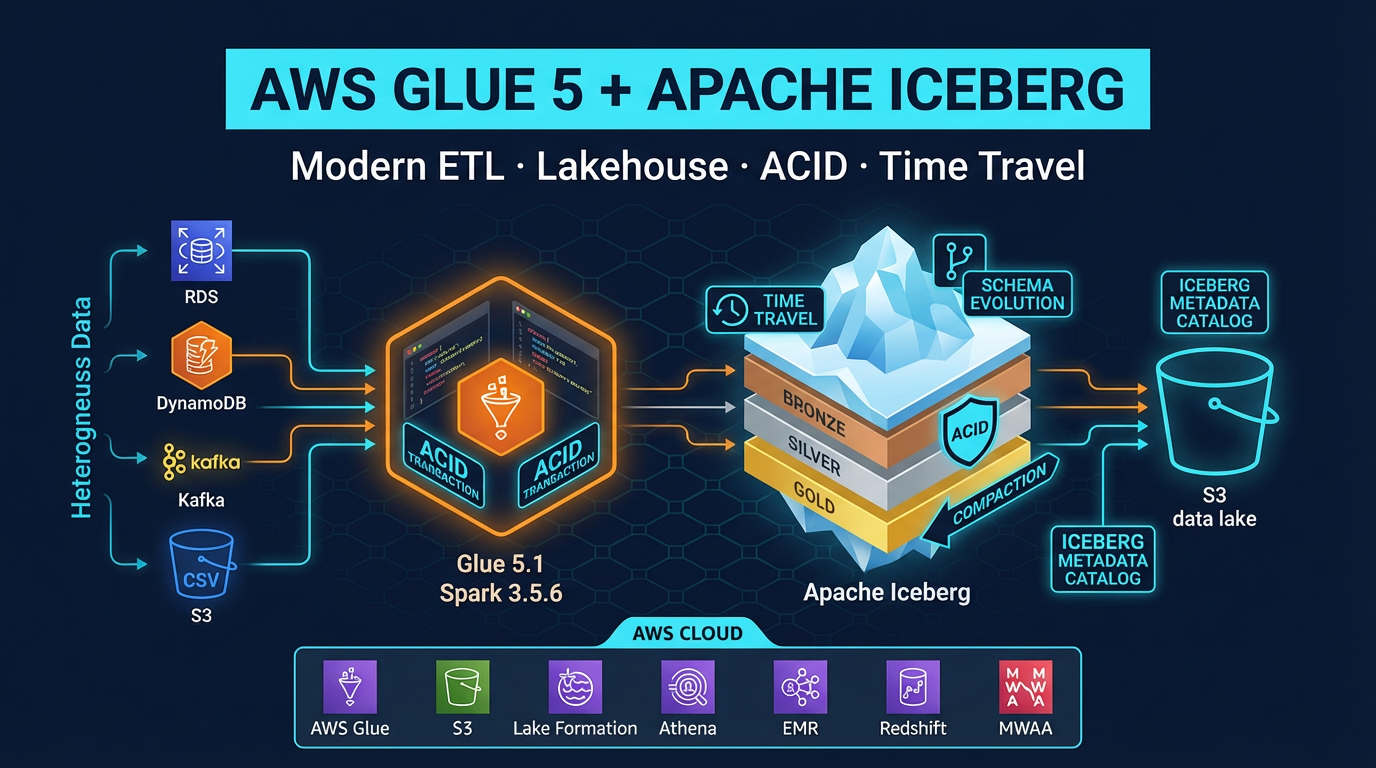
Glue 5.1 (default as of mid-2026 per Glue release notes) runs Spark 3.5.6, Python 3.11, and Java 17; Iceberg 1.10.0 ships in-runtime. The runtime includes pre-installed connectors for JDBC, S3, DynamoDB, MongoDB, and more. You do not need to package dependencies for common data operations — they are already present in the Glue runtime.
Job Types
Glue offers three job types:
Python Shell jobs run a single Python script on a single node. Good for lightweight tasks: calling an API, moving a few files, running a quick Pandas operation. These use a fraction of the compute of a full Spark job.
Spark ETL jobs run distributed Spark across a configurable number of DPUs (Data Processing Units). This is the main job type for large-scale transformations. 1 DPU = 4 vCPUs and 16 GB of memory. A standard ETL job for moderate data volume might use 2-10 DPUs.
Glue Streaming jobs run continuously against streaming sources. Glue streaming supports Kinesis Data Streams and Apache Kafka (including Amazon MSK), processing microbatches via Spark Structured Streaming.
Glue Data Catalog
The Glue Data Catalog is a fully managed Apache Hive Metastore-compatible catalog. When Glue Crawlers scan your S3 data, they infer schema and write table definitions to the catalog. These table definitions are then readable by Athena, Amazon EMR, and Redshift Spectrum — a single metadata layer for your entire data lake.
Crawlers automatically detect schema changes (new columns, type changes) and update catalog tables. This removes the manual schema management overhead that makes unmanaged data lakes brittle over time.
Visual ETL
Glue Studio provides a visual ETL canvas where you drag and drop sources, transforms, and sinks to build pipelines without writing code. The canvas generates PySpark code behind the scenes. For teams with limited Spark experience, Visual ETL lowers the barrier to entry significantly. Complex custom logic still requires code.
Job Bookmarks
Glue job bookmarks track which data has already been processed. On each run, Glue reads only new or changed records rather than reprocessing the entire dataset. Bookmarks work on S3 data based on modification timestamps and on JDBC sources based on sequential keys. This enables incremental ETL without writing custom offset tracking logic.
dbt Deep Dive
dbt (data build tool) is a command-line tool and framework that brings software engineering practices to SQL-based data transformation. Each dbt model is a .sql file containing a single SELECT statement. When dbt runs, it wraps your SELECT in a CREATE TABLE or CREATE VIEW statement (depending on materialization config) and executes it in your warehouse.
The dbt Model
-- models/marts/fct_orders.sql
{{ config(materialized='table') }}

WITH orders AS (
    SELECT * FROM {{ ref('stg_orders') }}
),

customers AS (
    SELECT * FROM {{ ref('stg_customers') }}
)

SELECT
    o.order_id,
    o.order_date,
    o.amount,
    c.customer_name,
    c.segment,
    DATE_DIFF('day', o.order_date, CURRENT_DATE) AS days_since_order
FROM orders o
LEFT JOIN customers c ON o.customer_id = c.customer_id
WHERE o.status = 'completed'
The {{ ref('stg_orders') }} syntax is the key: dbt resolves these references at compile time, builds a dependency graph (DAG) of all models, and executes them in the correct order. You never need to manually manage run order.
Materializations
dbt supports four materialization strategies:
- table: DROP and recreate the table on each run. Slowest but most predictable.
- view: Create a SQL view. No data stored; query executed fresh each time. Fast to build, slower to query for complex logic.
- incremental: Only process new rows (based on a filter you define). Dramatically faster for large datasets where most rows do not change.
- ephemeral: Common Table Expression (CTE) — not materialized at all. Used for intermediate logic shared across models.
For production fact tables with billions of rows, incremental materialization is essential. A full-refresh run processes everything; subsequent runs process only new records.
Built-In Testing
dbt ships with four built-in generic tests that you define in YAML:
# models/schema.yml
models:
  - name: fct_orders
    columns:
      - name: order_id
        tests:
          - unique
          - not_null
      - name: customer_id
        tests:
          - not_null
          - relationships:
              to: ref('dim_customers')
              field: customer_id
      - name: status
        tests:
          - accepted_values:
              values: ['completed', 'pending', 'cancelled']
When you run dbt test, every one of these assertions runs as a SQL query against your warehouse. A unique test becomes SELECT COUNT(*) - COUNT(DISTINCT order_id) FROM fct_orders — any non-zero result fails. Tests catch bad data before it reaches dashboards.
Auto-Generated Documentation and Lineage
dbt docs generate builds a static website documenting every model, column, test, and source. It includes a lineage graph — a DAG showing exactly which models depend on which other models and which source tables feed the pipeline. This lineage is invaluable for impact analysis: “if I change stg_orders, which downstream models are affected?”
Sources vs Refs
Sources ({{ source('schema', 'table') }}) reference raw tables that dbt does not manage — the tables your Glue jobs loaded. Sources can have freshness checks: dbt warns if a source table has not been updated within an expected window, catching upstream pipeline failures before they silently poison analytics.
Refs ({{ ref('model_name') }}) reference other dbt models. The DAG is built entirely from ref relationships.
Head-to-Head Comparison
| Criteria | AWS Glue | dbt |
|---|---|---|
| Primary use case | Extract and load from any source | Transform inside a SQL warehouse |
| Language | Python (PySpark), Scala | SQL (plus Jinja templating) |
| Data sources | Any (S3, JDBC, DynamoDB, streaming, APIs) | Warehouse only (Redshift, Athena, Snowflake, BigQuery) |
| Scale | Petabyte-scale distributed Spark | Scales with warehouse (Redshift/Athena compute) |
| Built-in testing | No | Yes (not_null, unique, relationships, accepted_values) |
| Documentation | No | Yes (auto-generated with lineage DAG) |
| Analyst-friendly | No (requires PySpark knowledge) | Yes (SQL only) |
| Incremental processing | Job bookmarks | Incremental materialization |
| Cost model | Per DPU-hour ($0.44/DPU-hr for Glue 5.x) | Free (Core); warehouse query cost |
| Scheduling | Glue Triggers (built-in) | External (MWAA, EventBridge, dbt Cloud) |
| Data lineage | Glue Data Catalog (limited) | Rich DAG lineage built-in |
| Version control | Scripts in S3 or Git | Native Git integration |
When Glue Wins
Processing raw S3 files before loading to a warehouse. Your partner sends a nightly CSV dump to S3. Athena can query it, but it is unpartitioned, uncompressed text. A Glue job converts it to partitioned Parquet and writes it to your data lake. Athena queries drop from 500 MB scanned to 8 MB scanned. This preprocessing step is pure Glue territory.
Cross-system joins across heterogeneous sources. Your orders live in RDS (MySQL), your customer profiles live in DynamoDB, and your event logs live in S3. No SQL warehouse can join across these sources natively. A Glue Spark job reads from all three, joins them in memory using Spark DataFrames, and writes the denormalized result to Redshift. dbt cannot touch this problem.
ML feature engineering. Before training a fraud detection model, you need rolling window aggregates, text embeddings, and custom normalization steps that exceed SQL expressiveness. PySpark with Glue handles these transformations at scale, then writes feature tables to S3 for SageMaker training.
Streaming ETL. Real-time event data flowing through Kinesis Data Streams needs to be cleaned, enriched with lookup data, and written to S3 (via Amazon Data Firehose) or directly to Redshift. Glue Streaming jobs run continuously for this use case. dbt runs are batch-oriented and are not designed for streaming workloads.
Schema evolution and migration. Moving a 5 TB historical dataset from CSV to Parquet+Iceberg format requires a one-time Spark job. This is a classic Glue use case that dbt cannot fulfill.
When dbt Wins
SQL analysts writing business logic. Your revenue attribution model is a complex series of SQL joins and window functions — and the analyst who understands the business logic knows SQL, not PySpark. dbt lets that analyst own the model, test it, and document it without involving a data engineer. Glue would require a Spark developer as an intermediary for every change.
Rapid iteration on business metrics. The marketing team wants gross margin by campaign by week, segmented by customer cohort. In dbt, this is a new .sql file and a YAML test definition — deployable in minutes. In Glue, it requires a Spark job, deployment configuration, and DPU provisioning.
Testing data quality at the transform layer. dbt’s generic and custom tests run inside the warehouse after each transformation. They catch null primary keys, referential integrity violations, and out-of-range values before they reach dashboards. Glue has no equivalent built-in testing framework.
Self-documenting pipelines. When your data team grows to 10+ people, undocumented Glue scripts become a maintenance liability. dbt forces documentation by making it part of the development workflow. The lineage graph shows every dependency so any engineer can understand the full pipeline impact of a change.
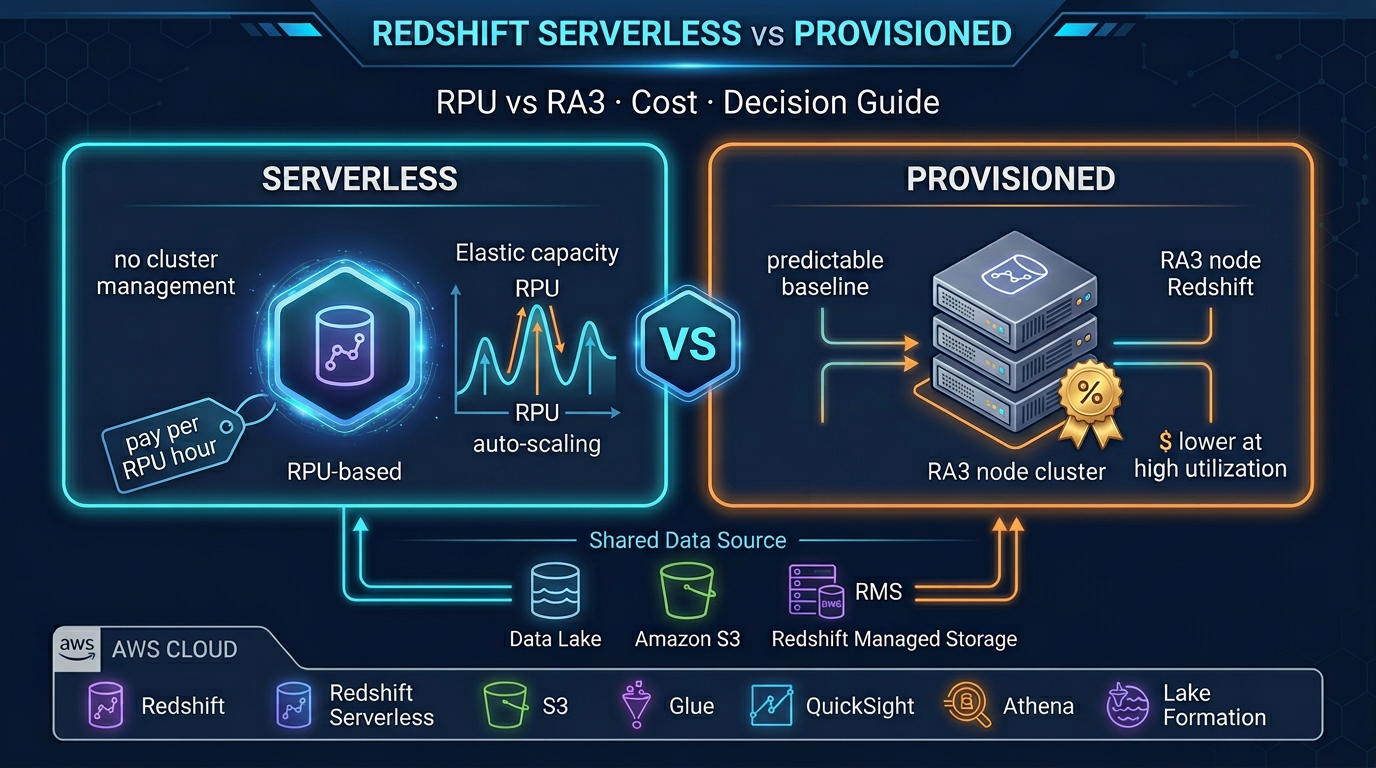
Cost-effective in-warehouse transforms. If your data is already in Redshift Serverless, dbt transforms are included in your RPU cost — no additional compute charge. Running equivalent Glue jobs would add DPU-hour costs on top of Redshift costs. Once data is in the warehouse, keep transformations there.
The Modern Data Stack: Glue + dbt Together
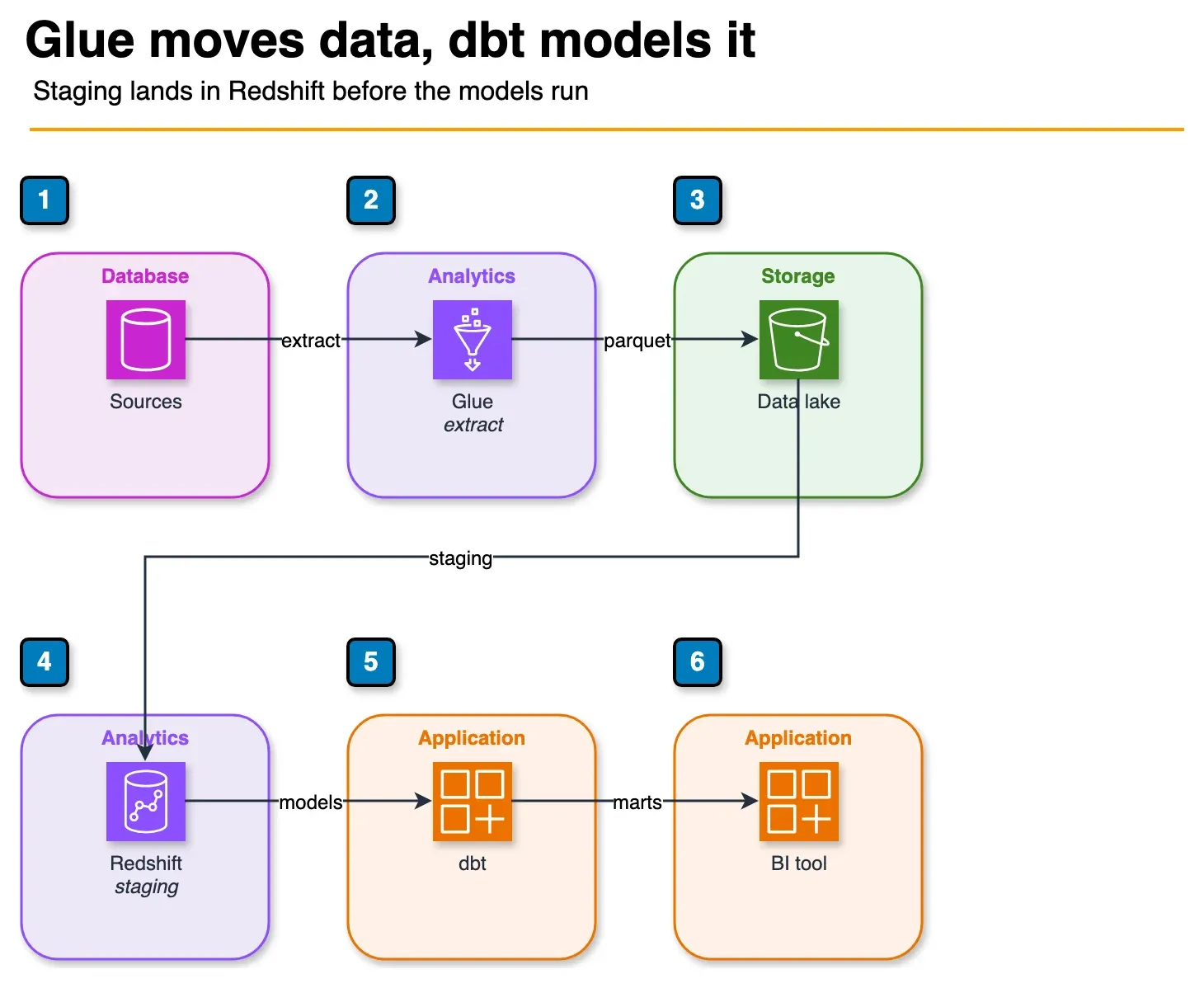
Figure: the combined stack. Glue extracts and writes the lake. Redshift staging is the handoff. dbt builds the models, and the BI tool reads those tables. Open the draw.io source.
The most effective pattern on AWS is not choosing between Glue and dbt — it is using both in sequence for their respective strengths.
External Sources (S3, RDS, DynamoDB, APIs, SaaS)
        │
        ▼
  AWS Glue (EL)
  ─ Extract from source systems
  ─ Normalize, clean, basic filtering
  ─ Convert to Parquet, partition by date
  ─ Write to S3 data lake raw zone
        │
        ▼
  Amazon Redshift (staging schema)
  ─ External tables via Redshift Spectrum
    OR Glue COPY to staging tables
        │
        ▼
  dbt (T)
  ─ stg_* models: standardize column names, types
  ─ int_* models: business logic joins
  ─ fct_* / dim_* models: final analytics-ready tables
  ─ Tests run after each layer
  ─ Docs generated
        │
        ▼
  Redshift analytics schema
  (queried by QuickSight, Tableau, APIs)
In this architecture:
- Glue owns the data movement problem: getting data from source systems into the warehouse in a clean format
- dbt owns the data modeling problem: turning raw staging data into trusted business metrics
- Each tool does what it is designed for, and neither is misused
A concrete example: your e-commerce platform has orders in RDS, product catalog in DynamoDB, and clickstream events in S3. Glue extracts all three nightly, joins orders with product catalog in Spark, converts clickstream JSON to Parquet, and loads both into Redshift staging tables. dbt then runs stg_orders, stg_products, stg_clicks, joins them into fct_sessions and fct_orders, computes customer lifetime value in a mart model, and runs uniqueness and not_null tests before marking the run as successful.
Orchestrating the Combined Stack with MWAA
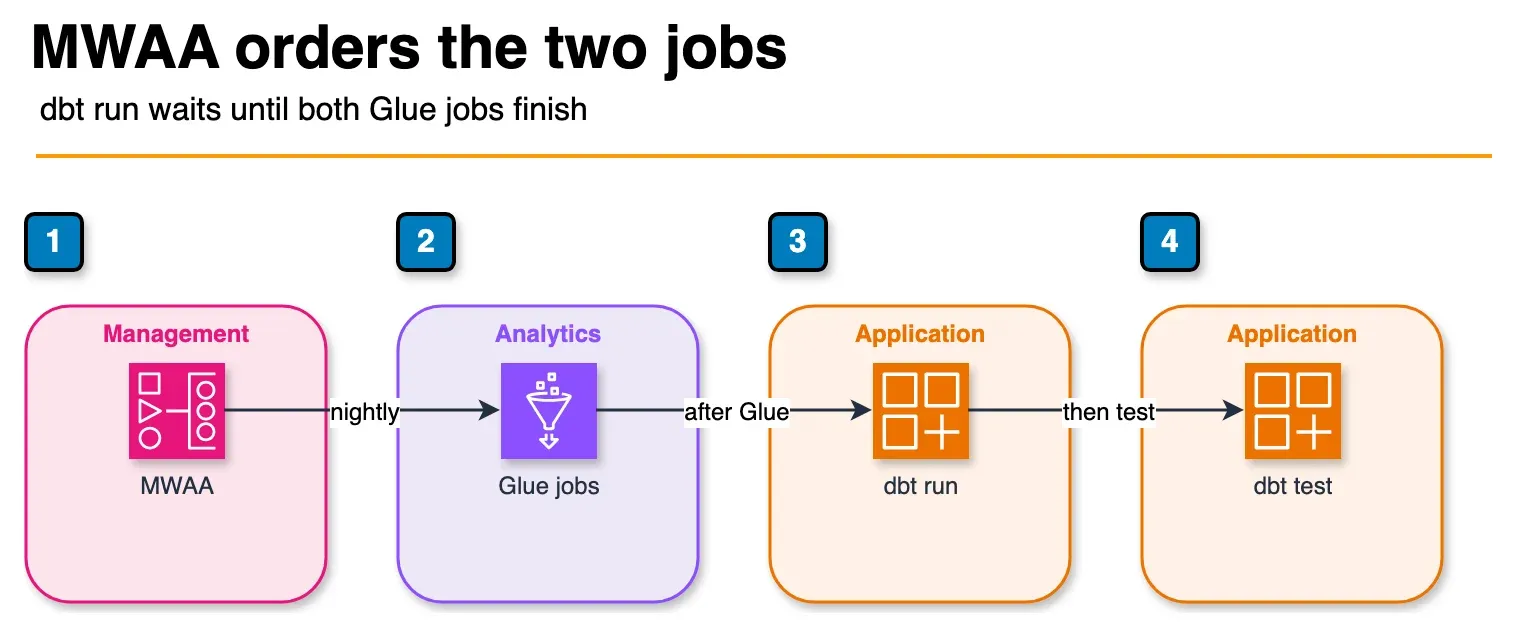
Figure: the sample DAG. Both Glue extracts finish, then dbt run, then dbt test. MWAA orders that work. It does not replace Glue or dbt. Open the draw.io source.
Amazon Managed Workflows for Apache Airflow (MWAA) is the standard orchestrator for this combined stack. A typical DAG:
from airflow import DAG
from airflow.providers.amazon.aws.operators.glue import GlueJobOperator
from airflow.operators.bash import BashOperator
from datetime import datetime

with DAG(
    dag_id='nightly_etl',
    schedule_interval='0 2 * * *',  # 2 AM daily
    start_date=datetime(2026, 1, 1),
    catchup=False,
) as dag:

    # Step 1: Glue extracts and loads
    glue_orders = GlueJobOperator(
        task_id='glue_extract_orders',
        job_name='extract-orders-to-redshift-staging',
        script_args={
            '--JOB_RUN_DATE': '{{ ds }}',
        },
        aws_conn_id='aws_default',
    )

    glue_events = GlueJobOperator(
        task_id='glue_extract_events',
        job_name='convert-clickstream-parquet',
        aws_conn_id='aws_default',
    )

    # Step 2: dbt transforms (after Glue completes)
    dbt_run = BashOperator(
        task_id='dbt_run',
        bash_command='dbt run --profiles-dir /opt/airflow/dbt --project-dir /opt/airflow/dbt/factualminds',
    )

    dbt_test = BashOperator(
        task_id='dbt_test',
        bash_command='dbt test --profiles-dir /opt/airflow/dbt --project-dir /opt/airflow/dbt/factualminds',
    )

    # Dependencies
    [glue_orders, glue_events] >> dbt_run >> dbt_test
Glue jobs run in parallel first. Both must succeed before dbt runs. dbt test runs after dbt run. If any step fails, Airflow retries and alerts.
Code Comparison: Same Transform in Both Tools
To make the trade-off concrete, consider the same business logic in both tools: calculate 7-day rolling average revenue per customer, keeping only customers with at least one order in the last 30 days.
In AWS Glue (PySpark):
from pyspark.sql import SparkSession
from pyspark.sql import functions as F
from pyspark.sql.window import Window

spark = SparkSession.builder.appName("rolling_revenue").getOrCreate()

# Read from S3 raw zone
orders_df = spark.read.parquet("s3://my-datalake/raw/orders/")

# Filter to recent orders
recent_customers = (
    orders_df
    .filter(F.col("order_date") >= F.date_sub(F.current_date(), 30))
    .select("customer_id")
    .distinct()
)

orders_recent = orders_df.join(recent_customers, on="customer_id", how="inner")

# 7-day rolling average window
window_7d = (
    Window
    .partitionBy("customer_id")
    .orderBy(F.col("order_date").cast("timestamp").cast("long"))
    .rangeBetween(-7 * 86400, 0)  # 7 days in seconds
)

result = orders_recent.withColumn(
    "rolling_7d_avg_revenue",
    F.avg("amount").over(window_7d)
)

# Write to Redshift
result.write \
    .format("io.github.spark_redshift_utils.spark.redshift") \
    .option("url", "jdbc:redshift://...") \
    .option("dbtable", "staging.rolling_revenue") \
    .mode("overwrite") \
    .save()
In dbt (SQL — Redshift dialect):
-- models/marts/fct_customer_rolling_revenue.sql
{{ config(materialized='table') }}

WITH recent_customers AS (
    SELECT DISTINCT customer_id
    FROM {{ ref('stg_orders') }}
    WHERE order_date >= CURRENT_DATE - INTERVAL '30 days'
),

rolling_revenue AS (
    SELECT
        o.customer_id,
        o.order_date,
        o.amount,
        AVG(o.amount) OVER (
            PARTITION BY o.customer_id
            ORDER BY o.order_date
            ROWS BETWEEN 6 PRECEDING AND CURRENT ROW
        ) AS rolling_7d_avg_revenue
    FROM {{ ref('stg_orders') }} o
    INNER JOIN recent_customers rc ON o.customer_id = rc.customer_id
)

SELECT * FROM rolling_revenue
The dbt version is dramatically simpler. It is testable, documentable, and readable by a SQL analyst without Spark experience. But it only works because stg_orders already exists in Redshift — which is the output of a Glue job that loaded the raw order data in the first place.
Choosing Your Starting Point
Start with dbt only if your data is already in Redshift or Athena, your transforms are expressible in SQL, and your team has SQL skills. Many startups and analytics-first teams can run entirely on dbt + Athena/Redshift with no Glue at all.
Start with Glue only if you have complex multi-source ETL, large-scale Spark transformations, or streaming ingestion requirements. Some data engineering teams build Glue pipelines that load directly to analytics-ready tables and skip dbt entirely — this works but loses testing, documentation, and analyst-accessibility.
Use both if you have complex source systems requiring Glue-level processing AND analytics transforms that benefit from dbt’s testing and modeling framework. This is the pattern most mature data teams converge on, usually by starting with one tool and adding the other as scale and team size demands it.
When this advice fails
- Everything is already in Redshift and SQL-only — skip Glue; dbt Core is enough.
- You need custom Spark/ML feature pipelines — Glue or EMR, not dbt.
- You force dbt to parse multi-GB nested JSON on Athena — move heavy shaping to Glue first.
What this post doesn’t cover
dbt Cloud enterprise SSO packaging and Glue Visual ETL codegen edge cases.
What to do Monday morning
- Draw your pipeline: which steps are multi-source/Spark vs SQL-in-warehouse.
- Pin Glue jobs to 5.1 intentionally (or document why 5.0 remains).
- If analysts own marts, put those models in dbt with tests; stop editing them as ad-hoc Glue scripts.
- Orchestrate Glue success → dbt run (MWAA / Step Functions).
- Walk the decision matrix.
- Next: Glue 5 + Iceberg.
Frequently asked questions
What is the core difference between AWS Glue and dbt?
Does dbt run on AWS natively?
When should I choose AWS Glue over dbt?
When should I choose dbt over AWS Glue?
Can I use AWS Glue and dbt together?
What is dbt-athena and how does it work?
How do I schedule AWS Glue jobs vs dbt runs?
What is the cost difference between AWS Glue and dbt?

AWS Cloud Architect & AI Expert
AWS-certified cloud architect and AI expert with deep expertise in cloud migrations, cost optimization, and generative AI on AWS.