AWS Glue 5: Modern ETL with Apache Iceberg — Tables, Time Travel, and Lakehouse Patterns
Quick summary: Glue 5.1 (Spark 3.5.6, Iceberg 1.10.0) for lakehouse ETL. July 2026 refresh — Iceberg v2 vs v3, Lake Formation writes, compaction, Athena compatibility.
Key Takeaways
- Glue 5.1 (Spark 3.5
- 6, Iceberg 1.10.0) for lakehouse ETL
- July 2026 refresh — Iceberg v2 vs v3, Lake Formation writes, compaction, Athena compatibility
- Plain S3 “folders of Parquet” still fail the lakehouse tests: ACID writes, row deletes, schema evolution, time travel
- As of July 2026, AWS Glue 5.1 (GA November 2025; broad regional rollout through 2026) is the default Glue version for new jobs: Spark 3.5
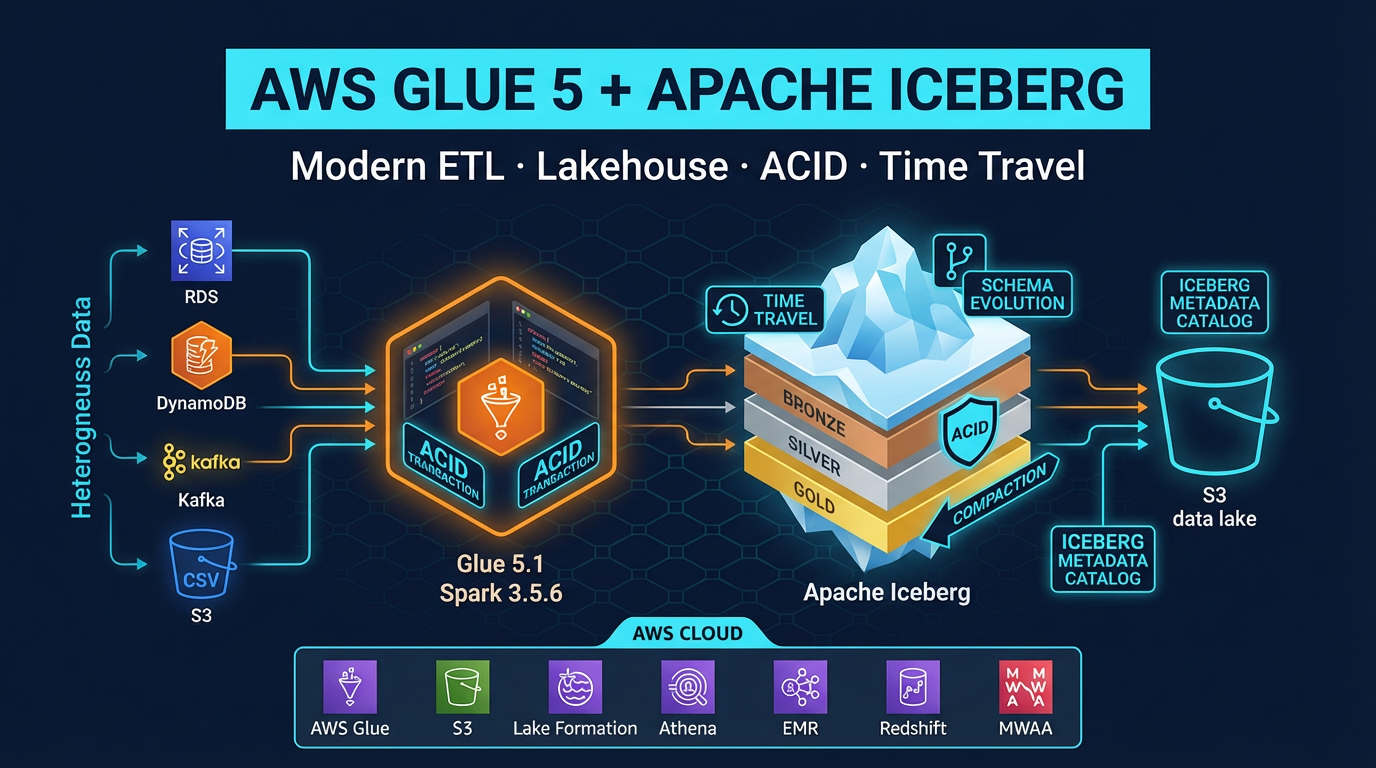
Table of Contents
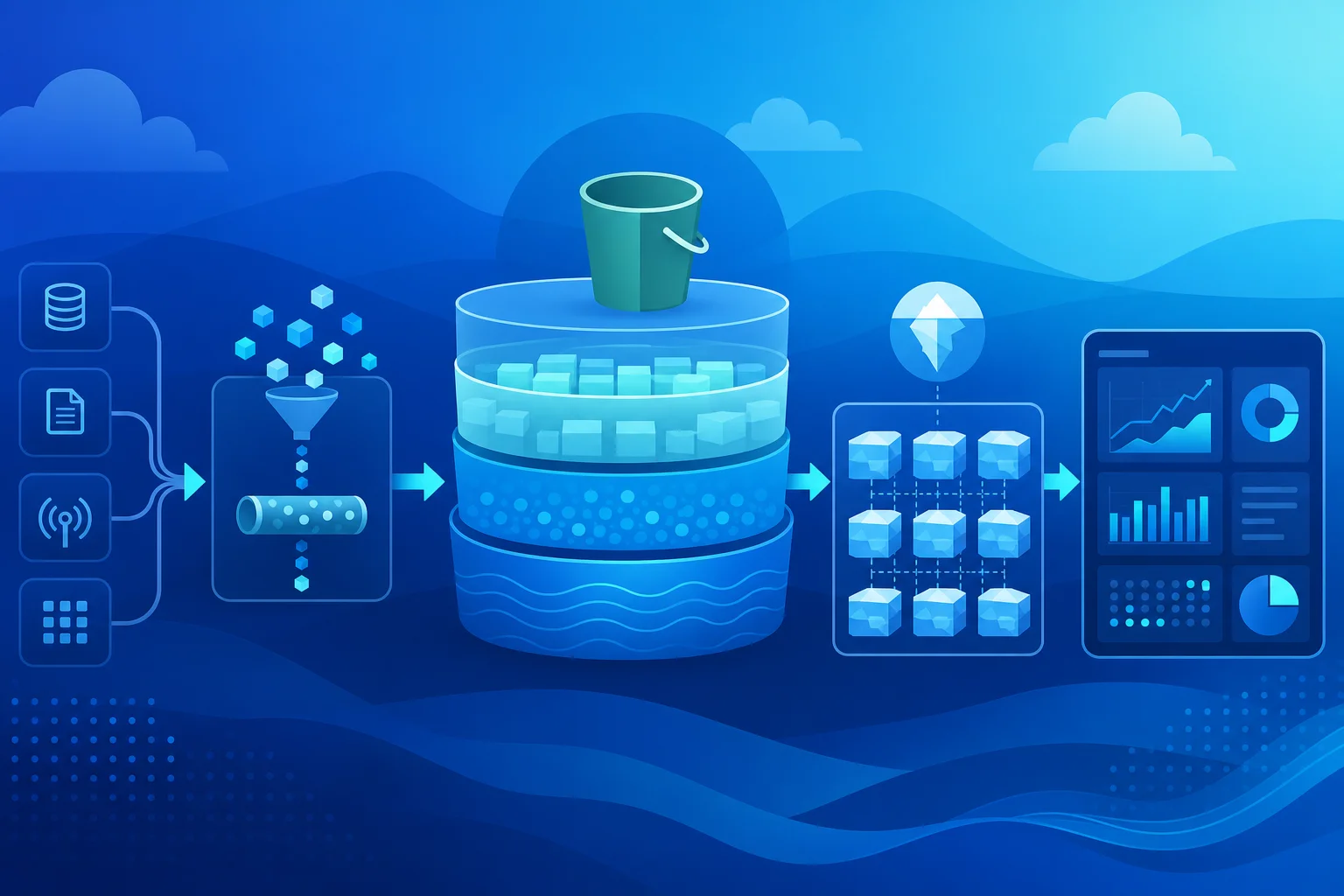
Plain S3 “folders of Parquet” still fail the lakehouse tests: ACID writes, row deletes, schema evolution, time travel. Apache Iceberg is the metadata layer that fixes that.
As of July 2026, AWS Glue 5.1 (GA November 2025; broad regional rollout through 2026) is the default Glue version for new jobs: Spark 3.5.6, Iceberg 1.10.0, Hudi 1.0.2, Delta Lake 3.3.2, Python 3.11, Java 17 — with Lake Formation write FGAC improvements. Prefer Iceberg v2 when Athena is a consumer.
Engagement shape (anonymized): retail lakehouse, nightly CDC MERGE into ~30 Iceberg tables, Glue 5.1 10–20 DPU jobs, Athena for analyst SQL; compaction weekend window.
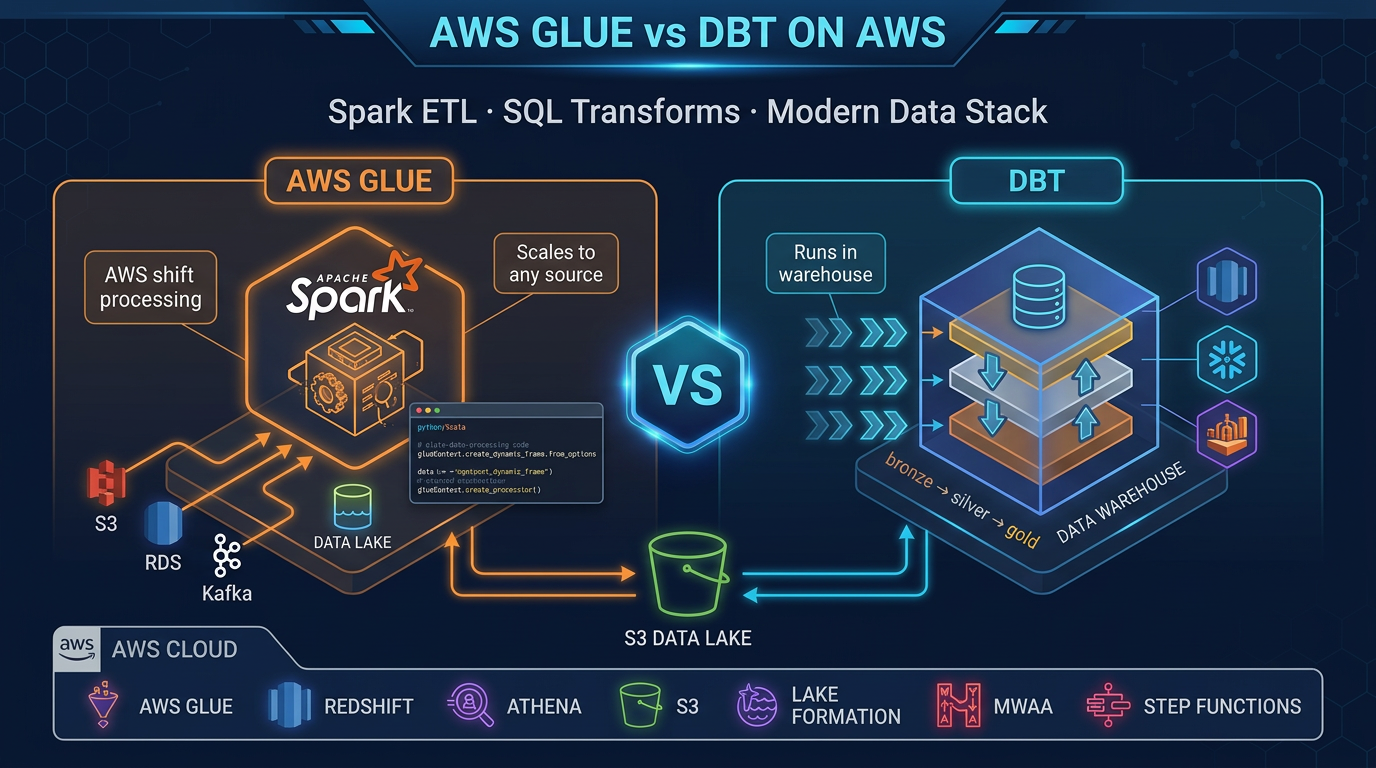
Reproduce this: Iceberg compaction worksheet · Glue vs dbt matrix · Athena scan checklist
Why Iceberg Changes ETL on AWS
Before Iceberg (and its equivalents, Hudi and Delta Lake), S3-based data lakes had four fundamental problems:
No ACID transactions: Two concurrent Glue jobs writing to the same S3 prefix could corrupt each other’s output. Readers could observe partial writes. The only workaround was serializing all writes through a single job — a throughput bottleneck.
No efficient row-level deletes: Deleting one record required reading the entire Parquet partition, filtering out the record, and rewriting the file. For GDPR right-to-erasure requests or CDC delete operations at scale, this was prohibitively expensive.
No schema evolution: Adding a column to an existing Parquet table broke queries that relied on positional column encoding. Renaming a column was nearly impossible without full table rewrites.
No time travel: If you needed to know what the table looked like last Tuesday (for debugging a data quality issue or reproducing a past report), you needed a separately maintained snapshot — manual, expensive, and rarely comprehensive.
Iceberg solves all four. It stores a metadata layer (manifest files and a snapshot history) alongside your data files in S3. The metadata tracks every write as an immutable snapshot, maps column IDs (not names) to data, records which data files belong to which snapshot, and enables query engines to prune data files by partition without scanning everything.
The result: you get the flexibility and cost profile of S3 storage with the operational guarantees that were previously only available in a data warehouse.
AWS Glue 5.1 — What Is New
AWS Glue 5.1 is a significant upgrade over Glue 4.0 across every component:
| Component | Glue 4.0 | Glue 5.1 |
|---|---|---|
| Apache Spark | 3.3.x | 3.5.6 |
| Apache Iceberg | 1.2.x | 1.10.0 |
| Apache Hudi | 0.13.x | 1.0.2 |
| Delta Lake | 2.3.x | 3.3.2 |
| Python | 3.10 | 3.11 |
| Java | 11 | 17 |
| Scala | 2.12.x | 2.12.18 |
The Iceberg 1.10.0 upgrade is the most impactful change for lakehouse workloads. It includes support for Iceberg table spec v3, which adds:
- Deletion vectors: A more efficient representation of row-level deletes. Instead of writing separate delete files for each deleted row, deletion vectors store deletes as a compact bitmap alongside the data file. Scan performance for tables with many deletes improves significantly.
- Default column values: When you add a column via schema evolution, you can now specify a default value that existing rows return (rather than null). This is critical for non-nullable columns added after initial table creation.
- Multi-argument transforms: More flexible partition transforms for complex partitioning strategies.
Important compatibility note: Iceberg v3 tables are not yet supported by all query engines. If Athena must query the table, create format-version=2 unless you have verified Athena support for v3 in your region. Use v3 when consumers are Glue 5.1 / EMR with Iceberg 1.10+ only.
Glue 5.1 also adds row lineage tracking for Iceberg: when enabled, Glue records which source rows produced which output rows, enabling fine-grained data lineage for compliance and debugging.
Enabling Iceberg in a Glue 5 Job
Job Parameters
Enable Iceberg (and optionally other open table formats) via the --datalake-formats job parameter:
--datalake-formats: icebergTo enable multiple formats in the same job (for migration scenarios):
--datalake-formats: iceberg,delta,hudiSet this in the Glue Studio job parameters UI, or via the glue:CreateJob API DefaultArguments field.
SparkSession Configuration
In your PySpark script, configure the Glue Data Catalog as the Iceberg catalog:
from pyspark.sql import SparkSession
from awsglue.context import GlueContext
from awsglue.utils import getResolvedOptions
import sys

args = getResolvedOptions(sys.argv, ['JOB_NAME'])

spark = SparkSession.builder \
    .appName(args['JOB_NAME']) \
    .config(
        "spark.sql.extensions",
        "org.apache.iceberg.spark.extensions.IcebergSparkSessionExtensions"
    ) \
    .config(
        "spark.sql.catalog.glue_catalog",
        "org.apache.iceberg.aws.glue.GlueCatalog"
    ) \
    .config(
        "spark.sql.catalog.glue_catalog.warehouse",
        "s3://my-data-lake-bucket/warehouse/"
    ) \
    .config(
        "spark.sql.catalog.glue_catalog.io-impl",
        "org.apache.iceberg.aws.s3.S3FileIO"
    ) \
    .getOrCreate()

glue_context = GlueContext(spark.sparkContext)
Once configured, all Iceberg tables in the glue_catalog are accessible as glue_catalog.database_name.table_name.
Creating Your First Iceberg Table
spark.sql("""
    CREATE TABLE IF NOT EXISTS glue_catalog.analytics.user_events (
        event_id     STRING,
        user_id      STRING,
        event_type   STRING,
        event_ts     TIMESTAMP,
        properties   MAP<STRING, STRING>
    )
    USING iceberg
    PARTITIONED BY (days(event_ts))
    TBLPROPERTIES (
        'format-version' = '2',
        'write.parquet.compression-codec' = 'snappy',
        'write.target-file-size-bytes' = '134217728'
    )
""")
Key decisions in this DDL:
PARTITIONED BY (days(event_ts)): Hidden partition transform — Iceberg automatically partitions by day from the timestamp column without exposing a separatedtcolumn to query writers.'format-version' = '2': Explicit v2 for Athena compatibility. Omit or set to ‘3’ when using only v3-capable engines.'write.target-file-size-bytes': 128 MB target file size balances file count (fewer = faster listing) with parallelism.
Apache Iceberg Core Concepts
Understanding these four concepts is essential for using Iceberg correctly.
Snapshots
Every Iceberg write operation (INSERT, UPDATE, DELETE, MERGE, compaction) creates a new snapshot. A snapshot is an immutable pointer to the set of data files that constitute the table at that moment. Previous snapshots are never modified — they remain valid until explicitly expired.
This snapshot history is what enables time travel. The Iceberg metadata files form a tree: the table’s current metadata file points to the current snapshot, which points to manifest lists, which point to manifest files, which list the actual Parquet data files.
Table metadata (current)
    └── Snapshot 3 (latest)
    └── Snapshot 2
    └── Snapshot 1
         └── Manifest list
              └── Manifest file → data files
Manifest Files
Manifest files are the performance-critical index in Iceberg. Each manifest file records a list of data files and, crucially, column-level statistics for those files: null counts, min/max values per column. Query engines use these statistics to skip entire manifest files (and therefore entire data files) without reading them.
This is why partition design matters in Iceberg: a query with a WHERE event_ts BETWEEN '2026-01-01' AND '2026-01-31' filter can prune all manifest files whose partition ranges do not overlap with January — reading only the relevant data files. At petabyte scale, effective partition pruning is the difference between a 30-second query and a 30-minute query.
Hidden Partitioning
Traditional Hive-style partitioning requires query writers to include partition columns explicitly:
-- Hive-style: writer must know the partition scheme
WHERE dt = '2026-01-15'
If you change the partition scheme (e.g., from daily to hourly), all existing queries break.
Iceberg’s hidden partitioning separates the physical partition layout from the logical schema. You define a partition transform (days(event_ts), hours(event_ts), bucket(user_id, 32)) but the partition column is not part of the table schema. Query writers use the natural column:
-- Iceberg: works regardless of partition scheme
WHERE event_ts BETWEEN '2026-01-15 00:00:00' AND '2026-01-15 23:59:59'
Iceberg translates this predicate to the appropriate partition filter automatically. You can evolve partition granularity (daily → hourly) without breaking existing queries or rewriting data.
Partition Evolution
Iceberg supports changing the partition strategy for new data without rewriting existing data. Old files remain partitioned by the old strategy; new files use the new strategy. Query engines handle both transparently.
-- Add hourly partitioning going forward (existing daily partitions unchanged)
ALTER TABLE glue_catalog.analytics.user_events
REPLACE PARTITION FIELD days(event_ts) WITH hours(event_ts)
ACID Transactions with Iceberg + Glue
INSERT and Append
Simple append writes are the most common operation:
# Read source data
source_df = spark.read.parquet("s3://raw-bucket/events/2026/04/24/")

# Write to Iceberg (appends a new snapshot)
source_df.writeTo("glue_catalog.analytics.user_events").append()
Each .append() call creates one new Iceberg snapshot atomically. Concurrent readers see either the old snapshot or the new one — never a partial write.
MERGE INTO for CDC Upserts
Change data capture (CDC) from operational databases is one of the most common Glue + Iceberg use cases. The source stream contains inserts, updates, and deletes. MERGE INTO handles all three in a single atomic operation:
# Create a temp view from the CDC source (Kafka, DMS, etc.)
cdc_df.createOrReplaceTempView("cdc_changes")

# MERGE: upsert inserts and updates, apply deletes
spark.sql("""
    MERGE INTO glue_catalog.analytics.user_events t
    USING (
        SELECT
            event_id,
            user_id,
            event_type,
            event_ts,
            properties,
            _op  -- 'I' insert, 'U' update, 'D' delete
        FROM cdc_changes
    ) s
    ON t.event_id = s.event_id
    WHEN MATCHED AND s._op = 'D' THEN DELETE
    WHEN MATCHED AND s._op IN ('I', 'U') THEN UPDATE SET
        t.user_id    = s.user_id,
        t.event_type = s.event_type,
        t.event_ts   = s.event_ts,
        t.properties = s.properties
    WHEN NOT MATCHED AND s._op != 'D' THEN INSERT *
""")
MERGE INTO on Iceberg v2 uses equality delete files (or deletion vectors on v3) to record the deleted/updated rows. The original data files are not rewritten — the deletes are recorded as lightweight metadata. This is dramatically faster than the Hive approach of reading and rewriting entire partitions for every update.
Row-Level Deletes
For GDPR right-to-erasure requests or targeted data corrections:
# Delete all events for a specific user
spark.sql("""
    DELETE FROM glue_catalog.analytics.user_events
    WHERE user_id = 'user-abc-12345'
""")
Iceberg records this as a delete file (v2) or deletion vector (v3) rather than rewriting data files. The physical deletion happens during compaction (covered below).
Schema Evolution
Add a new column without touching existing data files:
spark.sql("""
    ALTER TABLE glue_catalog.analytics.user_events
    ADD COLUMN session_id STRING
""")
Existing files return null for session_id. New writes populate the column. Iceberg tracks the column by its permanent numeric ID, so renaming is also safe:
spark.sql("""
    ALTER TABLE glue_catalog.analytics.user_events
    RENAME COLUMN event_type TO event_category
""")
All existing data files automatically serve the column under the new name without any rewrite. Downstream queries using the new name (event_category) work immediately.
Time Travel
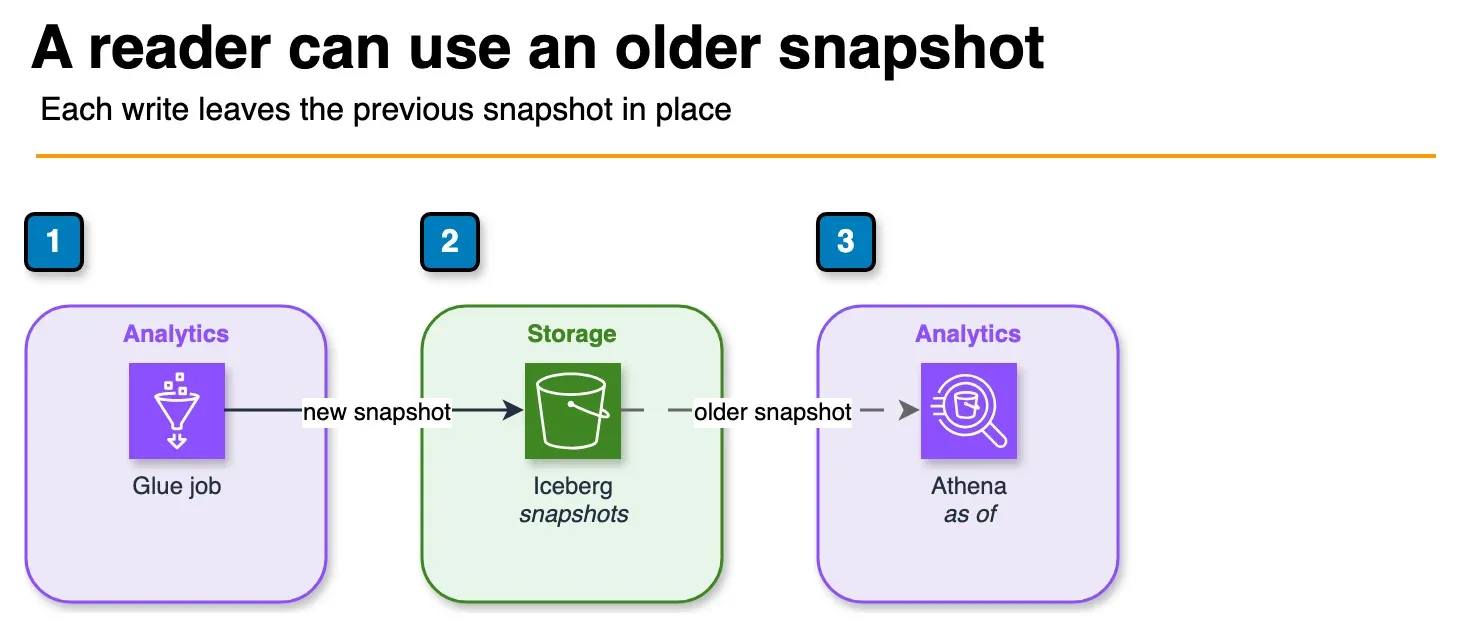
Figure: a write adds a snapshot. A query can name an earlier timestamp or snapshot id and read that version. The current table stays in place. Open the draw.io source.
Every write to an Iceberg table creates an immutable snapshot. You can query any past snapshot using a snapshot ID or timestamp.
Query by Timestamp
# What did the table look like on January 1st?
past_df = spark.read \
    .option("as-of-timestamp", "2026-01-01 00:00:00.000") \
    .format("iceberg") \
    .load("glue_catalog.analytics.user_events")
Or in SQL:
SELECT * FROM glue_catalog.analytics.user_events
TIMESTAMP AS OF '2026-01-01 00:00:00'
Query by Snapshot ID
# Inspect available snapshots
spark.sql("""
    SELECT snapshot_id, committed_at, operation
    FROM glue_catalog.analytics.user_events.snapshots
    ORDER BY committed_at DESC
""").show()

# Query a specific snapshot
spark.read \
    .option("snapshot-id", "1234567890") \
    .format("iceberg") \
    .load("glue_catalog.analytics.user_events")
Rollback
If a bad ETL run corrupts data, roll back to the last known-good snapshot:
spark.sql("""
    CALL glue_catalog.system.rollback_to_snapshot(
        table => 'analytics.user_events',
        snapshot_id => 1234567890
    )
""")
Rollback is metadata-only — no data files are rewritten. The table immediately returns to the state at that snapshot.
Practical Time Travel Use Cases
- Data quality debugging: “Why did the dashboard show 10,000 fewer records yesterday afternoon?” — query the table at the time of the discrepancy.
- Reproducing past reports: Run the same query against the snapshot that existed when the report was generated.
- Auditing changes: Compare two snapshots to see exactly which rows changed between ETL runs.
Partitioning Best Practices
Choose Granularity Based on Query Patterns
- Event data queried by day:
PARTITIONED BY (days(event_ts)) - High-volume data queried by hour:
PARTITIONED BY (hours(event_ts)) - User data queried by user ID ranges:
PARTITIONED BY (bucket(user_id, 128))
Avoid over-partitioning. Each partition that holds < 128 MB of data creates small file problems. A daily partition with 500 MB of data is healthy. A daily partition with 5 MB of data (because you have 100 sub-partitions) creates file count overhead that slows queries.
Combined Partitioning
For tables queried both by time and by a high-cardinality ID:
PARTITIONED BY (days(event_ts), bucket(user_id, 32))This distributes writes across 32 buckets per day, avoiding hot partitions while still enabling efficient date-range pruning.
Compaction Strategy
Over time, incremental writes accumulate small files. A table that receives 1,000 MERGE operations per day will have thousands of small data files and delete files, even if the logical table is only a few hundred GB. Small files slow down scans (more S3 LIST and GET operations) and metadata operations.
Scheduled compaction is mandatory for production Iceberg tables. Run it as a separate Glue job on a schedule (e.g., nightly for daily-frequency ETL tables, hourly for high-frequency tables).
Data File Compaction
# Rewrite data files — merges small files into target-size files
# Also materializes delete files (physically removes deleted rows)
spark.sql("""
    CALL glue_catalog.system.rewrite_data_files(
        table => 'analytics.user_events',
        strategy => 'sort',
        sort_order => 'event_ts ASC',
        options => map(
            'target-file-size-bytes', '134217728',
            'min-input-files', '5'
        )
    )
""")
The sort strategy rewrites and sorts files by the given order, which improves query performance for sorted scans. The min-input-files option prevents compaction from rewriting files that are already optimally sized (avoids unnecessary S3 writes).
Manifest Compaction
Manifest files also accumulate over time. Compact them separately:
spark.sql("""
    CALL glue_catalog.system.rewrite_manifests(
        table => 'analytics.user_events'
    )
""")
Snapshot Expiration
Old snapshots and their associated data files (delete files) are only removed when you explicitly expire them. Without expiration, your S3 storage grows indefinitely with historical versions.
# Keep snapshots for the past 7 days, expire older ones
spark.sql("""
    CALL glue_catalog.system.expire_snapshots(
        table => 'analytics.user_events',
        older_than => TIMESTAMP '2026-04-17 00:00:00',
        retain_last => 10
    )
""")
This removes old snapshot metadata and the data/delete files that are no longer referenced by any retained snapshot. Run after compaction so that the compacted files are referenced before old files are cleaned up.
The Lakehouse Pattern: Glue + Athena + Redshift Spectrum
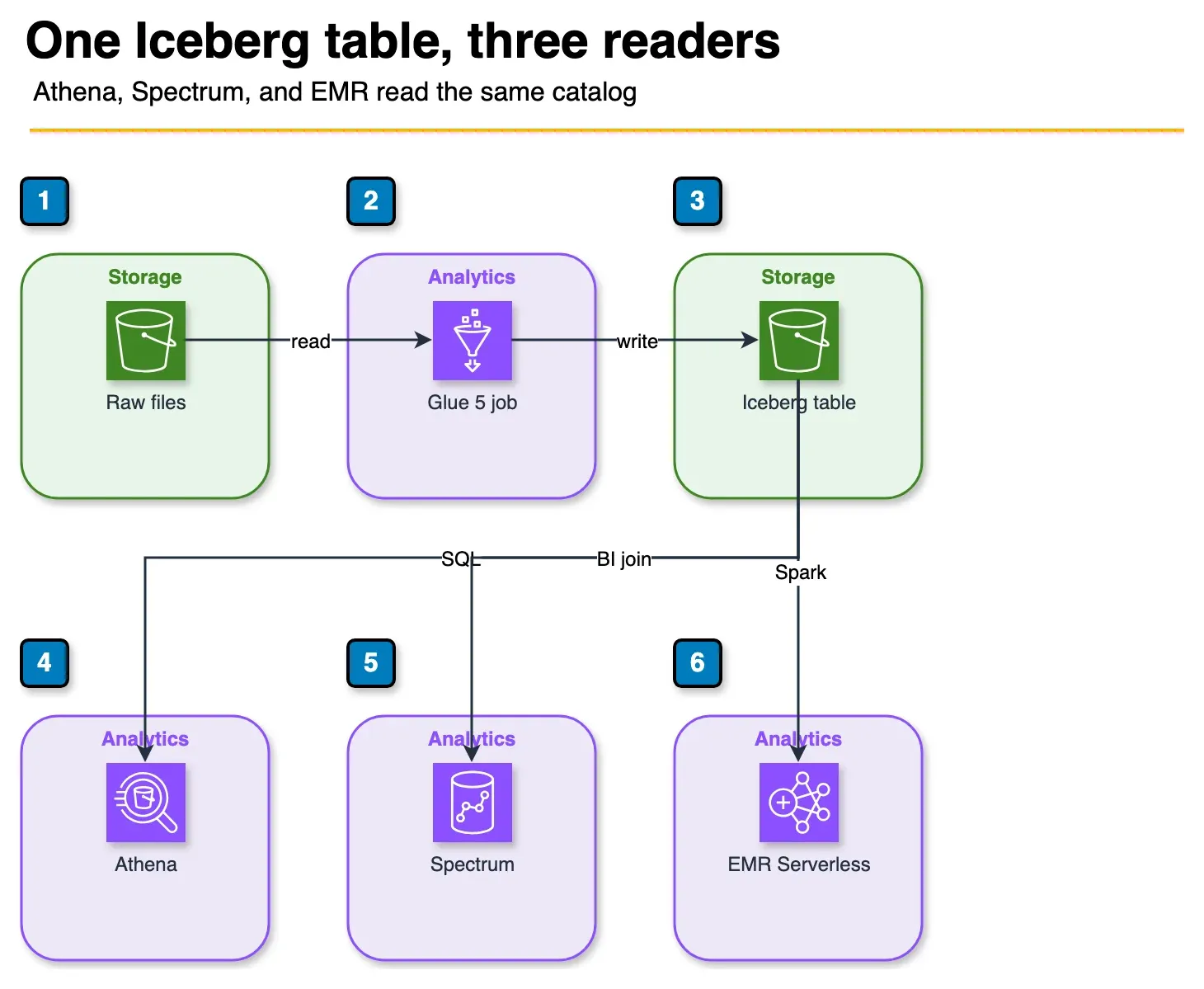
Figure: Glue writes one Iceberg table. Athena, Redshift Spectrum, and EMR Serverless read it through the same catalog. The article does not copy the data between them. Open the draw.io source.
The AWS lakehouse pattern with Iceberg is straightforward:
Raw S3 (JSON/CSV/Parquet)
    ↓
Glue 5.1 ETL job (transform + write Iceberg)
    ↓
Iceberg tables in S3 + Glue Data Catalog
    ├── Amazon Athena (ad-hoc SQL, per-query cost)
    ├── Redshift Spectrum (BI joins with warehouse data)
    └── EMR Serverless (heavy Spark processing)
All three query engines — Athena, Redshift Spectrum, and EMR — read the same Iceberg tables via the Glue Data Catalog. There is one version of the truth, one catalog, and no data copying between systems. Glue Crawlers automatically discover new Iceberg partitions and update the catalog after each ETL run.
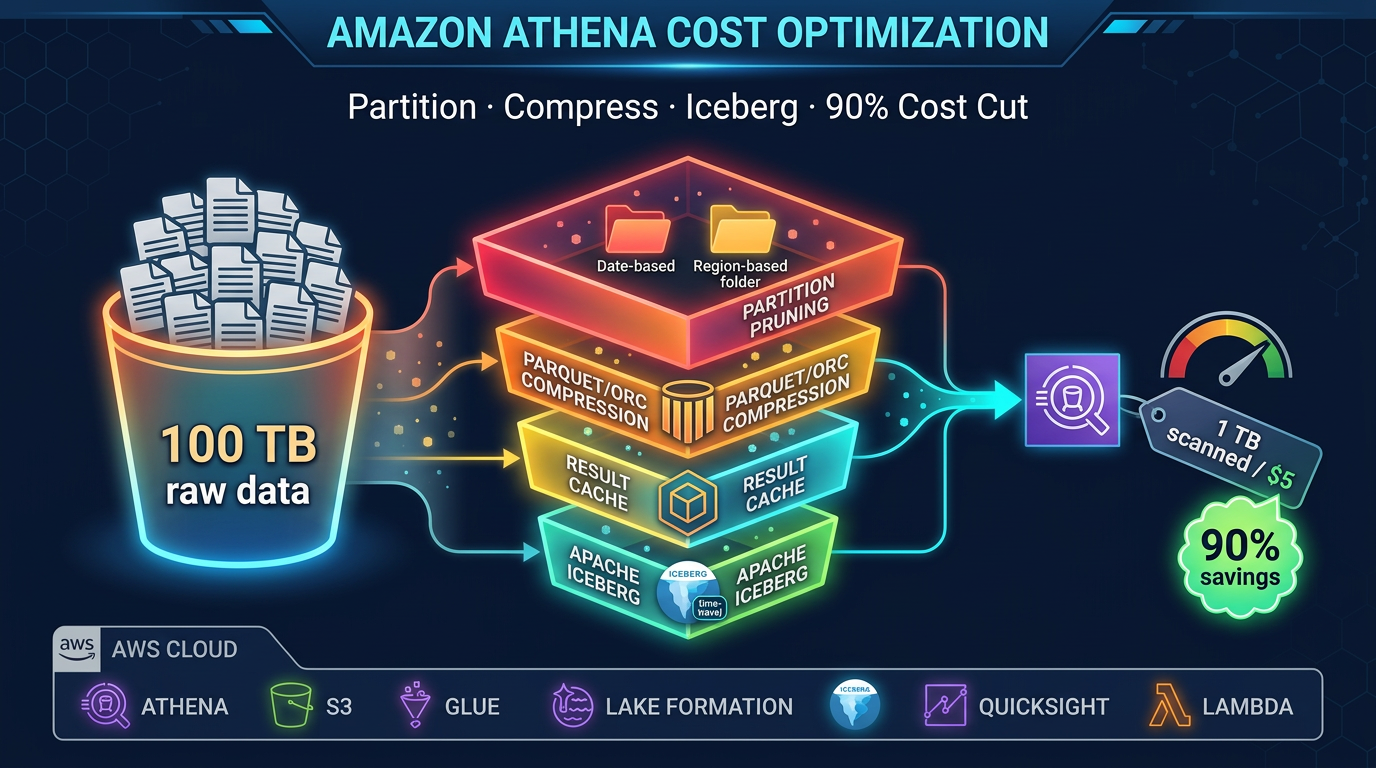
Athena is the default query surface for ad-hoc analysis. It supports Iceberg v2 SELECT, INSERT INTO, UPDATE, DELETE, and MERGE INTO, as well as time travel queries. Cost is per TB of data scanned — effective partition pruning keeps costs low.
Redshift Spectrum lets your data warehouse join Iceberg tables with Redshift-native tables. Common for financial reporting where some dimensions live in Redshift and fact tables live in the Iceberg data lake.
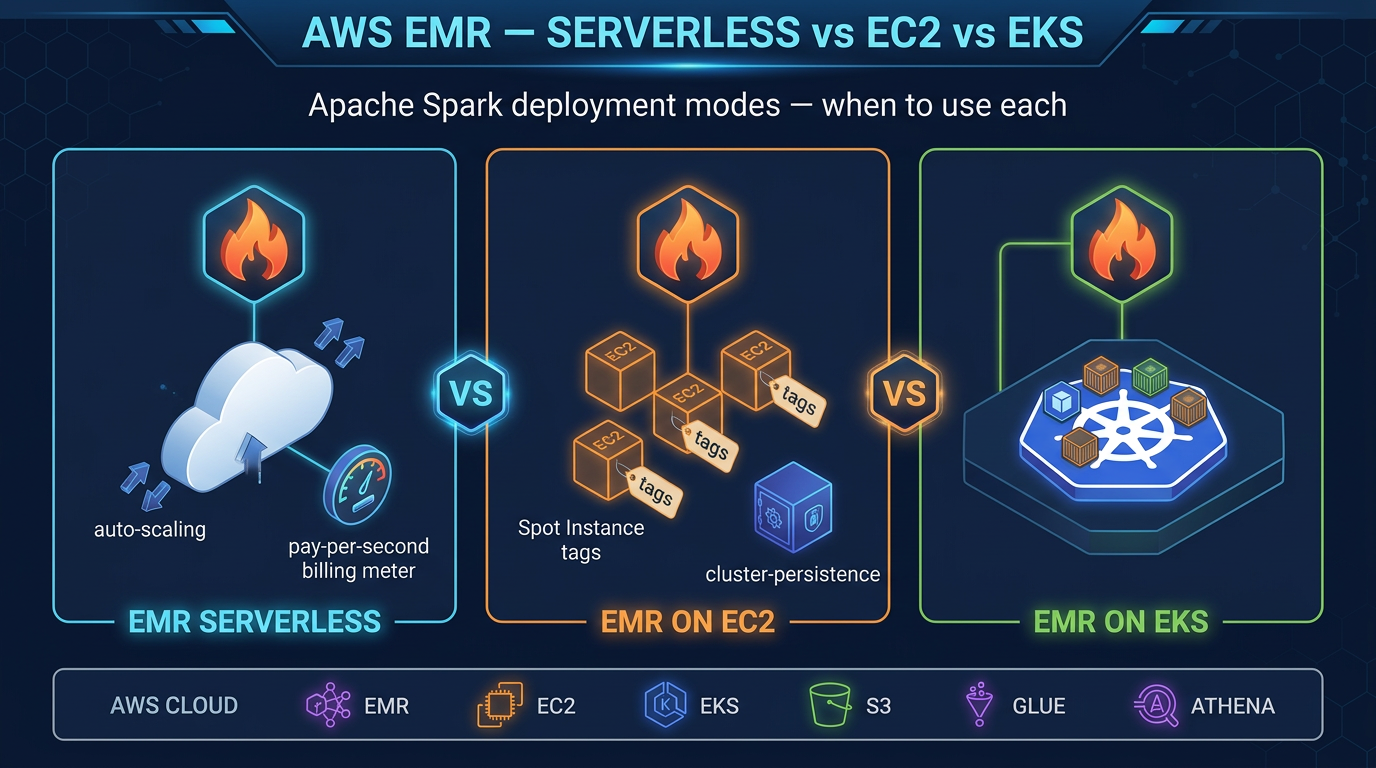
EMR Serverless is the right tool when Glue’s DPU model is too expensive for large Spark jobs, or when you need EMR-specific features (Hive LLAP, HBase, etc.) alongside your Iceberg tables.
Iceberg vs Delta Lake vs Hudi on AWS
All three open table formats are available in Glue 5.1. The choice matters for ecosystem compatibility and specific feature requirements.
| Criteria | Apache Iceberg | Delta Lake | Apache Hudi |
|---|---|---|---|
| Athena support | Yes (v2) | Limited (read-only via manifest) | Limited |
| Redshift Spectrum | Yes | Yes (manifest mode) | No |
| EMR support | Yes | Yes | Yes |
| Native AWS service | Yes (native Glue, Athena, EMR) | Via Glue Delta connector | Via Glue Hudi connector |
| MERGE INTO support | Yes (Glue, Athena, EMR) | Yes (Delta engine) | Yes (Hudi engine) |
| Time travel | Yes (snapshot-based) | Yes (version-based) | Limited |
| Schema evolution | Comprehensive | Comprehensive | Limited |
| Streaming writes | Planned | Yes (Structured Streaming) | Yes (native streaming upserts) |
| Compaction | Manual (rewrite_data_files) | Manual (OPTIMIZE) | Automatic (inline or async) |
| Best for on AWS | Multi-engine lakehouse | Databricks-origin workloads | High-frequency CDC streams |
Choose Iceberg for new AWS-native lakehouses. It has the deepest native integration across Athena, Glue, and EMR, and does not require the Delta Lake runtime.
Choose Delta Lake if you are migrating a Databricks workload to AWS and want format continuity.
Choose Hudi for high-frequency streaming CDC workloads where Hudi’s native streaming upsert capability and automatic compaction reduce operational overhead.
Glue Job Bookmarks for Incremental Processing
One Glue-specific capability that pairs naturally with Iceberg is job bookmarks. Bookmarks track which S3 files have already been processed by a Glue job. On re-run, the job only reads new files — enabling incremental ingestion without custom checkpoint logic.
Enable bookmarks in the Glue job configuration (--job-bookmark-option: job-bookmark-enable). The bookmark is maintained by Glue between job runs and is automatically reset when you reset the job.
For CDC-style Iceberg workloads, combine bookmarks for source ingestion with Iceberg’s MERGE INTO for idempotent upserts:
- Job run 1: Bookmark reads files 1–100 from raw S3, MERGE INTO Iceberg
- Job run 2: Bookmark reads files 101–150 (new since run 1), MERGE INTO Iceberg
- If run 2 fails and re-runs: Bookmark re-reads files 101–150, MERGE INTO Iceberg is idempotent (same rows, same result)
This combination gives you exactly-once semantics on S3-sourced Iceberg pipelines without a custom state store.
Production Readiness Checklist
Before promoting a Glue + Iceberg pipeline to production:
-
--datalake-formats icebergset on the Glue job - SparkSession configured with Iceberg extensions and Glue catalog
- Table format version explicitly set (
'format-version' = '2'for Athena compatibility) - Partition strategy chosen based on query patterns (not too granular)
- MERGE INTO used for CDC sources (not INSERT OVERWRITE, which creates full rewrites)
- Scheduled compaction job:
rewrite_data_files+rewrite_manifests - Scheduled snapshot expiration job (
expire_snapshots) - Glue job bookmarks enabled for incremental source processing
- CloudWatch alarms on Glue job failure and duration
- S3 versioning disabled on the warehouse prefix (Iceberg manages its own versioning; S3 versioning adds unnecessary cost)
- IAM role for Glue has
glue:GetTable,glue:UpdateTable, and S3 read/write on the warehouse bucket
What Glue 5.1 + Iceberg Does Not Replace
Glue + Iceberg is the right choice for ETL workloads: transforming, cleaning, and loading data into a lakehouse for analytics. It is not the right tool for:
- Interactive low-latency queries at <100ms: Use DynamoDB or ElastiCache. Athena queries over Iceberg tables have seconds-level latency at best.
- Streaming sub-second ingestion: Use Amazon Kinesis Data Streams + Lambda for real-time. Glue Streaming jobs have higher latency and are better suited for near-real-time (minutes) than sub-second.
- Operational databases: Iceberg tables are for analytics reads, not transactional application backends.
When this advice fails
- Sub-second ops APIs — not Iceberg; use OLTP.
- You need Athena everywhere and jumped to Iceberg v3 — stay on v2 until engines catch up.
- Sustained multi-hour Spark at high utilization — compare EMR Spot/EC2 DPU economics before all-Glue.
What this post doesn’t cover
S3 Tables product packaging details and full Lake Formation LF-Tags design.
What to do Monday morning
- Set job Glue version 5.1 +
--datalake-formats iceberg. - Explicitly set
'format-version'='2'for Athena-facing tables. - Schedule
rewrite_data_files+expire_snapshots; track small-file counts. - Enable bookmarks + MERGE for CDC idempotency.
- Alarm on job failure/duration; disable accidental S3 versioning on the warehouse prefix.
- Next: Athena cost · EMR mode choice.
Frequently asked questions
What version of Apache Iceberg does AWS Glue 5.1 support?
What is the difference between Iceberg v2 and v3 table formats?
How do I enable Apache Iceberg in an AWS Glue 5 job?
What is time travel in Apache Iceberg and how does it work?
How does schema evolution work with Iceberg?
What is compaction in Iceberg and how do I run it with Glue?
Can I use AWS Glue 5 with Amazon Athena for querying Iceberg tables?
What are the benefits of using AWS Glue over a self-managed Spark cluster for Iceberg ETL?

AWS Cloud Architect & AI Expert
AWS-certified cloud architect and AI expert with deep expertise in cloud migrations, cost optimization, and generative AI on AWS.