AWS EMR: Serverless vs EC2 vs EKS — When to Use Each
Quick summary: EMR Serverless vs EC2 vs EKS for Spark. July 2026 refresh — Spot limits, cold start, Iceberg on all three, and a decision matrix for intermittent vs 24/7 jobs.
Key Takeaways
- EMR Serverless vs EC2 vs EKS for Spark
- July 2026 refresh — Spot limits, cold start, Iceberg on all three, and a decision matrix for intermittent vs 24/7 jobs
- EMR is three products sharing a brand: Serverless, on EC2, and on EKS
- As of July 2026, all three still run Spark (and Iceberg lakehouse patterns); they diverge on ops load, Spot access, cold start, and idle cost
- Engagement shape (anonymized): fintech batch risk jobs, ~6 hours/night Spark, tried always-on EMR EC2 (idle burn), moved intermittent work to Serverless; kept one EC2 fleet for Spot-heavy backfills
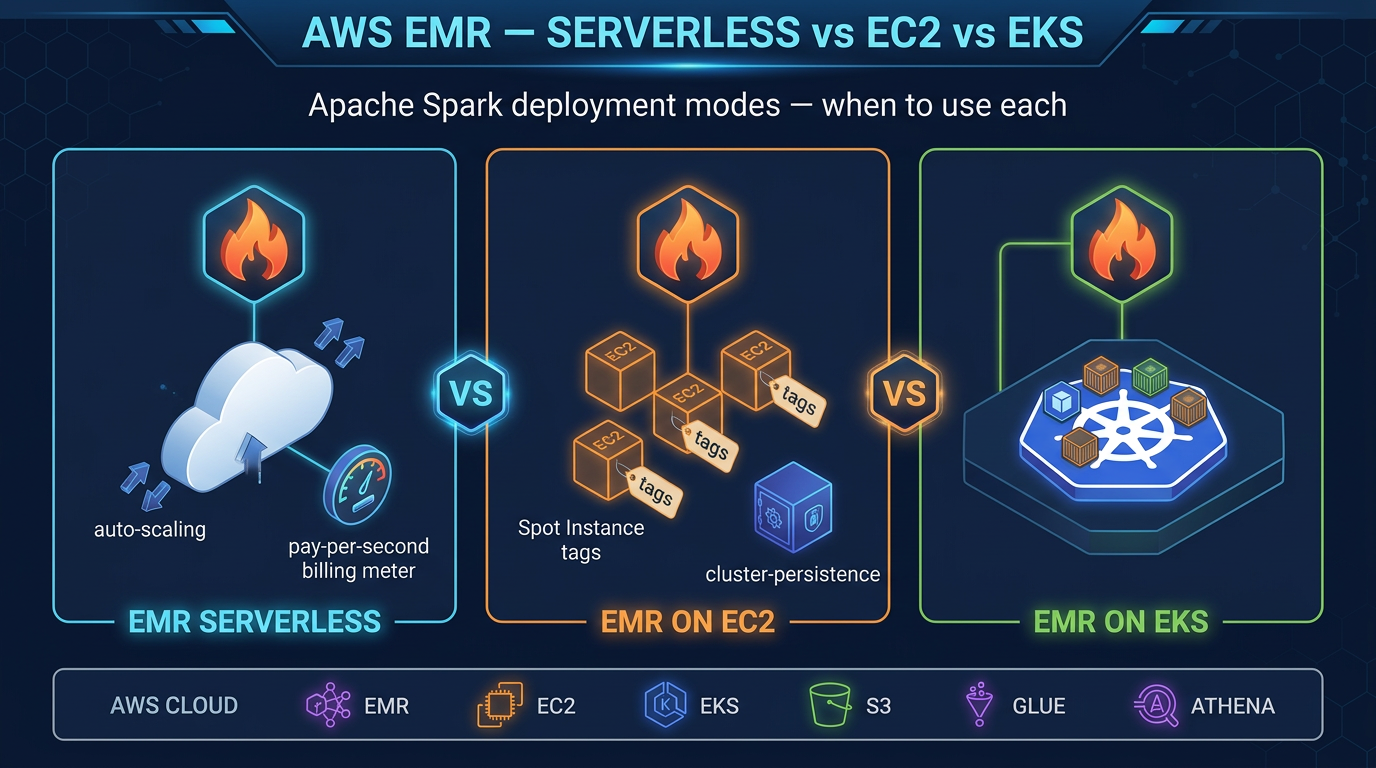
Table of Contents
EMR is three products sharing a brand: Serverless, on EC2, and on EKS. As of July 2026, all three still run Spark (and Iceberg lakehouse patterns); they diverge on ops load, Spot access, cold start, and idle cost.
Engagement shape (anonymized): fintech batch risk jobs, ~6 hours/night Spark, tried always-on EMR EC2 (idle burn), moved intermittent work to Serverless; kept one EC2 fleet for Spot-heavy backfills.
Reproduce this: EMR mode decision matrix
EMR Serverless
EMR Serverless, launched in 2022, is the newest and simplest deployment option. The premise is straightforward: you create an EMR Serverless application (a container for related jobs with a shared capacity limit), submit jobs to it, and AWS handles everything else.
How It Works
You submit a Spark job (JAR + args + worker spec)
    ↓
EMR Serverless allocates workers (vCPU + memory per worker)
    ↓
Job runs on provisioned workers
    ↓
Workers terminate when job completes
    ↓
You are billed only for the vCPU-seconds and GB-seconds the job consumed
There are no EC2 instances you can SSH into, no cluster to right-size, no bootstrap actions, and no cluster termination to schedule. It is the closest thing to “just run my Spark job” on AWS.
Supported Applications
EMR Serverless supports Apache Spark and Apache Hive. It does not support HBase, Presto, Hue, or other applications available in EMR on EC2. For streaming workloads that would otherwise use Flink, use Amazon Managed Service for Apache Flink — EMR Serverless does not support Flink.
Worker Sizing
When you submit a job, you specify the driver size and executor size in vCPU and memory:
{
  "jobDriver": {
    "sparkSubmit": {
      "entryPoint": "s3://my-bucket/my-job.py",
      "sparkSubmitParameters": "--conf spark.executor.cores=4 --conf spark.executor.memory=16g --conf spark.driver.cores=2 --conf spark.driver.memory=8g"
    }
  }
}
Workers are billed at a fine-grained per-second rate. The minimum billing increment is 1 minute per worker.
Pre-Initialized Capacity
The main operational concern with EMR Serverless is cold start latency: without warm workers, jobs wait 1–3 minutes for AWS to provision compute. For nightly batch jobs, this is a rounding error. For interactive analytics or jobs triggered by application events (e.g., a user clicks “generate report”), 2 minutes of latency is unacceptable.
Pre-initialized capacity solves this. You configure a pool of workers (vCPU + memory count) that stay warm even when no jobs are running. Pre-initialized workers are billed continuously at the same per-vCPU-second / per-GB-second rate — so right-size them carefully. If you reserve 10 vCPU and 40 GB of memory as pre-initialized capacity, you pay for that continuously whether or not jobs are running.
When EMR Serverless Wins
- Intermittent batch jobs: Jobs that run for minutes or hours on a schedule (daily, hourly), with idle time in between. No cluster sitting idle during off hours.
- Variable or unpredictable throughput: Traffic spikes are handled automatically by scaling up worker count. No need to pre-provision for peak.
- Teams without EMR operations expertise: No cluster tuning, no Spot Instance configuration, no capacity planning.
- New workloads: AWS recommends EMR Serverless for new use cases, particularly when cluster utilization would be below 70% on On-Demand EC2.
When EMR Serverless Loses
- Spot Instance economics: EMR Serverless does not support Spot Instances. EMR on EC2 task nodes on Spot can be 60–90% cheaper for fault-tolerant, sustained Spark workloads.
- Limited application support: No HBase, Presto, or Hue. If you need those, EC2 is required.
- Advanced cluster customization: Custom AMIs, specific driver configurations, bootstrap actions, or specific Hadoop configurations are not available in Serverless.
- 24/7 high-throughput workloads: When jobs run continuously at high vCPU counts, the per-vCPU-second Serverless rate typically exceeds Reserved Instance pricing on EC2.
EMR on EC2
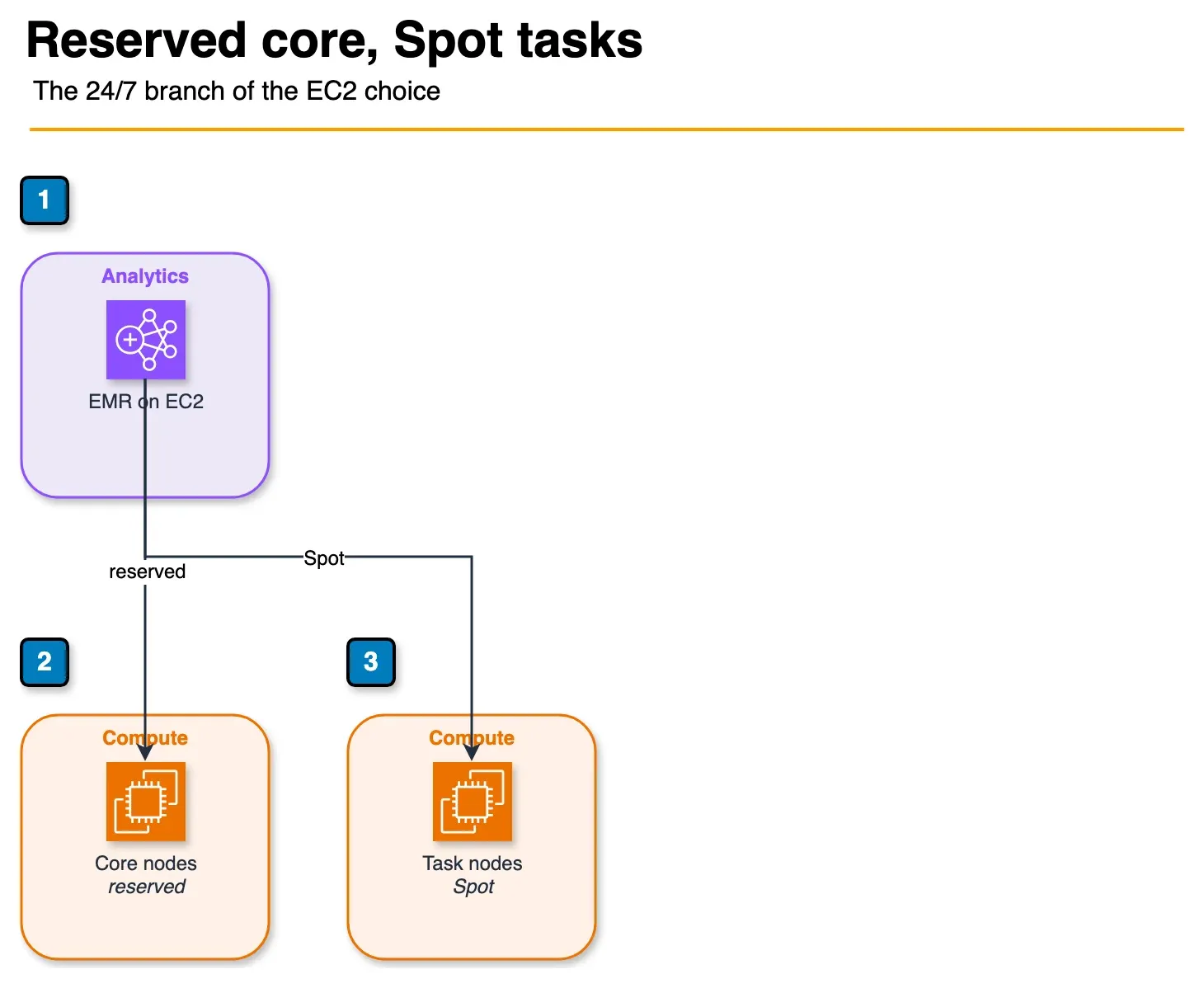
Figure: when the flowchart stays on EC2 because the cluster is busy, core nodes can be reserved and task nodes can be Spot. This is that branch, not a second product. Open the draw.io source.
EMR on EC2 is the original EMR deployment mode. You provision a cluster of EC2 instances grouped into three node types:
- Master node: Runs cluster management (YARN ResourceManager, HDFS NameNode). Typically one node, often an On-Demand instance for stability.
- Core nodes: Run HDFS DataNodes and YARN NodeManagers. Store data on HDFS and run tasks. On-Demand or Reserved Instances for data durability.
- Task nodes: Pure compute — no HDFS, only YARN. Can be 100% Spot Instances because losing a task node does not cause data loss (tasks are rescheduled).
Cost Optimization Levers on EC2
Spot Instances for task nodes is the most impactful cost lever. Task nodes on Spot typically cost 60–90% less than On-Demand. For a fault-tolerant Spark job (with proper spark.speculation and checkpoint configuration), Spot interruptions cause task retries, not job failures. An r5.4xlarge On-Demand costs ~$1.00/hr; the same instance on Spot typically runs $0.20–$0.40/hr.
Instance Fleets let you specify multiple instance types and EMR automatically fills capacity with the cheapest available Spot option. This reduces the risk of Spot capacity unavailability in a single instance type:
Master: 1x m5.xlarge (On-Demand)
Core: 2x r5.2xlarge (On-Demand or 1-year Reserved)
Task: r5.4xlarge, r5a.4xlarge, r5d.4xlarge (Spot, Instance Fleet)
Reserved Instances on master and core nodes deliver predictable 30–40% savings vs On-Demand for steady workloads. Combine: master + core on Reserved, task nodes on Spot.
Auto-scaling: EMR on EC2 supports managed scaling (AWS auto-scales task node count based on YARN metrics) or custom scaling rules. This handles load variation without manual intervention.
When EMR on EC2 Wins
- 24/7 sustained Spark workloads: Persistent clusters amortize master node cost and eliminate cold starts.
- Spot Instance cost optimization: Task nodes on Spot reduce large-batch job costs by 60–90%.
- Full application stack needed: HBase, Presto, Hue, Sqoop, or other EMR applications not available in Serverless.
- Custom cluster configuration: Specific Hadoop/Spark configuration, bootstrap actions, custom software, or specific HDFS requirements.
- Very large sustained jobs: At high sustained utilization, Reserved Instance pricing beats Serverless per-unit cost.
When EMR on EC2 Loses
- Idle cost: Even an auto-terminated cluster has a master node minimum of ~5 minutes. A cluster that runs for 1 hour per day still needs careful auto-termination scheduling. Forgetting to terminate clusters is a common source of unexpected AWS bills.
- Operational overhead: Cluster version upgrades, bootstrap action maintenance, Spot interruption handling, and YARN configuration tuning require ongoing engineering effort.
- Team expertise required: Debugging YARN resource manager issues, HDFS block placement, and Spark shuffle service configuration is non-trivial.
EMR on EKS
EMR on EKS runs Apache Spark jobs as Kubernetes pods on your existing Amazon EKS cluster. Rather than a dedicated EMR cluster, Spark executors are scheduled alongside your application pods on shared worker nodes.
How It Works
You create an EMR virtual cluster that maps to a Kubernetes namespace in your EKS cluster. When you submit a job, EMR on EKS schedules the Spark driver and executors as pods within that namespace, using whatever compute the Kubernetes scheduler provisions (EC2 On-Demand, Spot via Karpenter, Graviton instances, or custom node pools).
EMR Virtual Cluster (maps to EKS namespace)
    ↓
Job submission via EMR API (or Spark operator)
    ↓
Spark driver + executor pods scheduled by Kubernetes
    ↓
Compute from shared EKS node groups (your existing infra)
The Core Advantage: Shared Infrastructure
If you already run an EKS cluster for your application workloads (APIs, microservices, ML inference), EMR on EKS lets you run Spark jobs on that same compute. When your application is lightly loaded, the spare capacity runs Spark jobs. This bin-packing improves overall cluster utilization and reduces the total compute bill compared to maintaining a separate EMR cluster that is idle when no Spark jobs run.
Karpenter integration is the recommended node provisioning approach. Karpenter auto-provisions the most cost-effective EC2 instance type for each Spark workload, supports Spot Instances natively, and terminates instances when they are no longer needed — eliminating idle EC2 cost between jobs.
Supported Features
EMR on EKS supports Apache Spark (PySpark, Scala, Java). It does not support Hive, HBase, Presto, or other non-Spark applications. Like Serverless, it is Spark-first. If you need the full EMR application stack, EC2 is the only option.
When EMR on EKS Wins
- EKS-first infrastructure strategy: Your organization already standardizes on Kubernetes for all workloads. One cluster, one control plane, one team managing compute.
- High cluster utilization through bin-packing: Spark jobs fill idle capacity on application node groups, improving overall utilization.
- Spot Instance access: Because you control the EKS node groups, you get full Spot Instance optimization (via Karpenter or Managed Node Groups with Spot).
- Custom container images: Full control over the Spark container — add custom libraries, monitoring agents, or security tools that are difficult to install via EMR bootstrap actions.
When EMR on EKS Loses
- Kubernetes expertise required: Configuring pod templates, resource requests/limits, Karpenter provisioners, Spark shuffle service on Kubernetes (or Remote Shuffle Service), and namespace isolation requires deep Kubernetes knowledge.
- No EKS cluster today: Spinning up an EKS cluster just to run Spark jobs is significant overhead. Serverless is simpler.
- Debugging complexity: Spark on Kubernetes has different failure modes and debugging paths than Spark on YARN. Application logs, pod evictions, and network policies add operational complexity.
Cost Comparison: Three Workload Scenarios
The following scenarios illustrate how deployment mode affects monthly cost. These are illustrative estimates for direction — validate with the AWS Pricing Calculator for your specific workload, instance types, and region.
Assumptions: Apache Spark, r5.4xlarge workers (16 vCPU, 128 GB RAM), us-east-1. EMR Serverless equivalent: 16 vCPU, 120 GB memory per worker unit.
Scenario 1: Intermittent Batch (2 hours/day, 5 days/week)
Monthly job hours: 2h × 5 × 4 = 40 hours/month
| Mode | Configuration | Estimated Monthly Cost |
|---|---|---|
| EMR Serverless | 10 workers × 40h | ~$180–$220 |
| EMR on EC2, On-Demand | Cluster up 2h/day, auto-terminated | ~$200–$250 (includes master node overhead) |
| EMR on EC2, Spot task | On-Demand master+core, Spot task nodes | ~$80–$120 |
| EMR on EKS, Spot | Karpenter Spot nodes | ~$70–$110 |
Winner: EMR Serverless or EC2 with Spot. Serverless wins on operational simplicity. EC2/EKS with Spot wins on cost if you are willing to manage the Spot configuration.
Scenario 2: Workday Batch (8 hours/day, 5 days/week)
Monthly job hours: 8h × 5 × 4 = 160 hours/month
| Mode | Configuration | Estimated Monthly Cost |
|---|---|---|
| EMR Serverless | 10 workers × 160h | ~$700–$880 |
| EMR on EC2, On-Demand | Persistent workday cluster | ~$650–$800 |
| EMR on EC2, Mixed (On-Demand master+core, Spot task) | ~$250–$350 | |
| EMR on EKS, Spot | Karpenter Spot | ~$220–$300 |
Winner: EC2 with Spot or EKS with Spot at this utilization level. Serverless and On-Demand EC2 are comparable but both significantly more expensive than Spot-optimized options.
Scenario 3: Continuous 24/7 Processing
Monthly job hours: 720 hours/month
| Mode | Configuration | Estimated Monthly Cost |
|---|---|---|
| EMR Serverless | 10 workers × 720h | ~$3,200–$3,900 |
| EMR on EC2, On-Demand | Persistent cluster | ~$2,800–$3,400 |
| EMR on EC2, Reserved (1-year) master+core + Spot task | ~$1,200–$1,600 | |
| EMR on EKS, Reserved nodes + Spot | ~$1,000–$1,400 |
Winner: EC2 with Reserved Instances and Spot task nodes, or EKS with Reserved nodes. Serverless is the most expensive option at 24/7 utilization because you cannot access Spot pricing or Reserved Instance discounts.
Apache Iceberg Support Across All Three Modes
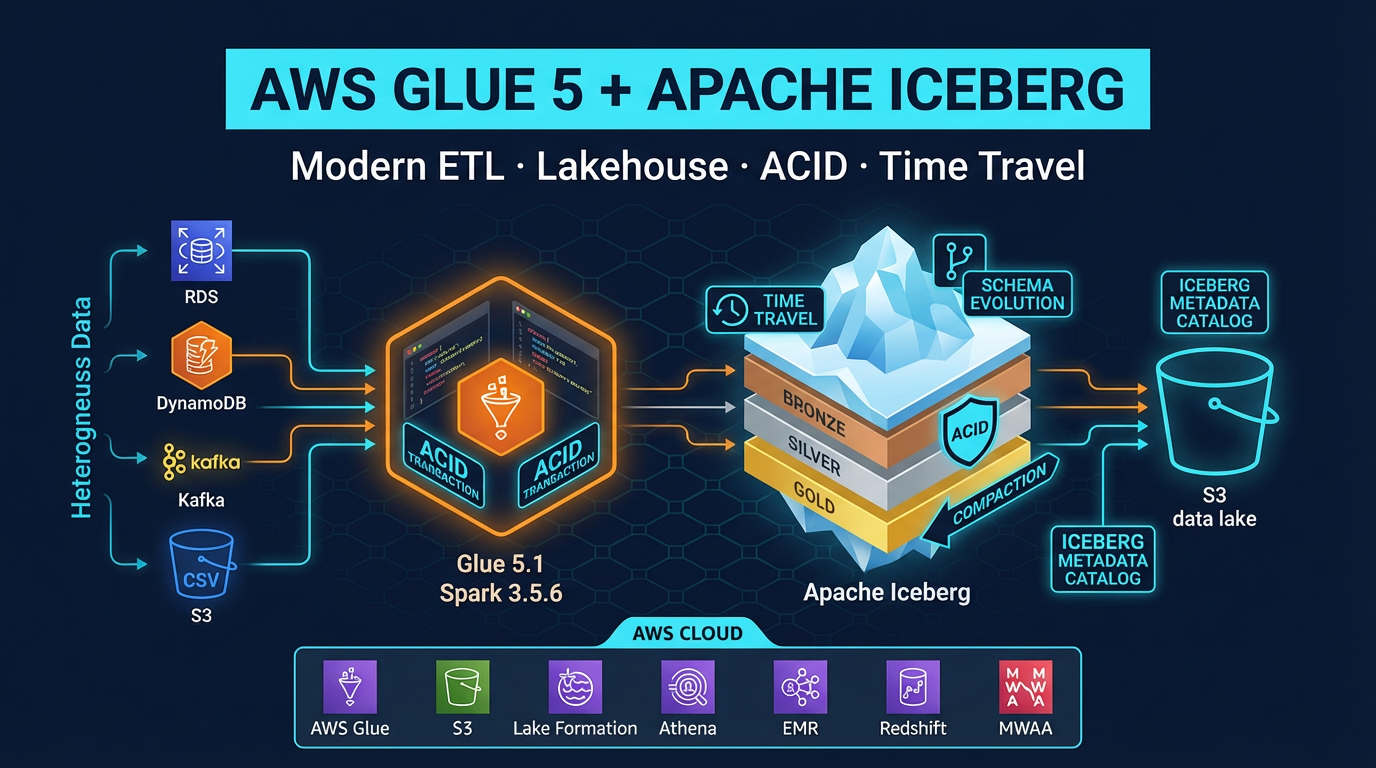
All three EMR deployment modes support Apache Iceberg tables stored in S3 and cataloged in the AWS Glue Data Catalog. This means you can build a lakehouse where Glue ETL jobs and EMR jobs read and write the same Iceberg tables interchangeably.
Configure Iceberg in a Spark job submitted to any EMR mode:
from pyspark.sql import SparkSession

spark = SparkSession.builder \
    .appName("iceberg-job") \
    .config("spark.sql.extensions",
            "org.apache.iceberg.spark.extensions.IcebergSparkSessionExtensions") \
    .config("spark.sql.catalog.glue_catalog",
            "org.apache.iceberg.aws.glue.GlueCatalog") \
    .config("spark.sql.catalog.glue_catalog.warehouse",
            "s3://my-bucket/warehouse/") \
    .config("spark.sql.catalog.glue_catalog.io-impl",
            "org.apache.iceberg.aws.s3.S3FileIO") \
    .getOrCreate()

# Read an Iceberg table
df = spark.read.format("iceberg") \
    .load("glue_catalog.my_database.my_table")

# Write with MERGE INTO for upserts
spark.sql("""
    MERGE INTO glue_catalog.my_database.my_table t
    USING (SELECT * FROM staging_view) s
    ON t.id = s.id
    WHEN MATCHED THEN UPDATE SET *
    WHEN NOT MATCHED THEN INSERT *
""")
This identical code runs on EMR Serverless, EMR on EC2, EMR on EKS, and AWS Glue 5.1 — all reading and writing the same Iceberg tables. Your choice of EMR mode is an infrastructure decision that does not lock you into a different data format or catalog.
Migration Paths
EC2 → Serverless
The main steps:
- Package your Spark application as a JAR or Python script in S3 (same as EC2)
- Update IAM roles: add
emr-serverless:*permissions, remove EMR cluster permissions - Create an EMR Serverless application via console or API
- Update job submission from
aws emr add-stepstoaws emr-serverless start-job-run - Remove cluster provisioning / termination automation (Lambda schedulers, CloudFormation cluster resources)
- Test cold start impact — add pre-initialized capacity if jobs are latency-sensitive
Most Spark jobs migrate with no code changes. The main work is in the job submission and orchestration layer (Airflow DAGs, EventBridge rules, Step Functions state machines).
EC2 → EKS
- Containerize the Spark application: create a Docker image with your dependencies added to the EMR Spark base image
- Set up an EKS cluster (or use an existing one) with appropriate node groups
- Create an EMR virtual cluster mapped to a Kubernetes namespace
- Configure Karpenter provisioners for Spot and On-Demand node pools
- Update job submission to use the virtual cluster ID
- Test Spark shuffle behavior (local disk vs Remote Shuffle Service) — this is the most common migration challenge on Kubernetes
Decision Framework
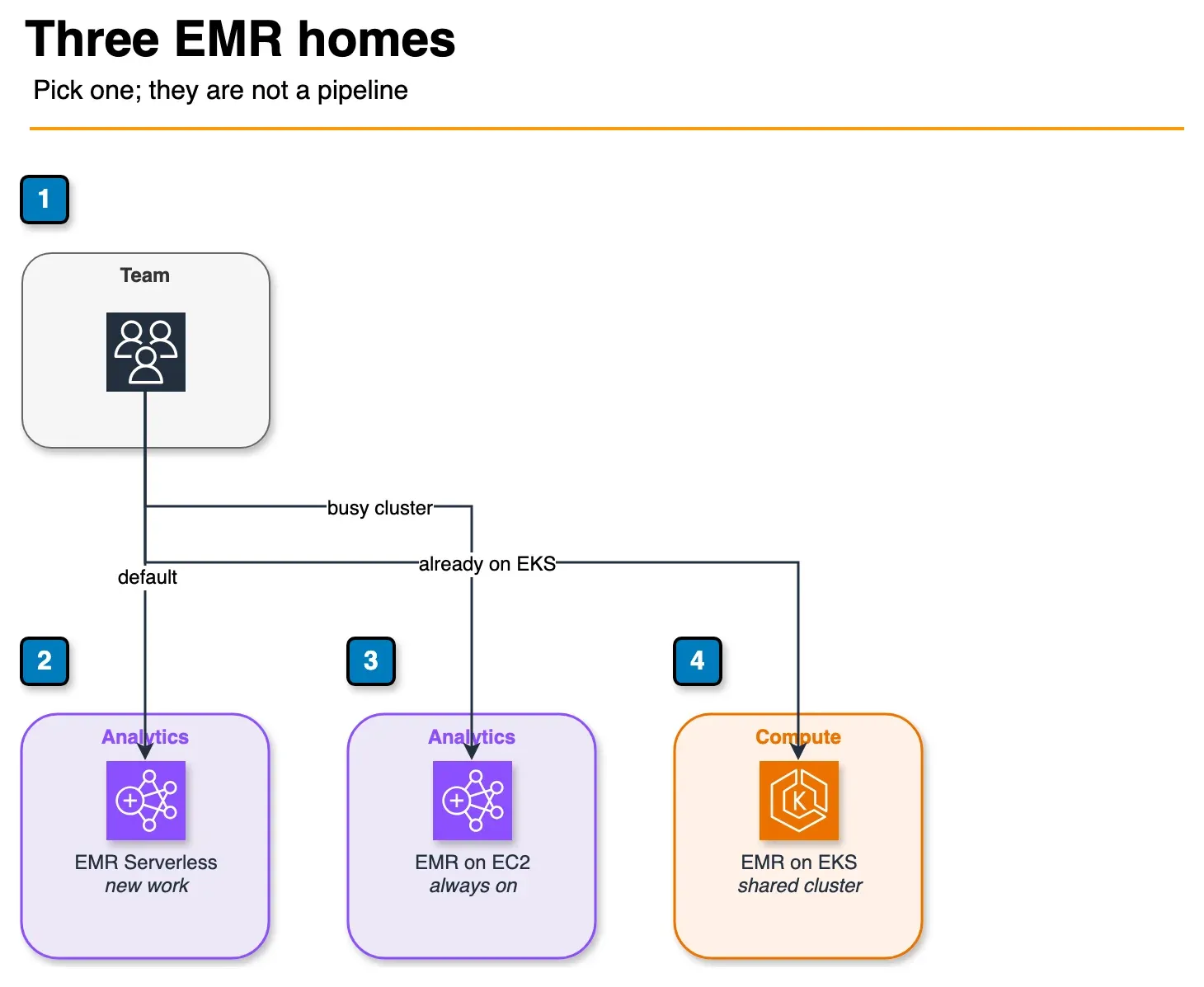
Figure: the decision framework picks one mode. Serverless is the default for a new workload. EC2 is the branch for HBase, Presto, Hue, or a cluster that stays busy. EKS is the branch when that cluster already exists. Open the draw.io source.
Use this flowchart to choose:
Do you need HBase, Presto, or Hue?
    YES → EMR on EC2 (only option)
    NO → Continue

Do you run EKS already and want shared compute?
    YES → EMR on EKS (bin-packing advantage)
    NO → Continue

Is your workload 24/7 or >70% cluster utilization?
    YES → EMR on EC2 with Reserved Instances + Spot task nodes
    NO → Continue

Is Spot Instance pricing critical to your cost model?
    YES → EMR on EC2 with Spot, or EMR on EKS with Karpenter
    NO → EMR Serverless (simplest operational model)
Default for new workloads: EMR Serverless. AWS’s own guidance recommends Serverless for new use cases and workloads where On-Demand cluster utilization would be below 70%. You can always migrate to EC2 or EKS later when you have enough throughput data to justify the operational complexity.
Summary
| Criteria | EMR Serverless | EMR on EC2 | EMR on EKS |
|---|---|---|---|
| Operational overhead | Lowest | Medium | Highest |
| Cold start | 1–3 min (or pre-init) | None (persistent) | 1–3 min (Karpenter) |
| Spot Instances | No | Yes (task nodes) | Yes (node groups) |
| 24/7 cost efficiency | Low | High (w/ RI + Spot) | High (w/ RI + Spot) |
| Intermittent batch cost | Medium | Medium | Medium |
| Application support | Spark, Hive | Full stack | Spark only |
| Kubernetes knowledge needed | No | No | Yes |
| Best for | New workloads, variable traffic | Sustained, cost-optimized | EKS-first orgs |
When this advice fails
- You need HBase/Hue/full EMR apps — EC2 only.
- Spot is non-negotiable for cost — not Serverless; use EC2 task nodes or EKS + Karpenter.
- Jobs are truly 24/7 at high utilization — RI/Spot EC2 (or EKS bin-packing) usually beats Serverless.
What this post doesn’t cover
Per-region vCPU-second price tables — always pull live numbers from the EMR pricing page.
What to do Monday morning
- Classify jobs: intermittent batch vs sustained cluster.
- If intermittent and Spark/Hive-only → start Serverless; size pre-initialized capacity only where SLAs require it.
- If Spot-critical → EC2 or EKS path; document failure handling.
- Confirm Iceberg catalog sharing with Glue 5.x jobs.
- Walk the decision matrix.
- Related: Glue 5 Iceberg · Managed Flink.
Frequently asked questions
What is AWS EMR Serverless?
When should I choose EMR on EC2 over EMR Serverless?
What is the difference between EMR on EKS and EMR Serverless?
Does EMR Serverless support Apache Hive?
How does EMR Serverless handle job concurrency?
Can EMR Serverless use Spot Instances?
What is the cold start behavior for EMR Serverless?
Is Apache Iceberg supported on all three EMR deployment modes?

AWS Cloud Architect & AI Expert
AWS-certified cloud architect and AI expert with deep expertise in cloud migrations, cost optimization, and generative AI on AWS.