The Real Cost of Not Having 24/7 AWS Monitoring
Quick summary: Companies still skip 24/7 AWS monitoring to save money. As of July 2026 the math is unchanged — downtime, churn, and runaway Lambda/NAT spend almost always cost more than human-backed response. CloudWatch alarms alone are not coverage.
Key Takeaways
- Companies still skip 24/7 AWS monitoring to save money
- As of July 2026 the math is unchanged — downtime, churn, and runaway Lambda/NAT spend almost always cost more than human-backed response
- CloudWatch alarms alone are not coverage
- The most common objection to 24/7 AWS monitoring is that it costs money
- A managed monitoring solution or 24/7 managed services engagement is a line item that did not exist before, and it is easy to defer when the infrastructure is running fine
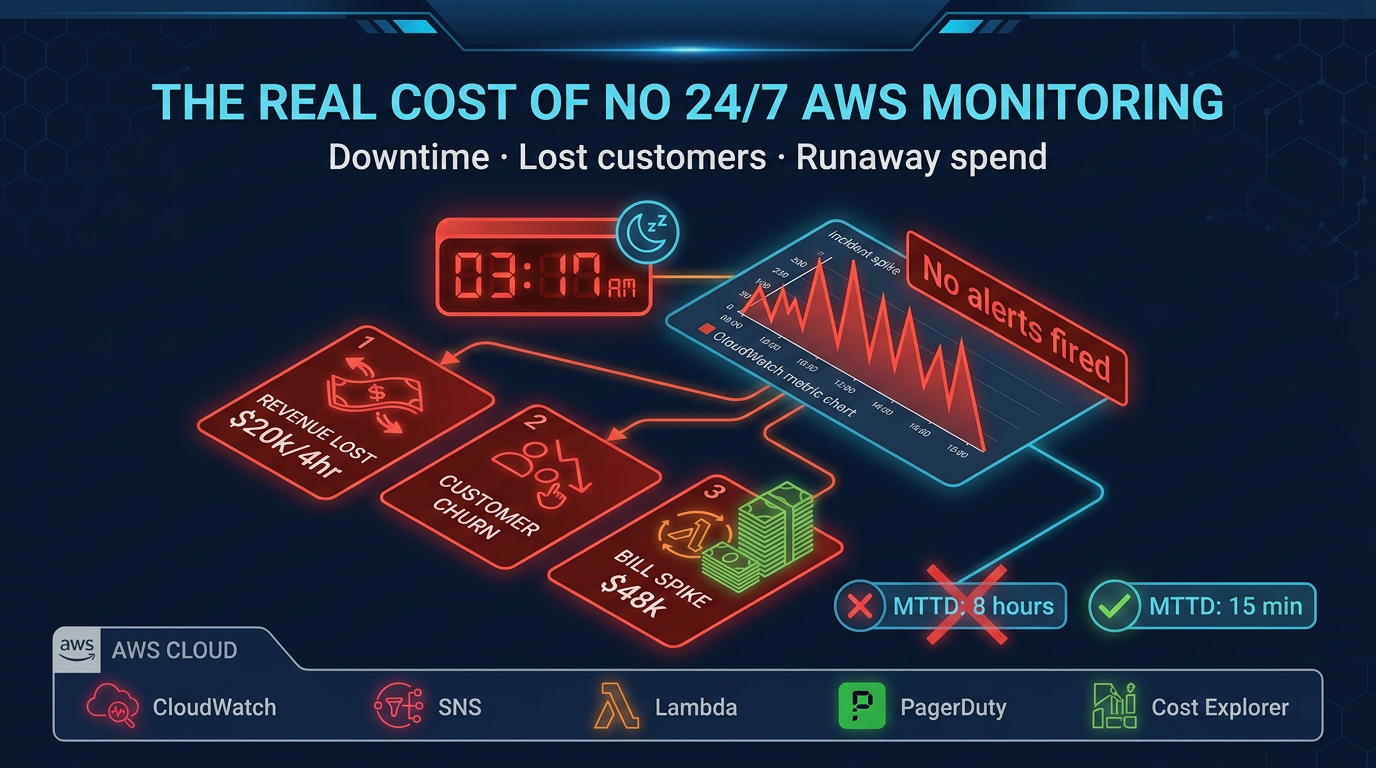
Table of Contents
The most common objection to 24/7 AWS monitoring is that it costs money. A managed monitoring solution or 24/7 managed services engagement is a line item that did not exist before, and it is easy to defer when the infrastructure is running fine.
As of July 2026, the tooling catalog is richer — CloudWatch Application Signals, anomaly detection, AWS Budgets, Cost Anomaly Detection, optional FinOps Agent previews — but none of that closes the gap between alert and action. The question is still not whether monitoring costs money. It is whether the absence of human-backed monitoring costs more.
For most companies with production AWS workloads, the math is not close. For the operational playbook (tooling stack and MSP scope), see 24/7 managed support & monitoring.
How to Calculate Your Downtime Cost
Before examining scenarios, establish your organization’s specific numbers. This formula gives you a conservative direct cost estimate:
Revenue impact per hour of downtime:
Monthly Recurring Revenue ÷ 730 hours = Hourly Revenue RateFor a company with $500,000 MRR, that is $685 per hour. For $2M MRR, it is $2,740 per hour.
This is conservative because it assumes revenue loss is proportional to time, which underestimates the impact during peak hours. A 4-hour outage on Black Friday for an e-commerce company may represent 10–15× the normal hourly rate in lost transactions.
Full incident cost calculation:
Total Incident Cost =
  (Hourly Revenue Rate × Hours Down)
  + (Engineer Hourly Cost × Response Hours)
  + (Customer Churn: Affected Users × Churn Rate × LTV)
  + (Reputational Cost: Varies)
For a company with $1M MRR and a 4-hour weekend outage:
- Direct revenue loss: $685/hr × 4 hours = $2,740
- Engineering response: 3 engineers × 6 hours × $75/hr fully loaded = $1,350
- Customer churn: 5,000 affected users, 2% churn rate, $500 LTV = $5,000
- Total: ~$9,000 from a single incident
Now consider: a managed monitoring solution that prevents or reduces incident duration costs $3,000–$8,000 per month. One avoided major incident per quarter justifies the annual cost.
The MTTD Problem
Mean Time to Detect (MTTD) is the duration between when a problem starts and when someone who can act on it becomes aware.
Without 24/7 monitoring and response, MTTD for incidents that start overnight is measured in hours — typically the time from incident start until the first engineer logs in the next morning, notices something wrong in their metrics, or gets a user support ticket.
MTTD without 24/7 monitoring: 6–10 hours for overnight incidents
MTTD with 24/7 monitoring and response: 10–15 minutes
That difference — roughly 6–9 hours of additional user impact per overnight incident — is the core value proposition of continuous monitoring. Multiply it by your hourly revenue rate.
MTTD compounds with MTTR (Mean Time to Resolve). An incident detected at 3 AM by an automated alert with an on-call engineer already engaged resolves faster than an incident discovered at 8 AM when a tired engineer walks into a 6-hour-old disaster with no incident timeline and no runbook.
Scenario 1: The SaaS Startup Saturday Night Outage
A B2B SaaS company running on AWS processes customer data during business hours Monday through Friday. Their infrastructure includes an ALB, an ECS cluster running their application tier, an RDS Aurora cluster, and S3 for customer file storage.
At 11:30 PM on a Saturday, an RDS Aurora writer node undergoes a failover due to a hardware issue on the underlying host. This is normal Aurora behavior — automatic failover to a reader promotes it to writer within 30–60 seconds. Application connections established before the failover are not affected until they are used. New connections work immediately.
However, this company’s application does not implement proper database connection retry logic. Connection errors are thrown, not caught with retry, and the application error rate spikes to 100% for 90 seconds during failover. Then the application connection pool is exhausted — every connection object is in a broken state — and no new connections can be established. The application is effectively down.
The automatic failover worked perfectly. The application is broken because of code behavior.
Without 24/7 monitoring: The ECS health check eventually marks all tasks as unhealthy and attempts replacement. New tasks start with fresh connection pools and the application recovers — 12 minutes after the initial failure. Nobody is paged. Nobody knows. An error in their customer support inbox on Monday morning is the first signal.
With 24/7 monitoring: CloudWatch alarms on ALB 5xx error rate (above 1% threshold) fire within 2 minutes. An on-call engineer is paged. They observe the pattern, identify the connection pool exhaustion, and manually cycle the ECS tasks — total downtime: 4 minutes. A post-incident report flags the connection retry logic gap.
The difference is 8 minutes of downtime versus the same 12 minutes. That seems minor. Except the monitoring also catches the Monday morning support tickets that were accumulating silently, and the root cause review produces a fix that prevents a more serious version of this incident in the future — when it happens on a Tuesday at 2 PM instead of Saturday at 11:30 PM.
Scenario 2: The Lambda Runaway Spend Event
A fintech startup processes transaction events using a Lambda function triggered by an SQS queue. The Lambda function processes transactions, performs some enrichment from an external API, and writes results to DynamoDB.
A deployment adds a bug: when the external API returns a specific error code (a temporary rate limit), the function writes a retry message back to the same SQS queue instead of using SQS’s built-in visibility timeout mechanism. This creates a feedback loop — the function processes a message, hits the rate limit, writes it back to the queue, which triggers another invocation, which hits the rate limit again immediately.
At deployment on Thursday afternoon, the queue depth is low and the feedback loop is contained. By Monday morning, the queue has grown to millions of messages. Lambda has been running at maximum concurrency (1,000 concurrent executions) since Friday evening, with each invocation lasting several minutes. DynamoDB provisioned throughput has been exceeded, resulting in additional costs.
The Monday morning AWS bill estimate: significant, potentially five figures, in a single weekend.
Without 24/7 monitoring: The deployment team moves on to other work Thursday. No one checks Lambda metrics over the weekend. The SQS queue depth CloudWatch metric would have shown the anomaly within hours, but no alarm was configured. The first signal is the billing alert email that arrives Monday morning — after the charges have already accrued.
With 24/7 monitoring: An anomaly alarm on Lambda concurrent executions fires Friday evening when execution count exceeds 200 concurrent (the normal peak for this function). An on-call engineer identifies the SQS queue depth anomaly, traces it to the recent deployment, and implements a Lambda concurrency limit to stop the feedback loop while the bug is fixed. Weekend charges: a few hundred dollars instead of tens of thousands.
This scenario is not hypothetical. Lambda feedback loops are one of the most common causes of unexpected AWS spend spikes, and they are entirely preventable with monitoring.
The monitoring investment: $4,000/month in managed monitoring services. The prevented cost: Potentially $40,000+ in a single weekend.
Scenario 3: The CloudTrail Compliance Breach
A healthcare data company processes patient records and is required to maintain HIPAA compliance. Their AWS environment includes CloudTrail logging enabled across all accounts, CloudWatch Logs retention configured at 90 days, and a compliance program audited annually.
During a routine infrastructure change in October, a junior engineer accidentally disables CloudTrail logging in their production account while troubleshooting a permissions issue. They re-enable it the next day, assuming no harm done. The gap: 18 hours of CloudTrail data missing.
This happens on a Thursday. The annual HIPAA audit is in March.
Without 24/7 monitoring: The 18-hour gap goes unnoticed. In March, the auditor’s review of CloudTrail log continuity surfaces a gap. The company cannot produce logs for 18 hours of production activity in October. Under HIPAA, this is a potential audit trail failure. The auditor notes it as a finding. Legal review determines that the gap, while unintentional, triggers a formal breach assessment process — a requirement under the HIPAA Breach Notification Rule when you cannot rule out unauthorized access during a period with no audit trail. The assessment, legal review, and potential notification requirements cost $50,000–$200,000 in compliance and legal fees.
With 24/7 monitoring: An AWS Config rule detects CloudTrail disabled and fires a P1 alert within minutes. An on-call engineer re-enables CloudTrail and documents the incident. The 18-hour gap is reduced to 12 minutes. The compliance record notes an anomaly that was detected and resolved. The auditor sees a functioning detective control, not a gap.
The monitoring investment: A fraction of the potential compliance cost. The prevented cost: $50,000–$200,000 in compliance and legal exposure, plus reputational damage with healthcare clients.
The Hidden Costs That Do Not Appear in Incident Reports
Incident costs are easy to identify after the fact. Several categories of cost from inadequate monitoring are harder to see but equally real.
Engineer Burnout and Turnover
An on-call engineer who gets paged repeatedly for noise — alerts that fire but require no action — experiences alert fatigue. They stop treating alerts with urgency. The next real alert gets the same delayed response as the noise.
On-call engineers without runbooks and without 24/7 backup face a qualitatively different experience than those with both. They are paged for incidents they cannot resolve without context and tribal knowledge they have not yet acquired. They troubleshoot in the dark, escalate to people who resent being woken up, and recover slowly.
The turnover cost of a senior engineer in a high-cost market is $200,000–$400,000 when you account for recruiting, onboarding, and the 6-month productivity ramp. Poor on-call culture is a documented contributor to engineering turnover. It does not appear as a line item in the incident post-mortem, but it is part of the cost.
Compounding Technical Debt
Every incident that resolves without a proper root cause analysis and documented fix produces a latent problem that will surface again. Without a managed post-incident process, the same classes of incident recur — same Aurora failover issue, same Lambda misconfiguration, same IAM permission gap.
With managed monitoring and 24/7 response, post-incident reviews are systematic, not optional. Root cause fixes are tracked. Recurrence rates drop.
The Compliance Evidence Gap
Compliance frameworks do not just require that controls exist. They require evidence that controls operated continuously. CloudTrail logging, VPC Flow Logs, Security Hub findings reviewed and addressed, GuardDuty enabled and tuned — each of these requires not just configuration but documented continuous operation.
Without 24/7 monitoring and systematic evidence collection, audit preparation is a scramble that generates retrospective evidence of questionable reliability. With continuous monitoring, audit evidence is a byproduct of normal operations.
What 24/7 Monitoring Actually Costs
The cost of 24/7 AWS monitoring varies by approach:
Option 1: Build it internally
- Hire 2–3 engineers to provide true 24/7 coverage (allowing for vacation, sick leave, time zones)
- Fully loaded cost: $300,000–$600,000/year
- Additional tooling: $20,000–$60,000/year
- Total: $320,000–$660,000/year
- Appropriate for: companies spending $500k+/month on AWS with complex operations requirements
Option 2: Managed monitoring service only (no operations response)
- Third-party monitoring with alerting to your on-call rotation
- Cost: $1,000–$3,000/month
- You still manage incident response; monitoring catches incidents earlier
- Appropriate for: companies with an existing on-call rotation who need better instrumentation
Option 3: AWS Managed Services Provider
- 24/7 monitoring plus human incident response, cost optimization, patching, and security
- Cost: $3,000–$15,000+/month depending on environment size
- Full operational coverage without building an internal team
- Appropriate for: companies spending $10k–$200k+/month on AWS who want operational maturity without the headcount
For most companies in the $10k–$100k/month AWS spend range, Option 3 delivers better risk-adjusted outcomes than either building internally or relying on monitoring-only solutions.
The Decision Framework
Calculate your specific numbers before deciding:
- What is your hourly revenue rate? (Monthly revenue ÷ 730)
- What is your current MTTD for incidents that start at 2 AM on a Saturday?
- How many production incidents have you had in the past 12 months, and what did they cost?
- What would your HIPAA, SOC 2, or PCI audit look like if someone asked for CloudTrail continuity evidence for the past 12 months?
- Do Cost Anomaly Detection / Budgets page a human who can disable a runaway path tonight — or only email finance next week?
If your MTTD is measured in hours, your incident history includes avoidable events, and your compliance evidence is incomplete — the math for 24/7 monitoring coverage is straightforward.
When this advice fails
- Pre-product / no revenue at risk — a founder laptop on-call may be enough until customers depend on you.
- Fully staffed follow-the-sun SRE with tested runbooks — buying an MSP to “check a box” adds cost without reducing MTTD.
- You only want dashboards — buy observability tooling; do not pay for managed response you will ignore.
What to do Monday morning
- Compute hourly revenue rate and last year’s largest incident cost.
- Measure real MTTD for the last three overnight incidents (alert timestamp → first human ack).
- Confirm every P1 alarm pages a human (PagerDuty/Opsgenie/MSP), not only Slack.
- Turn on Cost Anomaly Detection + a hard Budget action path for Lambda concurrency / NAT / data transfer.
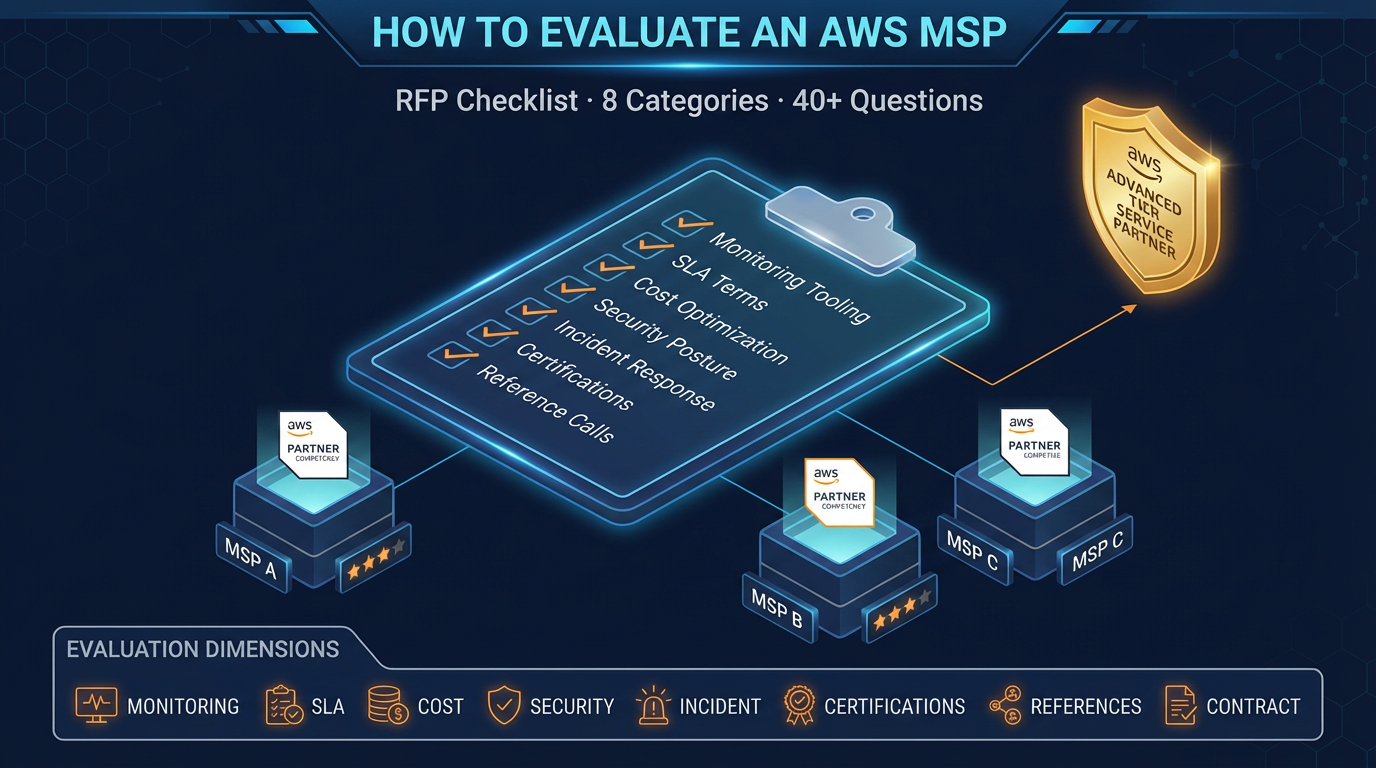
- If MTTD > 30 minutes off-hours, shortlist MSPs with the evaluation RFP checklist.
The monitoring does not cost money. The absence of monitoring does.
FactualMinds provides 24/7 AWS monitoring and managed operations for companies that want production-grade coverage without building an internal operations team. If you want to understand what coverage would look like for your environment, contact us to start the conversation.
AWS Cloud Architect & AI Expert
AWS-certified cloud architect and AI expert with deep expertise in cloud migrations, cost optimization, and generative AI on AWS.