AWS Managed Services vs AWS Support Plans: What's Actually Different
Quick summary: Business Support+ and an AWS MSP still sound similar in July 2026 — they are not. Current Support tiers (post 2025-12-02 restructure) vs MSP scope, cost, and when you need both.
Key Takeaways
- Business Support+ and an AWS MSP still sound similar in July 2026 — they are not
- Current Support tiers (post 2025-12-02 restructure) vs MSP scope, cost, and when you need both
- As of July 2026 (verified against AWS Support docs): On 2025-12-02 AWS restructured Support
- Current paid tiers are Business Support+ (from $29/month), Enterprise Support (from $5,000/month — down from the old $15,000 minimum), and Unified Operations (from $50,000/month)
- Legacy Developer, Business, and Enterprise On-Ramp remain usable until 2027-01-01 (GovCloud exceptions apply); On-Ramp customers auto-upgrade to Enterprise during 2026 renewals
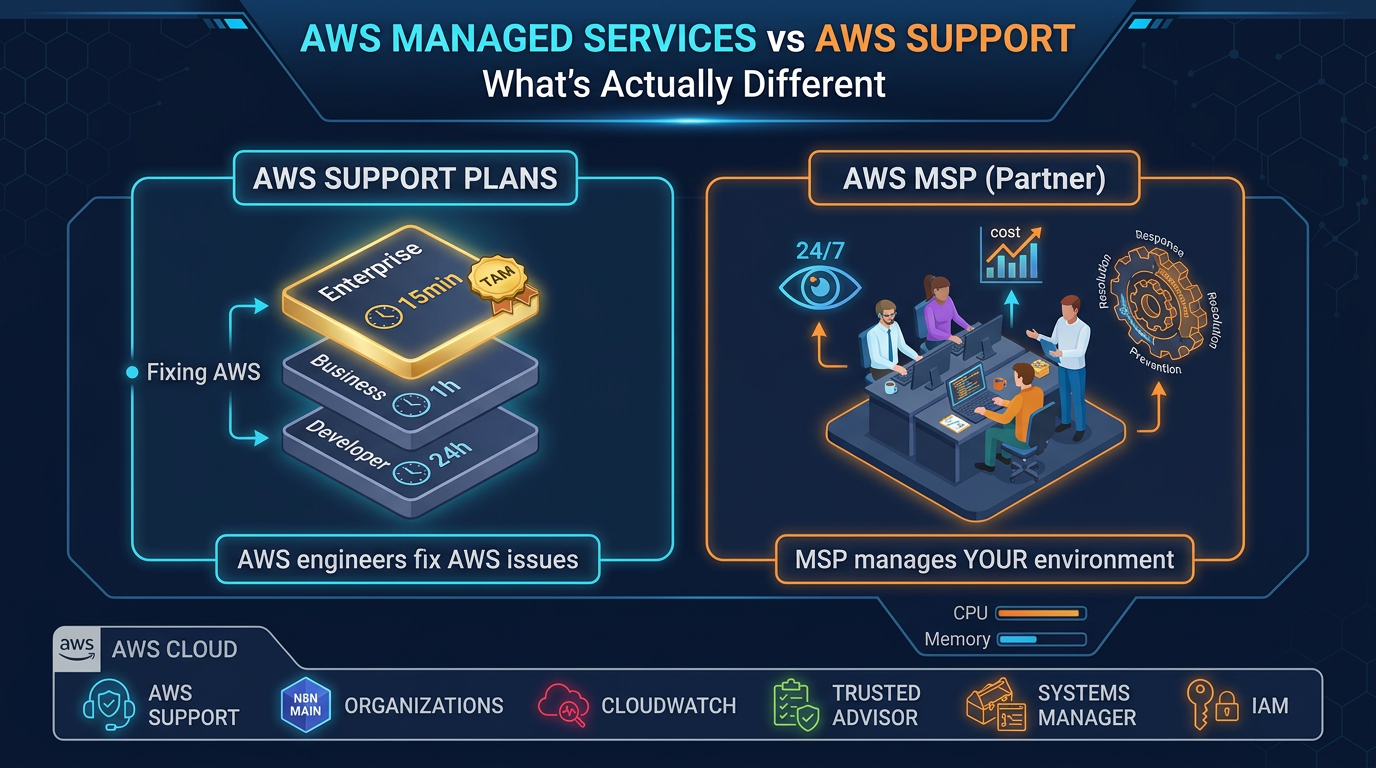
Table of Contents
As of July 2026 (verified against AWS Support docs): On 2025-12-02 AWS restructured Support. Current paid tiers are Business Support+ (from $29/month), Enterprise Support (from $5,000/month — down from the old $15,000 minimum), and Unified Operations (from $50,000/month). Legacy Developer, Business, and Enterprise On-Ramp remain usable until 2027-01-01 (GovCloud exceptions apply); On-Ramp customers auto-upgrade to Enterprise during 2026 renewals. Full ops framing: AWS 24/7 managed support.
When companies start thinking about better AWS support, they often compare two options that sound similar but are different products: AWS Support plans (Amazon-run, reactive) and AWS Managed Services Providers (partner-run, proactive ops).
They are not substitutes. Understanding scope, cost, and when you need each is essential before committing budget.
What AWS Support Plans Actually Are
AWS Support is a program run by Amazon. You pay Amazon directly for access to AWS engineers who diagnose AWS service-layer issues. It is primarily reactive: you open a case when something breaks (AI-assisted troubleshooting is now bundled on paid tiers, but humans still do not watch your fleet for you).
Current tiers (post 2025-12-02)
Basic (Free)
- Docs, forums, AWS Health Dashboard
- Core Trusted Advisor checks only
- No 1-on-1 technical support
- Appropriate for: sandboxes and learning accounts
Business Support+ (from $29/month — production floor for most teams)
- 24/7 access to AWS experts with AI-powered contextual recommendations
- Typical targets: ~30-min for business/mission-critical down; ~1-hr for production down (confirm current SLA table when you buy)
- Trusted Advisor + Support API access (required for many partner tooling integrations)
- Appropriate for: any production workload that must open cases against AWS itself
Enterprise Support (from $5,000/month)
- Designated TAM, 15-minute critical response, Trusted Advisor Priority
- AWS Security Incident Response included at no extra Support fee (per AWS’s current Enterprise positioning)
- Infrastructure Event Management available for major launches
- Appropriate for: mission-critical estates that need a named AWS relationship
Unified Operations (from $50,000/month)
- Incident Management Engineers / domain specialists, fastest AWS-led response bands
- Continuous proactive reviews at AWS scale
- Appropriate for: the largest organizations consolidating AWS ops under AWS itself
Legacy tiers (sunset 2027-01-01)
Developer, classic Business ($100+ minimum historically), and Enterprise On-Ramp ($5,500) still appear on some invoices. Migrate to Business Support+ or Enterprise before the cutoff so an SLA gap does not surface mid-incident. See AWS Support Plans.
What an AWS Managed Services Provider Actually Is
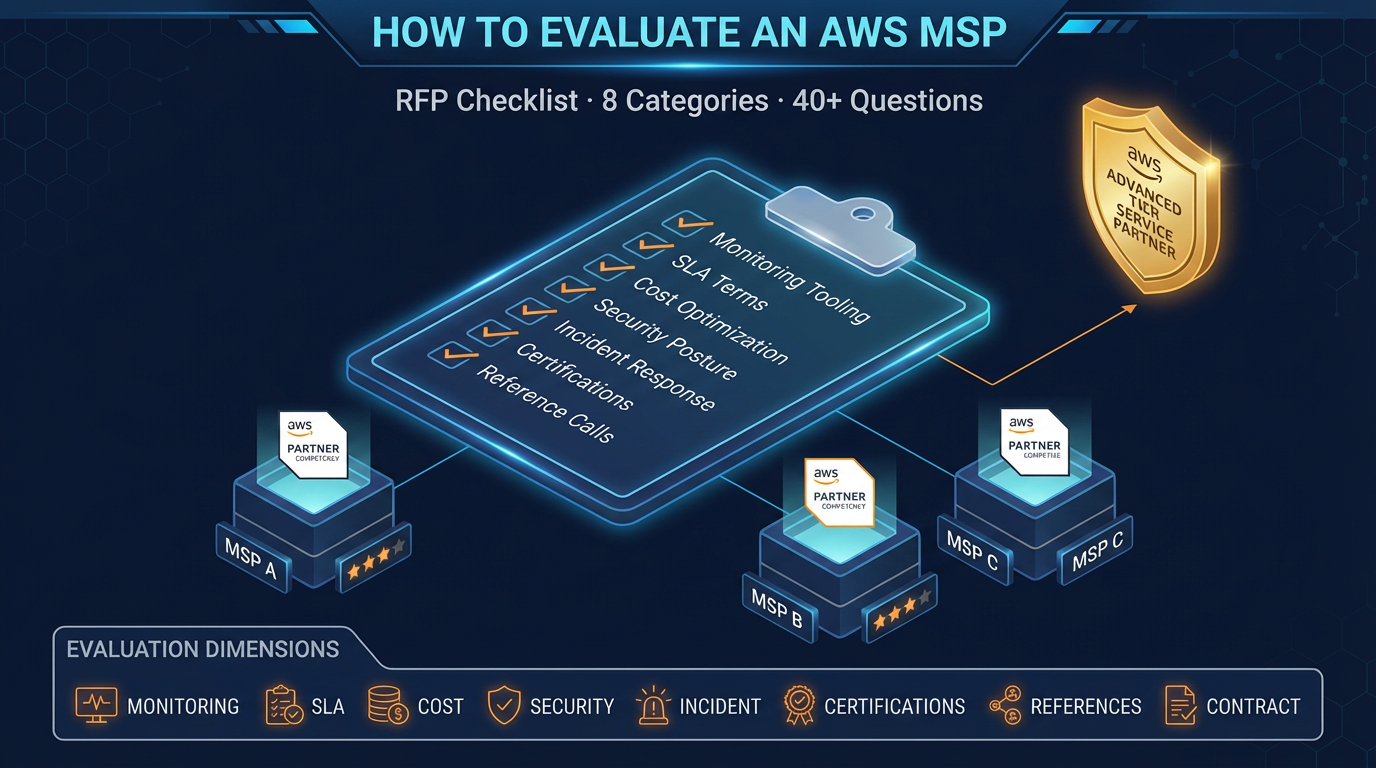
An AWS Managed Services Provider is a third-party company — certified by AWS through its MSP Partner Program — that provides ongoing management of your AWS environment. They are not Amazon employees. They are a separate organization with their own operations team, tooling, and service model.
The fundamental difference: AWS Support responds when you call. An MSP watches your environment and acts without waiting for you to call.
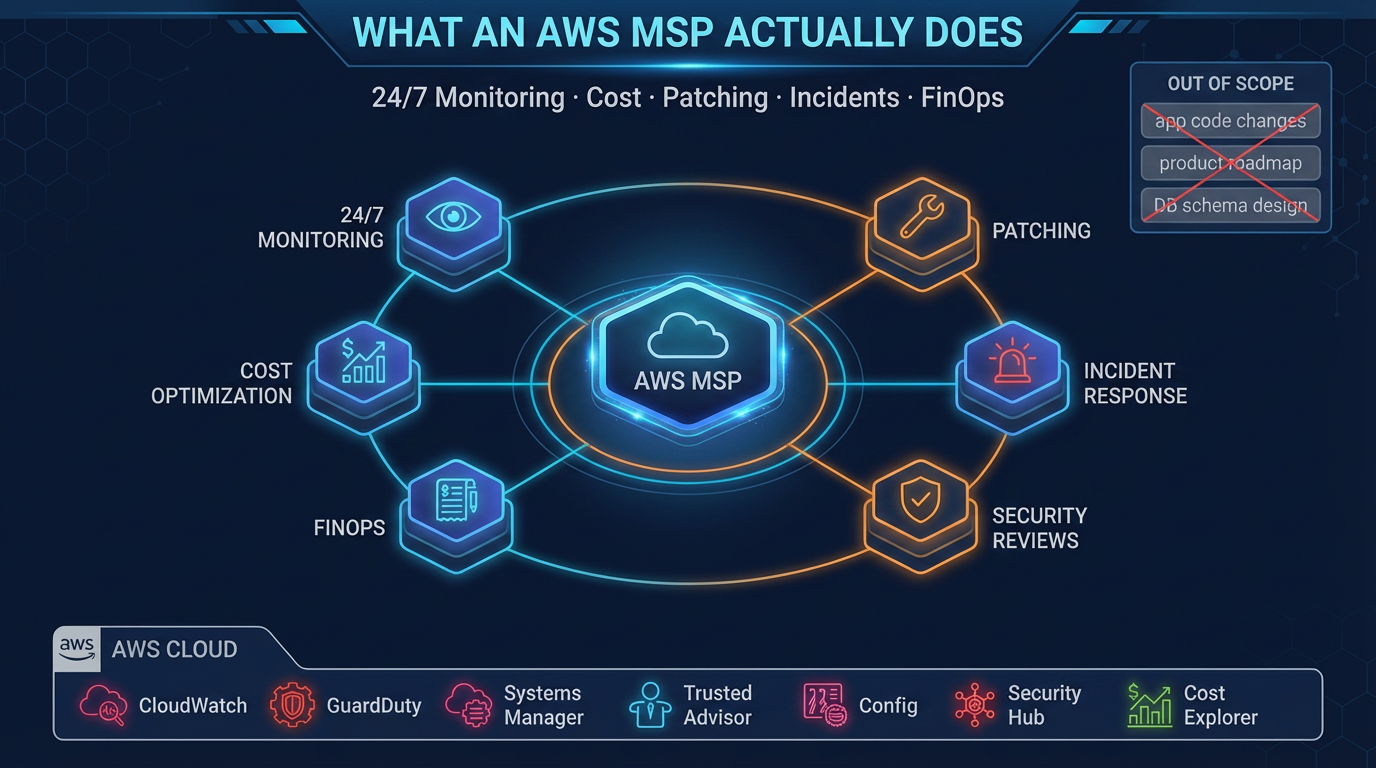
An MSP provides:
- Continuous monitoring: Your environment is instrumented with alerting on infrastructure health metrics. Engineers review and respond to alerts 24/7.
- Proactive incident prevention: Identifying conditions that are trending toward a problem before they become one. High disk utilization that will hit the threshold in 48 hours. A certificate expiring in 10 days. A database table approaching its maximum size.
- Cost optimization: Monthly analysis and ongoing rightsizing, Reserved Instance management, and idle resource cleanup.
- Patch management: Structured patching cadence with testing, rollback capability, and compliance documentation.
- Security reviews: Quarterly IAM reviews, Security Hub finding triage, compliance evidence generation.
- Runbook development: Documentation of your operational procedures so incidents are handled consistently.
- FinOps governance: Tagging enforcement, budget alerts, showback reporting.
Side-by-Side Comparison (July 2026)
| Dimension | Business Support+ | Enterprise Support | AWS MSP |
|---|---|---|---|
| Cost (list minimums) | From $29/month (+ usage tier) | From $5,000/month | Typically $3,000–$15,000+/month |
| Cost model | AWS Support pricing (tiered) | AWS Support pricing (tiered) | % of AWS spend or fixed retainer |
| Who provides it | Amazon directly | Amazon directly | Third-party partner |
| Critical response | ~30 min / ~1 hr bands (confirm) | 15 minutes critical | 15–30 minutes (contractual MSP SLA) |
| Monitoring your apps | None — you open cases | None — you open cases | 24/7 continuous monitoring |
| Proactive alerting | No (Health/TA only) | Limited via TAM programs | Yes |
| Cost optimization | Trusted Advisor findings | TA Priority + TAM guidance | Ongoing rightsizing / FinOps actions |
| Patch management | No | No | Yes (if in SOW) |
| GenAI / AgentCore ops | Case help on AWS services | TAM + cases | Only if SOW explicitly covers it |
| Dedicated contact | Pool of engineers | Designated TAM | Dedicated account team |
| Compliance evidence | No | No | Yes when scoped (SOC 2, HIPAA, PCI) |
| Who initiates contact | You | You (plus TAM outreach) | MSP for proactive items |
| Exit flexibility | Change plan in console | Contract / notice | Contract terms — demand exit clauses |
The Key Distinction: Reactive vs Proactive
AWS Support is a reactive service. It is excellent at what it does: when you have a problem with an AWS service, AWS engineers can diagnose it faster than you can, escalate internally when needed, and tell you whether the issue is in your configuration or an AWS service-level event.
What AWS Support does not do:
- Watch your infrastructure for problems before you notice them
- Alert you when your RDS connection pool is approaching saturation
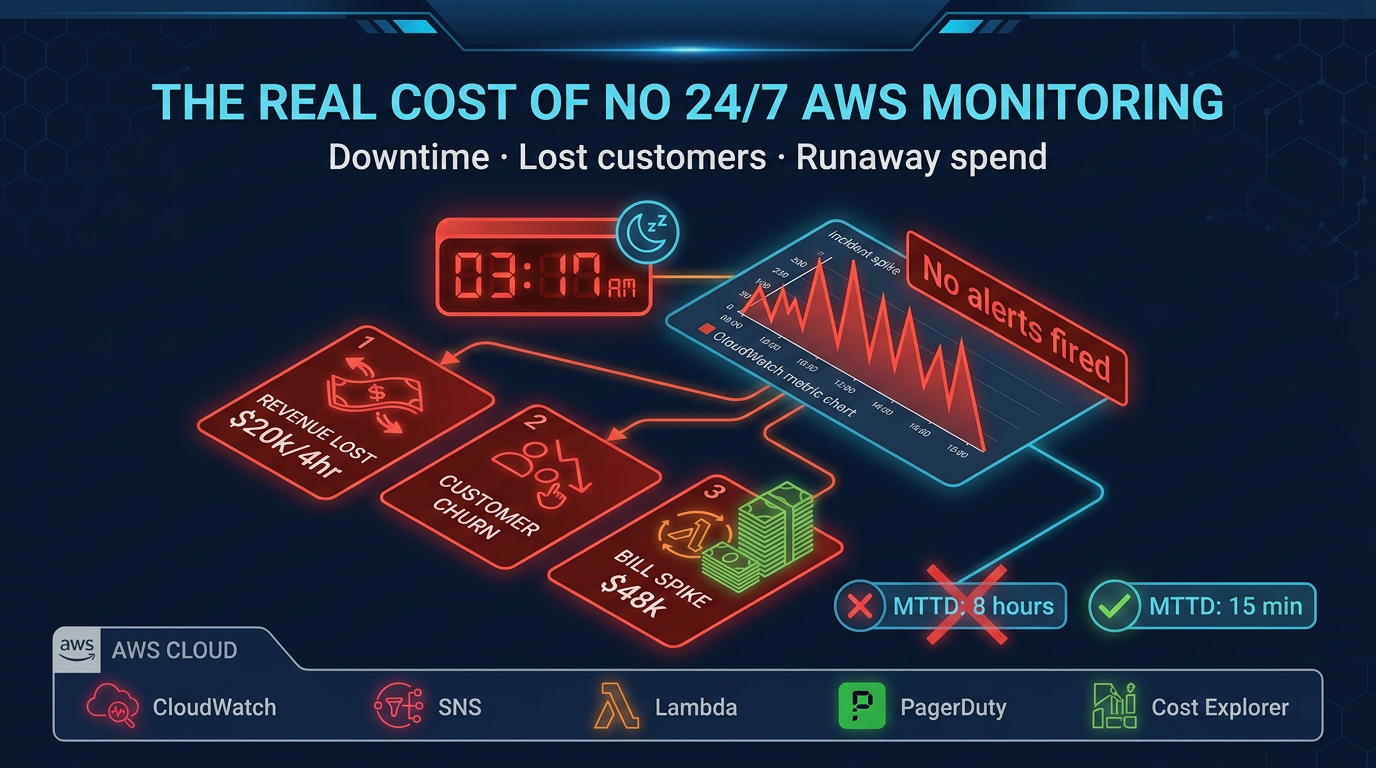
- Tell you that a Lambda function has been throttling since 3 AM
- Recommend that you switch from r5.xlarge to r6g.xlarge to save 20%
- Run your quarterly IAM access review
- Patch your EC2 instances on a defined schedule
- Generate the evidence your SOC 2 auditor needs
An MSP does all of these things. It is an operations service, not a support service.
Which One Do You Actually Need?
The answer for most production workloads is both — but at different tiers.
If your AWS spend is under $10,000/month:
- Business Support+ is the production floor (replace legacy Developer/Business before 2027-01-01)
- An MSP is worth evaluating if architecture is complex or the team lacks AWS depth
- Business case strengthens as spend approaches $10k relative to outage cost
If your AWS spend is $10,000–$50,000/month:
- Keep Business Support+ as the Amazon case channel (MSP tooling often needs Support API access)
- An MSP becomes valuable when a generalist cannot cover nights, FinOps, and patching well
- One avoided production outage often covers months of MSP fees — see downtime math
If your AWS spend exceeds $50,000/month:
- Evaluate Enterprise Support (from $5k/mo) for a designated TAM — do not default to legacy On-Ramp
- An MSP is usually justified for daily ops; TAM ≠ on-call for your apps
- Unified Operations ($50k+) only when you want AWS itself as the ops layer
If you have regulatory compliance requirements (SOC 2, HIPAA, PCI):
- AWS Support does not generate your compliance evidence pack
- An MSP with compliance experience accelerates audit readiness when scoped explicitly
What Trusted Advisor Is (and Is Not)
Trusted Advisor is often cited as a reason AWS Support is sufficient for cost and security management. It is worth being precise about what it does.
Trusted Advisor scans your account for known patterns across cost optimization, performance, security, fault tolerance, and service limits. Paid Support tiers (Business Support+ / Enterprise / Unified Operations) unlock the full check set.
Trusted Advisor generates findings. Examples: “You have 5 EC2 instances with low utilization.” “Your S3 bucket has public access enabled.” “You are approaching the service limit for security groups in us-east-1.”
Trusted Advisor does not:
- Implement any of the remediations
- Alert you proactively when new findings appear (you have to check the console or configure notifications)
- Continuously monitor your environment — scans run periodically, not in real-time
- Consider the business context of findings (a “low utilization” EC2 instance might be a bastion host that is supposed to be idle)
An MSP reviews Trusted Advisor findings as one input among many, prioritizes them against your business context, and implements remediations. The findings themselves are table stakes; acting on them is where operational maturity lives.
When this advice fails
- You only need break/fix on AWS APIs — Business Support+ alone may be enough; an MSP SOW will feel like overhead.
- You already run follow-the-sun SRE with runbooks — buy Enterprise for the TAM/IEM path; do not pay twice for duplicate on-call.
- You are still on Developer/Business/On-Ramp and planning to “wait until 2027” — migrate before the first P1 after auto-upgrade surprises.
What to do Monday morning
- Open the Support console and note your current plan name (legacy vs Business Support+ / Enterprise / Unified Operations).
- If still on Developer/Business/On-Ramp, schedule migration to Business Support+ or Enterprise before 2027-01-01.
- Write one sentence: “Who pages at 2 AM for our apps?” If the answer is “nobody / Slack,” evaluate an MSP with the RFP checklist.
- Confirm MSP tooling can open cases (needs a paid Support plan with API access).
- Re-read 24/7 managed support for TAM vs MSP boundaries.
AWS Support is your relationship with Amazon when the service layer fails. An MSP is the team that watches your environment. Buy both when production revenue depends on both channels — not when a sales deck collapses them into one line item.
FactualMinds provides AWS Managed Services that complement your AWS Support plan rather than replace it. Contact us to discuss how proactive operations management fits your environment.
AWS Cloud Architect & AI Expert
AWS-certified cloud architect and AI expert with deep expertise in cloud migrations, cost optimization, and generative AI on AWS.