AWS SQS: Reliable Messaging Patterns for Production
Quick summary: A practical guide to AWS SQS — standard vs FIFO queues, dead-letter queues, visibility timeout tuning, Lambda integration, and the messaging patterns that make distributed systems reliable.
Key Takeaways
- A practical guide to AWS SQS — standard vs FIFO queues, dead-letter queues, visibility timeout tuning, Lambda integration, and the messaging patterns that make distributed systems reliable
- A practical guide to AWS SQS — standard vs FIFO queues, dead-letter queues, visibility timeout tuning, Lambda integration, and the messaging patterns that make distributed systems reliable
Table of Contents
When your payment service times out, the order endpoint returns a 500 — and the user sees a failure. When a traffic spike hits your notification service, it starts failing under load and takes your checkout flow down with it. When one slow downstream dependency causes retry storms, everything upstream queues up and cascades. Synchronous coupling does not just create fragility; it means every failure is a customer-facing failure.
SQS provides the decoupling layer that turns brittle synchronous chains into resilient asynchronous systems. It has been running since 2006 — one of the original AWS services — and processes trillions of messages per day. Unlike message brokers that require cluster management, capacity planning, and failover configuration, SQS is fully managed: you create a queue, send messages, and consume them. No infrastructure to manage, no brokers to patch, no clusters to scale.
For serverless applications and microservices, this guide covers the patterns that make SQS work in production.
Standard vs FIFO Queues
Standard Queue
- Throughput: Nearly unlimited (thousands of messages per second)
- Ordering: Best-effort ordering (not guaranteed)
- Delivery: At-least-once (messages may be delivered more than once)
- Deduplication: None (your consumer must handle duplicates)
Best for: Most workloads. If your consumer is idempotent (processing the same message twice produces the same result), standard queues provide the highest throughput at the lowest cost.
FIFO Queue
- Throughput: 300 messages/second (3,000 with batching, 70,000 with high-throughput mode)
- Ordering: Strict first-in-first-out within a message group
- Delivery: Exactly-once (within a 5-minute deduplication window)
- Deduplication: Built-in (content-based or message deduplication ID)
Best for: Workloads where ordering matters (financial transactions, event sourcing, sequential processing) or where duplicate processing is unacceptable.
Decision Matrix
| Requirement | Standard | FIFO |
|---|---|---|
| High throughput (10,000+ msg/sec) | Yes | Limited |
| Message ordering required | No | Yes |
| Exactly-once processing needed | No | Yes |
| Cost-sensitive | Yes ($0.40/million) | Higher ($0.50/million) |
| Lambda event source mapping | Yes | Yes |
Default choice: Standard queue with idempotent consumers. FIFO only when ordering or exactly-once is a hard requirement.
Core Patterns
Pattern 1: Work Queue (Fan-Out Processing)
Distribute work across multiple consumers:
Producer → SQS Queue → Consumer A (processes message 1)
                     → Consumer B (processes message 2)
                     → Consumer C (processes message 3)
Each message is delivered to exactly one consumer (not broadcast). SQS automatically distributes messages across available consumers. Scaling consumers scales throughput linearly.
Use cases:
- Image/video processing (each file processed by one worker)
- Order fulfillment (each order processed once)
- Email sending (each message triggers one email)
Pattern 2: Load Leveling
Buffer traffic spikes to protect downstream services:
Spike: 10,000 requests/sec → SQS Queue → Database (steady 1,000 writes/sec)Without SQS, a traffic spike overwhelms the database. With SQS, messages queue up and the database processes them at a sustainable rate. The spike is absorbed by SQS (which scales to any throughput), not by the database (which has capacity limits).
Use cases:
- Protecting databases from write spikes
- Rate limiting API calls to third-party services
- Smoothing batch processing loads
Pattern 3: Request-Reply (Async Response)
Decouple request processing from response delivery:
Client → API → Send to Request Queue → Worker processes → Send to Response Queue → Notify clientThe API responds immediately (“request received”) while the worker processes asynchronously. The client polls or receives a notification when processing completes.
Use cases:
- Long-running operations (report generation, data exports)
- Operations that call slow external services
- Batch operations with progress tracking
Pattern 4: Priority Queue
Process high-priority messages before low-priority ones:
High-priority messages → High Priority Queue → Consumer (polled first)
Normal messages       → Normal Queue        → Consumer (polled second)
SQS does not natively support priority within a single queue. Implement priority with multiple queues — consumers poll the high-priority queue first and fall back to the normal queue when it is empty.
Dead-Letter Queues
A malformed JSON payload throws an exception. A message referencing a deleted record throws a not-found error. A message formatted for an old schema version fails validation. In each case, the consumer throws an exception, the message returns to the queue, and the consumer tries again. And again. And again — until it has retried enough times to block every valid message behind it. Without a DLQ, one bad message can bring your entire processing pipeline to a halt.
A dead-letter queue (DLQ) captures messages that fail processing after a configured number of retries:
Main Queue → Consumer → Fails → Main Queue (retry) → Fails → Main Queue (retry) → Fails → DLQ
                                                                                    (maxReceiveCount reached)
Every production queue must have a DLQ. Without it, poison messages (messages that always fail processing) loop forever, consuming compute resources and blocking other messages.
DLQ Configuration
Main Queue:
  RedrivePolicy:
    deadLetterTargetArn: arn:aws:sqs:...:my-queue-dlq
    maxReceiveCount: 3

DLQ:
  MessageRetentionPeriod: 1209600  (14 days)
maxReceiveCount: How many times a message is retried before moving to the DLQ. Set based on your failure patterns:
- 3 — Good default for transient failures (network timeouts, throttling)
- 1 — For operations where retry is inappropriate (duplicate detection, validation)
- 5-10 — For operations with variable external dependencies
DLQ Monitoring
Set CloudWatch alarms on every DLQ:
Alarm: DLQ Message Count > 0
Action: SNS notification to ops team
DLQ messages indicate a bug, a downstream service failure, or malformed data. They require investigation — not ignoring.
DLQ Redrive
After fixing the bug that caused DLQ messages, redrive them back to the main queue:
DLQ → SQS DLQ Redrive → Main Queue → Consumer (now processes successfully)SQS provides a native redrive feature in the console and API. Always test the fix with a few messages before redriving all DLQ messages.
Visibility Timeout
When a consumer receives a message, SQS makes it invisible to other consumers for the visibility timeout period. If the consumer does not delete the message before the timeout expires, the message becomes visible again for another consumer to process.
Consumer receives message → Invisible for 30 seconds (default)
  → Consumer processes and deletes → Message gone (success)
  → Consumer fails, timeout expires → Message visible again (retry)
Tuning Visibility Timeout
| Processing Time | Recommended Visibility Timeout | Rationale |
|---|---|---|
| < 5 seconds | 30 seconds (default) | Provides retry margin |
| 5-30 seconds | 60-120 seconds | 2-4x processing time |
| 30-300 seconds | 300-600 seconds | Buffer for variable processing |
| > 300 seconds | Use Step Functions instead | SQS not ideal for long processing |
Rule of thumb: Set visibility timeout to 6x your average processing time. This provides margin for slow processing without making retries wait too long.
Dynamic extension: If processing takes longer than expected, the consumer can call ChangeMessageVisibility to extend the timeout before it expires. This prevents the message from becoming visible while still being processed.
Lambda Integration
SQS + Lambda is the most common serverless messaging pattern:
SQS Queue → Lambda Event Source Mapping → Lambda FunctionLambda automatically:
- Polls the queue for new messages
- Invokes the function with batches of messages
- Deletes successfully processed messages
- Returns failed messages to the queue (for retry via DLQ)
Batch Configuration
| Setting | Recommended | Purpose |
|---|---|---|
| Batch size | 10 (max) | Process multiple messages per invocation |
| Batch window | 5-60 seconds | Wait for a full batch before invoking |
| Partial batch failure | Enable (ReportBatchItemFailures) | Return only failed messages, not entire batch |
| Concurrency | 2-10 (start) | Limit concurrent Lambda invocations |
ReportBatchItemFailures is essential. Without it, if one message in a batch of 10 fails, all 10 messages return to the queue for reprocessing. With it, only the failed message returns — the 9 successful messages are deleted.
Concurrency Management
Lambda scales consumers automatically based on queue depth. For a standard queue, Lambda adds up to 60 concurrent invocations per minute until the queue is drained.
Control scaling with reserved concurrency:
Lambda reserved concurrency: 10
→ Maximum 10 concurrent Lambda invocations processing SQS messages
→ Protects downstream services from overload
Without reserved concurrency, Lambda may scale to hundreds of concurrent invocations, overwhelming a database or API that cannot handle that many concurrent connections.
SQS vs SNS vs EventBridge
Each messaging service serves a different purpose:
| Pattern | SQS | SNS | EventBridge |
|---|---|---|---|
| Model | Queue (pull) | Pub/sub (push) | Event bus (content routing) |
| Delivery | One consumer per message | All subscribers | Rule-matched targets |
| Buffering | Yes (queue) | No | No |
| Ordering | FIFO available | No | No |
| Filtering | No (consumer-side) | Subscription filters | Event patterns (rich) |
| DLQ | Built-in | Subscription DLQ | Rule DLQ |
| Best for | Work distribution, load leveling | Fan-out notifications | Content-based routing |
Common combination: EventBridge for routing + SQS for buffering:
EventBridge → Rule: OrderPlaced → SQS: order-processing-queue → Lambda
           → Rule: OrderPlaced → SQS: notification-queue → Lambda
           → Rule: OrderPlaced → SQS: analytics-queue → Lambda
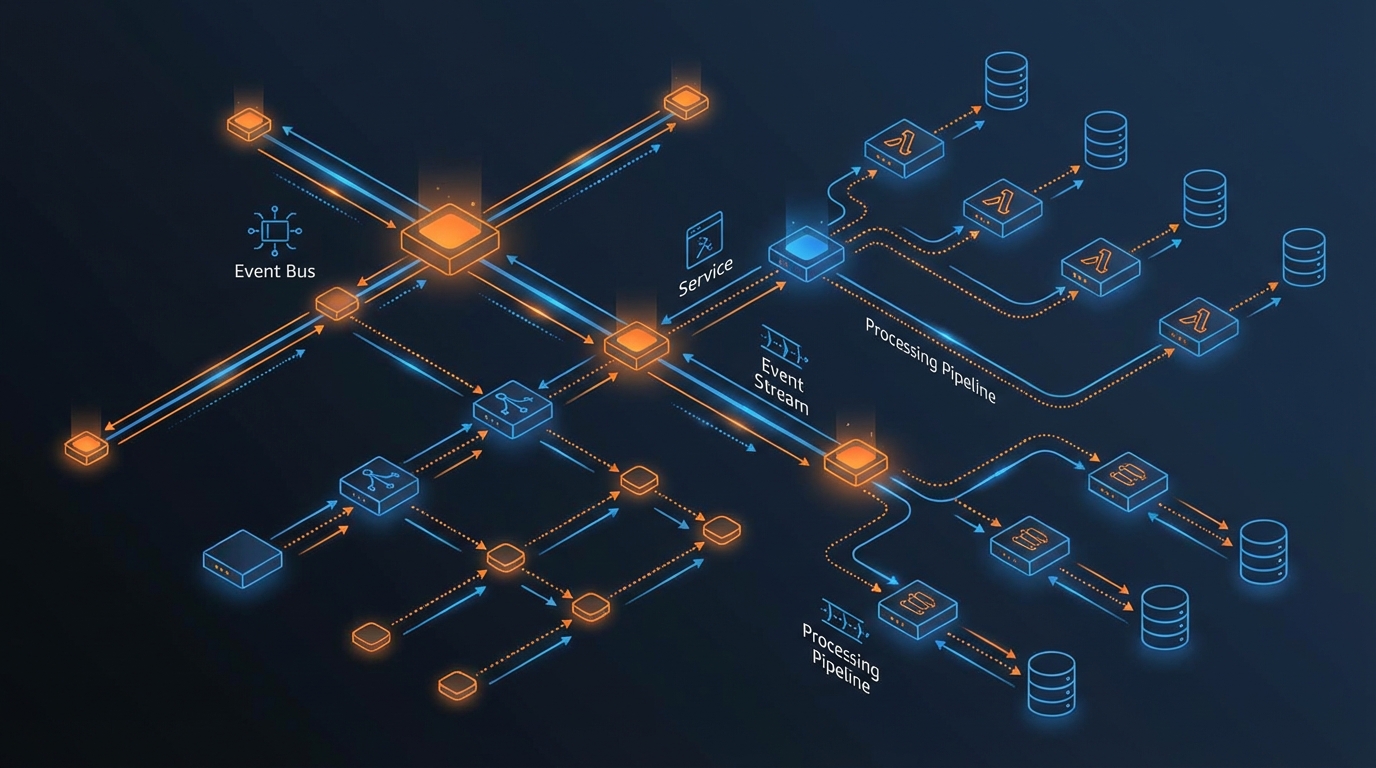
EventBridge routes events by content; each SQS queue buffers messages for its consumer, providing independent scaling and retry handling.
Cost Optimization
SQS Pricing
| Component | Standard | FIFO |
|---|---|---|
| First 1 million requests/month | Free | Free |
| Per million requests after | $0.40 | $0.50 |
| Data transfer (in) | Free | Free |
| Data transfer (out, same Region) | Free | Free |
One request = SendMessage, ReceiveMessage, DeleteMessage, or any other API call. A single message lifecycle (send + receive + delete) = 3 requests.
Reducing Costs
- Batch operations —
SendMessageBatchandDeleteMessageBatchprocess up to 10 messages per request. Batching reduces API calls by up to 10x. - Long polling — Set
WaitTimeSecondsto 20 seconds. Long polling reduces empty receives (which still count as requests) by waiting for messages instead of returning immediately. - Right-size message retention — Default is 4 days, maximum 14 days. Shorter retention reduces storage (though storage cost is minimal).
Cost Example
Processing 10 million messages per month:
- Sends: 10M / 10 (batched) = 1M requests
- Receives: ~2M requests (some empty polls with long polling)
- Deletes: 10M / 10 (batched) = 1M requests
- Total: ~4M requests × $0.40/M = $1.60/month (after free tier)
$1.60 per month. That is less than one hour of a single m5.large instance. SQS is not just cheap — it is the most cost-efficient reliability investment in the AWS catalog.
Common Mistakes
Mistake 1: No Dead-Letter Queue
Messages that fail processing loop forever without a DLQ, consuming Lambda invocations and preventing other messages from being processed. Every production queue must have a DLQ with a CloudWatch alarm.
Mistake 2: Visibility Timeout Too Short
If visibility timeout is shorter than processing time, messages become visible while still being processed, causing duplicate processing. Set timeout to at least 6x average processing time.
Mistake 3: Not Using Batch Operations
Sending and deleting messages one at a time when batch operations handle up to 10 per request. Batching reduces costs and improves throughput.
Mistake 4: No Concurrency Limit on Lambda
Lambda auto-scales to drain the queue as fast as possible. If your downstream service (database, API) cannot handle that many concurrent connections, it fails under load. Set reserved concurrency to protect downstream services.
Getting Started
SQS is the building block for reliable distributed systems on AWS. Combined with Lambda for processing, EventBridge for routing, and Step Functions for orchestration, it provides the messaging layer that production workloads require.
As an AWS Select Tier Consulting Partner, FactualMinds designs and implements production messaging architectures — queue topology, DLQ strategy, visibility timeout tuning, Lambda concurrency controls, and observability that surfaces problems before they become incidents. Common entry points: poison messages backing up a queue and blocking valid work, Lambda consumers overwhelming a downstream database or API, and teams that have outgrown a simple architecture and need it to scale reliably.
For messaging architecture design and serverless application development, book a free consultation with our team.
AWS Cloud Architect & AI Expert
AWS-certified cloud architect and AI expert with deep expertise in cloud migrations, cost optimization, and generative AI on AWS.