AWS Network Firewall + Firewall Manager: Multi-Account Stateful L3-L7 Defense in Production
Quick summary: Network Firewall + Firewall Manager for Org-wide L3–L7. July 2026: centralized inspection, Suricata, TLS bypass, rollout checklist.
Key Takeaways
- Network Firewall + Firewall Manager for Org-wide L3–L7
- July 2026: centralized inspection, Suricata, TLS bypass, rollout checklist
- First-party benchmark (illustrative): estates past ~10–15 VPCs usually win with a centralized inspection VPC + Transit Gateway vs one firewall per VPC (endpoint hours + ops tax)
- Under ~5 VPCs, distributed can still be simpler
- Reproduce this: ANF + FMS rollout checklist Counter-case: TLS inspection without a bypass list breaks pinned-cert partners and many AWS API paths — build bypasses first
Table of Contents
As of July 2026, AWS Network Firewall (Suricata-powered stateful L3–L7) plus AWS Firewall Manager remains the Org-native way to push egress filtering, IDS/IPS, and east-west inspection beyond security groups/NACLs — alongside WAF, Shield, SG baselines, and DNS Firewall policies from one control plane.
First-party benchmark (illustrative): estates past ~10–15 VPCs usually win with a centralized inspection VPC + Transit Gateway vs one firewall per VPC (endpoint hours + ops tax). Under ~5 VPCs, distributed can still be simpler.
Reproduce this: ANF + FMS rollout checklist
Counter-case: TLS inspection without a bypass list breaks pinned-cert partners and many AWS API paths — build bypasses first.
Why Network Firewall
The standard AWS network defense — security groups (stateful L4 per-ENI) plus NACLs (stateless L4 per-subnet) plus VPC endpoints — is sufficient for many workloads but does not satisfy four requirements common in regulated estates:
- Egress filtering by domain. Most outbound traffic should go to a known set of destinations (AWS service endpoints, your CDN, your SaaS vendors). NACLs and security groups can restrict egress by IP/port but not by domain. Network Firewall enforces “egress only to allowed FQDNs.”
- L7 protocol inspection. Detecting HTTP-based command-and-control beacons, SMB attacks, DNS tunneling — none of these are visible to L4 security groups. Suricata IDS rules in Network Firewall match L7 patterns.
- East-west inspection. Traffic between VPCs (via Transit Gateway, VPC peering, or a transit VPC) is opaque to security groups attached to the source ENI alone. Network Firewall in a centralized inspection VPC mediates the traffic.
- Audit-grade logging. Compliance frameworks (PCI DSS Req 1, HIPAA §164.312(e), DORA Article 9, SOC 2 CC6.6) expect application-aware network logs. Network Firewall produces alert and flow logs that map cleanly to these controls.
Architecture options: distributed vs centralized
Two patterns. Pick before deploying.
Distributed inspection
One Network Firewall per VPC, deployed in dedicated firewall subnets across each AZ. Traffic in and out of the VPC routes via the firewall.
Pros: simple per-VPC ownership, isolated blast radius, no Transit Gateway requirement.
Cons: firewall fleet scales linearly with VPC count, per-firewall hourly cost across many small VPCs becomes expensive.
Use when: small AWS estates (1-10 VPCs), simple network topologies, no Transit Gateway in play.
Centralized inspection (recommended for >10 VPCs)
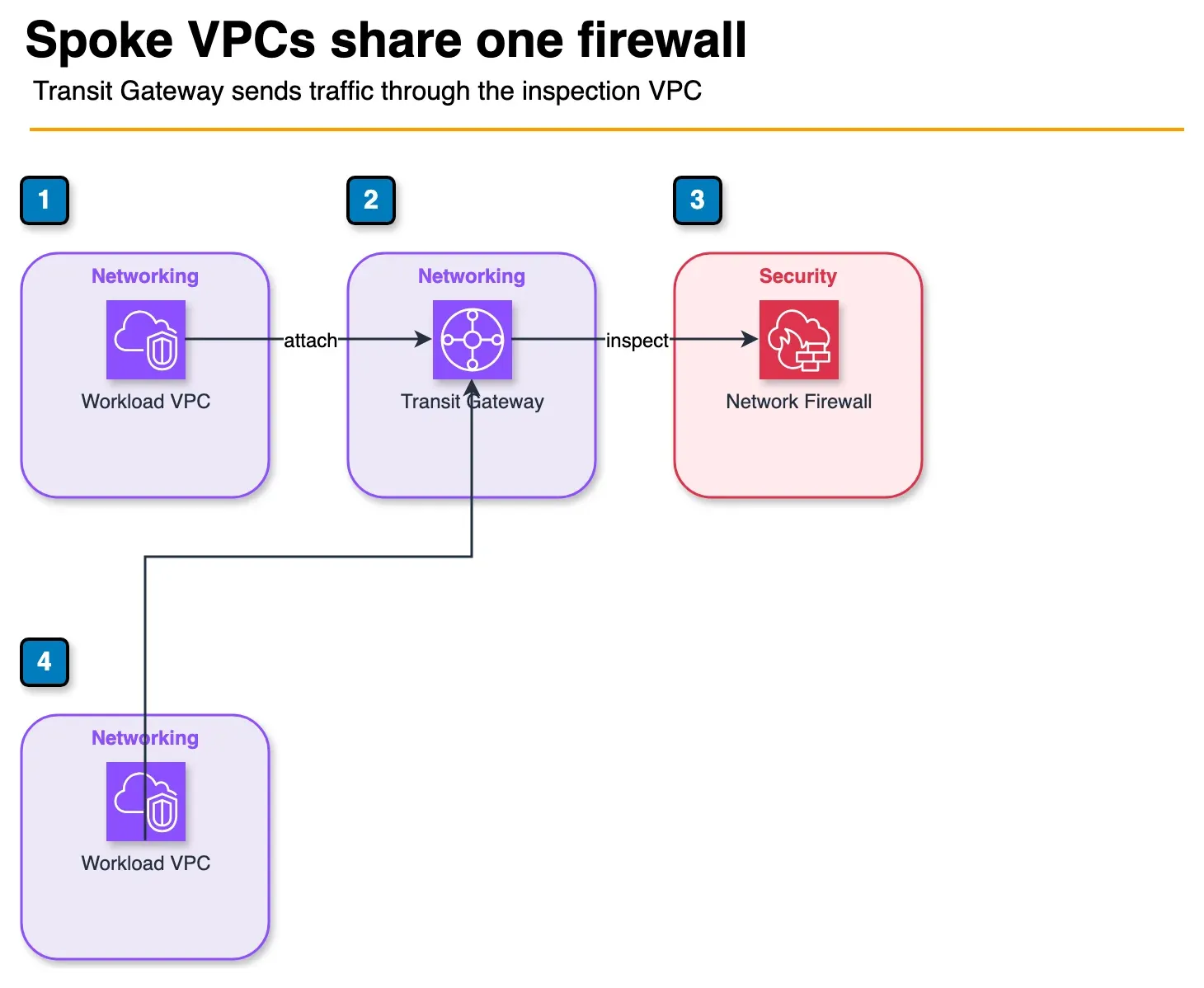
Figure: centralized inspection in the article. Workload VPCs attach to Transit Gateway. The gateway sends traffic through the firewall in the inspection VPC. This is the pattern the article recommends once there are more than 10 VPCs. Open the draw.io source.
A single inspection VPC hosts the Network Firewall fleet. All other VPCs attach to a Transit Gateway; the Transit Gateway routes traffic through the inspection VPC. New VPCs added to the Organization automatically get inspection by attaching to the same Transit Gateway.
Pros: firewall fleet decoupled from VPC count, lower aggregate cost at scale, single policy management point.
Cons: Transit Gateway is required (with its own per-attachment hourly cost and per-GB data-processing cost), single-point-of-failure design considerations, more complex routing.
Use when: medium-to-large AWS estates (>10 VPCs), already operating Transit Gateway, multi-account environments with Firewall Manager.
The centralized pattern is the AWS reference design and what most regulated multi-account organisations land on.
Step 1: Deploy the centralized inspection VPC
Components:
- A dedicated inspection VPC in your security/networking account.
- Transit Gateway attachments from every workload VPC to the inspection VPC.
- Two subnets per AZ in the inspection VPC: a “transit” subnet for the TGW attachment and a “firewall” subnet for the Network Firewall endpoint.
- Route tables that send outbound traffic from workloads through the firewall subnets.
CloudFormation / Terraform pattern: deploy the inspection VPC as a reference template, attach via Transit Gateway from each new workload VPC, configure the Transit Gateway route tables to route via the inspection VPC’s firewall.
Step 2: Author the rule policy
Network Firewall accepts both stateless rules (5-tuple match, no connection state) and stateful rules (Suricata-compatible, full connection awareness with Suricata signature support).
A typical production rule set:
Stateless rules (low-latency drop early):
- Drop known-bad IPs from a managed threat intelligence feed.
- Drop traffic to unauthorized external regions (geoblocking at the network layer).
- Pass intra-VPC traffic and traffic to AWS service endpoints (skip stateful inspection where it is not needed for performance).
Stateful rules (deep inspection):
- Suricata IDS rules from the AWS-managed rule groups: AbuseChEmergingThreats, ETOpenInsiderThreat, ETOpenP2P, ETOpenScan, ETOpenWorm.
- Domain-based egress allow-list: restrict egress to allow-listed domains (AWS service endpoints, your CDN, your SaaS vendors, package mirrors).
- Custom Suricata rules for application-specific patterns (block unauthorized DNS exfiltration, detect known C2 protocols, alert on SQL-injection patterns missed at L7).
The AWS-managed stateful rule groups update automatically as new threats are added — comparable to AWS WAF managed rule groups but at the network layer.
Step 3: Configure logging
Network Firewall generates two log types:
- Alert logs — every rule match with action (allow / drop / alert).
- Flow logs — every connection (5-tuple, byte/packet counts).
Send both to a centralized S3 bucket (per the standard AWS reference architecture: dedicated log archive account, Object Lock for retention, CloudTrail data events on the bucket). Forward to Security Lake (OCSF format) for SIEM ingestion or to CloudWatch Logs for real-time dashboards.
For audit-grade evidence, enable both log types in production. The flow logs feed traffic-pattern analysis (PCI DSS Req 1.1.6, “documented business justification for use of all services, protocols, and ports”); the alert logs feed incident detection.
Step 4: TLS inspection (optional, plan carefully)
TLS inspection lets Network Firewall decrypt outbound TLS connections, inspect the cleartext, and re-encrypt before forwarding. The configuration:
- Generate or import a CA certificate to AWS Certificate Manager Private CA.
- Configure the Network Firewall policy with a TLS inspection configuration referencing the CA cert.
- Distribute the CA cert to client devices/services as a trusted root.
- Define which destination domains are inspected and which are bypassed.
Tradeoffs:
- Bypass list essential. Pin destinations that must not be inspected (your own service endpoints with mutual TLS, banking partners with cert pinning, Apple/Google/Microsoft software update endpoints). Mis-inspecting these breaks trust.
- Latency. Inspection adds a few milliseconds per connection; usually negligible for batch and back-office traffic.
- Compliance. HIPAA and PCI DSS generally permit TLS inspection with proper key management. Some EU sovereignty frameworks (national-security-grade) discourage breaking end-to-end encryption — confirm with your legal team for sensitive flows.
- Cost. Per-GB of inspected traffic cost is higher than non-inspected.
Most organisations enable TLS inspection on egress traffic for the “go via inspection” path and skip it for intra-VPC, AWS-service-endpoint, and end-customer-facing traffic.
Step 5: Distribute via Firewall Manager
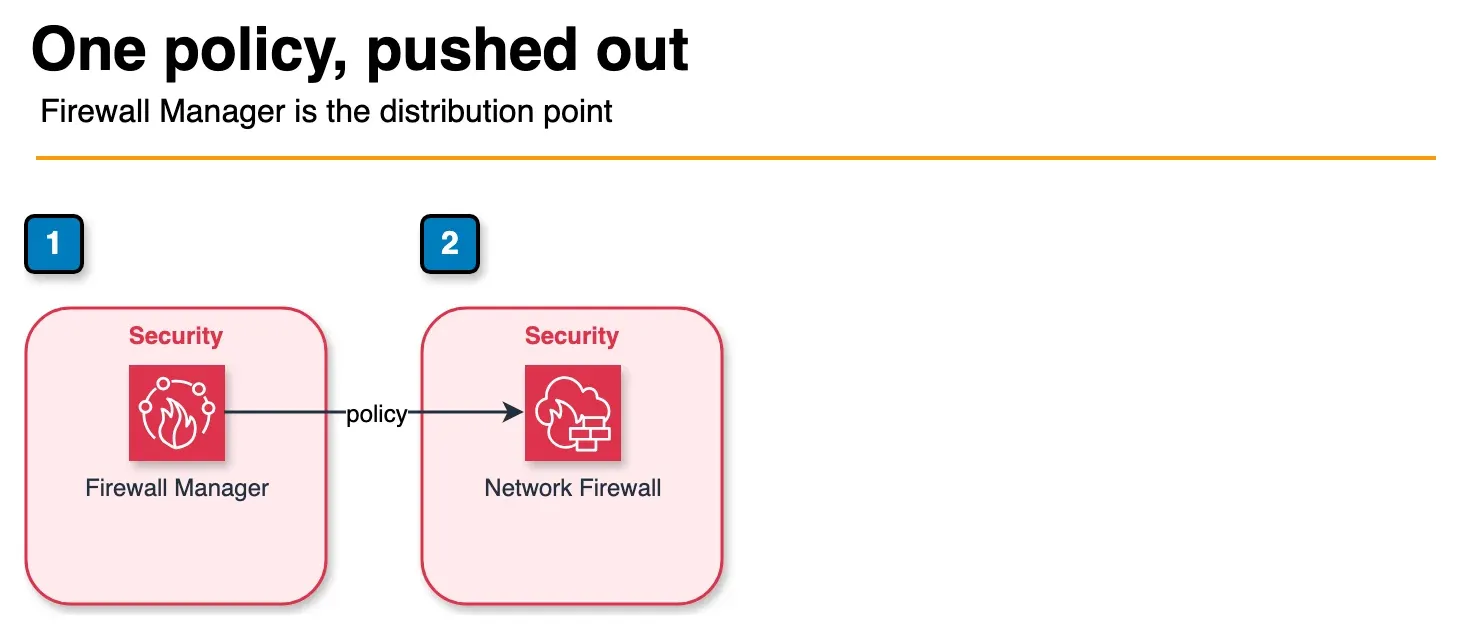
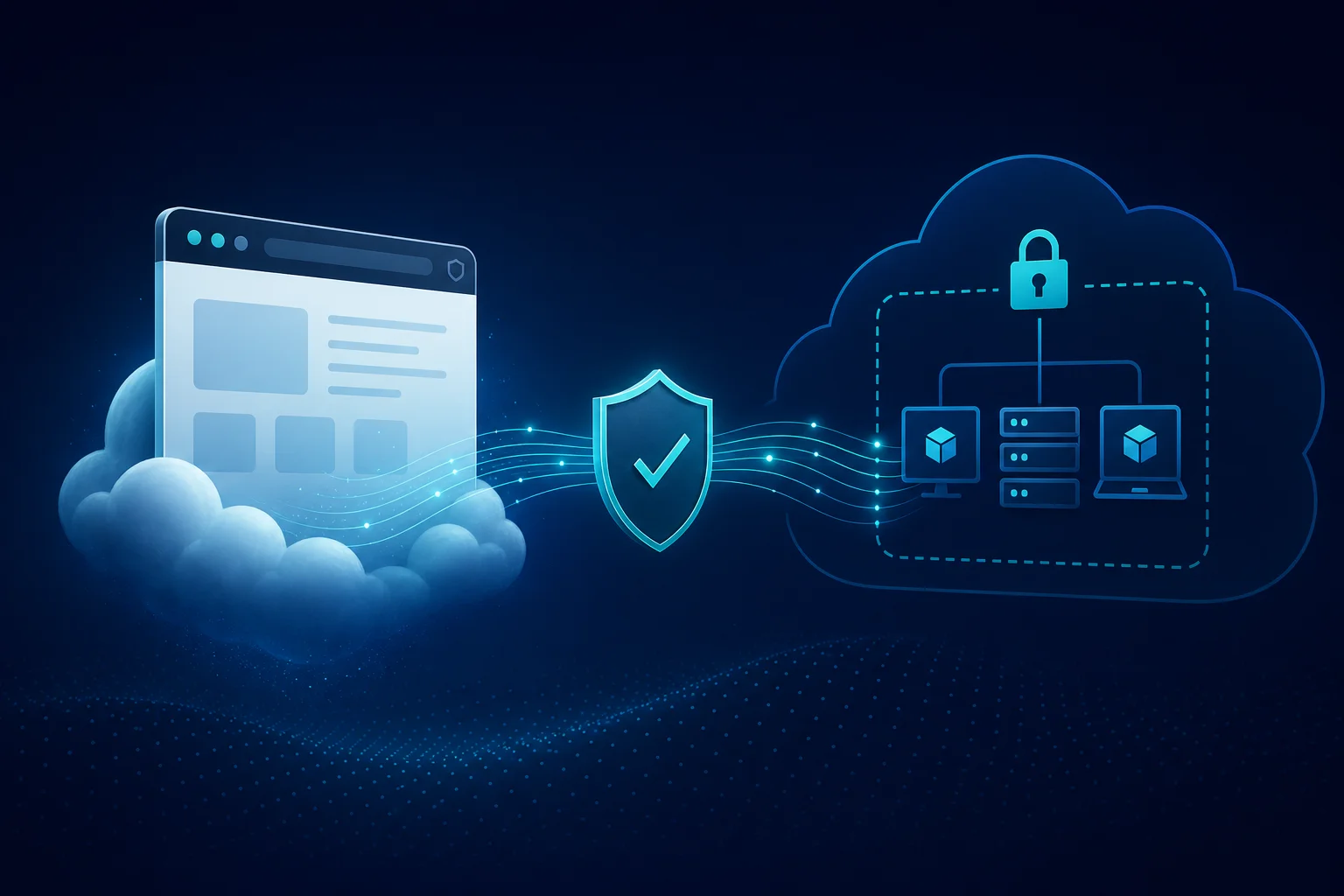
Figure: Firewall Manager in the article. The security account owns the policy. Member VPCs get inspection by attaching to the same Transit Gateway, rather than each account authoring its own firewall rules. Open the draw.io source.
Once the inspection VPC is operational, use Firewall Manager to push Network Firewall policy across the Organization:
aws fms put-policy \
    --policy '{
      "PolicyName": "Org-NetworkFirewall-Egress",
      "ResourceType": "AWS::EC2::VPC",
      "SecurityServicePolicyData": {
        "Type": "NETWORK_FIREWALL",
        "ManagedServiceData": "{\"type\":\"NETWORK_FIREWALL\",\"networkFirewallStatelessRuleGroupReferences\":[...]}"
      },
      "ResourceTags": [{"Key": "RequireFirewall", "Value": "true"}],
      "ExcludeResourceTags": false,
      "RemediationEnabled": true
    }'
Tag-based targeting (ResourceTags: RequireFirewall=true) means VPCs that are tagged inherit the policy on next sync; new VPCs created with the tag are auto-protected. Drift remediation is on by default — if someone manually removes the firewall, Firewall Manager re-creates it.
Firewall Manager also pushes:
- AWS WAF Web ACLs to ALBs, CloudFront, API Gateway.
- AWS Shield Advanced protections.
- Security-group baselines (audit and remediate).
- DNS Firewall policies.
A complete multi-account network defense from a single dashboard.
Step 6: Compose with WAF, Shield, and Verified Access
The full layered defense:
| Layer | Service | Purpose |
|---|---|---|
| Edge | CloudFront + AWS Shield Advanced | DDoS protection, edge caching |
| App | AWS WAF | OWASP-pattern blocking, rate limiting, bot mitigation |
| Workforce | AWS Verified Access | ZTNA for internal app access |
| Network | AWS Network Firewall | Stateful L3-L7 inspection, egress control |
| VPC | Security groups, NACLs | Stateful L4 per-ENI / stateless L4 per-subnet |
| Resource | IAM, KMS, S3 Block Public Access | Resource-level access control |
Each layer catches a different failure mode. Firewall Manager pushes the WAF and Network Firewall policies; Verified Access endpoints sit behind WAF; CloudFront sits in front of public ALBs with Shield Advanced.
Common pitfalls
- Distributed when centralized was right. Picking distributed inspection at 30+ VPCs is the most expensive mistake. Migrate to centralized.
- Ignoring the bypass list for TLS inspection. Inspecting AWS service endpoints, software-update channels, or banking partners with cert pinning breaks them. Build the bypass list before enabling.
- Over-broad domain allow-lists. “Allow
*.amazonaws.com” defeats the egress-control point. Allow specific service endpoints only. - Not using Firewall Manager. Per-account Terraform works for 5 accounts; at 50 it is unmaintainable. Bring Firewall Manager in early.
- No log review. Alert logs accumulate without action. Build the SIEM ingest path and alert routing on day one.
What to Do This Week
- Choose centralized vs distributed; sketch TGW attachment for inspection.
- Draft Suricata alert-mode rules + domain egress allow-list (specific FQDNs).
- Walk the rollout checklist before enabling TLS inspection.
What This Post Doesn’t Cover
Third-party NGFW appliance bake-offs and Gateway Load Balancer partner appliances.
Where to go next
- Network Firewall · Firewall Manager
- WAF · Verified Access
- Security & Compliance · Network & App Security
Frequently asked questions
When do we need Network Firewall in addition to security groups and NACLs?
Network Firewall vs AWS WAF — which protects what?
How does Firewall Manager work in a multi-account AWS Organization?
Should we enable TLS inspection?
What does Network Firewall cost at scale?

Agentic AI & Cloud Security
Works on making teams more productive with agentic AI. Writes the FactualMinds guides on AWS security and compliance: identity, threat detection, data protection, and audit readiness, the controls AI agents need before they touch production systems.