The Terraform Command Cheat Sheet for AWS Engineers (2026 Edition)
Quick summary: July 2026 Terraform command reference for AWS — Terraform 1.10+ plan/apply/state, use_lockfile, import/removed/ephemeral, and the five Monday-morning checks that close real failure modes.
Key Takeaways
- July 2026 Terraform command reference for AWS — Terraform 1
- 10+ plan/apply/state, use_lockfile, import/removed/ephemeral, and the five Monday-morning checks that close real failure modes
- As of July 19, 2026, that framing still matters: the commands you reach for in production AWS are not the ones from your first tutorial
- 10+
- This is the wiki sheet for teams on Terraform 1
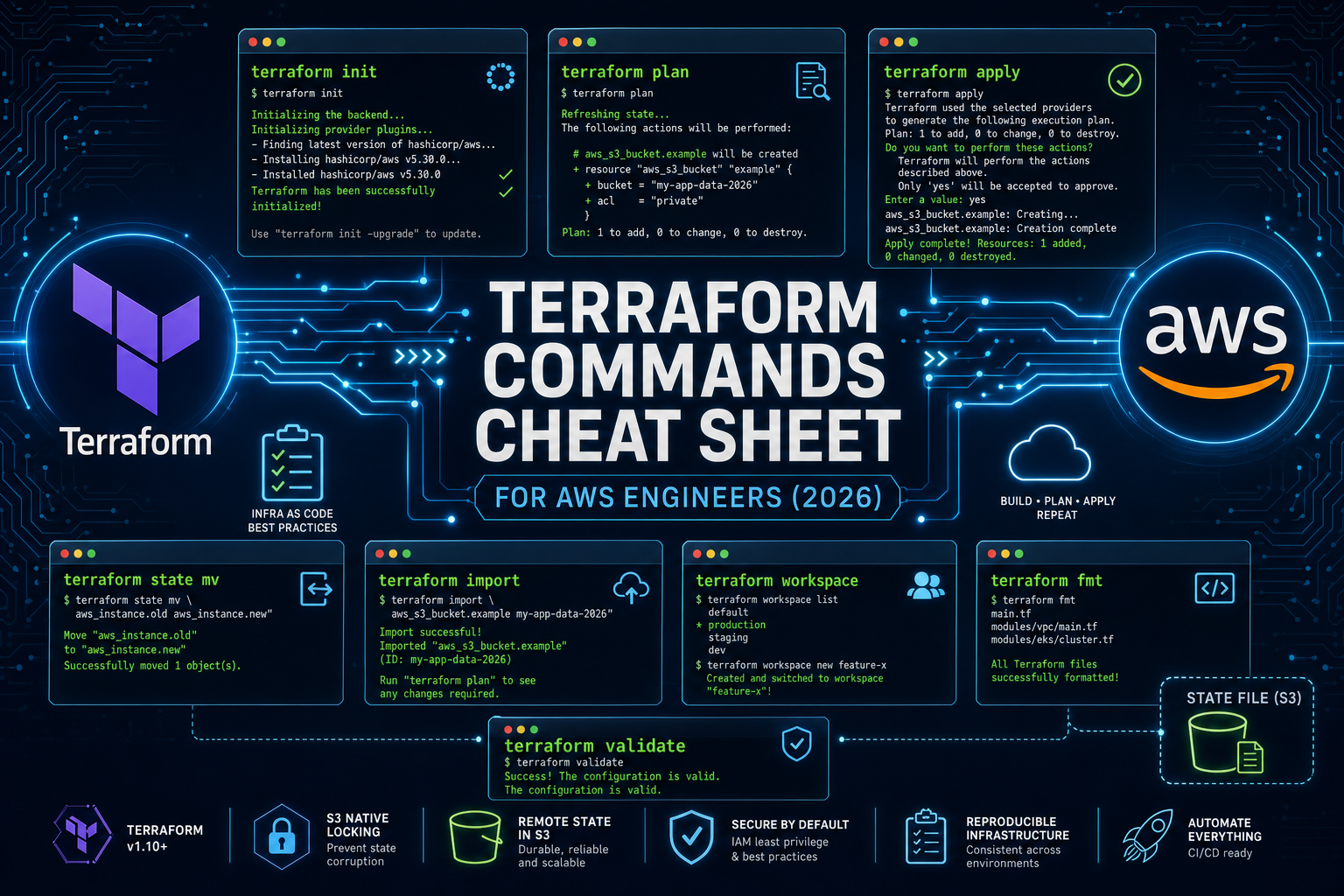
Table of Contents
Terraform isn’t really about writing code. It’s about managing state and lifecycle.
As of July 19, 2026, that framing still matters: the commands you reach for in production AWS are not the ones from your first tutorial. Half of the old thirty-verb cheat sheets are deprecated, replaced by HCL primitives (import {}, removed {}, ephemeral resources), or AWS-specific in ways --help won’t warn you about — especially S3-native locking via use_lockfile = true on Terraform 1.10+.
This is the wiki sheet for teams on Terraform 1.10+: syntax, when it’s the right tool, and the AWS gotcha. Deprecated commands get a named substitute.
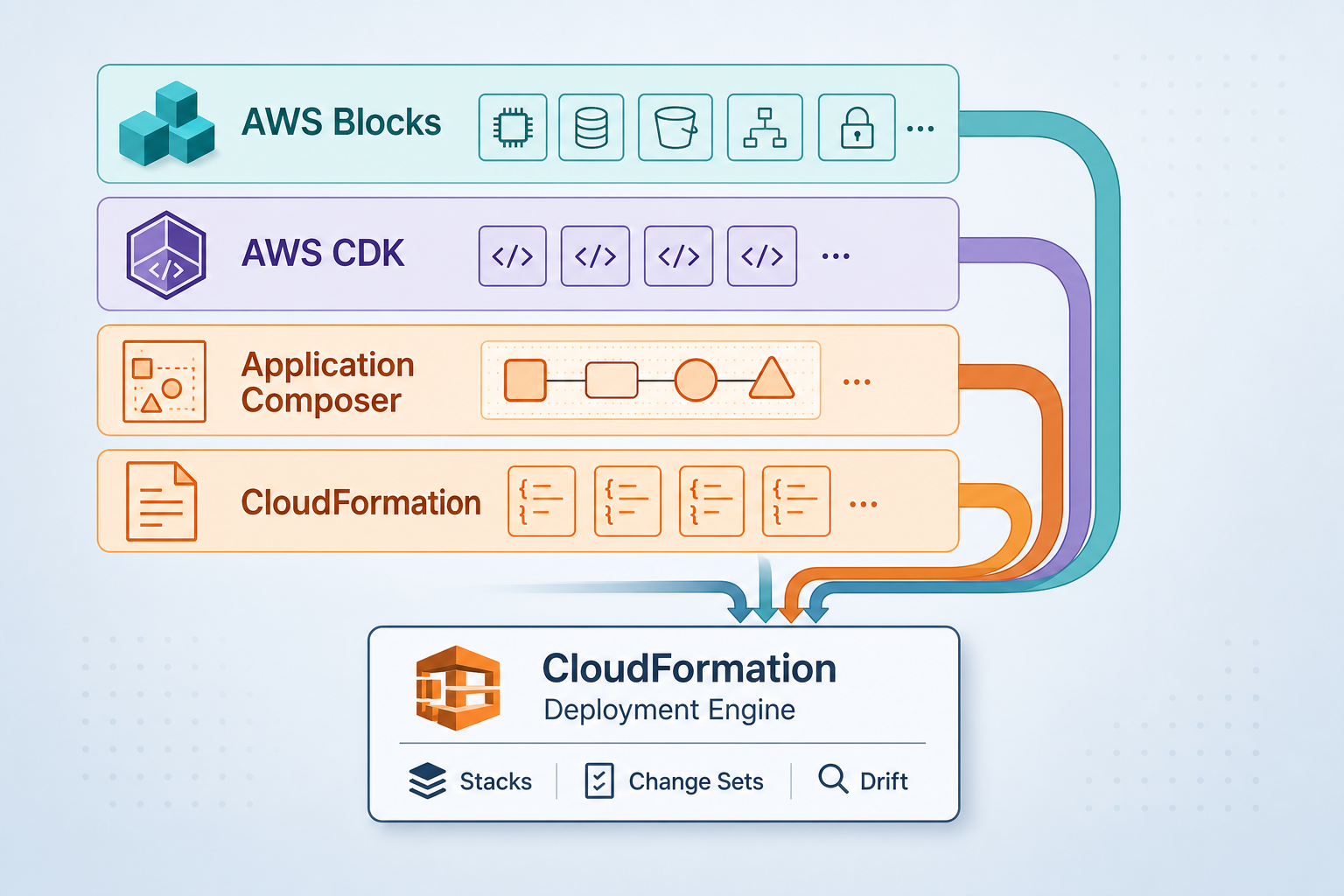
If you’re still deciding between Terraform and a higher-level abstraction, start with our Terraform vs AWS CDK decision guide and come back here once you’ve picked a side.
What’s New Since You Last Looked
Six things changed between Terraform 1.5 and 1.10 that the older cheat sheets you’ll find on the internet don’t cover:
import {}blocks (1.5+) — declarative imports, plannable, reviewable in PRsterraform plan -generate-config-out(1.5+) — auto-scaffold resource code from importscheck {}blocks (1.5+) — runtime assertions inside your configterraform test(1.6+) — first-class HCL test frameworkremoved {}blocks (1.7+) — declaratively drop from state without destroying real infra- Ephemeral resources & write-only attributes (1.10+) — secrets that never persist to state
- S3 native state locking (1.10+) — DynamoDB lock table is no longer required
terraform apply -replace(since 0.15.2) — the modern replacement for the deprecatedterraform taint
We’ll hit each of these in context as we go through the lifecycle.
Core Lifecycle Commands
These are the four or five commands you run dozens of times a day.
terraform init
Initializes the working directory: downloads providers, configures the backend, builds the module dependency graph, writes .terraform.lock.hcl.
terraform init
terraform init -upgrade                    # upgrade provider versions within constraints
terraform init -reconfigure                # ignore existing backend config
terraform init -migrate-state              # move state between backends
AWS note: init is where the AWS provider’s credential chain is resolved — environment variables → shared config (~/.aws/credentials, AWS_PROFILE) → IRSA on EKS → EC2 instance metadata (IMDS). If init fails with cryptic credential errors, the issue is almost always one of those layers, not Terraform itself. Confirm with aws sts get-caller-identity before debugging further.
From a real engagement — A platform team running Terraform from inside an EKS pod via IRSA, private VPC with no NAT, saw
terraform inithang for two minutes before failing with a credential chain error pointing nowhere obvious. Root cause: the AWS SDK’s credential chain was hitting EC2 IMDS (169.254.169.254) before IRSA, and IMDS was unreachable from the pod, so each provider lookup paid the full IMDS timeout before falling through to the IRSA token. Fix: setAWS_EC2_METADATA_DISABLED=trueandAWS_REGIONexplicitly in the runner env. Time spent before root cause: over half a working day.
terraform validate
Schema and syntax check. Doesn’t hit AWS. Run it as a pre-commit hook and in CI before you spend money on a plan.
terraform validateterraform fmt
Canonicalizes HCL formatting.
terraform fmt -recursive       # whole repo
terraform fmt -check -recursive  # CI mode — non-zero exit if anything would change
terraform plan
The single most important command in your workflow. It reads your code, refreshes state from AWS, and tells you exactly what will change.
terraform plan
terraform plan -out=tfplan          # save the plan for promotion
terraform plan -refresh-only        # detect drift without proposing changes
terraform plan -target=module.vpc   # narrow scope (use sparingly)
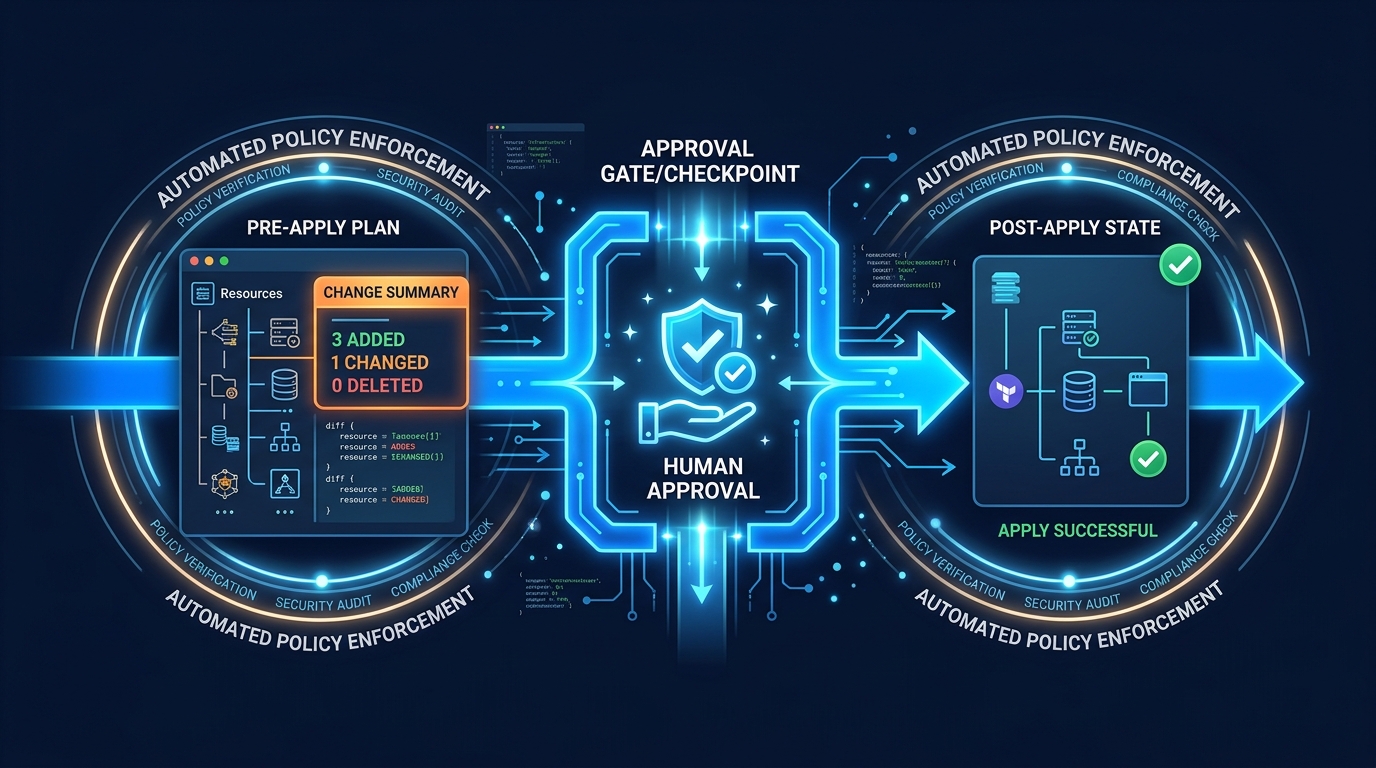
AWS note: Always save the plan and apply the saved file in production. The “promote-the-plan” pattern is the only way to guarantee that the change you reviewed is the change you applied. We cover the full pattern in Safe Terraform Apply Workflows on AWS.
terraform apply
Applies a saved plan, or creates a new one and applies it after confirmation.
terraform apply tfplan                                # apply a saved plan
terraform apply                                       # plan + apply (interactive)
terraform apply -auto-approve                         # skip confirmation (CI only)
terraform apply -replace="aws_instance.web"           # force-recreate one resource
terraform apply -destroy                              # safer than `terraform destroy`
The -replace flag is the modern replacement for terraform taint. Taint mutated state immediately and silently; -replace shows the recreate inside the plan output, where you can review it. If you’re still typing terraform taint, retrain that muscle memory.
From a real engagement — A data platform team running
terraform apply -auto-approvein CI on every merge to main. A refactor PR introduced aremoved {}block to drop a deprecated module from state and a parallel new resource to take its place. The plan looked fine on the PR. The CI job ran the apply, and a subtle ordering interaction between theremovedblock and the dependent resource caused a Glue catalog database to be physically deleted because Terraform interpreted the dependency graph differently at apply time than at plan time on the developer’s laptop. Recovery: restored from cross-region backup over the next several hours. The lesson, learned painfully:-auto-approveis fine for ephemeral environments and PR previews. For prod-touching pipelines, useterraform plan -out=tfplanon the PR, surface the plan output as a PR check, and have a human gate the apply step. The 30 seconds of CI time you save with-auto-approveis not worth the 30 seconds of cleanup it can cost.
terraform destroy
Tears everything down. Useful for ephemeral environments and PR previews; risky enough in production that you should prefer terraform apply -destroy, which routes the operation through the same plan-and-approve flow as any other apply.
terraform destroy
terraform destroy -target=aws_instance.tmp
terraform refresh (mostly retired)
The standalone refresh command still exists but is effectively superseded by terraform plan -refresh-only, which lets you see what’s drifted before you write to state.
terraform plan -refresh-only      # preferred — visible diff
terraform apply -refresh-only     # apply the drift correction with approval
Inspecting Your Configuration
These are the read-only commands. Use them liberally; none of them touch AWS resources.
terraform show
Renders state, or a saved plan, into human-readable text. The -json form is what powers your policy-as-code tooling.
terraform show                            # current state
terraform show tfplan                     # saved plan, human-readable
terraform show -json tfplan | jq .        # machine-readable — feed to OPA, Sentinel, Checkov
terraform output
Reads outputs from state. The JSON form is what you wire into CodePipeline, GitHub Actions, or downstream Terraform configs.
terraform output
terraform output alb_dns_name
terraform output -json | jq .alb_dns_name.value
terraform graph
Renders the dependency graph as DOT. Useful in architecture reviews when someone asks “wait, what depends on the NAT gateway?”
terraform graph | dot -Tsvg > graph.svgterraform providers
Audits which providers and versions are actually in use. Critical when you’re tracking down “why did aws_eks_cluster start behaving differently after init -upgrade?”
terraform providers
terraform providers schema -json | jq .
terraform version
The most boring command in this cheat sheet, and the one you should print at the top of every CI run. Pinning the Terraform binary version is as important as pinning the AWS provider — see our AWS provider upgrade strategy for the full pattern.
terraform versionState Management
State is the source of truth for what Terraform thinks exists in AWS. The state commands let you reshape that truth without rebuilding real infrastructure.
Reading state (always safe)
terraform state list                              # every resource address
terraform state list 'module.vpc.*'               # filter
terraform state show aws_db_instance.primary      # one resource's attributes
Moving and removing state
terraform state mv aws_instance.old aws_instance.new   # rename
terraform state rm aws_s3_bucket.deleted_in_console    # forget without destroying
Modern equivalent: Prefer the declarative HCL blocks where possible. Both leave a paper trail in git that ad-hoc CLI commands don’t.
moved {
  from = aws_instance.old
  to   = aws_instance.new
}

removed {
  from = aws_s3_bucket.legacy
  lifecycle {
    destroy = false   # forget from state, leave the bucket alone in AWS
  }
}
From a real engagement — A team splitting one Terraform configuration into two for blast-radius reasons used
terraform state mvfrom CLI to move resources from the source state to the target state. One module had a non-default provider alias (aws.us-west-2), and thestate mvcommand silently dropped the alias annotation in the destination state. The nextapplyagainst the target config tried to re-create the RDS instance in the default region, found it didn’t exist, and started provisioning a new one. The orphan inus-west-2continued running, billed for several weeks before someone reconciled the cost-explorer view. The fix going forward: prefer the declarativemoved {}block, which carries provider context as code; reserve CLIstate mvfor emergency use, and always run aterraform planagainst both source and target after any cross-config move.
Importing existing AWS resources
The CLI form still works:
terraform import aws_s3_bucket.logs my-bucket-nameBut for anything bigger than a one-off, the modern import {} block is the right tool. It’s plannable, reviewable, and pairs with -generate-config-out to write the resource block for you.
import {
  to = aws_s3_bucket.logs
  id = "my-bucket-name"
}
terraform plan -generate-config-out=imported.tfFrom a real engagement — A team reconciling 90 minutes of console drift back into Terraform via
import {}blocks discovered that the import ID format for an IAM role plus inline policy is not the same as the ARN, the name, or the ID returned byaws iam get-role. It’s a composite identifier (role-name:policy-name) the documentation buries three levels deep. The 90-minute drift took two full days to reconcile because every iteration was a 6-minuteterraform plancycle. The lesson: before relying onimport {}for any resource type you haven’t imported before, verify the ID format on a single throwaway resource first, with-generate-config-out, and confirm the round-trip plan is clean. Saves hours.
For the operational mechanics — AWS resource ID quirks, importing security groups, RDS, IAM — see our deep dive on Terraform State Management on AWS.
terraform force-unlock
The “stuck pipeline” command. CodeBuild gets killed mid-apply, the lock entry stays in S3 (or DynamoDB on legacy backends), and every subsequent apply blocks. Use only when you’re certain no one else is running an apply.
terraform force-unlock <LOCK_ID>Workspaces
Workspaces split state inside a single backend.
terraform workspace list
terraform workspace new staging
terraform workspace select staging
terraform workspace delete old-feature-branch
Honest production take: workspaces are great for ephemeral dev branches and PR preview environments. They are not the right tool for separating production from staging on AWS. For that, use separate AWS accounts, separate state files, and separate IAM roles — the blast radius of a misconfigured workspace switch is your entire prod environment. We cover the multi-account pattern in our AWS managed services work.
Provider Lockfile and Multi-Platform CI
.terraform.lock.hcl pins exact provider versions and SHA256 hashes. Commit it.
terraform init -upgrade # writes a new lock file with current versionsIf your team builds in CodeBuild (Linux) and develops on Apple Silicon Macs, you need to pre-hash the provider for every platform you’ll touch. Otherwise the first developer to run init on a different OS rewrites the lockfile and breaks CI for everyone else.
terraform providers lock \
  -platform=linux_amd64 \
  -platform=linux_arm64 \
  -platform=darwin_amd64 \
  -platform=darwin_arm64
Run this any time you bump the AWS provider. Detailed walkthrough: Upgrading the AWS Terraform Provider Safely.
Modern Primitives the Old Cheat Sheets Miss
This is where Terraform has actually changed. If you’re running 1.10+, these belong in your toolkit.
import {} blocks (1.5+)
Already shown above. The headline benefit: imports become reviewable like any other code change. No more “wait, who imported the prod RDS into the staging state?”
removed {} blocks (1.7+)
Declaratively forget a resource without destroying the real AWS object. The classic use case is splitting one Terraform configuration into two — you remove from the source, import into the target, and the underlying AWS resource never restarts.
check {} blocks (1.5+)
Runtime assertions that run during plan and apply. Good for catching misconfigurations before they ship.
check "alb_uses_https" {
  assert {
    condition     = alltrue([for l in aws_lb_listener.public : l.protocol == "HTTPS"])
    error_message = "All public ALB listeners must terminate TLS."
  }
}
terraform test (1.6+)
A real test framework. Write *.tftest.hcl files alongside your modules and run them in CI before merging.
terraform test
terraform test -filter=tests/network.tftest.hcl
If you maintain a shared module library on AWS — VPC modules, EKS modules, ALB modules — adopting terraform test is the single highest-leverage thing you can do this quarter.
Ephemeral resources & write-only attributes (1.10+)
Some values shouldn’t ever land in terraform.tfstate — and your state file lives in S3, where it’s read by everyone with backend access. Ephemeral resources and write-only attributes let you pass secrets through Terraform without persisting them.
ephemeral "aws_secretsmanager_secret_version" "db_password" {
  secret_id = aws_secretsmanager_secret.db.id
}

resource "aws_db_instance" "primary" {
  password_wo         = ephemeral.aws_secretsmanager_secret_version.db_password.secret_string
  password_wo_version = 1
  # ...
}
The password flows from Secrets Manager into RDS at apply time and never appears in state, plan output, or your S3 backend.
S3 native state locking (1.10+)
The DynamoDB lock table is no longer required. New AWS deployments should use the native S3 lock.
terraform {
  backend "s3" {
    bucket       = "company-tf-state"
    key          = "platform/prod/terraform.tfstate"
    region       = "us-east-1"
    encrypt      = true
    use_lockfile = true   # native S3 locking, no DynamoDB needed
  }
}
Existing teams don’t need to migrate immediately — the DynamoDB pattern still works — but new state files should skip the DynamoDB hop entirely.
HCP Terraform, OpenTofu, and the License Question
terraform login
terraform logout
login stores an HCP Terraform (formerly Terraform Cloud) token. You only need it if your team runs HCP-managed workspaces.
A note on OpenTofu: in August 2023 HashiCorp moved Terraform to the Business Source License. The community forked the last MPL-licensed version into OpenTofu, which has shipped competitive features (state encryption, dynamic provider configuration) since. Commands are interchangeable — tofu init, tofu plan, tofu apply accept the same flags as their terraform equivalents, and HCL, state files, providers, and modules all work on both. For most AWS-focused teams, the choice comes down to vendor relationship and feature roadmap, not technical compatibility.
Console and Debugging
terraform console
Underrated. An interactive REPL with full access to your state, variables, and locals — perfect for testing an interpolation before committing the change.
terraform console
> aws_instance.web.private_ip
> [for s in aws_subnet.private : s.cidr_block]
TF_LOG for AWS provider debugging
When the AWS provider does something weird, the answer is usually in the trace.
TF_LOG=DEBUG terraform plan 2> tf-debug.log
TF_LOG=TRACE terraform apply 2> tf-trace.log
TRACE is verbose enough that you’ll want to redirect to a file. The AWS API requests and responses, including the exact STS, IAM, and service calls Terraform is making on your behalf, are in there.
Cheat Sheet — Quick Reference
| Phase | Command | Notes |
|---|---|---|
| Init | terraform init | Backend + providers + lockfile |
| Init | terraform init -upgrade | Refresh provider versions |
| Init | terraform init -migrate-state | Move backends |
| Lifecycle | terraform validate | Schema check, no AWS calls |
| Lifecycle | terraform fmt -check -recursive | CI formatting gate |
| Lifecycle | terraform plan -out=tfplan | Save plan for promotion |
| Lifecycle | terraform apply tfplan | Apply saved plan |
| Lifecycle | terraform apply -replace=ADDR | Modern replacement for taint |
| Lifecycle | terraform apply -destroy | Safer than terraform destroy |
| Lifecycle | terraform plan -refresh-only | Drift detection |
| Lifecycle | terraform taint | Deprecated — use apply -replace |
| Lifecycle | terraform untaint | Deprecated — N/A in modern flow |
| Lifecycle | terraform refresh | Mostly retired — use plan -refresh-only |
| Inspect | terraform show -json | Feeds policy-as-code |
| Inspect | terraform output -json | Pipe to CI/CD |
| Inspect | terraform graph | Dependency visualization |
| Inspect | terraform providers | Audit provider versions |
| Inspect | terraform version | Pin in CI logs |
| State | terraform state list | Read-only |
| State | terraform state show ADDR | Read-only |
| State | terraform state mv | Prefer moved {} block |
| State | terraform state rm | Prefer removed {} block |
| State | terraform import ADDR ID | Prefer import {} block |
| State | terraform force-unlock ID | Stuck-pipeline rescue |
| Workspace | terraform workspace new/select/list/delete | Dev/PR previews only |
| Provider | terraform providers lock -platform=... | Cross-platform CI |
| Cloud | terraform login / logout | HCP Terraform |
| Debug | terraform console | Interactive REPL |
| Debug | TF_LOG=DEBUG terraform plan | Provider tracing |
| Modern HCL | import {} block (1.5+) | Declarative imports |
| Modern HCL | moved {} block | Reviewable refactors |
| Modern HCL | removed {} block (1.7+) | Drop from state safely |
| Modern HCL | check {} block (1.5+) | Runtime assertions |
| Modern CLI | terraform test (1.6+) | HCL test framework |
| Modern HCL | ephemeral resources (1.10+) | Secrets that never hit state |
| Modern Backend | use_lockfile = true (1.10+) | S3 native locking, no DynamoDB |
What to Run on Monday Morning
If you do nothing else from this cheat sheet this week, run these five checks against your existing Terraform setup. Each one takes minutes and closes a real failure mode the engagement callouts above describe.
- Pin the Terraform binary version in CI. Add
terraform_version = ">= 1.10.0, < 1.12.0"toversions.tf(or your repo’s equivalent), commit.terraform-version, and have your CI fail fast if the runner’s binary doesn’t match. Prevents the “works on my machine” lockfile rewrites that break shared state. - Add
default_tagsat the provider level. A single block onprovider "aws"propagatesProject,Environment,ManagedBy,Owner,CostCenterto every resource. The cost-explorer view of an account withoutdefault_tagsis unreadable; the cost view with them is one filter away. - Migrate to S3-native state locking if you’re on Terraform 1.10+. Set
use_lockfile = truein your S3 backend block and remove the DynamoDB lock table at the next maintenance window. One fewer resource to operate, fewer permissions in the IAM policy, and the lock metadata lives next to the state where you can see it. - Run
terraform providers lock -platform=...for every OS your team or CI touches. Linux runners and macOS dev machines reading different lockfiles is the #1 cause of “the lockfile changed in this PR and I don’t know why.” - Decide on Terraform vs OpenTofu deliberately. If your organization has a license-risk position on BSL software, OpenTofu is a clean drop-in. If you’re committed to HCP and the HashiCorp ecosystem, Terraform is the path. Either way, make it a documented decision rather than whichever binary happened to be installed first — the migration cost grows with every state file.
Reproduce this — Working baseline:
palpalani/terraform-aws-baseline(versions.tf, S3-native locking,default_tags, multi-platform lockfile Makefile). Pre-apply gate checklist:examples/architecture-blog-2026/terraform-commands/aws-terraform-command-checklist.md.
Where to Go From Here
The commands are the easy part. The hard part is the workflow around them — who can apply, where state lives, how rollback works when an apply goes sideways. The companion posts on this site go deep on those:
- Terraform State Management on AWS: Imports, Moves, and Emergency Repairs
- Safe Terraform Apply Workflows with Approval Gates on AWS
- Upgrading the AWS Terraform Provider Safely
- Terraform vs AWS CDK: Infrastructure as Code Decision Guide
If you’re standing up Terraform on AWS for the first time — or rescuing a setup that’s drifted into legacy patterns — FactualMinds helps AWS teams operationalize Terraform end-to-end: backend architecture, CI/CD apply pipelines, state segmentation across accounts, and provider upgrade discipline. See our DevOps pipeline setup service or talk to an architect about your environment.
AWS Cloud Architect & AI Expert
AWS-certified cloud architect and AI expert with deep expertise in cloud migrations, cost optimization, and generative AI on AWS.