AWS Resource Hardening Quick Wins: DMS, OpenSearch, SageMaker, and Lambda Runtimes
Quick summary: Hardening quick wins: private DMS, OpenSearch encryption, SageMaker VPC-only, Lambda runtime EOL. July 2026 checklist.
Key Takeaways
- Hardening quick wins: private DMS, OpenSearch encryption, SageMaker VPC-only, Lambda runtime EOL
- July 2026 checklist
- Most hardening writeups stop at IAM, S3, CloudTrail, and GuardDuty
- Reproduce this: Four quick-wins checklist Counter-case: staying on a deprecated Lambda runtime because “a library blocks upgrade” is not an exception — upgrade the library
- If both are inside your VPC (or reachable via Direct Connect / VPN / VPC peering), the instance does not need a public IP

Table of Contents
Most hardening writeups stop at IAM, S3, CloudTrail, and GuardDuty. CIS / FSBP / PCI scanners do not. As of July 2026, four findings still show up constantly: public DMS replication instances, unencrypted OpenSearch, SageMaker with direct internet, and Lambda on end-of-support runtimes (Node 18/20, Python 3.8/3.9, etc. — check the live table).
First-party benchmark (illustrative): a 30-day sprint with Config rules for all four usually clears more audit noise than another round of IAM polish — each fix is small; together they change posture scores.
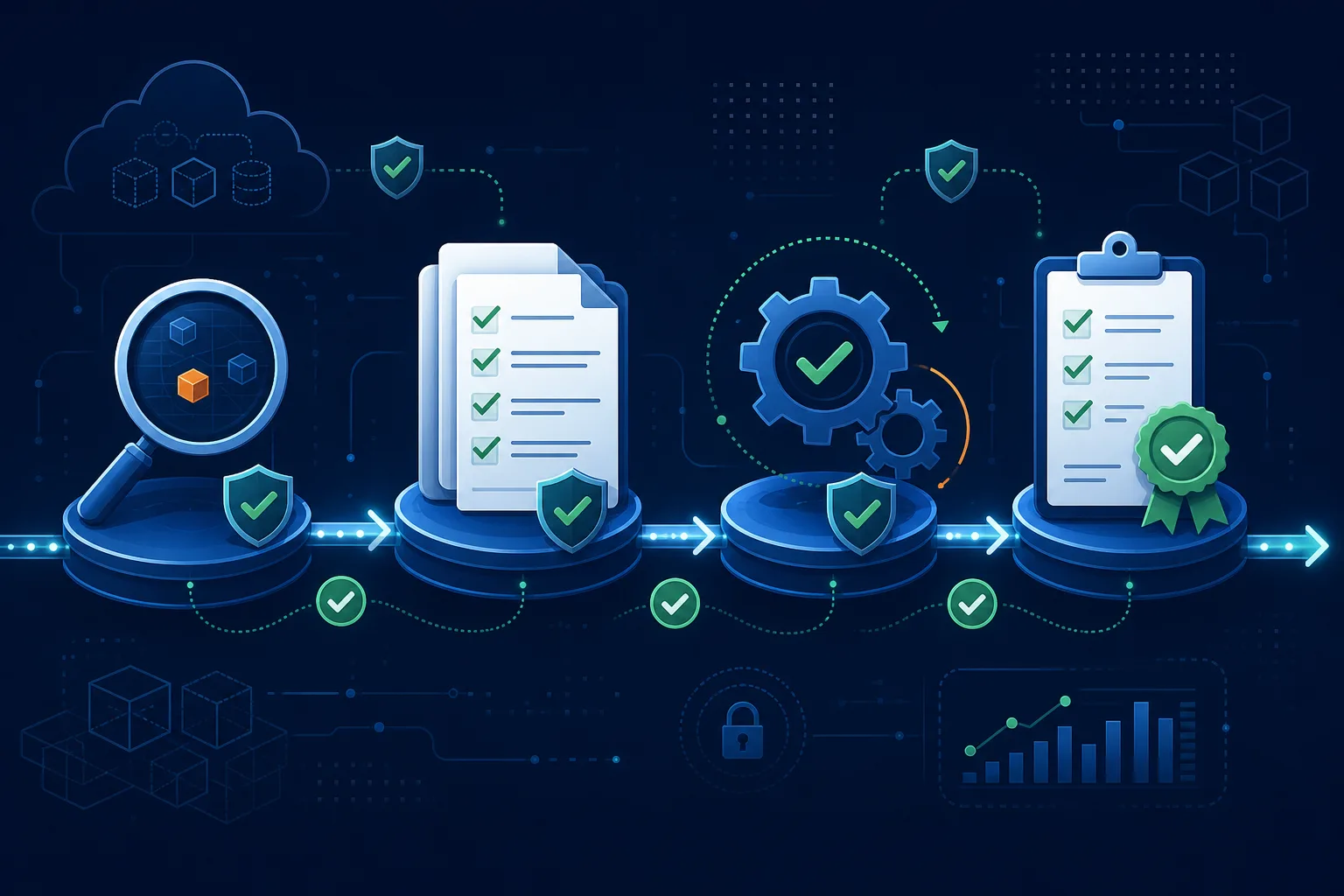
Reproduce this: Four quick-wins checklist
Counter-case: staying on a deprecated Lambda runtime because “a library blocks upgrade” is not an exception — upgrade the library.
DMS Replication Instances: Private by Default
AWS Database Migration Service (DMS) provisions a replication instance — an EC2-class compute resource — to move data between source and target endpoints. By default, the wizard offers a Publicly accessible: true option that gives the instance a public IP. There is almost no production reason to use it.
A DMS replication instance only needs network reachability to the source and target databases. If both are inside your VPC (or reachable via Direct Connect / VPN / VPC peering), the instance does not need a public IP. If one endpoint is a third-party SaaS database, route the traffic through a NAT gateway, AWS PrivateLink, or a VPN — not by exposing the replication instance directly to the internet.
The hardened configuration:
resource "aws_dms_replication_instance" "migration" {
  replication_instance_id    = "fintech-migration"
  replication_instance_class = "dms.r5.large"
  allocated_storage          = 100

  publicly_accessible        = false
  multi_az                   = true

  vpc_security_group_ids     = [aws_security_group.dms.id]
  replication_subnet_group_id = aws_dms_replication_subnet_group.private.id

  kms_key_arn = aws_kms_key.dms.arn
  apply_immediately = false
}

resource "aws_security_group" "dms" {
  name   = "dms-replication"
  vpc_id = aws_vpc.main.id

  egress {
    from_port       = 5432
    to_port         = 5432
    protocol        = "tcp"
    security_groups = [aws_security_group.source_db.id, aws_security_group.target_db.id]
    description     = "Postgres to source and target only"
  }
}
Three things to notice: publicly_accessible = false, the subnet group uses private subnets only, and the security group’s egress is scoped to the actual database security groups — not 0.0.0.0/0.
Detection: Config rule dms-replication-not-public flags any replication instance with PubliclyAccessible: true. Enable it organization-wide via a Config conformance pack. Existing public instances cannot be modified in place — recreate them privately and update DMS tasks to point at the new instance.
OpenSearch Encryption at Rest: A One-Way Door
Amazon OpenSearch Service (and the legacy Elasticsearch domains it superseded) supports encryption at rest using KMS — but only at domain creation time. There is no enable encryption API for an existing unencrypted domain. If the domain was created without encryption, the only path forward is to create a new encrypted domain and migrate data.
This makes the at-creation choice consequential. The correct posture is to enable three controls together at every new domain:
| Control | Setting | Why |
|---|---|---|
| Encryption at rest | EncryptionAtRestOptions.Enabled: true with CMK | Protects data on disk; required by HIPAA, PCI DSS, ISO 27001 |
| Node-to-node encryption | NodeToNodeEncryptionOptions.Enabled: true | TLS between cluster nodes; required for inter-node confidentiality |
| HTTPS-only enforcement | DomainEndpointOptions.EnforceHTTPS: true | Rejects plain HTTP at the domain endpoint |
aws opensearch create-domain \
    --domain-name production-search \
    --engine-version OpenSearch_2.13 \
    --encryption-at-rest-options Enabled=true,KmsKeyId=alias/opensearch-cmk \
    --node-to-node-encryption-options Enabled=true \
    --domain-endpoint-options EnforceHTTPS=true,TLSSecurityPolicy=Policy-Min-TLS-1-2-PFS-2023-10 \
    --vpc-options SubnetIds=subnet-private-a,subnet-private-b,SecurityGroupIds=sg-opensearch
Migrating an existing unencrypted domain:
- Create a new encrypted domain with the same engine version and instance configuration.
- Use the OpenSearch
_reindexAPI or an AWS DMS task to copy indices from the old domain to the new one. - Update application clients to point at the new endpoint.
- Verify, then delete the old domain.
For production-scale domains this is a multi-day operation — schedule it once, do it deliberately. The Config rule opensearch-encrypted-at-rest catches new unencrypted domains before they grow into a migration project.
TLS policy note: Policy-Min-TLS-1-2-PFS-2023-10 is the current strict policy as of 2026. Older domains may default to Policy-Min-TLS-1-0-2019-07 — update them; TLS 1.0 is deprecated everywhere in modern AWS deployments.
For OpenSearch architecture and cost trade-offs (instance sizing, UltraWarm, Serverless), see the OpenSearch architecture guide. This post is the security companion.
SageMaker Network Isolation: Closing the Direct Internet Path
A SageMaker notebook instance, training job, or endpoint created without explicit VPC configuration runs in an AWS-managed VPC with direct internet access. The notebook can reach pypi.org, github.com, the public internet — and so can any malicious code in any package the data scientist imports. For a workload that processes regulated data, this is a compliance finding waiting to happen.
There are two distinct controls, often confused, that together produce the secure posture:
EnableNetworkIsolation: true on Training Jobs and Endpoints
Network isolation prevents the training container from making any outbound network calls — no internet, no AWS service APIs except S3 (for the training data), no calls to your VPC. The container starts with the model and data already in place; nothing else is reachable.
from sagemaker.estimator import Estimator

estimator = Estimator(
    image_uri="111122223333.dkr.ecr.us-east-1.amazonaws.com/training:latest",
    role="arn:aws:iam::111122223333:role/SageMakerExecution",
    instance_count=1,
    instance_type="ml.p4d.24xlarge",
    enable_network_isolation=True,    # <-- this
    subnets=["subnet-private-a", "subnet-private-b"],
    security_group_ids=["sg-sagemaker"],
    encrypt_inter_container_traffic=True,
)
Network isolation should be the default for any training job that processes regulated data. It is incompatible with workflows that require runtime package installation (pip install from inside the container) — bake everything into the container image instead.
VPC-Only Mode for Notebooks
Notebook instances need a VPC configuration with DirectInternetAccess: Disabled to remove the AWS-managed internet path. The notebook can still reach the internet — but only through your VPC’s NAT gateway, your egress proxy, your VPC endpoints. You control the network path.
aws sagemaker create-notebook-instance \
    --notebook-instance-name production-research \
    --instance-type ml.t3.large \
    --role-arn arn:aws:iam::111122223333:role/SageMakerNotebook \
    --subnet-id subnet-private-a \
    --security-group-ids sg-sagemaker-notebook \
    --direct-internet-access Disabled \
    --kms-key-id alias/sagemaker-cmk
SageMaker Studio domains: the same controls apply at the domain level. Set AppNetworkAccessType: VpcOnly on the domain — every user space inherits the VPC-only configuration; no per-user opt-in.
Detection:
- Config rule
sagemaker-notebook-no-direct-internet-accessflags notebooks withDirectInternetAccess: Enabled. - Inspector v2 covers the container vulnerability surface inside training images.
- For Studio, audit the domain configuration via
describe-domain— there is no Config rule yet for Studio’sAppNetworkAccessType.
For SageMaker AI governance topics (EU AI Act compliance, training cost optimization, Unified Studio), see the dedicated posts. This post is the network-security companion.
Lambda Runtime Lifecycle: From State to Process
Sysdig’s “use supported Lambda runtimes” recommendation treats runtime currency as a state — either you’re on a supported runtime or you’re not. In practice it’s a process: AWS announces deprecation 6–12 months in advance, the runtime exits maintenance, then existing functions stop being able to update, then they stop being able to be created — and finally the runtime is fully retired.
What “Deprecated” Actually Means
AWS Lambda runtime deprecation has three phases:
- End of support announcement. The runtime is still fully functional and patched, but the calendar is now public. AWS publishes the dates on the Lambda runtime support policy page.
- Phase 1 (block function creation). You can still update existing functions on the deprecated runtime, but you cannot create new ones with it. This is when most teams discover the deprecation, usually because a Terraform apply fails.
- Phase 2 (block function updates). Existing functions still execute, but you cannot deploy new code, change configuration, or update layers. The function is frozen until you change its runtime — and at this point you have a hard cliff because most CI/CD pipelines fail when configuration drifts from code.
After Phase 2, AWS reserves the right to retire the runtime entirely. By then, any function still on it is unmaintained: no security patches, no language-runtime fixes, no AWS support.
A Lambda Runtime Hygiene Process
Treat runtime currency the same way you treat OS patching — as a continuous operational task, not a once-a-year project.
Detect:
- AWS Trusted Advisor surfaces “Lambda functions using deprecated runtimes” as a finding.
- Inspector v2 includes Lambda runtime CVE detection — older runtimes accumulate findings as their underlying language version reaches EOL.
- A weekly Lambda function that lists every function in every region and writes runtime versions to a tracking table is 30 lines of Python. Build it once.
Alert:
- EventBridge rule on
aws.lambdaevents forruntimeVersionConfigchanges — flag any new function created on a runtime within 90 days of EOL. - A scheduled report (Slack / email) listing functions on runtimes within 60 days of Phase 1 cutoff.
Plan:
- Set a 60-day-before-EOL upgrade target for every function. Pad the date to give yourself slack for testing.
- For functions you control: bump the runtime in IaC, redeploy, run integration tests.
- For functions whose dependencies don’t support the new runtime: the answer is to update the dependencies, not to stay on the deprecated runtime. “We can’t upgrade because library X doesn’t support the new runtime” is the same pattern that produces unsupported, exploitable infrastructure.
Verify:
- Config rule
lambda-function-settings-checkcan be configured with a list of allowed runtimes — fail any function not on the list. - Add this Config rule to the Security Hub controls dashboard so the finding lives next to other compliance findings, not in a separate Lambda-specific tooling silo.
Runtimes To Migrate Off (As of 2026-04)
The list shifts every quarter; check the official AWS Lambda runtime support policy for the current authoritative version. Recent and pending deprecations as of writing:
- Node.js 16 — fully retired
- Python 3.8 — fully retired; migrate to Python 3.12 or 3.13
- Node.js 18 — Phase 1 (no new function creation)
- Java 8 (Amazon Linux 1) — fully retired; Java 8 (Corretto on AL2) supported
- Go 1.x (managed runtime) — retired; use the
provided.al2023custom runtime with theaws-lambda-golibrary
If you are on any of the retired runtimes today, the function is already at risk — schedule the migration this sprint, not next quarter.
Putting It Together
Each of these four topics is small enough that it can be deferred indefinitely. Together, they account for a meaningful share of the findings every compliance scanner produces. The fix for each is procedural, not architectural — there is no rebuild required, only a deliberate change.
A 30-day sprint to clean up all four:
Week 1 — DMS:
  ✓ Enable Config rule dms-replication-not-public
  ✓ Identify public replication instances; rebuild as private
  ✓ Audit DMS tasks; verify all complete on private instances

Week 2 — OpenSearch:
  ✓ Enable Config rule opensearch-encrypted-at-rest
  ✓ Inventory unencrypted domains; size the migration backlog
  ✓ Migrate at least one domain to validate the process

Week 3 — SageMaker:
  ✓ Enable Config rule sagemaker-notebook-no-direct-internet-access
  ✓ Reconfigure existing notebooks to VPC-only
  ✓ Update training jobs to set EnableNetworkIsolation: true
  ✓ Set Studio domains to AppNetworkAccessType: VpcOnly

Week 4 — Lambda runtimes:
  ✓ Build runtime inventory function (cross-region, cross-account)
  ✓ Configure Config rule lambda-function-settings-check
  ✓ Schedule upgrades for any function within 60 days of EOL
  ✓ Add EventBridge alerts for new functions on deprecated runtimes
For deeper compliance work — SOC 2 Type II, HIPAA architectures, PCI DSS scoping — these resource-level controls are pre-requisites, not nice-to-haves. An auditor who finds a public DMS instance, an unencrypted OpenSearch domain, a SageMaker notebook with direct internet access, or a Lambda on a retired runtime will not give the rest of the architecture the benefit of the doubt.
What to Do This Week
- Enable the four Config rules; export noncompliant resources.
- Fix public DMS and SageMaker internet first (exposure), then OpenSearch encryption backlog, then Lambda runtime inventory.
- Track progress with the checklist.
What This Post Doesn’t Cover
Full CIS Benchmark remediations and org-wide SCPs for every service.
IAM · CloudTrail · GuardDuty · Security assessments · Contact
Frequently asked questions
How do I make an AWS DMS replication instance private?
Is Amazon OpenSearch Service encrypted at rest by default?
How do I prevent SageMaker notebook instances from accessing the internet?
Which AWS Lambda runtimes are deprecated and should be migrated in 2026?
How do I find every Lambda function on a deprecated runtime?

Agentic AI & Cloud Security
Works on making teams more productive with agentic AI. Writes the FactualMinds guides on AWS security and compliance: identity, threat detection, data protection, and audit readiness, the controls AI agents need before they touch production systems.