AWS Clean Rooms: Privacy-Preserving Collaborative Analytics Without Sharing Raw Data
Quick summary: AWS Clean Rooms: analyze together without sharing raw rows. July 2026 — 5-member default, C3R crypto, analysis rules checklist.
Key Takeaways
- AWS Clean Rooms: analyze together without sharing raw rows
- July 2026 — 5-member default, C3R crypto, analysis rules checklist
- Quota anchor: default Members invited per collaboration = 5 (adjustable — verify quotas)
- Here is the precise data flow, which is important to understand for both technical design and compliance purposes: 1
- Member A (the Retailer) has purchase data in their own AWS account, in S3 or Redshift
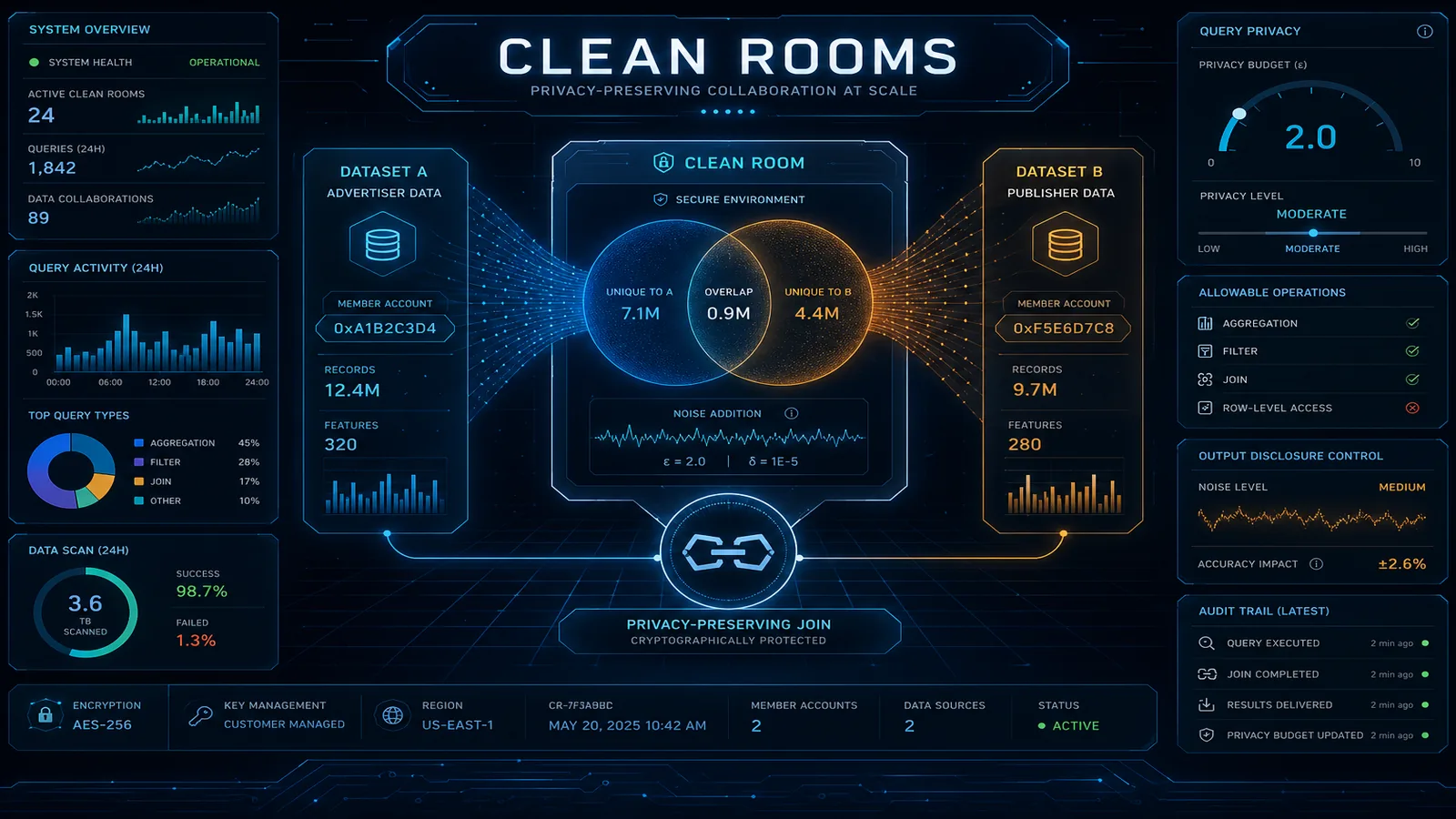
Table of Contents
The legal review email arrives and the retail-media attribution project stalls: the join on hashed email is fine; “sharing raw customer rows with a partner” is not. As of July 2026, AWS Clean Rooms remains the AWS-native answer for multi-party analytics where results cross the boundary and raw records do not — enforced by analysis rules (and optionally C3R client-side crypto), with CloudTrail evidence for SOC / joint-controller packs.
Quota anchor: default Members invited per collaboration = 5 (adjustable — verify quotas). FAQ language: up to five participants.
First-party benchmark (illustrative use case below): two-party campaign ROAS with aggregation minimums yields campaign-level metrics without row-level purchase dumps — legal still owns the DPA; engineering owns rule config.
Reproduce this: Clean Rooms collaboration checklist
Counter-case: Clean Rooms is not Athena Federated Query (raw access) and not Redshift live data sharing (row-level select).
What AWS Clean Rooms Actually Does (and What “Clean Room” Means)
The term “clean room” comes from the advertising industry, where data clean rooms historically required physically co-locating servers in a neutral facility — an actual room where neither party could bring recording devices or take data out. AWS Clean Rooms is the cloud-native version of this concept, but the core privacy guarantee is the same: you can run analytics on combined data without either party gaining access to the other’s raw records.
Here is the precise data flow, which is important to understand for both technical design and compliance purposes:
- Member A (the Retailer) has purchase data in their own AWS account, in S3 or Redshift. The data never moves.
- Member B (the Advertiser) has campaign impression data in their own AWS account. The data never moves.
- Both members join a Clean Rooms collaboration — a shared environment managed by AWS.
- Each member creates a Configured Table that maps their data into the collaboration and specifies analysis rules (what queries can run, what the minimum result set size must be, which columns can be joined on).
- A member with query permissions (typically the Advertiser in retail media) submits a query against the collaboration — an analysis template that references tables from both members.
- AWS Clean Rooms executes the query in a secure compute environment, enforces the analysis rules, and writes the result to an S3 bucket in the query runner’s account only.
- Member A (Retailer) never sees the Advertiser’s raw impression data. Member B (Advertiser) never sees the Retailer’s raw purchase records. Both see only the aggregated, rule-filtered result.
What Clean Rooms is not:
It is not Athena Federated Query. Federated query gives one account raw access to another system’s data — no privacy enforcement, no analysis rules. Clean Rooms is purpose-built to prevent raw data access, not to enable it.
It is not data sharing in the Amazon Redshift sense (Live Cross-Account Data Sharing). Redshift data sharing does move live data views across account boundaries for querying — the querying account can select individual rows. Clean Rooms enforces aggregation rules that prevent row-level retrieval.
Collaboration Setup
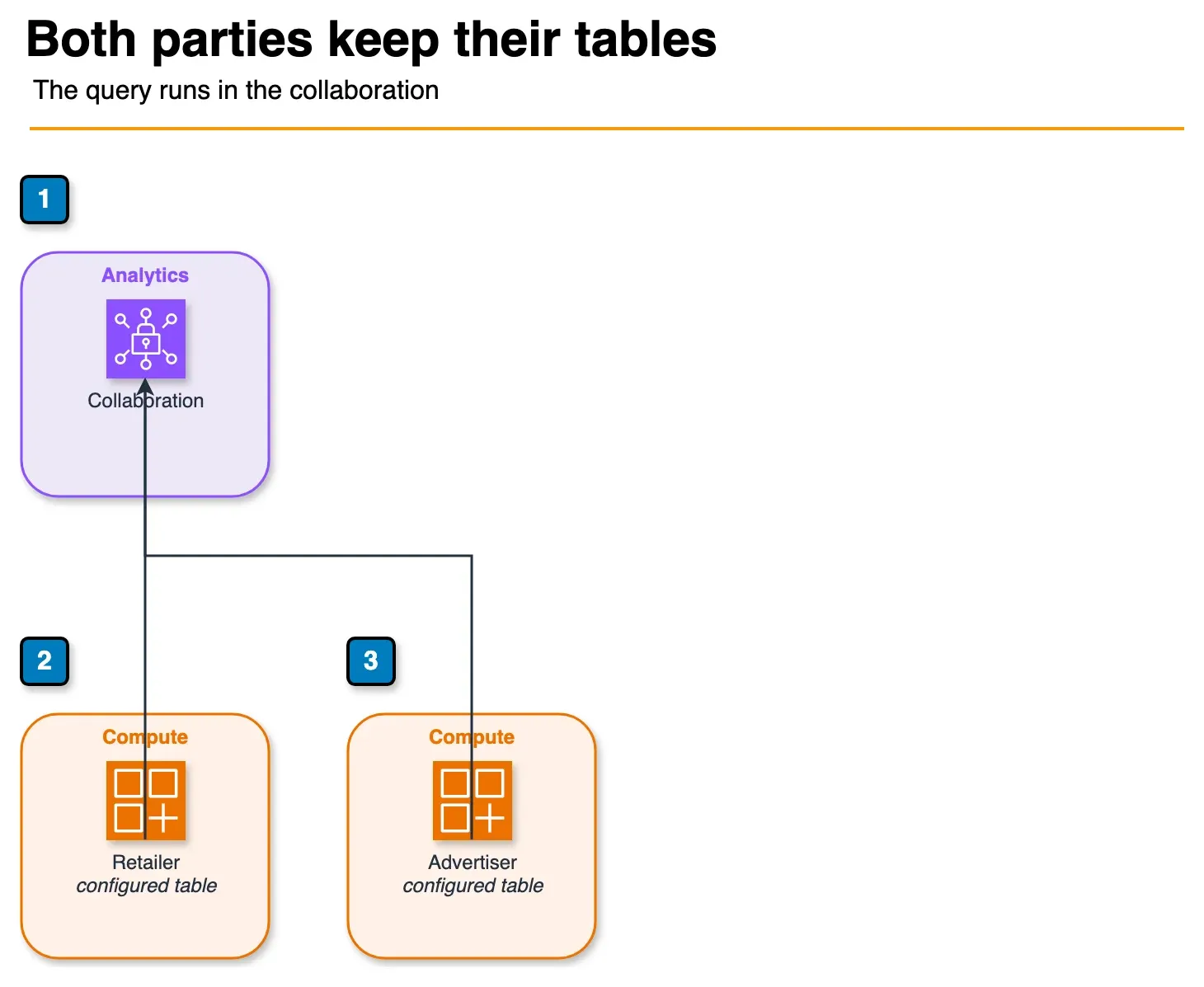
Figure: collaboration setup in the article. Each member registers a configured table. The join runs inside Clean Rooms. Raw rows are not returned. The sample account ids and table names are not shown. Open the draw.io source.
The setup sequence involves four AWS accounts objects and roughly 30 minutes of console configuration for a basic two-party collaboration.
Step 1: Create the collaboration
The collaboration creator (typically the party who initiates the partnership) creates the collaboration object and invites the second member:
AWS Console → Clean Rooms → Create collaboration
Name: RetailCo-AdvertiserCo-Attribution
Description: Campaign attribution analysis for Q3 2026
Members:
  - Creator: RetailCo (123456789012) - Data contributor
  - Invited: AdvertiserCo (987654321098) - Query runner + Data contributor
Query logging: Enabled (required for audit)
Step 2: Each member creates a Configured Table
The Retailer registers their purchase data table and sets analysis rules:
AWS Console → Clean Rooms → Configured tables → Create
AWS Glue table: retail_db.purchase_events
Analysis rule type: Aggregation
  Allowed aggregate functions: COUNT, SUM, AVG
  Join columns: [hashed_email]  ← Only this column can be used as a join key
  Dimension columns: [product_category, purchase_date_week, store_region]
  Aggregate columns: [purchase_amount, item_count]
  Minimum row count: 100  ← Results suppressed if < 100 records in group
  Allow list columns: []  ← No individual row retrieval permitted
The Advertiser registers their campaign data:
AWS Console → Clean Rooms → Configured tables → Create
AWS Glue table: advertising_db.campaign_events
Analysis rule type: Aggregation
  Join columns: [hashed_email]
  Dimension columns: [campaign_id, campaign_name, ad_format, impression_date_week]
  Aggregate columns: [impression_count, click_count, spend_amount]
  Minimum row count: 100
Step 3: Create an Analysis Template
Analysis Templates are pre-approved SQL queries. Members with query permissions can only run approved templates — they cannot write arbitrary SQL against the collaboration:
-- Template name: campaign_attribution_weekly
-- Description: Calculate attributed purchases by campaign for a date range

SELECT
    c.campaign_id,
    c.campaign_name,
    c.ad_format,
    p.product_category,
    DATE_TRUNC('week', p.purchase_date) AS purchase_week,
    COUNT(DISTINCT c.hashed_email) AS matched_users,
    SUM(c.impression_count)          AS total_impressions,
    SUM(c.spend_amount)              AS total_spend,
    COUNT(p.purchase_id)             AS attributed_purchases,
    SUM(p.purchase_amount)           AS attributed_revenue,
    SUM(p.purchase_amount) / NULLIF(SUM(c.spend_amount), 0) AS roas
FROM advertiser_campaign_events c
INNER JOIN retailer_purchase_events p
    ON c.hashed_email = p.hashed_email
   AND p.purchase_date BETWEEN c.impression_date AND c.impression_date + INTERVAL '30 days'
WHERE c.campaign_id = :campaign_id
  AND c.impression_date >= :start_date
  AND c.impression_date <= :end_date
GROUP BY 1, 2, 3, 4, 5
HAVING COUNT(DISTINCT c.hashed_email) >= 100;
-- The HAVING clause enforces the minimum cell count at the SQL level,
-- Clean Rooms also enforces it at the engine level as a double safeguard
Analysis Rules and Privacy Controls
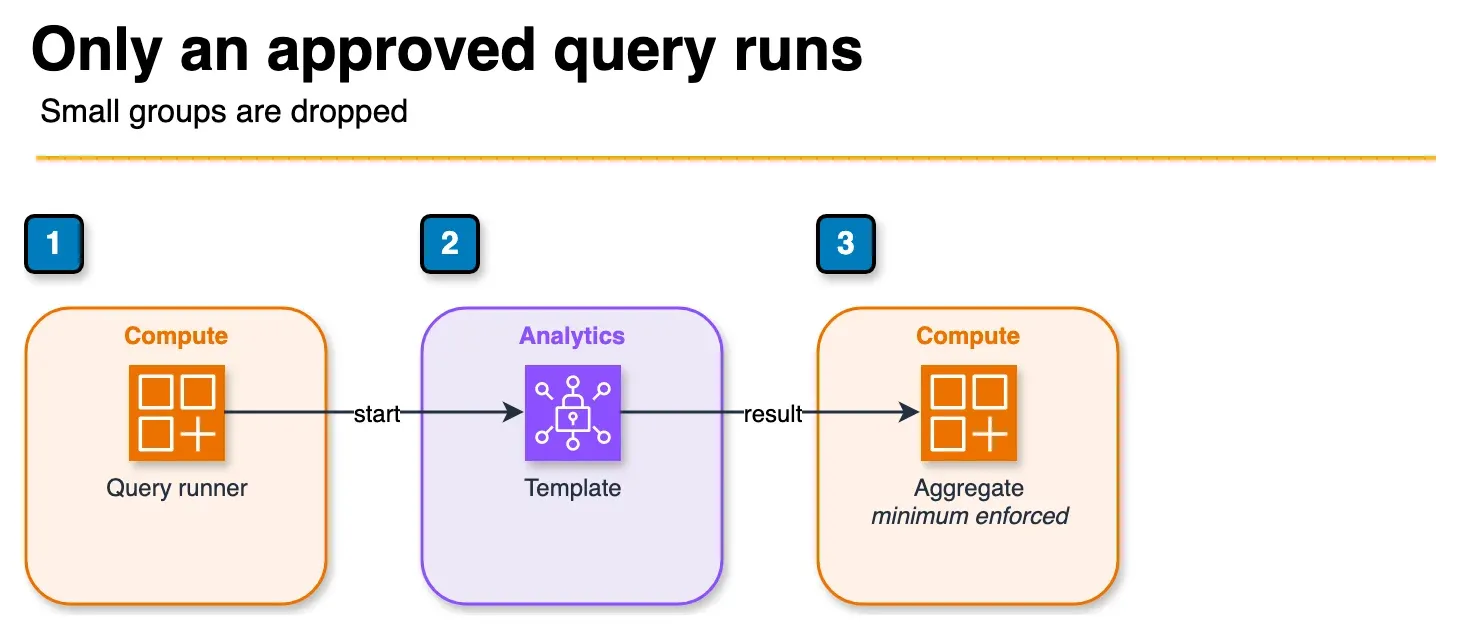
Figure: analysis rules in the article. The query runner starts an approved template. Arbitrary SQL is not allowed. A group under the configured minimum row count is omitted from the result. Open the draw.io source.
The analysis rule configuration is where Clean Rooms provides its actual privacy guarantees. Understanding the three rule types and how to configure them correctly is essential for a legally defensible implementation.
Aggregation rules — preventing individual row retrieval:
The minimum row count parameter is the most important privacy control. If a GROUP BY group contains fewer than N records, the Clean Rooms engine suppresses that row from results entirely — the query runner never sees it, not even as a “fewer than 100 results” indicator.
Setting the right minimum depends on your use case and regulatory context:
minimum: 5— minimum threshold, suitable for non-sensitive analyticsminimum: 25— commonly used for health data or sensitive demographicsminimum: 100— conservative threshold for GDPR-sensitive use cases
The minimum must be set at the data contributor’s Configured Table level. The contributor controls this parameter — the query runner cannot override it.
Column allow-lists in aggregation rules:
Only columns explicitly listed in dimension columns, aggregate columns, or join columns can appear in queries against a Configured Table. Any attempt to SELECT an unlisted column fails at query validation before execution — the query engine does not even attempt to access the raw data.
This means the Retailer’s purchase table can contain columns like customer_name, email_address, home_address, credit_card_last4 and none of these columns will ever appear in Clean Rooms query results, because they are not in the allowed column list. The prohibition is enforced at the metadata layer, not dependent on the query author’s compliance.
Custom analysis templates with parameter substitution:
For more complex collaborations, Custom analysis rules allow pre-approved SQL templates with variable parameters:
-- Template with typed parameters — query runner fills in ${campaign_id}
-- but cannot modify the SQL structure itself
SELECT campaign_id, COUNT(*), SUM(revenue)
FROM collaboration_view
WHERE campaign_id = '${campaign_id}'  -- Parameter: VARCHAR(50)
  AND region    = '${region}'          -- Parameter: VARCHAR(50) from allowed list
GROUP BY campaign_id
HAVING COUNT(*) >= 100
The Advertiser submits a query by providing parameter values, not SQL. They cannot change the GROUP BY columns, remove the HAVING clause, or add new joins. The template structure is enforced by the data contributor.
Use Case Deep Dive: Retail Media Attribution
This is Clean Rooms’ primary commercial use case in 2026, and walking through a realistic implementation illustrates the practical value.
Setup:
- Retailer (data contributor): 50M customer records, 200M annual purchase transactions, purchase data stored in Redshift
- Advertiser (query runner): 10M campaign impression events per day, impression data in S3 with Glue catalog
The business question: “Which of our digital campaigns drove incremental purchases at this retailer, broken down by product category and campaign format?”
Data preparation:
Neither party shares raw email addresses. Both hash their customer identifier with the same hashing standard before it enters Clean Rooms:
import hashlib

def hash_identifier(email: str) -> str:
    """SHA-256 hash of lowercased, stripped email. Both parties apply this."""
    normalized = email.strip().lower()
    return hashlib.sha256(normalized.encode('utf-8')).hexdigest()

# Retailer applies this to their purchase table before Glue catalog registration
# Advertiser applies this to their impression table before Glue catalog registration
# Both hash values are now comparable without either party knowing the other's emails
Running a query:
The Advertiser submits the pre-approved attribution template via the Clean Rooms console or API:
import boto3

cleanrooms = boto3.client('cleanrooms')

response = cleanrooms.start_protected_query(
    type='SQL',
    membershipIdentifier='advertiser-membership-id',
    sqlParameters={
        'analysisTemplateArn': 'arn:aws:cleanrooms:us-east-1:...:membership/.../analysistemplates/campaign_attribution_weekly',
        'parameters': {
            'campaign_id': 'CAMP_2026_Q3_SUMMER',
            'start_date': '2026-07-01',
            'end_date': '2026-07-31'
        }
    },
    resultConfiguration={
        'outputConfiguration': {
            's3': {
                'bucket': 'advertiser-cleanrooms-results',
                'keyPrefix': 'attribution-results/',
                'resultFormat': 'CSV'
            }
        }
    }
)
Result delivery:
Results appear in the Advertiser’s S3 bucket as an aggregated CSV. The Retailer never receives this file — it exists only in the Advertiser’s account. The Retailer sees only the CloudTrail audit log showing that a query was executed against their data, with the full SQL logged (but not the results).
The aggregated output looks like:
| campaign_id | ad_format | product_category | purchase_week | matched_users | total_spend | attributed_revenue | roas |
|---|---|---|---|---|---|---|---|
| CAMP_Q3_SUMMER | display | electronics | 2026-07-07 | 12,847 | $48,200 | $387,500 | 8.04 |
| CAMP_Q3_SUMMER | video | home_goods | 2026-07-14 | 8,203 | $31,100 | $201,800 | 6.49 |
No individual purchase records. No individual customer profiles. No PII. Just the aggregated business metrics both parties need.
Governance, Audit, and Compliance Evidence
Every query execution in AWS Clean Rooms is logged to CloudTrail automatically — this is not optional and cannot be disabled. The CloudTrail record includes the full SQL executed (or the analysis template ARN and parameters), the execution time, the requesting IAM identity, and the result destination.
For SOC 2 evidence:
The CloudTrail logs constitute evidence of: (1) which queries were run against sensitive data, (2) by which identity, (3) at what time, and (4) what data controls were in place (Configured Table analysis rules are captured in the collaboration configuration). Export these logs to S3 or CloudWatch Logs for your compliance archive.
For GDPR Article 26 (Joint Controllers):
When two companies jointly determine the purposes and means of data processing, they are joint controllers under GDPR and must have a joint controller agreement. Clean Rooms collaboration membership records, combined with the analysis rules configuration showing what data each party can access, provide the technical implementation documentation for that agreement. The collaboration configuration export is your evidence that the joint processing is limited to the defined scope.
For HIPAA:
Treat HIPAA eligibility as a live checklist item: confirm Clean Rooms (and any Clean Rooms ML path) on the current AWS HIPAA Eligible Services List / BAA before PHI. Do not assume coverage from marketing pages.
Membership and query audit trail:
# Export all queries run in a collaboration for compliance review
import boto3

cleanrooms = boto3.client('cleanrooms')

paginator = cleanrooms.get_paginator('list_protected_queries')

all_queries = []
for page in paginator.paginate(membershipIdentifier='your-membership-id'):
    all_queries.extend(page['protectedQueries'])

# Each query record contains:
# - protectedQueryId
# - status (SUCCESS, FAILED, CANCELLED)
# - createTime, updateTime
# - sqlParameters (full SQL or template reference)
# - resultConfiguration (where results were delivered)
print(f"Total queries executed: {len(all_queries)}")
What to Do This Week
- Draft analysis rules (aggregation minimums + join columns) before inviting partners.
- Run a two-party pilot with synthetic tables; export CloudTrail protected-query history.
- Complete the collaboration checklist with legal on the DPA/joint-controller language.
What This Post Doesn’t Cover
Clean Rooms ML model training deep-dives, Entity Resolution standalone workflows, and non-AWS warehouse clean-room products.
Need help with collaboration design or compliance evidence packs? Contact FactualMinds.
Related reading: Amazon DataZone: Enterprise Data Governance and Catalog · AWS IAM Best Practices: Least Privilege Access Control · Top 20 AWS AI & Modern Services in 2026
Frequently asked questions
Can three or more parties participate in a Clean Rooms collaboration?
Does Clean Rooms work with data stored in non-AWS systems?
How is Clean Rooms different from Athena Federated Query?
Can I use Clean Rooms with encrypted data?
What is the maximum query execution time in Clean Rooms?

Agentic AI & Cloud Security
Works on making teams more productive with agentic AI. Writes the FactualMinds guides on AWS security and compliance: identity, threat detection, data protection, and audit readiness, the controls AI agents need before they touch production systems.