Amazon Neptune Analytics: Graph and Vector Analytics for Fraud Detection and Recommendations
Quick summary: Rules engines miss fraud rings that mutate weekly. Graph + vector queries don't. A July 2026 production guide to Neptune Analytics — m-NCU sizing (including 32/64 pilots), pause-at-10% cost control, WCC fraud rings, and GraphRAG-ready vector indexes.
Key Takeaways
- A July 2026 production guide to Neptune Analytics — m-NCU sizing (including 32/64 pilots), pause-at-10% cost control, WCC fraud rings, and GraphRAG-ready vector indexes
- Computing PageRank on 500 million nodes
- Identifying all fraud rings in a payment network by finding weakly connected components across 2 billion edges
- Figure: OLTP on Neptune Database → S3 snapshot → Neptune Analytics (WCC + vectors) → DynamoDB enrichment; optional Bedrock embeddings
- AWS’s published pricing example for a 256 m-NCU job lasting 2 hours lands at $15.36 in US East — about $0.03 / m-NCU-hour
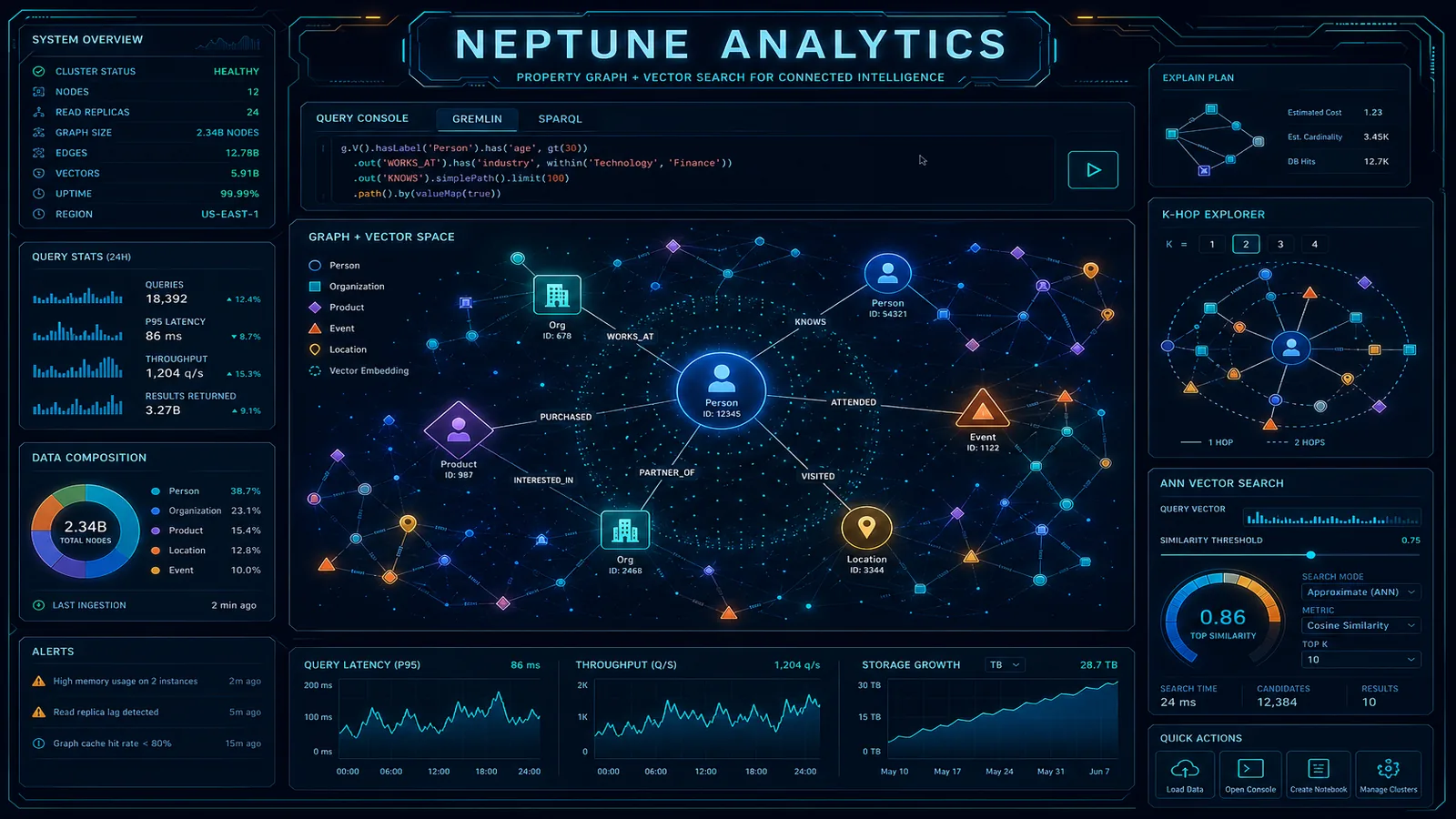
Table of Contents
Neptune Database handles real-time graph traversals well. Finding all accounts connected to a suspicious transaction two hops away, looking up a customer’s product graph neighborhood, checking if a new merchant shares attributes with known fraudulent entities — these are OLTP graph queries and Neptune Database is the right tool for them.
The problem arises when you need to run analytics across the entire graph. Computing PageRank on 500 million nodes. Identifying all fraud rings in a payment network by finding weakly connected components across 2 billion edges. Finding product clusters via community detection for a recommendation system. These are OLAP workloads, and Neptune Database’s architecture — optimized for low-latency traversals with transactional consistency — is not designed for them. Running a full-graph PageRank against Neptune Database will lock the cluster, time out, and produce an expensive lesson.
Amazon Neptune Analytics (GA November 2023; capabilities and capacity tiers still expanding as of July 2026) solves this by loading a snapshot of your graph into an in-memory analytics engine purpose-built for graph algorithms and vector similarity search — including managed GraphRAG paths with Amazon Bedrock. This refresh covers the OLTP/OLAP split, WCC fraud-ring walkthrough, combined graph+vector queries, m-NCU sizing (including 32/64 pilot capacities), pause-at-10% cost control, and where the architecture breaks.
Reproduce this: OLTP/OLAP decision matrix · fraud enrichment draw.io.
Neptune Database vs. Neptune Analytics: The OLTP/OLAP Split
Understanding the architectural boundary between the two products prevents misuse of both.
| Dimension | Neptune Database | Neptune Analytics |
|---|---|---|
| Architecture | Distributed storage-compute separation, persistent | In-memory, loaded from snapshots |
| Query languages | Gremlin, openCypher, SPARQL | openCypher only |
| Write support | Yes — full transactional writes | No — read-only analytics |
| Data freshness | Real-time (as transactions commit) | Snapshot-based (load time) |
| Graph algorithm support | No built-in algorithms | Yes — PageRank, WCC, betweenness centrality, shortest path, community detection, KNN |
| Vector similarity search | No | Yes — cosine, Euclidean, dot product similarity on node embeddings |
| Query latency (traversal) | Milliseconds for point queries | Milliseconds for algorithms on the full in-memory graph |
| Full-graph analytics latency | Minutes-to-timeout (storage I/O bound) | Sub-second for most algorithms on millions of nodes |
| Billing model | Instance hours / Neptune Serverless NCUs; Standard vs I/O-Optimized | m-NCU hours (1 m-NCU ≈ 1 GB); pause ≈ 10% compute; delete when idle |
| When to use | Transactional writes, real-time traversals, CRUD | Batch graph analytics, fraud ring detection, recommendations, GraphRAG |
The canonical deployment pattern is read-write against Neptune Database for transactional operations, periodic (nightly or hourly) export to S3, load into Neptune Analytics for batch analytics, and write results back to an operational store (DynamoDB or RDS) for application consumption.
Figure: OLTP on Neptune Database → S3 snapshot → Neptune Analytics (WCC + vectors) → DynamoDB enrichment; optional Bedrock embeddings. Open draw.io
Fraud Ring Detection with Graph Analytics
Payment fraud rings are difficult to detect with row-level transaction analysis because the signal is in the connections between entities, not in individual transaction properties. A card used for three transactions, each below the fraud threshold — suspicious in isolation only if you know those three transactions share a device fingerprint with 40 other cards linked to the same merchant, all controlled by the same shell entity.
Graph analytics surfaces this pattern through Weakly Connected Components (WCC). In graph theory, a connected component is a subgraph where every node can reach every other node. In a payment network, an unusually large connected component where nodes share multiple attribute paths is a strong fraud ring signal.
Step 1: Build the payment network graph
Model the payment network as a tripartite graph with four node types:
Nodes: Card, Merchant, Device, IP Address
Edges:
  (Card) -[USED_AT]-> (Merchant): transaction occurred
  (Card) -[ACCESSED_FROM]-> (Device): card used on device
  (Card) -[ACCESSED_FROM]-> (IP): card connected from IP
  (Merchant) -[REGISTERED_FROM]-> (IP): merchant signup IP
Export this graph from your transactional database as Neptune bulk load format:
import boto3
import pandas as pd

# Generate node file (cards)
cards_df = pd.DataFrame({
    'id': card_ids,
    ':label': 'Card',
    'card_last4': card_last4_list,
    'issuer_bank': issuer_bank_list,
    'account_age_days': account_age_list
})
cards_df.to_csv('s3://fraud-data/graph-export/nodes-cards.csv', index=False)

# Generate edge file (card-to-merchant transactions)
transactions_df = pd.DataFrame({
    ':ID': edge_ids,
    ':START_ID': source_card_ids,
    ':END_ID': destination_merchant_ids,
    ':TYPE': 'USED_AT',
    'amount_usd': amounts,
    'txn_date': dates,
    'status': statuses
})
transactions_df.to_csv('s3://fraud-data/graph-export/edges-transactions.csv', index=False)
Step 2: Load into Neptune Analytics
import boto3

neptune_analytics = boto3.client('neptune-graph', region_name='us-east-1')

# Create a Neptune Analytics graph sized in m-NCU (1 m-NCU ≈ 1 GB memory).
# Pilots often start at 32 or 64 m-NCU; size up from import footprint.
response = neptune_analytics.create_graph(
    graphName='payment-fraud-analytics',
    provisionedMemory=64,  # m-NCU — verify import bytes in CloudWatch / console
    replicaCount=0,        # 0 replicas for batch-only use cases
    deletionProtection=False,
    vectorSearchConfiguration={
        'dimension': 256  # Up to 65,000 dims supported; match your embedding model
    }
)

graph_id = response['id']
print(f"Graph ID: {graph_id}")

# Import from S3
import_response = neptune_analytics.start_import_task(
    graphIdentifier=graph_id,
    source='s3://fraud-data/graph-export/',
    format='CSV',
    roleArn='arn:aws:iam::123456789012:role/NeptuneAnalyticsImportRole',
    importOptions={
        'neptune': {
            'preserveDefaultVertexLabels': True,
            'preserveEdgeIds': True
        }
    }
)

task_id = import_response['taskId']
print(f"Import task: {task_id}")

# Wait for import to complete
import time
while True:
    status = neptune_analytics.get_import_task(taskId=task_id)
    if status['status'] in ['SUCCEEDED', 'FAILED']:
        print(f"Import completed: {status['status']}")
        break
    time.sleep(30)
Step 3: Run Weakly Connected Components
# Execute WCC algorithm via openCypher
# Neptune Analytics graph algorithm invocations use openCypher with neptune.algo functions

query = """
CALL neptune.algo.wcc({
    nodeLabels: ['Card', 'Merchant', 'Device', 'IP'],
    relationshipTypes: ['USED_AT', 'ACCESSED_FROM', 'REGISTERED_FROM'],
    writeProperty: 'component_id'
})
YIELD componentId, nodeCount
WHERE nodeCount > 50  // Components with > 50 members warrant investigation
RETURN componentId, nodeCount
ORDER BY nodeCount DESC
LIMIT 100
"""

response = neptune_analytics.execute_query(
    graphIdentifier=graph_id,
    queryString=query,
    language='OPEN_CYPHER'
)

# Parse results
results = json.loads(response['payload'].read())
fraud_ring_components = results['results']

print(f"Suspicious components found: {len(fraud_ring_components)}")
for component in fraud_ring_components[:10]:
    print(f"Component {component['componentId']}: {component['nodeCount']} connected entities")
Step 4: Enrich and export for investigators
# For each suspicious component, pull entity details for case management
enrichment_query = """
MATCH (n)
WHERE n.component_id = $componentId
RETURN
    labels(n)[0] as entity_type,
    n.id as entity_id,
    n.component_id as component_id,
    CASE labels(n)[0]
        WHEN 'Card' THEN n.card_last4
        WHEN 'Merchant' THEN n.merchant_name
        WHEN 'Device' THEN n.device_fingerprint
        WHEN 'IP' THEN n.ip_address
    END as identifier
"""

fraud_entities = []
for component in fraud_ring_components:
    entities = neptune_analytics.execute_query(
        graphIdentifier=graph_id,
        queryString=enrichment_query,
        language='OPEN_CYPHER',
        parameters={'componentId': component['componentId']}
    )
    fraud_entities.extend(json.loads(entities['payload'].read())['results'])

# Write to DynamoDB for case management system
dynamodb = boto3.resource('dynamodb')
fraud_cases_table = dynamodb.Table('fraud-cases')

for entity in fraud_entities:
    fraud_cases_table.put_item(Item={
        'component_id': str(entity['component_id']),
        'entity_type': entity['entity_type'],
        'entity_id': entity['entity_id'],
        'identifier': entity['identifier'],
        'detected_date': datetime.now().isoformat(),
        'status': 'PENDING_REVIEW'
    })
Graph + Vector Combined Queries
Neptune Analytics uniquely supports combining graph structure with vector similarity in a single query. This unlocks recommendation patterns that neither pure graph traversal nor pure vector search can achieve alone.
Use case: product recommendations combining semantic similarity and purchase graph
Store product embedding vectors (from a text embedding model like Amazon Titan Embeddings) as properties on product nodes in Neptune Database. When you load the graph into Neptune Analytics, the embedding vectors load with the node properties.
# When building your graph: add embedding vectors to product nodes
# These are stored as array properties on nodes in Neptune Database

import boto3
import json

bedrock = boto3.client('bedrock-runtime')
neptune_db = boto3.client('neptunedata', endpoint_url='https://YOUR-CLUSTER.neptune.amazonaws.com:8182')

def embed_product(description: str) -> list[float]:
    response = bedrock.invoke_model(
        modelId='amazon.titan-embed-text-v2:0',
        body=json.dumps({'inputText': description})
    )
    return json.loads(response['body'].read())['embedding']

# Store as a node property via openCypher
for product in products:
    embedding = embed_product(product['description'])
    neptune_db.execute_open_cypher_query(
        openCypherQuery="""
        MATCH (p:Product {id: $productId})
        SET p.embedding = $embedding
        """,
        parameters=json.dumps({
            'productId': product['id'],
            'embedding': embedding
        })
    )
After loading this graph into Neptune Analytics with vector search configured, run combined queries:
# Combined query: find products that are semantically similar
# AND frequently co-purchased by users in target customer's neighborhood

combined_query = """
// Step 1: Find the query product's embedding and customer's purchase graph
MATCH (queryProduct:Product {id: $productId})
MATCH (customer:Customer {id: $customerId})-[:PURCHASED]->(ownedProduct:Product)

// Step 2: Find semantically similar products using vector search
CALL neptune.algo.vectors.topKByNode(queryProduct, {
    topK: 50,
    concurrency: 4
}) YIELD node AS similarProduct, score AS similarityScore

// Step 3: Intersect with products bought by similar customers (graph traversal)
MATCH (similarCustomer:Customer)-[:PURCHASED]->(candidateProduct:Product)
WHERE similarCustomer <> customer
  AND (similarCustomer)-[:PURCHASED]->(ownedProduct)  // Similar customers share purchases
  AND candidateProduct IN similarProduct              // Candidate is semantically similar

// Step 4: Score by combined signal
RETURN candidateProduct.id AS productId,
       candidateProduct.name AS productName,
       similarityScore,
       count(DISTINCT similarCustomer) AS graphSignalStrength,
       (similarityScore * 0.4 + toFloat(count(DISTINCT similarCustomer)) / 100.0 * 0.6) AS combinedScore
ORDER BY combinedScore DESC
LIMIT 10
"""

recommendations = neptune_analytics.execute_query(
    graphIdentifier=graph_id,
    queryString=combined_query,
    language='OPEN_CYPHER',
    parameters={'productId': 'prod-abc123', 'customerId': 'cust-xyz789'}
)
The power here is that neither approach alone delivers the full signal:
- Pure vector similarity finds semantically similar products but ignores social purchase context
- Pure graph traversal finds what similar customers bought but can recommend contextually unrelated items
- Combined: semantically similar products that also have strong purchase graph signal — highest quality recommendations
Loading and Querying Neptune Analytics
Load from Neptune Database export:
# Export Neptune Database to S3 using the Neptune export service
neptune_export = boto3.client('s3', region_name='us-east-1')

# Trigger Neptune export (via Neptune Export API endpoint)
import requests

export_response = requests.post(
    'https://YOUR-EXPORT-ENDPOINT.neptune-export.amazonaws.com/v1/neptune-export/export',
    json={
        'command': 'export-pg',  # Property graph (Gremlin/openCypher)
        'params': {
            'endpoint': 'YOUR-NEPTUNE-CLUSTER.neptune.amazonaws.com',
            'profile': 'neptune_export_default',
            'outputS3Path': 's3://neptune-exports/fraud-graph/',
            'jobSize': 'medium'
        }
    },
    auth=('user', 'password')  # Use SigV4 signing in production
)

export_job_id = export_response.json()['jobId']
Load from S3 CSV directly (no Neptune Database required):
Neptune Analytics accepts S3 CSV files in the Neptune bulk load format — the same format used for Neptune Database bulk loading. Node files need ~id and ~label columns; edge files need ~id, ~from, ~to, and ~label columns:
# nodes-cards.csv
~id,~label,card_last4:String,account_age_days:Int,risk_tier:String
card-001,Card,4242,365,standard
card-002,Card,1234,12,new

# edges-transactions.csv
~id,~from,~to,~label,amount_usd:Double,txn_date:Date
txn-001,card-001,merchant-001,USED_AT,149.99,2026-06-01
txn-002,card-002,merchant-001,USED_AT,89.50,2026-06-01
Error handling for large graph loads:
def wait_for_import_with_retry(neptune_analytics_client, task_id: str, max_wait_minutes: int = 120):
    import time
    start_time = time.time()

    while (time.time() - start_time) < (max_wait_minutes * 60):
        status = neptune_analytics_client.get_import_task(taskId=task_id)

        if status['status'] == 'SUCCEEDED':
            stats = status.get('importTaskDetails', {})
            print(f"Import succeeded. Nodes: {stats.get('progressPercentage', 'N/A')}%")
            return True

        if status['status'] == 'FAILED':
            error = status.get('statusReason', 'Unknown error')
            print(f"Import failed: {error}")
            # Common failures: insufficient memory, malformed CSV, S3 permissions
            if 'OutOfMemory' in error:
                print("Increase provisionedMemory parameter and retry")
            elif 'AccessDenied' in error:
                print("Check Neptune Analytics IAM role has s3:GetObject on export bucket")
            return False

        elapsed = int(time.time() - start_time)
        print(f"Import in progress... ({elapsed}s elapsed, status: {status['status']})")
        time.sleep(30)

    print(f"Import timed out after {max_wait_minutes} minutes")
    return False
Cost Model (July 2026)
Neptune Analytics bills primarily on m-NCU hours while the graph is running (1 m-NCU ≈ 1 GB memory + compute). AWS’s published pricing example for a 256 m-NCU job lasting 2 hours lands at $15.36 in US East — about $0.03 / m-NCU-hour. Always re-check Amazon Neptune pricing for your region; do not treat blog arithmetic as a quote.
| Scenario | Rough compute math (us-east-1 example rate) | Notes |
|---|---|---|
| Pilot graph 64 m-NCU × 1 hour | ≈ $1.92 | 32/64 m-NCU tiers cut start cost vs older minimums |
| Nightly batch 64 m-NCU × 1 hour × 30 days | ≈ $58/month | Plus S3 + import time |
| Large job 256 m-NCU × 2 hours | ≈ $15.36 (AWS example) | Matches public pricing page example |
| Paused graph | ≈ 10% of normal compute | Data + settings preserved |
For fraud ring detection as a nightly batch (1–2 hours), Neptune Analytics is usually cheaper than keeping a large Neptune Database instance sized for analytics, because you stop paying full rate when the analytics graph is deleted or paused.
Where this breaks: if import exceeds ~30 minutes every night, delete/reload can cost more in wall-clock and engineer time than pause-at-10% or keeping the graph warm through the investigation window.
Self-hosted comparison: Apache Spark GraphX / GraphFrames on EMR plus a separate vector store remains viable for teams already deep in Spark — but you own cluster ops, algorithm packaging, and result persistence. Prefer Neptune Analytics when the team wants openCypher + built-in algorithms without owning that platform tax.
Cost optimization tips:
- Prefer pause between ad-hoc investigation windows; prefer delete + S3 reload for once-nightly jobs with fast imports
- Start pilots on 32 or 64 m-NCU, then resize from observed graph footprint (no downtime resize is documented for m-NCU)
- Use
replicaCount: 0for batch-only use cases - Cap vector dimension to what your embedding model actually emits — indexes support up to 65,000 dims, but larger dims cost memory
When this advice fails
- Near-real-time fraud scoring on every authorization — Neptune Analytics snapshot lag is wrong; stay on Neptune Database (or a streaming feature store) for the hot path and use Analytics for ring discovery offline.
- Gremlin-only estates with no openCypher budget — translate or keep algorithms off Neptune Analytics.
- Pure semantic search without graph topology — S3 Vectors or OpenSearch vector patterns are usually cheaper and simpler.
What to do Monday morning
- Export a representative payment/entity subgraph to S3 in Neptune bulk-load CSV and note compressed size.
- Create a 64 m-NCU analytics graph with a vector dimension matching your embedding model; import the subgraph.
- Run WCC with a
nodeCountthreshold tuned to your case queue capacity (start > 50 only if investigators can clear that volume). - Write component IDs to DynamoDB; wire the case tool to that table — not to live Analytics queries.
- Compare delete vs pause after one week of CloudWatch import duration + investigator re-query patterns.
- Keep the decision matrix with the architecture review packet.
Need help designing a Neptune Analytics architecture for fraud detection or recommendation systems? FactualMinds works with data engineering teams on graph data modeling, Neptune Database to Neptune Analytics pipeline design, and combined graph+vector query patterns for production workloads.
Frequently asked questions
How fresh is the data in Neptune Analytics vs. Neptune Database?
Does Neptune Analytics support Gremlin queries?
What graph memory capacity can Neptune Analytics use?
Can I run Neptune Analytics without a Neptune Database (from S3 directly)?
How do I integrate Neptune Analytics results back into my application?
Should I delete the analytics graph between nightly runs or pause it?

AWS Cloud Architect & AI Expert
AWS-certified cloud architect and AI expert with deep expertise in cloud migrations, cost optimization, and generative AI on AWS.