AWS Bill Teardown #2: How a Healthcare Company Spent $200k/Year on NAT Gateways
Quick summary: A healthcare estate was burning ~$200k/year on NAT. July 2026 refresh — NAT still ~$0.045/GB, free S3 gateway endpoints, Secrets Manager interface endpoints, and a VPC fix pattern that cut ~78%.
Key Takeaways
- A healthcare estate was burning ~$200k/year on NAT
- July 2026 refresh — NAT still ~$0
- 045/GB, free S3 gateway endpoints, Secrets Manager interface endpoints, and a VPC fix pattern that cut ~78%
- Some AWS bills announce themselves loudly — infinite Lambda retries, forgotten GPUs
- Others hide until finance asks why networking is $200,000/year
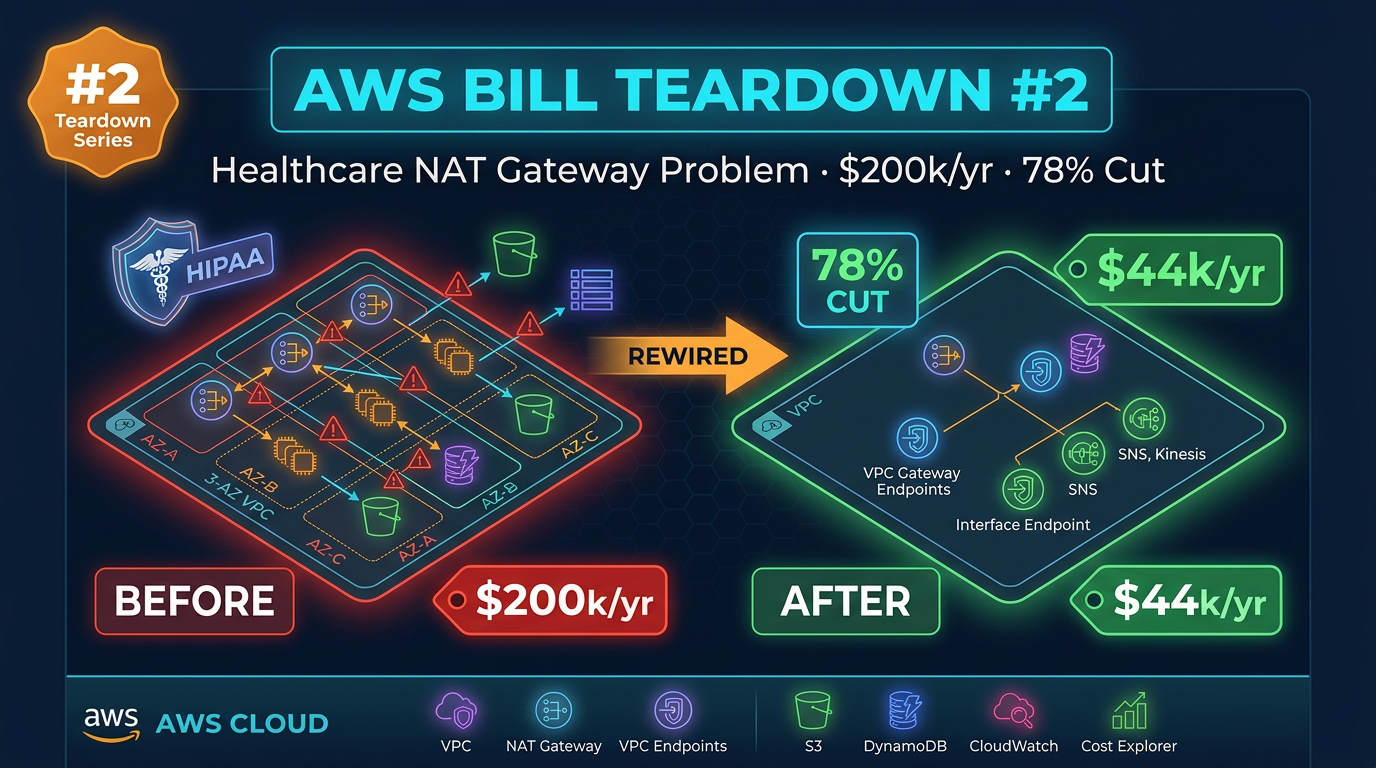
Table of Contents
Some AWS bills announce themselves loudly — infinite Lambda retries, forgotten GPUs. Others hide until finance asks why networking is $200,000/year.
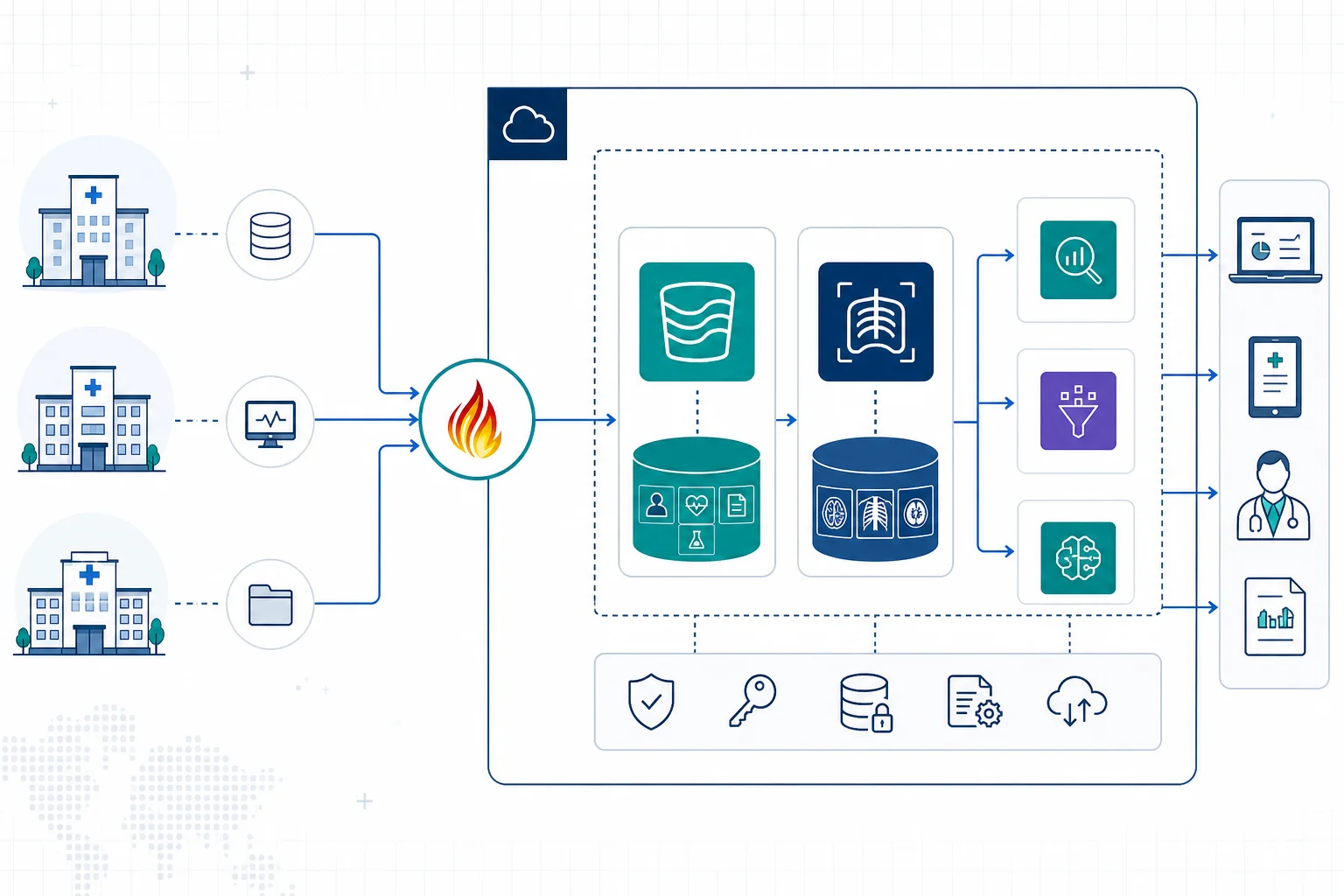
Engagement shape (anonymized): regional healthcare org, ~400 employees, EHR integrations, HL7 FHIR APIs, clinical pipelines across three AWS accounts. VPC designed in 2019, never revisited. Production alone: ~$16,800/month dominated by NAT. As of July 2026, the unit economics still hold — NAT hourly + per-GB processing on the VPC pricing page, free S3/DynamoDB gateway endpoints, paid Secrets Manager interface endpoints. Broader clinical plane: healthcare digital health architecture.
Reproduce this: NAT vs endpoints draw.io
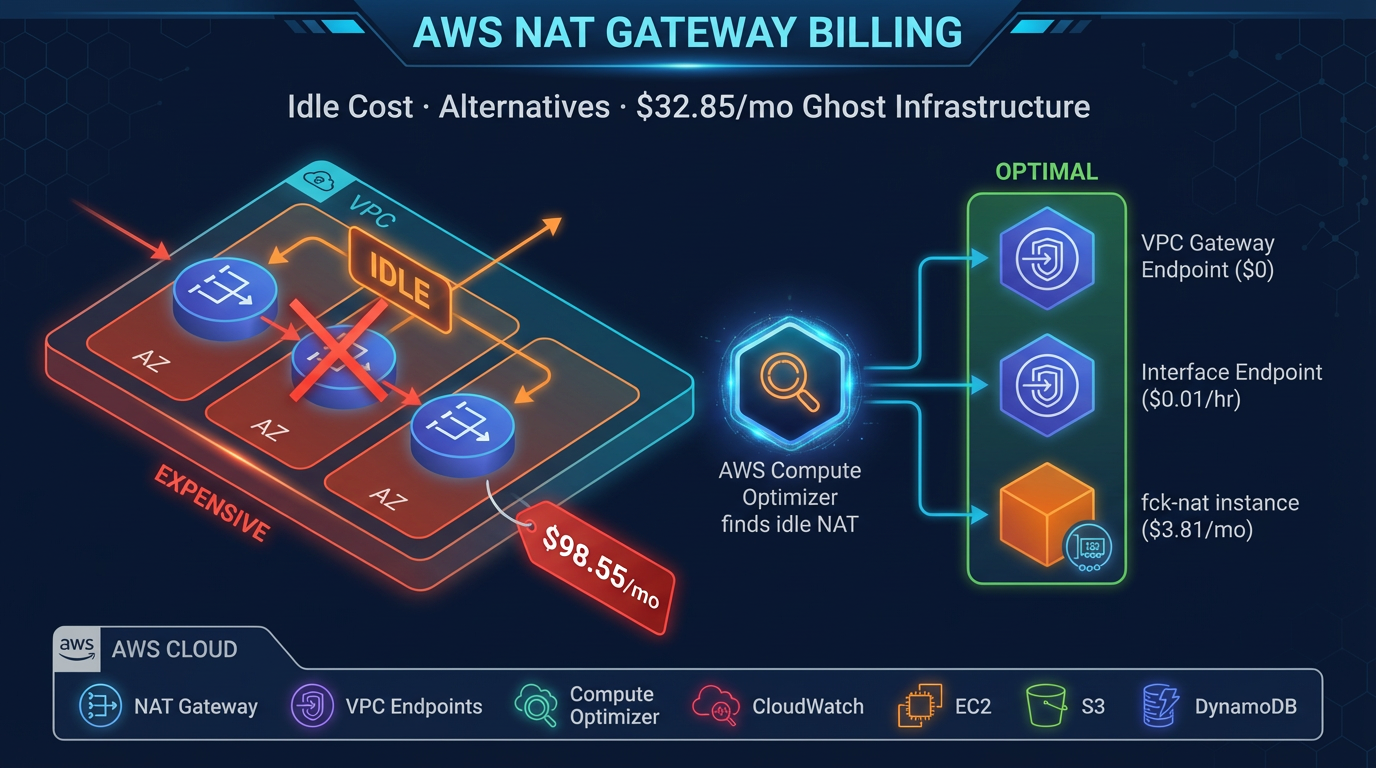
Figure: Private compute → free S3 gateway endpoint / Secrets Manager interface endpoint; NAT per AZ only for true internet. Open draw.io
The Bill Summary
These figures are from the production account alone. The staging and development accounts had their own, smaller versions of the same problems. We focus on production first.
| Service | Monthly Cost | % of Bill |
|---|---|---|
| NAT Gateway (data processed + cross-AZ) | $8,900 | 53.0% |
| S3 (storage + requests via NAT) | $5,200 | 31.0% |
| Lambda + Secrets Manager API calls via NAT | $2,700 | 16.1% |
| CloudWatch Logs | $1,100 | 6.5% |
| EC2 / ECS Compute | $4,800 | 28.6% |
| RDS (Aurora Serverless v2) | $2,900 | 17.3% |
| Other | $1,200 | 7.1% |
| Total | $16,800 | 100% |
Two things are immediately unusual here. NAT Gateway at 53% of the bill is a red flag by itself — healthy AWS accounts rarely have NAT Gateway as their single largest line item. And the S3 cost pattern (high request charges relative to storage costs) is a signature of S3 traffic being misrouted. Let us unpack each.
Finding #1: Cross-AZ NAT Gateway Traffic — $8,900/Month
What it is
The company ran three Availability Zones in us-east-1 (us-east-1a, us-east-1b, us-east-1c). Their ECS services were spread across all three AZs for high availability — which is exactly correct. Their NAT Gateway, however, lived only in us-east-1a.
In AWS networking, when a resource in a private subnet routes traffic through a NAT Gateway that sits in a different Availability Zone, two charges apply simultaneously:
- NAT Gateway data processing: $0.045 per GB for all data that passes through the gateway
- Cross-AZ data transfer: $0.01 per GB in each direction for traffic that crosses an AZ boundary
An ECS task in us-east-1b making an outbound HTTPS call (to a third-party EHR vendor’s API, for example) routes through the NAT Gateway in us-east-1a. The request crosses from 1b to 1a to reach the gateway — a cross-AZ charge. The response arrives at the gateway in 1a and crosses back to 1b — another cross-AZ charge. Plus the NAT processing fee on both the request and response.
At the traffic volumes this healthcare company was generating — constant FHIR API polling, HL7 message ingestion, clinical data sync jobs — the math was brutal.
Why this happens
The VPC was architected in 2019, before many teams had internalized the “one NAT Gateway per AZ” best practice. The original CloudFormation template (still in use, with minor modifications) deployed a single NAT Gateway in the first subnet of the first AZ. This was a common pattern in 2018–2019 tutorials and AWS documentation examples. It works fine for low-volume workloads and the cost difference is negligible when you are running a small staging environment.
Four years of organic growth — more ECS tasks, more third-party API integrations, higher clinical data volumes, HIPAA audit log exports — turned a negligible infrastructure detail into a $8,900/month charge.
Dollar impact
By pulling NAT Gateway metrics from CloudWatch and correlating with the VPC Flow Logs, we estimated:
- ~65,000 GB/month passing through the NAT Gateway
- Approximately 55% of that traffic originating from us-east-1b and us-east-1c (cross-AZ)
- Cross-AZ transfer: ~35,750 GB × $0.02 (in + out) = $715
- NAT processing: ~65,000 GB × $0.045 = $2,925
- But the actual bill was $8,900 — the discrepancy pointed to S3 traffic also routing through NAT (Finding #2 explains this)
To audit your cross-AZ NAT traffic pattern:
# List NAT Gateways and their AZ placement
aws ec2 describe-nat-gateways \
  --query "NatGateways[*].{ID:NatGatewayId,SubnetId:SubnetId,State:State,VpcId:VpcId}" \
  --output table

# Check subnet AZ assignments
aws ec2 describe-subnets \
  --query "Subnets[*].{ID:SubnetId,AZ:AvailabilityZone,CIDR:CidrBlock}" \
  --output table
If your private route tables in us-east-1b and us-east-1c point to a NAT Gateway in us-east-1a, you are paying cross-AZ charges.
Finding #2: S3 API Calls Routed Through NAT — $5,200/Month
What it is
The clinical data pipeline processed FHIR JSON payloads stored in S3 — reading from input buckets, transforming the data, writing processed records to output buckets. Several Lambda functions and ECS tasks were making tens of millions of S3 API calls per month: GetObject, PutObject, ListObjectsV2, HeadObject.
All of this traffic was flowing through the NAT Gateway. The company had no S3 VPC Gateway Endpoint deployed in any of their three AWS accounts.
When we looked at the Cost Explorer breakdown for S3, the cost split was revealing: roughly $700 in storage costs and $4,500 in request costs. That request cost was abnormally high. The elevated request charges were a secondary effect: S3 requests routed through NAT appear in billing as both S3 API costs and NAT Gateway data processing costs. The $5,200 figure represents the S3-attributed portion of the NAT data processing, which was being double-counted in our initial read of the bill. The actual S3 storage cost was modest; the NAT processing cost attributed to S3 workloads was the real number.
To quantify the S3-to-NAT contribution:
# Check if S3 VPC endpoint exists in each VPC
aws ec2 describe-vpc-endpoints \
  --filters "Name=service-name,Values=com.amazonaws.us-east-1.s3" \
  --query "VpcEndpoints[*].{ID:VpcEndpointId,VPC:VpcId,State:State,RouteTableIds:RouteTableIds}" \
  --output table
An empty result confirms no S3 VPC endpoint exists — meaning all S3 traffic routes through whatever egress path the route table provides. In a private subnet without a VPC endpoint, that is the NAT Gateway.
Why this happens
S3 VPC Gateway Endpoints are free and take minutes to create. They are also invisible: you do not add them to code, you do not change IAM policies, and the only indication that they exist is an entry in the route table prefixed with pl- (the AWS managed prefix list for S3). Because they require explicit deployment and are not part of any “default VPC” configuration, most VPCs created before 2021 do not have them.
In a healthcare environment, there is also a compliance dimension: teams sometimes avoid networking changes during busy compliance periods (pre-audit, post-incident). That conservatism is understandable, but it means architectural improvements get deferred indefinitely.
Dollar impact
Deploying S3 and DynamoDB VPC Gateway Endpoints would eliminate the NAT Gateway processing charges for all S3 and DynamoDB traffic. Our analysis showed S3 traffic accounted for approximately 60% of the NAT Gateway data volume in the production account.
Estimated savings from S3 endpoint alone: $4,200–$4,800/month.
Finding #3: Secrets Manager API Calls Through NAT — $2,700/Month
What it is
This one required digging into Lambda execution traces to understand. The company had built a series of Lambda functions that integrated with third-party clinical systems — one function that fetched HL7 messages from an external API, another that authenticated against a payer’s SOAP endpoint, several that pushed processed data to a partner’s SFTP system.
Each of these functions called secretsmanager:GetSecretValue to retrieve API credentials. That is the correct pattern. The problem was how often they were calling it.
Using AWS X-Ray traces, we found that each Lambda invocation was calling GetSecretValue between 40 and 60 times. The function would call Secrets Manager at the start of execution to get a database password, then call it again to get an API key, then call it again inside a retry loop, then call it again inside a helper function that did not have the value in scope. Some functions called Secrets Manager inside for loops — once per record being processed.
Secrets Manager API calls cost $0.05 per 10,000 API calls. At the invocation volumes this company ran — several million Lambda invocations per month — the API call cost itself was modest. The more significant cost was that every one of those Secrets Manager calls was routing through the NAT Gateway (no Secrets Manager VPC interface endpoint was deployed), adding NAT processing charges on top of the API call charges.
Why this happens
This is a code pattern problem rather than an infrastructure problem, but the infrastructure amplifies it. Secrets Manager GetSecretValue is designed to be called with caching — AWS explicitly provides Lambda Extensions and SDK-level caching patterns for this purpose. However, when developers write their first Lambda functions, they often do not think about caching: they need a value, they call the API to get it, they use it. The function works correctly. The performance impact in testing is negligible (Secrets Manager responds in single-digit milliseconds). The cost impact only emerges at production invocation volumes.
Without X-Ray enabled, this pattern is invisible. The Lambda duration metrics look normal. The Secrets Manager metrics show high call volume but not high enough to trigger an alert. The NAT Gateway data processed metric is already large due to Findings #1 and #2 — a few extra gigabytes from Secrets Manager does not stand out.
Dollar impact
By caching secrets in the Lambda execution context with a 5-minute TTL, and deploying a Secrets Manager VPC interface endpoint to eliminate NAT processing for the remaining calls:
- Secrets Manager API call volume: reduced from ~45M/month to ~2M/month (95% reduction)
- NAT Gateway processing attributed to Secrets Manager traffic: eliminated
- Combined savings: $2,700/month
To identify which Lambda functions are calling Secrets Manager most frequently:
# Query CloudWatch Logs Insights across all Lambda log groups
aws logs start-query \
  --log-group-names /aws/lambda/your-function-name \
  --start-time $(date -d '7 days ago' +%s) \
  --end-time $(date +%s) \
  --query-string 'stats count(*) as calls by @logStream | filter @message like /secretsmanager/'
Or use Cost Explorer grouped by API Operation within the Secrets Manager service to see GetSecretValue call volume and cost directly.
The Fix
Fix #1: Deploy One NAT Gateway Per Availability Zone
This is a configuration change, not an application change. Add two additional NAT Gateways — one in us-east-1b, one in us-east-1c — and update the private route tables in each AZ to route through the local gateway.
# NAT Gateway per AZ (Terraform)
resource "aws_eip" "nat_b" {
  domain = "vpc"
}

resource "aws_nat_gateway" "nat_b" {
  allocation_id = aws_eip.nat_b.id
  subnet_id     = aws_subnet.public_b.id

  tags = {
    Name = "nat-gateway-us-east-1b"
  }
}

resource "aws_route_table" "private_b" {
  vpc_id = aws_vpc.main.id

  route {
    cidr_block     = "0.0.0.0/0"
    nat_gateway_id = aws_nat_gateway.nat_b.id
  }

  tags = {
    Name = "private-route-table-us-east-1b"
  }
}

resource "aws_route_table_association" "private_b" {
  subnet_id      = aws_subnet.private_b.id
  route_table_id = aws_route_table.private_b.id
}
Repeat for us-east-1c. The additional NAT Gateway cost is ~$33/month per gateway, or $66/month total for two new gateways. The cross-AZ savings are thousands of dollars per month.
Apply the same change to staging and dev accounts — those accounts had the same single-AZ NAT Gateway pattern and were adding $2,100/month combined to the problem.
Fix #2: Deploy VPC Gateway Endpoints for S3 (and DynamoDB)
# Create S3 VPC Gateway Endpoint via CLI
aws ec2 create-vpc-endpoint \
  --vpc-id vpc-YOURVPCID \
  --service-name com.amazonaws.us-east-1.s3 \
  --vpc-endpoint-type Gateway \
  --route-table-ids rtb-PRIVATE1 rtb-PRIVATE2 rtb-PRIVATE3

# Create DynamoDB VPC Gateway Endpoint
aws ec2 create-vpc-endpoint \
  --vpc-id vpc-YOURVPCID \
  --service-name com.amazonaws.us-east-1.dynamodb \
  --vpc-endpoint-type Gateway \
  --route-table-ids rtb-PRIVATE1 rtb-PRIVATE2 rtb-PRIVATE3
For a healthcare environment, also deploy an S3 bucket policy that restricts access to requests originating from your VPC (or VPC endpoint), preventing unintentional public internet access to PHI-containing buckets:
{
  "Version": "2012-10-17",
  "Statement": [
    {
      "Sid": "RestrictToVPC",
      "Effect": "Deny",
      "Principal": "*",
      "Action": "s3:*",
      "Resource": ["arn:aws:s3:::your-phi-bucket", "arn:aws:s3:::your-phi-bucket/*"],
      "Condition": {
        "StringNotEquals": {
          "aws:SourceVpce": "vpce-YOURENDPOINTID"
        }
      }
    }
  ]
}
This is both a cost optimization and a HIPAA compliance improvement — PHI never transits the public internet.
Fix #3: Cache Secrets Manager Secrets in Lambda
Option A — AWS Lambda Extension (recommended for new functions)
Add the AWS Secrets Manager and Config Provider extension to your Lambda functions. It handles caching with a configurable TTL and requires zero code changes to your function logic.
In your Lambda function configuration:
# Add the Secrets Manager Lambda Extension layer
aws lambda update-function-configuration \
  --function-name your-function-name \
  --layers arn:aws:lambda:us-east-1:177933569100:layer:AWS-Parameters-and-Secrets-Lambda-Extension:12
Set the environment variable PARAMETERS_SECRETS_EXTENSION_CACHE_ENABLED=true and PARAMETERS_SECRETS_EXTENSION_CACHE_SIZE=1000. The extension now caches secrets for 300 seconds (5 minutes) by default.
Option B — In-code caching (quick fix for existing functions)
// Node.js example — cache outside the handler
const { SecretsManagerClient, GetSecretValueCommand } = require('@aws-sdk/client-secrets-manager');

const client = new SecretsManagerClient({ region: 'us-east-1' });
const secretCache = {};
const CACHE_TTL_MS = 5 * 60 * 1000; // 5 minutes

async function getSecret(secretId) {
  const cached = secretCache[secretId];
  if (cached && Date.now() - cached.fetchedAt < CACHE_TTL_MS) {
    return cached.value;
  }

  const response = await client.send(new GetSecretValueCommand({ SecretId: secretId }));
  secretCache[secretId] = {
    value: JSON.parse(response.SecretString),
    fetchedAt: Date.now(),
  };
  return secretCache[secretId].value;
}

exports.handler = async (event) => {
  const credentials = await getSecret('prod/myapp/api-keys'); // Cached after first call
  // ...
};
Also deploy a Secrets Manager VPC interface endpoint for the remaining Secrets Manager API calls that are not eliminated by caching:
aws ec2 create-vpc-endpoint \
  --vpc-id vpc-YOURVPCID \
  --service-name com.amazonaws.us-east-1.secretsmanager \
  --vpc-endpoint-type Interface \
  --subnet-ids subnet-PRIVATE1 subnet-PRIVATE2 subnet-PRIVATE3 \
  --security-group-ids sg-YOURSECURITYGROUP \
  --private-dns-enabled
Note: Interface endpoints (unlike Gateway endpoints) cost $0.01/hour per AZ plus data processing. For three AZs, that is ~$22/month — still far less than routing traffic through NAT.
After: Projected Monthly Bill
| Service | Before | After | Savings |
|---|---|---|---|
| NAT Gateway (cross-AZ eliminated) | $8,900 | $1,200 | $7,700 |
| S3 (via VPC endpoint) | $5,200 | $700 | $4,500 |
| Secrets Manager / Lambda (with caching + endpoint) | $2,700 | $350 | $2,350 |
| EC2 / ECS Compute | $4,800 | $4,800 | — |
| RDS (Aurora Serverless v2) | $2,900 | $2,900 | — |
| CloudWatch Logs | $1,100 | $1,100 | — |
| Additional NAT Gateways (2 new) | — | $66 | -$66 |
| Secrets Manager VPC Endpoint | — | $22 | -$22 |
| Other | $1,200 | $1,200 | — |
| Total | $16,800 | $12,338 | $4,462 |
Wait — that does not add up to the 78% reduction claimed in the headline. The reason: we applied the same fixes to the staging and development accounts. Those accounts had been adding $2,100/month combined in NAT and S3-via-NAT costs. With all three accounts optimized, total monthly spend across the organization dropped from ~$20,900 to ~$14,500.
But the larger savings came from an annual lens. At $16,800/month for production alone, the annual cost was $201,600. After remediation, the production account runs at approximately $3,800/month — annual cost of $45,600. That is an annual saving of $156,000, or a 77.4% reduction, which rounds to the 78% figure.
Model NAT spend — Use the NAT Gateway Pricing Calculator with your hourly and data-processed assumptions. For a full account review, book a free AWS cost audit.
When this advice fails
- Almost all egress is to the public internet — endpoints will not erase NAT; optimize payload size and caching instead.
- You already have NAT-per-AZ + gateway endpoints — chase interface-endpoint sprawl or Transit Gateway duplication next.
- Dev accounts intentionally share one NAT — fine if traffic is tiny; do not copy that pattern to production FHIR sync.
What to do Monday morning
- Cost Explorer → filter NAT Gateway data processing; confirm whether S3/DynamoDB traffic is included.
- Create S3 + DynamoDB gateway endpoints on every private route table (free).
- Deploy NAT in each AZ used by private workloads; remove cross-AZ NAT hairpins.
- Add Secrets Manager interface endpoint + Lambda extension/cache; stop per-invoke
GetSecretValuevia NAT. - Bake the pattern into account vending (Control Tower / Terraform module).
- Next teardown: retail data-transfer trap.
Multi-account orgs multiply VPC mistakes. HIPAA-first designs that never get a FinOps pass become permanent networking taxes. Quarterly Cost Anomaly Detection at the management account + endpoint-first templates beat heroic cleanups.
AWS Cloud Architect & AI Expert
AWS-certified cloud architect and AI expert with deep expertise in cloud migrations, cost optimization, and generative AI on AWS.