AWS Application Composer: AI-Assisted Infrastructure Code Generation in 2026
Quick summary: AWS Application Composer visualizes and generates CloudFormation and SAM templates, now with AI-assisted IaC generation. Here's where it fits in a Terraform/CDK toolchain.
Key Takeaways
- AWS Application Composer visualizes and generates CloudFormation and SAM templates, now with AI-assisted IaC generation
- import { Image } from 'astro:assets'; Most AWS teams encounter Application Composer in one of two ways: a colleague shares a link during an architecture discussion, or it appears in a re:Invent demo
- It is not production-ready without review, but for serverless prototyping and rapid spikes, it eliminates the twenty minutes of boilerplate that precedes any meaningful infrastructure work
- For application-first backend composition (local dev without AWS credentials, zero-change deploy), see our AWS Blocks preview guide
- What Application Composer Actually Does in 2025/2026 Application Composer has evolved significantly since its 2022 launch
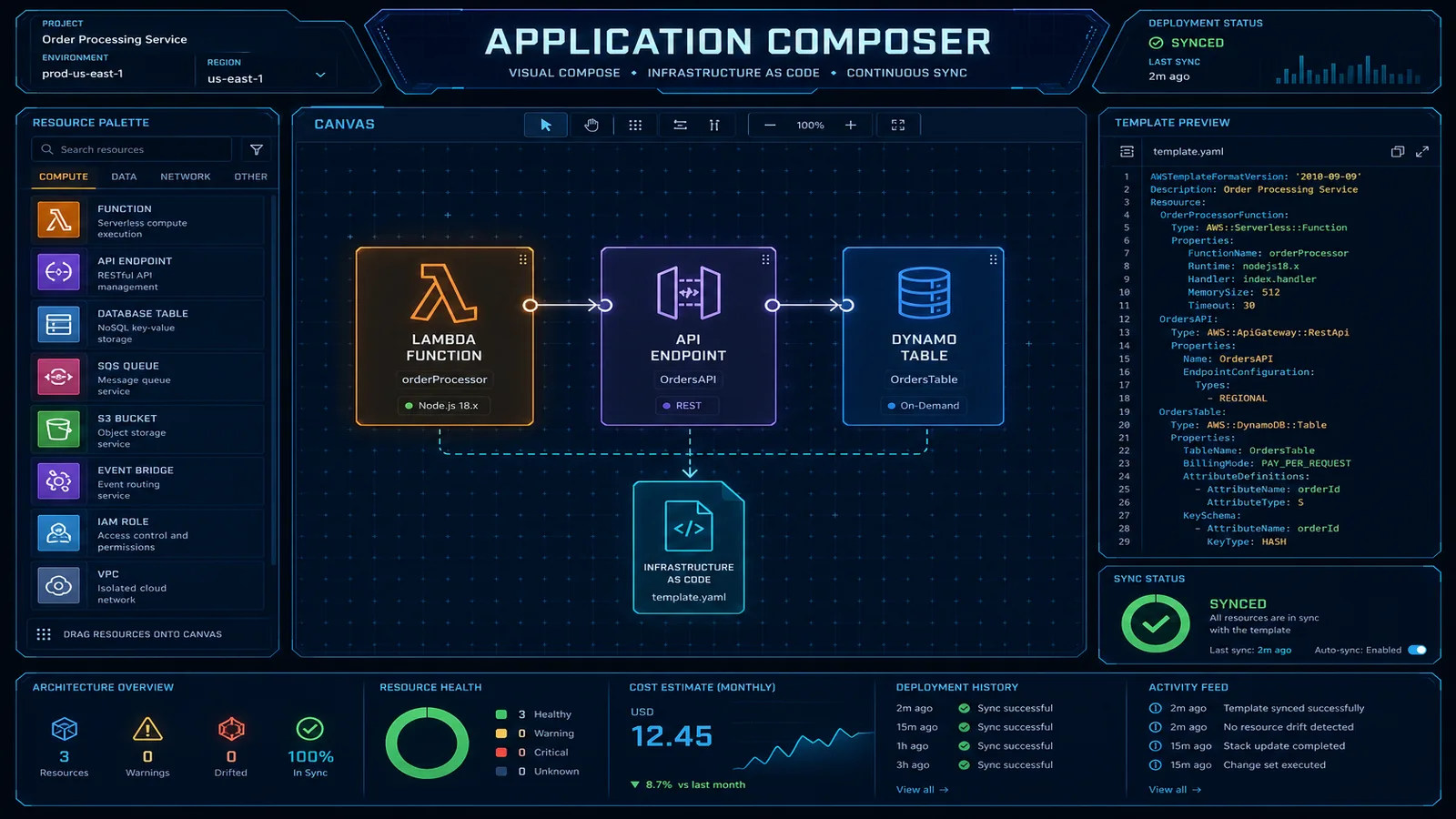
Table of Contents
Most AWS teams encounter Application Composer in one of two ways: a colleague shares a link during an architecture discussion, or it appears in a re:Invent demo. The reaction is usually the same — “oh interesting, that’s for beginners” — and then the browser tab closes. This is a mistake, specifically for two capabilities that do not get enough attention from experienced CDK and Terraform practitioners.
The first is AI-assisted IaC generation: describe your architecture in plain English and get a CloudFormation or SAM template as a starting draft. It is not production-ready without review, but for serverless prototyping and rapid spikes, it eliminates the twenty minutes of boilerplate that precedes any meaningful infrastructure work.
The second is existing template visualization: load any CloudFormation template — including the 600-line monstrosity your team inherited — and Application Composer renders it as an architecture diagram. This has nothing to do with being a beginner. It is a legitimate documentation tool that saves hours when onboarding new engineers or preparing architecture review materials.
This post covers both capabilities honestly, positions them correctly in a mature IaC toolchain, and explains the VS Code workflow that most teams do not know about. For application-first backend composition (local dev without AWS credentials, zero-change deploy), see our AWS Blocks preview guide.
What Application Composer Actually Does in 2025/2026
Application Composer has evolved significantly since its 2022 launch. It now operates in four distinct modes, and confusing them is how teams underestimate or overestimate the tool:
Mode 1: Visual drag-and-drop builder
The original capability. An AWS service palette on the left; a canvas in the center; a generated CloudFormation or SAM template panel on the right. Drag a Lambda function, an API Gateway, and an S3 bucket onto the canvas, draw connections between them, and watch the template generate in real time. Useful for initial architecture exploration. Not a replacement for your IaC toolchain.
Mode 2: AI-assisted generation from natural language
The capability added in 2024. Type a description like “an event-driven image processing pipeline where S3 uploads trigger a Lambda function that resizes images, writes results to another S3 bucket, and sends a completion notification to SNS” and Application Composer generates a SAM template with all four resources, their event source mappings, and basic IAM roles. The template requires review and refinement — more on this below.
Mode 3: Bidirectional sync with CloudFormation YAML
The canvas and the template are live-linked. If you edit the YAML directly (add a DynamoDB table, modify a Lambda environment variable), the canvas updates. If you drag a new component onto the canvas, the YAML updates. This bidirectional sync is genuinely useful for teams who think architecturally but write IaC — the visual canvas becomes a real-time diagram of what your template actually contains.
Mode 4: Existing template visualization
Upload any CloudFormation or SAM template (file upload or paste). Application Composer renders it as a visual architecture diagram with resource types, connections, and labels. This works for templates up to several hundred resources. For very large templates (500+ resources), the rendering becomes dense enough to be less useful — Application Composer is better suited to component-level visualization than account-wide architecture.
AI-Assisted IaC Generation
The AI generation workflow is straightforward. Open the Application Composer console, select “Generate with AI,” and describe your infrastructure need. The underlying model is Amazon Q Developer, the same model that powers the IaC generation in AWS Toolkit for VS Code.
A realistic example: serverless image processing pipeline
Input description:
A serverless image processing pipeline. When an image is uploaded to an S3 bucket
(source-images), a Lambda function (image-processor) triggers, resizes the image to
three dimensions (1200px, 800px, 400px), writes the resized versions to a second S3
bucket (processed-images), and publishes a completion message to an SNS topic
(processing-complete) with the original and processed image keys.
The Lambda function should have access to both buckets and the SNS topic.
Typical generated output (SAM template):
AWSTemplateFormatVersion: '2010-09-09'
Transform: AWS::Serverless-2016-10-31

Globals:
  Function:
    Runtime: python3.12
    Timeout: 30
    MemorySize: 512

Resources:
  SourceImagesBucket:
    Type: AWS::S3::Bucket
    Properties:
      BucketName: !Sub '${AWS::StackName}-source-images'

  ProcessedImagesBucket:
    Type: AWS::S3::Bucket
    Properties:
      BucketName: !Sub '${AWS::StackName}-processed-images'

  ProcessingCompleteTopic:
    Type: AWS::SNS::Topic
    Properties:
      TopicName: !Sub '${AWS::StackName}-processing-complete'

  ImageProcessorFunction:
    Type: AWS::Serverless::Function
    Properties:
      FunctionName: !Sub '${AWS::StackName}-image-processor'
      Handler: handler.lambda_handler
      CodeUri: src/image_processor/
      Events:
        S3Upload:
          Type: S3
          Properties:
            Bucket: !Ref SourceImagesBucket
            Events: s3:ObjectCreated:*
      Policies:
        - S3ReadPolicy:
            BucketName: !Ref SourceImagesBucket
        - S3WritePolicy:
            BucketName: !Ref ProcessedImagesBucket
        - SNSPublishMessagePolicy:
            TopicName: !GetAtt ProcessingCompleteTopic.TopicName
      Environment:
        Variables:
          PROCESSED_BUCKET: !Ref ProcessedImagesBucket
          SNS_TOPIC_ARN: !Ref ProcessingCompleteTopic
What the AI got right: Resource structure, event source mapping, SAM policy connectors (which are cleaner than raw IAM), environment variable injection, and !Sub naming conventions. This template would deploy and function correctly for basic usage.
What always needs manual review:
IAM policies — SAM policy connectors (
S3ReadPolicy,S3WritePolicy) are reasonable, but they grant more than strictly necessary.S3WritePolicygrantss3:PutObject,s3:DeleteObject, and several other permissions. For production, scope to exactly the operations the function performs.Error handling infrastructure — the generated template has no DLQ for the Lambda event source, no CloudWatch alarms, no X-Ray tracing. Add these before production:
ImageProcessorFunction:
  Type: AWS::Serverless::Function
  Properties:
    # ... existing properties ...
    Tracing: Active
    EventInvokeConfig:
      MaximumRetryAttempts: 2
      DestinationConfig:
        OnFailure:
          Type: SQS
Destination: !GetAtt ProcessingDLQ.Arn- Security configuration — the S3 buckets have no bucket policies, no versioning, no encryption configuration explicitly set. Add these:
ProcessedImagesBucket:
  Type: AWS::S3::Bucket
  Properties:
    BucketName: !Sub '${AWS::StackName}-processed-images'
    VersioningConfiguration:
      Status: Enabled
    BucketEncryption:
      ServerSideEncryptionConfiguration:
        - ServerSideEncryptionByDefault:
            SSEAlgorithm: aws:kms
    PublicAccessBlockConfiguration:
      BlockPublicAcls: true
      BlockPublicPolicy: true
      IgnorePublicAcls: true
RestrictPublicBuckets: true- VPC configuration — not generated at all. If your Lambda needs VPC placement (RDS access, private API calls), add the VPC configuration manually.
The AI generation saves 15–20 minutes of initial template scaffolding. It does not replace the infrastructure engineer who understands security, observability, and operational requirements.
Application Composer vs. CDK vs. Terraform
The right positioning prevents the wrong debates:
| Dimension | Application Composer | AWS CDK | Terraform |
|---|---|---|---|
| Output format | CloudFormation / SAM | CloudFormation (via synth) | Terraform state / HCL |
| Language | Visual / natural language | TypeScript, Python, Java, Go, C# | HCL |
| Multi-cloud | No (AWS only) | No (AWS only) | Yes |
| Reusable constructs | No | Yes — L2/L3 constructs, Construct Hub | Yes — modules, registry |
| Complex logic | No (declarative only) | Yes — loops, conditions, computed values | Yes — loops, conditions, functions |
| Team skill requirement | Low | Medium-High | Medium |
| Ideal use case | Prototyping, documentation, onboarding | Production AWS IaC | Multi-cloud or Terraform-first teams |
| Testing | None built-in | cdk-nag, cfn-guard, unit tests | Terratest, Checkov |
The recommendation matrix:
Use Application Composer for:
- Rapid architecture prototyping before committing to a CDK/Terraform implementation
- Visualizing existing CloudFormation templates for documentation and code review
- Onboarding engineers to a new stack (the visual diagram accelerates comprehension)
- Non-technical stakeholder communication (generate diagram from template for architecture review)
Use CDK for:
- Production AWS infrastructure-as-code
- Workloads requiring reusable constructs across multiple stacks or teams
- Complex infrastructure logic (conditional resources, computed values, cross-stack references)
- When the team is already TypeScript/Python-fluent
Use Terraform for:
- Multi-cloud environments (AWS + GCP + Azure)
- Teams with existing Terraform expertise and module libraries
- Organizations with strict Terraform governance policies
These tools are not mutually exclusive. A common pattern: use Application Composer’s AI generation to scaffold a SAM template for a new Lambda service, refine the output manually, then port it to CDK constructs when it becomes production infrastructure.
VS Code Integration and Developer Workflow
The Application Composer VS Code extension is the most useful form factor for experienced engineers — it integrates directly into your existing development workflow without requiring a browser tab switch to the AWS console.
Installation:
# Install via VS Code Extensions marketplace
# Name: "AWS Application Composer"
# Or via CLI:
code --install-extension amazonwebservices.aws-application-composer
Auto-visualization on file open:
Open any file named template.yaml, template.json, samconfig.toml, or matching *.template.yaml and the extension automatically opens a split panel with the visual diagram. No manual action required. The diagram updates live as you edit the YAML.
Practical code review workflow:
When reviewing a pull request that modifies a CloudFormation or SAM template, open the template in VS Code with Application Composer active. The visual diff between the before/after diagrams is often faster to review than a line-by-line YAML diff — especially for reviewers who are not the original author of the template.
For pull requests that add new resources or change connectivity between existing resources, the Application Composer diagram makes the architectural intent immediately clear. This is particularly valuable for code review with non-infrastructure stakeholders (security engineers, architects, product managers).
SAM CLI integration:
Application Composer-generated SAM templates work directly with the SAM CLI for local testing:
# Build and test locally using SAM CLI
sam build

# Test Lambda locally with a sample S3 event
sam local invoke ImageProcessorFunction --event events/s3-upload.json

# Start local API Gateway (if your template includes API Gateway)
sam local start-api

# Deploy directly from VS Code terminal
sam deploy --guided
The VS Code extension, Application Composer canvas, and SAM CLI form a coherent local development loop for serverless applications — write → visualize → test locally → deploy.
The Documentation Use Case
This use case is underused and genuinely valuable. If your team has accumulated CloudFormation stacks over years of iteration, the templates themselves are often the only authoritative documentation of the infrastructure. Anyone who has tried to understand a 600-line CloudFormation template by reading YAML knows how painful this is.
The workflow:
- Open Application Composer in the AWS console (or VS Code extension)
- Select “Load template” → paste or upload the CloudFormation template
- Application Composer renders the resource graph — Lambda functions connected to their event sources, S3 buckets with their triggers, DynamoDB tables with their connected services
- Adjust the layout (drag resources to improve readability)
- Export as PNG for Confluence, Notion, or your architecture wiki
What makes this useful:
For a 500-resource template, Application Composer groups resources by type and renders them in a connected graph. The result is not as polished as a hand-crafted architecture diagram, but it is accurate — it reflects the actual template, not someone’s recollection of what the template does. When the template changes, the diagram can be regenerated in 2 minutes.
Keeping diagrams in sync:
The limitation is that diagrams are static exports — Application Composer does not push updates to Confluence automatically. The practical solution is to add a step to your CI/CD pipeline that generates a fresh Application Composer diagram on each merge to main:
# GitHub Actions step — requires AWS credentials with cloudformation:GetTemplate
- name: Generate architecture diagram
  run: |
    aws cloudformation get-template \
      --stack-name my-production-stack \
      --output text \
      --query TemplateBody > /tmp/current-template.yaml
    # Upload to Application Composer via API or use the VS Code extension in CI
    # Export PNG and commit to docs/ directory or upload to Confluence
For teams that document architecture in code review — adding the architecture diagram as a PR comment — this pipeline integration means every infrastructure change is automatically documented with an updated diagram.
Need help evaluating whether Application Composer, CDK, or Terraform is the right IaC foundation for your AWS platform team, or establishing IaC standards across a multi-team AWS organization? FactualMinds works with engineering teams to build IaC toolchains that balance developer velocity with production governance requirements.
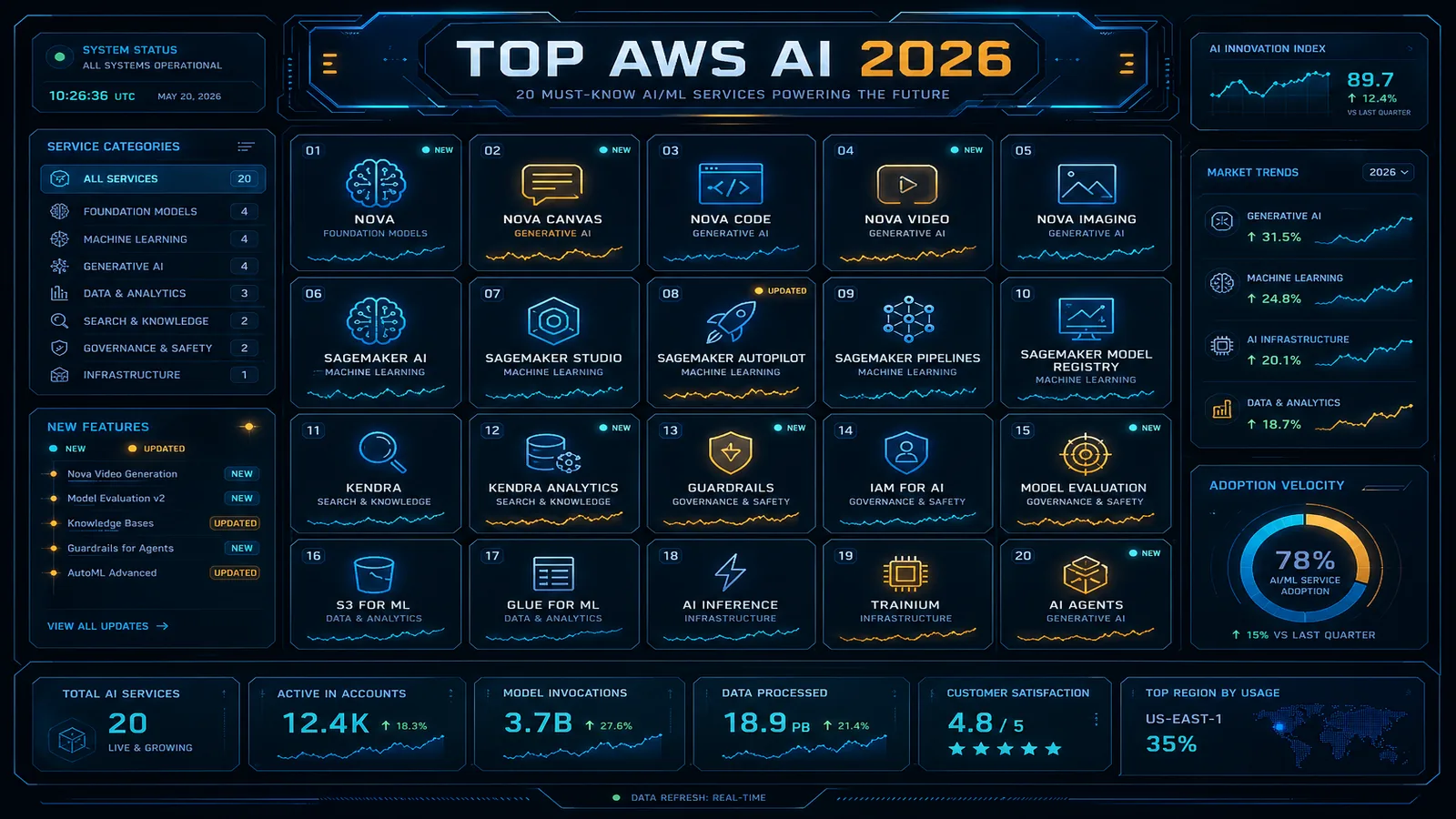
Related reading: Terraform vs. AWS CDK: Infrastructure as Code Decision Guide · AWS CloudFormation Best Practices for Infrastructure as Code in 2026 · Top 20 AWS AI & Modern Services in 2026
Related reading
AWS Cloud Architect & AI Expert
AWS-certified cloud architect and AI expert with deep expertise in cloud migrations, cost optimization, and generative AI on AWS.