Two Free LocalStack Alternatives in 2026: MiniStack vs floci
Quick summary: LocalStack paid tiers pushed free emulators forward. July 2026: MiniStack (~60+ services, real Postgres/Redis) vs floci (ms startup) — pick by CI speed vs DB fidelity.
Key Takeaways
- July 2026: MiniStack (~60+ services, real Postgres/Redis) vs floci (ms startup) — pick by CI speed vs DB fidelity
- When LocalStack moved more core services behind paid tiers, teams that relied on free local S3/SQS/Lambda/RDS mocks had to pay, mock thinner, or switch
- First-party benchmark (project-advertised, re-verify): MiniStack ~2s start / ~30MB idle vs floci ~24ms / ~13 MiB — pick by whether your suite needs real Postgres isolation or pure spin-up density
- MiniStack is a free, MIT-licensed AWS emulator on port 4566
- No account, API key, or telemetry
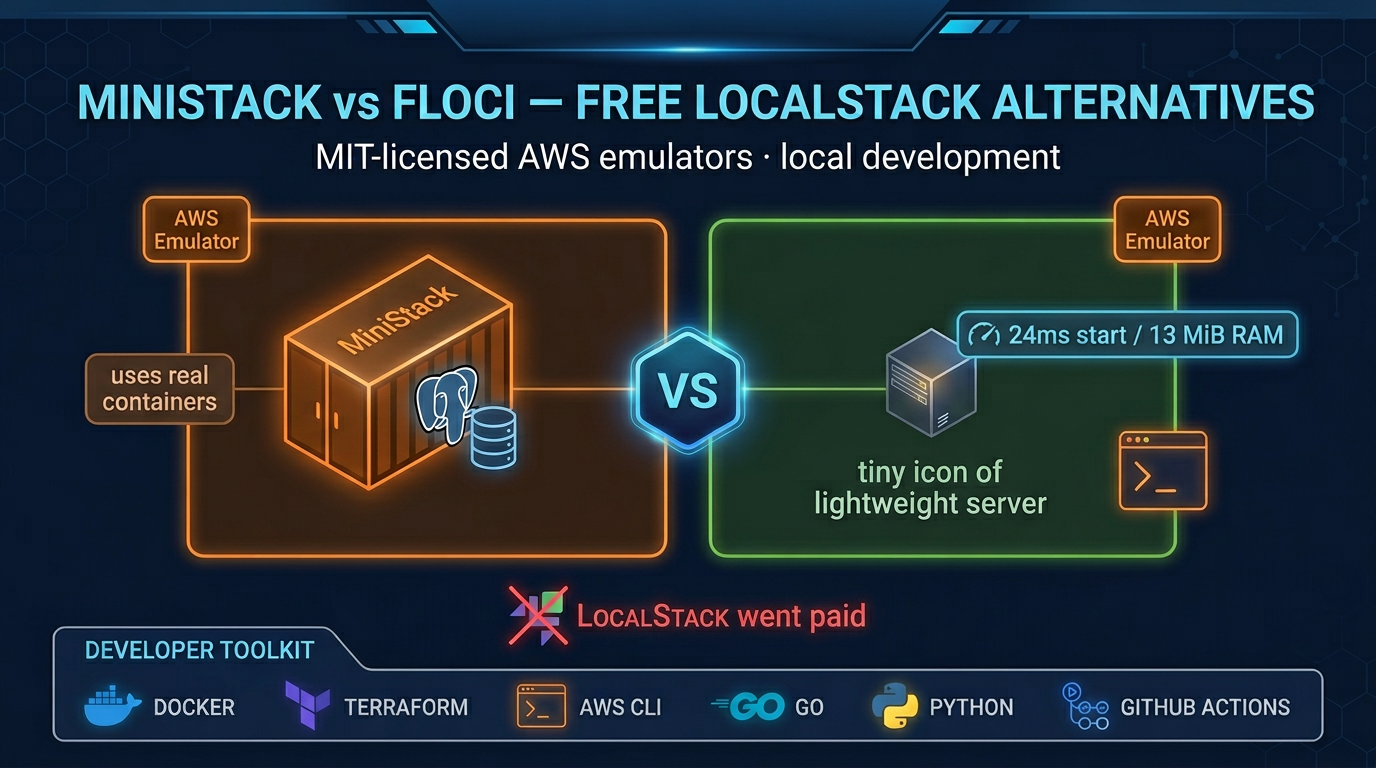
Table of Contents
When LocalStack moved more core services behind paid tiers, teams that relied on free local S3/SQS/Lambda/RDS mocks had to pay, mock thinner, or switch. As of July 2026, two MIT-licensed contenders still matter: MiniStack (real DB/containers, broader surface — 60+ services advertised; actively releasing) and floci (Go binary, ms startup, tiny RAM for CI).
First-party benchmark (project-advertised, re-verify): MiniStack ~2s start / ~30MB idle vs floci ~24ms / ~13 MiB — pick by whether your suite needs real Postgres isolation or pure spin-up density.
Reproduce this: Emulator choice matrix · ministack.org / GitHub ministackorg/ministack (pin image digests in CI).
What is MiniStack?
MiniStack is a free, MIT-licensed AWS emulator on port 4566. No account, API key, or telemetry. Docker (or pip) once, then point the AWS CLI/SDKs at http://localhost:4566.
Key facts:
- Language: Python 3.12+
- Install: Docker, PyPI, or docker-compose
- License: MIT (completely free, no commercial restrictions)
- Launch date: April 2026
- Community: Actively maintained — re-check GitHub stars/releases before standardizing
- Services: 60+ AWS services advertised (mid-2026) across compute, storage, databases, messaging, security — verify the release you pin
The project exists because LocalStack’s free tier no longer exists. Nahuel Nucera and Johannes Grumböck built MiniStack as a direct answer to that gap—and it has earned the community’s attention fast.
The “Real Infrastructure” Difference
Here is the architectural difference that sets MiniStack apart: most AWS emulators mock the services. MiniStack spins up real containers.
When you request RDS in MiniStack, it does not pretend to be a PostgreSQL database—it launches a real PostgreSQL container and runs your SQL against it. Same for Redis (ElastiCache), Docker (ECS), and SQL queries (Athena via DuckDB). This “real infrastructure” approach has a direct benefit: your local tests are more faithful to production.
Compare this to traditional mocks:
- Mocks catch schema errors and API signature mistakes but miss database-specific behavior, transaction edge cases, and performance surprises.
- Real infrastructure forces you to confront the same constraints your production code faces—connection pooling, query planning, concurrency limits.
For teams with database-heavy applications, this is the difference between “tests passed locally but failed in production” and “tests are telling us the truth.”
AWS Services at a Glance
Here is what MiniStack supports:
| Category | Services |
|---|---|
| Storage | S3, EBS, EFS, S3 Object Lock |
| Compute | Lambda, EC2, ECS, EMR |
| Databases | RDS (PostgreSQL/MySQL), DynamoDB, DynamoDB Streams |
| Caching | ElastiCache (Redis) |
| Messaging | SQS (FIFO + DLQ), SNS, Kinesis, EventBridge |
| Workflows | Step Functions (full ASL interpreter) |
| APIs | API Gateway v1/v2, AppSync |
| Analytics | Athena (DuckDB-backed), Glue, Firehose |
| Security | IAM, KMS, ACM, WAF v2, Secrets Manager, STS |
| Networking | Route53, CloudFront, ALB/ELBv2 |
| Identity | Cognito |
| Infrastructure | CloudFormation, CloudWatch Logs/Metrics, SSM |
| SES, SESv2 |
Lambda support deserves special mention: MiniStack maintains warm worker pools for Python and Node.js, and uses Docker Runtime Interface (RIE) emulation for Go and Rust binaries. This means your Lambda tests execute real code, not stubs.
Quick Start
Installation: Three paths.
# Via pip
pip install ministack && ministack

# Via Docker
docker run -p 4566:4566 ministackorg/ministack
# pin a version/digest in CI — tags move; confirm on ministack.org / GitHub

# Via docker-compose
git clone https://github.com/Nahuel990/ministack.git
cd ministack
docker compose up -d
Verify: Check the health endpoint.
curl http://localhost:4566/_ministack/healthUse: Point your AWS SDK to the local endpoint. Example with AWS CLI:
aws --endpoint-url=http://localhost:4566 s3 mb s3://my-bucket
aws --endpoint-url=http://localhost:4566 s3 ls
With Terraform:
provider "aws" {
  region     = "us-east-1"
  access_key = "test"
  secret_key = "test"

  endpoints {
    s3  = "http://localhost:4566"
    rds = "http://localhost:4566"
  }
}
With Python boto3:
import boto3

s3 = boto3.client(
    's3',
    endpoint_url='http://localhost:4566',
    aws_access_key_id='test',
    aws_secret_access_key='test',
)

s3.create_bucket(Bucket='my-bucket')
The endpoint swap is the only required change. All existing code paths work unchanged.
Performance Comparison
Here is how both free alternatives stack up against LocalStack and each other:
| Metric | LocalStack Free | LocalStack Pro | MiniStack | floci |
|---|---|---|---|---|
| Price | Now paid | $35+/month | Free forever | Free forever |
| License | BSL | Proprietary | MIT | MIT |
| Startup time | 15–30s | 15–30s | ~2s | ~24ms |
| Memory (idle) | ~500MB | ~500MB | ~30MB | ~13 MiB |
| Image size | ~1GB | ~1GB | ~250MB | ~90MB |
| Auth required | Yes (since March 2026) | Yes | No | No |
| RDS/ElastiCache/ECS | Paid only | Included | Included, free | Included, free |
| EC2, EMR, EBS, EFS | Paid only | Included | Included, free | Included, free |
| Core services (S3, Lambda, etc.) | Paid | Included | Included | Included |
| Test coverage | — | — | 900+ tests | 1,850+ tests |
| Runtime | Python/JVM | Python/JVM | Python | Go (native binary) |
The headline: Both free alternatives boot faster, use less RAM, and include paid-only services at zero cost. floci’s 24ms startup and 13 MiB footprint are exceptional for parallel CI; MiniStack’s 2-second boot and real Postgres/Redis containers serve database-heavy test suites. Both are actively maintained with strong test coverage.
Real-World Use Cases
Local development loops. Developers run MiniStack once (docker run) and test S3 uploads, Lambda invocations, and DynamoDB queries without touching AWS. Zero cloud costs, instant feedback.
CI/CD integration. MiniStack’s 2-second startup makes it ideal for test pipelines. Spin up before tests, reset state, tear down after. With POST /_ministack/reset, you can nuke all state between test runs without restarting the container.
Terraform and CDK testing. Write infrastructure as code, validate it locally against MiniStack before applying to staging or prod. Works with all major IaC frameworks (Terraform, AWS CDK, Pulumi, CloudFormation).
Integration testing with real databases. Because MiniStack runs actual Postgres and Redis, you can test connection pooling, transaction isolation, and caching behavior that mocks would hide.
Multi-tenant isolation testing. MiniStack’s IAM support allows you to test cross-account access patterns locally. Create separate Access Key IDs to simulate tenant isolation.
Limitations and Things to Watch
MiniStack is impressive, but it has gaps.
Scope. With 38 services, MiniStack covers the “80% of use cases” well. But if your code relies on niche services (e.g., AWS Timestream, AWS IoT Core, AWS Glue Catalog subtleties), you may hit unimplemented features.
Small team. MiniStack is maintained by two developers. As AWS itself evolves (new services, feature launches, API changes), the maintenance burden grows. GitHub issue #221 flags “CODE FREEZE DUE MIGRATION,” suggesting the team is mid-architecture refactor. Monitor the project’s activity rate.
Early stage. With 900+ tests and solid core coverage, MiniStack is stable for local dev and CI. But it has not yet reached the maturity of LocalStack Pro’s multi-year refinement. Edge cases and lesser-used service parameters may differ from real AWS behavior.
No paid support tier. If something breaks, you are relying on community issues and the maintainers’ goodwill. For mission-critical CI, LocalStack Pro’s commercial support may be worth the cost.
Should You Switch?
Yes, if you:
- Are frustrated by LocalStack’s paywall and need RDS, ElastiCache, or ECS locally
- Want faster test cycles (2-second startup vs. 30 seconds saves real time in CI)
- Are testing database-heavy applications and want real Postgres/MySQL, not mocks
- Have simple, common AWS service use cases (S3, Lambda, DynamoDB, SQS, etc.)
- Are using Terraform, CDK, or Pulumi and need a free validation environment
No, if you:
- Are already paying for LocalStack Pro and have a stable CI pipeline—switching has opportunity cost
- Rely heavily on AWS service features that MiniStack does not yet implement
- Need commercial support contracts for your local AWS emulation (niche, but important for some organizations)
- Are testing very new or niche AWS services that MiniStack has not added yet
For most teams: The free tier + real infrastructure makes MiniStack worth trying. If it covers your services, the performance and cost gains are real.
Meet the Other Contender: floci
MiniStack is not alone in the post-LocalStack landscape. floci emerged from the same frustration: LocalStack’s March 2026 community edition sunset forced developers to choose between paying or finding an alternative. But floci took a different engineering path. Where MiniStack opts for real infrastructure containers (Postgres, Redis) with ~2-second startup, floci separates stateless services into lightweight in-process handlers and reserves real containers for database/cache services. The result: 24-millisecond startup, 13 MiB RAM at idle, and 1,850+ automated compatibility tests across Java, Python, Node.js, Go, Rust, AWS CLI, Terraform, OpenTofu, and AWS CDK.
If raw speed and small footprint are your priority, floci is worth exploring.
What is floci?
floci is a free, MIT-licensed AWS emulator written in Go. It runs on port 4566 (same as LocalStack) and requires zero account, API key, or telemetry.
Key facts:
- Language: Go (native binary)
- Install: Docker Compose (
docker compose up) or Docker image - License: MIT (completely free, no commercial restrictions)
- Launch: March 2026 (same window as LocalStack’s community edition sunset)
- Community: 3,100+ GitHub stars, actively maintained
- Tests: 1,850+ automated compatibility tests across 6 SDK languages and 3 IaC tools
- Maturity: Early-stage but production-engineered; the test matrix signals serious intent
Architecture: Stateless In-Process, Stateful Real Containers
floci’s speed comes from a clever architectural split:
In-process stateless services (SSM, SQS, SNS, IAM, STS, KMS, Secrets Manager, SES, Cognito, Kinesis, OpenSearch, EventBridge, Step Functions, CloudFormation, ACM, API Gateway v1/v2, AppConfig, CloudWatch Logs/Metrics) run as lightweight handlers inside the floci binary. No Docker overhead.
In-process stateful services (S3 with versioning and Object Lock, DynamoDB with streams and transactions) use in-memory or persistent state, still zero Docker startup cost.
Real container services (Lambda, ElastiCache—Redis/Valkey with IAM auth, RDS—PostgreSQL/MySQL, ECS, EC2 with VPCs) spin up actual Docker containers when needed—same production fidelity as MiniStack, but only when you request them.
This split explains the 24ms startup: you get the port open and request routing immediately; stateful services boot on-demand. Compare this to MiniStack, which always spins up Postgres and Redis containers (hence ~2 seconds), or LocalStack, which runs a full JVM and legacy Python codebase (15–30 seconds).
Quick Start
services:
  floci:
    image: hectorvent/floci:latest
    ports:
      - '4566:4566'
Save this as docker-compose.yml, then:
docker compose upPoint your AWS SDK to http://localhost:4566 with dummy credentials (no real AWS account needed):
aws --endpoint-url=http://localhost:4566 s3 mb s3://my-bucketWith Terraform:
provider "aws" {
  region     = "us-east-1"
  access_key = "test"
  secret_key = "test"

  endpoints {
    s3   = "http://localhost:4566"
    rds  = "http://localhost:4566"
    dynamodb = "http://localhost:4566"
  }
}
With Python:
import boto3

s3 = boto3.client(
    's3',
    endpoint_url='http://localhost:4566',
    aws_access_key_id='test',
    aws_secret_access_key='test',
)

s3.create_bucket(Bucket='my-bucket')
The endpoint swap is the only required change.
Storage and State Management
floci supports multiple storage modes—memory, persistent, hybrid, and WAL—configurable per-service via FLOCI_* environment variables. This is useful if you need state to persist across container restarts (e.g., DynamoDB data surviving a redeploy during test runs).
Example with persistent S3:
services:
  floci:
    image: hectorvent/floci:latest
    ports:
      - '4566:4566'
    environment:
      FLOCI_S3_STORAGE: persistent
      FLOCI_DYNAMODB_STORAGE: memory
MiniStack vs floci: Which One Is Right for You?
Both are free, both are MIT-licensed, both work with all major AWS SDKs and IaC tools. The decision comes down to your priorities.
Choose floci if you:
- Need the fastest startup. 24ms vs. 2 seconds is meaningful in highly parallel CI pipelines (e.g., running 100 test containers concurrently). Every millisecond counts.
- Are in a resource-constrained environment. 13 MiB idle RAM vs. 30 MB is significant for ephemeral test containers or local development on laptops with limited memory.
- Want production-grade compatibility assurance. 1,850+ automated tests across Java, Node.js, Python, Go, Rust, AWS CLI, Terraform, OpenTofu, and AWS CDK signal serious engineering intent. MiniStack has 900+ tests; floci’s broader test matrix covers more SDK variants.
- Need S3 Object Lock with COMPLIANCE and GOVERNANCE modes. floci ships with full Object Lock support; MiniStack has it, but it’s worth verifying for your use case.
- Are using Go, Rust, or polyglot teams. floci’s native binary is a good signal of Go/Rust support fidelity.
Choose MiniStack if you:
- Want the widest service breadth. Service counts move quickly — MiniStack advertises 60+ mid-2026; verify AppSync/Athena/Glue coverage for your pin.
- Prefer pip install over Docker Compose.
pip install ministack && ministackis faster to trial than Docker setup if you’re already in a Python environment. - Are already running Python tooling. If your test infrastructure is Python-centric, MiniStack’s closer integration may reduce friction.
- Want real Postgres/MySQL/Redis always available without on-demand startup. MiniStack’s “always-on” containers simplify testing of connection pooling and persistence behavior.
When in doubt: Try floci first. Its 24ms startup and 13 MiB footprint mean there’s almost no cost to spin it up locally and see if it covers your service requirements. If it does, you’ve found the faster tool. If it doesn’t, MiniStack is the next logical step.
The Bigger Picture
LocalStack’s decision to commercialize created a vacuum, and two serious projects have filled it. MiniStack and floci represent different engineering philosophies:
- MiniStack: Real infrastructure everywhere. Postgres, Redis, and Docker containers boot with every launch. Slower startup (~2s), higher memory, but true production fidelity.
- floci: Stateless in-process, stateful containers on-demand. Lightning-fast startup (~24ms), tiny footprint, native binary. Production-engineered with 1,850+ compatibility tests.
This competition is good for developers. LocalStack had no serious challenger, so its paywall stood unchallenged. Now, two free, MIT-licensed alternatives force real tradeoff discussions: Do you prioritize startup speed or breadth of services? Database-heavy code or lightweight CI? These decisions matter, and having genuine options makes them clear.
Both projects ship with strong test coverage and active maintenance — re-check GitHub before you standardize org-wide.
Our recommendation:
- For CI/CD pipelines: Start with floci. Its 24ms startup is exceptional for parallel test runs. The 1,850+ compatibility tests signal production-grade engineering.
- For local development with database-heavy code: Use MiniStack. The always-on Postgres and Redis containers mean you’re testing real transaction isolation, connection pooling, and concurrency behavior from day one.
- If you hit a wall with either: Try the other. The setup cost is low (30 minutes max), and the decision tree we’ve laid out will guide you.
What this post doesn’t cover
LocalStack Pro feature parity matrices and every floci release cadence — re-check GitHub before standardizing org-wide CI.
What to do Monday morning
- List which AWS APIs your integration tests actually call.
- Trial floci for CI speed; MiniStack if you need real Postgres/Redis/ECS.
- Pin an image digest; never float
:latestin prod pipelines. - Walk the emulator matrix.
- Keep a thin suite against real AWS for IAM/auth edge cases emulators miss.
- Contact if you need a CI/emulator standard for a multi-team platform.
Frequently asked questions
Is MiniStack completely free?
Does MiniStack support RDS and ElastiCache?
How does MiniStack compare to LocalStack in performance?
Can I use MiniStack with Terraform, CDK, or Pulumi?
Is MiniStack production-ready?
Is floci completely free?
How does floci compare to MiniStack?

AWS Cloud Architect & AI Expert
AWS-certified cloud architect and AI expert with deep expertise in cloud migrations, cost optimization, and generative AI on AWS.