Amazon Bedrock Marketplace: Enterprise Guide to Third-Party Foundation Models
Quick summary: One AWS contract, multiple foundation models. Learn how to procure, govern, and cost-optimize Meta Llama, Mistral, Cohere, and more via Amazon Bedrock Marketplace.
Key Takeaways
- One AWS contract, multiple foundation models
- Learn how to procure, govern, and cost-optimize Meta Llama, Mistral, Cohere, and more via Amazon Bedrock Marketplace
- AWS lifecycle notice (June 30, 2026) — Amazon Bedrock Agents Classic is now Bedrock Agents Classic, in maintenance for new customers after July 30, 2026
- Net-new agent builds should use Bedrock AgentCore
- Amazon Bedrock Marketplace solves this consolidation problem
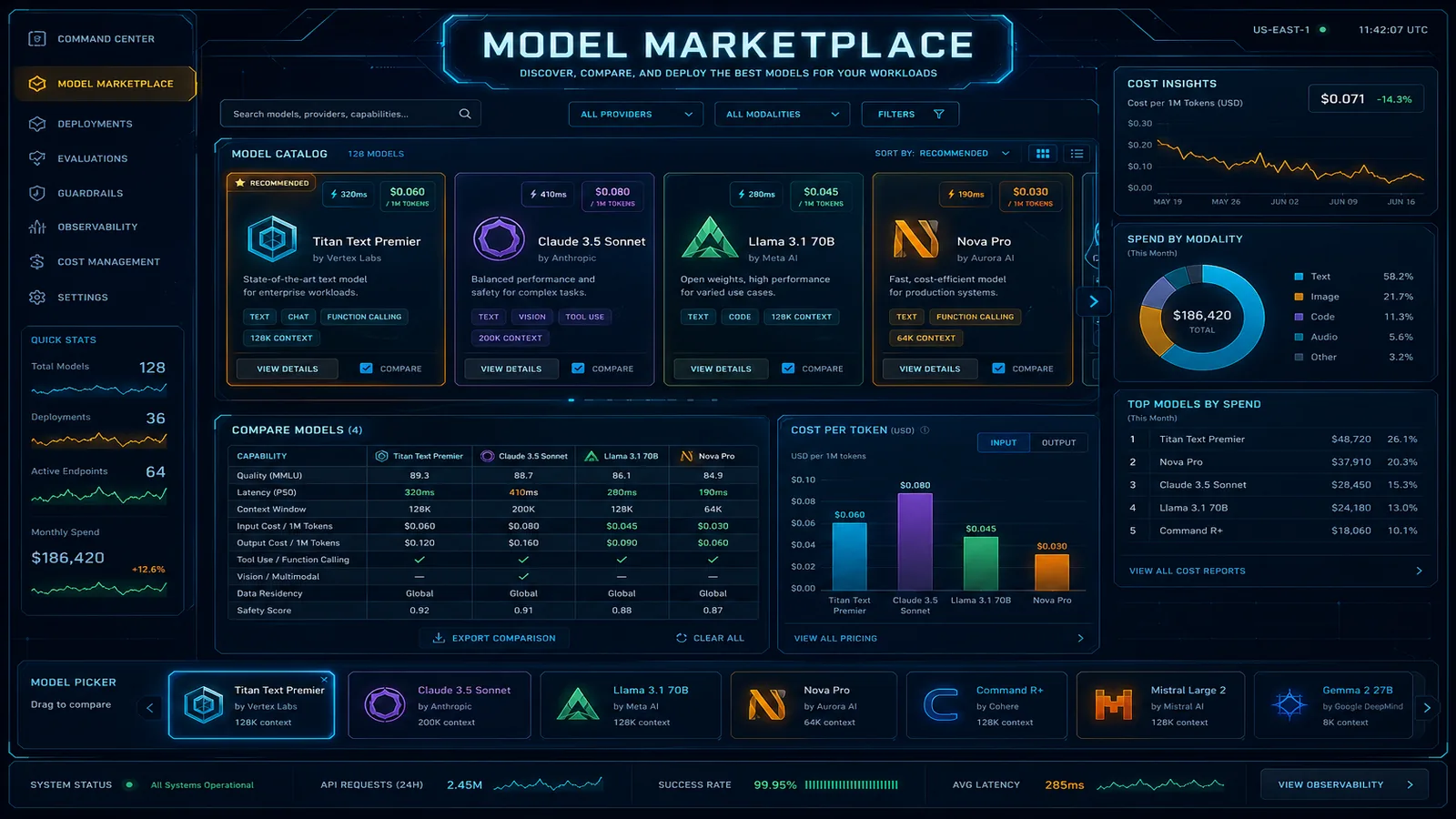
Table of Contents
AWS lifecycle notice (June 30, 2026) — Amazon Bedrock Agents Classic is now Bedrock Agents Classic, in maintenance for new customers after July 30, 2026. Net-new agent builds should use Bedrock AgentCore. Full matrix: lifecycle roundup.
Before Bedrock Marketplace, a typical enterprise running multiple AI workloads maintained a patchwork of vendor contracts: an Anthropic enterprise agreement for Claude, a direct Meta agreement for Llama (or a hosting arrangement with a GPU cloud provider), a Cohere contract for embeddings, and an OpenAI contract for legacy integrations. Each came with its own invoicing cycle, data processing agreement, support escalation path, and compliance review. Security teams reviewed four sets of vendor DPAs. Finance reconciled four separate bills.
Amazon Bedrock Marketplace solves this consolidation problem. Every foundation model from Meta, Mistral AI, Cohere, AI21 Labs, and others is available under a single AWS billing relationship. One invoice. One BAA negotiation. One support contract. One set of IAM controls. For enterprises already running workloads on AWS, this is a genuine procurement and governance advantage — not just a convenience feature.
This guide covers what’s actually available in the catalog, how to govern access via IAM, how the cost math works versus direct API contracts, and what compliance coverage you actually get.
What’s Actually Available: Model Catalog, Capabilities Matrix, and Licensing
The Bedrock model catalog has expanded significantly since 2024. The table below is the March 2026 snapshot this post modeled. As of September 2026, current marketplace pins also include Mistral Large 3, GLM 5, and MiniMax M2.5 (March 18, 2026 What’s New). Verify the live catalog before procurement — do not treat Large 2 or GLM 4.7 as the latest pin.
| Provider | Model | Context Window | Primary Strengths | Pricing Tier | HIPAA Eligible |
|---|---|---|---|---|---|
| Meta | Llama 3.1 8B Instruct | 128K | Low-latency inference, cheap | Low | Check AWS |
| Meta | Llama 3.1 70B Instruct | 128K | Balanced quality/cost | Mid | Check AWS |
| Meta | Llama 3.1 405B Instruct | 128K | Near-frontier quality | Premium | Check AWS |
| Meta | Llama 3.2 3B | 128K | Edge/constrained environments | Low | Check AWS |
| Meta | Llama 3.2 11B Vision | 128K | Multimodal (image + text) | Mid | Check AWS |
| Meta | Llama 3.2 90B Vision | 128K | High-quality multimodal | Premium | Check AWS |
| Meta | Llama 3.3 70B Instruct | 128K | Best quality/cost ratio (2025) | Mid | Check AWS |
| Mistral AI | Mistral 7B Instruct | 32K | Cheapest capable model | Low | Check AWS |
| Mistral AI | Mixtral 8x7B Instruct | 32K | MoE efficiency, strong on code | Mid | Check AWS |
| Mistral AI | Mistral Large 2 | 128K | Prior pin — Large 3 is current | Premium | Check AWS |
| Cohere | Command R | 128K | RAG-optimized, citations | Mid | Check AWS |
| Cohere | Command R+ | 128K | Best-in-class RAG quality | Premium | Check AWS |
| AI21 Labs | Jamba 1.5 Large | 256K | SSM+Transformer hybrid, long-context | Premium | Check AWS |
HIPAA eligibility note: The “Check AWS” designation here is intentional — HIPAA coverage for individual models changes as AWS expands BAA scope. Always verify current coverage at the AWS HIPAA Eligible Services reference page before including a model in any PHI processing pipeline. Do not rely on this table for compliance decisions.
Licensing reality: Each marketplace model comes with the provider’s original license terms. Llama models use the Meta Llama Community License (commercial use permitted with restrictions above 700M monthly active users). Mistral models use Apache 2.0. Cohere and AI21 models use commercial terms. AWS surfaces these license terms in the Bedrock console model card. Your legal team still needs to review provider licenses for specific use cases — AWS’s consolidation simplifies billing, not licensing.
Model Access Control: IAM Policies for Marketplace Models
Model access in Bedrock is a two-layer system. First, an account administrator must enable model access from the Bedrock console (Bedrock → Model access → Manage model access). This is a one-time, per-model, per-region enablement step. Second, IAM policies control which principals can invoke which models.
The key IAM action is bedrock:InvokeModel. You restrict it using the aws:ResourceTag condition or, more precisely, using the model ARN directly in the resource element.
Example: Restrict a team IAM role to only Llama 3.3 70B
{
  "Version": "2012-10-17",
  "Statement": [
    {
      "Effect": "Allow",
      "Action": ["bedrock:InvokeModel", "bedrock:InvokeModelWithResponseStream"],
      "Resource": ["arn:aws:bedrock:us-east-1::foundation-model/meta.llama3-3-70b-instruct-v1:0"]
    }
  ]
}
For multi-region workloads using cross-region inference profiles, the resource ARN pattern changes to include the inference profile ARN rather than the direct model ARN. Grant access to both if your application uses cross-region routing.
Multi-account governance via SCPs
In a multi-account AWS Organization, use Service Control Policies to enforce model access constraints at the OU level. This prevents individual account administrators from enabling unapproved models:
{
  "Version": "2012-10-17",
  "Statement": [
    {
      "Effect": "Deny",
      "Action": "bedrock:InvokeModel",
      "Resource": "*",
      "Condition": {
        "StringNotLike": {
          "bedrock:ModelId": [
            "meta.llama3-3-70b-instruct-v1:0",
            "anthropic.claude-sonnet-4-6",
            "anthropic.claude-sonnet-5",
            "cohere.command-r-plus-*"
          ]
        }
      }
    }
  ]
}
This SCP denies invocation of any model not on the approved list, regardless of what individual account IAM policies permit. Combine this with a process for submitting model approval requests (model evaluation → security review → SCP update).
Audit trail: Every bedrock:InvokeModel call is logged in CloudTrail with the model ARN, principal ARN, request ID, and region. If you enable Bedrock model invocation logging (distinct from CloudTrail), you get prompt/response content logging to S3 or CloudWatch Logs — essential for compliance auditing but requires careful data classification before enabling on PHI workloads.
Cost Comparison: Marketplace Models vs. Direct API
On-demand pricing for Bedrock marketplace models is token-based (input + output tokens billed separately). At current published rates:
| Model | Input (per 1M tokens) | Output (per 1M tokens) | Typical 8K-token inference cost |
|---|---|---|---|
| Llama 3.1 8B | ~$0.22 | ~$0.22 | ~$0.003 |
| Llama 3.3 70B | ~$0.72 | ~$0.72 | ~$0.010 |
| Mistral 7B | ~$0.15 | ~$0.20 | ~$0.002 |
| Mixtral 8x7B | ~$0.45 | ~$0.70 | ~$0.007 |
| Mistral Large 2 | ~$2.00 | ~$6.00 | ~$0.058 |
| Command R | ~$0.15 | ~$0.60 | ~$0.007 |
| Command R+ | ~$2.50 | ~$10.00 | ~$0.098 |
Bedrock vs. alternatives for Llama 3.3 70B:
| Option | Compute Cost per 1M tokens | Operational Overhead | Compliance |
|---|---|---|---|
| Bedrock on-demand | ~$0.72/$0.72 | Zero infra | AWS BAA |
| Groq API (direct) | ~$0.59/$0.79 | SaaS contract | Separate review |
| Together AI (direct) | ~$0.88/$0.88 | SaaS contract | Separate review |
| Self-hosted (p3.8xlarge) | ~$0.40 equivalent | High (ops team, patching) | Your infra |
| Self-hosted (g5.12xlarge) | ~$0.35 equivalent | High | Your infra |
The raw token cost on Bedrock is competitive with third-party providers, and the operational overhead calculation strongly favors Bedrock at enterprise scale. A self-hosted deployment requires GPU instance management, model serving infrastructure (vLLM or TGI), auto-scaling, patching, and 24/7 operational coverage. At fewer than 20-30 training or inference workloads running concurrently, self-hosted rarely wins on total cost. The break-even point shifts further toward Bedrock when you factor in the compliance value — your existing AWS BAA, CloudTrail audit logging, and VPC isolation come at no additional cost.
Provisioned Throughput for predictable workloads: If you have consistent, high-volume inference requirements (millions of tokens per hour), Provisioned Throughput commitments significantly reduce per-token costs. You commit to a model unit (MTU) for 1-month or 6-month terms. Calculate break-even: if your on-demand spend exceeds ~$5,000/month on a single model, evaluate whether PT commitments reduce total cost.
Compliance Scope: HIPAA, SOC 2, and Data Residency
What AWS’s BAA covers: When you sign a HIPAA BAA with AWS, it covers AWS services as a whole — but individual model availability under the BAA changes as AWS expands coverage. The BAA applies at the service level (Amazon Bedrock is on the HIPAA eligible services list), but the practical question is whether the specific marketplace model you intend to use has been reviewed and included.
For any workload processing PHI:
- Verify the model is on the current AWS HIPAA eligible services reference for Bedrock
- Confirm your account has an active BAA with AWS
- Enable Bedrock invocation logging to a HIPAA-compliant S3 bucket with SSE-KMS
- Route all traffic through a VPC endpoint (no public internet transit)
- Restrict model access to the minimum necessary models via IAM/SCP
SOC 2 Type II: Amazon Bedrock is SOC 2 Type II audited. This covers the AWS infrastructure and platform, including the model invocation pipeline. Your application code and the prompts/responses you generate are your responsibility for SOC 2 purposes — Bedrock provides the compliant infrastructure.
Data residency for EU workloads: Bedrock is available in eu-west-1 (Ireland) and eu-central-1 (Frankfurt). Enable the model you need in the EU region explicitly — model access is per-region. Cross-region inference profiles (which route to US-East by default for higher availability) must be disabled or explicitly configured if GDPR data residency requirements prohibit trans-Atlantic data transfer. AWS’s Data Processing Addendum (DPA) covers GDPR Article 28 processor obligations for Bedrock usage.
What Bedrock’s data processing terms actually say: AWS does not use your prompt and response data to train foundation models. This applies to all models accessed through Bedrock, including marketplace models from third-party providers. This is a meaningful distinction from using Cohere’s direct API or Meta’s hosted endpoints — with those, you’re subject to each provider’s data usage policies independently.
Model Evaluation Framework
Selecting the right marketplace model for a production workload requires a systematic approach. “Start with Claude Sonnet 4.6 and see if it works” is a valid exploration strategy but an expensive production default if a Llama 3.3 70B or Command R+ would achieve equivalent quality at 70% lower cost.
Evaluation dimensions by workload type:
| Workload | Primary Metric | Secondary Metric | Recommended Starting Models |
|---|---|---|---|
| RAG / document Q&A | Answer fidelity + citation accuracy | Cost per query | Command R, Command R+ |
| Code generation | Pass@1 on unit tests | Latency | Llama 3.3 70B, Mistral Large 2 |
| Classification/routing | Accuracy on held-out set | Latency | Llama 3.1 8B, Mistral 7B |
| Long-document summarization | ROUGE + human eval | Context window | Jamba 1.5 (256K), Llama 3.1 128K |
| Multimodal (image+text) | Task accuracy | Cost | Llama 3.2 11B/90B Vision |
| Customer-facing chat | Human preference score | Safety | Claude Sonnet 5 / 4.6, Command R+ |
Running model comparisons in Bedrock: The Bedrock console includes a model comparison playground that lets you run the same prompt against multiple models simultaneously and compare outputs. For systematic evaluation, use the boto3 client to run inference in parallel:
import boto3
import json
from concurrent.futures import ThreadPoolExecutor

bedrock = boto3.client('bedrock-runtime', region_name='us-east-1')

MODELS = [
    'meta.llama3-3-70b-instruct-v1:0',
    'mistral.mistral-large-2402-v1:0',
    'cohere.command-r-plus-v1:0',
]

def invoke_model(model_id: str, prompt: str) -> dict:
    body = json.dumps({
        "prompt": prompt,
        "max_gen_len": 1024,
        "temperature": 0.1,
    })
    response = bedrock.invoke_model(
        modelId=model_id,
        body=body,
        contentType='application/json',
        accept='application/json',
    )
    result = json.loads(response['body'].read())
    return {
        'model': model_id,
        'output': result.get('generation', result.get('text', '')),
        'input_tokens': response['ResponseMetadata']['HTTPHeaders'].get(
            'x-amzn-bedrock-input-token-count', 'N/A'
        ),
    }

test_prompt = "Summarize the key compliance requirements for HIPAA-eligible cloud workloads."

with ThreadPoolExecutor(max_workers=3) as executor:
    results = list(executor.map(
        lambda m: invoke_model(m, test_prompt),
        MODELS
    ))

for r in results:
    print(f"\nModel: {r['model']}")
    print(f"Output: {r['output'][:500]}...")
Note that request body schemas differ by model family — Llama, Mistral, and Cohere each use different JSON structures. Abstract this behind a prompt adapter layer in production code rather than hardcoding per-model request formats throughout your application.
A/B testing in production: For gradual model migration, use AWS AppConfig or Parameter Store to store the active model ID, route a percentage of traffic to the candidate model via Lambda weighted invocation logic, and compare quality metrics (downstream task success rates, human escalation rates, latency p99). This is the same pattern used for any production model migration and avoids the risk of a hard cutover.
Governance Checklist Before Production
Before any marketplace model goes to production, verify:
- Model access enabled in target region(s) from Bedrock console
- IAM policy scoped to approved model ARNs only
- SCP in place at OU level for model allowlist
- VPC endpoint configured (private routing)
- Invocation logging enabled to S3 with KMS encryption
- Bedrock Guardrail configured and guardrailId applied in application code
- HIPAA eligibility verified for model if PHI is in scope
- Model license reviewed by legal team
- Provisioned Throughput evaluation completed if monthly spend exceeds threshold
- Model version pinned to explicit ARN (no alias references)
- Deprecation notice monitoring configured (EventBridge rule on Bedrock lifecycle events)
Related reading:
- AWS Bedrock vs. OpenAI API for Enterprise GenAI
- AWS Bedrock Cost Optimization: Token Budgets and Model Selection
- Implementing GenAI Guardrails: Secure AI Governance on AWS
- Top 20 AWS AI and Modern Services in 2026
Need help building a governed, multi-model AI platform on AWS? FactualMinds helps enterprise teams design Bedrock architectures that balance model quality, cost, and compliance — from model selection frameworks to production guardrail configurations. We’re an AWS Select Tier Services Partner with hands-on Bedrock production deployments across regulated industries.
AWS Cloud Architect & AI Expert
AWS-certified cloud architect and AI expert with deep expertise in cloud migrations, cost optimization, and generative AI on AWS.