AWS CloudFormation Best Practices for Production Infrastructure
Quick summary: A practical guide to CloudFormation for production — stack organization, cross-stack references, drift detection, change sets, rollback strategies, and the practices that make infrastructure deployments safe and repeatable.

Table of Contents
CloudFormation is the native infrastructure-as-code service for AWS. Every AWS resource that can be created through the console or CLI can be defined in a CloudFormation template and deployed as a stack. For organizations committed to AWS, CloudFormation provides the deepest integration — same-day support for new services, native drift detection, and stack-level rollback that no third-party tool can match.
But CloudFormation’s power comes with complexity. Poorly organized stacks become unmanageable. Missing deletion policies destroy data. Untested changes break production. This guide covers the practices that make CloudFormation deployments safe and maintainable.
For a comparison with other IaC tools, see our Terraform vs AWS CDK decision guide.
Stack Organization
One Stack Per Lifecycle
Group resources by how they change together, not by resource type:
Wrong — organized by resource type:
networking-stack:     All VPCs, subnets, route tables
compute-stack:        All EC2 instances, ECS services, Lambda functions
database-stack:       All RDS instances, DynamoDB tables
Right — organized by lifecycle:
foundation-stack:     VPC, subnets, NAT gateways, security groups (changes rarely)
data-stack:           RDS, DynamoDB, S3 buckets (changes occasionally)
application-stack:    ECS services, Lambda functions, API Gateway (changes frequently)
monitoring-stack:     CloudWatch dashboards, alarms, log groups (changes independently)
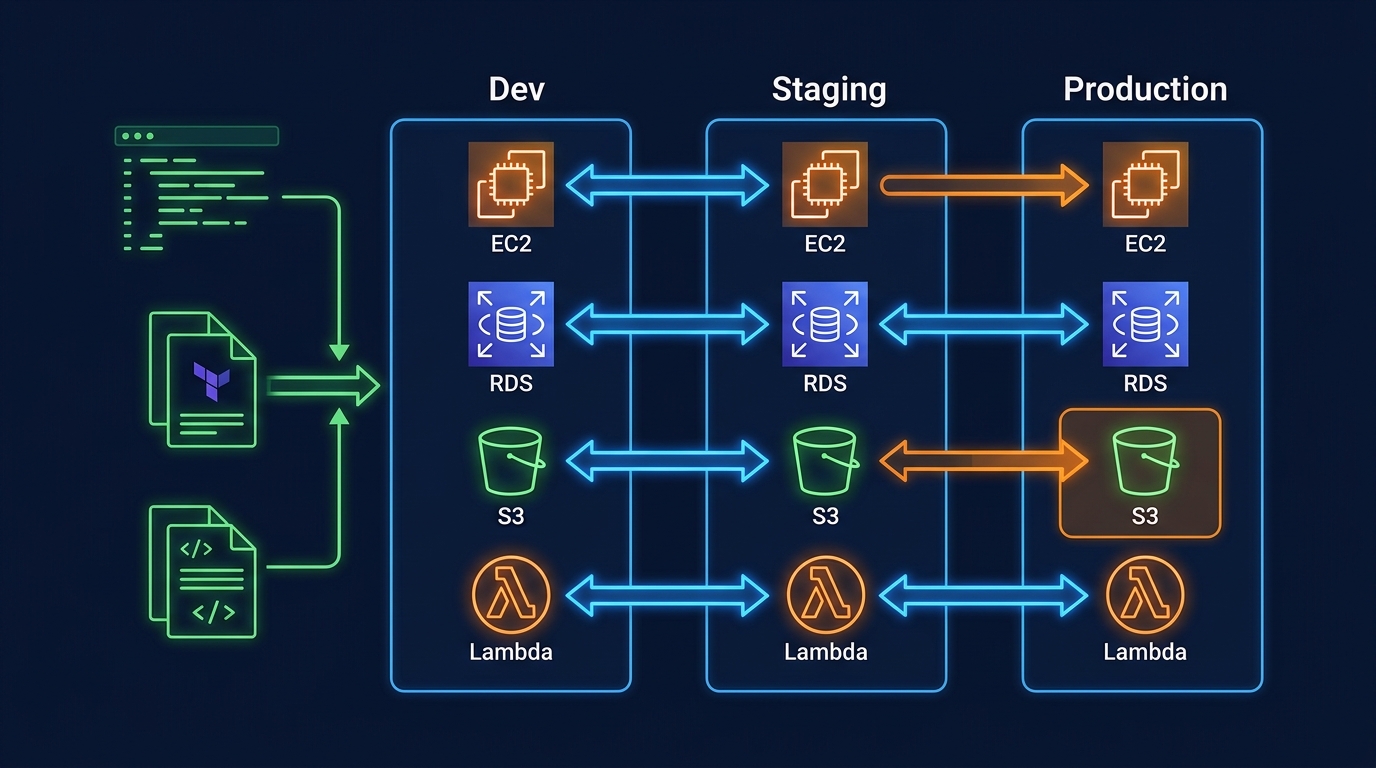
Resources that change together should be in the same stack. Resources with different change frequencies should be in different stacks. This minimizes the blast radius of each deployment — updating application code does not risk touching the network or database.
Stack Size Limits
CloudFormation has hard limits per stack:
| Limit | Value |
|---|---|
| Resources per stack | 500 |
| Outputs per stack | 200 |
| Parameters per stack | 200 |
| Template body size | 1 MB (S3), 51,200 bytes (direct) |
If you approach 500 resources, split into multiple stacks. Most production applications should have 3-10 stacks.
Nested Stacks vs Cross-Stack References
Nested stacks — A parent stack deploys child stacks. All stacks are created, updated, and deleted together:
Resources:
  NetworkStack:
    Type: AWS::CloudFormation::Stack
    Properties:
      TemplateURL: https://s3.amazonaws.com/templates/network.yaml
  ApplicationStack:
    Type: AWS::CloudFormation::Stack
    Properties:
      TemplateURL: https://s3.amazonaws.com/templates/application.yaml
      Parameters:
        VpcId: !GetAtt NetworkStack.Outputs.VpcId
Cross-stack references — Independent stacks share values through exports/imports:
# Network stack (exports VPC ID)
Outputs:
  VpcId:
    Value: !Ref VPC
    Export:
      Name: production-vpc-id

# Application stack (imports VPC ID)
Resources:
  SecurityGroup:
    Type: AWS::EC2::SecurityGroup
    Properties:
      VpcId: !ImportValue production-vpc-id
Recommendation: Use cross-stack references for independent lifecycle resources (network → application). Use nested stacks for tightly coupled resources that must be deployed atomically.
Important: Exported values cannot be deleted or modified while they are imported by another stack. This creates coupling — plan your exports carefully.
Template Best Practices
Parameters with Constraints
Validate inputs at template level to catch errors before deployment:
Parameters:
  Environment:
    Type: String
    AllowedValues: [production, staging, development]
    Default: development
  InstanceType:
    Type: String
    AllowedValues: [t3.micro, t3.small, t3.medium, m5.large]
    Default: t3.small
  DatabasePassword:
    Type: String
    NoEcho: true
    MinLength: 16
    MaxLength: 64
    AllowedPattern: '[a-zA-Z0-9!@#$%^&*()_+=-]*'
NoEcho — Always use for sensitive parameters (passwords, API keys). Values are masked in the console, CLI, and API responses.
Conditions
Deploy different configurations per environment without separate templates:
Conditions:
  IsProduction: !Equals [!Ref Environment, production]
  CreateReplica: !And
    - !Condition IsProduction
    - !Equals [!Ref EnableReadReplica, 'true']

Resources:
  Database:
    Type: AWS::RDS::DBInstance
    Properties:
      MultiAZ: !If [IsProduction, true, false]
      DBInstanceClass: !If [IsProduction, db.r6g.large, db.t3.small]
      DeletionPolicy: !If [IsProduction, Retain, Delete]
DeletionPolicy and UpdateReplacePolicy
The most important properties for data safety:
| Policy | Effect | Use For |
|---|---|---|
Delete (default) | Resource deleted when stack is deleted | Stateless resources (Lambda, API Gateway) |
Retain | Resource kept when stack is deleted | Databases, S3 buckets, encryption keys |
Snapshot | Snapshot created before deletion | RDS instances, EBS volumes |
Critical rule: Every database, S3 bucket, and KMS key in production must have DeletionPolicy: Retain or DeletionPolicy: Snapshot. The default (Delete) destroys your data when the stack is deleted — including accidental deletions.
Resources:
  ProductionDatabase:
    Type: AWS::RDS::DBInstance
    DeletionPolicy: Snapshot
    UpdateReplacePolicy: Snapshot
    Properties:
      # ...
UpdateReplacePolicy applies when CloudFormation replaces a resource during an update (e.g., changing the engine version requires replacement). Without it, the old resource is deleted before the new one is verified.
Tagging Strategy
Apply tags consistently using AWS::CloudFormation::Stack tags (inherited by all resources) plus resource-specific tags:
Resources:
  MyFunction:
    Type: AWS::Lambda::Function
    Properties:
      Tags:
        - Key: Environment
          Value: !Ref Environment
        - Key: Service
          Value: order-processing
        - Key: ManagedBy
          Value: cloudformation
        - Key: Stack
          Value: !Ref AWS::StackName
Tag resources with ManagedBy: cloudformation to distinguish IaC-managed resources from manually created ones. This is essential for cost attribution and drift detection.
Safe Deployments
Change Sets
Never deploy directly. Always create a change set first:
1. Create change set → Review what will change
2. Review changes → Verify no unintended modifications
3. Execute change set → Apply changes
Change sets show:
- Resources to be added, modified, or replaced
- Whether a modification requires replacement (data-destructive) or in-place update
- The scope of each change (which properties are affected)
Critical: Check for Replacement: True on any resource that contains data. A replacement deletes the existing resource and creates a new one — if DeletionPolicy is not set, your data is gone.
Stack Policies
Stack policies prevent accidental updates to critical resources:
{
  "Statement": [
    {
      "Effect": "Deny",
      "Action": "Update:Replace",
      "Principal": "*",
      "Resource": "LogicalResourceId/ProductionDatabase"
    },
    {
      "Effect": "Deny",
      "Action": "Update:Delete",
      "Principal": "*",
      "Resource": "LogicalResourceId/ProductionDatabase"
    },
    {
      "Effect": "Allow",
      "Action": "Update:*",
      "Principal": "*",
      "Resource": "*"
    }
  ]
}
This policy allows all updates except replacing or deleting the production database. Even administrators must temporarily override the policy to modify protected resources — providing an explicit safety gate.
Rollback Configuration
Configure automatic rollback based on CloudWatch alarms:
aws cloudformation update-stack \
--stack-name production-app \
--template-body file://template.yaml \
--rollback-configuration \
RollbackTriggers=[{Arn=arn:aws:cloudwatch:...:alarm:ErrorRate,Type=AWS::CloudWatch::Alarm}] \
MonitoringTimeInMinutes=10
If the ErrorRate alarm triggers within 10 minutes of the deployment, CloudFormation automatically rolls back the entire update. This catches deployments that pass change set review but cause runtime errors.
Drift Detection
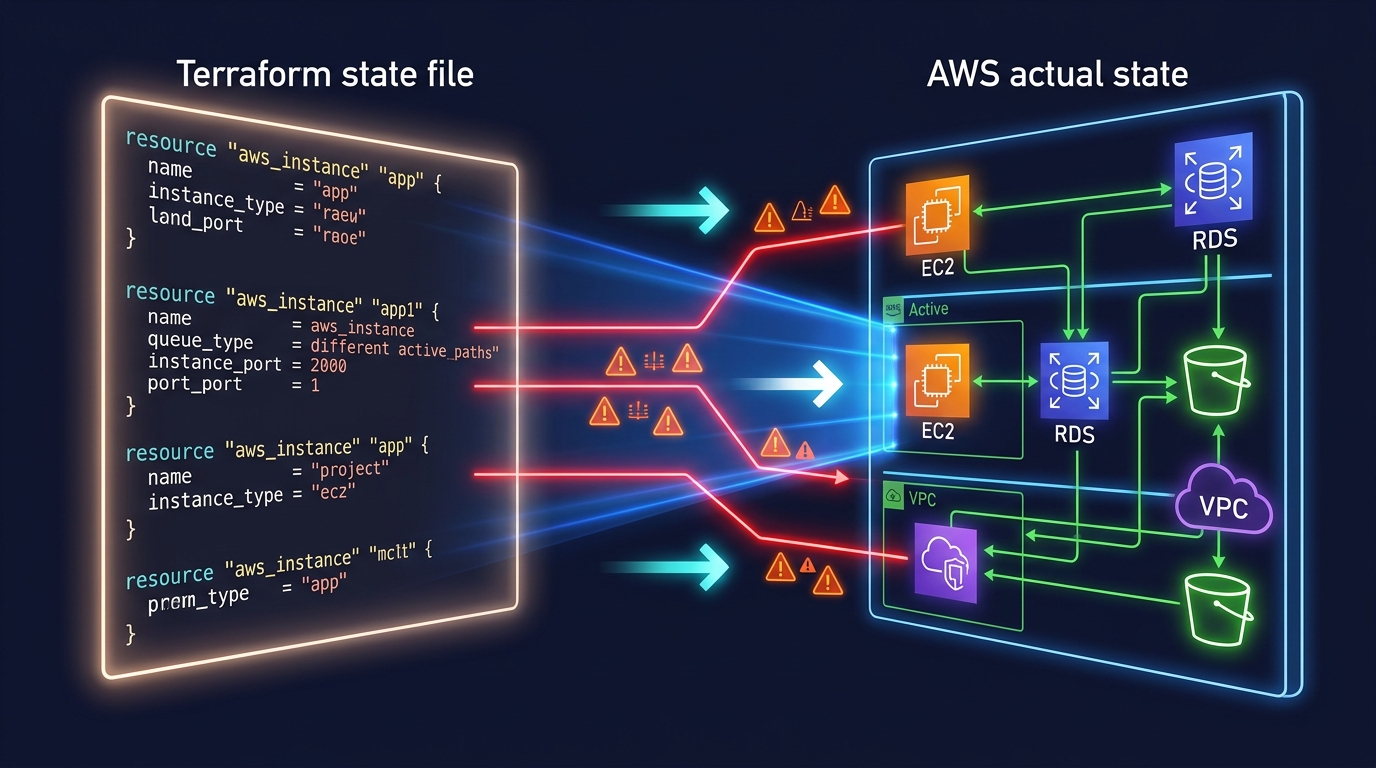
Drift occurs when someone modifies a CloudFormation-managed resource outside of CloudFormation (console, CLI, SDK). Drift detection compares actual resource configuration to the template definition.
When drift is dangerous:
- Security group rules modified manually (open ports that should be closed)
- IAM policies broadened without template update
- Database parameters changed without tracking
Best practices:
- Run drift detection weekly as an automated check
- Set up AWS Config rules to detect CloudFormation drift
- Use stack policies to prevent console modifications to critical resources
- Establish a team policy: never modify CloudFormation-managed resources outside CloudFormation
Secrets Management
Never put secrets directly in templates:
Wrong:
Parameters:
  DatabasePassword:
    Default: MySecretPassword123 # Visible in template, version control, CloudFormation console
Right — use SSM Parameter Store or Secrets Manager:
Resources:
  Database:
    Type: AWS::RDS::DBInstance
    Properties:
      MasterUserPassword: !Sub '{{resolve:secretsmanager:${DatabaseSecret}:SecretString:password}}'

  DatabaseSecret:
    Type: AWS::SecretsManager::Secret
    Properties:
      GenerateSecretString:
        PasswordLength: 32
        ExcludeCharacters: '"@/\'
This generates a random password, stores it in Secrets Manager, and references it in the RDS configuration — the password never appears in the template or CloudFormation console.
CI/CD Integration
CloudFormation in Pipelines
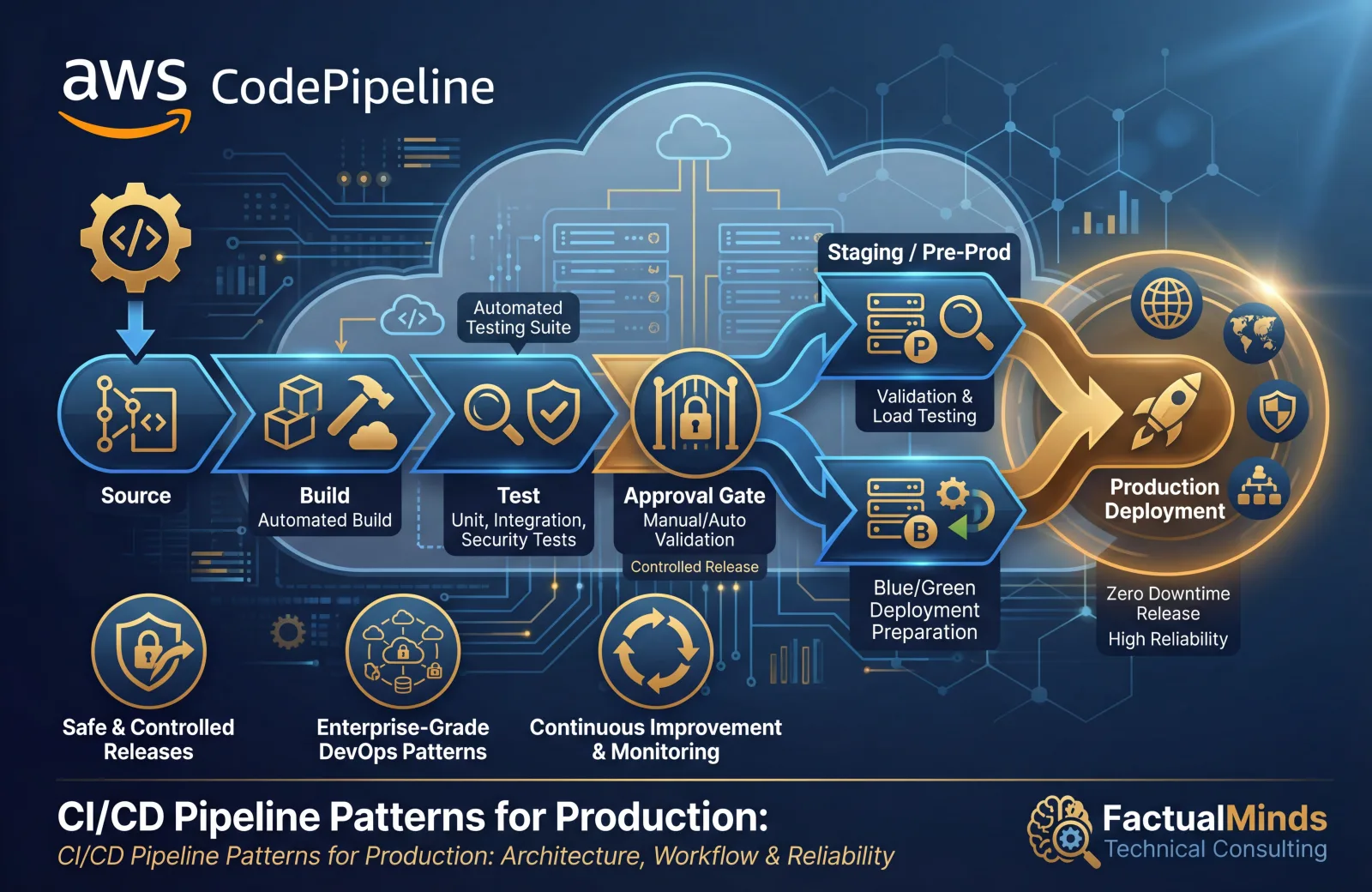
Deploy CloudFormation through your CI/CD pipeline, not manually:
Code commit → Build → Test → Create change set → Manual approval → Execute change set → Smoke testsKey practices:
- Templates stored in version control alongside application code
- Linting with
cfn-lintto catch errors before deployment - Change set created automatically, reviewed by a human
- Manual approval gate before production deployments
- Post-deployment smoke tests to verify the application works
Template Validation
Validate templates before deployment:
# Syntax validation
aws cloudformation validate-template --template-body file://template.yaml

# Linting (catches best practice violations)
cfn-lint template.yaml

# Security scanning
cfn-nag template.yaml
Run these checks in your CI pipeline. A template that fails validation should never reach production.
CloudFormation vs CDK vs Terraform
| Factor | CloudFormation | CDK | Terraform |
|---|---|---|---|
| Language | YAML/JSON | TypeScript, Python, etc. | HCL |
| State management | Managed by AWS | Managed by AWS (via CloudFormation) | Self-managed (S3 + DynamoDB) |
| New service support | Same-day | Same-day (L1 constructs) | Days to weeks |
| Multi-cloud | No | No | Yes |
| Testing | Limited | First-class unit testing | Terratest |
| Complexity for large projects | High (verbose YAML) | Medium (programming language) | Medium (HCL) |
Recommendation: For teams that already use CloudFormation, continue using it — but consider CDK for new projects where the programming language benefits outweigh the learning curve. CDK generates CloudFormation, so your existing CloudFormation knowledge transfers directly.
Common Mistakes
Mistake 1: No DeletionPolicy on Data Resources
The default DeletionPolicy is Delete. Deleting a stack (or a resource from a stack) permanently destroys the resource. Every RDS instance, DynamoDB table, S3 bucket, and KMS key must have DeletionPolicy: Retain or DeletionPolicy: Snapshot.
Mistake 2: Monolithic Stacks
A single stack with 400 resources takes 30-60 minutes to update, affects everything when it fails, and is impossible to reason about. Split into 3-10 stacks organized by lifecycle.
Mistake 3: Deploying Without Change Sets
Deploying directly with update-stack applies changes immediately with no preview. Always use change sets to review what will change before executing.
Mistake 4: Hardcoded Values
Templates with hardcoded account IDs, Region names, AMI IDs, and environment-specific values cannot be reused across environments. Use parameters, mappings, and pseudo-parameters (AWS::AccountId, AWS::Region) to make templates portable.
Getting Started
CloudFormation is the foundation of repeatable, auditable, and safe infrastructure deployments on AWS. Combined with change sets for safe deployments, stack policies for protection, and CI/CD pipelines for automation, it provides infrastructure management that scales with your organization.
For infrastructure automation, template design, and DevOps pipeline integration with CloudFormation or CDK, talk to our team.
AWS Cloud Architect & AI Expert
AWS-certified cloud architect and AI expert with deep expertise in cloud migrations, cost optimization, and generative AI on AWS.