Amazon Aurora Limitless Database: Horizontal SQL Scaling Without Application Rewrites
Quick summary: Aurora Limitless shards Aurora transparently to hundreds of millions of rows per second. Here's when it beats vertical scaling, how to pick shard keys, and the real cost trade-offs.
Key Takeaways
- Aurora Serverless v2 scales vertically — from 0.5 ACUs at idle to 256 ACUs under peak load, automatically
- For the vast majority of production workloads, 256 ACUs (roughly equivalent to a 128 vCPU / 1 TB RAM instance) is more headroom than you will ever need
- Serverless v2 vs
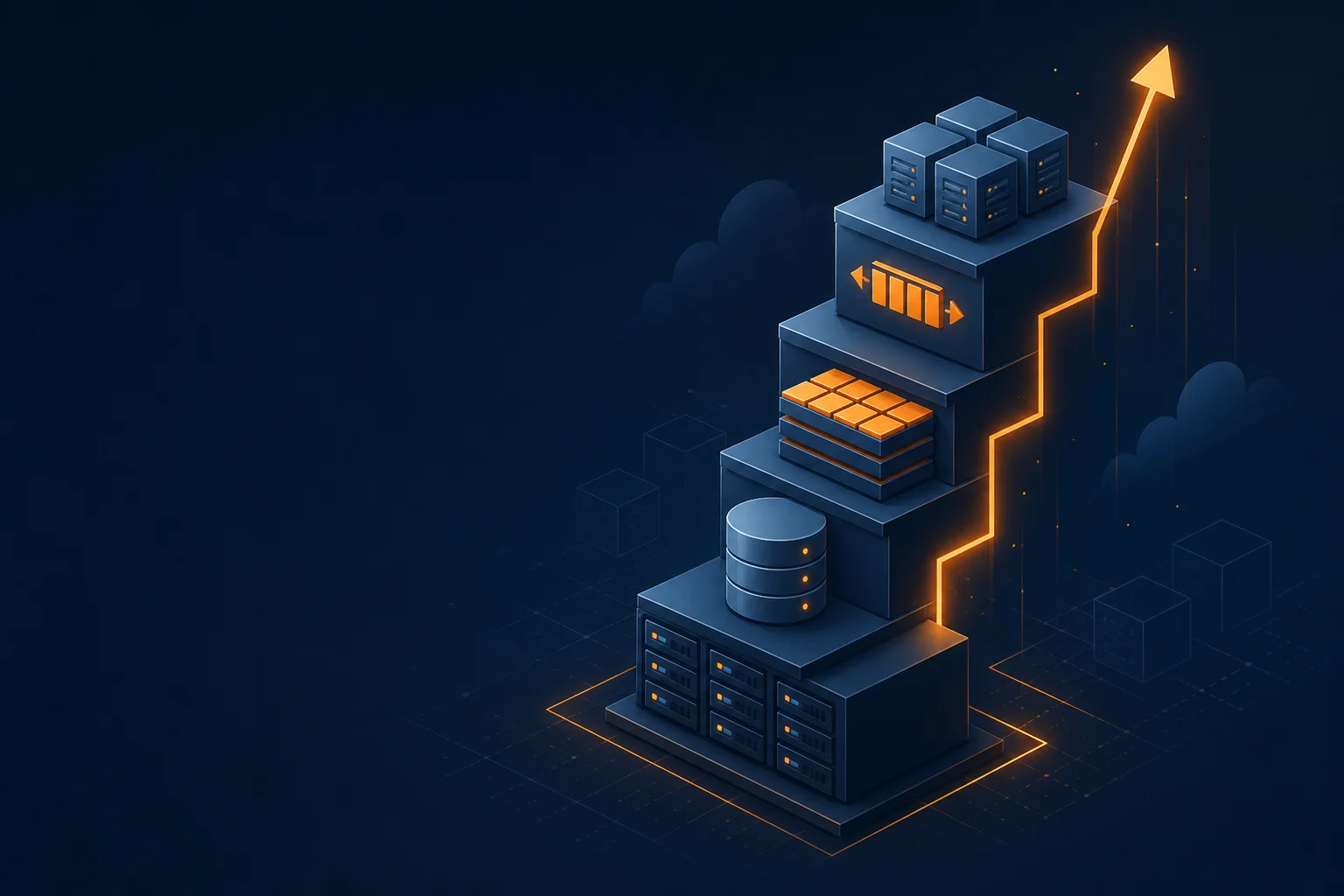
- Architecture diagram of an application choosing Aurora Provisioned, Aurora Serverless v2, or Aurora Limitless Figure: the three Aurora modes in the article
- Serverless v2 scales that one node in ACUs
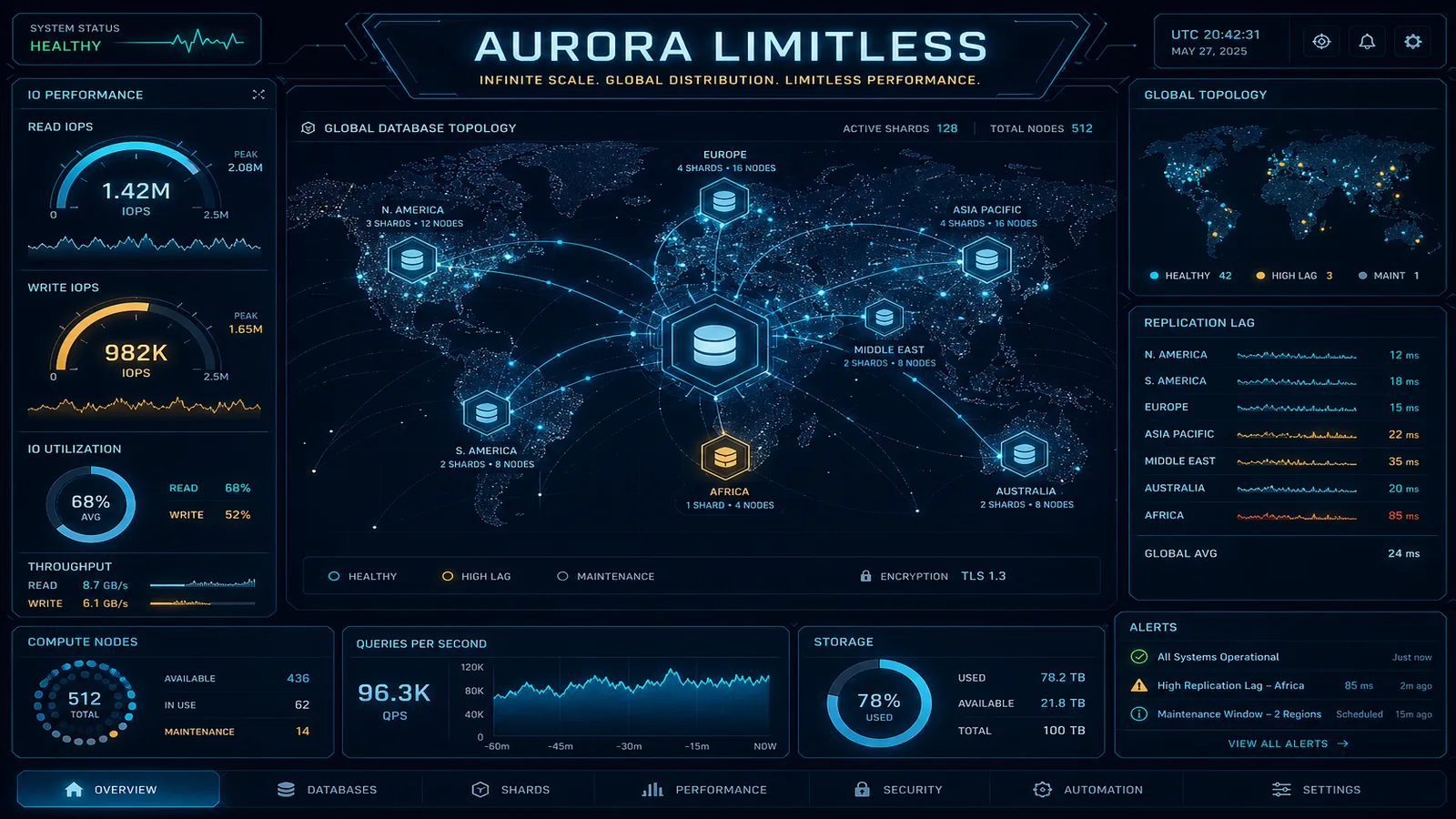
Table of Contents
Aurora Serverless v2 scales vertically — from 0.5 ACUs at idle to 256 ACUs under peak load, automatically. For the vast majority of production workloads, 256 ACUs (roughly equivalent to a 128 vCPU / 1 TB RAM instance) is more headroom than you will ever need. If you have not hit this ceiling, Aurora Limitless is not for you, and the operational complexity it introduces is not justified.
But there is a class of workload where the ceiling is real. High-write multi-tenant SaaS platforms processing millions of tenant transactions per minute. E-commerce systems where every Black Friday creates write throughput spikes that saturate even maxed-out Aurora instances. IoT event ingestion pipelines where device fleets scale to hundreds of millions of events per day. For these workloads, vertical scaling has a wall, and horizontal sharding is the only path through it.
Aurora Limitless is AWS’s answer to horizontal SQL scaling without requiring application teams to rewrite their data access layer, move to a NoSQL store, or manage their own Vitess or Citus deployment. The promise is real but comes with real constraints. This post walks through the architecture, the tradeoffs, and the migration path, with enough technical specificity to inform a production decision.
Aurora Standard vs. Serverless v2 vs. Limitless
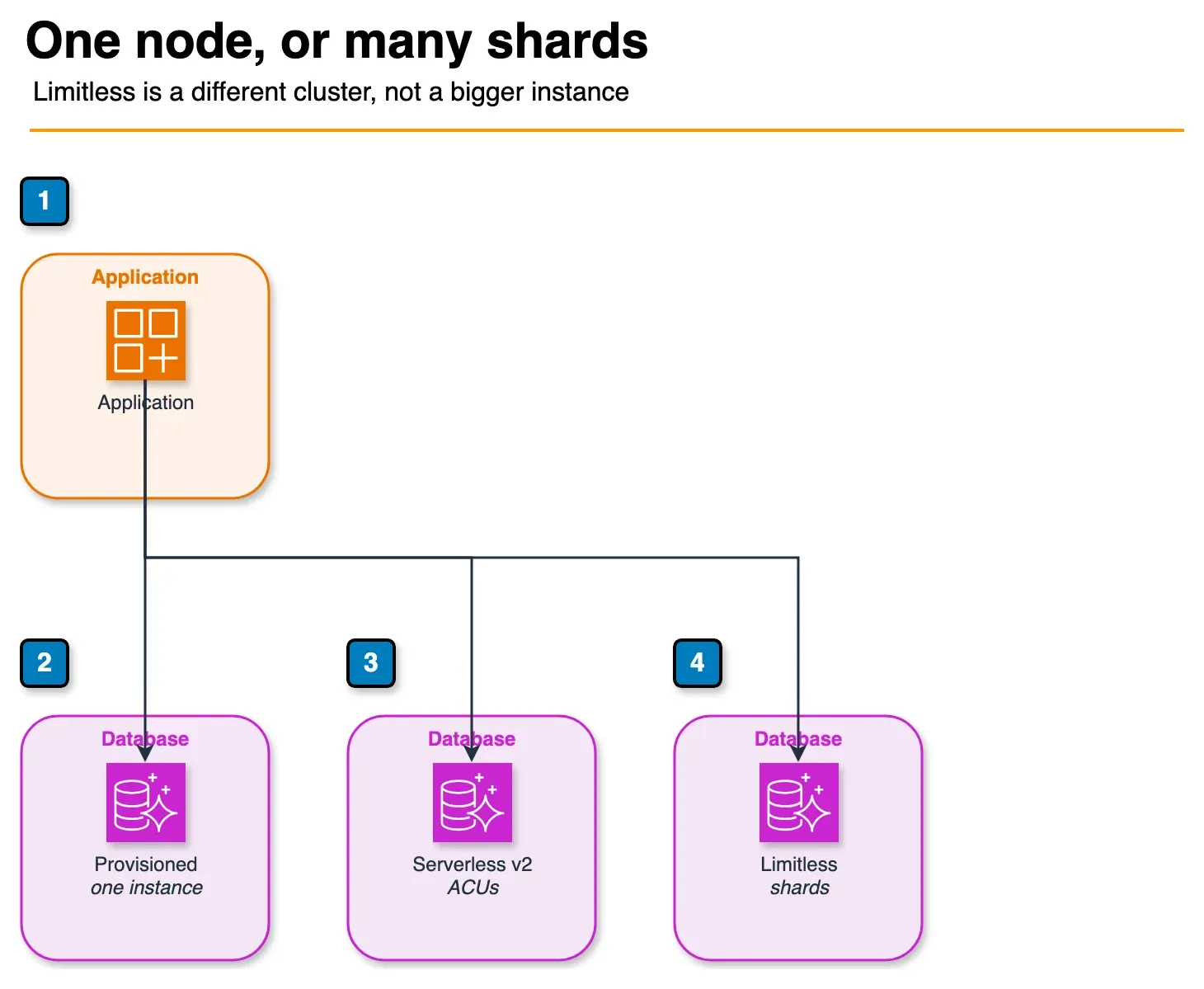
Figure: the three Aurora modes in the article. Provisioned is one instance you size. Serverless v2 scales that one node in ACUs. Limitless adds shards. There is no in-place conversion into Limitless. Open the draw.io source.
Before choosing Limitless, understand exactly where it sits in Aurora’s scaling spectrum:
| Dimension | Aurora Provisioned | Aurora Serverless v2 | Aurora Limitless |
|---|---|---|---|
| Scaling axis | Manual vertical (instance type) | Automatic vertical (ACUs) | Automatic horizontal (shards) |
| Max capacity | db.r8g.48xlarge (192 vCPU, 1.5 TB RAM) | 256 ACUs (~128 vCPU, 1 TB RAM equivalent) | Theoretically unlimited (N shards × shard capacity) |
| Scale-to-zero | No | Yes (0.5 ACU minimum) | No |
| Cost model | Instance hours + storage | ACU-hours + storage | SCU-hours + storage + data transfer |
| Cross-shard transactions | N/A (single node) | N/A (single node) | Supported, with ~5–15ms overhead vs. single-shard |
| Migration difficulty | Baseline | Low from Provisioned | High (data migration required) |
| Connection pooling | Manual (RDS Proxy recommended) | Manual (RDS Proxy recommended) | Built into router layer |
| Ideal workload | Predictable, moderate scale | Variable load, occasional peaks | Sustained high-write throughput beyond Serverless v2 ceiling |
The mental model: Serverless v2 scales one very powerful database node. Limitless scales many moderate-power database nodes in parallel. The former is operationally simpler. The latter is the only option when one node is not powerful enough.
Shard Capacity Units (SCUs) are Limitless’s compute unit. Each SCU maps to a fixed amount of CPU and memory for a shard. You set a maximum SCU count and AWS manages shard provisioning. Unlike ACUs (which scale a single instance), SCU scaling can mean adding entirely new shards — a fundamentally different scaling event.
Shard Keys: How to Choose and What Happens If You Choose Wrong
The shard key is the most consequential architectural decision in any Limitless deployment. Get it wrong and you will have hot shards, poor query performance, or — worst case — a cluster that requires a full data migration to fix.
Defining a sharded table:
-- Good: customer_id as shard key for multi-tenant SaaS
CREATE TABLE orders (
    order_id     UUID          NOT NULL DEFAULT gen_random_uuid(),
    customer_id  UUID          NOT NULL,
    created_at   TIMESTAMPTZ   NOT NULL DEFAULT NOW(),
    status       VARCHAR(50)   NOT NULL,
    total_amount DECIMAL(12,2) NOT NULL,
    line_items   JSONB,
    PRIMARY KEY (customer_id, order_id)
) SHARD BY HASH(customer_id);

-- Good: device_id as shard key for IoT event ingestion
CREATE TABLE device_events (
    event_id   UUID          NOT NULL DEFAULT gen_random_uuid(),
    device_id  UUID          NOT NULL,
    event_time TIMESTAMPTZ   NOT NULL,
    payload    JSONB         NOT NULL,
    PRIMARY KEY (device_id, event_id)
) SHARD BY HASH(device_id);
The golden rules for shard key selection:
High cardinality. The shard key must have thousands to millions of distinct values. Low-cardinality columns (
status,region,plan_tier) create a small number of logical shards that cannot be evenly distributed. A column with 5 values cannot spread data across 50 physical shards.Uniform distribution. HASH sharding distributes rows based on
HASH(shard_key_value) % num_shards. If 80% of your rows have the same shard key value (a “whale” customer in a multi-tenant system), 80% of your data lives on one shard regardless of how many shards you have.Aligns with query patterns. Your most frequent queries should filter or join on the shard key. If 90% of application queries are
WHERE customer_id = $1, thencustomer_idas shard key means 90% of queries route to a single shard — optimal. If most queries do cross-customer analytics, you will pay the cross-shard fan-out cost constantly.
Anti-patterns to avoid:
-- WRONG: status is low-cardinality (5-10 values)
SHARD BY HASH(status)

-- WRONG: created_at creates time-based hot shards (all new writes go to one shard)
SHARD BY HASH(created_at)

-- WRONG: sequential auto-increment IDs — many database drivers batch-insert
-- sequential IDs which can temporarily hot-spot a shard
SHARD BY HASH(id)  -- where id is SERIAL/BIGSERIAL
The hot shard problem:
A hot shard occurs when a disproportionate fraction of queries (reads or writes) targets a single shard. Signs in CloudWatch: one shard’s CPUUtilization is 80%+ while others are at 20%. Causes: low-cardinality shard key, uneven data distribution, or a large tenant generating substantially more traffic than average.
For multi-tenant SaaS with “whale” customers (single tenants generating 50%+ of traffic), a single customer_id shard key is insufficient. The mitigations are: composite shard key (customer_id, partition_key) to subdivide large tenants, or application-level routing that directs whale customers to a dedicated Aurora Provisioned instance while the Limitless cluster handles the long tail.
Reference tables for dimension data:
Not every table should be sharded. Lookup tables, configuration tables, and small dimension tables should be defined as reference tables — Aurora Limitless replicates them to every shard:
-- Reference table: replicated to all shards, no shard key needed
CREATE TABLE product_catalog (
    product_id   UUID          PRIMARY KEY,
    sku          VARCHAR(100)  UNIQUE NOT NULL,
    category     VARCHAR(100),
    base_price   DECIMAL(10,2)
) AS REFERENCE;
JOINs between sharded tables and reference tables execute locally on each shard — no cross-shard coordination required. This is the pattern to optimize for when designing your Limitless schema.
Distributed Transactions and Cross-Shard Queries
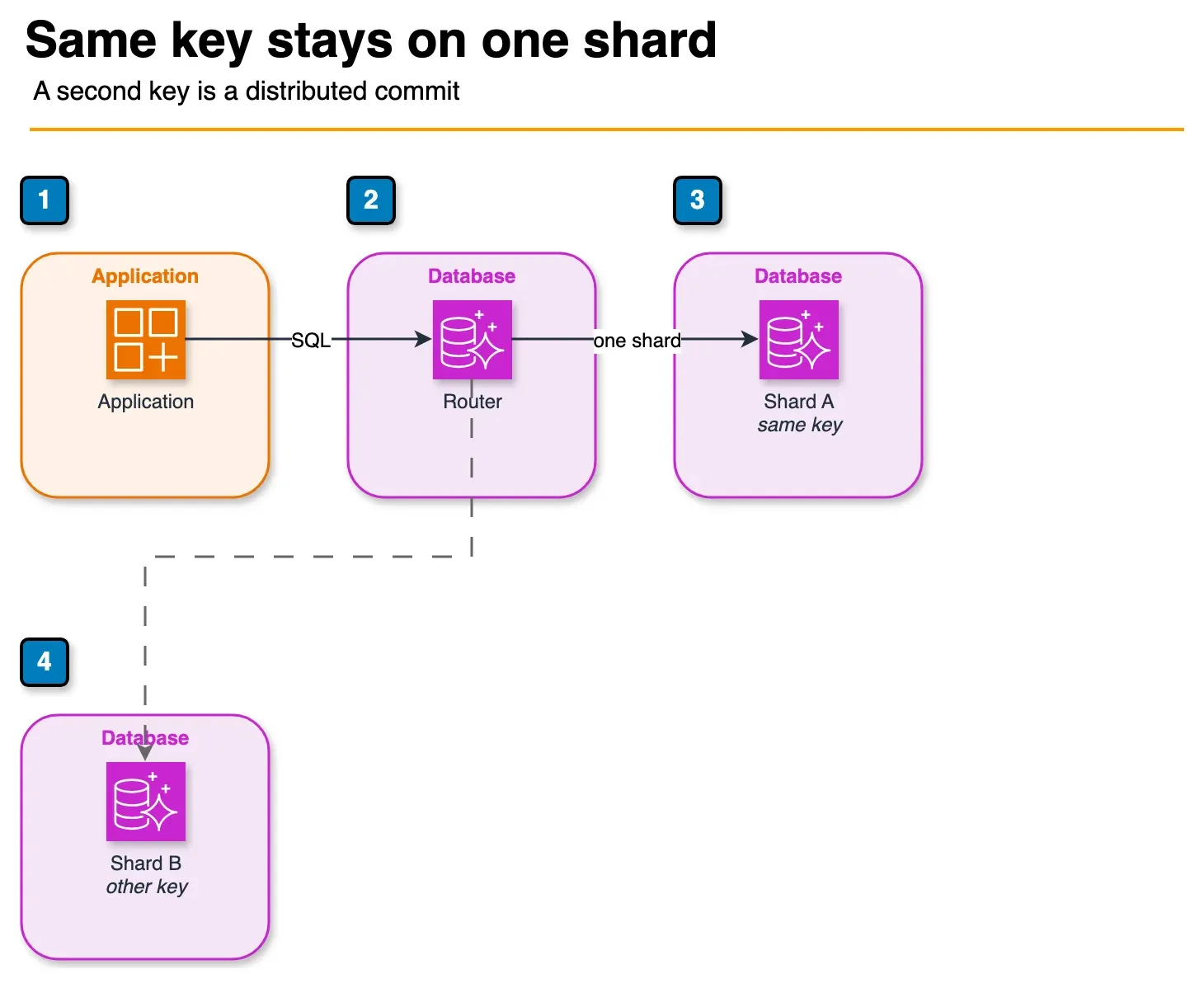
Figure: the router in the article. A transaction whose rows share one shard key goes to that shard. A transaction that touches a second key is the dashed path, and the router coordinates a two-phase commit. The article puts that extra latency at about 5 to 15 milliseconds. Open the draw.io source.
Aurora Limitless supports full ACID distributed transactions using two-phase commit (2PC). Understanding the performance implications of cross-shard transactions is essential for schema design.
Single-shard transaction (optimal path):
When all rows in a transaction share the same shard key value (e.g., all operations on customer_id = 'abc123'), the router routes the entire transaction to one shard. Latency is equivalent to standard Aurora — sub-millisecond for simple operations.
-- Single-shard: all operations reference the same customer_id
BEGIN;
INSERT INTO orders (customer_id, ...) VALUES ('abc123', ...);
UPDATE customer_balance SET balance = balance - 50 WHERE customer_id = 'abc123';
INSERT INTO order_events (customer_id, ...) VALUES ('abc123', ...);
COMMIT;
-- All three operations route to the same shard. No distributed coordination.
Cross-shard transaction (2PC overhead):
When a transaction modifies rows on multiple shards, the router coordinates a two-phase commit across all participating shards. Prepare phase + commit phase adds approximately 5–15ms to transaction latency, plus the round-trip to each participating shard.
-- Cross-shard: different customer_ids may live on different shards
BEGIN;
UPDATE customer_balance SET balance = balance - 50 WHERE customer_id = 'abc123'; -- Shard A
UPDATE customer_balance SET balance = balance + 50 WHERE customer_id = 'xyz789'; -- Shard B
COMMIT;
-- Requires 2PC coordination between Shard A and Shard B.
For payment ledger transfers and similar cross-entity transactions, this overhead is usually acceptable — the operation is rare relative to single-entity operations. If your application executes cross-entity transactions at high frequency, Limitless may not be the right fit, or you need to redesign the transaction pattern to minimize cross-shard coordination.
Cross-shard queries (broadcast joins):
SELECT queries that cannot be routed to a single shard are broadcast to all shards, executed in parallel, and aggregated by the router:
-- Broadcast query: no shard key filter — hits all shards
SELECT status, COUNT(*), SUM(total_amount)
FROM orders
GROUP BY status;
-- Router fans out to all shards, each returns partial aggregates,
-- router performs final aggregation.

-- Shard-local query: shard key in WHERE clause — hits one shard
SELECT * FROM orders
WHERE customer_id = 'abc123'
  AND created_at > NOW() - INTERVAL '30 days';
-- Routes to exactly one shard. Full query performance.
Efficient JOINs in Limitless:
JOINs between two sharded tables are most efficient when both tables share the same shard key and the JOIN condition uses that key:
-- Co-located JOIN: both tables sharded by customer_id, JOIN on customer_id
-- Each shard executes the JOIN locally against its own data subset
SELECT o.order_id, oi.product_id, oi.quantity
FROM orders o
JOIN order_items oi ON o.order_id = oi.order_id
WHERE o.customer_id = 'abc123';

-- Broadcast JOIN (expensive): joining on non-shard-key columns
-- Limitless must redistribute data across shards or use a hash join strategy
SELECT o.order_id, p.sku
FROM orders o
JOIN product_catalog p ON o.product_id = p.product_id  -- product_catalog is a reference table, OK
WHERE p.category = 'electronics';
The optimization rule: co-locate related tables by the same shard key so that JOINs stay on-shard. If orders and order_items are both sharded by customer_id and order_items includes customer_id, joins between them for a given customer never leave the shard.
Migration from Aurora Provisioned to Limitless
There is no magic button. Migration to Aurora Limitless requires a planned data migration event. Here is the zero-downtime approach:
Phase 1: Shard key analysis and schema design (1–2 weeks)
Before writing a single migration script, analyze your existing data:
-- Check cardinality of potential shard key columns
SELECT
    'customer_id' AS column_name,
    COUNT(DISTINCT customer_id) AS cardinality,
    MAX(row_count) AS max_rows_per_value,
    AVG(row_count) AS avg_rows_per_value
FROM (
    SELECT customer_id, COUNT(*) AS row_count
    FROM orders
    GROUP BY customer_id
) t;

-- Identify top customers by write volume (potential hot shard risk)
SELECT customer_id, COUNT(*) AS write_count
FROM orders
WHERE created_at > NOW() - INTERVAL '7 days'
GROUP BY customer_id
ORDER BY write_count DESC
LIMIT 20;
If the top 10 customers account for > 20% of writes, factor this into your shard key decision. Consider composite keys or application-level routing for whale tenants.
Phase 2: Create Limitless cluster and schema
Create the Limitless cluster in the same VPC. Implement the new schema with shard key annotations. Validate that all NOT NULL, index, and constraint definitions translate correctly — some constraint types behave differently on sharded tables.
Phase 3: Initial data load
Use AWS DMS or pg_dump | pg_restore for the initial load. For tables in the tens of billions of rows, DMS full-load in parallel across multiple replication instances is the practical choice:
# Export from source using COPY (fastest for large tables)
psql -h source-cluster.rds.amazonaws.com -U admin -d mydb \
  -c "\COPY orders TO '/tmp/orders.csv' CSV"

# Import to Limitless — the COPY command routes rows to correct shards automatically
psql -h limitless-cluster.rds.amazonaws.com -U admin -d mydb \
  -c "\COPY orders FROM '/tmp/orders.csv' CSV"
Phase 4: Continuous replication for cutover
Use AWS DMS ongoing replication from source Aurora to Limitless. This keeps the Limitless cluster in sync with production writes until cutover. Monitor DMS replication lag — target < 5 seconds before beginning cutover.
Phase 5: Traffic cutover
With DMS replication lag under 5 seconds, execute a blue/green DNS switch:
- Put the application in maintenance mode or use a feature flag to pause writes for 30–60 seconds
- Wait for DMS replication lag to reach zero
- Update the application’s database endpoint to the Limitless cluster endpoint
- Remove maintenance mode
- Monitor error rates, query latency, and shard CPU for 30 minutes post-cutover
Post-migration validation:
-- Verify row counts match between source and Limitless
SELECT COUNT(*) FROM orders;  -- Run on both clusters, counts must match

-- Verify shard distribution is roughly even (no hot shards)
SELECT shard_id, COUNT(*) AS rows_on_shard
FROM aurora_limitless_shards()
GROUP BY shard_id;
-- Ideally all shards within 20% of each other
Cost Model
Aurora Limitless pricing has two components beyond the standard Aurora storage cost: Shard Capacity Units (SCUs) and the Limitless router.
When Limitless costs more than vertical scaling:
If your workload is read-heavy with moderate writes, Aurora Serverless v2 at 128 ACUs costs less and is simpler to operate than a Limitless cluster providing equivalent read capacity. Limitless’s parallelism benefit is primarily on the write path and high-concurrency mixed workloads.
When Limitless saves money (vs. the alternative):
The relevant comparison is not “Limitless vs. Aurora Serverless v2” — it’s “Limitless vs. the largest Aurora instance that still isn’t enough.” When teams hit the Aurora vertical scaling ceiling, the alternatives are: manage their own distributed database (Citus, Vitess), move to Aurora Limitless, or re-architect around DynamoDB (data model rewrite required). Limitless is often the cheapest path that preserves the SQL investment.
3-year TCO example — high-write SaaS platform:
Assumptions: 500K TPS sustained writes, 2M TPS peak, 10 TB data, 50 engineers on the team.
| Option | Annual Infrastructure | Migration / Engineering Cost | Notes |
|---|---|---|---|
| Aurora Serverless v2 (maxed out, multiple clusters) | ~$180K | $200K (sharding logic in app) | Requires application-level sharding |
| Self-managed Citus on EC2 | ~$140K | $400K (setup + ongoing ops) | High operational burden |
| Aurora Limitless | ~$220K | $120K (data migration only) | AWS-managed, no app sharding logic |
| DynamoDB | ~$160K | $600K (data model rewrite) | Breaks existing SQL investment |
For teams with a significant SQL codebase and engineering costs of $300K+ per engineer-year, the operational simplicity of Limitless often wins on total cost despite higher infrastructure spend.
Need help evaluating whether Aurora Limitless fits your workload, selecting the right shard key, or executing a zero-downtime migration from Aurora Provisioned? FactualMinds has done this migration across multi-tenant SaaS platforms and high-throughput event pipelines — we can help you avoid the shard key mistakes that require a full data migration to undo.
Related reading: AWS RDS vs. Aurora — Which Database When · AWS Disaster Recovery Strategies: Pilot Light, Warm Standby, Multi-Site · Top 20 AWS AI & Modern Services in 2026
Related reading
Frequently asked questions
Does Aurora Limitless support PostgreSQL logical replication?
Can I use Aurora Limitless with read replicas?
How does Aurora Limitless handle schema migrations (ALTER TABLE)?
What happens to my Limitless cluster during an AWS Availability Zone outage?
Can I convert an existing Aurora cluster to Limitless in-place?

AWS Cloud Architect & AI Expert
AWS-certified cloud architect and AI expert with deep expertise in cloud migrations, cost optimization, and generative AI on AWS.