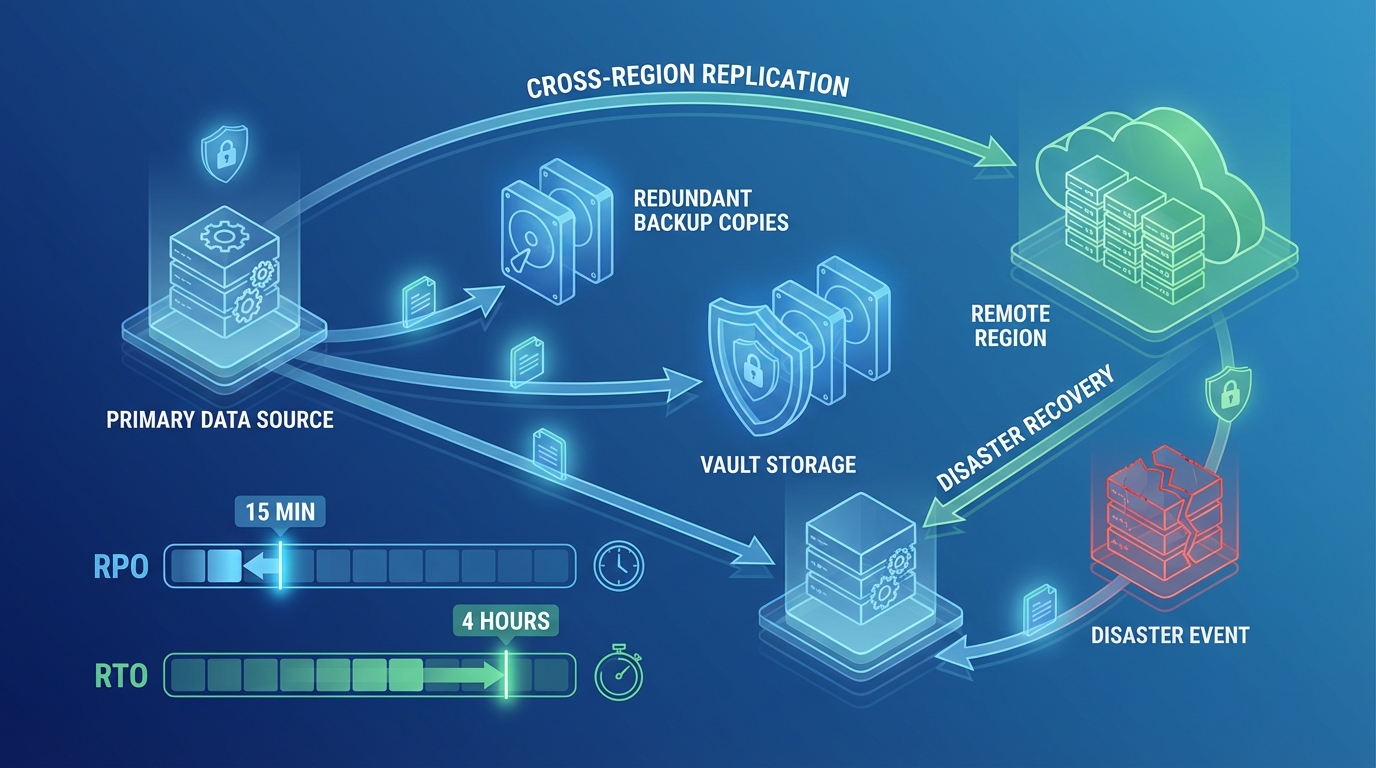
AWS Disaster Recovery: Pilot Light vs Warm Standby vs Multi-Site
Quick summary: A practical guide to AWS disaster recovery strategies — from backup-and-restore to multi-site active-active, with RTO/RPO targets, cost analysis, and implementation patterns.
Key Takeaways
- A practical guide to AWS disaster recovery strategies — from backup-and-restore to multi-site active-active, with RTO/RPO targets, cost analysis, and implementation patterns
- A practical guide to AWS disaster recovery strategies — from backup-and-restore to multi-site active-active, with RTO/RPO targets, cost analysis, and implementation patterns

Table of Contents
Disaster recovery (DR) is one of those investments that feels wasteful until the moment you need it — and then it is the most valuable thing you have. The challenge is designing a DR strategy that provides adequate protection without spending more on the recovery infrastructure than the business it protects.
AWS makes DR more accessible than traditional on-premises approaches because you can provision recovery infrastructure on-demand and replicate data across Regions at low cost. But “accessible” does not mean “simple” — choosing the right DR strategy requires understanding the trade-offs between recovery speed, cost, and operational complexity.
Understanding RTO and RPO
Every DR strategy is defined by two metrics:
Recovery Time Objective (RTO) — How long can your application be unavailable? This is the maximum acceptable downtime from the moment of failure to full service restoration.
Recovery Point Objective (RPO) — How much data can you afford to lose? This is the maximum acceptable time period between the last backup/replication point and the failure event.
| Requirement | RTO | RPO | Typical Use Case |
|---|---|---|---|
| Relaxed | 24 hours | 24 hours | Internal tools, batch processing |
| Standard | 4 hours | 1 hour | Business applications, websites |
| Aggressive | 1 hour | 15 minutes | E-commerce, SaaS platforms |
| Near-zero | Minutes | Seconds | Financial services, healthcare, real-time systems |
RTO and RPO should be defined by business stakeholders, not engineers. The question is not “how fast can we recover?” but “how fast must we recover to avoid unacceptable business impact?”
The Four DR Strategies
AWS defines four DR strategies, each balancing cost against recovery speed:
Strategy 1: Backup and Restore
The simplest and cheapest strategy — back up your data to another Region and restore it when needed.
How it works:
Normal:    Primary Region (active) → Cross-region backup to S3/snapshots
Disaster:  Launch new infrastructure from backups in DR Region
Implementation:
- AWS Backup with cross-Region copy rules for RDS, DynamoDB, EBS, and EFS
- S3 cross-Region replication for object storage
- CloudFormation/CDK/Terraform templates stored in version control to recreate infrastructure
- AMIs copied to DR Region for EC2-based workloads
RTO: 4-24 hours (time to provision infrastructure + restore data) RPO: 1-24 hours (depends on backup frequency) Cost: Lowest — you only pay for backup storage in the DR Region during normal operations. Compute costs are zero until failover.
Best for: Non-critical workloads, development environments, applications where multi-hour downtime is acceptable.
Strategy 2: Pilot Light
A minimal version of your production environment runs in the DR Region at all times — just enough to keep data replicated and core services warm.
How it works:
Normal:    Primary Region (active) + DR Region (database replicas only)
Disaster:  Scale up DR Region infrastructure around existing replicas
Implementation:
- RDS cross-Region read replicas running in DR Region
- DynamoDB Global Tables for NoSQL data
- S3 cross-Region replication
- Core networking (VPC, subnets, security groups) pre-provisioned
- Compute infrastructure NOT running — provisioned only during failover via automation
RTO: 1-4 hours (time to scale up compute and promote database replicas) RPO: Minutes to seconds (continuous replication) Cost: Low — you pay for database replicas and networking but not for compute during normal operations. The “pilot light” (database replicas) runs continuously at reduced capacity.
Example cost: If your production RDS instance costs $500/month, a pilot light read replica might cost $250-$350/month. Compute costs are zero until failover.
Aurora Serverless v2 scale-to-zero and DR cost: With Aurora Serverless v2’s scale-to-zero capability (available since re:Invent 2024), a pilot light Aurora cluster in the DR Region can scale down to zero ACUs when not actively replicating — reducing the pilot light cost from a continuous replica charge to near-zero during quiet periods. The cluster wakes up automatically on failover. This makes Aurora-based pilot light DR significantly cheaper than the traditional RDS cross-Region read replica approach.
Best for: Business applications that need faster recovery than backup-and-restore but cannot justify always-on DR compute.
Strategy 3: Warm Standby
A scaled-down but fully functional version of your production environment runs in the DR Region at all times.
How it works:
Normal:    Primary Region (active, full scale) + DR Region (running at reduced scale)
Disaster:  Scale up DR Region to full production capacity, redirect traffic
Implementation:
- Full application stack running in DR Region at reduced capacity (e.g., 2 instances instead of 10)
- RDS cross-Region read replicas or Aurora Global Database
- Route 53 health checks with automated failover
- Application-level health checks to validate DR environment readiness
RTO: 15-60 minutes (scale up existing infrastructure + DNS failover) RPO: Seconds (continuous replication) Cost: Moderate — you pay for a scaled-down version of your production stack running 24/7. Typically 20-30% of production infrastructure cost.
Example cost: If production costs $5,000/month, warm standby might cost $1,000-$1,500/month.
Best for: SaaS applications, e-commerce platforms, and any workload where downtime measured in hours is unacceptable but near-zero downtime is not required.
Strategy 4: Multi-Site Active-Active
Both Regions serve production traffic simultaneously. There is no “failover” — one Region simply absorbs the other’s traffic if it fails.
How it works:
Normal:    Region 1 (active, serving traffic) + Region 2 (active, serving traffic)
Disaster:  Failed Region's traffic automatically routes to surviving Region
Implementation:
- Global load balancing via Route 53 latency-based or geoproximity routing, or CloudFront
- Aurora Global Database or DynamoDB Global Tables for multi-Region writes
- Application designed for multi-Region operation (conflict resolution, eventual consistency)
- CloudFront or Global Accelerator for edge routing
RTO: Seconds to minutes (automatic rerouting, no manual intervention) RPO: Near-zero (synchronous or near-synchronous replication) Cost: Highest — you are running full production infrastructure in two or more Regions. Typically 150-200% of single-Region cost (less than double because traffic is distributed).
Best for: Mission-critical applications with SLA requirements for 99.99%+ availability — financial services, healthcare systems, real-time platforms.
Strategy Comparison
| Factor | Backup & Restore | Pilot Light | Warm Standby | Multi-Site |
|---|---|---|---|---|
| RTO | 4-24 hours | 1-4 hours | 15-60 minutes | Seconds-minutes |
| RPO | 1-24 hours | Minutes | Seconds | Near-zero |
| Steady-state DR cost | $ (storage only) | $$ (replicas + networking) | $$$ (scaled-down stack) | $$$$ (full duplicate) |
| Operational complexity | Low | Medium | Medium-High | High |
| Automation required | Moderate | High | High | Very High |
| Failover confidence | Low (untested) | Medium | High | Very High |
AWS Services for DR
| Capability | AWS Service | DR Role |
|---|---|---|
| Data backup | AWS Backup | Cross-Region backup policies for all data stores |
| Database replication | RDS Read Replicas, Aurora Global Database | Continuous data replication to DR Region |
| NoSQL replication | DynamoDB Global Tables | Multi-Region, active-active NoSQL |
| Object replication | S3 Cross-Region Replication | Continuous object replication |
| DNS failover | Route 53 | Health-checked DNS routing to DR Region |
| Infrastructure as Code | CloudFormation, CDK, Terraform | Reproducible infrastructure in DR Region |
| Automation | Step Functions, Lambda, Systems Manager | Failover orchestration and runbook automation |
| Physical server DR | AWS Elastic Disaster Recovery (DRS) | Continuous replication of on-premises servers |
AWS Elastic Disaster Recovery (DRS) Updates
For organizations using AWS DRS to replicate on-premises or EC2 servers, 2025 brought significant platform support expansions:
- Operating system support: RHEL 9.5, Oracle Linux 9, and Amazon Linux 2023 are now supported as replication sources
- AWS Outposts integration: Servers running on AWS Outposts can now be replicated to a standard AWS Region using DRS, enabling DR for hybrid edge deployments
- Faster agent updates: The DRS replication agent now auto-updates without requiring server reboots in most cases, reducing operational overhead for large DRS fleets
Aurora Global Database
Aurora Global Database deserves special attention for relational workloads:
- Replication lag: Typically under 1 second across Regions
- Promotion: Secondary Region promoted to read-write in under 1 minute
- Write forwarding: Secondary Region can forward writes to primary (reducing application changes needed for DR)
- Up to 5 secondary Regions for global read scalability and DR
For production databases, Aurora Global Database provides the best balance of DR capability and operational simplicity. See our AWS Data Analytics Services for data platform architecture including DR.
DR Testing
A disaster recovery plan that has never been tested is a hypothesis, not a plan.
What to Test
- Full failover — Redirect all traffic to DR Region and verify the application works end to end
- Data integrity — Confirm that replicated data is consistent and complete
- Runbook accuracy — Verify that documented procedures match actual steps required
- Recovery time — Measure actual RTO and compare to target
- Failback — Verify that you can return to the primary Region after the disaster is resolved
Testing Cadence
| DR Strategy | Recommended Testing Frequency |
|---|---|
| Backup & Restore | Quarterly (at minimum, test data restoration) |
| Pilot Light | Quarterly (full failover test) |
| Warm Standby | Monthly (automated health checks) + Quarterly (full failover) |
| Multi-Site | Continuous (traffic already flowing to both Regions) |
Chaos Engineering
For mature organizations, inject controlled failures to validate DR readiness:
- Terminate instances in the primary Region and verify auto-recovery
- Simulate database failover and measure application impact
- Block network connectivity between Regions and verify graceful degradation
- Use AWS Fault Injection Service (FIS) for managed chaos experiments
FIS new fault actions (2025): AWS significantly expanded FIS’s fault library. Notable additions include:
- EBS I/O latency injection — Simulate storage performance degradation without terminating instances, useful for testing application behavior under slow storage
- Kinesis stream errors — Inject shard-level errors to test streaming pipeline resilience
- Direct Connect BGP disruption — Simulate BGP route withdrawal on Direct Connect to validate failover to backup connectivity
- AZ partial failure — New multi-condition fault that simulates a partial AZ failure (degraded networking + storage latency) rather than a complete AZ outage, which better represents real-world partial failure scenarios
These additions make FIS a much more realistic DR testing tool, especially for organizations with complex hybrid connectivity or streaming data pipelines.
Common DR Mistakes
Mistake 1: No DR Testing
The most common failure mode is not a disaster — it is discovering during a real disaster that your DR plan does not work. Backup files are corrupted, CloudFormation templates are outdated, IAM permissions are missing, or the DR Region hits a service limit you did not anticipate. Test quarterly at minimum.
Mistake 2: DR for Everything
Not every workload needs multi-site active-active DR. A marketing website can tolerate hours of downtime. An internal reporting tool can be restored from backup. Save aggressive (expensive) DR strategies for workloads where downtime directly impacts revenue or safety.
Mistake 3: Manual Failover Procedures
If your failover requires someone to follow a 47-step runbook at 3 AM, steps will be missed. Automate failover orchestration with Step Functions or Systems Manager Automation. Human decision-making should be limited to “should we fail over?” — the execution should be automated.
Mistake 4: Ignoring Failback
Everyone plans for failover. Few plan for failback — the process of returning to the primary Region after the disaster is resolved. Failback requires reverse replication, data reconciliation, and traffic migration. Plan and test this process alongside your failover procedures.
Getting Started
The right DR strategy depends on your application’s business criticality, acceptable downtime, and budget. Most organizations benefit from a tiered approach — multi-site for revenue-critical applications, warm standby for important business systems, and backup-and-restore for everything else.
For DR planning and implementation as part of your AWS architecture, or for ongoing DR testing through our managed services, talk to our team.
For a broader perspective on cloud security and compliance, including DR as part of your overall security posture, see our security services.
AWS Cloud Architect & AI Expert
AWS-certified cloud architect and AI expert with deep expertise in cloud migrations, cost optimization, and generative AI on AWS.