10 AWS Cloud Security Best Practices: An Implementation Guide for 2026
Quick summary: Most AWS security breaches aren't caused by AWS failures — they're caused by misconfiguration. Here are 10 concrete best practices to harden your AWS environment in 2026.
Key Takeaways
- Most AWS security breaches aren't caused by AWS failures — they're caused by misconfiguration
- Most AWS security breaches aren't caused by AWS failures — they're caused by misconfiguration

Table of Contents
The Real Problem with AWS Security
Here’s the uncomfortable truth: AWS doesn’t get broken into. AWS environments get misconfigured into vulnerabilities.
In 2025, roughly 99% of cloud security incidents were the result of customer mismanagement, not platform failures. The AWS infrastructure itself is battle-hardened. What fails is what sits on top — overly permissive IAM policies, exposed S3 buckets, disabled logging, and ad-hoc security decisions made under deadline pressure.
This guide walks through 10 essential practices that close the gap between AWS’s secure foundation and your secure configuration. These aren’t theoretical. They’re the specific, implementable changes that separate teams with security incidents from teams that prevent them.
1. Start Security Before Your First Workload
The worst time to think about security architecture is after you’ve already deployed your first application.
Too many teams adopt AWS reactively — spin up some EC2 instances, get the product working, then ask “how do we secure this?” By that point, you’re retrofitting security onto applications built without guardrails.
Instead, design your AWS account structure for security from day one:
What to do:
- Establish an AWS Organization with a dedicated Security OU before deploying any workloads
- Create a Log Archive account that receives all CloudTrail logs, Config snapshots, and security findings from every other account
- Use AWS Control Tower to baseline all accounts with mandatory guardrails (SCPs that prevent dangerous actions)
- Define your service categories (production, staging, development) and create separate accounts for each
This isn’t bureaucracy. It’s blast radius containment. If a development environment is compromised, you want it isolated from production credentials and data.
Learn more about AWS Landing Zones and multi-account strategy
2. Embed Security Into Your CI/CD Pipeline
Security is no longer something you bolt on at the end. It’s built in from the moment code is written.
The teams that ship secure code don’t do it by hoping developers follow best practices. They automate security checks into the pipeline itself.
What to do:
- Use AWS Secrets Manager or Parameter Store for all credentials — never store them in environment variables or code
- Implement OIDC federation in your CI/CD platform (GitHub Actions, GitLab, Jenkins) so you don’t need long-lived AWS access keys
- Scan infrastructure-as-code templates (CloudFormation, Terraform) for misconfiguration before they’re deployed
- Require MFA for any manual deployment to production
- Log all deployment actions to CloudTrail so you have a complete audit trail
The shift-left mindset means moving security left, into development. Teams that catch security issues in code review fix them 10x cheaper than teams that find them in production.
See how to secure your AWS CI/CD pipeline
3. Define and Document Your Security Baseline
“Security” is too vague. What does it actually mean for your environment?
Your team needs a written security baseline — a set of non-negotiable configurations that every service must meet. This baseline isn’t a one-time checklist. It evolves every quarter as threats and capabilities change.
What to do:
- Start with industry frameworks: AWS Well-Architected Security pillar, CIS AWS Foundations Benchmark, or NIST 800-53 controls
- Document your baseline in a wiki or repository that the entire team can reference
- Include specific configurations: encryption at rest (always KMS, never S3-managed), encryption in transit (TLS 1.2 minimum), IAM structure (roles, not users), logging requirements
- Test your baseline against AWS Config rules so non-compliant resources are automatically flagged
- Review and update your baseline every six months as AWS releases new services and threat intelligence evolves
A written baseline removes the “but we always did it this way” conversations. It’s the truth source for what secure looks like in your organization.
Dive deeper into the AWS Well-Architected Framework
4. Enforce Your Baseline with Automation
Defining a baseline is worthless if your team doesn’t follow it.
The difference between teams with security incidents and teams without them isn’t willpower — it’s automation. They make it impossible to do the wrong thing without deliberate, logged effort.
What to do:
- Use AWS Config rules to continuously monitor your infrastructure against your baseline. When something drifts, get an alert immediately
- Implement AWS Control Tower guardrails (preventive SCPs) that block dangerous actions before they happen: disabling encryption, removing logging, creating overly permissive IAM policies
- Create CloudFormation templates (or Terraform modules) with your baseline baked in. Make it easier for developers to do the secure thing than the insecure thing
- Set up AWS Security Hub to aggregate findings from Config, GuardDuty, IAM Access Analyzer, and third-party tools into a single dashboard
- Use EventBridge to automatically remediate low-risk misconfigurations (e.g., removing overly-broad S3 bucket policies)
Enforcement isn’t punishment. It’s removing the friction that causes teams to skip security steps under deadline pressure.
Set up Security Hub for continuous compliance monitoring
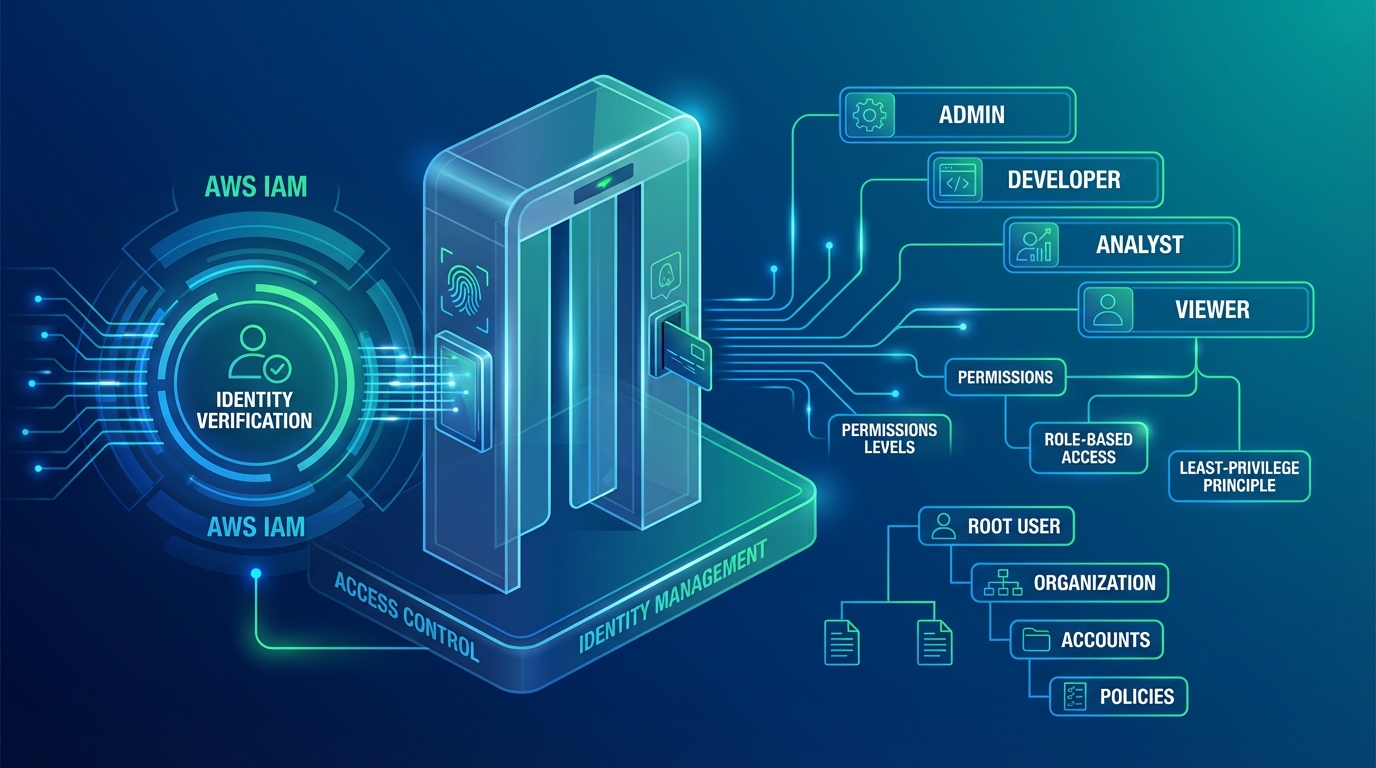
5. Lock Down IAM Like Your Data Depends On It
IAM is the skeleton key to your AWS account. If someone gets broad IAM permissions, they can read your data, delete your infrastructure, or spin up expensive compute to mine cryptocurrency.
Most IAM breaches happen through:
- Overly permissive policies —
"Action": "*"or"Resource": "*"in production - Forgotten root credentials — the main AWS account owner password getting reused or stored insecurely
- Unused access keys — AWS keys left in GitHub repos from contractors three years ago
- Missing MFA — accounts that don’t require multi-factor authentication to delete or modify resources
What to do:
- Lock the AWS root account. Enable MFA. Don’t use it for daily operations
- Centralize identity with AWS IAM Identity Center (formerly SSO) so all employees log in via your corporate directory (Okta, Entra ID, etc.)
- Apply the principle of least privilege: each role or user gets the minimum permissions needed to do their job. Use IAM Access Analyzer to find and remove unused permissions
- Require temporary credentials through IAM roles, not long-lived access keys. Rotate any existing keys every 90 days
- Use permission boundaries to prevent developers from escalating their own privileges
- Enable CloudTrail data events so you can see exactly which IAM principal accessed which data
IAM is not a “set it and forget it” system. Review who has access to what every quarter.
6. Continuously Monitor and Patch Your Compute
Cloud resources spin up and disappear constantly through autoscaling. By the time you finish a manual vulnerability scan, half your instances are gone and new ones are vulnerable.
What to do:
- Enable AWS Inspector v2, which uses agent-based scanning for real-time vulnerability detection on EC2 instances, container images, and Lambda functions
- Use EC2 Image Builder to create hardened AMIs with security patches baked in before they ever hit production
- Implement automatic patching through AWS Systems Manager Patch Manager — it applies OS and application patches on a schedule and logs everything to CloudTrail
- Scan all container images in Amazon ECR (Elastic Container Registry) for vulnerabilities before they’re deployed
- Set up EventBridge alerts so your security team is notified within minutes of a critical vulnerability being detected in your infrastructure
Vulnerability management isn’t about perfection. It’s about reducing the window between a vulnerability being discovered and you patching it from weeks to hours.
7. Centralize and Protect Your Logs
Logs are the forensic evidence of everything that happened in your environment. If they’re deleted or tampered with, you’ve lost your incident timeline.
What to do:
- Create CloudTrail trails in all AWS regions (not just one) so you capture API calls from everywhere
- Route all CloudTrail logs to a centralized S3 bucket in your Log Archive account, not in the account where the activity occurred
- Protect that S3 bucket with strict policies: deny any deletion requests, require encryption with AWS KMS (not S3-managed keys), and block all public access
- Enable CloudTrail log file validation so you can cryptographically verify that no logs were deleted or modified after the fact
- Use CloudTrail Lake to query your logs without having to download them: “Show me all IAM policy changes in the last 24 hours” or “Find all S3 downloads from outside our VPN”
- Archive logs older than 90 days to S3 Glacier for cost savings, but keep them queryable
A centralized, immutable log archive is the foundation of incident response. Without it, you’re guessing.
Deep dive into S3 security and log protection
8. Detect and Respond to Threats Automatically
By the time a human notices a security alert, an attacker may have already moved laterally through your infrastructure.
AWS GuardDuty uses machine learning on your CloudTrail logs, VPC Flow Logs, and DNS logs to detect attack patterns that humans would miss. Extended Threat Detection goes further — it identifies multi-stage attacks (reconnaissance, privilege escalation, lateral movement) in real time.
What to do:
- Enable AWS GuardDuty in all regions across all accounts
- Turn on Extended Threat Detection, which uses AI to correlate events across multiple data sources and identify sophisticated attack sequences
- Aggregate all findings (GuardDuty, Config non-compliance, IAM Access Analyzer findings) into AWS Security Hub
- Create EventBridge rules that automatically trigger Lambda functions to respond to high-severity findings: isolate a compromised EC2 instance, revoke suspicious IAM credentials, or restore a modified security group to known-good state
- Log all remediation actions back to CloudTrail so your security team has a complete record of what happened and why
Automated response sounds scary (“what if we isolate the wrong instance?”), but it’s actually safer than manual response. Automated responses are logged, repeatable, and fast. They reduce MTTR (mean time to respond) from hours to minutes.
Set up GuardDuty threat detection
9. Unify Your Security Posture Across the Organization
Most teams have production workloads in AWS, some on-premises infrastructure, and maybe some workloads in another cloud. Security teams juggle five different tools and three different dashboards.
Fragmented visibility creates blind spots. An attacker who finds a path from your on-premises network to your AWS environment can move freely because your AWS team and on-premises team aren’t sharing findings.
What to do:
- Use AWS Organizations with delegated administrator accounts so Security Hub, GuardDuty, and Firewall Manager all report centrally
- Implement AWS Network Firewall or third-party SIEM solutions (Splunk, Datadog, CrowdStrike) that ingest logs from both cloud and on-premises
- Create cross-cloud IAM federation so users log in once and access resources everywhere
- Establish a security operations center (SOC) workflow so findings flow through one incident response system, not multiple ticket queues
- Conduct quarterly cross-team security reviews so on-premises and cloud teams align on threat priorities and remediation strategies
Unified security doesn’t mean identical tools everywhere. It means one view of risk across your entire infrastructure.
Learn about unifying your security layers
10. Automate Security Processes to Scale Without Burnout
Manual security work doesn’t scale. As your infrastructure grows, your security team gets buried in alerts, compliance reports, and remediation tickets.
The most mature security teams aren’t larger — they’re more automated.
What to do:
- Use AWS Automated Security Response (ASR) solution to create runbooks that automatically respond to GuardDuty findings: disable compromised IAM keys, isolate infected instances, restore tampered files
- Implement SOAR (Security Orchestration, Automation, and Response) workflows that chain multiple AWS services together: when GuardDuty detects unusual activity, automatically block the source IP in WAF, alert the team in Slack, open a ticket in Jira, and pull logs into your SIEM
- Use AWS Config Remediation actions to automatically fix drift: if a security group is modified to allow public SSH access, automatically revert it
- Automate compliance reporting: instead of manually collecting evidence for SOC 2 or PCI audits, let AWS do it. Export Config compliance snapshots daily so you always have audit-ready evidence
- Create Lambda functions that run on schedules to monitor for common misconfigurations and alert your team
The goal isn’t to eliminate security team jobs. It’s to eliminate the repetitive, manual work so your team can focus on strategy, threat hunting, and incident response.
Dive into automated security remediation
Putting It All Together
These 10 practices form a continuous security loop:
- Plan security architecture before deploying (Landing Zone)
- Embed security into development (CI/CD, Infrastructure as Code)
- Define what secure looks like for your organization (Baseline)
- Enforce the baseline continuously (Config, Control Tower, Security Hub)
- Protect identity (IAM, least privilege)
- Monitor compute for vulnerabilities (Inspector, patching)
- Centralize logs for forensics (CloudTrail, S3, KMS)
- Detect and respond to threats automatically (GuardDuty, EventBridge automation)
- Unify visibility across cloud and on-premises (Security Hub, SIEM)
- Automate remediation to reduce manual work (SOAR, ASR, Config Remediation)
Each practice builds on the previous one. You can’t detect threats if you don’t have logs. You can’t enforce a baseline if it’s not documented. You can’t respond automatically if you haven’t thought through the playbooks.
What’s Your Next Step?
If your organization is starting from scratch with AWS security, the order matters:
- First, get a Landing Zone in place (Practice 1)
- Then, write down your baseline (Practice 3)
- Then enforce it (Practice 4) and protect IAM (Practice 5)
- Then add detection and response (Practices 7, 8, 10)
If you’re already deep in AWS and want to level up:
- Review your current IAM policies with Access Analyzer — you probably have stale access granting permissions to people and services no longer in the organization
- Turn on GuardDuty Extended Threat Detection (it costs about $2K/month but pays for itself in risk reduction)
- Set up automated remediation rules in Security Hub and EventBridge (this is where you get 10x returns on security investment)
For compliance-specific implementations (HIPAA, PCI DSS, SOC 2), each framework adds its own requirements on top of these 10 practices. But these 10 are the foundation that makes compliance possible.
Need help designing a security architecture for your organization? Book a free AWS security audit or explore compliance-specific guidance.