AWS Multi-Account Strategy: Landing Zone Best Practices
Quick summary: How to structure your AWS organization with multiple accounts for security, compliance, and cost isolation — using AWS Organizations, Control Tower, and a well-designed landing zone.
Key Takeaways
- How to structure your AWS organization with multiple accounts for security, compliance, and cost isolation — using AWS Organizations, Control Tower, and a well-designed landing zone
- How to structure your AWS organization with multiple accounts for security, compliance, and cost isolation — using AWS Organizations, Control Tower, and a well-designed landing zone
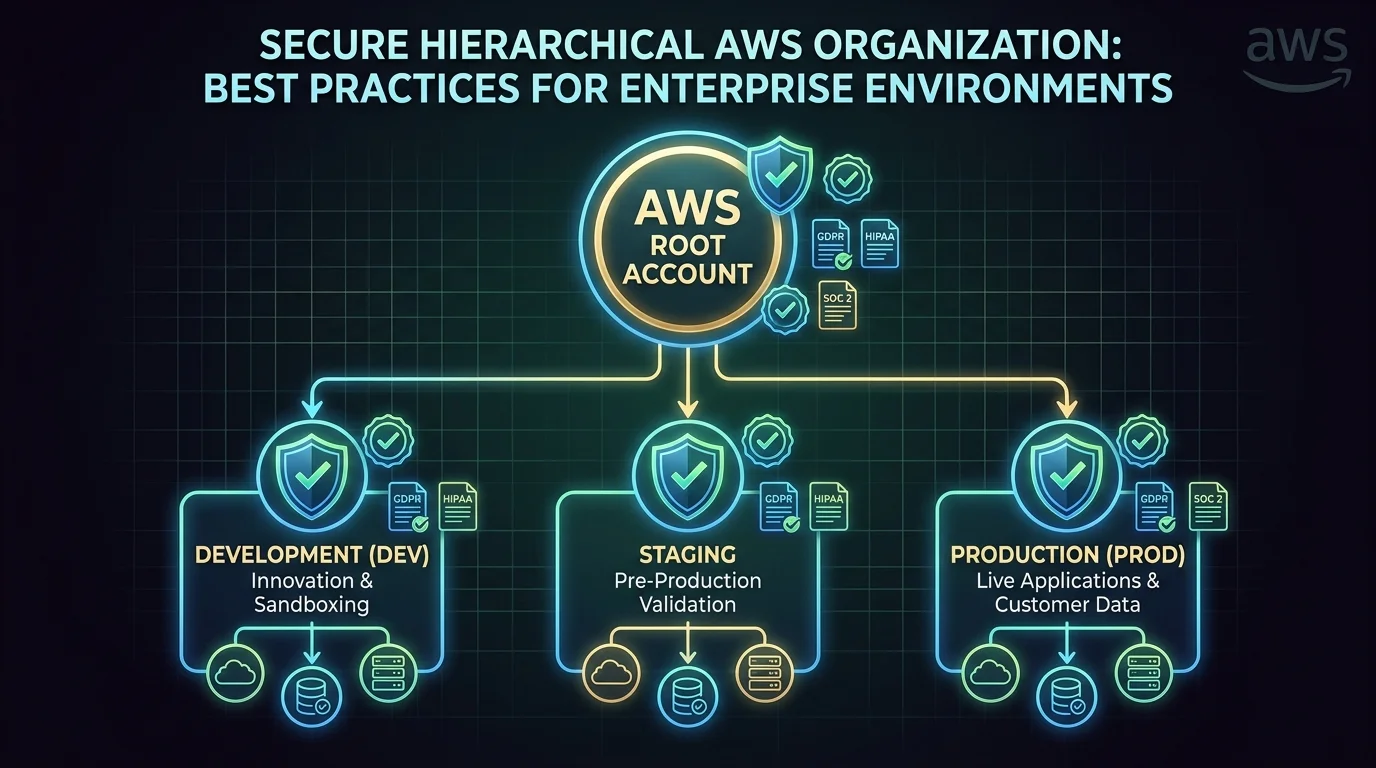
Table of Contents
A single AWS account is fine for experimentation. For anything production-grade, it is a liability. A multi-account strategy is one of the most impactful architectural decisions you can make — it improves security isolation, simplifies compliance, enables per-team cost attribution, and prevents blast radius from spreading across environments.
Yet most organizations delay multi-account adoption because it seems complex. This guide provides a practical framework for structuring your AWS organization.
Why Multiple Accounts?
AWS accounts are the strongest isolation boundary available. Unlike IAM policies (which can be misconfigured), VPCs (which can be peered), or resource tags (which can be forgotten), accounts provide hard isolation for:
- Security — A compromised development account cannot access production data
- Billing — Per-account cost attribution without relying on tagging discipline
- Service limits — Each account has independent service quotas, preventing one workload from exhausting limits for another
- Compliance — Segregate regulated workloads (HIPAA, PCI) into dedicated accounts with stricter controls
- Blast radius — An infrastructure misconfiguration in one account does not affect other accounts
Recommended Account Structure
Organizational Units (OUs)
AWS Organizations groups accounts into Organizational Units (OUs). Each OU can have service control policies (SCPs) that define the maximum permissions available to any IAM entity within accounts in that OU.
Root
├── Security OU
│   ├── Log Archive account (centralized CloudTrail, Config logs)
│   ├── Security Tooling account (GuardDuty delegated admin, Security Hub)
│   └── Audit account (read-only access for compliance teams)
├── Infrastructure OU
│   ├── Networking account (Transit Gateway, shared VPCs, Direct Connect)
│   ├── Shared Services account (CI/CD pipelines, artifact repositories, DNS)
│   └── Identity account (AWS SSO/IAM Identity Center, IdP federation)
├── Workloads OU
│   ├── Production OU
│   │   ├── Product A Production
│   │   ├── Product B Production
│   │   └── Data Platform Production
│   ├── Staging OU
│   │   ├── Product A Staging
│   │   └── Product B Staging
│   └── Development OU
│       ├── Product A Development
│       └── Product B Development
├── Sandbox OU
│   ├── Developer Sandbox 1
│   └── Developer Sandbox 2
└── Suspended OU (decommissioned accounts)
Core Accounts
Management account — The root of your AWS Organization. This account should contain nothing except Organizations, SCPs, and billing configuration. No workloads, no user access. It is the most privileged account in your organization and should have the fewest people with access.
Log Archive account — Centralized storage for CloudTrail logs, Config snapshots, VPC Flow Logs, and other audit data from all accounts. S3 buckets in this account are locked down with bucket policies that allow writing from other accounts but prevent deletion.
Security Tooling account — Runs GuardDuty (delegated administrator), Security Hub, and other security monitoring tools that aggregate findings across all accounts.
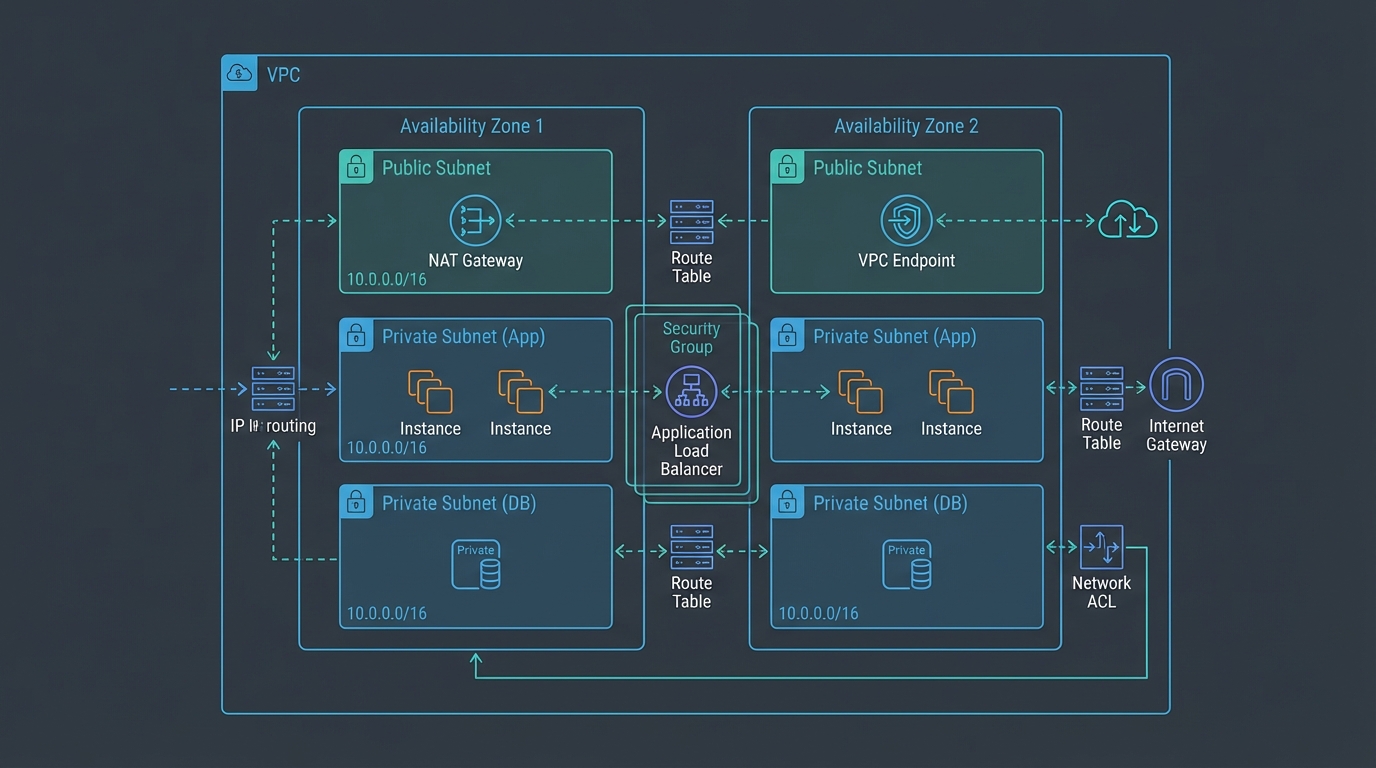
Networking account — Owns shared networking infrastructure: Transit Gateway, Direct Connect gateways, Route 53 hosted zones, and centralized VPC endpoints. Other accounts peer to this account’s Transit Gateway for inter-account and on-premises connectivity.
Shared Services account — Hosts CI/CD pipelines, container registries (ECR), artifact repositories, and other shared DevOps infrastructure that serves multiple workload accounts.
Service Control Policies
SCPs are the guardrails that prevent accounts from doing things they should not. They do not grant permissions — they restrict what IAM policies can do within an account.
Essential SCPs
Deny Region restriction — Restrict all API calls to approved Regions only. This prevents workloads from running in unapproved Regions, which is critical for data residency compliance:
{
  "Effect": "Deny",
  "Action": "*",
  "Resource": "*",
  "Condition": {
    "StringNotEquals": {
      "aws:RequestedRegion": ["us-east-1", "us-west-2"]
    }
  }
}
Deny root user actions — Prevent the root user from performing actions in member accounts (root should only be used for initial account setup):
Deny leaving the organization — Prevent accounts from being removed from the organization without management account approval.
Deny disabling security services — Prevent anyone from disabling CloudTrail, GuardDuty, Config, or Security Hub within member accounts.
Environment-Specific SCPs
Production OU:
- Deny deletion of RDS instances without final snapshot
- Deny modification of backup policies
- Deny public S3 bucket creation
- Require encryption on all new resources
Development OU:
- Allow broader permissions but restrict expensive instance types
- Limit maximum spend per account
- Restrict access to production data
Sandbox OU:
- Maximum flexibility for experimentation
- Hard spending limit enforced via AWS Budgets + Lambda auto-remediation
- Auto-cleanup of resources older than 7 days
AWS Control Tower
Control Tower automates the setup of a multi-account landing zone with pre-configured guardrails:
What it provides:
- Pre-built account factory for provisioning new accounts with standardized configurations
- Mandatory guardrails (CloudTrail enabled, log archive configured) applied automatically
- Strongly recommended guardrails (encryption, public access blocks) available as opt-in
- Dashboard for monitoring guardrail compliance across all accounts
When to use it:
- You are starting a new AWS organization from scratch
- You want automated account provisioning with standardized baselines
- You have compliance requirements that benefit from pre-built guardrail catalogs
When to build custom:
- You have an existing organization that is difficult to retrofit into Control Tower
- You need guardrails that Control Tower does not provide out of the box
- Your networking architecture does not align with Control Tower’s default VPC design
Control Tower 2025 Updates
AWS has continued expanding Control Tower’s capabilities. Key updates in 2025 include:
- Proactive controls: Controls that check resources before provisioning (not just after), preventing non-compliant resources from being created rather than remediating after the fact
- Account Factory for Terraform (AFT) improvements: Better drift detection and automated remediation for account baselines managed via AFT
- Extended Region support: Control Tower now covers all commercial AWS Regions, eliminating gaps that previously forced some organizations to manage certain Regions outside of Control Tower
Cross-Account Access Patterns
IAM Identity Center (SSO)
IAM Identity Center provides centralized user authentication across all accounts:
- Engineers sign in once and switch between accounts via a portal
- Permission sets define what users can do in each account
- Integration with external identity providers (Okta, Azure AD, Google Workspace)
- Temporary credentials — no long-lived access keys
2025 improvements to IAM Identity Center:
- Trusted identity propagation: Identity Center can now propagate user identity claims to supported AWS services (like Amazon Redshift and AWS Analytics services) without requiring service-specific IAM roles — enabling attribute-based access control that follows the user’s identity across services
- Improved permission set versioning: Changes to permission sets now show a diff view before deployment, reducing the risk of unintended permission changes across multiple accounts
Example permission sets:
AdministratorAccess→ Management team → Production accountPowerUserAccess→ Engineers → Development accountsReadOnlyAccess→ Engineers → Production account (for debugging)SecurityAudit→ Security team → All accounts
Cross-Account IAM Roles
For service-to-service communication between accounts, use IAM roles with trust policies:
CI/CD Pipeline (Shared Services account) → Assumes deployment role → Production accountThe deployment role in the production account trusts the CI/CD pipeline role in the shared services account. This provides least-privilege access without sharing credentials.
Resource Sharing
AWS Resource Access Manager (RAM) shares resources across accounts without duplication:
- VPC subnets — Share networking account subnets with workload accounts
- Transit Gateway — Share connectivity infrastructure
- Route 53 Resolver rules — Share DNS resolution rules
- License Manager — Share software licenses across accounts
Cost Management Across Accounts
Consolidated Billing
AWS Organizations automatically enables consolidated billing — all accounts receive a single bill. Volume discounts and Reserved Instance/Savings Plan benefits are shared across the organization.
Per-Account Cost Attribution
With multiple accounts, cost attribution is built into the structure:
- Each account’s costs are naturally separated in Cost Explorer
- No reliance on tagging (though tags provide additional granularity)
- Per-team and per-product cost visibility without additional tooling
- Budget alerts per account to catch runaway spending early
Reserved Instance and Savings Plan Sharing
By default, RI and SP discounts apply across the entire organization. You can optionally disable sharing and restrict discounts to specific accounts — useful when different business units manage their own cloud budgets.
RI/SP Group Sharing (November 2025): AWS launched RI/SP Group Sharing as generally available, allowing organizations to define sharing groups that determine which accounts within the organization can consume each other’s RI and Savings Plan discounts. This provides fine-grained control over discount allocation in organizations where different teams manage separate cost budgets.
Multi-Account AI/ML Governance
As organizations adopt Amazon Bedrock and SageMaker, multi-account governance extends to AI/ML workloads:
- Bedrock delegated admin: Similar to GuardDuty, Bedrock organizational features can be administered from a central account
- Model access control: SCPs can restrict which Bedrock foundation models specific accounts or OUs can invoke, preventing unauthorized use of expensive models
- AI cost attribution: Bedrock token usage is visible per account in Cost Explorer, enabling per-team AI cost tracking within your organization structure
Common Multi-Account Mistakes
Mistake 1: Too Few Accounts
Running production, staging, and development in a single account provides zero isolation. A developer’s misconfigured IAM policy could access production databases. Separate environments into separate accounts — at minimum, production and non-production.
Mistake 2: Too Many Accounts Without Automation
Creating 50 accounts manually without Infrastructure as Code leads to configuration drift. Use Account Factory (Control Tower) or custom CloudFormation/CDK/Terraform to provision accounts with standardized baselines. Every account should be identical except for workload-specific resources.
Mistake 3: No Centralized Logging
If each account stores its own CloudTrail logs, a compromised account can delete its audit trail. Centralize all logs to the Log Archive account with deletion protection. This is the first thing an auditor or incident responder will look for.
Mistake 4: Networking Sprawl
Creating separate VPCs in every account without a networking strategy leads to overlapping CIDR ranges, inconsistent routing, and inability to communicate between accounts. Centralize networking in a dedicated account with Transit Gateway.
Getting Started
A well-designed multi-account strategy is foundational to everything else — security, cost management, compliance, and operational efficiency all improve with proper account isolation.
If you are running workloads in a single account or a small number of accounts without formal structure, an AWS Architecture Review can assess your current state and design a migration path to a well-structured organization.
For ongoing management of multi-account environments, see our AWS Managed Services.
AWS Cloud Architect & AI Expert
AWS-certified cloud architect and AI expert with deep expertise in cloud migrations, cost optimization, and generative AI on AWS.