AWS S3 Security Best Practices: Preventing Data Exposure
Quick summary: A comprehensive guide to S3 security — bucket policies, encryption, access logging, Block Public Access, and the practices that prevent the data breaches that make headlines.
Key Takeaways
- A comprehensive guide to S3 security — bucket policies, encryption, access logging, Block Public Access, and the practices that prevent the data breaches that make headlines
- A comprehensive guide to S3 security — bucket policies, encryption, access logging, Block Public Access, and the practices that prevent the data breaches that make headlines
Table of Contents
S3 is the most widely used AWS service — and historically the most common source of cloud data breaches. Misconfigured S3 buckets have exposed customer records, credentials, backup databases, and sensitive business documents. Not because S3 is insecure, but because its flexibility makes misconfiguration easy.
AWS has significantly improved S3’s default security posture over the past few years. New buckets now block public access by default, object ownership is enforced, and ACLs are disabled. But legacy configurations, complex bucket policies, and cross-account access patterns still create risk. This guide covers the security practices that prevent S3 from becoming your organization’s next headline.
Block Public Access: The First Line of Defense
S3 Block Public Access (BPA) is the single most important S3 security control. It overrides any bucket policy or ACL that would make objects publicly accessible.
Four BPA settings:
| Setting | What It Blocks |
|---|---|
| BlockPublicAcls | New public ACLs from being applied |
| IgnorePublicAcls | Existing public ACLs from granting access |
| BlockPublicPolicy | New public bucket policies from being applied |
| RestrictPublicBuckets | Public and cross-account access via public policies |
Enable all four at the account level:
{
  "BlockPublicAcls": true,
  "IgnorePublicAcls": true,
  "BlockPublicPolicy": true,
  "RestrictPublicBuckets": true
}
When enabled at the account level, no bucket in that account can be made public — regardless of individual bucket settings. This is the default for new accounts, but older accounts may not have it enabled.
Exception handling: If you legitimately need a public bucket (static website hosting, public datasets), create it in a dedicated account with BPA disabled only for that specific bucket. Never disable account-level BPA in accounts that contain sensitive data.
Bucket Policies
Bucket policies are the primary access control mechanism for S3. They are powerful — and dangerous if written incorrectly.
Principle of Least Privilege
Every bucket policy should grant the minimum access required:
{
  "Effect": "Allow",
  "Principal": { "AWS": "arn:aws:iam::123456789012:role/DataProcessorRole" },
  "Action": ["s3:GetObject"],
  "Resource": "arn:aws:s3:::my-data-bucket/processed/*"
}
This policy grants read access to a specific IAM role, for a specific prefix only. Compare to the overly permissive alternative:
{
  "Effect": "Allow",
  "Principal": "*",
  "Action": "s3:*",
  "Resource": "arn:aws:s3:::my-data-bucket/*"
}
This grants full access to everyone on the internet. It appears in more bucket policies than you might expect.
Deny Policies
Explicit deny policies provide guardrails that cannot be overridden by other allow statements:
Deny unencrypted uploads:
{
  "Effect": "Deny",
  "Principal": "*",
  "Action": "s3:PutObject",
  "Resource": "arn:aws:s3:::my-bucket/*",
  "Condition": {
    "StringNotEquals": {
      "s3:x-amz-server-side-encryption": "aws:kms"
    }
  }
}
Deny access from outside your organization:
{
  "Effect": "Deny",
  "Principal": "*",
  "Action": "s3:*",
  "Resource": ["arn:aws:s3:::my-bucket", "arn:aws:s3:::my-bucket/*"],
  "Condition": {
    "StringNotEquals": {
      "aws:PrincipalOrgID": "o-your-org-id"
    }
  }
}
This aws:PrincipalOrgID condition restricts access to IAM principals within your AWS Organization — even if someone creates an IAM policy that references your bucket in another account outside your organization.
Deny non-TLS access:
{
  "Effect": "Deny",
  "Principal": "*",
  "Action": "s3:*",
  "Resource": ["arn:aws:s3:::my-bucket", "arn:aws:s3:::my-bucket/*"],
  "Condition": {
    "Bool": {
      "aws:SecureTransport": "false"
    }
  }
}
Encryption
Server-Side Encryption
S3 now encrypts all objects by default using SSE-S3 (AES-256). You do not need to configure anything for baseline encryption. However, for compliance and key management requirements, you have three options:
| Encryption Type | Key Management | Cost | Use Case |
|---|---|---|---|
| SSE-S3 (AES-256) | AWS managed, automatic | Free | Default, general-purpose |
| SSE-KMS | AWS KMS managed, per-key policies | KMS API costs | Compliance, audit trail, key rotation |
| SSE-KMS with CMK | Customer-managed KMS key | KMS API costs | Maximum control, cross-account key sharing |
SSE-KMS advantages over SSE-S3:
- CloudTrail logs every use of the KMS key (who accessed what, when)
- Key policies provide an independent access control layer
- Automatic key rotation (annual for AWS-managed keys, configurable for CMKs)
- Key deletion scheduling with a waiting period (7-30 days) prevents accidental data loss
Recommendation: Use SSE-KMS with a customer-managed key for any bucket containing sensitive data (PII, financial data, healthcare records). The KMS API cost is minimal ($0.03 per 10,000 requests) and the audit trail is invaluable for compliance.
Client-Side Encryption
For data that must be encrypted before it leaves your application (zero-trust model), use the AWS Encryption SDK or S3 Encryption Client. The encryption keys never reach AWS — objects are encrypted in your application and uploaded as ciphertext.
Use cases: Regulated industries requiring end-to-end encryption, data that even AWS administrators should not be able to read, keys managed by a third-party HSM or on-premises KMS.
Access Logging and Monitoring
S3 Server Access Logging
Enable server access logging to record every request made to your bucket:
Target bucket: my-bucket-access-logs
Target prefix: my-data-bucket/
Access logs capture: requester identity, bucket name, request time, action, response status, and error code. These logs are essential for security investigations and compliance audits.
Important: Store access logs in a separate bucket (not the same bucket being logged) to prevent recursive logging. Apply a lifecycle policy to the log bucket to manage storage costs.
CloudTrail Data Events
For higher-fidelity logging, enable CloudTrail data events for S3:
- Records API-level detail (GetObject, PutObject, DeleteObject) with full request context
- Integrates with CloudWatch for real-time alerting
- More expensive than server access logging ($0.10 per 100,000 events) but provides richer data
When to use which:
- Server access logging — All buckets, baseline visibility, low cost
- CloudTrail data events — Sensitive buckets, compliance requirements, incident response
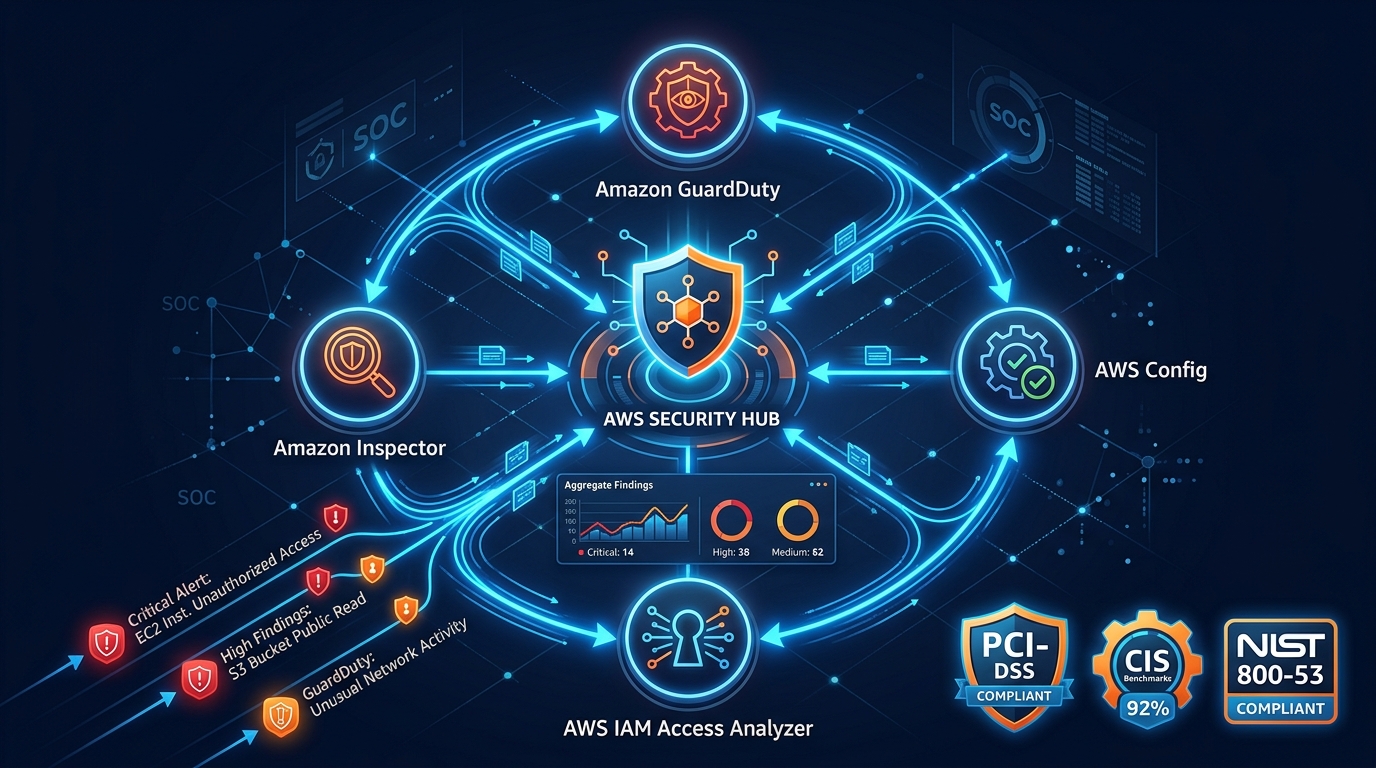
GuardDuty S3 Protection
GuardDuty monitors S3 access patterns and alerts on suspicious activity:
- Unusual API calls from known malicious IPs
- Access from Tor exit nodes or anonymizing proxies
- Anomalous data access patterns (unusual volume, unusual time, unusual requester)
- Disabling of S3 security controls (BPA, encryption, logging)
GuardDuty S3 protection is enabled automatically when GuardDuty is active in your account.
Object Lock and Versioning
Versioning
Enable versioning on every production bucket. Versioning protects against accidental deletion and overwrites — you can always recover a previous version of any object.
Cost consideration: Versioning stores all previous versions, which increases storage costs. Use lifecycle rules to expire non-current versions after a defined retention period:
{
  "Rules": [
    {
      "Status": "Enabled",
      "NoncurrentVersionExpiration": {
        "NoncurrentDays": 90
      }
    }
  ]
}
Object Lock
Object Lock provides write-once-read-many (WORM) storage for compliance requirements:
Two modes:
- Governance mode — Prevents deletion unless the user has specific IAM permissions (
s3:BypassGovernanceRetention). Allows authorized users to override the lock. - Compliance mode — Prevents deletion by anyone, including the root account, until the retention period expires. Cannot be overridden.
Use cases:
- Financial record retention (SEC Rule 17a-4)
- Healthcare data retention (HIPAA)
- Legal hold for litigation
- Audit log preservation
Warning: Compliance mode Object Lock is irreversible for the retention period. If you lock objects for 7 years in compliance mode, you will pay for storage for 7 years — no exceptions.
Attribute-Based Access Control (ABAC) for S3
S3 Attribute-Based Access Control (ABAC), available since November 2025, enables tag-based permission management for S3 that scales without constant policy updates. Instead of writing new bucket policies every time you add a team or project, ABAC grants access based on matching tags between the IAM principal and the S3 resource.
How ABAC works:
{
  "Effect": "Allow",
  "Action": ["s3:GetObject", "s3:PutObject"],
  "Resource": "arn:aws:s3:::*/*",
  "Condition": {
    "StringEquals": {
      "s3:ResourceTag/Project": "${aws:PrincipalTag/Project}",
      "s3:ResourceTag/Environment": "${aws:PrincipalTag/Environment}"
    }
  }
}
This single policy allows any IAM principal to access S3 objects where the Project and Environment tags match the tags on the principal. When you add a new project team, tag their IAM role and tag their S3 objects — no policy update required.
ABAC with Access Points: S3 Access Points now support ABAC conditions, enabling tag-based routing to specific access points without per-access-point policies.
Security benefit: ABAC reduces the attack surface from overly broad bucket policies. Instead of policies that grant access to specific account IDs (which can be shared or compromised), access is tied to resource attributes that are harder to forge.
Cross-Account Access
S3 Access Points
For buckets shared across multiple accounts or applications, Access Points simplify permission management:
my-data-bucket
├── access-point: analytics-team (read-only, prefix: analytics/)
├── access-point: data-pipeline (read-write, prefix: raw/)
└── access-point: audit-team (read-only, all prefixes)
Each Access Point has its own policy, DNS name, and network controls. This is cleaner than a single bucket policy with dozens of complex statements.
VPC restriction: Access Points can be restricted to specific VPCs, preventing access from outside your network:
{
  "Condition": {
    "StringEquals": {
      "s3:AccessPointNetworkOrigin": "VPC",
      "aws:SourceVpc": "vpc-12345"
    }
  }
}
Cross-Account Best Practices
- Use
aws:PrincipalOrgIDcondition to restrict access to your AWS Organization - Prefer IAM roles with trust policies over bucket policies with account IDs
- Use S3 Access Points instead of complex bucket policies for multi-team access
- Never use
Principal: "*"without restrictive conditions
Lifecycle Management
Lifecycle rules reduce storage costs and enforce data retention policies:
| Transition | Use Case | Cost Impact |
|---|---|---|
| Standard → Standard-IA | Data accessed less than once per month (30 days minimum) | 45% storage savings |
| Standard-IA → Glacier Instant Retrieval | Archive with occasional fast access | 68% storage savings |
| Glacier Instant → Glacier Flexible | Archive with infrequent access (minutes to hours retrieval) | 80% storage savings |
| Glacier Flexible → Glacier Deep Archive | Long-term archive (12 hours retrieval) | 95% storage savings |
| Expire/Delete | Data past retention period | 100% savings |
Compliance consideration: Match lifecycle rules to your data retention policy. Do not automatically delete data that has regulatory retention requirements. For compliance-critical data, use Object Lock to prevent premature deletion.
Security Auditing
AWS Config Rules
Deploy Config rules to continuously audit S3 bucket configurations:
s3-bucket-public-read-prohibited— Flags buckets with public read accesss3-bucket-public-write-prohibited— Flags buckets with public write accesss3-bucket-ssl-requests-only— Flags buckets without TLS enforcements3-bucket-server-side-encryption-enabled— Flags unencrypted bucketss3-bucket-logging-enabled— Flags buckets without access loggings3-bucket-versioning-enabled— Flags buckets without versioning
IAM Access Analyzer
IAM Access Analyzer reviews bucket policies and Access Points to identify resources shared outside your account or organization. It flags any policy that grants access to external principals — catching misconfigurations before they become breaches.
S3 Storage Lens
Storage Lens provides organization-wide visibility into S3 usage, activity, and security posture. The free tier includes 28 metrics; the advanced tier adds cost optimization and data protection metrics.
Common S3 Security Mistakes
Mistake 1: Overly Broad Bucket Policies
The most common mistake — granting s3:* or Principal: "*" when only specific actions or principals are needed. Review every bucket policy for least privilege. Use IAM Access Analyzer to identify overly permissive policies.
Mistake 2: Not Enabling Versioning
Without versioning, a single DeleteObject call permanently removes data. An attacker with write access — or a developer running the wrong script — can destroy your data with no recovery option.
Mistake 3: Ignoring Access Logs
If you do not log access, you cannot detect unauthorized access, investigate breaches, or demonstrate compliance. Enable server access logging on every bucket, and CloudTrail data events on buckets containing sensitive data.
Mistake 4: Static Credentials in Application Code
Applications accessing S3 should use IAM roles (EC2 instance profiles, Lambda execution roles, ECS task roles) — never static access keys. Static keys in code, environment variables, or configuration files are the single largest source of AWS credential compromise.
Mistake 5: No Data Classification
Not all data requires the same security controls. Classify your data and apply controls proportionally:
| Classification | Controls | Example |
|---|---|---|
| Public | BPA exception, no encryption required | Marketing assets, open data |
| Internal | BPA, SSE-S3, access logging | Application logs, non-sensitive configs |
| Confidential | BPA, SSE-KMS, CloudTrail data events, versioning | Customer data, business records |
| Restricted | BPA, SSE-KMS with CMK, Object Lock, VPC-only access | PII, financial data, healthcare records |
S3 Metadata and Data Governance
S3 Metadata (GA since January 2025) introduces queryable metadata for S3 objects at scale. S3 Metadata automatically maintains an Apache Iceberg table containing metadata about every object in a bucket — creation time, size, storage class, tags, checksums, and custom metadata.
Security governance use case: Query the metadata table to find all objects that:
- Lack encryption tags
- Have not been accessed in more than 90 days (candidates for lifecycle tiering or deletion)
- Were modified by a specific IAM principal
- Have specific custom metadata indicating data classification
This enables security auditing at the metadata layer without downloading objects, which is particularly valuable for compliance evidence gathering.
S3 Security Checklist
Use this checklist for every production bucket:
- Block Public Access enabled at account level
- Block Public Access enabled at bucket level
- Server-side encryption (SSE-KMS for sensitive data)
- Bucket policy follows least privilege
- No
Principal: "*"without restrictive conditions - Server access logging enabled
- CloudTrail data events enabled (for sensitive buckets)
- Versioning enabled
- Lifecycle rules configured
- TLS-only access enforced
- Cross-account access restricted to organization
- AWS Config rules deployed for continuous monitoring
- ABAC tags applied for attribute-based access policies (2025)
- S3 Metadata enabled for governance and compliance querying
Getting Started
S3 security is not a one-time configuration — it requires continuous monitoring, policy review, and posture management as your organization grows. For a comprehensive security assessment of your AWS environment, including S3 bucket auditing, or for ongoing security management through our managed services, talk to our team.
AWS Cloud Architect & AI Expert
AWS-certified cloud architect and AI expert with deep expertise in cloud migrations, cost optimization, and generative AI on AWS.