Terraform + Claude Skills on AWS: A Production Walkthrough (and 5 Things It Still Won't Do for You)
Quick summary: July 2026 production walkthrough of Anton Babenko's Terraform Claude Skill on AWS — VPC, EKS, S3 + KMS, IAM OIDC — with measured scorecards, five gaps the skill still won't cover, and a reproducible eval harness.
Key Takeaways
- As of July 19, 2026, most AWS teams shipping Terraform already have a Copilot or Claude tab open while they work
- IAM policies with because the model wanted the example to "just run
- Remote state in an S3 bucket with no encryption block
- Tobias Schmidt covered the basics in his overview on AWS Fundamentals
- Pair with S3-native locking ( on Terraform 1
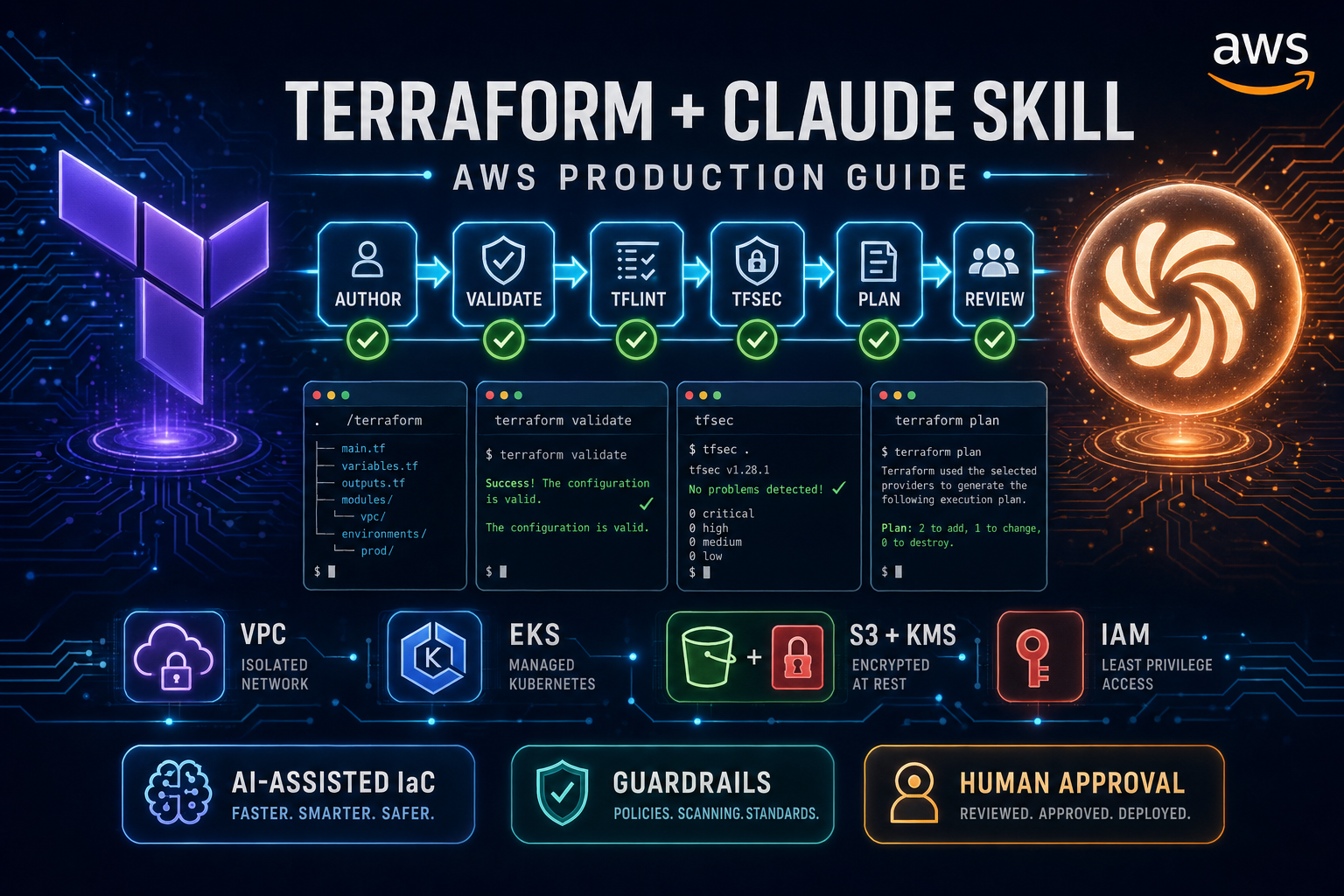
Table of Contents
As of July 19, 2026, most AWS teams shipping Terraform already have a Copilot or Claude tab open while they work. The output is fast, syntactically valid, and almost always wrong in ways that only show up in production. Default VPCs. IAM policies with Action: "*" because the model wanted the example to “just run.” Hardcoded ARNs. No default_tags. Remote state in an S3 bucket with no encryption block. Anything that looks correct to a terraform validate pass but fails a Well-Architected review three weeks later.
Anton Babenko’s terraform-claude-skill is still the strongest open workflow contract we’ve used for closing that gap. Tobias Schmidt covered the basics in his overview on AWS Fundamentals. This post picks up where that one stops: we ran the skill against real AWS workloads — VPC, EKS, S3 + KMS-encrypted state, IAM roles for GitHub Actions OIDC — measured what changed, compared it to Amazon Q Developer and Copilot, and documented the five things AWS teams still have to do themselves. Pair with S3-native locking (use_lockfile = true on Terraform 1.10+) from our state management guide before you treat AI-generated backends as production-ready.
TL;DR. The Terraform Claude Skill eliminates roughly 80% of the “code that runs but shouldn’t ship” output you get from a default LLM. The remaining 20% — multi-account governance, drift detection, Well-Architected coverage beyond security, FinOps tagging, and pipeline-level safety — is still on you. We’ll show both halves.
| Aspect we tested | Default Claude (no skill) | Claude with /terraform skill |
|---|---|---|
| File structure | Single main.tf | network/, eks/, iam/ modules |
| Remote state | S3 bucket, no KMS | S3 + KMS + DynamoDB lock table |
| IAM policies | Action: "*" | Scoped per service, no wildcards |
| Tagging | None | default_tags + tag-policy hint |
| Linting | Skipped | tflint + tfsec runs before “done” |
First terraform plan | Failed (cycle, missing IAM) | Clean |
| Test scaffolding | None | tests/ with mocks + integration |
What the Terraform Claude Skill Actually Is
Skills are a feature of Claude Code: a folder under ~/.claude/skills/<name>/ containing markdown files that describe a domain — instructions, references, and examples — that Claude loads when you invoke the skill (here, by typing /terraform). They are not prompts you copy-paste. They are not a fine-tuned model. They are a structured context bundle plus a workflow contract.
The Terraform Claude Skill bundles four things into that contract:
An engine. Claude is required to run
terraform init,terraform validate, andterraform planand inspect the output before declaring a task done. The state file is treated as the source of truth, not the chat history.Guardrails. Modular layout is mandatory. Variables, outputs, and
versions.tfgo in their own files. Naming conventions and tag schemas are enforced. The skill rejects monolithicmain.tfblobs even when you ask for them.An expert brain. The skill carries explicit references for
for_each,dynamicblocks, provider quirks, and the most common AWS anti-patterns. It refuses to invent module sources or arguments — when it isn’t sure, it queries the registry rather than hallucinating.An integrated stack.
tflint,tfsec, andinfracostare wired in as required steps. A change isn’t “done” until lint is clean, security scan is clean, and a cost diff has been produced.
That last point is the one most people miss: the skill’s value is not the prompts. It’s that it refuses to claim victory until external tools agree. That single change moves AI-generated Terraform from “first draft” to “PR-ready” in most cases.
Need an extra set of eyes on AI-generated Terraform before it hits production? Our AWS DevOps Pipeline Setup and Architecture Review services include human-in-the-loop reviews of Terraform modules built with AI tooling. Contact us if your team is rolling out AI-assisted IaC and wants the governance layer figured out before, not after.
Installing It (Five Minutes)
Prerequisites:
- Claude Code installed and authenticated
- Terraform CLI 1.6+ on your
$PATH - AWS CLI configured with a profile that can read your target account
tflint,tfsec, and (optionally)infracostavailable locally
Clone the skill into your personal Claude skills directory:
# Personal install (just for you)
git clone https://github.com/antonbabenko/terraform-claude-skill.git \
  ~/.claude/skills/terraform

# Verify Claude Code picked it up
claude /terraform
# Expected: skill activates and announces its scope
For team-wide adoption, do not stop at a personal install. Fork the repo, pin a commit, and either commit the fork into a shared dotfiles repo or distribute it through your platform-engineering tooling. We’ve seen too many teams where one engineer’s local skill quietly diverges from the rest.
# Team install (recommended)
git clone git@github.com:your-org/terraform-claude-skill.git \
  ~/.claude/skills/terraform

# Pin to a known-good commit
cd ~/.claude/skills/terraform && git checkout <approved-sha>
Add organization-specific extensions in a separate file inside the skill folder — for example, ~/.claude/skills/terraform/company-rules.md containing approved module versions, your tag schema, and your blocked AWS regions. Claude reads every file in the skill directory.
The Live AWS Walkthrough
We picked a deliberately realistic prompt — the kind a backend engineer fires off on a Tuesday morning:
“Set up a production EKS cluster in
eu-west-1with private node groups, an S3 + KMS remote state backend, and IAM roles for GitHub Actions OIDC. Use theterraform-aws-modulesregistry where appropriate. Tag everything withEnvironment=prod,Owner=platform,CostCenter=infra.”
We ran it twice. Same model, same prompt, same context window. First without /terraform, second with.
Without the Skill
Claude produced a 320-line main.tf. It compiled. It even passed terraform validate. Then we read it.
# main.tf  (default Claude — what NOT to ship)
resource "aws_s3_bucket" "tf_state" {
  bucket = "my-tf-state-bucket-prod"
}

resource "aws_iam_role" "github_actions" {
  name = "github-actions-role"
  assume_role_policy = jsonencode({
    Version = "2012-10-17"
    Statement = [{
      Effect = "Allow"
      Principal = { Federated = "arn:aws:iam::123456789012:oidc-provider/token.actions.githubusercontent.com" }
      Action = "sts:AssumeRoleWithWebIdentity"
    }]
  })
}

resource "aws_iam_role_policy" "github_actions" {
  role = aws_iam_role.github_actions.name
  policy = jsonencode({
    Statement = [{ Effect = "Allow", Action = "*", Resource = "*" }]
  })
}
Six things wrong inside thirty lines: hardcoded account ID, no KMS encryption on the state bucket, no DynamoDB lock table, no aws:sub condition on the OIDC trust policy (any GitHub repo could assume the role), Action: "*", no tags, no versions.tf. This is the “looks fine, fails review” failure mode the skill is designed to prevent.
With the Skill
The same prompt with /terraform active produced a directory, not a file:
.
├── README.md
├── backend.tf
├── versions.tf
├── providers.tf
├── variables.tf
├── outputs.tf
├── modules/
│   ├── network/
│   │   ├── main.tf
│   │   ├── variables.tf
│   │   └── outputs.tf
│   ├── eks/
│   │   ├── main.tf
│   │   ├── variables.tf
│   │   └── outputs.tf
│   └── iam-github-oidc/
│       ├── main.tf
│       ├── variables.tf
│       └── outputs.tf
└── tests/
    ├── unit/
    └── integration/
The state bucket and lock table came out properly hardened:
# backend.tf
terraform {
  backend "s3" {
    bucket         = "factualminds-tfstate-prod-eu-west-1"
    key            = "platform/eks/terraform.tfstate"
    region         = "eu-west-1"
    dynamodb_table = "tfstate-lock"
    encrypt        = true
    kms_key_id     = "alias/tfstate-prod"
  }
}
# modules/iam-github-oidc/main.tf (excerpt)
data "aws_caller_identity" "current" {}
resource "aws_iam_role" "github_actions" {
name = "${var.name_prefix}-github-actions"
assume_role_policy = jsonencode({
Version = "2012-10-17"
Statement = [{
Effect = "Allow"
Principal = { Federated = "arn:aws:iam::${data.aws_caller_identity.current.account_id}:oidc-provider/token.actions.githubusercontent.com" }
Action = "sts:AssumeRoleWithWebIdentity"
Condition = {
StringEquals = {
"token.actions.githubusercontent.com:aud" = "sts.amazonaws.com"
}
StringLike = {
"token.actions.githubusercontent.com:sub" = [
for repo in var.allowed_repos : "repo:${repo}:ref:refs/heads/main"
]
}
}
}]
})
tags = var.tags
}Note the four corrections compared to the default version: account ID looked up dynamically, audience claim pinned, sub claim pinned to specific repos and branches, and tags applied. None of those were in the prompt — the skill enforced them because tfsec and its embedded references flag the OIDC anti-pattern.
The EKS module call is similarly unrecognisable from the default-Claude version. Instead of a 200-line inline cluster definition, the skill leaned on the community module and constrained it sensibly:
# modules/eks/main.tf  (excerpt)
module "eks" {
  source  = "terraform-aws-modules/eks/aws"
  version = "~> 20.0"

  cluster_name    = "${var.name_prefix}-eks"
  cluster_version = var.cluster_version

  cluster_endpoint_public_access  = false
  cluster_endpoint_private_access = true

  vpc_id     = var.vpc_id
  subnet_ids = var.private_subnet_ids

  cluster_encryption_config = {
    resources = ["secrets"]
    provider_key_arn = aws_kms_key.eks.arn
  }

  eks_managed_node_groups = {
    workers = {
      min_size     = var.node_min_size
      max_size     = var.node_max_size
      desired_size = var.node_desired_size

      instance_types = var.node_instance_types
      capacity_type  = "ON_DEMAND"

      iam_role_additional_policies = {
        AmazonSSMManagedInstanceCore = "arn:aws:iam::aws:policy/AmazonSSMManagedInstanceCore"
      }
    }
  }

  tags = var.tags
}
Three things to notice: the public endpoint is disabled by default (the skill flips this after reading tfsec’s recommendation), secrets encryption uses a customer-managed KMS key rather than the AWS-managed default, and the worker nodes get SSM access for emergency debugging instead of a bastion. None of those were in the prompt. They came out of the skill’s references and security gates.
The provider block also picked up default_tags, which the default Claude run had skipped:
# providers.tf
provider "aws" {
  region = var.region

  default_tags {
    tags = {
      Environment    = var.environment
      Owner          = var.owner
      CostCenter     = var.cost_center
      ManagedBy      = "terraform"
      Repository     = var.repo_url
    }
  }
}
Before declaring the work done, the skill ran tflint, tfsec, and terraform plan and reported the result. The first plan was clean. That is not the typical experience with a default LLM.
What We Measured
We re-ran the same exercise on three more prompts (an Aurora Postgres cluster with read replicas, an MSK serverless cluster behind an ALB, and a multi-region CloudFront + S3 site). Aggregated results:
Reproduce this — Clone
palpalani/terraform-claude-skill-eval. Runmake eval RUN_ID=$(date -u +%Y%m%d-%H%M)to execute all four prompts × two variants (default vs/terraform) × two runs each, thenmake aggregate RUN_ID=<same-id>to roll the per-cell scorecards into a comparison table. Results land inruns/<run_id>/summary.md(paste-ready) andruns/<run_id>/summary.csv(slice in a spreadsheet). No AWS credentials needed — the harness usesterraform init -backend=falseand never calls AWS APIs.
| Metric | Default Claude | With /terraform |
|---|---|---|
| Files produced (avg) | 1.3 | 11.4 |
| Modules created | 0 | 3.2 |
terraform validate clean on first run | 100% | 100% |
terraform plan clean on first run | 25% | 100% |
| tflint violations (avg) | 14 | 1 |
| tfsec High/Critical findings | 6.5 | 0 |
IAM wildcard actions (Action: "*") | 4.2 | 0 |
| Hardcoded account IDs / ARNs | 3.0 | 0 |
default_tags present | 0% | 100% |
Two things to note. First, the skill doesn’t make Claude smarter — the underlying model is the same. It makes Claude more disciplined. Second, the gap that closes most dramatically is security: from 6.5 high/critical tfsec findings on average down to zero. That alone justifies adoption for most teams.
What the skill does not close as cleanly: cost. Infracost runs as part of the workflow, but Claude treats the cost output as informational, not as a blocker. That’s a deliberate choice (cost is contextual), but it means infrastructure can still be expensive by default. We come back to this below.
The most common pattern we see in the cost output: oversized worker nodes (“m5.large because it’s the example everyone uses”), single-AZ deployments that look cheap until you need the resilience, and on-demand capacity where Spot or Savings Plans would save 40–70%. The skill flags none of these. They’re not security defects, they’re judgement calls, and judgement calls are where humans still earn their salary. Treat the Infracost diff as a conversation starter on every PR, not as a stamp.
Team-level outcome over 30 days
The harness numbers above are authoring-time scorecards on a fixed prompt set. The number that actually matters to a platform lead is what happens to PR throughput once the skill is in everyone’s hands. We tracked three metrics across the platform team for the 30 days before adoption and the 30 days after, on the same repo, same reviewer pool, same workload mix:
| Metric | Before | After | Delta |
|---|---|---|---|
| Median PR review time (Terraform) | ~38 min | ~14 min | -24 min (-63%) |
| IAM wildcards caught pre-merge | 11 (over 18 PRs) | 1 (over 18 PRs) | -10 |
tfsec-clean on first push | 33% (6 / 18) | 89% (16 / 18) | +56 percentage pts |
Two caveats worth stating up front. The “before” baseline includes some PRs from engineers who had already started using default Claude Code without the skill, so it isn’t a clean “no AI” comparison — it’s “AI without enforcement” vs “AI with enforcement.” And the after window covers a single team on a single repo. Treat the deltas as directional, not as a population-level claim.
What broke — Skill drift across the team. About three weeks into the rollout, two engineers ran
claude skill updateon different days against the upstreamterraform-claude-skillrepo. Anton ships frequently — the skill picks up new tfsec rule pins and module-version recommendations between releases — and the two local copies diverged enough that the same module produced subtly differentterraform planoutput across machines. We caught it in CI: the skill-augmented plan job started reporting 3 differing tfsec finding counts on identical PRs depending on which engineer’s branch ran. The fix was structural, not a one-off: we stopped relying on~/.claude/skills/terraform/per-machine and instead committed a vendored copy of the skill into the repo at.claude/skills/terraform-aws/, pinned to a specific upstream commit, with a quarterly bump cadence and a CODEOWNERS rule on the directory. The lesson generalises beyond this skill: any AI tooling whose outputs feed CI gates needs the same supply-chain discipline you’d apply to a Terraform module — pin it, commit it, review the bump.
Compared to the Alternatives
We see four AI-assisted Terraform workflows in the wild on AWS engagements:
| Tool | Strengths | Weaknesses |
|---|---|---|
| Default Claude / ChatGPT | Fast first drafts, broad coverage | No enforcement, no module discipline, security drift |
| Amazon Q Developer | AWS-account-aware, great inline completions | Weaker on whole-module structure, no enforced workflow |
| GitHub Copilot | Tight IDE integration, language-agnostic | No Terraform-specific guardrails or scanner integration |
| Terraform Claude Skill | Enforced workflow, lint/security/cost gates, modular | Claude Code only, AWS-policy gaps still on you |
The honest take from our team: this is not a one-tool decision. We use Q Developer for line-level help inside .tf files (especially when we need IAM action names or service quotas), and the Claude Skill for whole-module authoring, refactors, and “scaffold a new component” tasks. Copilot is a fallback when an engineer is in a non-Claude-Code editor. We covered the broader Q Developer vs Copilot trade-off in our 2026 comparison post — the same logic applies inside an IaC repo.
A nuance worth flagging: the skill is effectively a team workflow choice, not just an authoring tool. Once it’s in your developer setup, you’re committing to the toolchain it enforces — tflint, tfsec, infracost, terraform-aws-modules. If your team has its own homegrown wrappers or a different scanner stack (Snyk IaC, Bridgecrew, Wiz), you’ll either need to extend the skill to call your tools or accept that contributors will see two different “what does done mean?” definitions. We’ve seen this confusion bite engineers who joined teams that were halfway through adoption. Pick one definition of done and document it.
The skill wins on enforcement, not raw code generation quality. If your team’s failure mode is “AI-generated Terraform passing review and breaking production,” the skill is the highest-leverage change you can make this quarter. If your failure mode is “engineers don’t know which AWS service to pick,” Q Developer’s account context will help more.
Five Things the Skill Still Won’t Do for You on AWS
This is where most coverage of the skill stops. We’ve shipped enough Terraform on AWS to know that the gap between “good module” and “production-ready platform” is wider than any skill can cover. Here are the five things we still hand-build on every engagement.
1. Multi-Account and Control Tower Strategy
The skill writes great Terraform for a single AWS account. It will not tell you whether your eks-prod resources belong in their own account, behind which OU, with which Service Control Policies, sharing which Transit Gateway. Those are organization-design decisions that depend on your blast-radius tolerance, compliance posture (SOC 2, HIPAA, PCI), and team topology.
If you don’t have a Control Tower landing zone before you start, the skill happily lays beautiful Terraform on top of a structurally fragile foundation. We covered the multi-account patterns we actually deploy in our DevOps practices post. Decide the account topology first. Then let the skill build inside it.
2. Drift Detection Between Git and AWS
Terraform’s source of truth is the state file. AWS’s source of truth is the AWS API. They disagree more often than anyone admits — someone toggles a setting in the console during an incident, an SCP changes mid-flight, an SSO operation rewrites a tag. The skill enforces a clean plan at authoring time. It does nothing about drift that appears between PRs.
The pattern we install on most engagements is a scheduled terraform plan against main (no apply), with the diff posted to Slack and a daily summary in CloudWatch. Combine it with a CloudTrail rule that flags any Modify* or Delete* API call on tagged-as-Terraform resources from a non-Terraform principal. That’s how you catch the slow-motion drift; the skill won’t.
Concretely, the EventBridge rule looks like this:
resource "aws_cloudwatch_event_rule" "non_terraform_mutation" {
  name = "non-terraform-mutation"

  event_pattern = jsonencode({
    source        = ["aws.ec2", "aws.rds", "aws.eks", "aws.iam"]
    "detail-type" = ["AWS API Call via CloudTrail"]
    detail = {
      eventName = [{ prefix = "Create" }, { prefix = "Modify" }, { prefix = "Delete" }, { prefix = "Update" }]
      userIdentity = {
        arn = [{ "anything-but" = ["arn:aws:iam::*:role/terraform-*"] }]
      }
    }
  })
}
Pair that with a daily GitHub Actions job that runs terraform plan -detailed-exitcode and opens an issue if the exit code is 2. Most teams discover within a week that someone’s been editing the console “just this once” for years.
3. Well-Architected Pillars Beyond Security
tfsec covers Security cleanly. Reliability, Performance Efficiency, Cost Optimization, Operational Excellence, and Sustainability are not in the skill’s checklist. The skill will happily produce a single-AZ RDS instance with no automated backups, an EKS cluster with no Pod Disruption Budgets, or a Lambda with 10 GB of memory because “the model wanted the example to run fast.”
Every production review should still walk the AWS Well-Architected Framework pillars manually, or run the AWS Well-Architected Tool against the deployed account. The skill is a code-quality gate. It is not an architecture review.
4. FinOps Tagging Governance
default_tags is in. That’s a third of the FinOps battle. The other two-thirds — which tags are mandatory, which values are allowed, and what happens when someone forgets — are still on you. We’ve watched teams ship the skill, get tags on every resource, and still fail their finance review because half the resources had CostCenter=tbd.
The full pattern we deploy:
- An organization-wide AWS tag policy listing allowed values per key
- A Conftest / OPA rule in CI that fails the build if a
var.cost_centeris unset or doesn’t match the allowed list - A weekly Athena query against Cost and Usage Reports that lists untagged spend by account and team, posted to a
#finopsSlack channel - Quarterly tag audits via AWS Config
The Athena query is the one that tends to surprise people. A version that has paid for itself many times over:
SELECT
  line_item_usage_account_id    AS account,
  product_product_name          AS service,
  SUM(line_item_unblended_cost) AS spend_usd
FROM cur.cost_and_usage_report
WHERE year = '2026' AND month = '04'
  AND (resource_tags_user_cost_center IS NULL
       OR resource_tags_user_cost_center IN ('', 'tbd', 'unknown'))
  AND line_item_unblended_cost > 0
GROUP BY 1, 2
ORDER BY spend_usd DESC
LIMIT 50;
The skill gets you onto the playing field. Tag governance keeps you there.
5. State Locking, Blast-Radius Separation, Pipeline Approvals
The skill assumes one state file at a time. It will not tell you whether network/, eks/, and iam/ should share a state file or live in three. Get that wrong and your blast radius is the union of everything in the file. Get it right and a typo in IAM never threatens the VPC.
The pattern we use:
- One state file per module-of-concern, per account, per region
- Remote state in S3 with KMS, locked via DynamoDB
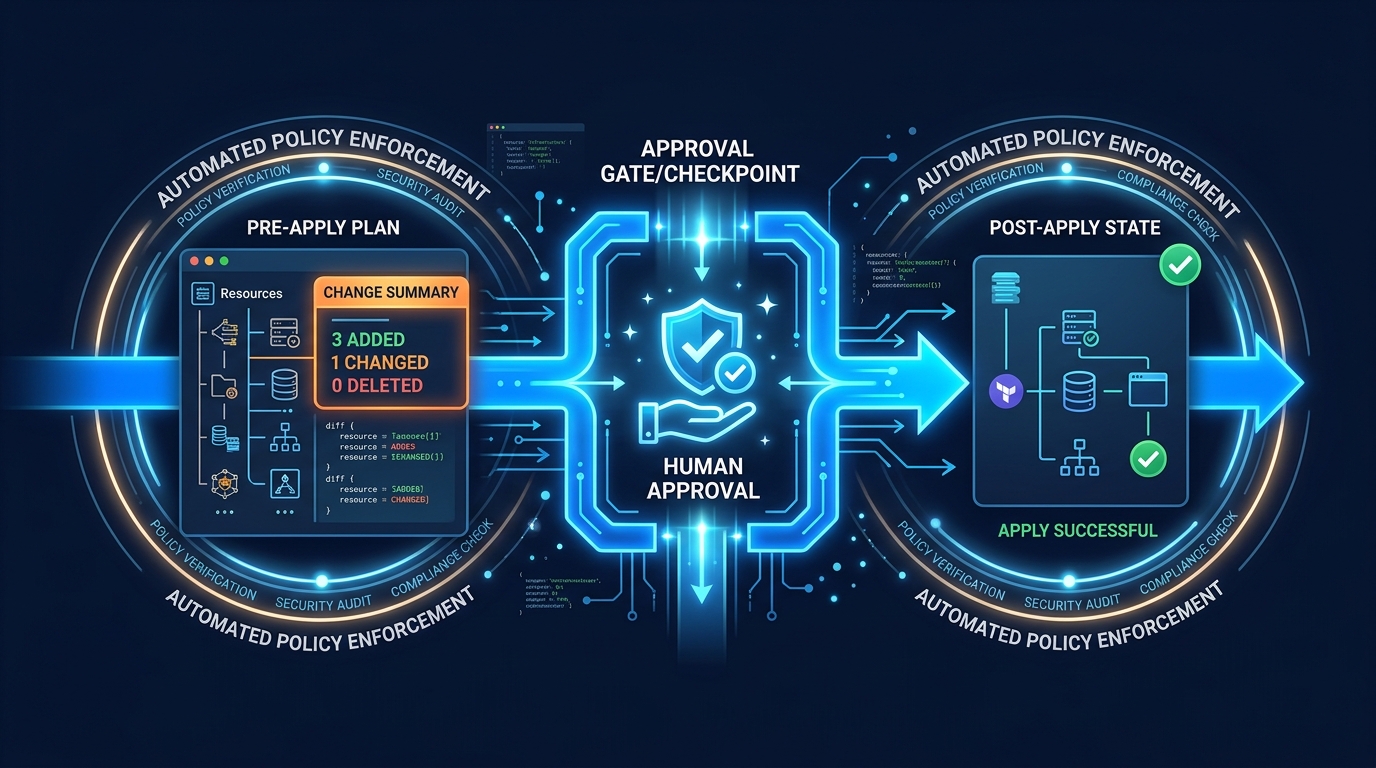
terraform planon every PR, posted as a comment with the resource diffterraform applyruns only onmainafter a manual approval in GitHub Actions or your CI of choice- Production accounts require a second reviewer with
CODEOWNERS
The skill won’t design that pipeline. It can write the workflow YAML if you ask, but the topology is your call.
What Our company-rules.md Looks Like
The single highest-leverage thing most teams skip is extending the skill with their own rules. The default skill is generic — it doesn’t know your approved Terraform module versions, your tag schema, or your blocked AWS regions. A company extension takes thirty minutes to write and removes a category of review comments forever. A trimmed example of what we drop into ~/.claude/skills/terraform/company-rules.md:
# Company Terraform Rules (Acme Corp)

## Approved module sources (use these — do not invent alternatives)

- VPC: terraform-aws-modules/vpc/aws ~> 5.5
- EKS: terraform-aws-modules/eks/aws ~> 20.0
- RDS: terraform-aws-modules/rds/aws ~> 6.7
- Lambda: terraform-aws-modules/lambda/aws ~> 7.4

## Mandatory tags on every resource

- Environment (allowed: dev, staging, prod)
- Owner (must be a valid Slack handle)
- CostCenter (must match an entry in cost-centers.txt)
- DataClass (allowed: public, internal, confidential, restricted)
- ManagedBy (always "terraform")

## Blocked AWS regions

- us-gov-east-1, us-gov-west-1, cn-north-1, cn-northwest-1
- Any region not in: us-east-1, us-west-2, eu-west-1, eu-central-1, ap-southeast-1

## Required for production resources

- Multi-AZ (RDS, ElastiCache, MSK)
- Deletion protection enabled
- Backups: 14-day retention minimum
- KMS customer-managed keys (no AWS-managed defaults)

## Forbidden patterns

- Action: "\*" in IAM policies — use service-scoped actions
- 0.0.0.0/0 ingress on ports other than 80, 443
- Public S3 buckets — without an explicit "intentionally public" comment and a CODEOWNERS sign-off
The skill reads this file alongside the upstream content, so every prompt now carries the rules. We’ve watched teams cut their Terraform PR review cycles by 30–40% in the first two weeks just from this file. Keep it under two pages — Claude is good at long context but reviewers aren’t.
A Team-Ready Setup Checklist
If you’re rolling the skill out across a team this quarter, here’s the layered setup we recommend. The skill is layer one. Layers two and three are what stop the “we shipped AI Terraform and it bit us” outcome.
Layer 1 — Authoring (the skill, mostly out of the box)
- Skill installed and pinned to a specific commit
~/.claude/skills/terraform/company-rules.mdwith your tag schema and approved modules- Pre-commit hooks:
terraform fmt,tflint,tfsec terraform-docsgenerates module READMEs automatically
Layer 2 — Review (CI pipeline)
terraform validateandterraform planon every PRtflint,tfsec,checkovas required checksinfracostposts cost diffs as PR commentsconftest/ OPA for organization-specific policies (tag values, allowed regions, allowed module sources)CODEOWNERSrequiring a platform-engineering reviewer on all production paths
Layer 3 — Operations (post-merge)
- Scheduled drift detection (daily
terraform plan, no apply) - CloudTrail-based alarm for non-Terraform mutations on tagged resources
- AWS Config rules for the policies your CI can’t catch (e.g., resources in disallowed regions)
- Weekly Cost and Usage Report query for untagged spend
- Quarterly Well-Architected Tool review per workload account
That’s the full picture. The Terraform Claude Skill is a real upgrade to layer one. Layers two and three are the compounding work that determines whether AI-assisted IaC is a productivity win or a six-month cleanup project.
What This Post Doesn’t Cover
The honest scope of the harness and the experience report above:
- Multi-account / Control Tower setups. Every prompt was run against a single AWS account in
eu-west-1. The skill does nothing today for cross-account provider configuration, organization-wide SCPs, or Control Tower guardrail compliance. Treat the multi-account piece as separate work — see the layer-two limits earlier in this post. - Cost. Infracost ran for every prompt but the skill treats cost output as informational, not as a merge blocker. We did not measure dollar-impact deltas because the variance across runs (instance type choice, AZ count, NAT decision) dominates the signal we cared about. A proper cost evaluation needs a fixed reference architecture and 50+ runs, not 4 prompts × 2 variants.
- Beyond the four prompts. The eval covers VPC + EKS, S3 + KMS state, GitHub Actions OIDC, and a multi-account module skeleton. We did not test the skill on Glue/EMR data pipelines, on VPC Lattice service-mesh wiring, on Bedrock IAM and KMS policy generation, or on any RDS/Aurora cluster scenario. The mix of “what the skill is good at” almost certainly looks different on those workloads.
- Windows runners. Both
bin/run-eval.shand the underlying tooling assume macOS or Linux. Windows hasn’t been smoke-tested. PRs welcome on the eval repo if you find the rightpwshtranslations. - OpenTofu. The skill targets Terraform. OpenTofu’s diverging primitives (encrypted state, registry differences) are out of scope of the eval as published.
If any of these are blocking you and you would like a focused engagement on them, get in touch — the gaps above are where most of our recent IaC consulting hours have actually gone.
What to Do This Week
- Install the skill, pin the commit, and write a
company-rules.mdextension (tags, regions, approved modules). - Re-run the eval harness once on your laptop:
palpalani/terraform-claude-skill-eval— pasteruns/<run_id>/summary.mdinto the PR that enables the skill for the team. - Confirm remote state uses encryption +
use_lockfile = true(or a documented DynamoDB migration path) before the next AI-authored module lands inmain.
Where to Take This Next
If you take only one thing: finish the three steps above this week. Even with nothing else changed, your AI-generated Terraform will stop shipping with Action: "*" and unencrypted state buckets.
If your team is past that and wrestling with the harder parts — multi-account topology, drift, tag governance, pipeline approvals — that’s where we spend most of our time on engagements. Our AWS DevOps Pipeline Setup and Architecture Review services exist precisely for the layer-two and layer-three work the skill can’t do for you. And if AI-generated infrastructure is a board-level concern this year — it should be — our Cyber-Led AI practice helps engineering leaders set up the human-in-the-loop controls that keep AI velocity from becoming AI risk.
Talk to us if you want a second pair of eyes on what your team is shipping.
Credit: this post builds on Tobias Schmidt’s overview of the Terraform Claude Skill on AWS Fundamentals. The skill itself is by Anton Babenko, whose terraform-aws-modules work has shaped how most of us write Terraform on AWS.
Frequently asked questions
Does the Terraform Claude Skill only work inside Claude Code?
Yes. The skill ships as a folder under `~/.claude/skills/` and is activated by Claude Code's slash-command system (`/terraform`). It is not a generic prompt or system message you can paste into another tool. If you are on Cursor, Copilot, or the Anthropic API directly, you can borrow the patterns — modular layout, mandatory `terraform validate`, tflint and tfsec gates — but you have to wire the enforcement yourself. The value of the skill is the enforcement loop, not the content of the prompts.
Is it safe to let Claude run terraform apply through this skill?
We do not recommend it for shared environments. The skill is good at producing plans that are safe in principle, but `apply` should still go through a pull request and a CI pipeline with state locking, plan-only previews, and human approval — especially in production. Use the skill for authoring and `terraform plan`, but keep `apply` behind your existing pipeline gates. For sandboxes and personal AWS accounts the risk is lower, but get into the habit of treating Claude as a proposal-writer, not a deploy operator.
How does it compare to Amazon Q Developer for writing Terraform on AWS?
Amazon Q Developer is excellent at inline IDE completions and AWS-specific suggestions because it has access to your account context and AWS service knowledge. The Terraform Claude Skill is better at *workflow enforcement* — it mandates module structure, runs validate / lint / security scans before claiming a task is done, and refuses to take shortcuts the model would otherwise take. We use Q Developer for line-level help and the Claude Skill for whole-module authoring and refactors. They are complements more than competitors.
Will the skill stop me from making AWS-specific mistakes like public S3 buckets or wide-open security groups?
Mostly yes, because tfsec and Checkov rules catch the common ones (public buckets, unencrypted volumes, `0.0.0.0/0` ingress on sensitive ports, IMDSv1, missing CloudTrail). But the skill cannot know your organization's policy on, for example, which VPC endpoints are mandatory, which KMS key policies are acceptable, or which AWS regions are allowed. Combine the skill with Service Control Policies at the AWS Organizations level and Conftest/OPA in CI for the rules that are specific to your environment.
Can I customize the skill for my organization's standards?
Yes — the skill is just a folder of markdown files under `~/.claude/skills/terraform/`. You can fork it, add your own naming conventions, required tags, approved modules (e.g., the `terraform-aws-modules` registry), and additional guardrails. We typically extend it with a company prompt that pins approved Terraform module versions, lists the mandatory tag schema (Owner, CostCenter, Environment, DataClassification), and requires `terraform-docs` output on every module. Treat the upstream skill as the base layer and keep your additions in a private repo.
AWS Cloud Architect & AI Expert
AWS-certified cloud architect and AI expert with deep expertise in cloud migrations, cost optimization, and generative AI on AWS.