What DevOps Guides Don't Tell You About Production AWS
Quick summary: Most DevOps guides teach what AWS services are. Production teaches what happens when 200 engineers use them together. Here's the gap.
Key Takeaways
- Most DevOps guides teach what AWS services are
- Production teaches what happens when 200 engineers use them together
- Most DevOps guides teach what AWS services are
- Production teaches what happens when 200 engineers use them together
Table of Contents
Most DevOps guides—whether books, courses, certifications, or online platforms—follow the same pattern. They teach AWS concepts clearly: EC2, VPCs, Terraform, containers, IAM. The explanations are correct.
But they teach what things are. They don’t teach what happens when 200 engineers use them together. They don’t teach the failures you only see at scale.
This post maps the key AWS topics from common guides to production reality—the patterns, failure modes, and trade-offs that hiring an AWS consulting partner (or building a strong internal DevOps team) actually addresses.
The Gap: Common Knowledge vs. Production Operations
Most DevOps guides cover AWS concepts well, often in a question-and-answer format. What happens when you use Spot Instances at scale? How do you version Terraform modules? What’s the difference between ECS and EKS?
These are correct questions. And the answers are technically accurate.
But they’re not complete.
Here’s the difference:
| Topic | Common Knowledge | Production Reality |
|---|---|---|
| Spot Instances | ”Use Auto Scaling Groups to manage EC2 capacity” | Spot Spot fleet diversity, interruption handling, fallback to On-Demand, capacity-optimized allocation strategy |
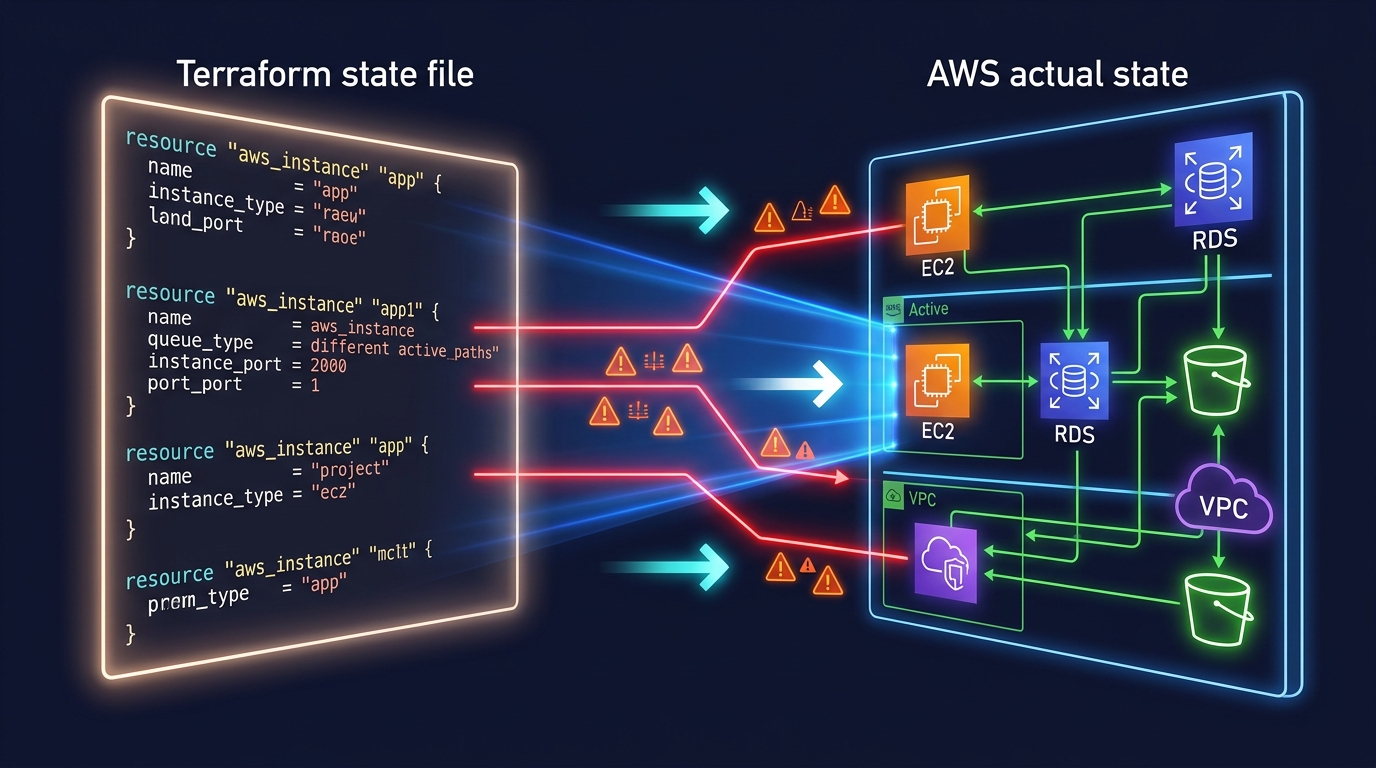
| Terraform State | ”Use remote backend instead of local state” | State locking, S3 MFA delete, concurrent apply failures, workspaces per environment, how to recover from a corrupt state file |
| ECS vs EKS | ”EKS is more powerful, ECS is simpler” | ECS costs 50% less, better for teams <15 people, EKS if you need Kubernetes ecosystem, Karpenter vs Cluster Autoscaler tradeoffs |
| VPC Security | ”Security groups are stateful, NACLs are stateless” | Security group rule limits at scale, transit routing complexity, why /16 blocks cause problems, NACLs rarely needed |
| CloudWatch | ”Send logs and metrics, set alarms” | EMF vs custom metrics, X-Ray sampling overhead, alert fatigue in multi-account setups, log retention costs |
The common answers are right. Production answers are right AND operational.
1. AWS Compute: From Theory to Fleet Management
Common DevOps guides cover compute well. You’ll see questions like:
- What’s the difference between AMI, EBS, and instance store?
- When do you use Spot Instances?
- What’s Lambda’s cold start?
What most guides miss:
EC2 Fleet Diversity
You can’t just “use Auto Scaling Groups.” You need capacity-optimized allocation across instance types.
Why? Spot Instances are interrupted. In production, you don’t pick one instance type—you pick 8-12 compatible types (same vCPU/memory ratio) and let AWS spread the load.
# Wrong (common approach)
desired_capacity = 10
instance_type = "t3.medium"

# Right (production)
mixed_instances_policy {
  instances_distribution {
    on_demand_percentage_above_base_capacity = 20
  }
  launch_template {
    overrides = [
      { instance_type = "t3.medium" },
      { instance_type = "t3a.medium" },
      { instance_type = "m5.large" },
      # ... 5-7 more compatible types
    ]
  }
}
The gotcha: You’ll still get interrupted. The diversity isn’t perfection—it’s survivability. With 8 types, average interruption rate drops from “every few hours” to “every few days.”
Lambda Cold Starts: AWS Lambda Power Tuning
The repo asks: “Does Lambda have cold starts?” Yes. When? When there’s no warm container.
Production asks: “What’s the financial trade-off of cold starts?”
AWS Lambda Power Tuning is free. It tests your function at 128MB, 256MB, 512MB, up to 10GB and shows you cost vs. latency curves. Most teams overprovision memory (paying for CPU you don’t use). This tool finds the sweet spot.
128MB: 25 invocations/sec, $12/month
512MB: 75 invocations/sec, $18/month
1024MB: 100 invocations/sec, $25/month
Pick 512MB. You’ll save money and reduce cold starts.
ECS Task Placement
The repo says: “ECS distributes tasks across container instances.”
Production: “ECS placement constraints can cause deployment failures if misconfigured.”
If you constrain tasks to specific EC2 instance types but those instances don’t have capacity, your deployment will silently fail (no error, just 0 running tasks). You need:
- Spread tasks across availability zones (not optional for HA)
- Monitor task placement failures in CloudWatch
- Test failover scenarios quarterly
2. Networking & VPC: Where Assumptions Break
Most DevOps guides cover VPC security well. But they don’t cover scale.
VPC IPAM and /16 Block Fragmentation
The common answer: “Subnets are /24 blocks within a VPC.”
Production reality: When you have 50 VPCs across 3 regions, you don’t manually assign subnets. You use VPC IPAM (IP Address Manager). It prevents collisions and fragments your /16 blocks efficiently.
Without IPAM, you’ll eventually:
- Double-allocate an IP range
- Run out of contiguous space for a new VPC
- Waste 10+ /24 blocks to gaps
IPAM adds 5 minutes to setup. Fixing a fragmented /10 block takes a week.
Transit Gateway vs. VPC Peering
You’ll often see this question: “How do you connect VPCs?”
VPC Peering (one-to-one, point-to-point):
- Low latency
- Doesn’t scale past 5-10 VPCs
- No transitive routing
Transit Gateway (hub-and-spoke):
- Scales to 100+ VPCs
- Transitive routing works
- Slightly higher latency (negligible)
- Costs money ($0.05/hour)
Most teams don’t need Transit Gateway until they have 8+ VPCs. Until then, accept peering debt.
Security Groups at Scale
Common training teaches: “Security groups are stateful firewalls.”
Production reality: Security groups have a 200-rule limit per group. At scale (100+ microservices), you’ll hit this.
Your options:
- Create service-specific security groups (one per app) — manageable
- Use NACLs for coarse filtering (rarely done, adds complexity)
- Refactor your network (consolidate services, use service mesh)
Most teams pick option 1. It works, but it requires good naming and tooling.
3. Infrastructure as Code: Terraform State in the Real World
Most Terraform guides cover the basics: remote state, modules, workspaces.
They don’t teach what breaks.
State Locking and Concurrent Applies
You run a Terraform apply. Your colleague runs one at the same time. What happens?
Without state locking: Both apply, second one wins, first one’s changes are lost.
With state locking (DynamoDB): Second apply waits for the first to finish.
Setup is 3 lines:
terraform {
  backend "s3" {
    bucket         = "my-terraform-state"
    key            = "prod/terraform.tfstate"
    dynamodb_table = "terraform-lock"
    encrypt        = true
  }
}
Gotcha: If a apply crashes, the lock persists. You’ll see Error acquiring the state lock. Recovery:
terraform force-unlock <LOCK_ID>Document this. Your team will need it.
Module Versioning: The Source of Silent Bugs
Standard practice teaches: “Modules make Terraform DRY.”
Production teaches: “Unversioned modules cause silent breaking changes.”
# Bad (floats to latest)
source = "git::https://github.com/my-org/terraform-modules.git//vpc"

# Good (pinned to tag)
source = "git::https://github.com/my-org/terraform-modules.git//vpc?ref=v2.1.0"
If you don’t pin, your colleague updates a module, releases v2.2.0, and your next terraform init silently upgrades you. If v2.2.0 changed outputs or behavior, your apply might fail in unexpected ways.
Use semantic versioning. Pin to minor version (v2.1.*):
source = "git::https://github.com/my-org/terraform-modules.git//vpc?ref=v2.1"4. Containers: ECS vs. EKS, and the Operational Tax
A question that comes up in every DevOps discussion: “What’s the difference between ECS and EKS?”
Both run containers. EKS is Kubernetes. ECS is AWS-native. The common answer is: “EKS is more powerful.”
Here’s the production decision tree:
| Factor | ECS | EKS |
|---|---|---|
| Cost | ~$0.25/hour (cluster) + compute | ~$0.10/hour (control plane) + compute |
| Overhead | Low (AWS manages control plane) | High (you patch, secure, monitor it) |
| Learning curve | 1-2 weeks for AWS teams | 2-3 months for Kubernetes learners |
| Ecosystem | AWS-specific | Multi-cloud, large community |
| Jobs market | Less portable | Very portable |
Default choice: ECS. It costs less, requires less operational knowledge, and AWS handles patching.
Switch to EKS when:
- You have multiple cloud providers (AWS + GCP)
- You already know Kubernetes
- You need Helm charts or Operators
- Your team is >15 people (Kubernetes is worth the investment)
Karpenter vs. Cluster Autoscaler
If you pick EKS, you need to autoscale. Two options:
Cluster Autoscaler (older):
- Adjusts EC2 capacity based on pending pods
- Works well for stable workloads
- Slow scaling (1-2 minutes)
Karpenter (newer, purpose-built):
- Instant node scaling (seconds, not minutes)
- Automatic Spot Instance diversification
- Bin-packing optimization (fewer waste)
- AWS-native (not multi-cloud)
Karpenter scales 10x faster and saves ~30% on compute. Use it if you run EKS.
Fargate Cold Starts
The repo says: “Use Fargate to avoid managing EC2.”
True. But Fargate has cold starts. New task launches take 30-60 seconds.
In production, this matters:
- Autoscaling policies that depend on Fargate will page you at 3 AM
- Batch jobs that need tight SLAs suffer
- One-off tasks (migrations, backups) are slow
If latency is critical, use EC2. If you can tolerate 30-60s, Fargate saves headcount.
5. Observability: Beyond CloudWatch Basics
Most DevOps guides barely touch observability. “Send metrics and logs, set alarms.”
That’s 10% of what you need.
CloudWatch EMF vs. Custom Metrics
The standard advice: “Use CloudWatch Metrics for visibility.”
Production has high-cardinality data (millions of unique metric values). CloudWatch custom metrics cost $0.30 per metric per month. At scale, that’s expensive.
EMF (Embedded Metrics Format) lets you send structured logs and metrics in one call:
{
  "_aws": {
    "CloudWatch": {
      "Namespace": "MyApp",
      "MetricData": [{ "Name": "Latency", "Value": 142 }]
    }
  },
  "userId": "12345",
  "requestId": "abc-123"
}
One log line = one metric. Costs 1 log write instead of 1 metric + 1 log. Savings: $0.29.
X-Ray Sampling: The Cost Killer
X-Ray traces are deep. Detailed. And expensive.
By default, it samples 1 of every 100 requests. That’s usually fine. But if you have 10,000 requests/sec, 100 traces/sec × $5 per million traces = $400+/month.
If you’re in the top 5% of latency-sensitive services, X-Ray is worth it. Otherwise:
- Sample 1 in 1000 requests
- Only trace errors (100% sample errors, 0.1% sample success)
- Use CloudWatch Insights for aggregation instead
Alert Fatigue in Multi-Account Setups
Standard training teaches: “Set CloudWatch alarms for critical metrics.”
Production reality: One CloudWatch alarm per account × 10 accounts × 50 apps = 500 alarms. If alert fatigue is high, oncall starts ignoring pages.
Solution: Aggregate alarms at organization level.
Use AWS CloudWatch Synthetics (active monitoring) + SNS topics (aggregation) to create a single “is the app down?” question. Oncall gets one page, not 20.
6. IAM: Least Privilege at Scale
Standard DevOps training covers: “IAM users, roles, policies. Use least privilege.”
It doesn’t cover what least privilege looks like with 200 engineers.
Service Control Policies (SCPs)
SCPs are organization-wide IAM boundaries. They say “no EC2 in eu-west-1” across all 50 accounts.
If you don’t use SCPs by your 5th AWS account, you’ll eventually:
- Have unencrypted S3 buckets in a regulated account
- Run EC2 in the wrong region
- Leak secrets from a dev account
SCPs are guardrails, not permissions. Combined with role-based access (who can use the role), they prevent mistakes.
Resource-Based Policies
Standard training teaches: “Attach policies to users.”
Production: “Attach policies to roles, because users are temporary. But also control resources with resource-based policies.”
Example: S3 bucket should only accept encrypted uploads. That’s a bucket policy, not a user policy.
{
  "Effect": "Deny",
  "Principal": "*",
  "Action": "s3:PutObject",
  "Resource": "arn:aws:s3:::my-bucket/*",
  "Condition": {
    "StringNotEquals": {
      "s3:x-amz-server-side-encryption": "AES256"
    }
  }
}
User can call PutObject, but S3 rejects it if unencrypted. Prevents mistakes at the resource level.
7. The Real Gap: Multi-Account Governance and When to Hire Help
Here’s what standard DevOps training can’t teach—because it’s not a technical question:
Multi-Account Strategy
Single AWS account works for 1-5 services. Beyond that, you need 3-8 accounts:
- Prod (production workloads)
- Staging (pre-production, prod-like)
- Dev (sandboxes, experiments)
- Security (centralized logging, IAM)
- Network (hub VPCs, DNS, transitive routing)
Managing 8 accounts requires:
- AWS Organizations setup
- SCPs and permission boundaries
- Cross-account role assumptions
- Centralized logging and auditing
- Backup and disaster recovery strategies
This is 2-3 weeks of engineering work.
Blast Radius Isolation
In one account, one developer can accidentally delete the production database.
With multi-account architecture, the dev account can’t touch prod. Blast radius = one account, one service, not entire infrastructure.
Setting this up requires:
- Cross-account IAM roles (not programmatic keys)
- S3 bucket policies preventing cross-account access
- VPC isolation and transit gateway design
- Audit logging in a separate security account
This is 4-6 weeks of engineering work.
When to Hire an AWS Consulting Partner
Here’s the honest truth: Everything in this post can be learned. But time has a cost.
Hiring an AWS consulting partner (like FactualMinds) is the answer to these questions:
- “Should we set up 5 accounts now or wait?” (Answer: Now. Cost of fixing later = 10x)
- “Is our Terraform state strategy secure?” (Answer: Depends. Let’s audit.)
- “How do we scale observability from 10 to 100 microservices?” (Answer: EMF, aggregation, and sampling strategy)
- “What’s our disaster recovery plan?” (Answer: Let’s design it.)
- “Are we paying too much for compute?” (Answer: Probably. Let’s optimize.)
The repo teaches you to think like an engineer. A consulting partner teaches you to build like a team—with governance, security, cost discipline, and playbooks.
Key Takeaways
Common knowledge teaches concepts. Production teaches patterns. Standard DevOps training is excellent for building concepts. But production is different. Spot diversity, state locking, multi-account isolation, alert aggregation—these aren’t in textbooks. They’re operational requirements.
Default choices matter. ECS over EKS (until you need K8s). Fargate for simplicity, EC2 for latency. Terraform for infrastructure, CloudFormation for quick stacks. Small choices compound into architectural decisions.
Scaling ops is invisible until it breaks. 5 engineers with Terraform and CloudWatch? You’re fine. 50 engineers? You need state locking, EMF, SCPs, and playbooks. Build it before you need it.
Fundamentals are the foundation, not the answer. Engineers who succeed in production combine foundational knowledge with years of operational patterns. Learning the fundamentals is step one.
What’s Next?
If you’re building DevOps or cloud architecture skills:
- Study the fundamentals (certifications, guides — you need the concepts)
- Then study production patterns—state management, multi-account design, observability at scale
- Build it. Deploy it. Break it. Fix it. That’s the education that matters.
If you’re building AWS infrastructure and hitting these questions:
- Multi-account strategy unclear?
- Terraform state management fragile?
- Alert fatigue from CloudWatch alarms?
- Want a disaster recovery plan that actually works?
We’ve helped 50+ companies move from foundational knowledge to operational excellence. Let’s talk about your infrastructure.
AWS Cloud Architect & AI Expert
AWS-certified cloud architect and AI expert with deep expertise in cloud migrations, cost optimization, and generative AI on AWS.