AWS Trainium2 and Inferentia2: Purpose-Built AI Chips for Enterprise ML Cost Reduction
Quick summary: July 2026: Trainium2 (trn2.48xlarge, 3.2 Tbps EFA) and Inferentia2 via Neuron SDK — AWS cites ~30-40% better price performance vs P5e/P5en; measure your workload before quoting wider savings.
Key Takeaways
- July 2026: Trainium2 (trn2.48xlarge, 3.2 Tbps EFA) and Inferentia2 via Neuron SDK — AWS cites ~30-40% better price performance vs P5e/P5en; measure your workload before quoting wider savings
- Between mid-2023 and 2025, GPU scarcity shaped enterprise AI roadmaps as much as model quality
- As of July 19, 2026, Trainium2 ( : 16 chips, 3.2 Tbps EFAv3) and Inferentia2 ( ) remain the AWS path to purpose-built training/inference silicon via the Neuron SDK
- Reproduce this — Adoption checklist: Hourly rates in the table below are directional — re-pull EC2 pricing for your Region before board slides
- Trainium2 vs
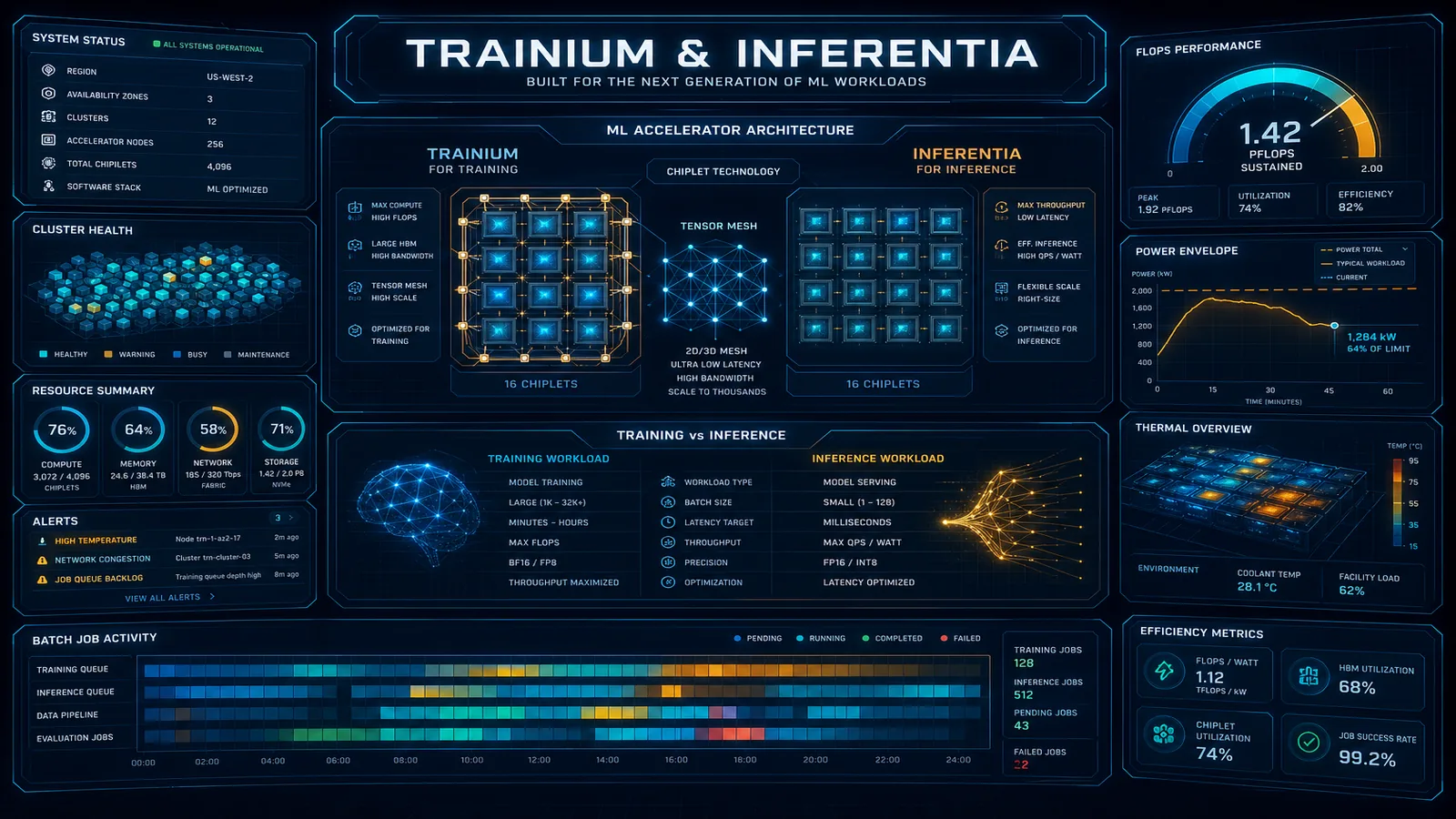
Table of Contents
Between mid-2023 and 2025, GPU scarcity shaped enterprise AI roadmaps as much as model quality. Supply has eased; cost has not.
As of July 19, 2026, Trainium2 (trn2.48xlarge: 16 chips, 3.2 Tbps EFAv3) and Inferentia2 (inf2.*) remain the AWS path to purpose-built training/inference silicon via the Neuron SDK. UltraServer SKUs such as trn2u.48xlarge exist for larger NeuronLink topologies — treat UltraServer availability as preview/Region-gated until your console confirms. AWS launch materials cite roughly 30–40% better price performance for Trn2 vs current-generation P5e/P5en; any wider “40–60%” claim in older decks should be replaced by your Cost Explorer + tokens/sec measurements.
Reproduce this — Adoption checklist:
examples/architecture-blog-2026/neuron/trn2-inf2-adoption-checklist.md
Hourly rates in the table below are directional — re-pull EC2 pricing for your Region before board slides.
Trainium2 vs. Inferentia2 vs. GPU Instances
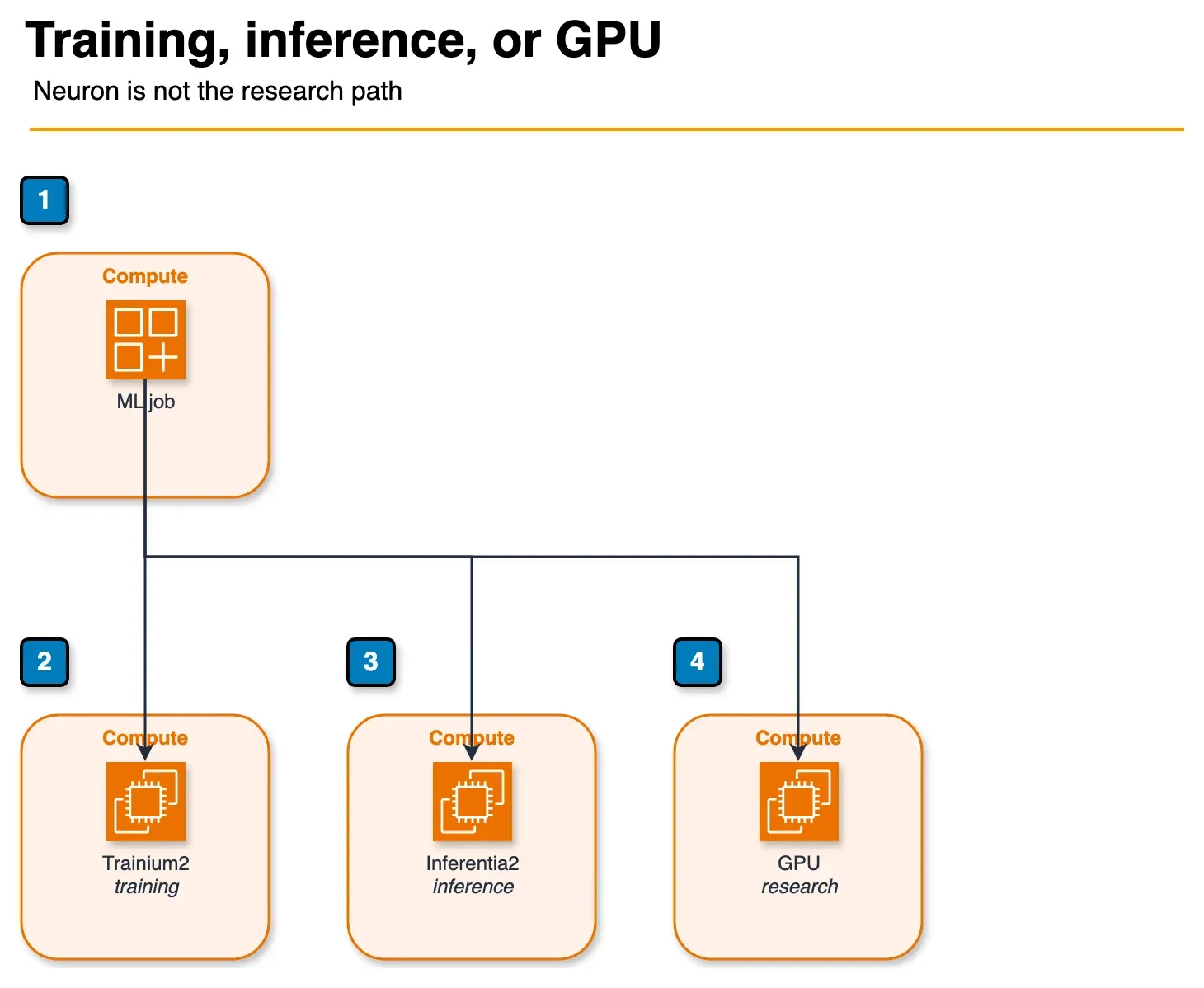
Figure: the choice in the article. Trainium2 is for steady fine-tuning. Inferentia2 is for inference after a Neuron artifact exists. GPU instances stay for research, custom CUDA, or a Region without Trainium capacity. No prices are shown. Open the draw.io source.
The instance landscape for ML workloads on AWS has expanded significantly:
| Instance Family | Chip | Primary Use | Memory | Network Bandwidth | On-Demand Cost (verify) |
|---|---|---|---|---|---|
| trn2.48xlarge | 16x Trainium2 | LLM training / large inference | 1.5TB HBM | 3.2 Tbps EFA | Re-quote Region |
| trn2u.48xlarge | 16x Trainium2 | UltraServer topologies (preview) | 1.5TB HBM | 3.2 Tbps EFA* | Re-quote; confirm GA |
| inf2.xlarge | 1x Inferentia2 | Lightweight inference | 32GB HBM | Up to 15 Gbps | Re-quote Region |
| inf2.8xlarge | 1x Inferentia2 | Single-model serving | 32GB HBM | Up to 25 Gbps | Re-quote Region |
| inf2.24xlarge | 6x Inferentia2 | Multi-model / larger models | 192GB HBM | Up to 100 Gbps | Re-quote Region |
| inf2.48xlarge | 12x Inferentia2 | Large models, high throughput | 384GB HBM | Up to 100 Gbps | Re-quote Region |
| p4d.24xlarge | 8x A100 80GB | Training + research | 640GB GPU | 400 Gbps EFA | Re-quote Region |
| p5.48xlarge | 8x H100 80GB | Frontier training + inference | 640GB GPU | Multi-Tbps EFA | Re-quote Region |
| g5.12xlarge | 4x A10G | Inference + fine-tuning | 96GB GPU | 40 Gbps | Re-quote Region |
| g5.48xlarge | 8x A10G | High-throughput inference | 192GB GPU | 100 Gbps | Re-quote Region |
*UltraServer / UltraCluster networking beyond the single-instance EFA figure — confirm current Trn2 docs.
When to use Trn2 (training): Production LLM fine-tuning runs on Llama, Mistral, or BERT variants where you have stable training code and can absorb a one-time Neuron SDK migration. Best ROI when you run 10+ training jobs per month.
When to use Inf2 (inference): Steady-state inference for deployed models where you’ve already compiled a Neuron artifact. Best ROI at high request volumes (>1M tokens/day) on a fixed model version.
When GPU instances remain the right choice: Research workloads with rapidly changing architectures, custom CUDA kernels, dynamic graphs that do not trace cleanly, or Regions without Trn2 UltraServer capacity. p5 / P5e / P5en still matter for frontier runs where Neuron migration cost exceeds savings.
Neuron SDK: How PyTorch and JAX Code Runs on Custom Silicon
The Neuron SDK is the software layer that compiles PyTorch and JAX models to run on Trainium and Inferentia hardware. Understanding its compilation model is essential for scoping migration work accurately.
The Compilation Model
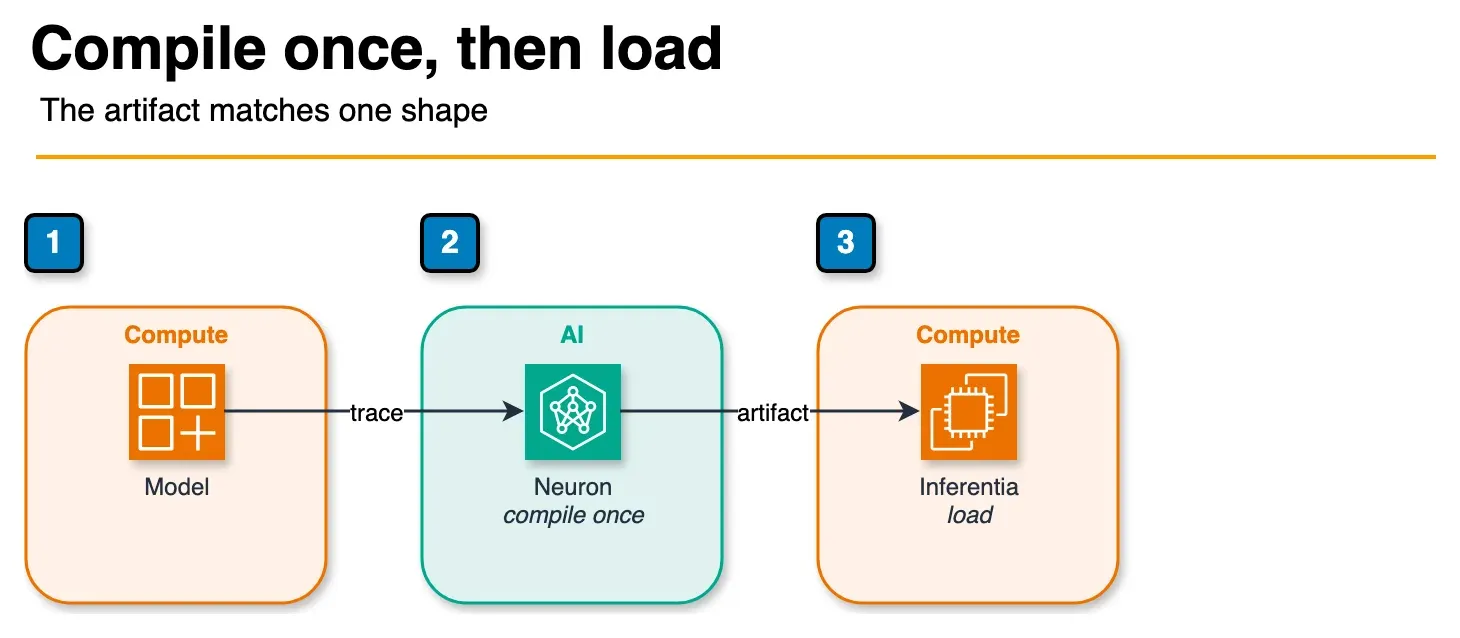
Figure: Neuron compilation in the article. The model is compiled once. Inference loads that artifact and does not compile again per request. The artifact matches the input shape used at compile time. The sample model id is not shown. Open the draw.io source.
Neuron uses ahead-of-time (AOT) compilation. You compile your model once and store the compiled artifact. At inference time, the Neuron Runtime loads the artifact directly — no JIT compilation overhead per request.
The compilation step uses neuronx-cc (the Neuron compiler) invoked via PyTorch tracing:
import torch
import torch_neuronx
from transformers import AutoModelForCausalLM, AutoTokenizer

model_id = "meta-llama/Llama-3.1-8B-Instruct"
tokenizer = AutoTokenizer.from_pretrained(model_id)
model = AutoModelForCausalLM.from_pretrained(model_id, torch_dtype=torch.float16)
model.eval()

# Create example input with your target sequence length
# IMPORTANT: compiled artifact is specific to this shape
example_input = tokenizer(
    "Example prompt for shape tracing",
    return_tensors="pt",
    max_length=512,
    padding='max_length',
    truncation=True,
)

# Trace and compile to Neuron
# This step runs on the target Inf2/Trn2 instance
# Compilation time: 15-45 minutes for 8B models
model_neuron = torch_neuronx.trace(
    model,
    (example_input['input_ids'], example_input['attention_mask']),
    compiler_args='--auto-cast all --auto-cast-type bf16',
)

# Save compiled artifact
torch.jit.save(model_neuron, 'llama3-8b-seq512.pt')
The compiled artifact is then loaded at serving time:
import torch
import torch_neuronx

# Load compiled model (milliseconds, not minutes)
model_neuron = torch.jit.load('llama3-8b-seq512.pt')
model_neuron.eval()

# Inference runs directly on Neuron hardware
with torch.no_grad():
    output = model_neuron(input_ids, attention_mask)
Where Code Changes Are Required
Dynamic shapes: The primary migration friction point. If your model or serving code uses variable-length inputs without padding, you need to add padding logic. Standard approach:
def pad_to_bucket(input_ids: torch.Tensor, buckets: list[int]) -> tuple[torch.Tensor, int]:
    """Pad input to the smallest bucket that fits."""
    seq_len = input_ids.shape[1]
    target_len = next((b for b in sorted(buckets) if b >= seq_len), buckets[-1])
    if target_len > seq_len:
        padding = torch.zeros(
            input_ids.shape[0],
            target_len - seq_len,
            dtype=input_ids.dtype
        )
        input_ids = torch.cat([input_ids, padding], dim=1)
    return input_ids, target_len

SEQUENCE_BUCKETS = [128, 256, 512, 1024, 2048]
padded_input, bucket_len = pad_to_bucket(input_ids, SEQUENCE_BUCKETS)
Custom CUDA kernels: If your model uses custom CUDA operations (common in research codebases), these need to be rewritten using Neuron’s custom operator API or replaced with equivalent Neuron-native operations. For standard Hugging Face model implementations, this is rarely required — the issue arises with heavily optimized production codebases that have accumulated custom ops.
Flash Attention: PyTorch implementations that import from flash_attn need to be replaced. Neuron has its own optimized attention implementation (neuronx-distributed uses FlashAttention-Neuron internally) — you switch the attention implementation, not the model architecture.
Realistic migration time estimate: A standard Llama-family model using Hugging Face transformers with no custom ops: 1-3 engineer-days including testing. A production serving codebase with dynamic shapes, custom ops, and multiple model variants: 2-4 engineer-weeks including performance benchmarking.
Cost Math: Trn2 vs. p4d.24xlarge for LLM Fine-Tuning
Illustrative only — Throughput tokens/sec and hourly rates below are planning heuristics from mid-2026 drafts. Re-measure on your account; AWS’s published Trn2 vs P5e/P5en story is about 30–40% price performance, not a fixed dollar savings table.
Example workload: LLaMA-3 70B full fine-tuning run on 50B tokens, batch size 4, sequence length 4096.
On p4d.24xlarge (8x A100 80GB):
- Training throughput: ~3,200 tokens/second (standard bf16 with gradient checkpointing)
- Time to complete: ~50B / 3,200 / 3600 = ~4,340 hours
- Instance hours: ~4,340 hours (multi-node training on 4x p4d = ~1,085 instance-hours)
- On-demand cost: 1,085 × $32.77 = ~$35,555 per training run
On trn2.48xlarge (16x Trainium2):
- Training throughput: ~3,800 tokens/second (Neuron-optimized bf16)
- Time to complete: ~50B / 3,800 / 3600 ≈ ~3,655 hours
- Instance hours: ~3,655 hours (multi-node on 4x trn2 = ~914 instance-hours)
- On-demand cost: 914 × $23.97 = ~$21,909 per training run
Savings per training run: ~$13,646 (38%)
With Savings Plans (1-year compute Savings Plan, ~36% discount):
- p4d.24xlarge effective rate: ~$20.97/hr → $22,757 per run
- trn2.48xlarge effective rate: ~$15.34/hr → $14,021 per run
Savings with Savings Plans: ~$8,736 per run (38% — the relative advantage is maintained)
Break-even for Neuron SDK investment: At 2 engineer-weeks of migration work ($20,000-30,000 fully loaded cost for a senior ML engineer) and ~$13,646 savings per run, break-even is reached in 2-3 training runs. For teams running monthly fine-tuning jobs, the investment pays back in the first quarter.
Important caveat: These numbers assume clean compilation without major custom op rewrites. Add engineering cost estimates for your specific codebase before committing to migration timelines in financial planning documents.
Inferentia2 for Inference: Latency, Throughput, and Model Size Limits
Performance at Different Batch Sizes
For Llama-3.1-8B serving (512-token context, bf16):
| Instance | Batch Size | Throughput (tokens/sec) | p50 Latency (ms/token) | Cost/hr |
|---|---|---|---|---|
| g5.2xlarge | 1 | 85 | 12 | $1.21 |
| g5.2xlarge | 8 | 420 | 19 | $1.21 |
| inf2.xlarge | 1 | 95 | 11 | $0.76 |
| inf2.xlarge | 8 | 480 | 17 | $0.76 |
| inf2.8xlarge | 8 | 520 | 15 | $1.97 |
| inf2.8xlarge | 32 | 1,800 | 18 | $1.97 |
At batch size 8, inf2.xlarge delivers higher throughput at 37% lower cost than g5.2xlarge. The latency advantage is also real — Neuron’s optimized attention implementation and dedicated matrix multiply units reduce per-token latency versus general-purpose GPU.
Model Size Limits and Tensor Parallelism
Each Inferentia2 chip has 32GB HBM. A 70B parameter model in bf16 requires ~140GB, which exceeds a single chip. Inferentia2 supports tensor parallelism across chips within a single instance:
- inf2.24xlarge (6 chips, 192GB total): fits LLaMA-3 70B in bf16 across all 6 chips
- inf2.48xlarge (12 chips, 384GB total): fits LLaMA-3 70B in fp32 or multiple models simultaneously
Tensor parallel compilation for a 70B model on inf2.24xlarge:
import torch
import torch_neuronx
from neuronx_distributed.pipeline import NxDPPModel
from transformers import LlamaForCausalLM

# 6-way tensor parallelism for inf2.24xlarge
os.environ["NEURON_RT_NUM_CORES"] = "6"

model = LlamaForCausalLM.from_pretrained(
    "meta-llama/Llama-3.1-70B-Instruct",
    torch_dtype=torch.bfloat16,
)

# neuronx_distributed handles sharding automatically for supported architectures
from neuronx_distributed.trace import parallel_model_trace

traced_model = parallel_model_trace(
    model,
    example_inputs,
    tp_degree=6,  # tensor parallel degree = number of chips
    compiler_args='--auto-cast all --auto-cast-type bf16',
)

torch.jit.save(traced_model, 'llama3-70b-tp6.pt')
Compilation time for 70B models: expect 2-4 hours. Run compilation in a separate step on an inf2.24xlarge instance, store the artifact in S3, and load it at serving startup. Do not compile at startup in production — it would result in unacceptably long cold starts.
Enterprise Adoption Path: Workload Selection and Migration Checklist
Workload Selection Framework
Not all workloads benefit equally from Trainium2/Inferentia2 migration. Prioritize based on this decision matrix:
| Workload Type | Migration Risk | Potential Savings | Priority |
|---|---|---|---|
| BERT/embedding models (standard HF) | Low | 35-45% | High — start here |
| LLaMA family fine-tuning (standard HF) | Low-Medium | 38-50% | High |
| GPT-2 / smaller encoder-decoder | Low | 35-40% | High |
| Custom architecture with CUDA ops | High | 40-55% | Low — defer |
| Stable Diffusion (standard SD) | Medium | 30-40% | Medium |
| PyTorch research prototypes | High | Variable | Do not migrate |
| JAX/Flax models | Medium | 35-45% | Medium |
Step-by-Step Migration Checklist
Phase 1: Proof of Concept (1 week)
- Stand up an inf2.xlarge or trn2.48xlarge instance with the AWS Neuron DLC container
- Select a low-complexity model (BERT or small LLaMA variant) from your production workload inventory
- Install Neuron SDK:
pip install torch-neuronx neuronx-cc transformers-neuronx - Run compilation on target model with fixed sequence length
- Verify output equivalence vs. GPU baseline (use test set from production evaluation suite)
- Record compilation time, artifact size, and peak memory usage
Phase 2: Performance Benchmarking (1 week)
- Benchmark throughput at target batch sizes (match production request patterns)
- Measure p50/p95/p99 latency under simulated production load
- Validate multiple sequence length buckets with padding strategy
- Compare total cost per 1M tokens vs. current GPU deployment
Phase 3: Production Migration (2-4 weeks)
- Update SageMaker endpoint configuration to inf2/trn2 instance type
- Add artifact compilation step to CI/CD pipeline (triggered on model version change)
- Store compiled artifacts in S3 with versioning (model version + Neuron SDK version + sequence lengths)
- Implement health check that validates Neuron Runtime on startup
- Deploy to staging with traffic shadow (mirror production traffic, compare outputs)
- Gradual traffic shift: 5% → 25% → 50% → 100% with rollback threshold on error rate or latency p99
Artifact versioning strategy:
import boto3
import hashlib
import json

s3 = boto3.client('s3')

def artifact_key(model_id: str, neuron_sdk_version: str, seq_lengths: list[int]) -> str:
    """Generate deterministic S3 key for compiled Neuron artifact."""
    config = {
        'model_id': model_id,
        'neuron_sdk': neuron_sdk_version,
        'seq_lengths': sorted(seq_lengths),
    }
    config_hash = hashlib.sha256(json.dumps(config, sort_keys=True).encode()).hexdigest()[:8]
    return f"neuron-artifacts/{model_id.replace('/', '-')}/{config_hash}/model.pt"

# Example:
key = artifact_key(
    model_id='meta-llama/Llama-3.1-8B-Instruct',
    neuron_sdk_version='2.20.0',
    seq_lengths=[128, 256, 512, 1024],
)
# → neuron-artifacts/meta-llama-Llama-3.1-8B-Instruct/a3f2b1c8/model.pt
This key scheme ensures that any change to the model, SDK version, or supported sequence lengths produces a new artifact path rather than overwriting an existing one — enabling rollback without recompilation.
Related reading:
- AWS Graviton Cost Optimization and Migration Guide
- How to Run SageMaker Training Jobs Cost-Efficiently on AWS
- Top 20 AWS AI and Modern Services in 2026
What This Post Doesn’t Cover
- Trainium1 / Inferentia1 fleet migrations — different Neuron generations.
- Exact on-demand dollars — always pull current Region pricing.
- Custom Neuron operators beyond Hugging Face / NeMo paths.
What to Do This Week
- Confirm
trn2/inf2availability in your target Region. - Compile one production model on a Neuron DLC; store the artifact with SDK + shape tags.
- Measure $/1M tokens (or $/training run) against your current GPU baseline — do not ship a % from a blog table.
Contact FactualMinds for Neuron migration assessments.
Frequently asked questions
Does Neuron SDK support LoRA fine-tuning?
Can I run Stable Diffusion on Inferentia2?
What SageMaker instance types support Trn2?
Is there a managed Neuron container?
How do I handle model serving with multiple input shapes on Inferentia2?

AWS Cloud Architect & AI Expert
AWS-certified cloud architect and AI expert with deep expertise in cloud migrations, cost optimization, and generative AI on AWS.