How to Implement a HIPAA-Compliant Architecture on AWS — An Engineer's Build Guide
Quick summary: HIPAA on AWS build guide: BAA via Artifact, eligible services, KMS/VPC/RDS/S3 patterns. July 2026 engineering checklist.
Key Takeaways
- HIPAA on AWS build guide: BAA via Artifact, eligible services, KMS/VPC/RDS/S3 patterns
- July 2026 engineering checklist
- Compliance Leads assembling BAA + risk assessment evidence should start with HIPAA on AWS: The Compliance Lead's Audit-Ready Checklist
- Clinical data-plane (HealthLake, HealthImaging): Healthcare Digital Health on AWS (2026)
- AWS does not “make you HIPAA compliant” by account creation alone

Table of Contents
Looking for the audit-prep checklist? This is the engineering build manual. Compliance Leads assembling BAA + risk assessment evidence should start with HIPAA on AWS: The Compliance Lead’s Audit-Ready Checklist. Clinical data-plane (HealthLake, HealthImaging): Healthcare Digital Health on AWS (2026).
As of July 2026, HIPAA on AWS still means four gates: (1) accept the AWS BAA in Artifact, (2) put PHI only on HIPAA-eligible services, (3) configure encryption / logging / least privilege, (4) collect continuous evidence (Config, CloudTrail, access reviews). AWS does not “make you HIPAA compliant” by account creation alone.
First-party benchmark (illustrative): a healthtech SaaS with PHI in RDS + S3 typically needs org CloudTrail, CMKs, private subnets, and Config rules before go-live — retrofit encryption is weeks of cutover, not a checkbox.
Reproduce this: HIPAA AWS build checklist
Counter-case: encrypting everything without a BAA (or using a non-eligible service on the PHI path) still fails an audit.
This guide is for architects/engineers: KMS, VPC, RDS/S3/Lambda patterns, IaC, and validation.
Step 1: Understand HIPAA Architecture Requirements
HIPAA compliance requires three layers:
Layer 1: Data Protection
- Encryption at rest (data stored on disk)
- Encryption in transit (data moving over network)
- Access controls (who can read/write data)
Layer 2: Audit & Monitoring
- CloudTrail logs (all API calls)
- CloudWatch logs (application and system logs)
- Config rules (resource compliance checking)
- VPC Flow Logs (network traffic)
Layer 3: Incident Response & Governance
- Incident response plan (documented, tested)
- Data breach notification process
- Business continuity/disaster recovery
- Access reviews (quarterly)
- Encryption key management
Example compliant architecture:
Patient Data
  ↓
API Gateway (TLS, WAF)
  ↓
Lambda (encrypted environment variables, no logging of PHI)
  ↓
RDS (encrypted at rest, encrypted backups)
  ↓
CloudTrail (all API calls logged)
  ↓
S3 (encrypted, versioning, MFA delete enabled)
  ↓
Audit Trail (CloudWatch Logs → S3 → Glacier for retention)
Step 2: Request a Business Associate Agreement (BAA)
Before deploying anything, sign a BAA with AWS.
- Go to AWS Console → Compliance → Business Associate Addendum
- Click Request BAA
- Fill in organization info, expected data volumes
- Submit (AWS reviews in 5-10 business days)
- Once approved, sign electronically
Cost: Free. BAA is not a product; it’s a legal agreement that makes AWS services HIPAA-eligible for your account.
Step 3: Use HIPAA-Eligible AWS Services
Must-Use Services:
- Compute: EC2, Lambda, Fargate
- Storage: S3, EBS
- Database: RDS (MySQL, PostgreSQL, Oracle), DynamoDB
- Logging: CloudTrail, CloudWatch Logs
- Encryption: KMS, Secrets Manager
- Networking: VPC, API Gateway, NLB
- Monitoring: Config, GuardDuty, Security Hub
Must-Avoid Services:
- Alexa (voice, not HIPAA-eligible)
- Amazon Connect (speech recognition)
- Public S3 buckets (unless intentional)
- Default VPC (use custom VPC for isolation)
Verify Your Architecture
Before building, audit the services:
- No ineligible services
- All storage encrypted by default
- All data in transit uses TLS
- Logging enabled on all resources
Step 4: Configure Encryption at Rest
S3 Buckets
Create S3 bucket with encryption enforced:
aws s3api create-bucket \
  --bucket my-hipaa-bucket \
  --region us-east-1

# Enable default encryption (AES-256)
aws s3api put-bucket-encryption \
  --bucket my-hipaa-bucket \
  --server-side-encryption-configuration '{
    "Rules": [{
      "ApplyServerSideEncryptionByDefault": {
        "SSEAlgorithm": "aws:kms",
        "KMSMasterKeyID": "arn:aws:kms:us-east-1:123456789012:key/12345678-1234-1234-1234-123456789012"
      },
      "BucketKeyEnabled": true
    }]
  }'

# Block public access
aws s3api put-public-access-block \
  --bucket my-hipaa-bucket \
  --public-access-block-configuration "BlockPublicAcls=true,IgnorePublicAcls=true,BlockPublicPolicy=true,RestrictPublicBuckets=true"

# Enable versioning (for audit trail)
aws s3api put-bucket-versioning \
  --bucket my-hipaa-bucket \
  --versioning-configuration Status=Enabled

# Enable MFA delete (requires root account MFA)
aws s3api put-bucket-versioning \
  --bucket my-hipaa-bucket \
  --versioning-configuration Status=Enabled,MFADelete=Enabled \
  --mfa "arn:aws:iam::123456789012:mfa/root-account-mfa-device 123456"
RDS Database
Create encrypted RDS instance:
aws rds create-db-instance \
  --db-instance-identifier hipaa-db \
  --db-instance-class db.t4g.medium \
  --engine postgres \
  --allocated-storage 100 \
  --storage-encrypted \
  --kms-key-id arn:aws:kms:us-east-1:123456789012:key/12345 \
  --backup-retention-period 30 \
  --copy-tags-to-snapshot \
  --enable-cloudwatch-logs-exports postgresql \
  --storage-type gp3 \
  --no-publicly-accessible \
  --db-subnet-group-name hipaa-db-subnet-group
EBS Volumes
Encrypt all EC2 EBS volumes:
# Enable default EBS encryption in region
aws ec2 enable-ebs-encryption-by-default --region us-east-1
aws ec2 create-volume \
  --size 100 \
  --availability-zone us-east-1a \
  --volume-type gp3 \
  --encrypted \
  --kms-key-id arn:aws:kms:us-east-1:123456789012:key/12345
Step 5: Configure Encryption in Transit
API Gateway (TLS Enforced)
# Create REST API with TLS enforced
aws apigateway create-rest-api \
  --name hipaa-api \
  --endpoint-configuration types=REGIONAL

# Create deployment with TLS 1.2+ only
aws apigateway create-deployment \
  --rest-api-id xxxxx \
  --stage-name prod \
  --stage-variables {"minTlsVersion": "TLS1.2"}
RDS Connection (SSL/TLS)
import psycopg2
import ssl

connection = psycopg2.connect(
    host="hipaa-db.xxxxx.us-east-1.rds.amazonaws.com",
    user="postgres",
    password="password",
    database="hipaa_db",
    sslmode="require"  # Enforce TLS
)
Lambda Environment Variables (Encrypted)
import boto3
import json

secrets_client = boto3.client('secretsmanager', region_name='us-east-1')

# Store PHI-related secrets in Secrets Manager (encrypted by default)
secret_response = secrets_client.create_secret(
    Name='hipaa/db-password',
    SecretString=json.dumps({'password': 'xxxxxx'}),
    KmsKeyId='arn:aws:kms:us-east-1:123456789012:key/12345'
)

# Lambda retrieves at runtime
def lambda_handler(event, context):
    secret = secrets_client.get_secret_value(SecretId='hipaa/db-password')
    return {'statusCode': 200}
Step 6: Configure Audit Logging
CloudTrail (API Calls)
Enable CloudTrail to log all API activity:
aws cloudtrail create-trail \
  --name hipaa-trail \
  --s3-bucket-name hipaa-cloudtrail-logs \
  --is-multi-region-trail

# Enable logging
aws cloudtrail start-logging --trail-name hipaa-trail

# Enable CloudTrail Insights (detects unusual activity)
aws cloudtrail put-insight-selectors \
  --trail-name hipaa-trail \
  --insight-selectors '{"InsightType": "ApiCallRateInsight"}'
CloudWatch Logs (Application & System Logs)
import logging
import json
from datetime import datetime

logger = logging.getLogger()
logger.setLevel(logging.INFO)

def log_hipaa_event(action, user_id, resource_id):
    """Log HIPAA-relevant events without logging PHI"""
    log_entry = {
        'timestamp': datetime.utcnow().isoformat(),
        'action': action,
        'user_id': user_id,
        'resource_id': resource_id,
        'status': 'success'
    }
    logger.info(json.dumps(log_entry))

# In Lambda or application
log_hipaa_event('patient_record_accessed', 'user-123', 'patient-456')
VPC Flow Logs (Network Traffic)
aws ec2 create-flow-logs \
  --resource-type VPC \
  --resource-ids vpc-12345 \
  --traffic-type ALL \
  --log-destination-type cloud-watch-logs \
  --log-group-name /aws/vpc/hipaa-flow-logs
CloudWatch Alarms (Anomaly Detection)
aws cloudwatch put-metric-alarm \
  --alarm-name "Unauthorized-S3-Access" \
  --alarm-description "Alert on unusual S3 access patterns" \
  --metric-name UnauthorizedAPICallsEventCount \
  --namespace CloudTrailMetrics \
  --statistic Sum \
  --period 300 \
  --threshold 1 \
  --comparison-operator GreaterThanOrEqualToThreshold \
  --alarm-actions arn:aws:sns:us-east-1:123456789012:hipaa-alerts
Step 7: Enforce Access Controls
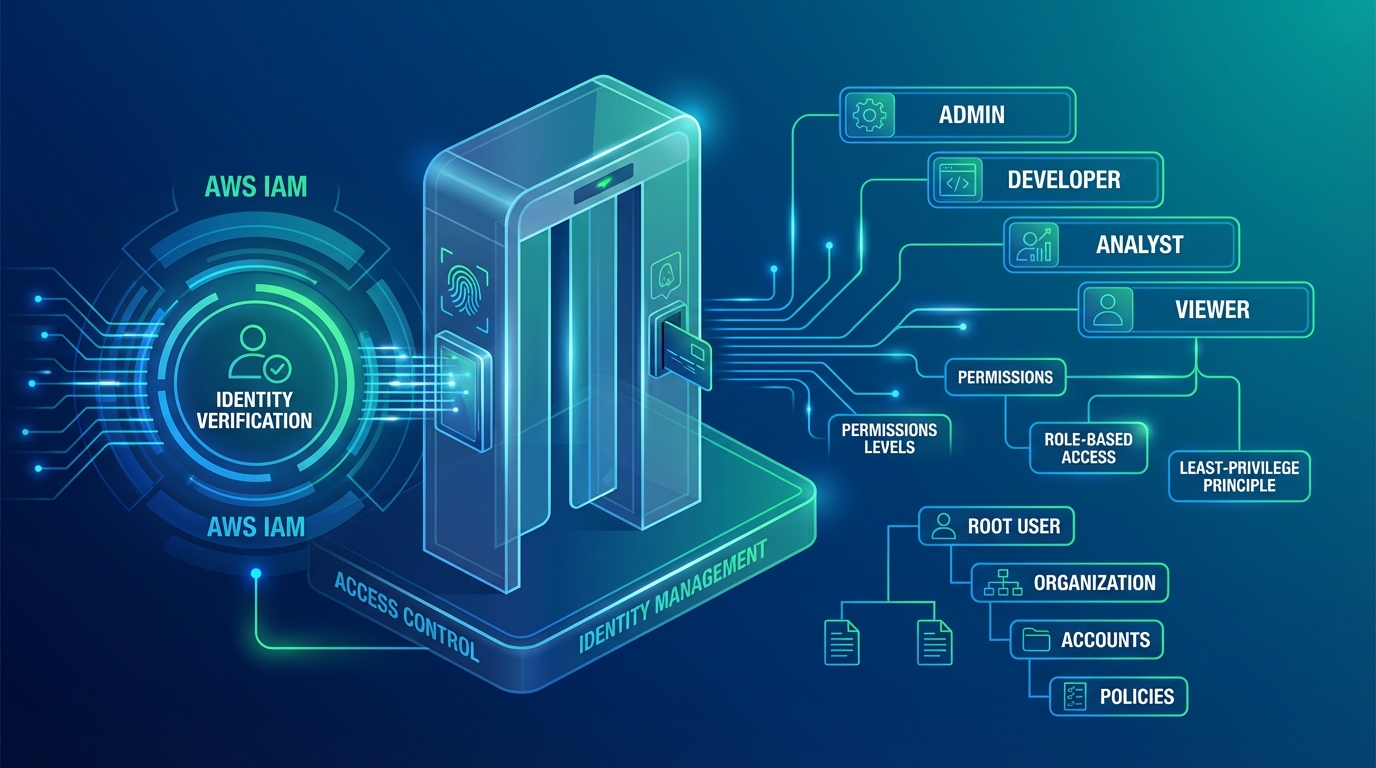
IAM Policy (Least Privilege)
{
  "Version": "2012-10-17",
  "Statement": [
    {
      "Sid": "ReadPatientData",
      "Effect": "Allow",
      "Action": ["rds:DescribeDBInstances", "secretsmanager:GetSecretValue"],
      "Resource": [
        "arn:aws:rds:us-east-1:123456789012:db:hipaa-db",
        "arn:aws:secretsmanager:us-east-1:123456789012:secret:hipaa/*"
      ],
      "Condition": {
        "IpAddress": {
          "aws:SourceIp": "10.0.0.0/8"
        }
      }
    }
  ]
}
VPC Security Groups (Network Isolation)
# Only allow database access from app tier
aws ec2 authorize-security-group-ingress \
  --group-id sg-db \
  --protocol tcp \
  --port 5432 \
  --source-security-group-id sg-app

# Deny all inbound by default
aws ec2 describe-security-groups \
  --group-ids sg-db \
  --query 'SecurityGroups[0].IpPermissions' → empty (no inbound rules except app tier)
Step 8: Validate HIPAA Compliance
AWS Config Rules
Set up Config rules to continuously check compliance:
aws configservice put-config-rule --config-rule '{
  "ConfigRuleName": "s3-bucket-server-side-encryption-enabled",
  "Description": "S3 buckets must have encryption enabled",
  "Source": {
    "Owner": "AWS",
    "SourceIdentifier": "S3_BUCKET_SERVER_SIDE_ENCRYPTION_ENABLED"
  }
}'

aws configservice put-config-rule --config-rule '{
  "ConfigRuleName": "encrypted-volumes",
  "Description": "EBS volumes must be encrypted",
  "Source": {
    "Owner": "AWS",
    "SourceIdentifier": "ENCRYPTED_VOLUMES"
  }
}'

aws configservice put-config-rule --config-rule '{
  "ConfigRuleName": "rds-encryption-enabled",
  "Description": "RDS must have encryption enabled",
  "Source": {
    "Owner": "AWS",
    "SourceIdentifier": "RDS_STORAGE_ENCRYPTED"
  }
}'
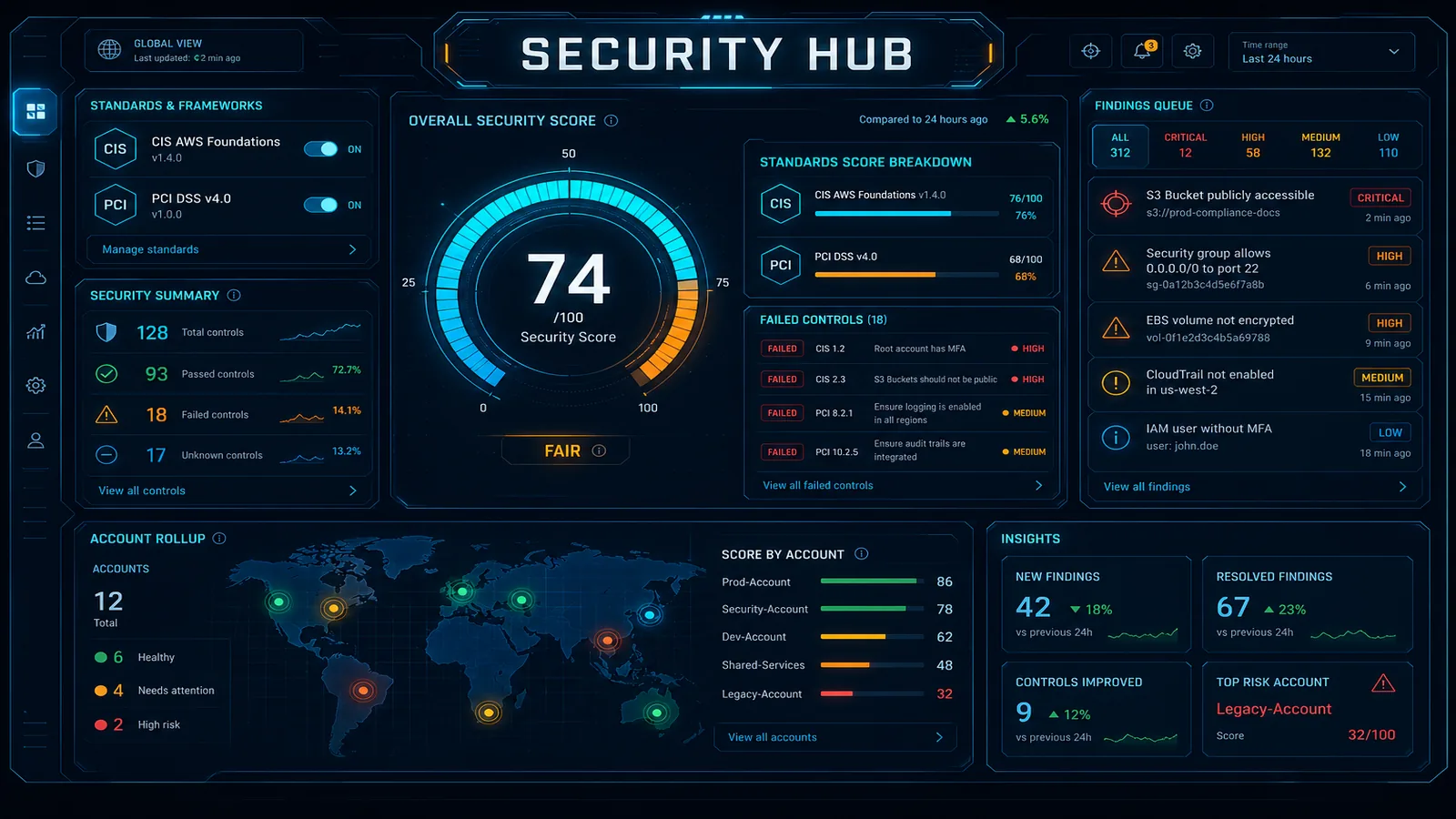
Security Hub (Compliance Dashboard)
Enable AWS Security Hub for continuous monitoring:
aws securityhub create-hub --region us-east-1

# Enable HIPAA standards
aws securityhub batch-enable-standards \
  --standards-subscription-requests '[{
    "StandardsArn": "arn:aws:securityhub:us-east-1::standards/aws-foundational-security-best-practices/v/1.0.0"
  }]'
View compliance status in the console: AWS Security Hub → Compliance → HIPAA Status
Step 9: Production Compliance Patterns
Pattern 1: Data Classification
Tag all resources with data sensitivity:
aws ec2 create-tags --resources vol-12345 --tags Key=DataClassification,Value=PHI

# Use tags to restrict access
aws iam put-role-policy --role-name app-role --policy-name tag-policy --policy-document '{
  "Version": "2012-10-17",
  "Statement": [{
    "Effect": "Allow",
    "Action": "ec2:*",
    "Resource": "*",
    "Condition": {
      "StringEquals": {
        "ec2:ResourceTag/DataClassification": "PHI"
      }
    }
  }]
}'
Pattern 2: Audit Trail Retention
Archive logs to Glacier for 7-year retention (HIPAA requirement):
# S3 Lifecycle policy for CloudTrail logs
aws s3api put-bucket-lifecycle-configuration \
  --bucket hipaa-cloudtrail-logs \
  --lifecycle-configuration '{
    "Rules": [{
      "ID": "Archive-CloudTrail-Logs",
      "Status": "Enabled",
      "Transitions": [{
        "Days": 90,
        "StorageClass": "GLACIER"
      }],
      "Expiration": {
        "Days": 2555
      }
    }]
  }'
Pattern 3: Quarterly Access Reviews
import boto3
from datetime import datetime

iam = boto3.client('iam')

def audit_iam_access():
    """Generate quarterly IAM access audit"""
    users = iam.list_users()['Users']

    for user in users:
        access_keys = iam.list_access_keys(UserName=user['UserName'])
        inline_policies = iam.list_user_policies(UserName=user['UserName'])

        print(f"User: {user['UserName']}")
        print(f"  Access Keys: {len(access_keys['AccessKeyMetadata'])}")
        print(f"  Inline Policies: {inline_policies['PolicyNames']}")
        print(f"  Last Used: {access_keys['AccessKeyMetadata'][0].get('CreateDate', 'N/A')}")
        print()

audit_iam_access()
Common Mistakes to Avoid
Storing PHI in application logs
- ❌
logger.info(f"Patient {patient.name} with SSN {patient.ssn} logged in") - ✓
logger.info(f"Patient {patient_id} logged in") - Log user IDs and actions, not sensitive data
- ❌
Using unencrypted backups
- Every backup must be encrypted
- Verify
StorageEncrypted=Trueon RDS snapshots
Forgetting to enable versioning
- S3 versioning allows audit trail recovery
- Enable on all HIPAA buckets
Not rotating encryption keys
- Rotate KMS keys annually
- AWS KMS handles this automatically if enabled
Leaving default AWS settings
- Default VPC is public (create custom VPC)
- Default security groups allow all inbound (restrict)
- Default S3 buckets don’t block public (enable)
Compliance Checklist
Before going live:
- BAA signed with AWS
- All data encrypted at rest (S3, RDS, EBS)
- All data encrypted in transit (TLS)
- CloudTrail enabled and logging
- CloudWatch Logs configured
- VPC Flow Logs enabled
- Security groups restrict access
- IAM policies follow least privilege
- AWS Config rules pass (encryption, logging)
- Security Hub enabled and monitoring
- Incident response plan documented
- Data breach notification process in place
- Disaster recovery tested
- Quarterly access reviews scheduled
What to Do This Week
- Confirm BAA status in Artifact; freeze PHI to eligible services only.
- Walk the build checklist against staging.
- Turn on org CloudTrail + Config encryption rules before production PHI.
What This Post Doesn’t Cover
Workforce training records, BAAs with your subprocessors, and OCR investigation response — see the compliance-lead checklist for the evidence pack.
Compliance services · Contact us
Frequently asked questions
What does HIPAA compliance on AWS actually mean?
HIPAA (Health Insurance Portability and Accountability Act) requires healthcare organizations to protect patient data (Protected Health Information, or PHI) through encryption, access controls, and audit logging. AWS compliance means: (1) AWS signs a Business Associate Agreement (BAA) committing to HIPAA requirements, (2) You use HIPAA-eligible AWS services (EC2, RDS, S3, etc.), (3) You configure those services to enforce encryption, logging, access controls, and (4) You audit your own configuration quarterly. AWS handles infrastructure; you handle application and data configuration. HIPAA is NOT a checkbox — it requires ongoing monitoring and evidence collection.
Which AWS services are HIPAA-eligible?
AWS publishes a live **HIPAA Eligible Services** reference (dozens of services; the set changes). Core building blocks (EC2, RDS, DynamoDB, S3, Lambda, CloudTrail, CloudWatch, KMS, Secrets Manager, VPC, API Gateway, …) are typically listed — **re-check Artifact/docs before any new service touches PHI**. Non-eligible services must stay off the PHI path even if the rest of the stack is encrypted.
What happens if I store PHI in an unencrypted S3 bucket?
HIPAA breach. If audited or hacked, you must notify all affected patients, pay fines ($100-$50,000 per record), and face legal liability. Encrypting S3 is trivial (one setting), so there's no excuse. Same for databases, logs, and backups — encryption-at-rest is non-negotiable. Encryption-in-transit (TLS) is also required for all data movement (API calls, database connections, log shipping).
Do I need a Business Associate Agreement with AWS?
Yes. If you process PHI on AWS, you must sign a BAA before deploying anything. The BAA commits AWS to HIPAA requirements and defines liability if AWS is breached. The process: (1) Open **AWS Artifact**, (2) Review/accept the AWS Business Associate Addendum (BAA) for the account, (3) Confirm status in Artifact, (4) Deploy PHI only on **HIPAA-eligible** services. No BAA = no HIPAA compliance, even if you encrypt everything. If you're a startup or contractor building for a healthcare client, the client signs the BAA (you're the business associate; they're the covered entity).
How often do I need to audit HIPAA compliance?
At minimum, quarterly. In practice, continuously via automated controls. Set up: (1) AWS Config rules to detect unencrypted resources, (2) CloudTrail for all API calls, (3) Access reviews (who has access to what), (4) Penetration testing (annually), (5) Incident response plan (test it). If audited by HHS (Department of Health and Human Services), you must demonstrate continuous compliance, not just a point-in-time audit.
AWS Cloud Architect & AI Expert
AWS-certified cloud architect and AI expert with deep expertise in cloud migrations, cost optimization, and generative AI on AWS.