Amazon Verified Permissions: Fine-Grained Authorization with Cedar for SaaS Applications
Quick summary: Amazon Verified Permissions externalizes application authorization logic using the Cedar policy language. Here's how to replace home-grown RBAC with a centralized, auditable policy store on AWS.
Key Takeaways
- Amazon Verified Permissions externalizes application authorization logic using the Cedar policy language
- Here's how to replace home-grown RBAC with a centralized, auditable policy store on AWS
- First-party benchmark (illustrative): a multi-tenant document SaaS often needs a 2–4 week shadow-mode cutover (inventory → Cedar → parallel decisions → route-by-route enforce)
- Reproduce this: AVP shadow-mode checklist Counter-case: AVP does not replace Cognito authentication or IAM for AWS API calls — only “can this user edit this document in this tenant
- The Authorization Gap: Why IAM and Cognito Are Not Enough IAM and Cognito each solve part of the authorization problem but leave a gap in the middle
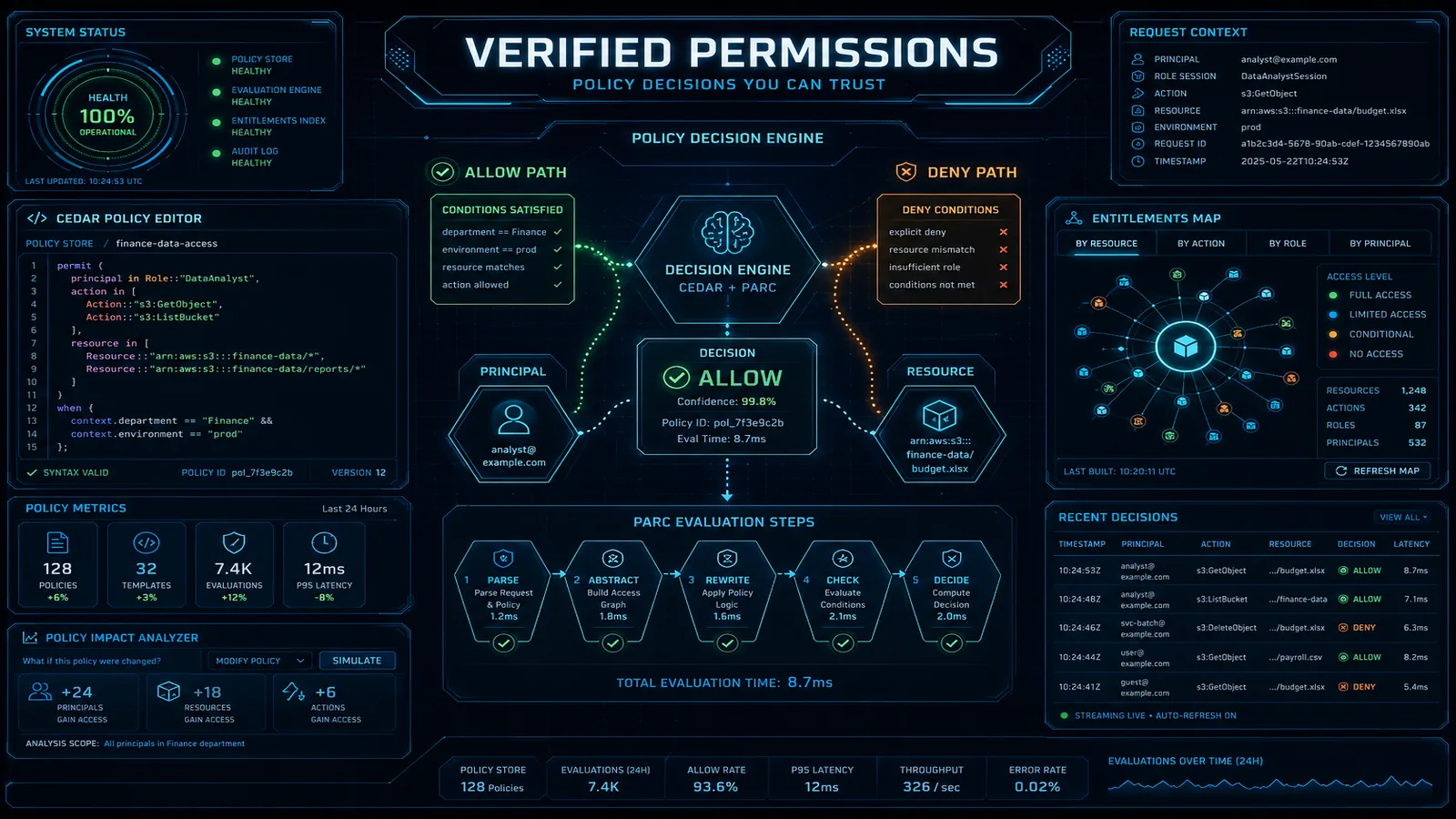
Table of Contents
Most SaaS apps start with users / roles / permissions tables and end year two with dozens of roles, override tables, and authz checks sprinkled across handlers. As of July 2026, Amazon Verified Permissions (GA May 2023) + open-source Cedar remain the managed way to externalize that app-domain authorization: store policies, call IsAuthorized / BatchIsAuthorized, change access without redeploying handlers, and audit via CloudTrail.
First-party benchmark (illustrative): a multi-tenant document SaaS often needs a 2–4 week shadow-mode cutover (inventory → Cedar → parallel decisions → route-by-route enforce). Latency for same-Region IsAuthorized is typically single-digit to low tens of ms — measure in your Region.
Reproduce this: AVP shadow-mode checklist
Counter-case: AVP does not replace Cognito authentication or IAM for AWS API calls — only “can this user edit this document in this tenant?”
This guide covers Cedar, IsAuthorized, multi-tenant patterns, and RBAC migration.
The Authorization Gap: Why IAM and Cognito Are Not Enough
IAM and Cognito each solve part of the authorization problem but leave a gap in the middle.
Amazon Cognito handles authentication: who is this user, are they authenticated, what groups do they belong to? Cognito User Pools issue JWTs containing the user’s identity and group memberships. Cognito does not know anything about your application’s resources, data, or the specific actions users are permitted to perform on specific objects.
AWS IAM handles authorization for AWS API calls: can this IAM principal call s3:GetObject on this S3 bucket? IAM policies are evaluated by the AWS control plane when an AWS SDK/API call is made. IAM cannot answer “can user alice edit document 123 that belongs to tenant acme” — that’s your application’s domain, not AWS’s control plane.
The gap: neither service can express the authorization logic “allow user alice to edit document 123, but only if alice is a member of the acme team and the document is in the draft state.” This logic currently lives in your application code, and moving it out is what Verified Permissions enables.
| Concern | Amazon Cognito | AWS IAM | Amazon Verified Permissions |
|---|---|---|---|
| Who are you? | Yes (authentication) | No | No |
| What AWS services can you call? | No | Yes | No |
| What can you do in my app? | Coarse (group-based) | No | Yes (fine-grained) |
| Resource-specific authorization | No | Via resource ARNs | Yes (arbitrary resource hierarchy) |
| Audit log of decisions | No | CloudTrail | CloudTrail |
| Change without deployment | No | Yes (IAM policy update) | Yes (Cedar policy update) |
| Multi-tenant data isolation | Via Cognito user pools | No | Yes (via resource hierarchy) |
The intended architecture: Cognito authenticates the user and issues a JWT → your application extracts the identity → AVP IsAuthorized makes the authorization decision → your application enforces it.
Cedar Policy Language: Principals, Actions, Resources, and Conditions
Cedar is an open-source policy language designed for fast, safe authorization evaluation. It is statically typed, always terminates (no infinite loops), and has a formal semantics that enables automated policy analysis. AWS Access Analyzer uses Cedar internally.
A Cedar policy has this structure:
effect(principal [condition], action [condition], resource [condition])
[when { conditions }]
[unless { conditions }];
Let’s build a complete authorization model for a document management SaaS.
Entity schema definition (stored in the policy store):
{
  "namespace": "DocApp",
  "entityTypes": {
    "User": {
      "shape": {
        "type": "Record",
        "attributes": {
          "department": { "type": "String" },
          "level": { "type": "Long" }
        }
      },
      "memberOfTypes": ["Team"]
    },
    "Team": {
      "shape": {
        "type": "Record",
        "attributes": {
          "tenantId": { "type": "String" }
        }
      }
    },
    "Document": {
      "shape": {
        "type": "Record",
        "attributes": {
          "ownerId": { "type": "String" },
          "tenantId": { "type": "String" },
          "status": { "type": "String" }
        }
      },
      "memberOfTypes": ["Folder"]
    },
    "Folder": {}
  },
  "actions": {
    "viewDocument": {
      "appliesTo": {
        "principalTypes": ["User"],
        "resourceTypes": ["Document"]
      }
    },
    "editDocument": {
      "appliesTo": {
        "principalTypes": ["User"],
        "resourceTypes": ["Document"]
      }
    },
    "deleteDocument": {
      "appliesTo": {
        "principalTypes": ["User"],
        "resourceTypes": ["Document"]
      }
    }
  }
}
Policy 1: Document owner can perform all actions
permit (
  principal,
  action in [
    DocApp::Action::"viewDocument",
    DocApp::Action::"editDocument",
    DocApp::Action::"deleteDocument"
  ],
  resource
)
when {
  resource.ownerId == principal.id
};
Policy 2: Team member can view documents in their tenant
permit (
  principal in DocApp::Team::"?team",
  action == DocApp::Action::"viewDocument",
  resource
)
when {
  resource.tenantId == principal.team.tenantId
};
Policy 3: Admins can delete any document in their tenant
permit (
  principal in DocApp::Team::"?team",
  action == DocApp::Action::"deleteDocument",
  resource
)
when {
  principal.level >= 5 &&
  resource.tenantId == principal.team.tenantId
};
Policy 4: Forbid editing documents in published status (override)
forbid (
  principal,
  action == DocApp::Action::"editDocument",
  resource
)
when {
  resource.status == "published"
};
Cedar evaluates forbid policies as overrides — if any forbid policy matches, the decision is Deny regardless of permit policies. This is explicit-deny-overrides semantics, critical for expressing things like “no one can edit a published document, not even the owner.”
The IsAuthorized API: Runtime Authorization
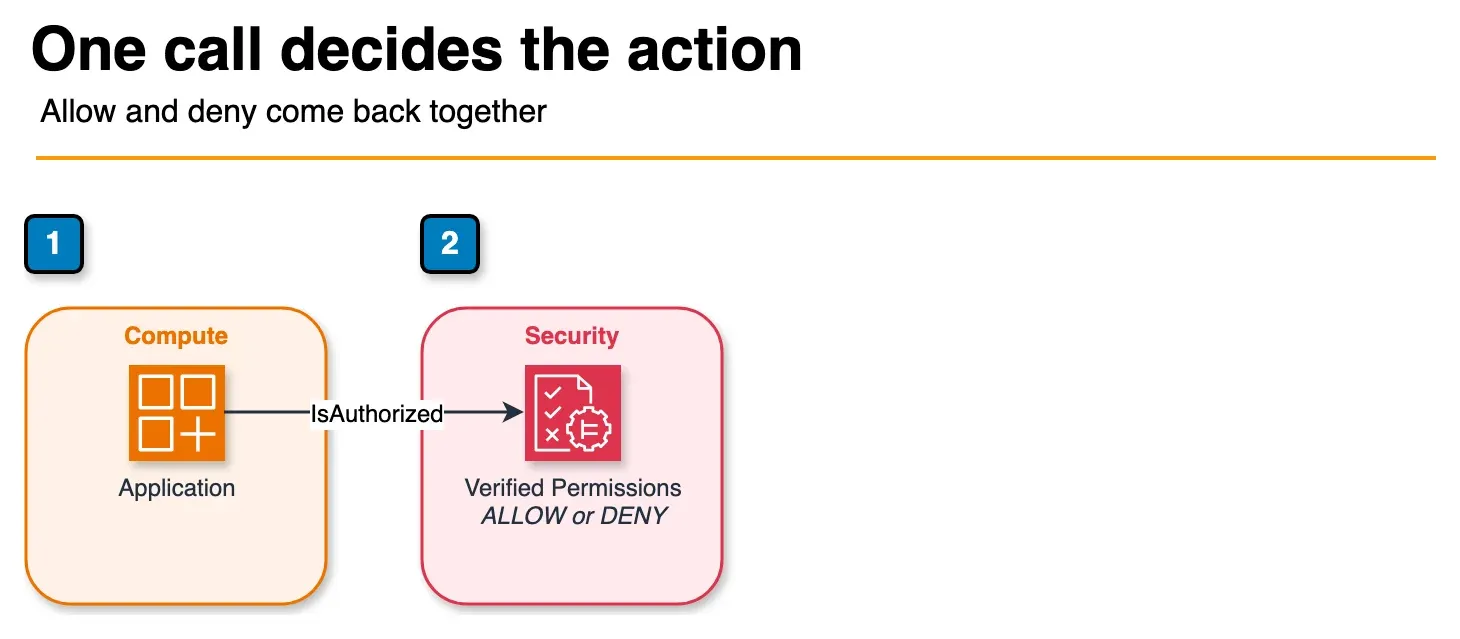
Figure: IsAuthorized in the article. The application sends the principal, the action, and the resource. The answer is ALLOW or DENY, plus the policies that decided it. The sample policy store id is not shown. Open the draw.io source.
Every authorization check in your application becomes a single API call:
import boto3
import json

avp = boto3.client('verifiedpermissions')
POLICY_STORE_ID = 'AbCdEfGhIjKlMnOpQrSt'

def authorize(user_id: str, action: str, document_id: str, document_attrs: dict) -> bool:
    """
    Check if user_id can perform action on document_id.
    Returns True if allowed, False if denied.
    """
    response = avp.is_authorized(
        policyStoreId=POLICY_STORE_ID,
        principal={
            'entityType': 'DocApp::User',
            'entityId': user_id
        },
        action={
            'actionType': 'DocApp::Action',
            'actionId': action
        },
        resource={
            'entityType': 'DocApp::Document',
            'entityId': document_id
        },
        entities={
            'entityList': [
                {
                    'identifier': {
                        'entityType': 'DocApp::User',
                        'entityId': user_id
                    },
                    'attributes': {
                        'level': {'long': get_user_level(user_id)},
                        'department': {'string': get_user_department(user_id)}
                    },
                    'parents': [
                        {
                            'entityType': 'DocApp::Team',
                            'entityId': get_user_team_id(user_id)
                        }
                    ]
                },
                {
                    'identifier': {
                        'entityType': 'DocApp::Document',
                        'entityId': document_id
                    },
                    'attributes': {
                        'ownerId': {'string': document_attrs['owner_id']},
                        'tenantId': {'string': document_attrs['tenant_id']},
                        'status': {'string': document_attrs['status']}
                    }
                }
            ]
        }
    )

    decision = response['decision']
    determining_policies = response.get('determiningPolicies', [])

    print(f"Authorization: {user_id} {action} {document_id} → {decision}")
    print(f"Determined by policies: {[p['policyId'] for p in determining_policies]}")

    return decision == 'ALLOW'


def batch_authorize_for_ui(user_id: str, document_ids: list[str]) -> dict[str, dict[str, bool]]:
    """
    Check multiple actions across multiple documents for UI rendering.
    Returns: {document_id: {action: allowed}}
    """
    requests = []
    for doc_id in document_ids:
        for action in ['viewDocument', 'editDocument', 'deleteDocument']:
            requests.append({
                'request': {
                    'principal': {'entityType': 'DocApp::User', 'entityId': user_id},
                    'action': {'actionType': 'DocApp::Action', 'actionId': action},
                    'resource': {'entityType': 'DocApp::Document', 'entityId': doc_id}
                },
                'requestId': f"{doc_id}:{action}"
            })

    response = avp.batch_is_authorized(
        policyStoreId=POLICY_STORE_ID,
        requests=[r['request'] for r in requests],
        entities={'entityList': build_entity_list(user_id, document_ids)}
    )

    results = {}
    for i, result in enumerate(response['results']):
        doc_id, action = requests[i]['requestId'].split(':', 1)
        if doc_id not in results:
            results[doc_id] = {}
        results[doc_id][action] = result['decision'] == 'ALLOW'

    return results
Latency expectations: single IsAuthorized calls return in 5–15ms from the same AWS region. BatchIsAuthorized with 15–20 requests returns in 10–25ms. For a typical web API handler making one authorization check per request, AVP adds less overhead than a single DynamoDB read.
SaaS Multi-Tenant Pattern: Shared Store with Tenant Namespacing
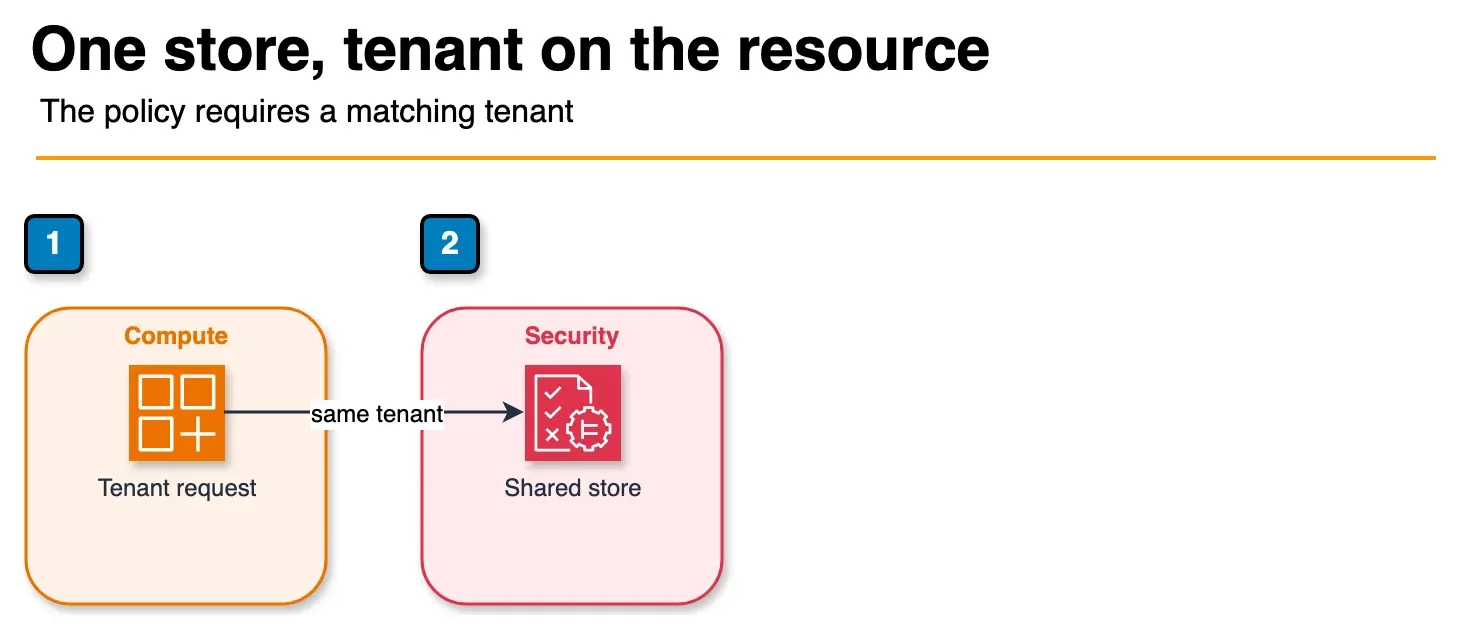
Figure: the shared-store pattern in the article. The tenant is a parent of the resource. The policy allows the action only when the principal and the resource belong to that tenant. A store per tenant is the other option, not a second hop. Open the draw.io source.
For a multi-tenant SaaS, Option 2 (shared policy store with tenant ID in resource hierarchy) provides the right balance of operational simplicity and isolation for most use cases.
Resource naming convention: embed the tenant ID in the resource path using a parent entity.
// Tenant entity type acts as the parent namespace
// Document::"acme/doc123" is a member of Tenant::"acme"

permit (
  principal in DocApp::Team::"acme-editors",
  action in [DocApp::Action::"viewDocument", DocApp::Action::"editDocument"],
  resource in DocApp::Tenant::"acme"
)
when {
  principal.tenantId == resource.tenantId
};
Policy template for tenant member access (created once, linked per tenant):
# Create the template
aws verifiedpermissions create-policy-template \
  --policy-store-id $POLICY_STORE_ID \
  --statement '
    permit (
      principal in ?principal,
      action in [
        DocApp::Action::"viewDocument",
        DocApp::Action::"editDocument"
      ],
      resource in ?resource
    );
  ' \
  --description "Tenant member read-write access"

# Link the template for tenant "acme" — done when a tenant is onboarded
aws verifiedpermissions create-policy \
  --policy-store-id $POLICY_STORE_ID \
  --definition '{
    "templateLinked": {
      "policyTemplateId": "AbCdEfGhIjKlMnOp",
      "principal": {
        "entityType": "DocApp::Team",
        "entityId": "acme-members"
      },
      "resource": {
        "entityType": "DocApp::Tenant",
        "entityId": "acme"
      }
    }
  }'
Cross-tenant access prevention by design: Cedar policies evaluate exact entity IDs and parent relationships. A user who is a member of Team::"acme-members" and a resource that is in Tenant::"acme" cannot match a policy for Tenant::"betacorp" — the entity hierarchy is explicit in the policy and in the entity context passed to IsAuthorized. There is no “wildcard tenant” vulnerability as long as the resource’s tenant entity parent is set correctly in the entities block of your IsAuthorized call.
Migration Path: Replacing Home-Grown RBAC
A realistic migration takes 2–4 weeks for a mature SaaS application. The highest-risk part is the gap between what your database says permissions are and what your code actually enforces.
Step 1: Inventory existing permissions (week 1)
Export your roles table and permissions table. Map each permission to a (action, resource_type) pair. Trace through your codebase for all authorization checks — search for patterns like user.hasPermission('edit_document'), $user->can('editDocument'), or if (user.role === 'admin'). Document each check and the business logic it enforces.
# Example: extract all permission checks from a Node.js codebase
grep -rn "hasPermission\|can(\|hasRole\|isAuthorized" src/ \
  --include="*.js" --include="*.ts" > permission_inventory.txt
Step 2: Model as Cedar entities and policies (week 1–2)
Convert your roles to Cedar policy templates. Each role becomes a template. Each user-role assignment becomes a template-linked policy. Each special override becomes a standalone permit or forbid policy. Write a test suite for Cedar policy evaluation using the Cedar CLI (cedar authorize command for offline policy testing).
# Test Cedar policies offline before uploading to AVP
cedar authorize \
  --policies policies/ \
  --schema schema.json \
  --principal 'DocApp::User::"alice"' \
  --action 'DocApp::Action::"editDocument"' \
  --resource 'DocApp::Document::"doc123"' \
  --entities entities-test.json
Step 3: Shadow mode deployment (week 2–3)
Run both your existing RBAC and AVP IsAuthorized in parallel. Log every case where the decisions diverge. Fix Cedar policies until divergences are below an acceptable threshold (typically under 0.1% of decisions for edge cases you’re actively choosing to change behavior on).
def authorize_with_shadow(user_id, action, resource_id):
    old_decision = legacy_rbac.check(user_id, action, resource_id)
    new_decision = avp_authorize(user_id, action, resource_id)

    if old_decision != new_decision:
        cloudwatch.put_metric_data(
            Namespace='Authorization/ShadowMode',
            MetricData=[{
                'MetricName': 'DecisionDivergence',
                'Value': 1,
                'Dimensions': [
                    {'Name': 'Action', 'Value': action},
                    {'Name': 'LegacyDecision', 'Value': str(old_decision)},
                    {'Name': 'AVPDecision', 'Value': str(new_decision)}
                ]
            }]
        )

    return old_decision  # Still enforcing old decision during shadow mode
Step 4: Cut over per route (week 3–4)
Switch routes from return old_decision to return new_decision one group at a time. Start with low-risk read-only endpoints. Save destructive actions (delete, admin operations) for last.
Step 5: Decommission old tables
Once all routes use AVP and the divergence rate is zero, the roles/permissions tables become read-only archive. After 30 days of stable operation, drop them. Your database schema simplifies; your authorization logic becomes a managed external service.
What to Do This Week
- Inventory permission checks in code; map to (principal, action, resource) triples.
- Stand up a non-prod policy store; run
cedar authorizeoffline fixtures. - Deploy shadow mode with divergence metrics — use the checklist.
What This Post Doesn’t Cover
Open Policy Agent / Rego side-by-side, Cedar formal verification tooling beyond CLI authorize, and Cognito identity-pool IAM federation.
Need help with Cedar entity modeling or multi-tenant cutover? Contact FactualMinds.
Related reading:
- AWS IAM Best Practices: Least Privilege Access Control
- AWS Cognito Authentication for SaaS Applications
- SaaS Multi-Tenancy on AWS: Silo, Pool, and Bridge Model
- Top 20 AWS AI and Modern Services in 2026
Frequently asked questions
Can I import existing roles from my database into Verified Permissions?
How does Verified Permissions handle authorization for multi-step workflows such as approval chains?
What is the AVP pricing model?
Does Verified Permissions support OAuth scopes as action mappings?
How do I audit a specific user's effective permissions across all resources?

Agentic AI & Cloud Security
Works on making teams more productive with agentic AI. Writes the FactualMinds guides on AWS security and compliance: identity, threat detection, data protection, and audit readiness, the controls AI agents need before they touch production systems.