DevOps on AWS: CodePipeline vs GitHub Actions vs Jenkins
Quick summary: A practical comparison of AWS CodePipeline, GitHub Actions, and Jenkins for CI/CD on AWS — covering integration, cost, scalability, and team fit.
Key Takeaways
- A practical comparison of AWS CodePipeline, GitHub Actions, and Jenkins for CI/CD on AWS — covering integration, cost, scalability, and team fit
- A practical comparison of AWS CodePipeline, GitHub Actions, and Jenkins for CI/CD on AWS — covering integration, cost, scalability, and team fit
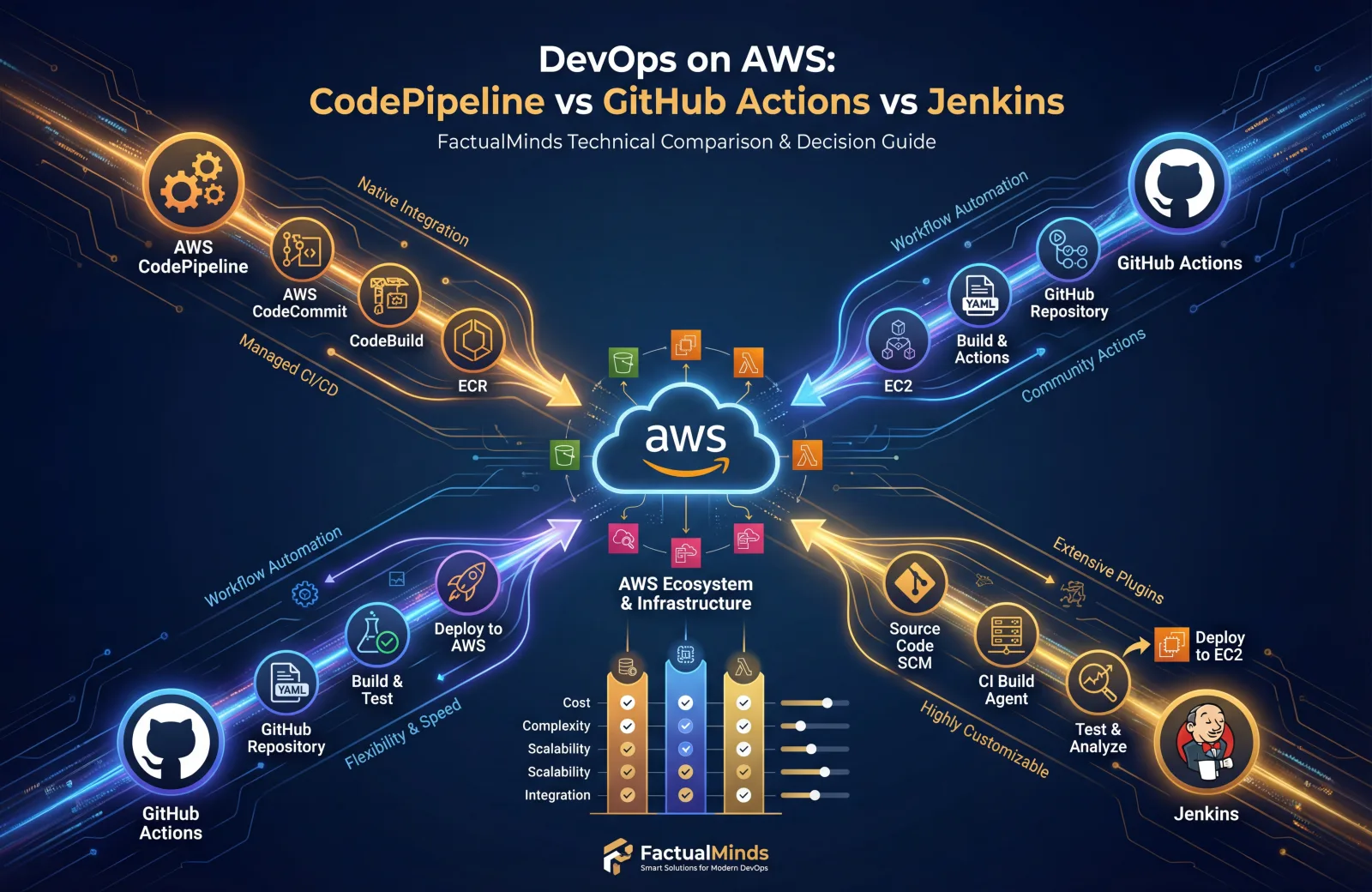
Table of Contents
Choosing a CI/CD platform for AWS workloads is one of the first decisions in any DevOps journey — and one of the most debated. AWS CodePipeline, GitHub Actions, and Jenkins each have passionate advocates, and each excels in different scenarios.
This comparison is based on our experience building and maintaining CI/CD pipelines for organizations running production workloads on AWS. We have deployed all three platforms and can speak honestly about the trade-offs.
Quick Comparison
| Capability | CodePipeline | GitHub Actions | Jenkins |
|---|---|---|---|
| Managed by | AWS | GitHub (Microsoft) | Self-hosted (you) |
| AWS Integration | Native (deep) | Good (via actions) | Good (via plugins) |
| Source Control | CodeCommit, GitHub, Bitbucket | GitHub only | Any SCM |
| Build Service | CodeBuild (managed) | GitHub-hosted runners | Self-hosted agents |
| Pricing | Per pipeline/month | Per minute | Free (infrastructure cost) |
| Setup Complexity | Medium | Low | High |
| Customizability | Limited | Medium | Unlimited |
| Enterprise Features | IAM, CloudTrail, KMS | OIDC, environments, secrets | Plugin-dependent |
AWS CodePipeline + CodeBuild + CodeDeploy
How It Works
CodePipeline is AWS’s native CI/CD orchestration service. It coordinates the flow from source to build to deploy, using other AWS services for each stage:
- CodeCommit or GitHub → Source stage
- CodeBuild → Build, test, and package
- CodeDeploy → Deploy to EC2, ECS, Lambda, or on-premises
- CloudFormation/CDK → Infrastructure deployment
Strengths
Deep AWS integration is CodePipeline’s defining advantage. Every stage interacts with AWS services through IAM roles — no access keys, no credential management, no third-party integrations to maintain.
- Deploy to ECS with blue/green via CodeDeploy in a few clicks
- Deploy CloudFormation stacks as a pipeline action
- Trigger pipelines from S3, ECR, or CloudWatch Events
- Encrypt all artifacts with KMS
- Full audit trail in CloudTrail
Security is first-class. Pipeline roles use IAM with least-privilege. Cross-account deployments use assume-role. Artifacts are encrypted at rest. Everything is auditable. For organizations with SOC 2, HIPAA, or PCI compliance requirements, this is significant.
CodeBuild is a managed build service — no build servers to maintain, patch, or scale. You define a buildspec.yml, CodeBuild provisions a container, runs your build, and terminates. You pay per build minute.
Weaknesses
Limited ecosystem. CodePipeline has far fewer integrations and community contributions than GitHub Actions or Jenkins. If you need a pipeline action that AWS does not provide natively, you are writing Lambda functions or custom actions.
Rigid pipeline model. CodePipeline uses a linear stage-based model. Complex workflows with conditional logic, matrix builds, or fan-out/fan-in patterns are cumbersome compared to GitHub Actions workflows or Jenkins pipelines.
Console UX. The CodePipeline console is functional but dated. Debugging failed builds means navigating between CodePipeline, CodeBuild, and CloudWatch Logs — three different consoles.
CodeCommit limitations. If you use CodeCommit as your source, you lose the pull request review workflow, code search, and developer community features that GitHub provides. Most teams using CodePipeline still use GitHub for source control.
Pricing
| Component | Cost |
|---|---|
| CodePipeline | $1/pipeline/month (first free) |
| CodeBuild | $0.005-0.020/build-minute (varies by compute) |
| CodeDeploy | Free for EC2/Lambda, $0.02/deployment for on-premises |
CodePipeline is extremely cost-effective for small to mid-size teams. You pay per active pipeline per month, plus build minutes.
Best For
- Teams fully committed to AWS with no multi-cloud requirements
- Organizations with strict compliance requirements (SOC 2, HIPAA, PCI)
- Workloads deploying to ECS, Lambda, or EC2 where CodeDeploy’s blue/green is valuable
- Small to mid-size teams that want managed infrastructure
GitHub Actions
How It Works
GitHub Actions defines CI/CD workflows as YAML files in your repository (.github/workflows/). Workflows trigger on GitHub events (push, pull request, schedule, manual dispatch) and execute jobs on GitHub-hosted or self-hosted runners.
Strengths
Massive ecosystem. The GitHub Marketplace has thousands of community-built actions for every use case — AWS deployments, Docker builds, Slack notifications, security scanning, and more. This dramatically reduces the boilerplate required to build a pipeline.
Developer experience. Workflows live alongside your code. Pull request checks show build status inline. The Actions tab provides a clear, intuitive view of workflow runs. Debugging is straightforward with job logs and step outputs in a single view.
Flexibility. GitHub Actions supports matrix builds, conditional execution, reusable workflows, composite actions, and complex dependency graphs. You can express nearly any workflow pattern.
AWS integration is solid through official AWS actions:
aws-actions/configure-aws-credentials— Assumes IAM roles via OIDC federation (no access keys needed)aws-actions/amazon-ecr-login— Authenticate to ECRaws-actions/amazon-ecs-deploy-task-definition— Deploy to ECSaws-actions/aws-cloudformation-github-deploy— Deploy CloudFormation stacks
OIDC federation is the key feature — GitHub Actions can assume IAM roles directly without storing AWS credentials as secrets, matching CodePipeline’s security model.
Weaknesses
GitHub lock-in. Workflows only run on GitHub repositories. If you migrate to GitLab, Bitbucket, or another SCM, your CI/CD configuration does not come with you.
Runner limitations. GitHub-hosted runners have fixed hardware specs and limited software. Complex builds may require self-hosted runners, which you must manage yourself.
Cost at scale. For teams with heavy build loads, per-minute pricing on GitHub-hosted runners can exceed the cost of CodeBuild or self-hosted Jenkins.
No native deployment orchestration. GitHub Actions does not have a CodeDeploy equivalent. You can deploy to AWS using CLI commands or SDK calls in action steps, but blue/green deployments, traffic shifting, and automatic rollback require additional scripting.
Pricing
| Component | Cost |
|---|---|
| GitHub Free | 2,000 minutes/month |
| GitHub Team | 3,000 minutes/month ($4/user/month) |
| GitHub Enterprise | 50,000 minutes/month ($21/user/month) |
| Additional minutes | $0.008/minute (Linux) |
Free tier is generous for small teams. Enterprise costs are per-user, not per-pipeline, which can be cheaper or more expensive than CodePipeline depending on team size and build frequency.
Best For
- Teams using GitHub for source control (which is most teams)
- Organizations that value developer experience and rapid iteration
- Multi-cloud or hybrid environments where AWS-native tools are too restrictive
- Teams that want workflow-as-code alongside their application code
Jenkins
How It Works
Jenkins is a self-hosted, open-source automation server. You install it on your infrastructure (EC2, ECS, Kubernetes), configure build agents, and define pipelines using Jenkinsfile (Groovy-based) or the UI.
Strengths
Unlimited flexibility. Jenkins can do anything. With 1,800+ plugins, it integrates with every source control system, build tool, deployment target, and notification service imaginable. If a plugin does not exist, you write one.
No vendor lock-in. Jenkins runs on your infrastructure. You control everything — the server, agents, plugins, and configuration. You can migrate Jenkins between cloud providers or to on-premises without changing your pipelines.
Mature ecosystem. Jenkins has been the CI/CD standard for over 15 years. Enterprise features like Pipeline libraries, multibranch pipelines, and shared agents are battle-tested at massive scale.
Cost structure. Jenkins itself is free. You pay only for the infrastructure to run it. For organizations with existing compute capacity or large build farms, this can be significantly cheaper than per-minute pricing.
Weaknesses
Operational burden. Jenkins requires ongoing maintenance — OS patching, plugin updates, security fixes, scaling, backup, and disaster recovery. This is a real cost in engineering time, even if the software is free.
Plugin fragility. Plugin compatibility issues are common. Updating Jenkins or one plugin can break others. Security vulnerabilities in plugins are frequent and require prompt patching.
Scaling complexity. Scaling Jenkins build agents across multiple nodes, handling concurrent builds, and managing agent lifecycles requires significant expertise. Kubernetes-based agents (Jenkins on EKS) help but add Kubernetes operational overhead.
Security. Jenkins has a complex permission model, and its default configuration is often insecure. Securing Jenkins properly — credentials management, HTTPS, CSRF protection, authorization strategy — requires deliberate effort.
Pricing
| Component | Cost |
|---|---|
| Jenkins software | Free |
| Infrastructure | EC2/ECS compute costs for controller + agents |
| Plugins | Free (mostly) |
| Engineering time | Significant (maintenance, updates, troubleshooting) |
Jenkins is “free” in the same way Linux is free — the software costs nothing, but the operational cost is real. Budget 10-20% of a DevOps engineer’s time for Jenkins maintenance in a mid-size deployment.
Best For
- Large organizations with dedicated DevOps teams who can absorb maintenance overhead
- Complex pipeline requirements that exceed what CodePipeline or GitHub Actions can express
- Multi-SCM environments (GitHub + Bitbucket + GitLab)
- Organizations with existing Jenkins expertise and mature pipeline libraries
Hybrid Approaches
In practice, many teams combine tools. Common patterns we implement:
GitHub Actions + CodeDeploy
Use GitHub Actions for build and test (better developer experience), then trigger CodeDeploy for production deployments (better deployment orchestration with blue/green and automatic rollback).
GitHub Push → GitHub Actions (build, test, push to ECR) → CodeDeploy (blue/green deploy to ECS)GitHub Actions + CloudFormation/CDK
Use GitHub Actions for CI/CD orchestration and AWS CloudFormation or CDK for infrastructure deployment. The aws-actions/aws-cloudformation-github-deploy action makes this seamless.
Jenkins + CodeBuild
Use Jenkins for pipeline orchestration (leveraging existing pipeline libraries) but delegate builds to CodeBuild for managed, scalable build infrastructure. The Jenkins AWS CodeBuild plugin makes this straightforward.
Decision Framework
Ask these questions to determine the right tool for your team:
1. Where does your code live?
- GitHub → GitHub Actions is the natural choice
- CodeCommit → CodePipeline is the natural choice
- Multiple SCMs → Jenkins or GitHub Actions
2. How complex are your pipelines?
- Simple (build, test, deploy) → CodePipeline or GitHub Actions
- Complex (matrix builds, conditional logic, fan-out) → GitHub Actions or Jenkins
- Extremely complex (custom plugins, shared libraries) → Jenkins
3. What is your compliance posture?
- Strict (SOC 2, HIPAA, FedRAMP) → CodePipeline (native IAM, CloudTrail, KMS)
- Standard → GitHub Actions with OIDC federation
- Custom → Jenkins with configured security
4. Do you have DevOps engineers to maintain CI/CD infrastructure?
- No → CodePipeline or GitHub Actions (managed)
- Yes → Any option, including Jenkins
5. Is your infrastructure AWS-only or multi-cloud?
- AWS-only → CodePipeline (deepest integration) or GitHub Actions
- Multi-cloud → GitHub Actions or Jenkins
Our Recommendation
For most AWS-focused teams in 2026, GitHub Actions with AWS OIDC federation is the best starting point. It provides the best developer experience, a massive ecosystem of actions, and solid AWS integration through OIDC and official AWS actions. Use CodeDeploy for the deployment stage when you need blue/green or canary deployments to ECS.
For organizations with strict compliance requirements or teams that want everything within the AWS ecosystem, CodePipeline + CodeBuild + CodeDeploy is the right choice. The IAM integration, CloudTrail audit trail, and KMS encryption provide a security-first CI/CD platform.
Jenkins remains relevant for large enterprises with complex pipeline requirements and dedicated DevOps teams, but we increasingly see organizations migrating away from Jenkins to reduce maintenance burden.
For hands-on help designing and implementing CI/CD pipelines on AWS, see our DevOps Pipeline Setup and Implementation services.
AWS Cloud Architect & AI Expert
AWS-certified cloud architect and AI expert with deep expertise in cloud migrations, cost optimization, and generative AI on AWS.