Amazon Inspector v2: Agentless Container and Lambda Vulnerability Scanning in Production
Quick summary: Inspector v2 continuously scans EC2, ECR container images, and Lambda functions without agents. Production guide to CI/CD integration, finding management, risk scoring, and multi-account deployment.
Key Takeaways
- Inspector v2 continuously scans EC2, ECR container images, and Lambda functions without agents
- Production guide to CI/CD integration, finding management, risk scoring, and multi-account deployment
- Inspector v2 continuously scans EC2, ECR container images, and Lambda functions without agents
- Production guide to CI/CD integration, finding management, risk scoring, and multi-account deployment
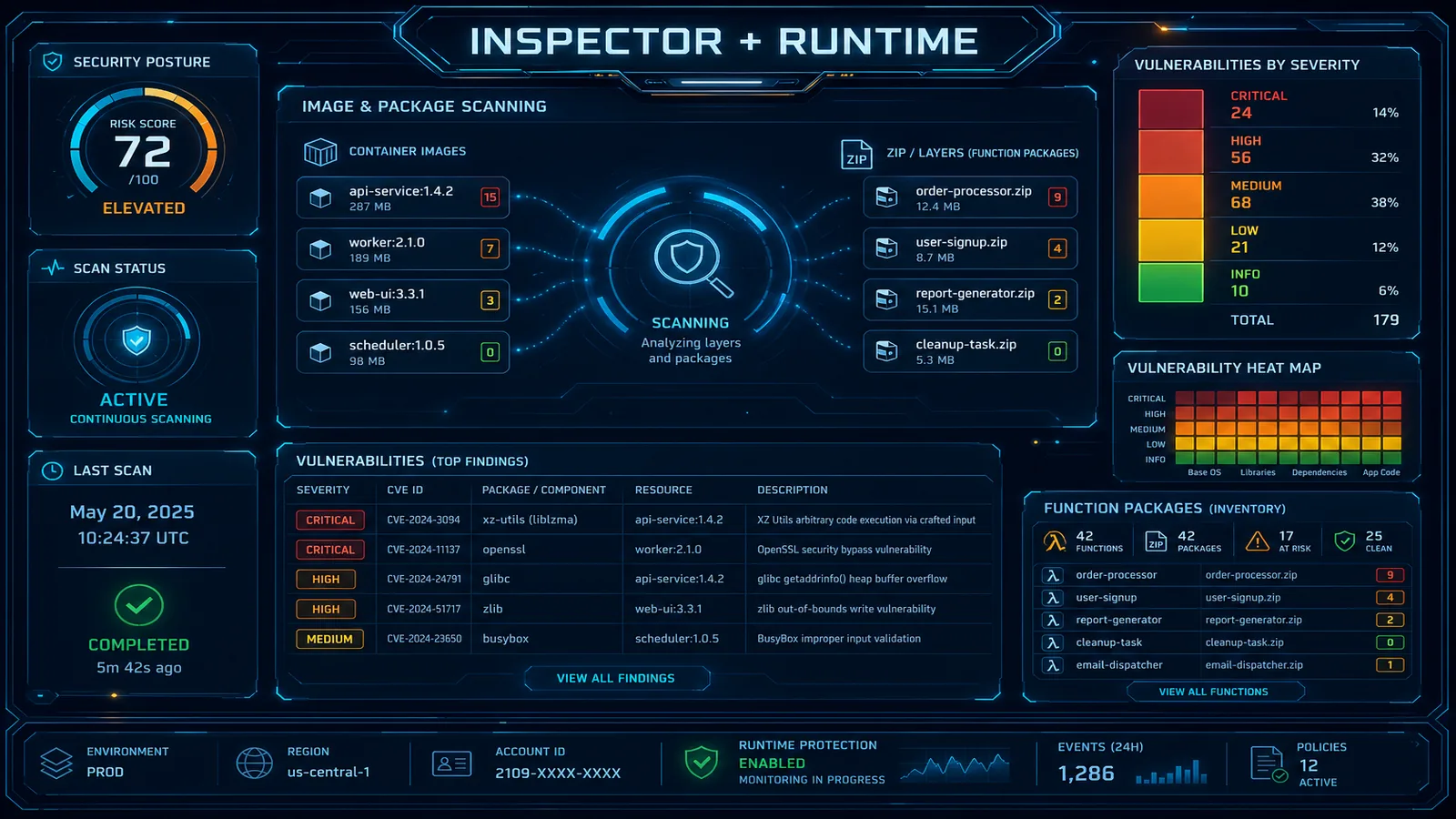
Table of Contents
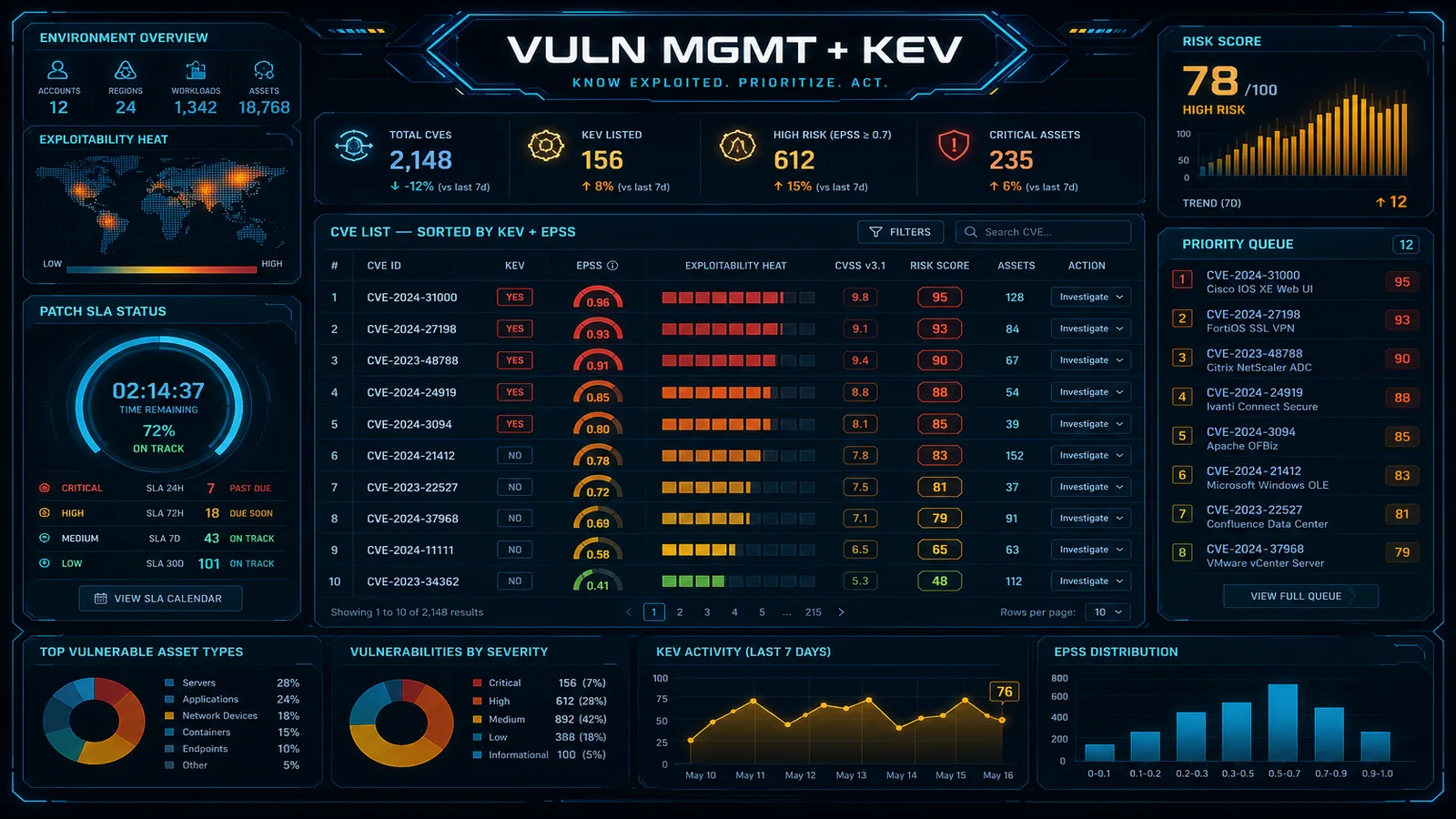
Vulnerability management in container-heavy environments has a fundamental timing problem. You scan your Docker image at build time, find nothing critical, ship it to production — and then three months later a critical CVE is published for a package that image contains. Scan-on-push only catches vulnerabilities present when you push. The image sitting in production, unchanged, is now vulnerable and nothing told you.
Amazon Inspector v2, launched in November 2021 and significantly expanded in 2023–2024, solves this by decoupling the CVE check from the deployment event. Inspector v2 maintains a live inventory of all your EC2 instances, ECR images, and Lambda functions, and re-scans them whenever its vulnerability database updates — not just when you push new code. A critical CVE published on a Tuesday afternoon triggers re-evaluation of every image in your ECR registry by Wednesday morning.
This guide covers the agentless architecture, ECR CI/CD pipeline integration, Lambda function scanning, finding prioritization with Amazon Inspector Risk Score, and multi-account deployment via AWS Organizations.
Inspector v2 Architecture: How Agentless Scanning Works
Inspector Classic (v1) required a separate Inspector agent installed on each EC2 instance, manual assessment run scheduling, and significant operational overhead. Inspector v2 eliminates both requirements.
For EC2 instances: Inspector v2 uses AWS Systems Manager (SSM) to collect package inventory from EC2 instances. No separate Inspector agent is installed. If your instance has the SSM agent (which all modern Amazon Linux 2/2023 AMIs include by default, and which is available for RHEL, Ubuntu, and Windows), Inspector v2 can inventory it. The service collects the installed package list (RPM/DEB/MSI), matches it against the CVE database, and additionally performs a network reachability assessment — it analyzes your VPC security groups, route tables, and network ACLs to determine whether the vulnerable instance is reachable from the internet. This reachability signal becomes part of the Inspector Risk Score.
For ECR container images: Inspector v2 integrates directly with ECR at the registry level. When you enable enhanced scanning on an ECR repository, every push triggers an automatic scan. More importantly, Inspector v2 continuously monitors its CVE database and re-scans all enrolled images when new vulnerabilities are published that match packages in those images. The scanning happens on the AWS side using the image manifest — the container never needs to run.
For Lambda functions: Inspector v2 reads the Lambda function configuration via the Lambda API, downloads the deployment package (ZIP or container image), and inspects installed packages within it. It checks Python packages (requirements.txt / site-packages), Node.js packages (node_modules), Java dependencies (JAR files), Ruby gems, and .NET packages. It also checks the runtime version — if your function is running Node.js 16 (end-of-life), Inspector v2 flags it. Scanning happens automatically; no changes to your function code are needed.
The key distinction: Inspector v2 collects inventory data using existing AWS service APIs, performs CVE matching and risk scoring on the AWS service side, and publishes findings to the AWS Security Hub ASFF (Amazon Security Findings Format). No network access to your workloads, no agents to manage, no scheduled assessment windows.
ECR Container Image Scanning in CI/CD
The recommended pipeline pattern for blocking deployments on critical vulnerabilities uses ECR scan-on-push as the trigger and EventBridge as the evaluation gate.
Pipeline architecture:
docker build → docker push (ECR) → Inspector v2 scan-on-push →
EventBridge event → Lambda evaluator → CodePipeline approval action
Step 1: Enable enhanced scanning on your ECR repository
aws ecr put-registry-scanning-configuration \
  --scan-type ENHANCED \
  --rules '[
    {
      "repositoryFilters": [{"filter":"*","filterType":"WILDCARD"}],
      "scanFrequency": "CONTINUOUS_SCAN"
    }
  ]'
This enables enhanced scanning (Inspector v2) on all repositories in the account with continuous re-scanning. Individual repositories can be configured with different frequencies.
Step 2: EventBridge rule for scan completion events
{
  "source": ["aws.inspector2"],
  "detail-type": ["Inspector2 Finding"],
  "detail": {
    "status": ["ACTIVE"],
    "severity": ["CRITICAL", "HIGH"]
  }
}
Step 3: Lambda evaluator — gate the pipeline
import boto3
import json
import os

inspector = boto3.client('inspector2')
codepipeline = boto3.client('codepipeline')

def handler(event, context):
    finding = event['detail']

    # Extract resource information from the finding
    resource = finding.get('resources', [{}])[0]
    image_tags = resource.get('details', {}).get('awsEcrContainerImage', {}).get('imageTags', [])
    image_digest = resource.get('id', '')

    # Get the pipeline execution token from SSM (set by pipeline before push)
    ssm = boto3.client('ssm')
    try:
        approval_token = ssm.get_parameter(
            Name=f'/pipeline/approval-token/{image_digest[:12]}',
            WithDecryption=True
        )['Parameter']['Value']
    except ssm.exceptions.ParameterNotFound:
        print(f"No pending approval for image digest {image_digest[:12]}, skipping")
        return

    # Query Inspector for all critical/high findings on this image
    paginator = inspector.get_paginator('list_findings')
    pages = paginator.paginate(
        filterCriteria={
            'ecrImageHash': [{'comparison': 'EQUALS', 'value': image_digest}],
            'findingStatus': [{'comparison': 'EQUALS', 'value': 'ACTIVE'}],
            'severity': [
                {'comparison': 'EQUALS', 'value': 'CRITICAL'},
                {'comparison': 'EQUALS', 'value': 'HIGH'}
            ],
            'fixAvailable': [{'comparison': 'EQUALS', 'value': 'YES'}]
        }
    )

    critical_findings = []
    for page in pages:
        critical_findings.extend(page['findings'])

    pipeline_name = os.environ['PIPELINE_NAME']
    stage_name = os.environ['STAGE_NAME']
    action_name = os.environ['ACTION_NAME']

    if critical_findings:
        # Fail the pipeline
        summary = f"Inspector v2 blocked deployment: {len(critical_findings)} critical/high fixable CVEs found"
        finding_summary = '\n'.join([
            f"  - {f['title']} (CVSS: {f.get('cvssScore', 'N/A')}, Fix: {f.get('fixAvailable', 'NO')})"
            for f in critical_findings[:5]  # First 5 for the summary
        ])

        codepipeline.put_approval_result(
            pipelineName=pipeline_name,
            stageName=stage_name,
            actionName=action_name,
            result={
                'summary': f"{summary}\n{finding_summary}",
                'status': 'Rejected'
            },
            token=approval_token
        )
        print(f"Pipeline blocked: {summary}")
    else:
        # Approve the pipeline
        codepipeline.put_approval_result(
            pipelineName=pipeline_name,
            stageName=stage_name,
            actionName=action_name,
            result={
                'summary': 'Inspector v2 scan passed: no critical/high fixable CVEs',
                'status': 'Approved'
            },
            token=approval_token
        )
        print("Pipeline approved by Inspector v2 evaluator")
One important nuance: the fixAvailable: YES filter gates only on CVEs that have a patched version available. Gating on unfixable CVEs (where the upstream vendor hasn’t released a patch) causes indefinite pipeline blockage with no actionable path forward. For unfixable CVEs, create Inspector suppression rules with documented accepted-risk justification.
Lambda Function Scanning
Lambda vulnerability scanning covers the packages installed in your function’s deployment environment. This includes the function deployment ZIP (direct packages), Lambda layers (shared dependency layers), and the container image if you’re using the container packaging model.
What Inspector v2 checks for Lambda:
- Python: packages listed in
site-packages(notrequirements.txt— it reads the actual installed packages) - Node.js:
node_modulesdirectory (all direct and transitive dependencies) - Java: JAR files in the deployment ZIP (Maven/Gradle resolved dependencies)
- Runtime version: flags EOL runtimes (Node 14, Python 3.7, Java 8 prior to update-1, Ruby 2.x)
- Lambda layers: each layer is scanned independently; if your function uses layer A and layer B, both are scanned
Viewing Lambda findings:
aws inspector2 list-findings \
  --filter-criteria '{
    "resourceType": [{"comparison": "EQUALS", "value": "AWS_LAMBDA_FUNCTION"}],
    "findingStatus": [{"comparison": "EQUALS", "value": "ACTIVE"}],
    "severity": [
      {"comparison": "EQUALS", "value": "CRITICAL"},
      {"comparison": "EQUALS", "value": "HIGH"}
    ]
  }' \
  --query 'findings[].{
    Title: title,
    Function: resources[0].id,
    Severity: severity,
    CVSS: cvssScore,
    FixAvailable: fixAvailable,
    PkgName: packageVulnerabilityDetails.vulnerablePackages[0].name,
    PkgVersion: packageVulnerabilityDetails.vulnerablePackages[0].version,
    FixedIn: packageVulnerabilityDetails.vulnerablePackages[0].fixedInVersion
  }' \
  --output table
Important coverage gaps for Lambda:
Inspector v2 does not perform static analysis of your Lambda function code. It identifies CVEs in your dependencies — it will not detect SQL injection in your application code, hardcoded secrets, or insecure AWS SDK usage patterns. For those, use Amazon CodeGuru Security (static code analysis) as a separate pipeline stage. The two tools are complementary, not overlapping.
Finding Management: Risk Scores, Suppression, and MTTR Tracking
Raw CVSS scores are a poor prioritization signal in isolation. A CVSS 9.8 vulnerability on an EC2 instance with no internet-facing ports is lower actual risk than a CVSS 7.5 vulnerability on an internet-facing web server with a public exploit available. Inspector v2’s Amazon Inspector Risk Score accounts for this.
Inspector Risk Score components:
| Component | What it measures | Weight |
|---|---|---|
| CVSS base score | Severity of the vulnerability in isolation | Base |
| Exploitability | Is there a working exploit in the wild (via CISA KEV, Metasploit, ExploitDB)? | High multiplier |
| Network reachability | Is the resource internet-accessible? (EC2 only) | High multiplier |
| Fix availability | Is a patched version available? | Moderate factor |
An Inspector Risk Score of 9.5 on an internet-facing EC2 instance with an active exploit in CISA KEV demands same-day remediation. A CVSS 9.8 finding on an isolated internal instance where no exploit exists and no fix is available can be tracked as accepted risk with proper documentation.
Creating suppression rules for accepted risk:
aws inspector2 create-filter \
  --name "accepted-risk-vendored-openssl" \
  --description "OpenSSL in vendored dependency, upgrade blocked by upstream EOS" \
  --action SUPPRESS \
  --filter-criteria '{
    "findingArn": [],
    "packageName": [{"comparison": "EQUALS", "value": "openssl"}],
    "packageVersion": [{"comparison": "EQUALS", "value": "1.1.1t-1"}],
    "resourceTags": [
      {"comparison": "EQUALS", "key": "Environment", "value": "production"}
    ]
  }'
Suppression rules should always have an associated Jira/ServiceNow ticket reference in the description for audit trail purposes. Review suppression rules quarterly.
MTTR tracking via Security Hub finding status progression:
Inspector v2 findings flow to Security Hub as ASFF findings. The finding lifecycle:
ACTIVE— CVE confirmed, resource is vulnerableRESOLVED— Inspector detected the fix was applied (package updated, function redeployed with fixed dependency)SUPPRESSED— analyst created a suppression rule
Track MTTR by calculating RESOLVED.updatedAt - ACTIVE.createdAt for each finding. A Security Hub Insights query for mean MTTR by severity:
{
  "Name": "Mean MTTR by Severity - Inspector",
  "Filters": {
    "ProductName": [{ "Value": "Inspector", "Comparison": "EQUALS" }],
    "WorkflowStatus": [{ "Value": "RESOLVED", "Comparison": "EQUALS" }],
    "UpdatedAt": [{ "DateRange": { "Value": 30, "Unit": "DAYS" } }]
  },
  "GroupByAttribute": "SeverityLabel"
}
Set MTTR SLOs aligned to severity: Critical = 24 hours, High = 7 days, Medium = 30 days. Findings breaching SLO generate Security Hub custom insights that can trigger PagerDuty alerts.
Multi-Account Deployment
Inspector v2 multi-account deployment follows the same delegated administrator pattern as Security Hub and GuardDuty. All findings from member accounts aggregate to the delegated admin’s Inspector console.
Enable Inspector v2 across the organization:
# From the management account or delegated admin account
aws inspector2 enable-delegated-admin-account \
  --delegated-admin-account-id 111122223333

# From the delegated admin account — enable Inspector in all org accounts
aws inspector2 enable-organization-admin-account \
  --delegated-admin-account-id 111122223333

# Configure auto-enable for new accounts joining the organization
aws inspector2 update-organization-configuration \
  --auto-enable '{
    "ec2": true,
    "ecr": true,
    "lambda": true,
    "lambdaCode": false
  }'
The lambdaCode flag enables Lambda code scanning (Inspector v2’s optional static analysis capability for Lambda function code, separate from dependency scanning) — set to false initially and evaluate the additional cost and finding volume before enabling organization-wide.
Cost estimation before enabling org-wide:
Inspector v2 pricing is per resource-month. Before enabling across 500 accounts, estimate the cost:
# Count active resources in one representative account
aws ec2 describe-instances \
  --query 'Reservations[*].Instances[*].InstanceId' \
  --output text | wc -w

aws ecr describe-repositories --query 'repositories[*].repositoryName' \
  --output text | wc -w

aws lambda list-functions --query 'Functions[*].FunctionName' \
  --output text | wc -w
Current pricing (check AWS pricing page for current rates): ~$1.18/EC2 instance per month, ~$0.09/ECR image per month (first 25 images free per account), ~$0.30/Lambda function per month. For 500 accounts with 20 EC2 instances and 100 Lambda functions per account, the monthly bill is approximately $50K — significant but typically 10–20x cheaper than the cost of a single critical vulnerability exploited in production.
Cross-account finding filtering in the delegated admin:
aws inspector2 list-findings \
  --filter-criteria '{
    "awsAccountId": [{"comparison": "EQUALS", "value": "123456789012"}],
    "findingStatus": [{"comparison": "EQUALS", "value": "ACTIVE"}],
    "inspectorScore": [{"lowerInclusive": 8.0, "upperInclusive": 10.0}]
  }' \
  --sort-criteria '{"field": "INSPECTOR_SCORE", "sortOrder": "DESC"}'
Per-account teams see only their account’s findings; the central security team sees the organization-wide view. Use IAM resource-based policies with aws:ResourceAccount conditions to scope delegated admin console access if your central security team should not see all accounts.
Need help deploying Amazon Inspector v2 across your AWS organization, integrating it into your CI/CD pipelines, or building a vulnerability management program with defined SLOs? FactualMinds specializes in AWS security architecture and can design a container vulnerability program that fits your engineering cadence.
Related reading:
AWS Cloud Architect & AI Expert
AWS-certified cloud architect and AI expert with deep expertise in cloud migrations, cost optimization, and generative AI on AWS.