Amazon Q for Business vs ChatGPT Enterprise: A CTO's Guide
Quick summary: A practical comparison of Amazon Q for Business and ChatGPT Enterprise for enterprise AI assistants — covering data security, integrations, cost, and deployment models.
Key Takeaways
- A practical comparison of Amazon Q for Business and ChatGPT Enterprise for enterprise AI assistants — covering data security, integrations, cost, and deployment models
- A practical comparison of Amazon Q for Business and ChatGPT Enterprise for enterprise AI assistants — covering data security, integrations, cost, and deployment models

Table of Contents
Enterprise AI assistants are no longer experimental — they are becoming standard infrastructure for knowledge work. The two leading options for organizations that want an AI assistant grounded in their own data are Amazon Q for Business and ChatGPT Enterprise.
This comparison is written for CTOs and technology leaders evaluating these platforms. We focus on the factors that matter for enterprise deployment: data security, integration depth, deployment model, and total cost of ownership.
What Each Product Actually Does
Amazon Q for Business
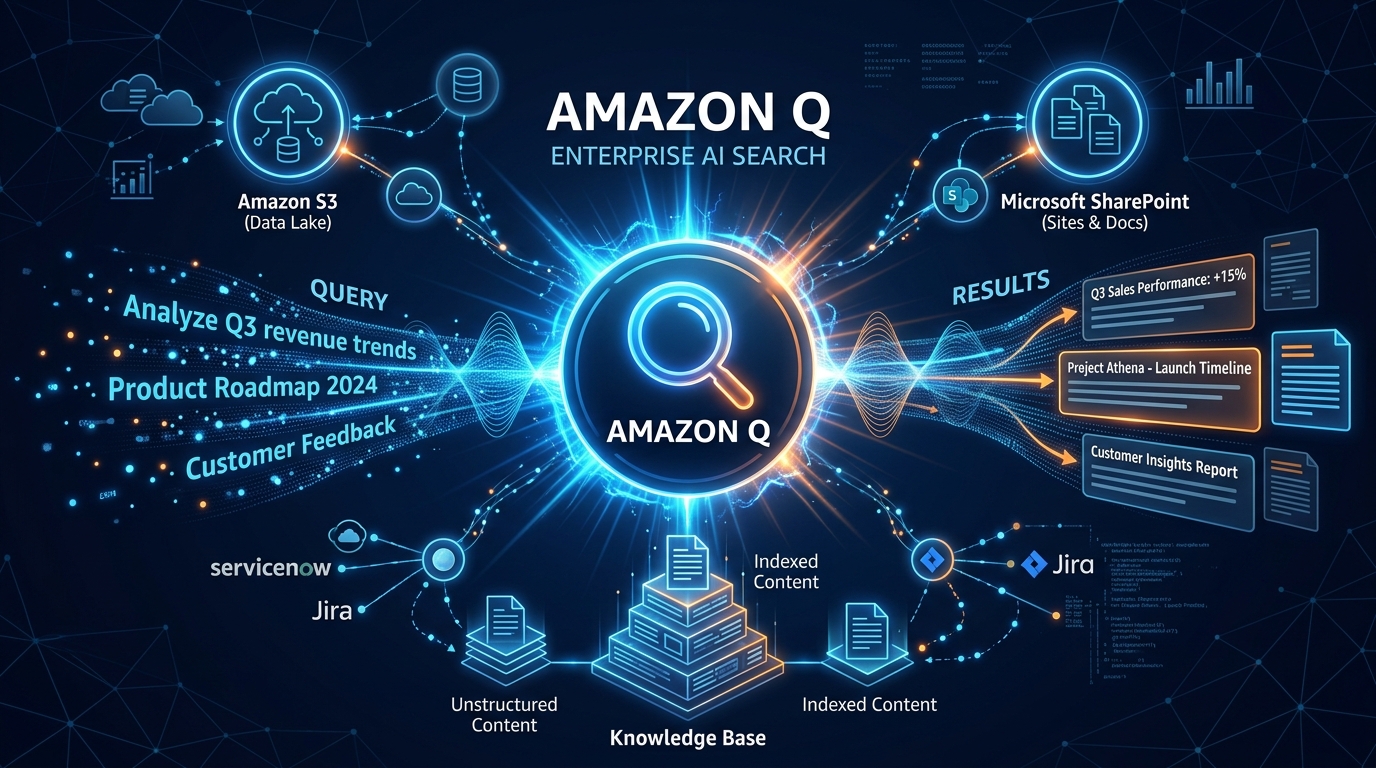
Amazon Q for Business is an AI assistant that connects to your enterprise data sources and answers questions based on your organization’s actual information. It integrates with 40+ data source connectors — S3, SharePoint, Confluence, Salesforce, Slack, Google Drive, ServiceNow, and more.
When an employee asks a question, Amazon Q retrieves relevant information from connected data sources, synthesizes an answer, and provides source citations. It is Retrieval Augmented Generation (RAG) as a managed service — no model training, no vector database management, no infrastructure to build.
ChatGPT Enterprise
ChatGPT Enterprise provides access to GPT-4 with enterprise-grade security, unlimited usage, and advanced features. It includes a Knowledge Base feature where you can upload documents for the AI to reference, and custom GPTs that can be configured for specific workflows.
ChatGPT Enterprise is a more general-purpose AI tool that can also function as an enterprise knowledge assistant when configured with your data.
🔄 Update (March 2026): ChatGPT Enterprise has upgraded its underlying models significantly. As of March 2026, ChatGPT Enterprise runs on GPT-5.4 (GPT-5.3 Instant is the default; GPT-5.4 Thinking is available with workspace admin enablement). GPT-4o and earlier GPT-5 variants have been retired as of February–March 2026. The general-purpose capability gap between ChatGPT Enterprise and Amazon Q has widened further with GPT-5.x models. Verify current pricing and model access at openai.com/enterprise.
Data Security and Privacy
This is the most critical evaluation criterion for most CTOs.
| Security Feature | Amazon Q for Business | ChatGPT Enterprise |
|---|---|---|
| Data residency | AWS Region of your choice | US/EU (OpenAI infrastructure) |
| Data used for training | Never | Never (Enterprise plan) |
| Encryption at rest | AWS KMS (customer-managed keys) | AES-256 |
| Encryption in transit | TLS 1.2+ | TLS 1.2+ |
| Access control | IAM + existing identity provider (Okta, Azure AD) | SAML SSO |
| Document-level permissions | Yes (inherits from source) | No |
| Audit logging | CloudTrail | Admin console logs |
| SOC 2 | Yes (AWS) | Yes (OpenAI) |
| HIPAA eligible | Yes (within AWS BAA) | Enterprise plan only |
| VPC deployment | Yes (VPC endpoints) | No |
Key Differentiator: Document-Level Permissions
Amazon Q’s most significant security advantage is access control inheritance. When Q connects to your SharePoint, Confluence, or Salesforce instance, it respects the existing access permissions. An employee can only get answers from documents they already have access to.
ChatGPT Enterprise’s Knowledge Base does not have per-user access controls. Documents uploaded to a shared workspace are accessible to all users in that workspace. This means you cannot upload HR policies meant for managers only, compensation data, or any document with restricted access without creating separate workspaces.
For organizations with strict data access policies, this is often the deciding factor.
Data Residency
Amazon Q runs within your chosen AWS Region. Your data never leaves that Region. For organizations subject to GDPR, data sovereignty laws, or internal data residency policies, this provides clear geographic control.
ChatGPT Enterprise processes data in OpenAI’s infrastructure. While OpenAI commits to not training on Enterprise data, the data does traverse OpenAI’s systems, which may not satisfy data residency requirements for regulated industries.
Integration Depth
Amazon Q Data Source Connectors
Amazon Q offers 40+ native connectors:
- Cloud storage: S3, Google Drive, OneDrive
- Knowledge bases: Confluence, SharePoint, Notion, Zendesk
- CRM: Salesforce
- Communication: Slack, Microsoft Teams
- Development: GitHub, GitLab, Jira
- Databases: Amazon RDS, Amazon Aurora
- Enterprise: ServiceNow, Workday
Each connector syncs data on a configurable schedule (hourly, daily, or on-demand), automatically indexes new and updated content, and inherits access permissions from the source system.
ChatGPT Enterprise Integrations
ChatGPT Enterprise integrates through:
- File uploads: PDFs, Word docs, spreadsheets, presentations, code files
- Custom GPTs: Pre-configured assistants with specific instructions and uploaded knowledge
- API: GPT-4 API for building custom integrations
- Plugins/Actions: Connect to external services through custom actions
ChatGPT’s integration model is more manual — you upload files or build custom integrations rather than connecting to live data sources. This means the knowledge base can become stale unless you regularly re-upload updated documents.
Use Case Comparison
Internal Knowledge Assistant
Amazon Q wins. This is its core use case. Connecting to live data sources, inheriting permissions, and providing cited answers from your actual documents is what Q was built for. An employee asks “What is our policy on remote work?” and Q returns the answer from your HR documentation with a link to the source.
General-Purpose AI Assistant
ChatGPT Enterprise wins. For tasks like drafting emails, summarizing meeting notes, brainstorming, writing code, analyzing data, and creative work, ChatGPT’s general-purpose capabilities are broader and more polished. GPT-5.x’s reasoning abilities are strong across diverse tasks. (Note: GPT-4 has been retired in enterprise plans as of early 2026 — see update note above.)
Code Assistance
Depends. For general coding help, ChatGPT is excellent. For answering questions about your codebase, Amazon Q for Business can index your GitHub/GitLab repositories and answer questions grounded in your actual code. Amazon Q for Developers provides IDE-integrated coding assistance.
Customer Support Augmentation
Amazon Q wins for organizations that want an AI assistant grounded in their support documentation, knowledge base articles, and past ticket resolutions. The Zendesk and ServiceNow connectors allow Q to reference actual support content.
Data Analysis
ChatGPT Enterprise wins. ChatGPT’s Advanced Data Analysis feature can process uploaded spreadsheets, generate charts, run statistical analysis, and write Python code for data manipulation. Amazon Q does not offer comparable data analysis capabilities. For BI-focused AI, consider Amazon Q for QuickSight.
Deployment Model
Amazon Q for Business
- Deployed within your AWS account
- Managed through AWS console
- Identity federation with your existing IdP (Okta, Azure AD, IAM Identity Center)
- Usage monitored through CloudWatch
- Scales automatically within AWS infrastructure
ChatGPT Enterprise
- SaaS platform managed by OpenAI
- Admin console for user management and analytics
- SAML SSO integration
- Usage analytics through admin dashboard
- No infrastructure to manage
Trade-off: Amazon Q requires AWS knowledge to deploy and manage. ChatGPT Enterprise is ready to use immediately. If your organization has AWS expertise (or an AWS consulting partner), Q’s deployment is straightforward. If you do not have AWS skills in-house, ChatGPT’s SaaS model has a lower barrier to entry.
Pricing
Pricing Note: Pricing as of January 2026. Both AWS and OpenAI adjust pricing and feature tiers regularly. Verify current rates at AWS Amazon Q Pricing and ChatGPT Enterprise.
| Plan | Amazon Q for Business | ChatGPT Enterprise |
|---|---|---|
| Per user/month | $20 (Business Lite) / $40 (Business Pro) | Custom (typically $60-80) |
| Model access | Amazon’s choice of foundation models | GPT-5.4 / GPT-5.3 Instant (as of March 2026; GPT-4 retired) |
| Usage limits | Conversations per month (varies by tier) | Unlimited |
| Data connectors | Included | File uploads (manual) |
| Minimum users | 1 | Negotiated |
Amazon Q is generally cheaper per user, especially at the Business Lite tier. ChatGPT Enterprise’s pricing is negotiated and typically ranges from $60-80/user/month depending on organization size and commitment.
For large organizations (500+ users), Amazon Q’s cost advantage becomes significant — potentially saving $20,000-40,000/month compared to ChatGPT Enterprise.
When to Choose Amazon Q for Business
- Your organization runs on AWS and has AWS expertise
- You need an AI assistant grounded in your enterprise data with live connectors
- Document-level access control is required (regulated industries, sensitive data)
- Data residency within a specific AWS Region is mandatory
- You want to integrate with the broader AWS Bedrock ecosystem for custom AI applications
- Cost is a factor and you have a large user base
When to Choose ChatGPT Enterprise
- You need a general-purpose AI assistant for diverse knowledge work
- Your team is non-technical and you want instant deployment without AWS setup
- Advanced data analysis (spreadsheets, charts, Python code) is a primary use case
- Your knowledge base is relatively small and can be managed through file uploads
- You want the strongest general reasoning model available (GPT-5.4 as of March 2026)
When to Use Both
Some organizations deploy both platforms for different use cases:
- Amazon Q for enterprise knowledge (policies, documentation, support content) where access control and data governance matter
- ChatGPT Enterprise for general-purpose productivity (writing, analysis, brainstorming) where enterprise data grounding is not required
This dual approach maximizes the strengths of each platform while keeping sensitive data within the more secure system.
Our Recommendation
For organizations with existing AWS infrastructure and enterprise data security requirements, Amazon Q for Business is the stronger choice. Its native data source connectors, document-level permissions, and AWS-native security model make it the right platform for grounded enterprise AI.
For organizations that need a general-purpose AI productivity tool and do not require enterprise data grounding with access controls, ChatGPT Enterprise delivers a polished experience with strong reasoning capabilities.
If you are evaluating Amazon Q for your organization, our team can help with deployment, data source configuration, and integration with your existing AWS environment.
For teams also building customer-facing AI features or production LLM applications alongside an internal AI assistant, see our guide on Why AWS Bedrock Is the Fastest Path to Enterprise GenAI — Bedrock and Q for Business are complementary tools that serve different use cases.
AWS Cloud Architect & AI Expert
AWS-certified cloud architect and AI expert with deep expertise in cloud migrations, cost optimization, and generative AI on AWS.