How to Build Ultra-Fast Asset Pipelines with Bun, Vite, and Rust-Based Tooling (2026)
Quick summary: Vite 8 (March 2026) ships Rolldown by default. July 2026: Bun install, SWC, CodeBuild cache — cut CI build minutes.
Key Takeaways
- Vite 8 (March 2026) ships Rolldown by default
- July 2026: Bun install, SWC, CodeBuild cache — cut CI build minutes
- As of July 2026, Vite 8 (stable March 2026) ships Rolldown as the default unified bundler; SWC (or Oxc in the Vite 8 stack) handles transforms; Bun dominates install speed; Turbopack remains the Next
- These are not “20% nicer” — cold install and production bundle steps often drop by 5–20× (Rolldown vs Rollup commonly marketed up to 10–30× on large apps)
- First-party benchmark (illustrative CodeBuild math): 200 builds/day on at ~$0

Table of Contents
JavaScript build tooling spent years re-implementing itself in JavaScript. Webpack processes modules with JavaScript. Babel transpiles TypeScript with JavaScript. The fundamental constraint was always the same: the tool that builds your code runs on the same single-threaded runtime as your code. You got Webpack’s worker threads and caching as workarounds, but the ceiling was low.
That era is over. As of July 2026, Vite 8 (stable March 2026) ships Rolldown as the default unified bundler; SWC (or Oxc in the Vite 8 stack) handles transforms; Bun dominates install speed; Turbopack remains the Next.js-oriented path. These are not “20% nicer” — cold install and production bundle steps often drop by 5–20× (Rolldown vs Rollup commonly marketed up to 10–30× on large apps).
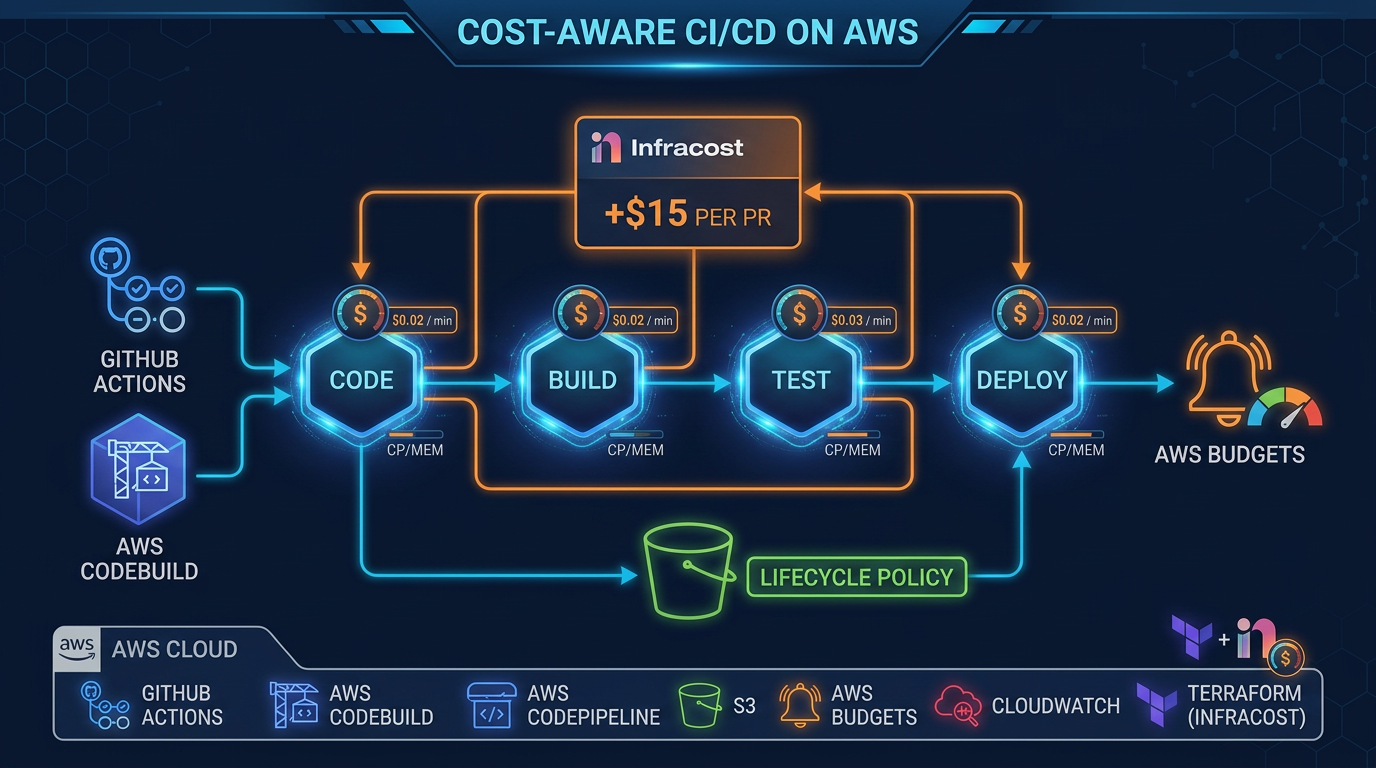
First-party benchmark (illustrative CodeBuild math): 200 builds/day on BUILD_GENERAL1_LARGE at ~$0.005/min; cutting 12 → 4 minutes saves ~$0.04/build ≈ $8/day ≈ $2.9k/year — tooling only. Re-quote your instance class.
Reproduce this: CI build-minutes worksheet
Counter-case: Bun is not 100% npm-compatible for every native module — keep an npm fallback path until your lockfile proves clean.
The Build Tool Evolution Timeline
Understanding where we are requires understanding where we came from. The Webpack era (2014–2020) gave us module bundling but at enormous cost: full dependency graphs parsed in JavaScript, Babel transforming every file through a plugin chain, and rebuild times measured in tens of seconds for medium-sized applications.
esbuild (2020) was the first major disruption. Written in Go by Evan Wallace, esbuild demonstrated that native-compiled languages were 10–100× faster than Node.js for build tasks. It used parallel CPU core utilization effectively. Vite adopted esbuild for development server transforms (the vite serve path) but kept Rollup for production builds because esbuild lacked Rollup’s mature code-splitting and tree-shaking capabilities.
SWC (2021–present) brought the same principle to TypeScript/JavaScript transpilation specifically. Written in Rust by Donny/강동윤, SWC replaced Babel as the transpiler inside Next.js, Deno, and eventually most major frameworks. SWC transpiles TypeScript to JavaScript 20–70× faster than Babel for the same output. The key differentiation: SWC handles transforms, not bundling — it is Babel’s replacement, not Webpack’s.
Bun (2022–present) took the most aggressive approach: rewrite everything from scratch in Zig. Bun is simultaneously a JavaScript runtime (Node.js alternative), a package manager (npm alternative), a test runner (Jest alternative), and a bundler (Webpack/esbuild alternative). The Zig runtime gives it extreme performance on package installation through native system calls and optimized file I/O.
Rolldown is the Rust bundler that Vite 8 uses by default for both dev and production (replacing the esbuild + Rollup split). Prefer build.rolldownOptions over deprecated build.rollupOptions aliases when you need custom chunking.
Turbopack is Vercel’s Rust bundler for Next.js specifically. It is not a general bundler and should not be evaluated as a Vite alternative. It is the default development server since Next.js 15.
Bun vs npm in CI/CD: The Real Numbers
The performance difference between Bun and npm for package installation is not marginal. On a cold install (no cache, no lockfile) of a typical React+TypeScript project with ~800 dependencies:
- npm install: 45–90 seconds
- yarn install: 35–70 seconds
- pnpm install: 20–40 seconds
- bun install: 3–8 seconds
With a lockfile and warm cache:
- npm ci: 30–60 seconds
- bun install (with bun.lockb): 1–3 seconds
In CI/CD, every pipeline starts with a dependency install. If you run 50 builds per day and save 40 seconds per install, that is 33 minutes of build time saved daily — approximately $0.165/day on a CodeBuild large instance, or $60/year. The math is unimpressive until you consider that GitHub Actions has per-seat minute limits, CodeBuild bills per second, and you likely have more than 50 builds per day across all branches.
Compatibility Risks
Bun is not 100% npm-compatible. The failure modes are specific:
Native modules via node-gyp: Packages that compile C/C++ addons (sharp, bcrypt, canvas, sqlite3) sometimes fail with Bun because Bun’s Node.js compatibility layer does not cover all N-API surface area. Check your dependency tree with bun pm ls | grep -E 'sharp|bcrypt|canvas|sqlite' before migrating.
node: prefix imports: Bun handles import fs from 'node:fs' correctly in recent versions, but older Bun versions (pre-1.0) had inconsistencies. Ensure you are on Bun 1.1+.
Lifecycle scripts: Some postinstall scripts assume a specific Node.js version or path. Bun runs lifecycle scripts in its own runtime — most work, but scripts using process.versions.node checks can behave unexpectedly.
The safe migration path for CI: Replace npm ci with bun install --frozen-lockfile in your install step. Keep npm run build or npx vite build for the actual build command unless you have tested full Bun build compatibility. The install step is where most of the time savings live anyway.
GitHub Actions with Bun Install Caching
The following workflow caches both the Bun binary and the node_modules directory, keyed to the bun.lockb hash. A cache hit on both layers reduces install time to near zero.
# .github/workflows/build.yml
name: Build and Test

on:
  push:
    branches: [main, develop]
  pull_request:
    branches: [main]

jobs:
  build:
    runs-on: ubuntu-latest

    steps:
      - name: Checkout code
        uses: actions/checkout@v4

      - name: Setup Bun
        uses: oven-sh/setup-bun@v2
        with:
          bun-version: latest

      - name: Cache Bun dependencies
        uses: actions/cache@v4
        id: bun-cache
        with:
          path: |
            ~/.bun/install/cache
            node_modules
          key: ${{ runner.os }}-bun-${{ hashFiles('bun.lockb') }}
          restore-keys: |
            ${{ runner.os }}-bun-

      - name: Install dependencies
        if: steps.bun-cache.outputs.cache-hit != 'true'
        run: bun install --frozen-lockfile

      - name: Type check
        run: bun run check:types

      - name: Run tests
        run: bun test

      - name: Build
        run: bun run build
        env:
          NODE_ENV: production

      - name: Upload build artifacts
        uses: actions/upload-artifact@v4
        with:
          name: dist
          path: dist/
          retention-days: 7
The restore-keys fallback matters: if bun.lockb changes (new dependency added), the exact cache key misses but the fallback restores the previous node_modules. Bun then only installs the delta — seconds instead of a full cold install.
Important: Generate bun.lockb by running bun install locally and committing the lockfile. Without bun.lockb, the cache key falls back to a timestamp-based key and caching provides no benefit.
Vite Production Config: Code Splitting and Rolldown
The default Vite production config is functional but not optimal for large applications. The most important production optimization is manual chunk splitting — controlling how your JavaScript is divided into separate files that browsers can cache independently.
Without manual chunks, Vite outputs everything into a few large bundles. When you update a single component, the entire bundle hash changes and browsers re-download everything. With manual chunks, your vendor dependencies (React, lodash, chart libraries) live in separate files with stable hashes that only change when those dependencies update.
// vite.config.ts
import { defineConfig } from 'vite';
import react from '@vitejs/plugin-react-swc'; // Uses SWC, not Babel
import { visualizer } from 'rollup-plugin-visualizer';

export default defineConfig(({ mode }) => ({
  plugins: [
    react(),
    // Only include bundle analyzer in analyze mode
    mode === 'analyze' &&
      visualizer({
        open: true,
        gzipSize: true,
        brotliSize: true,
      }),
  ].filter(Boolean),

  build: {
    // Rolldown is the default in Vite 8+ — prefer build.rolldownOptions for overrides
    // Set to 'rollup' to force legacy bundler if you hit compatibility issues
    // bundler: 'rolldown',

    target: 'es2022', // Modern browsers — skip legacy transforms
    minify: 'esbuild', // esbuild minifier is faster than terser
    sourcemap: mode !== 'production', // Sourcemaps in staging, not production

    rollupOptions: {
      output: {
        // Manual chunk splitting strategy
        manualChunks: (id) => {
          // React ecosystem — changes rarely, long cache lifetime
          if (
            id.includes('node_modules/react') ||
            id.includes('node_modules/react-dom') ||
            id.includes('node_modules/react-router')
          ) {
            return 'react-vendor';
          }

          // UI component library — changes on upgrades only
          if (
            id.includes('node_modules/@radix-ui') ||
            id.includes('node_modules/lucide-react') ||
            id.includes('node_modules/class-variance-authority')
          ) {
            return 'ui-vendor';
          }

          // Data fetching and state — changes with library upgrades
          if (
            id.includes('node_modules/@tanstack') ||
            id.includes('node_modules/zustand') ||
            id.includes('node_modules/immer')
          ) {
            return 'state-vendor';
          }

          // Heavy visualization or utility libraries
          if (
            id.includes('node_modules/recharts') ||
            id.includes('node_modules/d3') ||
            id.includes('node_modules/date-fns')
          ) {
            return 'chart-vendor';
          }

          // Everything else in node_modules gets its own vendor chunk
          if (id.includes('node_modules')) {
            return 'vendor';
          }

          // Application code splits by route (dynamic imports handle this automatically)
        },

        // Consistent chunk naming for cache headers
        chunkFileNames: 'assets/js/[name]-[hash].js',
        entryFileNames: 'assets/js/[name]-[hash].js',
        assetFileNames: 'assets/[ext]/[name]-[hash].[ext]',
      },
    },

    // Warn on chunks over 500KB — investigate before ignoring
    chunkSizeWarningLimit: 500,

    // Report compressed sizes (shows gzip/brotli size in build output)
    reportCompressedSize: true,
  },

  // Development server config
  server: {
    port: 3000,
    // Use polling only in Docker/WSL environments where inotify is unreliable
    watch: {
      usePolling: process.env.DOCKER === 'true',
    },
  },

  // Dependency optimization: pre-bundle these at startup
  optimizeDeps: {
    include: ['react', 'react-dom', 'react-router-dom'],
  },
}));
The @vitejs/plugin-react-swc plugin (note the -swc suffix) replaces Babel with SWC for React transforms (JSX, Fast Refresh). It drops in as a replacement for @vitejs/plugin-react with no other config changes and reduces transform time by 20–40x for large component trees.
SWC vs Babel: What Still Needs Babel
SWC handles the vast majority of TypeScript/JSX transpilation needs. The cases where you still need Babel in 2026 are narrow but real:
Custom Babel plugins with no SWC equivalent: If your project uses babel-plugin-macros (for tools like linaria CSS-in-JS, or twin.macro), there is no direct SWC equivalent. These macros run at compile time as Babel plugins. Migration path: move to CSS Modules + Tailwind, or wait for the macro authors to publish SWC transforms.
Legacy decorators (Stage 2 spec, TypeScript 4.x behavior): If your codebase uses TypeScript decorators in the legacy experimentalDecorators: true mode (common in Angular-adjacent code, NestJS, or older TypeORM setups), SWC supports them but with some edge cases in complex decorator composition. Test thoroughly before migrating.
babel-plugin-transform-imports for tree-shaking: Some projects use Babel plugins to transform import { Button } from 'ui-library' into direct path imports for tree shaking. Modern bundlers (Vite/Rolldown, esbuild) handle tree shaking natively — you may not need this plugin at all. Remove it and test bundle size before assuming you need a Babel migration path.
The practical checklist for Babel → SWC migration:
- Run
npx @swc/cli compile src/index.tson your entry file — if it errors, you have a compatibility issue to investigate - Replace
@vitejs/plugin-reactwith@vitejs/plugin-react-swcin your Vite config - Run your full test suite — SWC output is semantically identical but subtle differences in hoisting can surface test-only bugs
- Measure:
time vite buildbefore and after — expect 20–50% production build time reduction for large TypeScript codebases
Turbopack for Next.js: What It Changes
If you are using Next.js 15+, Turbopack is already your development server. You do not need to configure it — next dev --turbopack is the default, and it shows as the active bundler in the terminal output.
What Turbopack changes for Next.js developers:
HMR (Hot Module Replacement) speed: For large Next.js apps with hundreds of components, Turbopack reduces HMR time from 2–8 seconds (Webpack) to under 200ms. This is the most impactful change for developer experience.
Development server startup: Cold start for a large Next.js app goes from 15–45 seconds (Webpack) to 1–3 seconds (Turbopack). Turbopack only compiles routes as they are visited, not the entire application upfront.
Production builds in Next.js 15: As of early 2026, next build still uses Webpack for production builds in most cases, with Turbopack experimental production mode available via experimental.turbo config. Check the Next.js 15 release notes for the current stable status — this is actively being completed.
What Turbopack does not change: Your application code, API routes, middleware, and deployment are unaffected. It is purely a build tooling change.
CI/CD Caching: AWS CodeBuild with S3
GitHub Actions caching is straightforward with actions/cache. AWS CodeBuild requires explicit cache configuration in the buildspec.yml and a cache configuration in the CodeBuild project (either local cache types or an S3 bucket).
# buildspec.yml
version: 0.2

env:
  variables:
    NODE_ENV: production
  parameter-store:
    # Pull secrets from SSM Parameter Store, not environment variables
    VITE_API_URL: /myapp/prod/api-url

phases:
  install:
    runtime-versions:
      nodejs: 22
    commands:
      # Install Bun
      - curl -fsSL https://bun.sh/install | bash
      - export PATH="$HOME/.bun/bin:$PATH"
      - bun --version

      # Install dependencies (uses S3 cache for node_modules if available)
      - bun install --frozen-lockfile

  pre_build:
    commands:
      - echo "Running type check..."
      - bun run check:types
      - echo "Running tests..."
      - bun test --bail

  build:
    commands:
      - echo "Building application..."
      - bun run build
      - echo "Build completed at $(date)"

  post_build:
    commands:
      - echo "Uploading to S3..."
      - aws s3 sync dist/ s3://$DEPLOY_BUCKET/ --delete --cache-control "public,max-age=31536000,immutable"
      # HTML files should not be immutably cached
      - aws s3 cp dist/index.html s3://$DEPLOY_BUCKET/index.html --cache-control "public,max-age=0,must-revalidate"

artifacts:
  files:
    - dist/**/*
  discard-paths: no

cache:
  paths:
    # Cache node_modules keyed to package manager lockfile
    - node_modules/**/*
    # Cache Vite's dependency pre-bundling cache
    - .vite/**/*
    # Cache Bun's global install cache
    - /root/.bun/install/cache/**/*
In the CodeBuild project configuration (Terraform or console), you must also specify the cache type:
# terraform/codebuild.tf
resource "aws_codebuild_project" "frontend_build" {
  name         = "frontend-build"
  service_role = aws_iam_role.codebuild.arn

  artifacts {
    type = "NO_ARTIFACTS" # We push to S3 directly
  }

  environment {
    compute_type    = "BUILD_GENERAL1_MEDIUM" # 4 vCPU, 7 GB RAM
    image           = "aws/codebuild/standard:7.0"
    type            = "LINUX_CONTAINER"
    privileged_mode = false
  }

  source {
    type      = "GITHUB"
    location  = "https://github.com/your-org/your-repo"
    buildspec = "buildspec.yml"
  }

  # S3 cache for node_modules
  cache {
    type     = "S3"
    location = "${aws_s3_bucket.build_cache.bucket}/frontend-cache"
  }

  logs_config {
    cloudwatch_logs {
      group_name  = "/codebuild/frontend-build"
      stream_name = ""
    }
  }
}

resource "aws_s3_bucket" "build_cache" {
  bucket = "your-org-codebuild-cache"
}

resource "aws_s3_bucket_lifecycle_configuration" "build_cache" {
  bucket = aws_s3_bucket.build_cache.id

  rule {
    id     = "expire-old-cache"
    status = "Enabled"

    expiration {
      days = 7 # Cache entries older than 7 days are deleted automatically
    }
  }
}
Local cache vs S3 cache tradeoffs: Local cache (ephemeral, per-build-host) is faster (no S3 transfer) but inconsistent — if CodeBuild schedules your build on a different fleet instance, the cache is cold. S3 cache persists across all instances and survives fleet replacement. For CI workloads, S3 cache provides more consistent performance. Enable both if you want maximum cache hit rates: CodeBuild will use the local cache first, fall back to S3.
Monorepo Strategies: Turborepo and Nx
Large organizations inevitably consolidate multiple applications and shared packages into monorepos. The build tooling challenge in monorepos is not individual build speed — it is figuring out which packages need rebuilding when a file changes, and parallelizing only those builds.
Turborepo Task Graph
Turborepo manages build task orchestration across packages. Its key feature is the task graph: you define that build in a frontend app depends on build in the shared-ui package, and Turborepo ensures correct build order and parallelizes everything that can run concurrently.
// turbo.json
{
  "$schema": "https://turbo.build/schema.json",
  "tasks": {
    "build": {
      "dependsOn": ["^build"],
      "inputs": ["src/**", "package.json", "tsconfig.json", "vite.config.ts"],
      "outputs": ["dist/**", ".next/**", "!.next/cache/**"]
    },
    "test": {
      "dependsOn": ["^build"],
      "inputs": ["src/**", "test/**", "package.json"],
      "outputs": []
    },
    "check:types": {
      "dependsOn": ["^build"],
      "inputs": ["src/**", "tsconfig.json"],
      "outputs": []
    },
    "dev": {
      "cache": false,
      "persistent": true
    }
  },
  "remoteCache": {
    "enabled": true
  }
}
The ^build syntax means “this task depends on the build task of all packages this package depends on.” Turborepo resolves the dependency graph from your package.json workspace references and executes tasks in the correct order.
Remote caching is Turborepo’s most powerful CI feature: build outputs are cached to a remote store (Vercel’s cache service or a self-hosted alternative). When CI runs, Turborepo checks the remote cache based on input file hashes. If nothing changed in a package, the cached output is downloaded instead of rebuilding. A 12-package monorepo where only 2 packages changed builds those 2 packages and downloads cached outputs for the other 10 — build time for a change in a leaf package can be under 30 seconds regardless of monorepo size.
For self-hosted remote caching on AWS, use ducktape-cache (open source Turborepo remote cache compatible with the Turborepo API) backed by S3:
# Self-hosted Turborepo remote cache
TURBO_TOKEN=your-token TURBO_API=https://cache.your-domain.com turbo build
Nx Affected Builds
Nx’s equivalent feature is nx affected — it analyzes the git diff and only runs tasks for packages that were changed or depend on changed packages:
# Only test packages affected by changes since main branch
npx nx affected --target=test --base=origin/main

# Only build affected packages
npx nx affected --target=build --base=origin/main
Nx uses its own project graph (.nx/cache/) to understand package dependencies and affected status. Like Turborepo, it supports remote caching (Nx Cloud, or self-hosted).
Turborepo vs Nx decision matrix:
- Existing Vite/non-framework monorepo: Turborepo is simpler to configure
- Existing Angular or NestJS projects: Nx has first-class generators and executors
- Need advanced code generation and workspace scaffolding: Nx
- Just need fast parallel builds with remote caching: Turborepo
Edge Cases: Where Fast Tooling Breaks Down
Type-Checking Bottlenecks
SWC, esbuild, and Bun’s bundler all skip TypeScript type checking — they strip types and transpile, assuming types are correct. This is intentional: TypeScript type checking (tsc --noEmit) is fundamentally different from transpilation and cannot be parallelized at the same granularity.
For large TypeScript projects, tsc --noEmit can take 30–120 seconds even when the actual build takes 5 seconds. Solutions:
tsc --incremental: TypeScript stores type information in .tsbuildinfo files and only re-checks changed files. In CI, cache the .tsbuildinfo file alongside node_modules — this reduces incremental type check time by 60–80%.
@parcel/watcher + tsc --watch in CI: Run TypeScript in watch mode, wait for the “Found 0 errors” message, then exit. This is unusual for CI but can be faster for incremental checks.
Project references: Split your TypeScript project into sub-projects with tsconfig.json project references. TypeScript checks each sub-project independently and caches the results. Effective for large monorepos where individual packages have well-defined boundaries.
Large Monorepo Cache Invalidation
Turborepo and Nx both use file content hashing to determine cache validity. The pathological case: a root-level package.json change (version bump, adding a dev tool) that technically affects all packages but contains no actual code changes causes a full cache miss across the entire monorepo.
Mitigation: use fine-grained inputs configuration in your task definitions. Specify only the files that actually affect a task’s output:
{
  "tasks": {
    "build": {
      "inputs": ["src/**", "!src/**/*.test.ts", "!src/**/*.spec.ts", "package.json", "tsconfig.json"]
    }
  }
}
Excluding test files from build inputs means that changing a test file does not invalidate the build cache for that package — only the test task cache is invalidated.
Docker Layer Caching with Bun
For projects that build Docker images in CI, layer caching with Bun requires ordering your Dockerfile correctly:
FROM oven/bun:1 AS deps

WORKDIR /app

# Copy only package files first — this layer is cached until lockfile changes
COPY package.json bun.lockb ./
RUN bun install --frozen-lockfile --production

FROM oven/bun:1 AS builder

WORKDIR /app

# Copy deps layer
COPY --from=deps /app/node_modules ./node_modules
# Copy source — this layer invalidates when source changes
COPY . .
RUN bun run build

FROM nginx:alpine AS runner
COPY --from=builder /app/dist /usr/share/nginx/html
The key principle: COPY package.json bun.lockb ./ before COPY . . ensures the bun install layer is cached as long as your dependencies do not change, even when source files change.
Practical Migration Checklist
For a team moving from Webpack+Babel+npm to Vite+SWC+Bun:
Measure first: Record current CI build times across the last 30 builds. You need a baseline to demonstrate improvement.
Migrate npm → Bun in CI first: This is the lowest-risk change. Keep application code identical, just replace
npm ciwithbun install --frozen-lockfile. Measure the impact.Migrate Babel → SWC in Vite: Replace
@vitejs/plugin-reactwith@vitejs/plugin-react-swc. Run your full test suite. Check for decorator or macro compatibility issues.Implement manual chunk splitting: Profile your bundle with
ANALYZE=true vite build(using rollup-plugin-visualizer). Identify large vendor dependencies that should be in separate cache-stable chunks.Add Turborepo if you have multiple packages: Even for a two-package monorepo (app + shared-ui), Turborepo’s remote caching pays dividends immediately.
Configure CodeBuild S3 caching: Add the cache paths to
buildspec.ymland configure the S3 cache bucket in your CodeBuild project. Validate cache hit rates in the CodeBuild build details.
The Webpack → Vite 8 / Bun / SWC path is often a few engineering days for a medium app — then every commit pays less in CodeBuild/Actions minutes.
What to Do This Week
- Record median CI minutes for the last 30 builds.
- Try Bun install in CI only; then evaluate Vite 8 / Rolldown on a branch.
- Fill the worksheet with your $/minute.
What This Post Doesn’t Cover
Deno-native tooling, Bazel/monorepo remote execution farms, and mobile native build caches.
Related reading: GitHub Actions AWS CI/CD Security Best Practices · AWS CodePipeline CI/CD Pipeline Patterns for Production.
Frequently asked questions
Should you replace npm with Bun in CI/CD pipelines in 2026?
Bun install is 10–20× faster than npm install for cold installs and 3–5× faster with lockfile. For CI/CD, where installs run on every pipeline, this reduces build minutes significantly. The risk: Bun is not 100% npm-compatible — some native Node.js modules (particularly those using N-API or node-gyp) may need npm fallback. The safe migration path: use Bun for install and test stages in CI, keep npm or yarn for production build if you encounter compatibility issues. For a typical TypeScript/React project with no native modules, full Bun migration is safe and reduces GitHub Actions or CodeBuild build minutes by 30–50%.
What is Rolldown and when will it replace Rollup in Vite?
Rolldown is a Rust-based rewrite of Rollup developed by the Vite team, designed to replace both Rollup (for production bundling) and esbuild (for development transforms) in a single native tool. It is written in Rust for performance and aims for full Rollup plugin API compatibility. Vite 8 (stable March 2026) ships Rolldown as the unified bundler (replacing the esbuild-dev + Rollup-prod split), with builds commonly cited in the 10–30× vs Rollup range for heavy apps — verify on your repo. Existing Rollup plugins largely work without modification due to the compatibility layer. Projects that rely on obscure Rollup plugins should test before upgrading.
How do you cache build artifacts in AWS CodeBuild without paying too much for S3?
CodeBuild supports local caching (fastest, no S3 cost) and S3 caching. Local cache types: SOURCE (git workspace), DOCKER_LAYER (base images), CUSTOM (arbitrary paths like node_modules). For S3 caching, cache node_modules + .vite/cache (or .next/cache) — not the full build output. S3 cache storage costs $0.023/GB/month; a 500 MB node_modules cache costs ~$0.01/month. Cache retrieval adds ~5–15 seconds to build time. The net calculation: if caching saves 3 minutes of build time per run, and you run 50 builds/day on a large CodeBuild instance ($0.005/minute), caching saves $0.015/build × 50 = $0.75/day in build costs, far exceeding the ~$0.01/month S3 cost.
When does Turbopack make sense over Vite for TypeScript projects?
Turbopack is the Rust-based bundler for Next.js. If you are using Next.js, Turbopack is the development server default since Next.js 15 and offers significant HMR speedup for large Next.js projects (50–70% faster than Webpack dev server). For non-Next.js TypeScript projects (React+Vite, SvelteKit, Astro), Turbopack is not relevant — it is a Next.js-specific tool, not a general bundler. The decision: Next.js project → Turbopack automatically; any other framework → Vite with Rolldown. Do not evaluate Turbopack as a Vite alternative unless you are using Next.js.
AWS Cloud Architect & AI Expert
AWS-certified cloud architect and AI expert with deep expertise in cloud migrations, cost optimization, and generative AI on AWS.