Mastering AWS CLI: Commands for Cloud Engineering, DevOps, and AI Workloads
Quick summary: One identity check, aws sts get-caller-identity, before any command that can create a billable resource. AWS CLI 2.37.12 on 11 October 2026.
Key Takeaways
- One identity check, aws sts get-caller-identity, before any command that can create a billable resource
- AWS CLI 2.37.12 on 11 October 2026
- On 11 October 2026 on this machine printed
- What broke — In April 2026, AWS CLI v2 pull request 10196 chmod'd streaming output paths to mode 0600
- Pull request 10215 reverted it on 10 April 2026

Table of Contents
On 11 October 2026 aws --version on this machine printed aws-cli/2.37.12 Python/3.14.8 Darwin/27.0.0 source/arm64. aws help on that build lists bedrock, bedrock-agent, bedrock-agent-runtime, bedrock-agentcore, bedrock-agentcore-control, bedrock-data-automation, bedrock-data-automation-runtime, and bedrock-runtime. Service examples below were checked against the public CLI reference and were not executed against an account. The lab script skips STS unless you opt in.
One command before a billable or destructive call: aws sts get-caller-identity. Read the account and the ARN. Then read the region. A profile name is not a boundary.
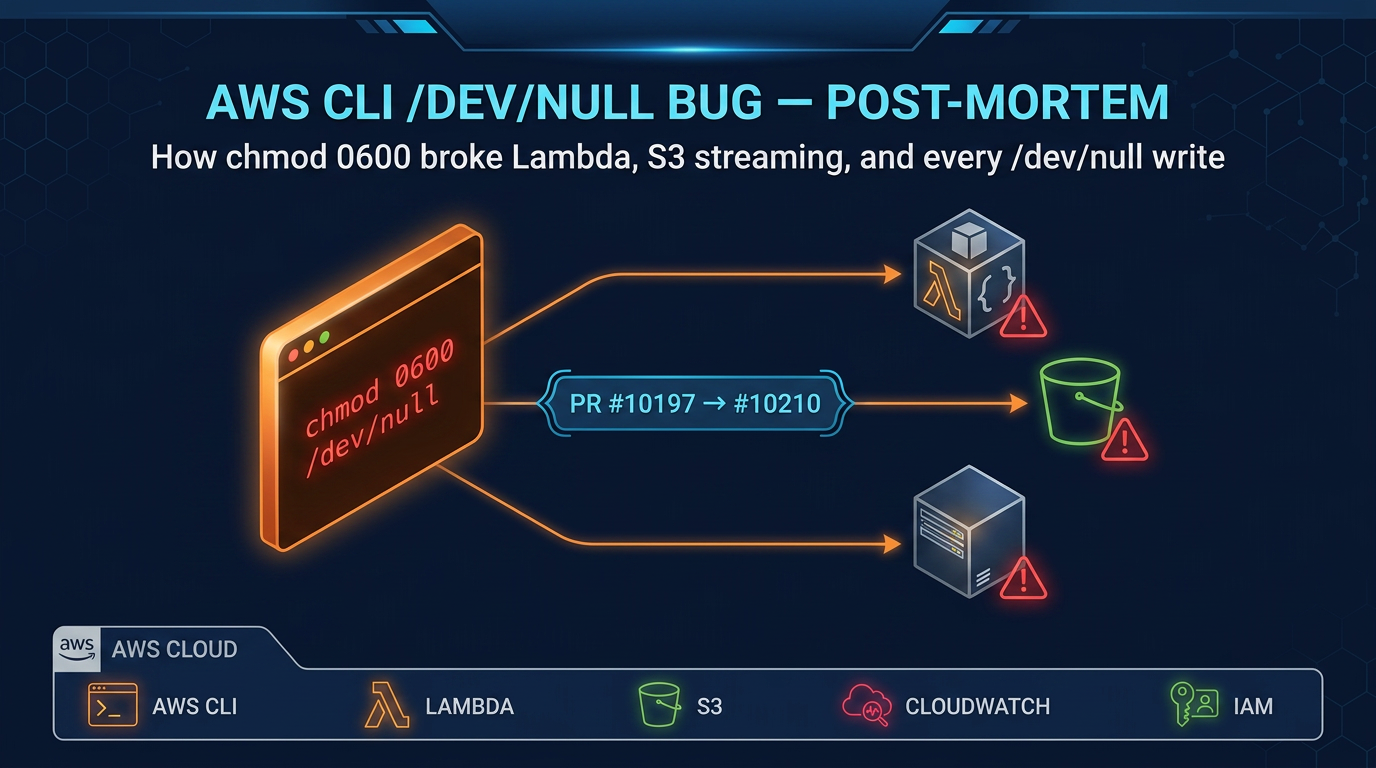
What broke — In April 2026, AWS CLI v2 pull request 10196 chmod’d streaming output paths to mode 0600. Passing
/dev/nullas a file argument changed the device node for the host. Pull request 10215 reverted it on 10 April 2026. The write-up, versions, and repair are in The AWS CLI bug that broke /dev/null. Pin the CLI. Prefer shell redirection (> /dev/null) over passing that path as an argument.
Reproduce this — Run
bash examples/architecture-blog-2026/mastering-developer-tools/mastering-aws-cli/check-cli.sh. On 11 October 2026 it printed the 2.37.12 version line,caller_check=skipped, andlab=ok. It does not call AWS. Opt in withAWS_LAB_CALLER=1if you want a read-only STS call on credentials already configured. Published copy: /examples/architecture-blog-2026/mastering-developer-tools/mastering-aws-cli/check-cli.sh. The pin-and-canary checklist for the chmod incident is /examples/architecture-blog-2026/cli-hardening/aws-cli-pin-and-devnull-checklist.md.
We recommend IAM Identity Center (aws configure sso, then aws sso login) for people, and IAM roles for workloads. The trade-off: SSO needs a browser or a device code on first login, and a role on an instance or a pipeline needs no access key at all. Long-lived access keys are the exception you justify, not the setup you copy from an old tutorial.
Why the CLI still matters
An agent can propose aws ecs update-service or aws s3 rm. You need the account, the region, and whether the call creates, reads, or deletes. The CLI is also how you confirm an agent deployment failed for lack of logs:FilterLogEvents rather than a bad container image.
Install, profiles, and identity
Install AWS CLI v2 from the AWS CLI install guide. Do not use a single command for every OS. The v1 and v2 command surfaces differ. This page assumes v2.
Context: AWS CLI 2.37.12. Read-only.
aws --version
aws configure list
aws sts get-caller-identity --output json --no-cli-pager
aws configure list shows where region, output, and credentials came from (env, profile, or config file). It can show a partial credential. Do not paste it into chat.
sts get-caller-identity returns account, ARN, and user id. If the account is wrong, stop. Region is not in that response. Check it:
aws configure get region --profile AWS_PROFILEReplace AWS_PROFILE with the profile name. Pass --profile and --region on the command when the stakes are high, even if the config looks right.
SSO setup is documented in configure IAM Identity Center. The usual loop is aws configure sso --profile AWS_PROFILE once, then aws sso login --profile AWS_PROFILE when the token expires. Authentication options are listed in the CLI authentication chapter.
Help and paging:
aws help
aws s3 help
aws s3 ls help
--no-cli-pager prints and returns. Set AWS_PAGER="" in scripts so a pager does not wait for a keypress.
Output: --output json is the default you want in scripts. text, table, and yaml are for people. --query is JMESPath. Example shape, not run here:
aws ec2 describe-instances --query 'Reservations[].Instances[].InstanceId' --output text --no-cli-pagerQuoting: the query is one argument. In Bash, wrap it in single quotes so the shell does not eat []. In PowerShell the quoting rules differ. Test the query on a read-only call.
Pagination: many list APIs return a token. The CLI follows pages unless you set --no-paginate. A script that assumes one page will miss resources. aws help topics cover pagination. Do not invent a page size for an API you have not opened.
Risk labels for the calls below
Read-only calls can still be denied, and some reads are billed (data transfer, CloudTrail data events, log volume). Potential cost impact means the call can create or keep a billable resource. Potentially destructive means data or exposure can change in a way that is awkward to undo. Examples use placeholders AWS_PROFILE, AWS_REGION, STACK_NAME, and LOG_GROUP. They were not run against a live account for this article.
Identity, IAM, and access denied
| Task | Command | Risk |
|---|---|---|
| Who am I | aws sts get-caller-identity | Read-only |
| List attached policies you can see | aws iam list-attached-role-policies --role-name ROLE | Read-only |
| Simulate a call | aws iam simulate-principal-policy | Read-only |
| Access Analyzer findings | aws accessanalyzer list-findings | Read-only |
AccessDenied means this principal lacks the action on this resource, or an explicit deny, or a boundary or SCP. The error text usually names the action. Read it. Do not attach AdministratorAccess to “see if that fixes it.”
Simulate against the same ARN get-caller-identity printed. If simulate says allowed and the API says denied, look for SCPs, permission boundaries, and resource policies. Those are outside a single identity policy.
Changing a policy is remote mutation and potentially destructive. Review the JSON, name the account, and prefer a pull request through the pipeline in safe Terraform apply when the account is managed that way.
S3
| Task | Command | Risk |
|---|---|---|
| List buckets | aws s3api list-buckets | Read-only |
| List objects | aws s3 ls s3://BUCKET/PREFIX | Read-only |
| Copy one object | aws s3 cp s3://BUCKET/KEY ./local | Local change |
| Upload | aws s3 cp ./local s3://BUCKET/KEY | Remote mutation |
| Sync | aws s3 sync ./dir s3://BUCKET/PREFIX | Remote mutation. Can delete with --delete. |
| Remove | aws s3 rm s3://BUCKET/KEY | Potentially destructive |
aws s3 ls is the high-level command. aws s3api matches the API and is what you want for --query. sync --delete removes destination objects that are not in the source. Run aws s3 sync --dryrun first. That dry run exists on the high-level s3 transfer commands. It does not exist on every s3api call.
Do not sync a production catalog bucket from a laptop directory you have not listed.
EC2 and network inspection
aws ec2 describe-instances, describe-security-groups, and describe-subnets are read-only. Filter with --filters or --query.
aws ec2 run-instances supports --dry-run. The dry run checks permission and parameter shape and does not launch the instance. A successful dry run is not a promise about quota or about cost once you remove the flag. Potential cost impact when you launch for real.
authorize-security-group-ingress opens a port. Potentially destructive and a common way to expose a database. Read the current rules with describe-security-groups first. Prefer a specific CIDR and port over 0.0.0.0/0.
ECS, ECR, Lambda, API Gateway
| Task | Command | Risk |
|---|---|---|
| List clusters | aws ecs list-clusters | Read-only |
| Describe a service | aws ecs describe-services --cluster CLUSTER --services SERVICE | Read-only |
| Service events | the events field on that describe | Read-only |
| List images | aws ecr describe-images --repository-name REPO | Read-only |
| List functions | aws lambda list-functions | Read-only |
| Function config | aws lambda get-function-configuration --function-name NAME | Read-only |
| Invoke | aws lambda invoke --function-name NAME out.json | Remote mutation if the function writes |
| APIs | aws apigatewayv2 get-apis | Read-only |
ecs update-service and lambda update-function-code deploy bits. Remote mutation and potential cost impact. Record the current task definition or function version first so you can roll back to a known revision.
lambda invoke runs the function. A function that charges a card or writes orders is not a health check. Use a test alias.
ECR login uses aws ecr get-login-password. That prints a token to stdout so Docker can read it. Do not log the pipeline step that prints the token.
Logs, stacks, databases, queues
CloudWatch Logs:
aws logs describe-log-groups --log-group-name-prefix /aws/lambda/ --no-cli-pager
aws logs filter-log-events --log-group-name LOG_GROUP --filter-pattern ERROR --limit 20 --no-cli-pagerRead-only, and filter calls return data that may include customer fields. Limit the window and redact before you paste.
CloudFormation: aws cloudformation describe-stacks --stack-name STACK_NAME and describe-stack-events are the diagnosis pair. deploy and delete-stack change the account. There is no universal dry run. aws cloudformation deploy can create resources you will pay for. Read the change set (create-change-set, describe-change-set) when the template is already in an account you are allowed to plan against.
RDS: aws rds describe-db-instances is read-only. reboot-db-instance, delete-db-instance, and snapshot deletion are potentially destructive. Do not practice them in this lab.
SQS and SNS: get-queue-attributes and list-subscriptions-by-topic are reads. receive-message takes messages if you do not use a short visibility timeout carefully. Remote mutation of in-flight work. purge-queue deletes messages. Potentially destructive.
Systems Manager: aws ssm describe-instance-information is a read. send-command runs a shell on instances. Treat it like SSH. Secrets Manager: list-secrets can be a read. get-secret-value reveals the secret. Do not print it. Do not ask an agent to echo it.
Cost visibility
aws ce get-cost-and-usage and aws budgets describe-budgets are reads that some accounts restrict to billing roles. They do not change spend. A CLI command that starts NAT gateways, GPUs, or Bedrock provisioned throughput does. If the identity cannot call Cost Explorer, that is an IAM gap, not proof the account is cheap.
Bedrock, briefly
Model discovery and invocation belong to part 6, Mastering Amazon Bedrock CLIs. On this CLI build the namespaces exist. aws bedrock list-foundation-models is a control-plane read. aws bedrock-runtime invoke-model calls a model and can incur token cost. Do not treat them as the same command.
Scenario: an agent deployment failed
aws sts get-caller-identityandaws configure get region. Write down account and region.- Read the error action (
logs:FilterLogEvents,ecs:DescribeServices,bedrock:InvokeModel). - Open the log group the service actually uses.
filter-log-eventswith a short limit. ecs describe-servicesorlambda get-function-configurationfor the revision that is running, not the revision the agent intended.- Change IAM or the task definition in the pipeline, not with a one-off admin policy.
- Re-read identity, logs, and the service status after the change.
If the failure is a container exit code, continue in Docker or Kubernetes. If it is a model or an AgentCore runtime, continue in the Bedrock article.
Working with a coding agent
Ask for the exact CLI line, the profile, and the region. Ask which IAM action it needs. Refuse delete, purge, security-group opens, and invoke-model until the identity check matches the account you mean. After the call, run a read that proves the new state (describe-services, describe-stacks). The agent saying “deployed” is not that read.
Shell access on a build host is Linux. Git review of the template is Git.
Five labs
- Run
check-cli.sh. Confirm the version starts withaws-cli/2.. - Run
aws configure listand point at which file set the region. Do not copy secrets out of the output. - If you have a sandbox profile,
AWS_LAB_CALLER=1on the lab script and confirm the account id is the sandbox. aws helpand open one service you use. Find one read command and one delete command. Write down which is which.- In a sandbox,
aws ec2 run-instances --dry-runwith a valid type and image only if your IAM allowsec2:RunInstancesdry run. Expected: aDryRunOperationerror, which means the call would have been attempted. If you getAccessDenied, you learned the permission instead. Do not remove--dry-runas a retry.
Progression: version and identity, then read-only describe, then a change set or a dry run where the API has one, then a real change in a sandbox.
What this post does not cover
Every service’s API, Organizations SCPs in detail, and Bedrock model parameters. Those parameters are in the next Bedrock article. Infrastructure-as-code review is the Terraform piece linked above.
What to do this week
- Pin AWS CLI in CI. The April 2026 chmod incident is why.
- Put
sts get-caller-identityat the top of deploy scripts and read the account. - Remove long-lived keys from laptops that can use SSO.
- Find the log group for one agent or API before you need it at night.
Quick reference
| I need to | Command | Risk |
|---|---|---|
| See the principal | aws sts get-caller-identity | Read-only |
| See config source | aws configure list | Read-only |
| Refresh SSO | aws sso login --profile AWS_PROFILE | Opens a login. Does not change IAM. |
| List objects | aws s3 ls | Read-only |
| Preview a sync | aws s3 sync --dryrun | Read-only preview |
| Launch EC2 for real | run-instances without --dry-run | Potential cost impact |
You should be able to name the account and region, tell a read from a delete, and refuse a dry-run flag the service does not document.
Further reading
- AWS CLI user guide
- SSO configuration
- Authentication
- CLI command reference
- Series: Git, Linux, Docker, Kubernetes, Bedrock CLIs, AI agent tools
Contact us or see DevOps pipeline setup if the CLI in your pipeline is still unpinned.
Frequently asked questions
When should you not create a long-lived IAM access key?
Does --dry-run work on every AWS CLI command?
Is an AWS CLI profile a security boundary?
What went wrong with AWS CLI and /dev/null in April 2026?
Does this page list every AWS API operation?

AWS Cloud Architect & AI Expert
AWS-certified cloud architect and AI expert with deep expertise in cloud migrations, cost optimization, and generative AI on AWS.