Kubecost on EKS: From Cost Visibility to Actual Savings
Quick summary: Production guide for Kubecost on AWS EKS — cost allocation setup plus architecture changes that reduce spend, not just attribute it.
Key Takeaways
- Production guide for Kubecost on AWS EKS — cost allocation setup plus architecture changes that reduce spend, not just attribute it
- Kubecost gives EKS teams namespace-, pod-, and label-level cost allocation
- As of June 2026, AWS split cost allocation for EKS in CUR 2
- 0 helps attribute shared cluster infrastructure costs — enable it before trusting Kubecost showback numbers for chargeback
- Accurate allocation, flat total cost — teams know who spent; nobody reduces cluster size 2
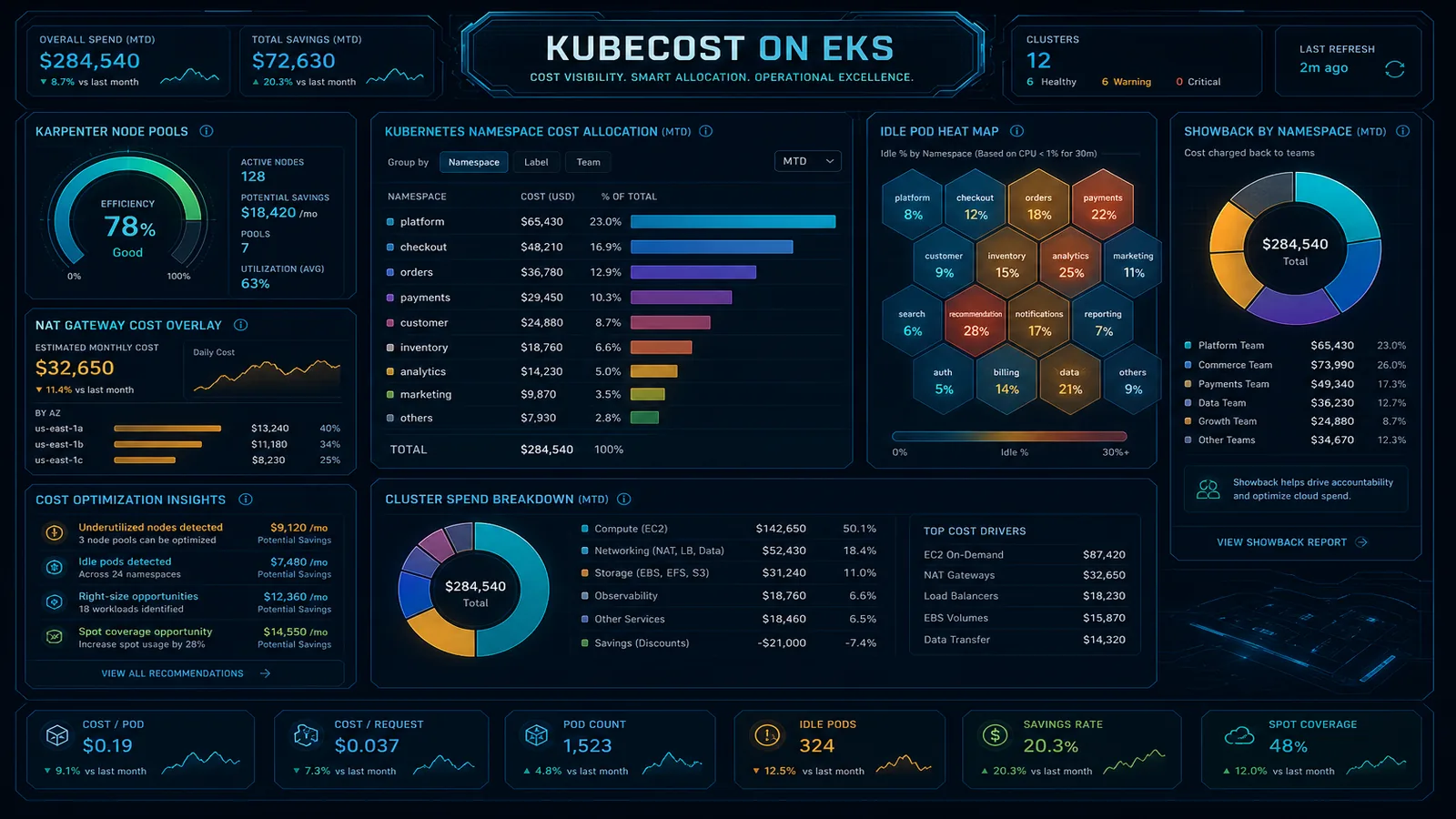
Table of Contents
Kubecost gives EKS teams namespace-, pod-, and label-level cost allocation. As of June 2026, AWS split cost allocation for EKS in CUR 2.0 helps attribute shared cluster infrastructure costs — enable it before trusting Kubecost showback numbers for chargeback.
Engagement shape we see often: an EKS-heavy SaaS, 3–6 clusters, Kubecost deployed with accurate namespace allocation, total AWS bill still climbing because NAT processing, cross-AZ transfer, and over-provisioned m5 node groups sit outside the Kubernetes view.
Visibility is necessary; it is not sufficient. Most clusters need architecture changes — rightsizing, Karpenter, topology-aware routing, observability cost control — to move the total bill.
What Kubecost Does Well
- Real-time Kubernetes cost allocation
- Showback/chargeback by team, namespace, label
- Integration with AWS billing via CUR or cost model
- Recommendations for idle workloads and efficiency
- Open-core model with enterprise features for multi-cluster
Where Teams Stall
- Accurate allocation, flat total cost — teams know who spent; nobody reduces cluster size
- Missing AWS-level costs — NAT, cross-AZ, EBS, Load Balancers absent from K8s-only view
- Over-provisioned node groups — m5.2xlarge defaults “for headroom”
- Observability tax — metrics/logs costs exceed workload costs
- No link to commitment strategy — EKS compute not in SP baseline
Reference Architecture
┌─────────────┐     ┌──────────────┐     ┌─────────────────┐
│  EKS cluster│────▶│   Kubecost   │────▶│  Team dashboards│
│  + labels   │     │  (in-cluster)│     │  + chargeback   │
└──────┬──────┘     └──────────────┘     └─────────────────┘
       │
       ▼
┌──────────────────────────────────────────────────────────┐
│ AWS bill: EC2 (nodes), EBS, ELB, NAT, cross-AZ, CUR      │
└──────────────────────────────────────────────────────────┘
Include AWS split cost allocation for shared cluster costs in CUR 2.0.
Implementation Steps
1. Deploy Kubecost
- Helm install in
kubecostnamespace - Connect to AWS via IAM role (CUR S3 bucket or cost API)
- Standardize labels:
team,env,cost-centeron namespaces
2. Baseline Allocation Accuracy
- Target 85%+ allocatable pod cost tagged
- Document untagged workloads; enforce admission policy (OPA/Kyverno)
3. Architecture Savings (Where Bill Actually Drops)
| Lever | Typical impact |
|---|---|
| Karpenter vs fixed node groups | 30–50% node cost on variable workloads |
| Graviton node families | 20–40% vs x86 |
| Topology-aware routing | Reduce cross-AZ data transfer |
| Right-size requests/limits | Fewer nodes required |
| VPC endpoints for ECR/S3/API | Cut NAT processing fees |
| Log/metrics sampling | Cut observability line item |
See EKS cost optimization in AWS Open Guide.
4. Operational Cadence
- Weekly: Kubecost idle workload report → ticket or scale-down
- Monthly: node family review vs Compute Optimizer
- Quarterly: full cluster efficiency review with cost pitfalls
What to Do This Week
- Kubecost deployed; CUR or cost API connected
- Namespace labels enforced for all tenant workloads
- AWS split cost allocation enabled for EKS
- Karpenter or Cluster Autoscaler with appropriate node pools
- NAT/endpoints audited for cluster egress patterns
- Showback shared with engineering leads monthly
- SP/RI baseline includes stable EKS compute
FactualMinds EKS Cost Optimization (4 weeks)
Fixed scope:
- Kubecost deployment + allocation model
- Karpenter/rightsizing implementation
- NAT/VPC endpoint architecture review
- Measured savings report + handoff
Pairs with Kubecost — we implement what allocation surfaces.
What This Post Doesn’t Cover
Multi-cluster Kubecost federation, OpenCost migration paths, and Fargate-only EKS cost models — those workloads need separate allocation patterns.
Related Reading
AWS Cloud Architect & AI Expert
AWS-certified cloud architect and AI expert with deep expertise in cloud migrations, cost optimization, and generative AI on AWS.