Karpenter vs Cluster Autoscaler: EKS Node Cost Optimization in 2026
Quick summary: Karpenter vs Cluster Autoscaler on EKS: consolidation + flexible NodePools beat half-empty ASG nodes. July 2026: karpenter.sh/v1, WhenEmptyOrUnderutilized, Spot mix checklist.
Key Takeaways
- Karpenter vs Cluster Autoscaler on EKS: consolidation + flexible NodePools beat half-empty ASG nodes
- July 2026: karpenter
- sh/v1, WhenEmptyOrUnderutilized, Spot mix checklist
- EKS node autoscaling is one of the highest-leverage cost decisions on Kubernetes: how pending pods become compute, how idle capacity is reclaimed, and how Spot is diversified
- As of July 2026, Karpenter ( + , API ) remains the default recommendation for most EKS fleets
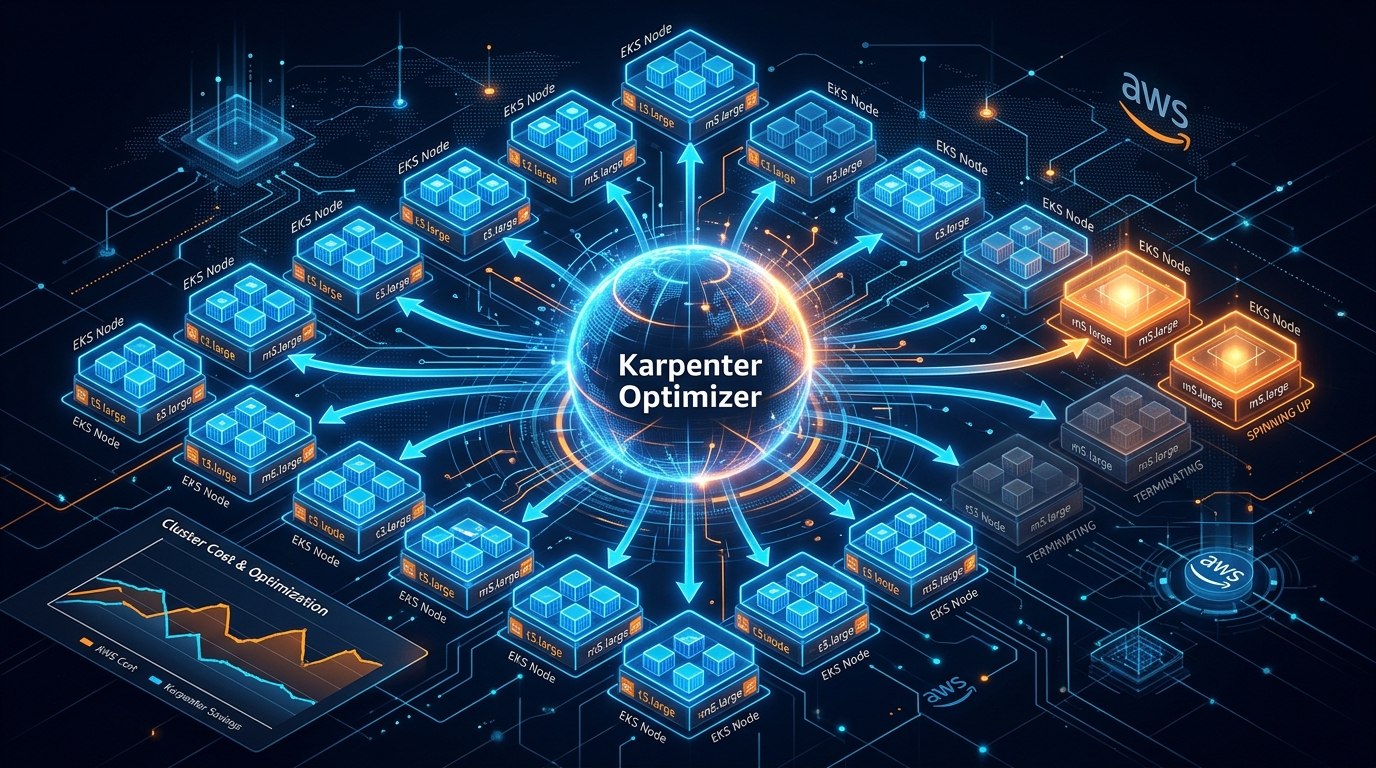
Table of Contents
EKS node autoscaling is one of the highest-leverage cost decisions on Kubernetes: how pending pods become compute, how idle capacity is reclaimed, and how Spot is diversified.
As of July 2026, Karpenter (NodePool + EC2NodeClass, API karpenter.sh/v1) remains the default recommendation for most EKS fleets. Cluster Autoscaler still works — and still leaves half-empty nodes that only drain when fully empty. Karpenter’s consolidation (WhenEmptyOrUnderutilized) plus multi-family instance selection is where the bill moves.
First-party benchmark (directional): clusters with spiky/variable pod shapes often see ~20–40% lower EC2 node spend after CA→Karpenter when consolidation actually runs — measure node count and $/pod before/after; do not treat 40% as a guarantee.
Reproduce this: Karpenter NodePool checklist · pair with Spot pool scoring
What Cluster Autoscaler Gets Wrong (From a Cost Perspective)
Cluster Autoscaler (CA) works with node groups — pre-configured sets of EC2 instances with a fixed instance type, launch template, and scaling bounds. When pods are pending due to insufficient capacity, CA adds nodes from the appropriate node group. When nodes are underutilized, CA can scale in.
The cost limitations:
1. Nodes only terminate when fully empty. CA’s scale-in logic removes a node when all of its pods can be safely rescheduled elsewhere. This means a node at 15% utilization with one non-migratable daemonset pod stays running indefinitely. In practice, large clusters accumulate dozens of partially utilized nodes that CA cannot consolidate.
2. Fixed instance types per node group. A team running a CPU-intensive batch job and a memory-intensive analytics job uses separate node groups with separate fixed instance types. The CPU job gets whatever instance type the CPU node group specifies, even if a different instance type in the same family would be 20% cheaper for the actual CPU-to-memory ratio the workload uses.
3. Slow provisioning. CA calls the Auto Scaling Group API to add a node. The ASG then launches the EC2 instance (1–3 minutes), the instance joins the cluster, kubelet registers, and pods begin scheduling. The total time from pending pod to running pod is typically 3–5 minutes. During that window, the scheduler may mark pods as unschedulable and generate alerts.
How Karpenter Improves on Each Limitation
Consolidation: The Core Cost Benefit
Karpenter’s consolidation controller continuously evaluates whether any nodes are underutilized to the point where their workloads could be moved to other nodes. When it identifies consolidation opportunities:
- Karpenter selects pods to migrate off the underutilized node
- It cordons and drains the node, rescheduling pods elsewhere
- It terminates the now-empty node
This active consolidation removes the “partially utilized but not empty” node problem. A cluster where Cluster Autoscaler maintains 30 nodes, 8 of which are at 15–20% utilization, will often converge to 22–24 nodes under Karpenter — with the same workload running at the same performance level.
Observed cost impact (directional): Variable workloads often land in a ~20–40% EC2 node-cost reduction band after CA→Karpenter — driven by how much half-empty capacity CA left behind. Baseline first; do not put “40%” in a forecast without your own before/after.
Right-Sized Instance Selection
Karpenter uses NodePool resources that specify a list of allowed instance types (or instance families) rather than a single fixed type. When scheduling a pending pod, Karpenter:
- Evaluates the pod’s resource requests and node selectors
- Filters the allowed instance list to types that satisfy requirements
- Selects the most cost-efficient option considering current Spot pricing across types and AZs
apiVersion: karpenter.sh/v1
kind: NodePool
metadata:
  name: general-purpose
spec:
  template:
    spec:
      requirements:
        - key: karpenter.k8s.aws/instance-category
          operator: In
          values: ['c', 'm', 'r'] # compute, memory, general — flexible
        - key: karpenter.k8s.aws/instance-generation
          operator: Gt
          values: ['5'] # At least 6th generation for Graviton efficiency
        - key: kubernetes.io/arch
          operator: In
          values: ['arm64'] # Prefer Graviton — 20% cheaper per vCPU
        - key: karpenter.sh/capacity-type
          operator: In
          values: ['spot', 'on-demand'] # Prefer Spot, fall back to On-Demand
  disruption:
    consolidationPolicy: WhenEmptyOrUnderutilized
    consolidateAfter: 30s
Allowing multiple instance families and generations means Karpenter can choose a c7g.large over an m6a.large when the workload is CPU-bound — saving the cost difference between the two families. This flexibility is what drives the 15–30% instance cost reduction on top of the consolidation savings.
Node Provisioning Speed
Karpenter calls the EC2 CreateFleet API directly instead of going through Auto Scaling Groups. This bypasses ASG warm pool management and typically halves the provisioning time — pods go from pending to running in 1–2 minutes rather than 3–5 minutes. Faster provisioning means less queued workload and better utilization of the nodes that do get provisioned.
Spot Instance Economics with Karpenter
Spot instances on EKS have historically required careful management: separate node groups per Spot pool, manual capacity type diversification, and custom handling for Spot interruptions. Karpenter handles this natively.
Spot Fleet Configuration
apiVersion: karpenter.sh/v1
kind: NodePool
metadata:
  name: spot-workers
spec:
  template:
    spec:
      requirements:
        - key: karpenter.sh/capacity-type
          operator: In
          values: ['spot']
        - key: karpenter.k8s.aws/instance-category
          operator: In
          values: ['c', 'm', 'r']
        - key: karpenter.k8s.aws/instance-cpu
          operator: In
          values: ['4', '8', '16'] # Multiple sizes for diversification
  disruption:
    consolidationPolicy: WhenEmptyOrUnderutilized
    consolidateAfter: 1m
    budgets:
      - nodes: '10%' # Don't disrupt more than 10% of nodes at once
By allowing multiple instance categories and sizes, Karpenter selects from a large Spot pool — improving availability and reducing the probability of interruptions across the whole fleet.
Interruption Handling
When a Spot interruption notice arrives (2 minutes before termination), Karpenter:
- Receives the interruption notification via EC2 Instance Connect or EventBridge
- Immediately cordons the node to prevent new pod scheduling
- Evicts pods gracefully with respect to PodDisruptionBudgets
- Launches replacement nodes proactively
This automated interruption handling removes the need for custom Spot termination scripts or third-party tools like the AWS Node Termination Handler (though the handler is still recommended as a safety layer).
Migrating from Cluster Autoscaler to Karpenter
Step 1: Install Karpenter alongside CA
Karpenter and Cluster Autoscaler can run simultaneously. Install Karpenter but configure it with taints on any new NodePool resources so existing workloads do not migrate immediately:
spec:
  template:
    metadata:
      taints:
        - key: karpenter.sh/managed
          effect: NoSchedule
Step 2: Migrate one workload at a time
Add toleration for the Karpenter taint to one workload at a time, observing cost and stability:
# In your Deployment spec
tolerations:
  - key: karpenter.sh/managed
    effect: NoSchedule
Step 3: Enable consolidation on migrated workloads
Once satisfied with Karpenter stability, enable consolidation:
disruption:
  consolidationPolicy: WhenEmptyOrUnderutilized
  consolidateAfter: 30s
Step 4: Disable CA for migrated node groups
Once all workloads are managed by Karpenter, set CA node group min/max to 0 and remove the CA deployment.
Measuring the Cost Impact
Before and after migration, measure:
- Total node count — Same workload, fewer nodes indicates consolidation working
- Average node utilization — Should increase as idle nodes are removed
- EC2 cost per pod — Divide EC2 cost by running pod count; should decrease
- Scale-out latency p99 — Should improve with faster Karpenter provisioning
In Cost Explorer, filter by EC2 and tag by EKS cluster name before and after migration to isolate the savings.
When Cluster Autoscaler Is Still Appropriate
Karpenter is the right choice for most EKS workloads. CA may still be appropriate when:
- Your organization has strict change management constraints and CA is already certified
- You are running a highly specialized workload with a known fixed instance type and no benefit from dynamic selection
- You are on an older EKS version where Karpenter v1 is not yet supported (check Karpenter release compatibility)
For new EKS clusters in 2026, Karpenter should be the default choice.
What this post doesn’t cover
EKS Auto Mode packaging details and Kubecost chargeback — see EKS pricing / Kubecost companions. Karpenter CRD fields evolve; confirm your installed version against karpenter.sh/v1 docs.
What to do Monday morning
- Baseline CA: node count, avg utilization, EC2 $/pod, scale-out p99.
- Install Karpenter with a tainted NodePool; migrate one namespace.
- Enable consolidation; diversify
c|m|r+ Spot/On-Demand; prefer arm64 when images allow. - Walk the NodePool checklist.
- Next: Spot selection · cost control playbook.
- Managed Kubernetes · cost optimization · contact.
Frequently asked questions
What is the main cost advantage of Karpenter over Cluster Autoscaler on EKS?
The main cost advantage of Karpenter is bin-packing efficiency and consolidation. Cluster Autoscaler can only terminate a node when it is completely empty, which means partially utilized nodes idle at partial capacity for long periods. Karpenter actively monitors node utilization and migrates pods to fewer nodes when capacity is underutilized, then terminates the now-empty nodes. This consolidation behavior typically reduces idle compute by 20–40% compared to Cluster Autoscaler. The secondary advantage is right-sized instance selection — Karpenter chooses the most cost-efficient instance type for each batch of pending pods, rather than using the fixed instance types defined in node groups.
Does Karpenter work with EC2 Spot instances?
Yes. Karpenter has native Spot instance support with automatic interruption handling. When a Spot instance receives a termination notice, Karpenter migrates the affected pods to other available nodes and launches replacement capacity. It uses Spot interruption prediction to proactively move workloads off Spot instances with high interruption probability. For cost optimization, configure NodePool resources to use a mix of On-Demand and Spot — Karpenter will prefer Spot for interruptible workloads and On-Demand for workloads that cannot tolerate interruption.
How does Karpenter select instance types for new nodes?
Karpenter selects instance types from a list of allowed types in the NodePool resource. When a batch of pending pods requires scheduling, Karpenter evaluates available instance types against the pod requirements (CPU, memory, GPU, architecture, topology) and selects the most cost-efficient type that satisfies all constraints. It considers the current Spot price across instance families and AZs to optimize the selection. In practice, this means Karpenter often selects instance types that are 15-30% cheaper than the fixed types defined in a Cluster Autoscaler node group for the same workload.
AWS Cloud Architect & AI Expert
AWS-certified cloud architect and AI expert with deep expertise in cloud migrations, cost optimization, and generative AI on AWS.