How to Set Up AWS Control Tower for Multi-Account Governance
Quick summary: AWS Control Tower automates multi-account management — setting up guardrails, enforcing compliance policies, and centralizing billing. This guide covers setup, customization, and production governance patterns.
Key Takeaways
- AWS Control Tower automates multi-account management — setting up guardrails, enforcing compliance policies, and centralizing billing
- AWS Control Tower orchestrates a multi-account AWS environment with automated governance, guardrails, and compliance
- Instead of manually managing organizational units, service control policies, and logging across 20+ accounts, Control Tower sets up the entire foundation in a few hours
- Building Multi-Account AWS
- FactualMinds helps teams architect scalable AWS organizations with Control Tower, custom guardrails, and account governance

Table of Contents
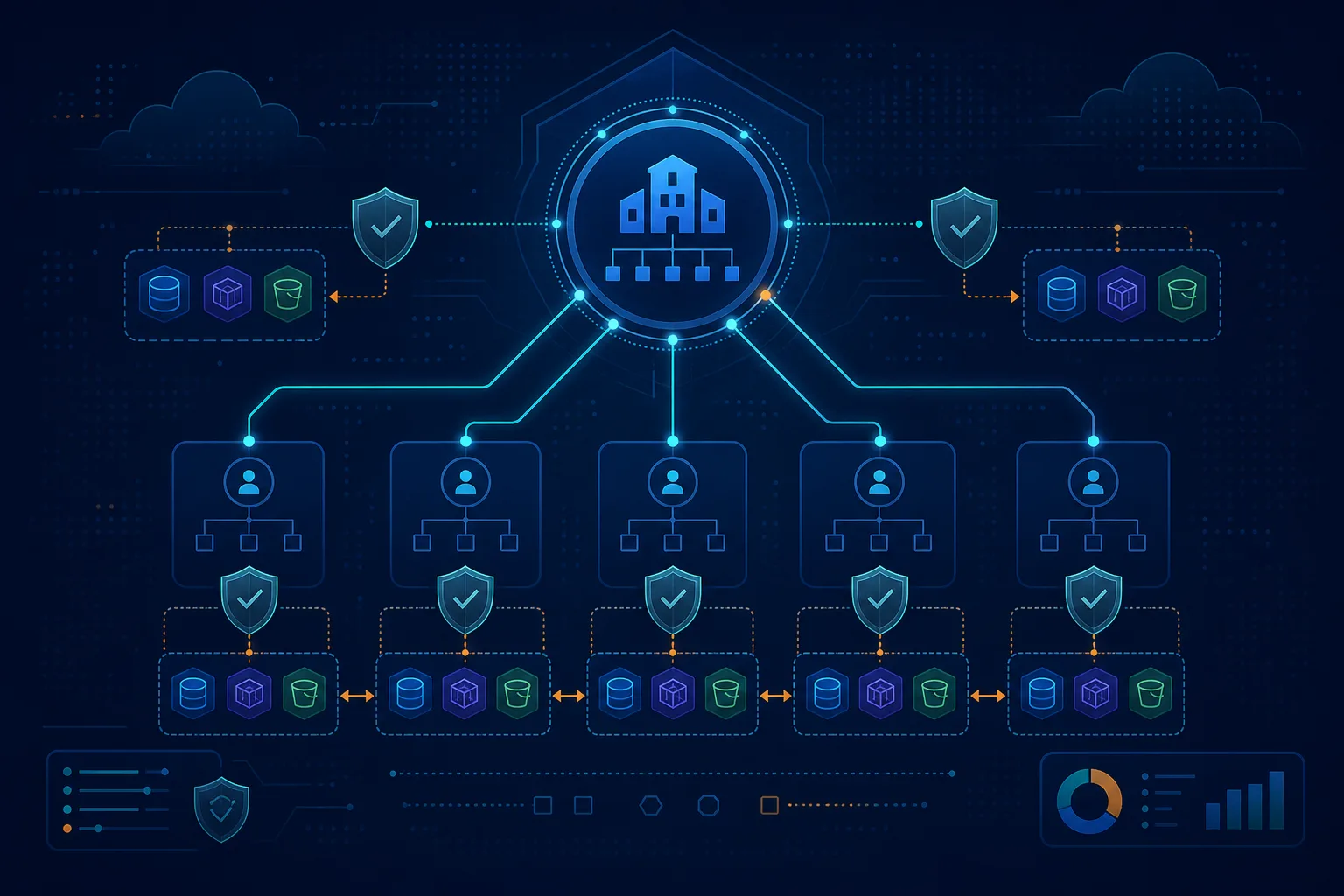
AWS Control Tower orchestrates a multi-account AWS environment with automated governance, guardrails, and compliance. Instead of manually managing organizational units, service control policies, and logging across 20+ accounts, Control Tower sets up the entire foundation in a few hours.
This guide covers setup, configuring guardrails, automating account creation, and implementing production governance patterns.
Building Multi-Account AWS? FactualMinds helps teams architect scalable AWS organizations with Control Tower, custom guardrails, and account governance. See our managed services or talk to our team.
Step 1: Understand Control Tower Architecture
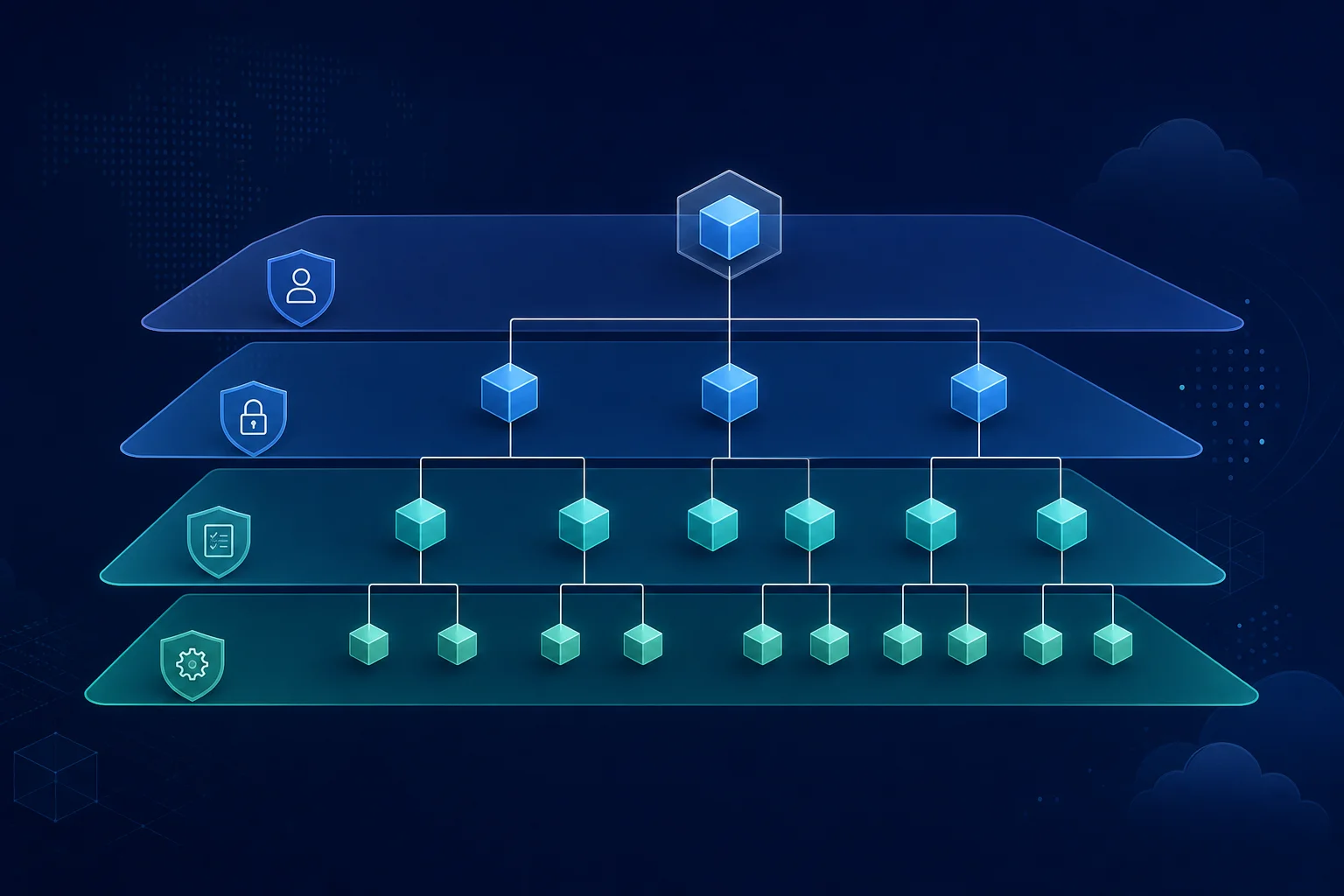
Control Tower creates a multi-account landing zone with three core components:
1. Organizational Units (OUs)
Control Tower creates three OUs:
- Root — contains all accounts (you don’t work here)
- Security — contains Audit and Log Archive accounts (AWS-managed, read-only)
- Sandbox — for experimentation (new accounts auto-provisioned here)
You add additional OUs:
- Production — production workloads (strict guardrails)
- Development — development/staging (loose guardrails)
- Machine Learning — data science (GPU access, high limits)
2. Guardrails
Preventive guardrails use SCPs to block non-compliant actions. Detective guardrails use Config to log violations.
Example preventive guardrails:
- Prevent IAM access key creation
- Prevent root account access
- Require encryption on EBS volumes
3. Centralized Logging
All accounts send logs to the Log Archive account:
- CloudTrail logs (API calls)
- Config logs (resource compliance)
- CloudWatch Logs (application logs, optional)
Step 2: Prerequisites and Planning
Before starting, decide:
Account Structure
Minimal: 3 accounts
Management (billing, governance)
├── Security (audit, logging)
└── Development (dev/test)Standard: 5+ accounts
Management
├── Security (audit, logging)
├── Production (workloads)
├── Development (dev/test)
├── Sandbox (experiments)
└── Data (analytics, separate cost center)Enterprise: 15+ accounts per business unit
Management
├── Security
├── Production
├── Development
├── Sandbox
├── Finance-Prod
├── Finance-Dev
├── ML-GPU
├── ML-Dev
└── ...
Email Address Planning
Each account needs a unique email. Set up email forwarding:
management@company.com      → security-team@company.com
security-audit@company.com  → security-team@company.com
prod-workload@company.com   → devops-team@company.com
dev-sandbox@company.com     → developers@company.com
Use AWS Organizations to manage these or create a shared mailbox.
Step 3: Enable AWS Organizations
Control Tower requires AWS Organizations. If you don’t have it, enable it:
aws organizations create-organization --feature-set ALL
# Returns: organization ARN and root ID
Check current structure:
aws organizations list-roots
aws organizations list-accounts
Step 4: Set Up Control Tower Landing Zone
Prerequisites Checklist
- AWS Organizations enabled
- 3 email addresses ready (management, audit, log archive)
- No existing CloudTrail in the region (Control Tower will create it)
- No existing Config aggregator (Control Tower will create it)
- Root account has 24-hour absence of activity (security check)
Launch Control Tower
- Go to AWS Console → AWS Control Tower → Get Started
- Review Home Region: Select the region where landing zone will live (us-east-1 recommended for most accounts)
- Configure Management Account:
- Email: your-management@company.com
- Account name: Management
- Create Audit Account:
- Email: your-audit@company.com
- Name: Audit
- Create Log Archive Account:
- Email: your-log-archive@company.com
- Name: LogArchive
- Review and Create: Click “Create Landing Zone”
Time: 30-60 minutes. Control Tower will:
- Create the two new accounts
- Set up OUs (Security, Sandbox)
- Enable CloudTrail across all accounts
- Enable Config rules for compliance
- Set up a centralized S3 bucket for logs
Monitor progress in Control Tower → Dashboard → Landing Zone Status.
Step 5: Configure Guardrails
Guardrails are compliance rules. Control Tower provides ~40 guardrails; enable cautiously.
Recommended Guardrails for Most Teams
Must-Have (Preventive)
- Require MFA for root account
- Disallow root account access (SCPs)
- Enforce encryption on S3 buckets
- Enforce CloudTrail logging
Should-Have (Preventive)
- Prevent IAM policy changes (except approved roles)
- Prevent VPC security group changes
- Enforce encryption on EBS volumes
Nice-to-Have (Detective)
- Detect unencrypted S3 buckets
- Detect missing tags on resources
- Detect overly-permissive IAM policies
Enable Guardrails
- Go to AWS Control Tower → Guardrails
- Select guardrail category: Preventive or Detective
- Click Enable guardrail
- Select Organization Unit (OU) to apply (e.g., Security, Production)
- Click Enable
Best practice: Enable on Production OU first, test for 1 week, then expand to other OUs.
Example: Enforce S3 Encryption
- Search: “Disallow unencrypted object uploads”
- Guardrail type: Preventive
- Apply to: Security OU (test)
- Enable → takes 2-5 minutes to propagate
After enabling, any S3 upload without encryption will fail:
aws s3 cp file.txt s3://my-bucket/ --sse AES256
# ✓ Works

aws s3 cp file.txt s3://my-bucket/
# ✗ Error: Access Denied (guardrail blocked)
Step 6: Create Accounts via Account Factory
Manual account creation is tedious. Control Tower’s Account Factory automates it.
Set Up Account Factory
- Go to Control Tower → Account Factory
- Click Enroll account or Create new account
- Fill in:
- Account name:
prod-workloadordev-team-1 - Account email: unique email (forwarding works)
- Organization unit: choose OU (Production, Development, Sandbox)
- IAM role name:
OrganizationAccountAccessRole(default)
- Account name:
- Click Create account
Takes 5-10 minutes. New account is auto-configured with:
- All guardrails applied
- CloudTrail enabled
- Config enabled
- Logging to Log Archive account
Bulk Create Accounts with API
For many accounts, use the AWS CLI:
aws controltower create-account \
  --account-name "team-a-prod" \
  --account-email "team-a-prod@company.com" \
  --organizational-unit-id ou-prod-xxxxx

# Returns: account creation token
# Poll status: aws controltower get-account-status --account-id <id>
Step 7: Set Up Additional OUs and Guardrails
Extend the landing zone with custom OUs for different teams:
Create a Custom OU
aws organizations create-organizational-unit \
  --parent-id r-xxxx \  # Root OU ID
  --name "Production"

aws organizations create-organizational-unit \
  --parent-id r-xxxx \
  --name "Development"
Move Accounts to OUs
aws organizations move-account \
  --account-id 111111111111 \
  --source-parent-id ou-xxxx \
  --destination-parent-id ou-prod-xxxx
Apply Guardrails to New OUs
In Control Tower console:
- Go to Guardrails
- For each guardrail, click Manage guardrail
- Add the new OU to the list
Step 8: Implement Delegated Administration
Control Tower allows other accounts to manage certain services (like AWS Config, Security Hub). This reduces load on the management account.
Delegate CloudTrail Management
# Register AWS CloudTrail as a delegated service
aws organizations register-delegated-administrator \
  --account-id 222222222222 \  # Audit account
  --service-principal cloudtrail.amazonaws.com
The Audit account can now manage CloudTrail for all accounts.
Delegate Security Hub
aws organizations register-delegated-administrator \
  --account-id 222222222222 \  # Security account
  --service-principal securityhub.amazonaws.com
Step 9: Monitor and Maintain Compliance
CloudWatch Dashboard
Control Tower automatically creates a dashboard showing:
- Guardrail compliance (# accounts passing each guardrail)
- Account status
- Organizational compliance trends
Access: AWS Control Tower → Dashboard
AWS Config Aggregator
Control Tower sets up a centralized Config Aggregator in the Log Archive account. It shows:
- Compliance status across all accounts
- Non-compliant resources
- Remediation steps
Access: AWS Config → Aggregators
CloudTrail Search
Search logs across all accounts from Management account:
# Query: who deleted an S3 bucket?
aws cloudtrail lookup-events \
  --lookup-attributes AttributeKey=EventName,AttributeValue=DeleteBucket \
  --max-results 50
Step 10: Production Governance Patterns
Pattern 1: Blast Radius Containment
Isolate risky workloads:
Production
├── critical-apps (strict guardrails, high cost)
├── backend-api (standard guardrails)
└── experiments (loose guardrails, auto-cleanup)
If experiments OU is compromised, critical-apps OU is unaffected.
Pattern 2: Cost Allocation per OU
Use AWS Cost Explorer to allocate costs per OU:
- Tag all resources with
OU: production,OU: development, etc. - Group costs by tag in Cost Explorer
- Charge back teams per their OU spending
Pattern 3: Automated Compliance Reporting
Create a Lambda function that runs weekly:
import boto3

def compliance_report():
    ct = boto3.client('controltower')
    ou_list = ct.list_organizational_units_for_parent()

    for ou in ou_list:
        guardrails = ct.list_guardrails_for_target(target_id=ou['Id'])
        for gr in guardrails:
            compliance = ct.get_guardrail_compliance_status(guardrail_id=gr)
            print(f"{ou['Name']}: {gr['Name']} — {compliance['status']}")
Schedule weekly, email report to security team.
Pattern 4: Sandbox Auto-Cleanup
Automatically delete accounts in Sandbox OU after 30 days:
aws organizations list-accounts-for-parent \
  --parent-id ou-sandbox-xxxxx | \
  jq '.Accounts[] | select(.CreateDate | . < now - 30*24*60*60)' | \
  xargs -I {} aws organizations close-account --account-id {}
Prevents sandbox sprawl and cost leakage.
Common Mistakes to Avoid
Enabling too many guardrails at once
- Results in “guardrail fatigue” — teams disable all of them to get work done
- Start with 5-10, add one per week
Not planning account structure upfront
- Refactoring OUs mid-year is painful
- Spend 1-2 weeks designing OU structure
Forgetting to manage service limits
- Create 50 accounts, hit 100-account soft limit
- Request limit increases upfront (takes 24 hours)
Ignoring delegated administration
- Management account becomes a bottleneck
- Use delegated admins for Config, Security Hub, etc.
Not testing guardrails in non-production OUs
- Test new guardrails in Dev, then Production
- Don’t enable on Production without dry-run
Cost Estimate
| Component | Cost | Scaling |
|---|---|---|
| CloudTrail | $2-5/month | per 100k API calls |
| Config | $0.30-1/month | per account |
| CloudWatch Logs | $0.50/GB ingested | per GB |
| Control Tower | Free | N/A |
| Log storage (S3) | $0.023/GB/month | per GB stored |
| Total for 10 accounts | ~$100-150/month | scales linearly |
Next Steps
- Plan your OU structure (1 day)
- Set up Control Tower landing zone (1-2 hours)
- Enable 5-10 guardrails (1 week testing)
- Create production and development OUs (1 day)
- Onboard first 5 teams (2-3 weeks)
- Implement automated compliance reporting (ongoing)
- Talk to FactualMinds if you need help designing governance or scaling to 50+ accounts
After the landing zone is live, cross-account patterns cover RAM sharing, delegated admins, and data-perimeter RCPs.
Frequently asked questions
What is AWS Control Tower and why do I need it?
Control Tower automates the setup of a multi-account AWS environment with built-in guardrails (compliance rules), centralized logging, and account factory (automated account creation). Without it, setting up multi-account governance manually takes weeks: create organizational units (OUs), apply SCPs (service control policies), configure CloudTrail for each account, set up billing consolidation, etc. Control Tower does this in hours. Why multi-account? Isolation (dev, staging, prod in separate accounts), blast radius containment (if one account is compromised, others are safe), cost allocation (track spending per team/project), and compliance (sandbox account for experiments without affecting production).
Can I use Control Tower with an existing AWS organization?
Partially. If you already have an Organization with accounts and OUs, Control Tower can 'land' on top of it, but with caveats: (1) Control Tower will create new OUs (Management, Security, Sandbox) — your existing OUs remain but are outside Control Tower's management. (2) Existing accounts: can be enrolled in Control Tower, but guardrails are applied *prospectively* (new accounts get all guardrails; old accounts get guardrails only if you enable them retroactively). (3) Recommendations: if you have fewer than 5 accounts and minimal governance, start with Control Tower from scratch. If you have >5 accounts and mature org structure, you can layer Control Tower on top, but expect limitations and use AWS CloudFormation StackSets for additional governance outside Control Tower.
What are guardrails and how many should I use?
Guardrails are automated compliance rules enforced across all accounts. Control Tower provides ~40 guardrails in two categories: (1) Preventive guardrails — block certain actions (e.g., 'disable MFA on root account', 'use non-approved KMS keys'). Preventive guardrails use SCPs, so they're enforced immediately. (2) Detective guardrails — log violations and alert you (e.g., 'S3 bucket doesn't have encryption'). Detective guardrails use Config rules; they don't block, just report. Recommended for most teams: enable 10-15 guardrails initially (MFA enforcement, encryption, logging, IAM policies). Avoid enabling all 40 — they conflict with common workflows. Example: 'require MFA for all API calls' breaks automation (CI/CD pipelines, Lambda functions). Start with essential guardrails, test in dev, expand carefully.
How much does Control Tower cost?
Control Tower has no direct monthly fee. You pay only for underlying services: (1) CloudTrail — ~$2/month per 100,000 API calls. (2) Config — ~$6/month per account. (3) CloudWatch Logs — ~$0.50/GB ingested. (4) Compliance Hub — optional, free. For a 10-account setup with moderate activity: ~$100-200/month. Main cost is CloudTrail (centralized across all accounts). Cost scales linearly with accounts and activity. Benefit: without Control Tower, you'd pay for same services manually (CloudTrail, Config, Log aggregation) *plus* hundreds of hours setting it up. Control Tower saves engineering time, which costs more than service fees.
Can I migrate existing accounts into Control Tower after setup?
Yes. Control Tower has an 'enroll account' process: (1) Select account to enroll. (2) Control Tower applies all active guardrails and logging. (3) Takes 30-60 minutes. Important: after enrollment, guardrails are applied *prospectively* only (blocks new non-compliant actions, doesn't retroactively remediate existing resources). Example: if you enroll an account that already has an unencrypted S3 bucket, guardrails won't delete the bucket, but they'll prevent *new* unencrypted buckets. For existing non-compliant resources, you must manually remediate. Use this process to gradually move accounts into Control Tower governance.
AWS Cloud Architect & AI Expert
AWS-certified cloud architect and AI expert with deep expertise in cloud migrations, cost optimization, and generative AI on AWS.