How to Use the AWS Migration Acceleration Program (MAP) to Cut Migration Costs
Quick summary: MAP still offsets dual-run migration cost — if you qualify and tag correctly. July 2026 SMB guide: Assess→Mobilize→Migrate, MAP 2.0 tagging, partner-confirmed ARR tiers (not self-serve credits).
Key Takeaways
- July 2026 SMB guide: Assess→Mobilize→Migrate, MAP 2
- 0 tagging, partner-confirmed ARR tiers (not self-serve credits)
- Most SMBs and mid-market companies that move to AWS leave money on the table — not from bad architecture, but from never running a partner-qualified MAP conversation before dual-run costs hit
- As of July 2026, MAP remains AWS’s outcome-driven migration program: methodology (Assess → Mobilize → Migrate & Modernize), Partner funding pathways, and promotional credits tied to MAP 2
- 0 tagging on eligible spend
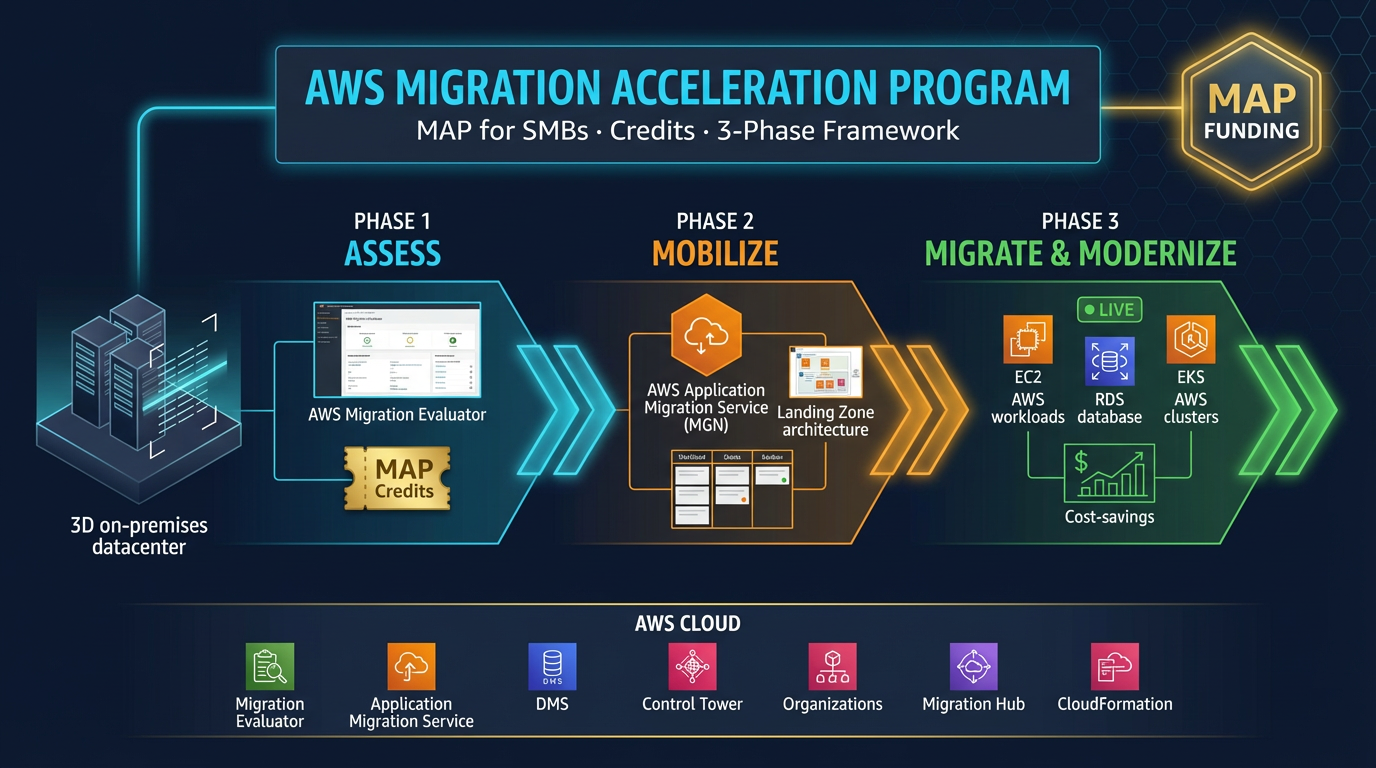
Table of Contents
Most SMBs and mid-market companies that move to AWS leave money on the table — not from bad architecture, but from never running a partner-qualified MAP conversation before dual-run costs hit.
As of July 2026, MAP remains AWS’s outcome-driven migration program: methodology (Assess → Mobilize → Migrate & Modernize), Partner funding pathways, and promotional credits tied to MAP 2.0 tagging on eligible spend. Credits are not a self-serve rebate you claim in Billing without an approved opportunity.
First-party benchmark (directional): the painful line item MAP often offsets is weeks/months of parallel source + target infrastructure during cutover — model that dual-run window before you argue about credit %.
Reproduce this: MAP eligibility partner checklist
What Is the AWS Migration Acceleration Program?
MAP is a program offered by Amazon Web Services to qualified organizations that are migrating workloads to AWS. It provides three things:
- AWS Credits — Funding to offset the cost of running workloads in AWS during and after migration
- Partner Funding — Financial support that AWS makes available to select AWS Partners (like FactualMinds) to reduce consulting engagement costs
- Migration Methodology — A structured, phase-based framework (Assess → Mobilize → Migrate & Modernize) that reduces risk and improves predictability
MAP is not a rebate program. It is a structured engagement model. To access MAP benefits, your migration must be conducted through an authorized AWS Partner using the MAP methodology.
Who Qualifies for MAP?
MAP eligibility depends on the workload / committed ARR, not your company logo. Directionally (confirm with AWS + Partner — bands change):
- Net-new or incremental workloads moving to AWS (on-prem or another cloud)
- A partner-qualified post-migration ARR commitment (Lite-style pathways are often discussed around the ~$100K–$500K ARR band; larger programs above that)
- Engagement through an AWS Partner on an approved MAP opportunity (Migration Competency commonly required for standard MAP)
Do not treat public “MAP Lite” blog posts as a contract. AWS qualifies the opportunity; your Partner runs methodology and tagging. Smaller estates may still get meaningful Assess/Mobilize support even when Migrate credits are modest.
If you are unsure, the fastest path is your AWS account team or an authorized migration partner eligibility check — not a Billing console toggle.
The Three Phases of MAP
MAP breaks migration into three structured phases. Each phase has defined deliverables, timelines, and funding milestones.
Phase 1: Assess (2–4 Weeks)
The Assess phase produces a business case for migration. Deliverables include:
- Discovery report — Full inventory of servers, databases, and applications
- TCO analysis — Total Cost of Ownership comparison (on-premises vs. AWS over 3 years)
- Migration readiness assessment — Identifies skill gaps, security requirements, and blockers
This phase is often partially funded through MAP. Many organizations are surprised to find that a formal AWS TCO analysis shows 30–50% cost savings over 3 years compared to renewing on-premises hardware or data center contracts.
Phase 2: Mobilize (4–8 Weeks)
Mobilize builds the cloud foundation before the first workload moves. Deliverables include:
- AWS Landing Zone setup (multi-account structure, networking, identity federation)
- Security baseline (IAM policies, GuardDuty, CloudTrail, Security Hub)
- Migration runbook for the first wave of workloads
- Team enablement and training
A common mistake is skipping Mobilize and jumping straight to migrating servers. Organizations that skip the foundation phase almost always pay for it later — with security gaps, networking rework, and re-architecture costs.
Phase 3: Migrate & Modernize (Ongoing)
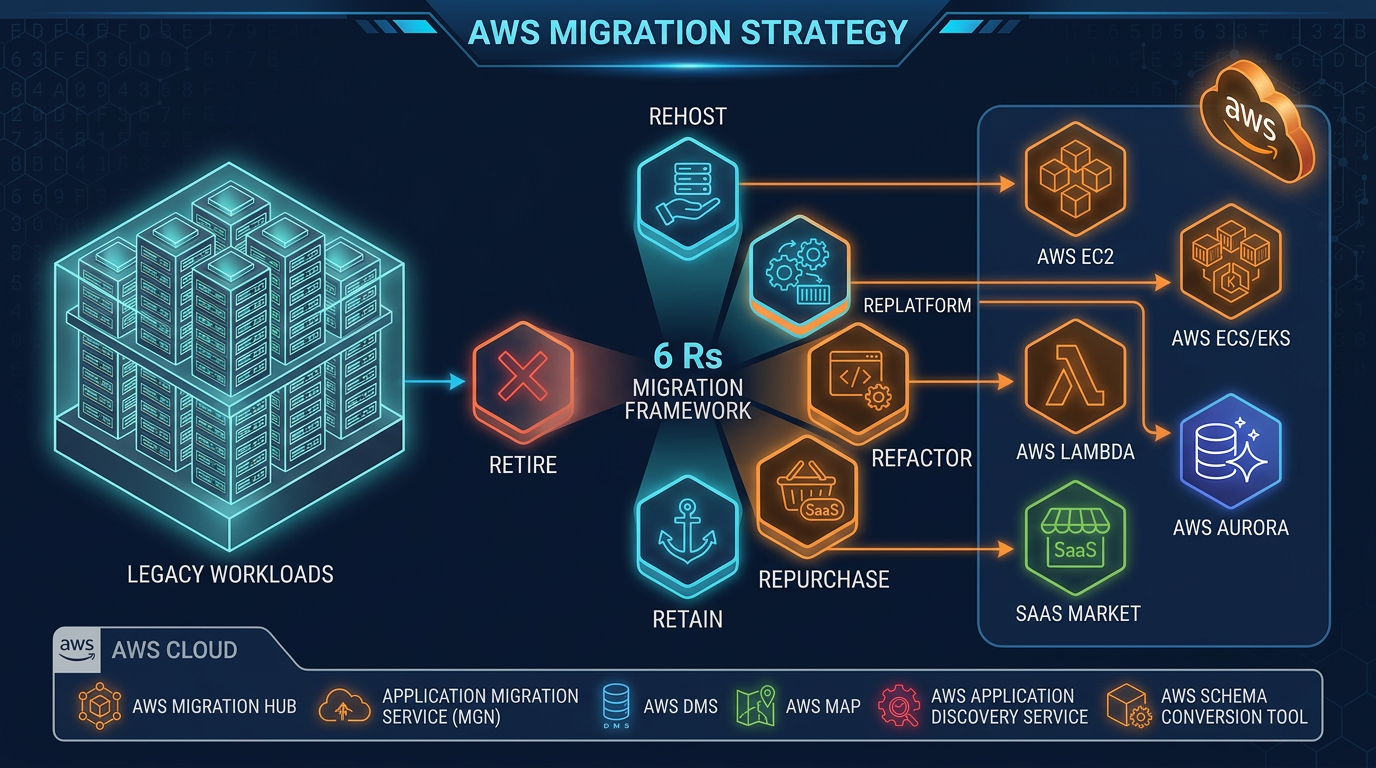
The third phase is the actual migration execution, broken into waves. Workloads move in a defined sequence, with tightly coupled systems migrating together.
AWS provides tooling for each migration type:
| Migration Type | AWS Tool |
|---|---|
| Server rehost (lift & shift) | AWS Application Migration Service (MGN) |
| Database migration | AWS Database Migration Service (DMS) |
| Large data transfers | AWS Snowball Edge |
| Container modernization | AWS App2Container |
Modernization — moving from VMs to containers, managed databases, or serverless — typically happens in a second wave after the initial migration stabilizes.
How MAP Credits Work
MAP investments are opportunity-specific. Common shapes:
Credits during/after Migrate offset eligible tagged AWS spend (see the current MAP 2.0 tagging guide — activate the cost allocation tag on the payer account or credits never appear).
Partner funding (Assess/Mobilize cash or equivalent) may reduce consulting cost when the Partner has an approved PO from AWS — Partners should not promise dollar amounts before that PO exists.
Why tagging matters: without MAP tags on eligible services, you can execute a perfect migration and still miss the credit tranche. Build tagging into wave 0, not the week before the dashboard review.
Getting Started with MAP
The fastest way to determine MAP eligibility and start the process:
Contact an authorized AWS Partner — FactualMinds is an AWS Select Tier Partner with MAP authorization. We run the initial eligibility check and business case as part of our Migration Readiness Assessment.
Get your AWS TAM or account team involved — If you have an assigned AWS Technical Account Manager, they can confirm MAP eligibility and connect you with the right resources.
Start with the Assess phase — The business case alone often justifies the engagement. Even organizations that decide not to migrate immediately use the TCO analysis to support budget decisions.
Common MAP Misconceptions
“MAP is only for large enterprises.” False. Mid-market and SMB estates often qualify for Lite-style or scaled MAP pathways when ARR and Partner criteria are met. A 10–20 server move can still justify Assess funding even if Migrate credits are smaller.
“We have to do the migration a specific way to qualify.” Partially true. MAP expects the phased methodology (Assess → Mobilize → Migrate & Modernize). Tooling inside those phases (MGN, DMS, containers, etc.) stays yours to design.
“We lose control of the migration to AWS.” False. AWS does not run day-to-day execution. Your Partner does. You own timeline and architecture decisions.
What this post doesn’t cover
Exact credit percentages, Partner PO amounts, or public-sector MAP variants — those are opportunity-specific and change. VMware pathing is covered in the EVS / MGN decision guide.
What to do Monday morning
- Rough inventory (servers, DBs, target AWS ARR) — enough for a Partner eligibility call.
- Confirm whether you already have a Migration Competency Partner engaged.
- Walk the MAP checklist (especially MAP 2.0 tags).
- Do not skip Mobilize to “save time” — landing-zone debt is more expensive than a four-week foundation.
- Next: migration strategy · migration without cost surprises.
- Talk to a migration specialist / Migration Readiness Assessment.
AWS Cloud Architect & AI Expert
AWS-certified cloud architect and AI expert with deep expertise in cloud migrations, cost optimization, and generative AI on AWS.