AWS Management Console Private Access (June 2026): Console Without Internet
Quick summary: On June 15, 2026 AWS made Console Private Access work without internet — VPC endpoints route 100% of browser traffic. First-party benchmark: 161 interface endpoints and ~$263/mo for a 12-service 3-AZ pilot in us-east-1.
Key Takeaways
- On June 15, 2026 AWS made Console Private Access work without internet — VPC endpoints route 100% of browser traffic
- First-party benchmark: 161 interface endpoints and ~$263/mo for a 12-service 3-AZ pilot in us-east-1
- On June 15, 2026, AWS announced that AWS Management Console Private Access now works without internet connectivity
- As of June 15, AWS routes 100% of supported console browser traffic through interface VPC endpoints you control
- You pay only underlying PrivateLink usage; there is no Console Private Access surcharge (AWS documentation)
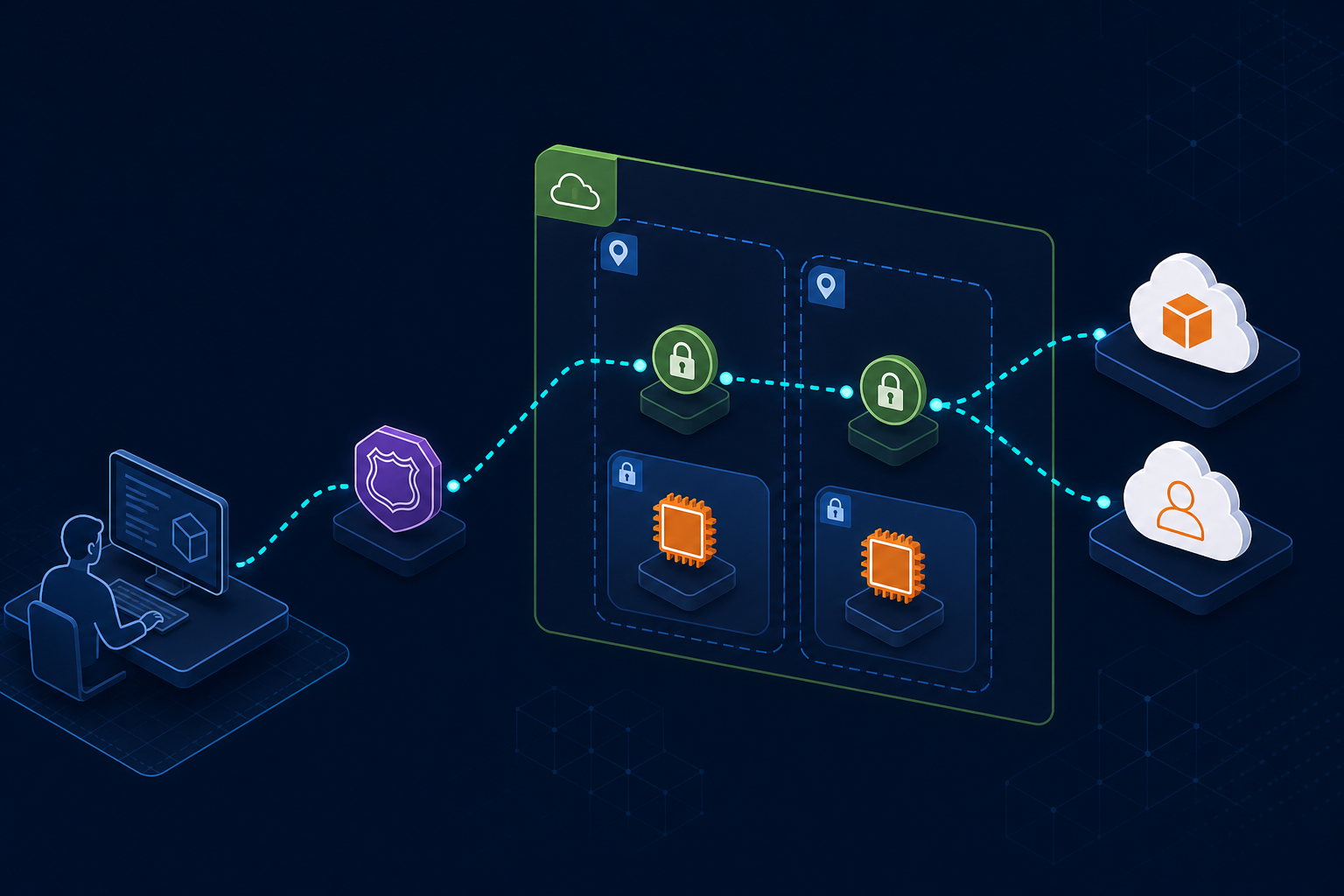
Table of Contents
On June 15, 2026, AWS announced that AWS Management Console Private Access now works without internet connectivity. Console traffic can flow entirely through VPC endpoints and AWS PrivateLink — a change that matters for financial services, government and defense, healthcare, and any estate where operators must manage AWS from air-gapped or no-internet VPCs.
Before this launch, Private Access already let you restrict which accounts and networks could reach the console — but browser traffic still required a path to the public internet. As of June 15, AWS routes 100% of supported console browser traffic through interface VPC endpoints you control. You pay only underlying PrivateLink usage; there is no Console Private Access surcharge (AWS documentation).
This post is the adoption field guide: architecture, DNS traps, authorization layering, first-party cost numbers, and when not to deploy.
First-party benchmark (June 17, 2026) — Parsed
us-east-1.config.json: 161ServiceNameinterface endpoints, 296PrivateIpv4DnsNamesCNAME targets.eu-west-1.config.json: 146 endpoints, 257 DNS names. Modeled 3-AZ PrivateLink at $0.01/hour/AZ: pilot (12 endpoints) ~$263/mo, full us-east-1 ~$3,526/mo, us-east-1 + eu-west-1 ~$6,727/mo (hours only, before data processing). Artifacts:private-access-cost-model.csv.
The problem: console access vs network policy
Platform and security teams face a recurring conflict:
- Compliance asks for proof that administrative access never leaves controlled networks.
- Operators still need the console for break-glass incidents, visual debugging, and tasks that are faster with a UI than a CLI script.
- Workarounds — shared bastions with outbound internet, VPN hairpins to the public console, or CLI-only runbooks — each fail a different audit question.
VPC endpoints for S3, ECR, and Secrets Manager keep application traffic private. They do nothing for human console sessions. Console Private Access closes that gap — but it is not free operationally or financially.
What changed on June 15, 2026
| Change | Why it matters | Who breaks without it |
|---|---|---|
| Console works from VPCs with no internet route | Air-gapped subnets become viable operator workstations | Teams that disabled NAT and assumed console was impossible |
| Traffic flows through PrivateLink VPC endpoints | Network path stays on AWS backbone | Auditors asking for packet-path evidence |
| Per-service console APIs get private endpoints | EC2, RDS, Lambda consoles load without public DNS | Operators who only wired console/sign-in and see 404s in service pages |
| VPC endpoint policies allow/deny accounts, orgs, OUs | Network gate before IAM even evaluates | Enterprises that need account allow-lists from corporate VPCs |
| IAM + SCP + RCP still apply | Identity authorization unchanged | Teams that treat endpoint policy as least privilege (it is not) |
| On-prem via Direct Connect / VPN → VPC with endpoints | Same private path for datacenter operators | Hybrid estates that banned public console URLs |
Commercial AWS Regions only for this announcement scope — plan separate processes for GovCloud and China if those partitions are in your boundary.
Architecture: network, DNS, authorization
Console Private Access is three layers. Weakness in any layer surfaces as silent console failures or audit gaps.
Operator browser (VPC or on-prem via DX/VPN)
        │
        ▼
Route 53 private hosted zones (console + signin subdomains)
        │
        ▼
Interface VPC endpoints (console, signin, per-service APIs)
        │
        ▼
AWS PrivateLink → AWS Management Console + service consoles
Layer 1 — Network (VPC endpoints)
Create interface VPC endpoints for:
com.amazonaws.{region}.consolecom.amazonaws.{region}.signin- Each service API your operators use — listed under
ServiceNamein the Region config JSON
Mandatory gotcha: provision endpoints in US East (N. Virginia) even when workloads live elsewhere. Default console DNS resolves to us-east-1 (AWS Security Blog).
Layer 2 — DNS (Route 53)
AWS recommends two private hosted zones per Region — one for signin.aws.amazon.com, one for console.aws.amazon.com Regional subdomains — with CNAME records from the config JSON PrivateIpv4DnsNames field.
Split horizon required: health.aws.amazon.com and docs.aws.amazon.com have no VPC endpoints. Wildcarding all *.aws.amazon.com to private zones breaks documentation panels and health widgets inside the console.
For on-premises operators: Route 53 Resolver inbound endpoint in the VPC + conditional DNS forwarding from your corporate resolver.
Layer 3 — Authorization
| Control | Scope |
|---|---|
| VPC endpoint policy | Which accounts/orgs/OUs are reachable through this network path |
| IAM policies | What actions the signed-in principal can perform |
| SCPs / RCPs | Org-wide deny guards (aws:SourceVpc, aws:SourceIp) |
Endpoint policy allow ≠ IAM permission. Both must pass.
Opinionated recommendation
We recommend Console Private Access over VPN-to-public-console when your control objective is network-path isolation plus account allow-lists from corporate or air-gapped VPCs — not when you only need MFA on a public URL.
Prefer CLI, API, and IaC when console usage is rare and your change window is fully automated. Private Access carries real endpoint and DNS operational cost; a 161-endpoint full-Region deployment is ~$3,526/month in endpoint hours alone in our benchmark.
Not a substitute for AWS Verified Access (internal application access) or the zero-trust VPC pattern identity mesh — Private Access governs the AWS console, not your SaaS admin panels.
Specific substitutes:
- App Mesh / Lattice → east-west service auth; unrelated to console browser paths.
- Bastion + AWS CLI → lower cost when operators are CLI-native; weaker visual break-glass.
- VPN to public console → faster to stand up; fails strict no-internet-path audits.
What broke in pilots (and how to avoid it)
What broke — Week two of a regulated-industry pilot. Security routed all
*.aws.amazon.comto private hosted zones. Service consoles loaded, but documentation side panels and health status widgets went blank. Root cause:docs.aws.amazon.comandhealth.aws.amazon.comhave no VPC endpoints. Fix: private zones only for console and signin subdomains per AWS DNS configuration; forward docs/health to public resolvers and document the exception in the compliance packet.
Additional counter-cases:
- Skipped monthly config JSON refresh — AWS adds service consoles monthly; stale DNS → 404 on new service pages until you pull updated
configuration.private-access.console.amazonaws.com/{region}.config.json. - us-east-1 endpoints missing — sign-in succeeds from a bookmarked Regional URL in testing, then fails for new operators hitting the default global hostname.
- Full endpoint sprawl without finance review — provisioning all 161 us-east-1 endpoints before validating which consoles operators actually open.
Cost model (June 2026)
AWS charges no Private Access premium — only PrivateLink interface endpoint hours and data processing.
| Scenario | Endpoints (3 AZ) | Modeled $/month (hours) |
|---|---|---|
| A — Pilot (console, signin, 10 common services) | 12 | ~$263 |
| B — Full single Region (all us-east-1 config) | 161 | ~$3,526 |
| C — Two Regions (us-east-1 + eu-west-1 full lists) | 307 | ~$6,727 |
Route 53 hosted zones and Resolver endpoints add dollars, not thousands. Data processing at $0.01/GB is usually noise compared to endpoint-hour cost at full service parity.
We recommend Scenario A for the first 30 days — measure which service consoles operators actually open before expanding toward Scenario B.
Implementation phases
Detailed checkboxes live in implementation-checklist.md. Summary:
- Pilot VPC — us-east-1 + one workload Region; console, signin, and top-10 service endpoints; endpoint policy allow-list for non-prod accounts first.
- DNS — two private hosted zones per Region; Resolver inbound for on-prem; no wildcard on all
aws.amazon.com. - Split horizon — docs/health on public path; write the auditor footnote now.
- Identity — least-privilege IAM roles per persona; SCP
aws:SourceVpcif org mandates; MFA on break-glass. - Operate — monthly config JSON diff; CloudTrail review on denied console paths.
Reproduce this —
implementation-checklist.md,adoption-decision-matrix.md,private-access-cost-model.csv. Refresh endpoint counts fromconfiguration.private-access.console.amazonaws.com/{region}.config.json.
Console Private Access vs tools you already have
| Layer | Tool | Relationship to Private Access |
|---|---|---|
| App private connectivity | S3/ECR/KMS VPC endpoints | Complementary — workloads, not console |
| Human internal apps | AWS Verified Access | Different layer — your apps, not AWS console |
| Identity | IAM Identity Center + MFA | Required — Private Access is not auth |
| Org guardrails | SCPs, RCPs | Layer on top — network + identity |
| Operations | CLI, Terraform, CDK | Default path — Private Access for break-glass UI |
| VPC design | Multi-account landing zone | Shared services VPC often hosts console endpoints |
For VPC endpoint mechanics, see the Agent Toolkit configuring-vpc-endpoints skill reference and our VPC networking guide.
What This Post Doesn’t Cover
- GovCloud and China Regions — June 15, 2026 announcement scope is commercial Regions; verify partition-specific console networking separately.
- Per-service console feature parity — supported services expand monthly; the config JSON is the source of truth, not this post.
- Replacing AWS CLI, CloudFormation, CDK, or CI/CD — console is break-glass and visual ops, not the primary change vector.
- Terraform/CDK module — we ship checklist and cost artifacts only; IaC is account-specific.
- Full SCP/RCP policy library — see securing AWS workloads beyond the basics for IAM and Organizations patterns.
What to Do This Week
- Download
us-east-1.config.jsonand count endpoints your operators would need — run the cost model CSV before provisioning anything. - Score adoption with the decision matrix — confirm you are solving network-path proof, not convenience.
- Stand up a pilot VPC with console + signin + 10 service endpoints; test from a subnet without a NAT gateway.
- Configure split-horizon DNS — private console/signin, public docs/health; document for auditors.
- Layer endpoint policies (account allow-list) and IAM least privilege; run a deny test from a non-listed account.
- Calendar a monthly config JSON pull — assign an owner before production promotion.
For structured security architecture reviews across console access, VPC design, and Organizations guardrails, FactualMinds provides AWS cloud security consulting as an AWS Select Tier Partner — start from our security architecture guide or contact us.
Related on this site
AWS Cloud Architect & AI Expert
AWS-certified cloud architect and AI expert with deep expertise in cloud migrations, cost optimization, and generative AI on AWS.