AWS Emulator (11 Nov 2026): When to Use It Instead of MiniStack or floci
Quick summary: On 11 November 2026 AWS shipped AWS Emulator v1.0.322 — a CC0 in-memory local emulator that listens on HTTPS port 9297, returns HTTP 501 for unimplemented operations, and erases all state on stop. Here is when to replace a :4566 suite and when to keep what you have.
Key Takeaways
- On 11 November 2026 AWS shipped AWS Emulator v1.0
- 322 — a CC0 in-memory local emulator that listens on HTTPS port 9297, returns HTTP 501 for unimplemented operations, and erases all state on stop
- Here is when to replace a :4566 suite and when to keep what you have
- On 11 November 2026 AWS released AWS Emulator v1.0
- 322
Table of Contents
On 11 November 2026 AWS released AWS Emulator v1.0.322. Unlike MiniStack and floci, which speak plain HTTP on port 4566, AWS Emulator listens on HTTPS at 127.0.0.1:9297, ships no prebuilt Docker image, requires a generated CA bundle, and erases everything in memory when the process stops. The gap between what it is and what a LocalStack-compatible suite assumes is wide enough to waste a sprint.
The decision of whether to adopt it comes down to three questions: Does your CI pipeline need control-plane error text that matches us-west-2? Can your tests tolerate an in-memory account that resets on every run? Does your stack avoid the data-plane, IAM, and multi-Region edge cases the emulator explicitly does not handle?
Three numbers anchor every decision about adopting the emulator:
- HTTPS port on 127.0.0.1, not port 4566.
- 9297
- API models in the first empty server.
- 438
- status when an operation is not implemented yet.
- 501
Fidelity scores for v1.0.322 are on the GitHub release page. Per-service numeric scores are published there; this post does not quote them because they move between releases. Pin a release and read the scores for that commit.
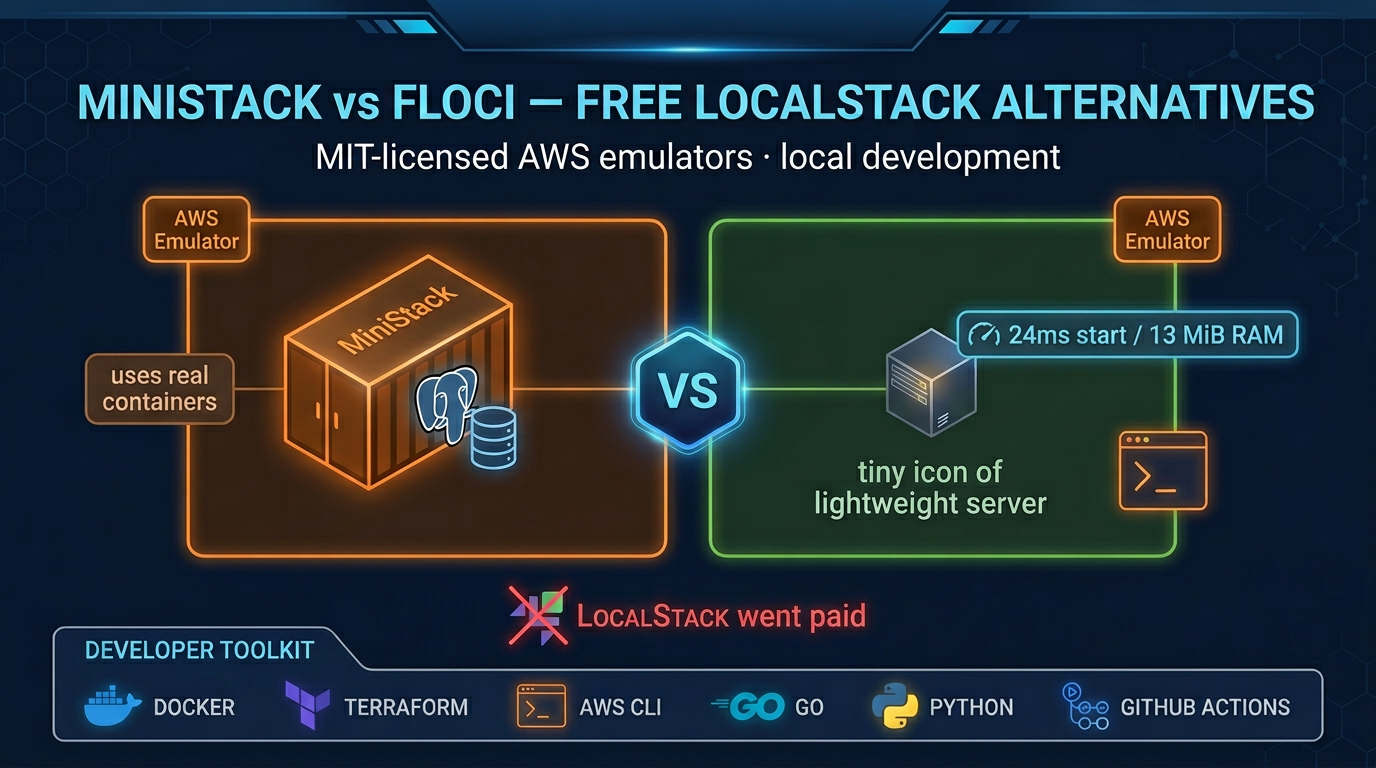
AWS Emulator vs LocalStack, MiniStack and floci
| AWS Emulator v1.0.322 | MiniStack (mid-2026, project-advertised) | floci (mid-2026, project-advertised) | LocalStack Pro | |
|---|---|---|---|---|
| Port / scheme | https://127.0.0.1:9297 | http://localhost:4566 | http://localhost:4566 | http://localhost:4566 |
| CA bundle required | Yes (generated on start; ~/.aws/emulator/9297/ca.pem) | No | No | No |
| State | In-memory; wiped on stop | Real DB containers while the process runs | In-process APIs; DB containers on demand | Not compared here |
| Real DB containers | No | Yes (Postgres, MySQL, Redis) | On demand for DB and cache | Paid tier includes RDS (sister post) |
| IAM / policy eval | Not like AWS — do not use for security tests | Not compared here | Not compared here | Not compared here |
| Multi-Region isolation | One process does not isolate by Region or account | Not compared here | Not compared here | Not compared here |
| Startup time | 2 s to health after docker run, one M4 sample (not a benchmark) | ~2 s (sister post, July 2026) | ~24 ms (sister post, July 2026) | 15–30 s (sister post, July 2026) |
| RAM at idle | Not measured in this post | ~30 MB (sister post, July 2026) | ~13 MiB (sister post, July 2026) | ~500 MB (sister post, July 2026) |
| License | CC0 (vendor: Apache-2.0) | MIT | MIT | Proprietary (sister post) |
| Telemetry | On by default; disable with --telemetry off | None (sister post) | None (sister post) | Not compared here |
| Fidelity tracking | Per-release scores on GitHub | 900+ project tests (sister post) | 1,850+ project tests (sister post) | Not compared here |
| Accepts pull requests | No (README, v1.0.322) | Not checked on 12 Nov 2026 | Not checked on 12 Nov 2026 | Not checked on 12 Nov 2026 |
| Price | No emulator fee | Free (sister post) | Free (sister post) | $35+/month (sister post, July 2026) |
MiniStack and floci numbers are project-advertised figures from July 2026 as reported in Two Free LocalStack Alternatives in 2026: MiniStack vs floci. Re-verify against current releases before standardizing.
Which local AWS emulator to use
Pilot AWS Emulator for SDK control-plane tests where matching us-west-2 error text matters and a wiped in-memory account on every run is a feature. The strongest case for it is a CI job that creates, describes, updates, and deletes AWS resources in code and asserts on the exact error codes and messages that real us-west-2 returns. AWS Emulator was built specifically from AWS API models and calibrated against us-west-2 (global services against us-east-1), so control-plane error fidelity is its deepest honest advantage.
Keep MiniStack when tests need real Postgres, MySQL, or Redis. Connection pooling, transaction isolation, and caching behavior need a real database engine. AWS Emulator has no database containers. MiniStack does, as described in the July 2026 comparison.
Keep floci when CI still depends on millisecond startup and http://localhost:4566. Retargeting an existing suite from http://localhost:4566 (plain HTTP) to https://127.0.0.1:9297 (HTTPS, a CA bundle, and generated keys) is an SDK rewire, not a one-line config swap. If parallel CI jobs depend on that millisecond startup, floci is still the right choice unless control-plane error text is already a source of bugs.
Keep a thin real-AWS check for IAM, data-plane calls, and multi-Region behavior. The AWS Emulator user guide says not to use it to test security, because it does not evaluate IAM or resource policies the way AWS does. This post did not re-test MiniStack or floci IAM. Keep a smoke job against a sandboxed AWS account for the IAM paths and multi-Region interactions you cannot prove locally.
Pin a release. Fidelity scores change between releases. A 501 today may be a passing test tomorrow, but a test that passed at v1.0.293 can accumulate new neighbors that expose a root-cause you had not seen. Pin v1.0.322 or a newer explicit tag; floating latest means different error text in CI than on your laptop.
What the agent-built codebase means in practice
Matthew Goldberg, Sr. Principal Engineer, described in the About Amazon article on 11 Nov 2026 that three teams of agents built and maintain the emulator: one writes fidelity tests verified against real AWS, one replays those tests to find divergence, and one fixes each failing test through a merge gate that checks compilation, coding standards, security, and regression. Goldberg writes that the team has not written or reviewed any of the code.
What this means for a user: the codebase is large, continuously changing, and not backed by the kind of human review that would catch subtle behavioral drift. The fidelity test suite — published in aws/aws-emulator-evaluation-suite — is the contract. If a behavior you depend on is not covered by a fidelity test, it can change without notice between releases. Check the evaluation suite for tests that cover your service before depending on a specific behavior.
The emulator does not accept pull requests. If you find a divergence, open an issue in the aws-emulator repository.
Pointing the SDK at the emulator
AWS CLI v2 in the same shell that runs the tests. Port 9297. --telemetry off is a flag on the aws-emulator process, not one of these exports. AWS CLI 2.35.0 or later is required only for the aws agent-toolkit add-skill path, documented below.
export AWS_ENDPOINT_URL=https://127.0.0.1:9297
export AWS_SHARED_CREDENTIALS_FILE=~/.aws/emulator/9297/emulator_credentials
export AWS_CONFIG_FILE=~/.aws/emulator/9297/config
export AWS_CA_BUNDLE=~/.aws/emulator/9297/ca.pem
export AWS_EC2_METADATA_DISABLED=true
export AWS_DISABLE_HOST_PREFIX_INJECTION=true
export AWS_REGION=us-east-1
export AWS_DEFAULT_REGION=us-east-1
unset AWS_ACCESS_KEY_ID AWS_SECRET_ACCESS_KEY AWS_SESSION_TOKEN AWS_PROFILE

# Verify the call reached the emulator, not real AWS
aws sts get-caller-identity
# Expected: Account 000000000000
#           Arn arn:aws:iam::000000000000:user/emulator
# If you see your real account ID, AWS_ENDPOINT_URL is not set in this shell.
Keep 127.0.0.1 in AWS_ENDPOINT_URL. The user guide says localhost makes the JavaScript, Java, and Go SDKs put the S3 bucket name in the hostname, which the emulator rejects. S3 Control always puts the account ID in the hostname, so those calls never reach the emulator.
Three SDK-specific notes that the docs call out: Node.js needs NODE_EXTRA_CA_CERTS pointing at ca.pem because AWS_CA_BUNDLE does not propagate to the Node TLS stack. Java needs JAVA_TOOL_OPTIONS pointing at truststore.p12, which replaces the entire JVM trust store (other HTTPS calls in the same JVM will fail). Rust and .NET use SSL_CERT_FILE. Set AWS_DISABLE_HOST_PREFIX_INJECTION=true only in the emulator shell — left set against real AWS it breaks host-prefix operations such as Cloud Map DiscoverInstances, which returns UnknownOperationException.
The AI coding agent skill — aws agent-toolkit add-skill --skill-name aws-emulator --region us-east-1 — handles the install, start, and SDK wiring steps. It requires AWS CLI 2.35.0 or later.
What to Do This Week
Read the fidelity release notes for v1.0.322. Go to github.com/aws/aws-emulator/releases/tag/v1.0.322 and look at the per-service fidelity scores for the services your suite calls. If a service you depend on has a low score or is listed in
issues/things-that-do-not-work, the emulator is not yet a safe replacement for that service’s tests.Identify your suite’s :4566 HTTP dependencies before scheduling migration. Separate the tests that use
http://localhost:4566, the ones that depend on real Postgres or Redis behavior, and the ones that test IAM policy evaluation. The first group needs SDK rewiring. The second should stay on MiniStack. The third belongs on real AWS.Run the emulator health check before adding it to CI. Bring up the emulator locally with
--telemetry off, set the env vars from the code block above, and runcurl --cacert ~/.aws/emulator/9297/ca.pem https://127.0.0.1:9297/__admin/health— it should return HTTP 200 with bodyok. Then runaws sts get-caller-identityand confirm Account is000000000000. If both pass, your SDK is wired correctly and you can start adapting a single test file before committing to a full migration.Pin a release tag, not
latest. The emulator releases more than once a day. A commit hash or an explicit tag (v1.0.322) in your Dockerfile’sADDline gives you a reproducible environment. The fidelity scores you read today apply to that commit, not to whichever build runs tomorrow morning.
What This Post Doesn’t Cover
Idle RAM was not measured. The only timing in this post is one health check: on an Apple M4, /__admin/health returned ok 2 seconds after docker run of package aws-emulator-1.0.322-1.aarch64. That includes container start. It is not a startup benchmark. The same run is written up above and in smoke-2026-11-12.txt. The project-advertised figures for MiniStack (~2 s start, ~30 MB idle) and floci (~24 ms start, ~13 MiB idle) are from our sister post as of July 2026. Re-verify them before using them in a capacity plan.
Per-service fidelity scores are outside the scope of this post because they change with every release. Read the scores on the v1.0.322 release page and on whichever release you pin.
Data-plane parity — S3 object operations, DynamoDB query semantics, Kinesis shard reads — is not covered. The fidelity docs confirm that control-plane APIs are where the emulator matches AWS most closely today.
IaC tool parity (CloudFormation, Terraform, CDK) varies by service and is not assessed here. The user guide notes that support varies; check the evaluation-suite tests for the stacks you use.
For the MiniStack-vs-floci decision and the full comparison of those two tools, see Two Free LocalStack Alternatives in 2026: MiniStack vs floci.
Sources
- AWS What’s New: AWS Emulator now available, 11 Nov 2026
- What is AWS Emulator? — AWS User Guide
- Fidelity in AWS Emulator — AWS User Guide
- Getting started with AWS Emulator — AWS User Guide
- Getting started with Docker — AWS User Guide
- Pointing your AWS SDK at AWS Emulator — AWS User Guide
- aws/aws-emulator release v1.0.322 on GitHub
- aws/aws-emulator-evaluation-suite on GitHub
- Matthew Goldberg, “How we built the agents that built AWS Emulator,” About Amazon, 11 Nov 2026
Frequently asked questions
What happens if I point my existing :4566 test suite directly at :9297?
Can I use AWS Emulator to test IAM and resource-based policies?
Does stopping the emulator wipe my test data?
Is telemetry on by default, and what does it send?
When should I keep MiniStack instead of switching to AWS Emulator?
How do I confirm a call hit the emulator and not real AWS?

Enterprise AI Transformation
Enterprise AI transformation and implementation leader focused on pilot-to-production playbooks, with a background in financial services. Writes the FactualMinds guides on serverless, CI/CD, and DevOps on AWS, the delivery plumbing production AI depends on.