AWS CloudFormation Best Practices for Production Infrastructure
Quick summary: June 30, 2026 added two major CloudFormation/CDK changes: pre-deployment validation on Create/Update and Express mode with up to 4x faster stack operations. This guide shows when to use each safely in production workflows.
Key Takeaways
- June 30, 2026 added two major CloudFormation/CDK changes: pre-deployment validation on Create/Update and Express mode with up to 4x faster stack operations
- CloudFormation is the native infrastructure-as-code service for AWS
- Every AWS resource that can be created through the console or CLI can be defined in a CloudFormation template and deployed as a stack
- May 2026 refresh: Teams inheriting drift-heavy stacks should operationalize CloudFormation drift detection ( ) ahead of risky updates—see Detect drift on CloudFormation stacks
- This guide covers the practices that make CloudFormation deployments safe and maintainable, now updated for the June 2026 deployment model changes
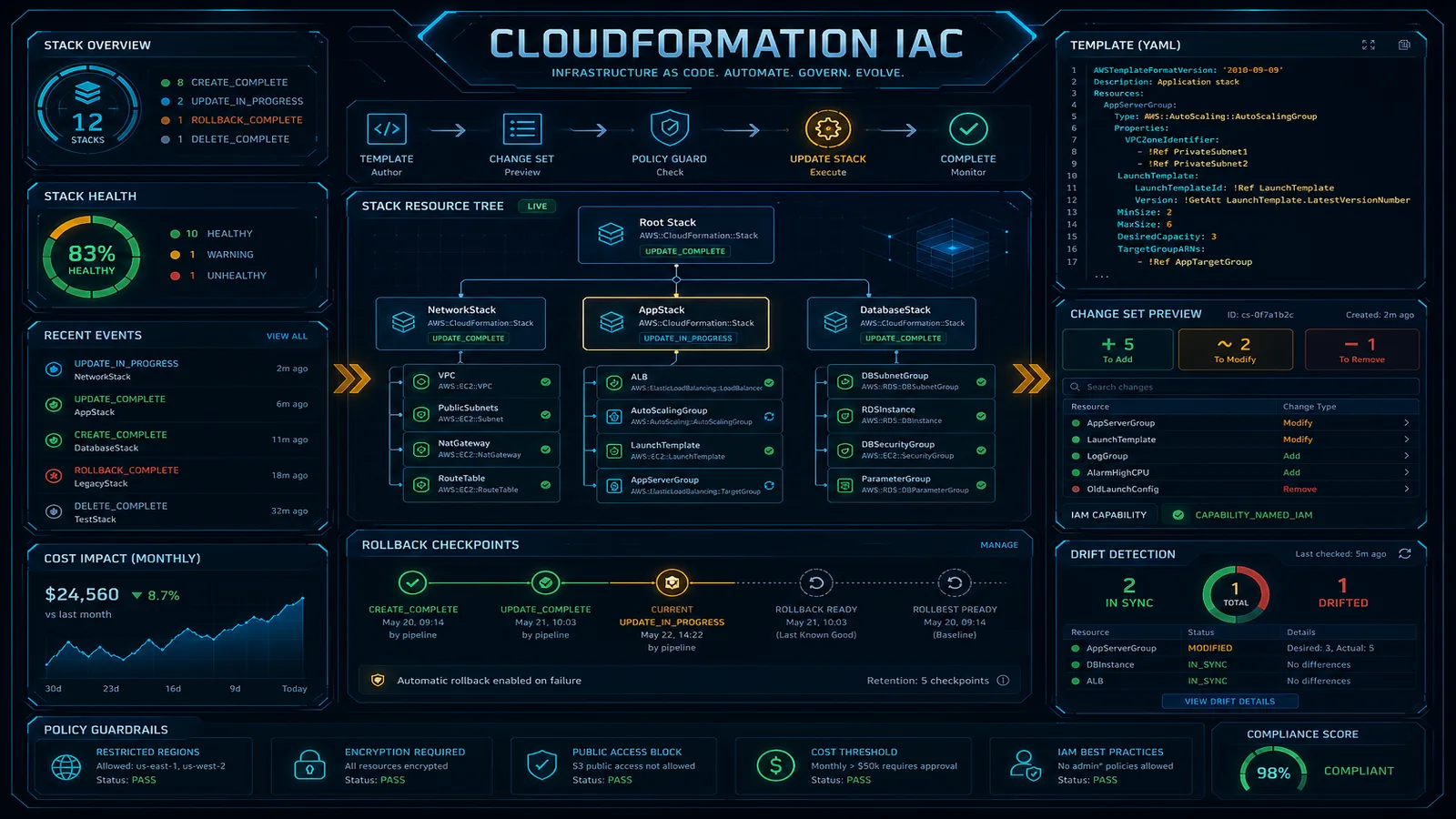
Table of Contents
On June 30, 2026, AWS shipped two CloudFormation/CDK workflow changes that materially affect deployment safety and speed: CloudFormation Express mode (AWS says up to 4x faster stack operations) and pre-deployment validation on CreateStack/UpdateStack by default. If your runbook still assumes “wait for full stabilization every time” and “validation mostly at change-set time,” it is now outdated.
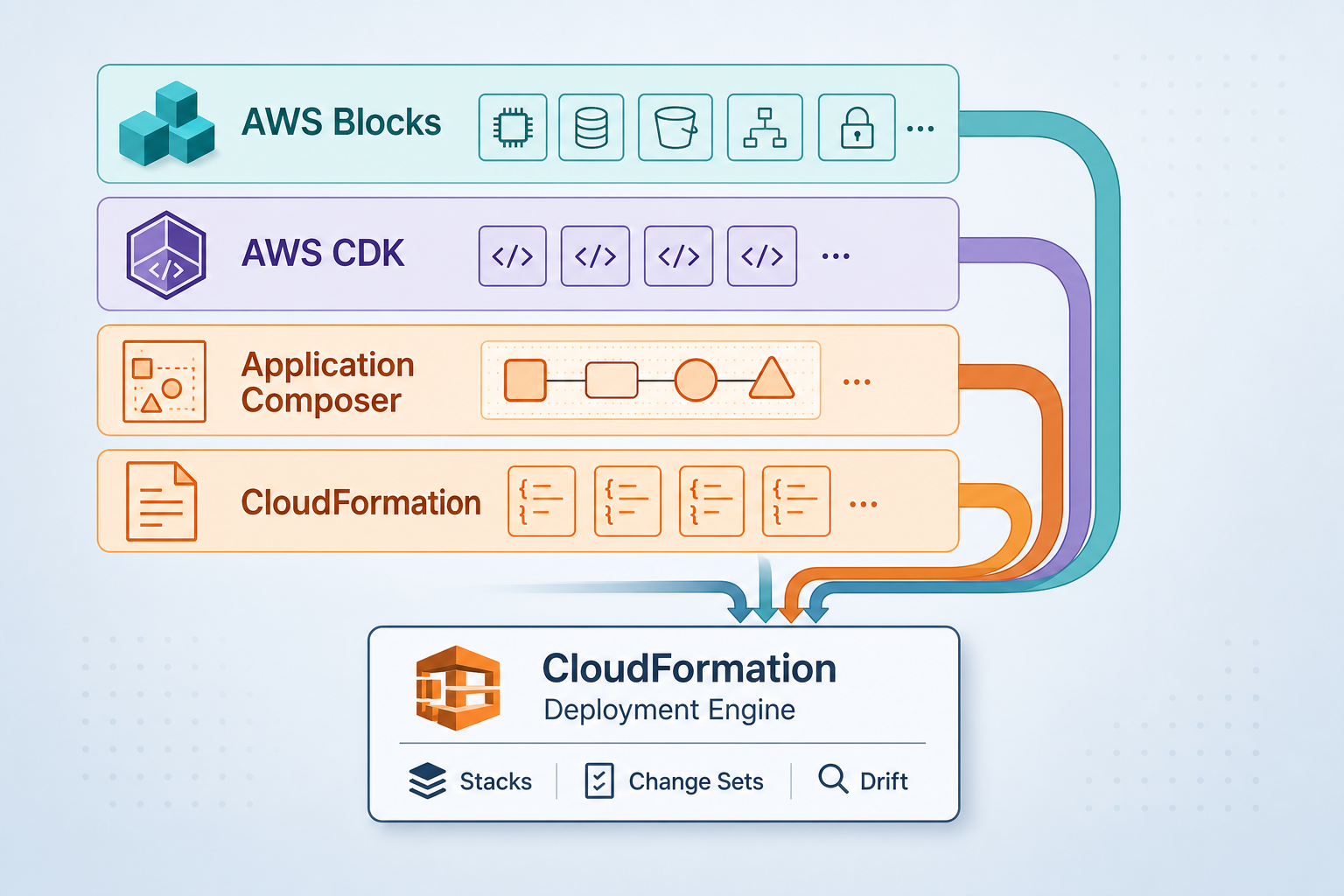
CloudFormation is the native infrastructure-as-code service for AWS. Every AWS resource that can be created through the console or CLI can be defined in a CloudFormation template and deployed as a stack. For organizations committed to AWS, CloudFormation provides the deepest integration — same-day support for new services, native drift detection, and stack-level rollback that no third-party tool can match.
May 2026 refresh: Teams inheriting drift-heavy stacks should operationalize CloudFormation drift detection (DetectStackDrift) ahead of risky updates—see Detect drift on CloudFormation stacks.
But CloudFormation’s power comes with complexity. Poorly organized stacks become unmanageable. Missing deletion policies destroy data. Untested changes break production. This guide covers the practices that make CloudFormation deployments safe and maintainable, now updated for the June 2026 deployment model changes.
For a comparison with other IaC tools, see our Terraform vs AWS CDK decision guide.
June 2026 CloudFormation/CDK Changes That Affect Your Runbooks
1) Express mode changes deployment completion semantics
CloudFormation Express mode completes operations once resource configuration is applied, instead of waiting for extended stabilization checks such as traffic readiness, propagation, and cleanup. AWS reports up to 4x faster deployments in internal benchmarks.
- Operational impact: faster inner loops for developers and AI agents in dev/test.
- Risk shift: “operation complete” can arrive before all downstream stabilization behaviors are fully observed.
- Rollback posture: Express mode disables rollback by default, favoring fix-and-retry loops over long rollback waits.
Opinionated recommendation — Use Express mode by default in development and short-lived test environments where iteration speed is the bottleneck. Keep standard mode as default for production unless the team has documented risk acceptance and post-deploy verification controls.
2) Pre-deployment validation now runs on Create/Update by default
As of June 30, 2026, CloudFormation runs pre-deployment validation checks on CreateStack and UpdateStack (not only during change-set creation). This catches preventable failures before provisioning starts and shortens the failure loop in both manual and CI/CD workflows.
What this changes operationally:
- Earlier failure point: common deployment errors surface in seconds.
- Lower rollback churn: fewer failed provisioning attempts that immediately roll back.
- Clearer triage path: validation output is tied to operation-level events and resource/property paths.
For CDK teams, this means cdk deploy and cdk validate now surface validation feedback in a more actionable flow without waiting for a full provision-and-rollback cycle.
Safe adoption sequence for most teams
- Keep your current deployment workflow (
synth->diff-> review -> deploy). - Treat pre-deployment validation as a default guardrail; investigate warnings/errors before provisioning.
- Introduce Express mode only in lower-risk environments first.
- Add explicit post-deploy checks (smoke tests + CloudWatch alarms) before considering broader Express mode use.
- Keep production runbooks explicit about when Express mode is allowed.
Primary announcement sources:
- AWS CloudFormation and CDK express mode speeds up infrastructure deployments by up to 4x
- AWS CloudFormation and CDK accelerate development feedback loops with pre-deployment validation on all stack operations
Stack Organization
One Stack Per Lifecycle
Group resources by how they change together, not by resource type:
Wrong — organized by resource type:
networking-stack:     All VPCs, subnets, route tables
compute-stack:        All EC2 instances, ECS services, Lambda functions
database-stack:       All RDS instances, DynamoDB tables
Right — organized by lifecycle:
foundation-stack:     VPC, subnets, NAT gateways, security groups (changes rarely)
data-stack:           RDS, DynamoDB, S3 buckets (changes occasionally)
application-stack:    ECS services, Lambda functions, API Gateway (changes frequently)
monitoring-stack:     CloudWatch dashboards, alarms, log groups (changes independently)
Resources that change together should be in the same stack. Resources with different change frequencies should be in different stacks. This minimizes the blast radius of each deployment — updating application code does not risk touching the network or database.
Stack Size Limits
CloudFormation has hard limits per stack:
| Limit | Value |
|---|---|
| Resources per stack | 500 |
| Outputs per stack | 200 |
| Parameters per stack | 200 |
| Template body size | 1 MB (S3), 51,200 bytes (direct) |
If you approach 500 resources, split into multiple stacks. Most production applications should have 3-10 stacks.
Nested Stacks vs Cross-Stack References
Nested stacks — A parent stack deploys child stacks. All stacks are created, updated, and deleted together:
Resources:
  NetworkStack:
    Type: AWS::CloudFormation::Stack
    Properties:
      TemplateURL: https://s3.amazonaws.com/templates/network.yaml
  ApplicationStack:
    Type: AWS::CloudFormation::Stack
    Properties:
      TemplateURL: https://s3.amazonaws.com/templates/application.yaml
      Parameters:
        VpcId: !GetAtt NetworkStack.Outputs.VpcId
Cross-stack references — Independent stacks share values through exports/imports:
# Network stack (exports VPC ID)
Outputs:
  VpcId:
    Value: !Ref VPC
    Export:
      Name: production-vpc-id

# Application stack (imports VPC ID)
Resources:
  SecurityGroup:
    Type: AWS::EC2::SecurityGroup
    Properties:
      VpcId: !ImportValue production-vpc-id
Recommendation: Use cross-stack references for independent lifecycle resources (network → application). Use nested stacks for tightly coupled resources that must be deployed atomically.
Important: Exported values cannot be deleted or modified while they are imported by another stack. This creates coupling — plan your exports carefully.
Template Best Practices
Parameters with Constraints
Validate inputs at template level to catch errors before deployment:
Parameters:
  Environment:
    Type: String
    AllowedValues: [production, staging, development]
    Default: development
  InstanceType:
    Type: String
    AllowedValues: [t3.micro, t3.small, t3.medium, m5.large]
    Default: t3.small
  DatabasePassword:
    Type: String
    NoEcho: true
    MinLength: 16
    MaxLength: 64
    AllowedPattern: '[a-zA-Z0-9!@#$%^&*()_+=-]*'
NoEcho — Always use for sensitive parameters (passwords, API keys). Values are masked in the console, CLI, and API responses.
Conditions
Deploy different configurations per environment without separate templates:
Conditions:
  IsProduction: !Equals [!Ref Environment, production]
  CreateReplica: !And
    - !Condition IsProduction
    - !Equals [!Ref EnableReadReplica, 'true']

Resources:
  Database:
    Type: AWS::RDS::DBInstance
    Properties:
      MultiAZ: !If [IsProduction, true, false]
      DBInstanceClass: !If [IsProduction, db.r6g.large, db.t3.small]
      DeletionPolicy: !If [IsProduction, Retain, Delete]
DeletionPolicy and UpdateReplacePolicy
The most important properties for data safety:
| Policy | Effect | Use For |
|---|---|---|
Delete (default) | Resource deleted when stack is deleted | Stateless resources (Lambda, API Gateway) |
Retain | Resource kept when stack is deleted | Databases, S3 buckets, encryption keys |
Snapshot | Snapshot created before deletion | RDS instances, EBS volumes |
Critical rule: Every database, S3 bucket, and KMS key in production must have DeletionPolicy: Retain or DeletionPolicy: Snapshot. The default (Delete) destroys your data when the stack is deleted — including accidental deletions.
Resources:
  ProductionDatabase:
    Type: AWS::RDS::DBInstance
    DeletionPolicy: Snapshot
    UpdateReplacePolicy: Snapshot
    Properties:
      # ...
UpdateReplacePolicy applies when CloudFormation replaces a resource during an update (e.g., changing the engine version requires replacement). Without it, the old resource is deleted before the new one is verified.
Tagging Strategy
Apply tags consistently using AWS::CloudFormation::Stack tags (inherited by all resources) plus resource-specific tags:
Resources:
  MyFunction:
    Type: AWS::Lambda::Function
    Properties:
      Tags:
        - Key: Environment
          Value: !Ref Environment
        - Key: Service
          Value: order-processing
        - Key: ManagedBy
          Value: cloudformation
        - Key: Stack
          Value: !Ref AWS::StackName
Tag resources with ManagedBy: cloudformation to distinguish IaC-managed resources from manually created ones. This is essential for cost attribution and drift detection.
Safe Deployments
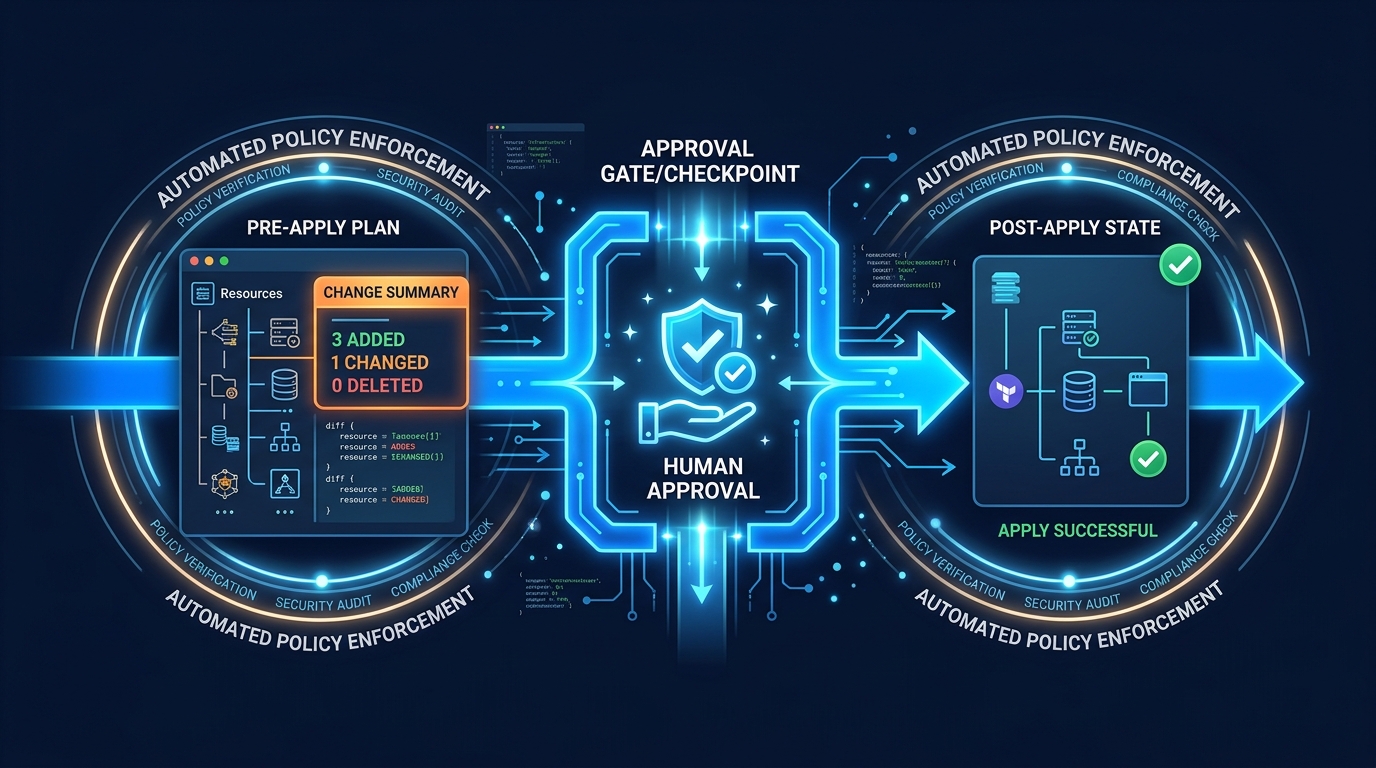
Change Sets
Never deploy directly. Always create a change set first:
1. Create change set → Review what will change
2. Review changes → Verify no unintended modifications
3. Execute change set → Apply changes
Change sets show:
- Resources to be added, modified, or replaced
- Whether a modification requires replacement (data-destructive) or in-place update
- The scope of each change (which properties are affected)
Critical: Check for Replacement: True on any resource that contains data. A replacement deletes the existing resource and creates a new one — if DeletionPolicy is not set, your data is gone.
Pre-deployment validation + change sets together
Do not treat pre-deployment validation as a replacement for change sets:
- Validation answers: “Will this fail quickly for known reasons?”
- Change set review answers: “Exactly which resources will change, and which will be replaced?”
The safest production pattern is both, in order:
- run validation automatically (now default on create/update),
- review change set blast radius,
- execute with alarms and rollback policy controls.
Where Express mode fits in deployment policy
A practical policy split:
- Development/test: Express mode allowed for faster iteration.
- Staging: Express mode optional behind team approval and health-check gates.
- Production: standard mode default; Express mode only with explicit exception criteria.
If your team adopts Express mode in production-adjacent paths, define these controls first:
- required alarm coverage for key SLO signals,
- mandatory post-deploy smoke checks,
- rollback decision ownership and response time expectations.
Stack Policies
Stack policies prevent accidental updates to critical resources:
{
  "Statement": [
    {
      "Effect": "Deny",
      "Action": "Update:Replace",
      "Principal": "*",
      "Resource": "LogicalResourceId/ProductionDatabase"
    },
    {
      "Effect": "Deny",
      "Action": "Update:Delete",
      "Principal": "*",
      "Resource": "LogicalResourceId/ProductionDatabase"
    },
    {
      "Effect": "Allow",
      "Action": "Update:*",
      "Principal": "*",
      "Resource": "*"
    }
  ]
}
This policy allows all updates except replacing or deleting the production database. Even administrators must temporarily override the policy to modify protected resources — providing an explicit safety gate.
Rollback Configuration
Configure automatic rollback based on CloudWatch alarms:
aws cloudformation update-stack \
--stack-name production-app \
--template-body file://template.yaml \
--rollback-configuration \
RollbackTriggers=[{Arn=arn:aws:cloudwatch:...:alarm:ErrorRate,Type=AWS::CloudWatch::Alarm}] \
MonitoringTimeInMinutes=10
If the ErrorRate alarm triggers within 10 minutes of the deployment, CloudFormation automatically rolls back the entire update. This catches deployments that pass change set review but cause runtime errors.
Drift Detection
Drift occurs when someone modifies a CloudFormation-managed resource outside of CloudFormation (console, CLI, SDK). Drift detection compares actual resource configuration to the template definition.
When drift is dangerous:
- Security group rules modified manually (open ports that should be closed)
- IAM policies broadened without template update
- Database parameters changed without tracking
Best practices:
- Run drift detection weekly as an automated check
- Set up AWS Config rules to detect CloudFormation drift
- Use stack policies to prevent console modifications to critical resources
- Establish a team policy: never modify CloudFormation-managed resources outside CloudFormation
Secrets Management
Never put secrets directly in templates:
Wrong:
Parameters:
  DatabasePassword:
    Default: MySecretPassword123 # Visible in template, version control, CloudFormation console
Right — use SSM Parameter Store or Secrets Manager:
Resources:
  Database:
    Type: AWS::RDS::DBInstance
    Properties:
      MasterUserPassword: !Sub '{{resolve:secretsmanager:${DatabaseSecret}:SecretString:password}}'

  DatabaseSecret:
    Type: AWS::SecretsManager::Secret
    Properties:
      GenerateSecretString:
        PasswordLength: 32
        ExcludeCharacters: '"@/\'
This generates a random password, stores it in Secrets Manager, and references it in the RDS configuration — the password never appears in the template or CloudFormation console.
CI/CD Integration
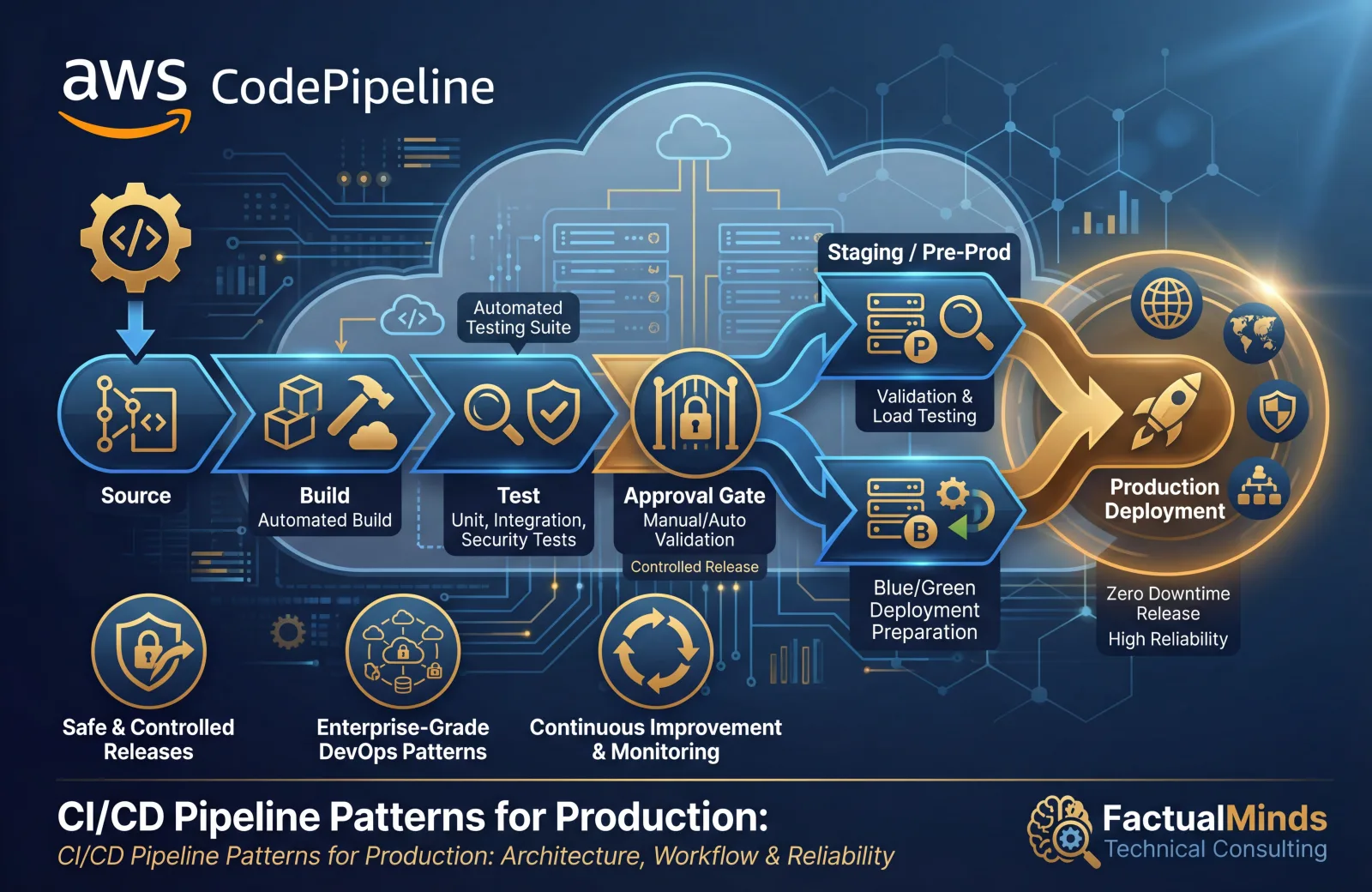
CloudFormation in Pipelines
Deploy CloudFormation through your CI/CD pipeline, not manually:
Code commit -> Build -> Test -> Validate template/lint/security -> Pre-deployment validation -> Create change set -> Manual approval -> Execute change set -> Smoke testsKey practices:
- Templates stored in version control alongside application code
- Linting with
cfn-lintto catch errors before deployment - Treat pre-deployment validation output as a blocking signal in CI for production stacks
- Change set created automatically, reviewed by a human
- Manual approval gate before production deployments
- Post-deployment smoke tests to verify the application works
Template Validation
Validate templates before deployment:
# Syntax validation
aws cloudformation validate-template --template-body file://template.yaml

# Linting (catches best practice violations)
cfn-lint template.yaml

# Security scanning
cfn-nag template.yaml
Run these checks in your CI pipeline. A template that fails validation should never reach production.
CloudFormation vs CDK vs Terraform
| Factor | CloudFormation | CDK | Terraform |
|---|---|---|---|
| Language | YAML/JSON | TypeScript, Python, etc. | HCL |
| State management | Managed by AWS | Managed by AWS (via CloudFormation) | Self-managed (S3 + DynamoDB) |
| New service support | Same-day | Same-day (L1 constructs) | Days to weeks |
| Multi-cloud | No | No | Yes |
| Testing | Limited | First-class unit testing | Terratest |
| Complexity for large projects | High (verbose YAML) | Medium (programming language) | Medium (HCL) |
Recommendation: For teams that already use CloudFormation, continue using it — but consider CDK for new projects where the programming language benefits outweigh the learning curve. CDK generates CloudFormation, so your existing CloudFormation knowledge transfers directly.
Common Mistakes
Mistake 1: No DeletionPolicy on Data Resources
The default DeletionPolicy is Delete. Deleting a stack (or a resource from a stack) permanently destroys the resource. Every RDS instance, DynamoDB table, S3 bucket, and KMS key must have DeletionPolicy: Retain or DeletionPolicy: Snapshot.
Mistake 2: Monolithic Stacks
A single stack with 400 resources takes 30-60 minutes to update, affects everything when it fails, and is impossible to reason about. Split into 3-10 stacks organized by lifecycle.
Mistake 3: Deploying Without Change Sets
Deploying directly with update-stack applies changes immediately with no preview. Always use change sets to review what will change before executing.
Mistake 4: Hardcoded Values
Templates with hardcoded account IDs, Region names, AMI IDs, and environment-specific values cannot be reused across environments. Use parameters, mappings, and pseudo-parameters (AWS::AccountId, AWS::Region) to make templates portable.
What to Do This Week
- Update your runbook to explicitly separate pre-deployment validation, change-set review, and execution approval.
- Set an environment policy for Express mode (allowed in dev/test, exception-based in production by default).
- Add CI visibility for validation outputs so failed validations block merges for production-bound stacks.
- Run one controlled Express-mode trial in a non-production account and document observed behavior, rollback expectations, and post-deploy checks.
- Review data-bearing resources to confirm
DeletionPolicyandUpdateReplacePolicyare set before your next major stack update.
What This Post Doesn’t Cover
- Detailed CloudFormation API payload examples for every operation parameter (
DisableValidation, deployment config payload variants, and SDK-specific wrappers). - A first-party benchmark dataset from FactualMinds measuring express-mode latency across stack shapes.
- CDK refactor/import workflows (
cdk import,cdk refactor) and cross-stack export migration edge cases. - Multi-account governance automation for enforcing environment-specific Express mode policies.
Getting Started
CloudFormation is the foundation of repeatable, auditable, and safe infrastructure deployments on AWS. Combined with validation guardrails, change-set review, stack policies, and CI/CD pipelines for automation, it provides infrastructure management that scales with your organization.
For infrastructure automation, template design, and DevOps pipeline integration with CloudFormation or CDK, talk to our team.
Contact us to automate your infrastructure →
Frequently asked questions
When should we avoid CloudFormation Express mode?
Should we disable pre-deployment validation on create/update operations?
Do change sets still matter now that pre-deployment validation runs on CreateStack/UpdateStack?
How should CDK teams use these June 2026 features together?

AWS Cloud Architect & AI Expert
AWS-certified cloud architect and AI expert with deep expertise in cloud migrations, cost optimization, and generative AI on AWS.