AWS Backup Restore Testing: Validate the Application, Not Only the Backup
Quick summary: PutRestoreValidationResult accepts FAILED, SUCCESSFUL, TIMED_OUT, or VALIDATING. Once the status is set, AWS says it cannot be changed. A completed restore job is not an application check until you run one.
Key Takeaways
- Once the status is set, AWS says it cannot be changed
- On 19 October 2026, a green backup job still does not mean the application can read the data
- AWS documents the hook on Restore testing validation
- The API is
- A Lambda runs the checks and calls
Table of Contents
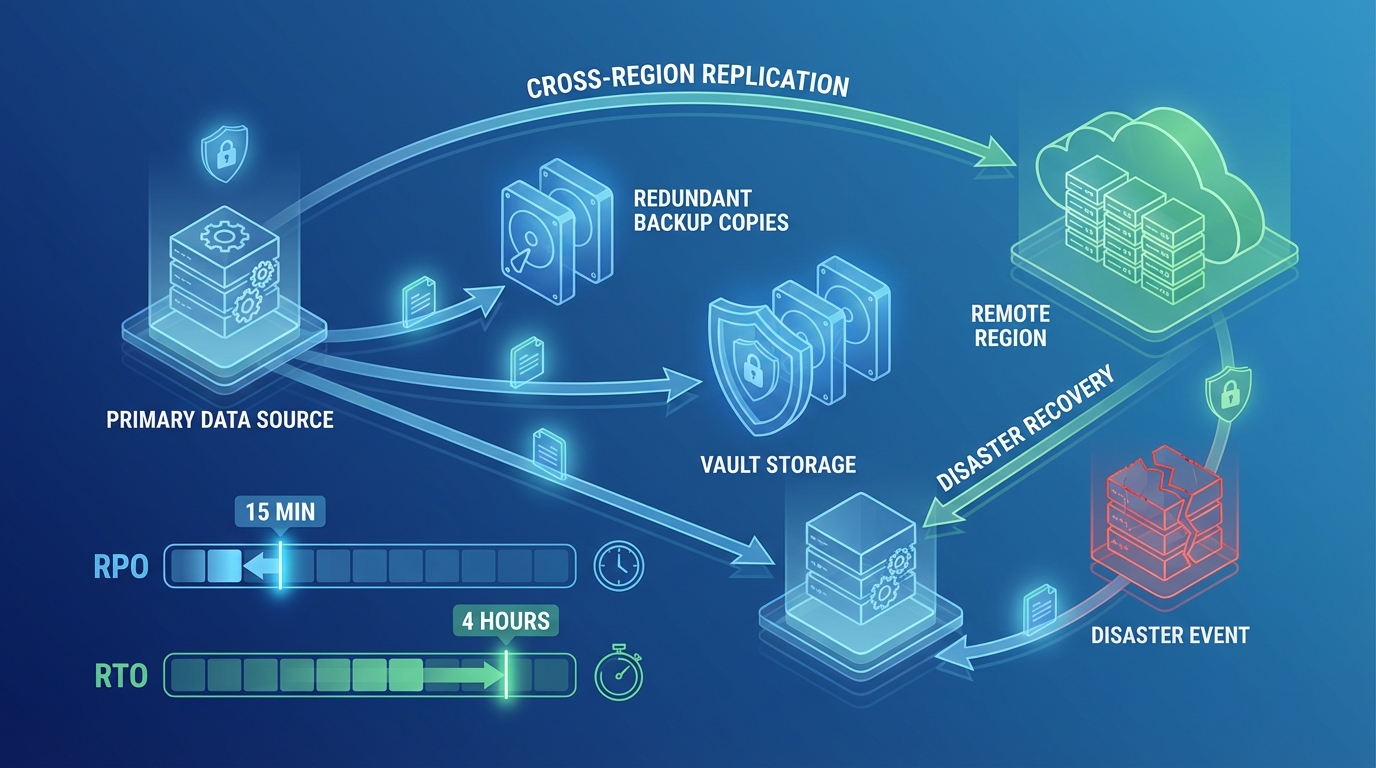
On 19 October 2026, a green backup job still does not mean the application can read the data. The backup strategy guide owns plans, vaults, and how often you test. The pricing guide owns the storage bill. This page starts when a restore testing job reaches COMPLETED.
AWS documents the hook on Restore testing validation. The API is PutRestoreValidationResult. ValidationStatus is FAILED, SUCCESSFUL, TIMED_OUT, or VALIDATING. The same guide says that once a validation status is set, it cannot be changed.
Reproduce this — Copy the validation checks. A row without a pass condition is not a check.
Who this is for
The person who already has a restore testing plan and has never asked the restored database a question. If you do not have a plan, stop and use the strategy guide. The managed database buyer guide is where restore testing shows up as a procurement question. The implementation is here.
What you get, and what you do not
You get a recorded validation status on the restore job after a connection check, a fixture query, and an optional health URL. You do not get a failover. You do not get proof that every table is consistent. Restore testing deletes the test resources after validation finishes or the validation window closes. Plan the checks to finish inside that window.
Opinionated take: one plan ARN, one resource type, one query. The trade-off is narrow evidence. A framework that validates every service you back up will ship late and call SUCCESSFUL by mistake, and you cannot take that status back.
Architecture
An EventBridge rule matches backup restore jobs that completed for your testing plan. A Lambda runs the checks and calls PutRestoreValidationResult. Manual restores do not match the rule, because the pattern includes restoreTestingPlanArn. The AWS storage blog on this feature uses that filter so a person restoring for a ticket is not scored as a test.
flowchart LR
  plan[RestoreTestingPlan] --> job[RestoreJobCompleted]
  job --> rule[EventBridgeRule]
  rule --> checks[ValidationLambda]
  checks --> api[PutRestoreValidationResult]
  api --> cleanup[BackupDeletesTestResource]
Walkthrough
1. Rule. Context: EventBridge pattern from the restore testing validation guide. Replace the placeholders with the resource type you test and the plan ARN.
{
  "source": ["aws.backup"],
  "detail-type": ["Restore Job State Change"],
  "detail": {
    "resourceType": ["RDS"],
    "restoreTestingPlanArn": ["arn:aws:backup:us-east-1:123456789012:restore-testing-plan:weekly-rds"],
    "status": ["COMPLETED"]
  }
}
The event detail includes restoreJobId, resourceType, and createdResourceArn. The AWS sample reads those three. Use createdResourceArn as the thing you validate. Do not look up the production instance by name.
2. Checks, then the API. Connect to the restored endpoint. Run the fixture query from the sheet. Optionally GET a health URL that exists only on the test copy. If any check fails, status is FAILED and the message is the check name plus the error. If the window is about to close, send TIMED_OUT rather than a late SUCCESSFUL.
The validation guide says PutRestoreValidationResult is not available through the SDK bundled in Lambda, and tells you to use a layer with a current SDK. Do that. A function that logs “would have reported success” did not report it.
Context: AWS SDK for JavaScript v3, @aws-sdk/client-backup, shape from the validation guide.
import { BackupClient, PutRestoreValidationResultCommand } from '@aws-sdk/client-backup';

const backup = new BackupClient({});

export const handler = async (event) => {
  const jobId = event.detail.restoreJobId;
  const passed = await runChecks(event.detail.createdResourceArn);
  await backup.send(
    new PutRestoreValidationResultCommand({
      RestoreJobId: jobId,
      ValidationStatus: passed ? 'SUCCESSFUL' : 'FAILED',
      ValidationStatusMessage: passed ? 'fixture row present' : 'fixture check failed',
    })
  );
};
3. Leave deletion to AWS Backup. The overview says the service deletes the test resources after validation or when the window closes. A second delete in this function is how you target the wrong ARN.
IAM
backup:PutRestoreValidationResult on the restore jobs you test. Network access from the function to the restored endpoint, which means the function sits in subnets that can reach a private database, and its security group is allowed to that port. secretsmanager:GetSecretValue only if the fixture credential is in a secret. No rds:DeleteDBInstance. No production database secret.
Failure and retries
If the function throws before the API call, EventBridge can retry, and you still have a chance to report. If the function calls the API and then throws, a retry cannot change the status. Make the checks idempotent and call the API last. Log the restore job id on every line so a timeout is traceable.
A FAILED validation is a successful Lambda invocation. Do not retry the function because the application check failed. The status is the result.
Cost, as an assumption
You pay for the restored resource until AWS Backup deletes it. An RDS test instance billed for two hours is an RDS price, not a Backup API price. Read the backup pricing guide for storage, and the RDS pricing page for the instance hours you choose in the plan. The validation function is one Lambda invocation per test. At the published Lambda request price of $0.20 per million requests after the free tier, the function is not the line item. The test instance is. Not a measured saving.
Testing
Put a fixture row in a non-production database, back it up, and run one restore test. Expect SUCCESSFUL only when the query sees the row. Drop the row from a second test copy and expect FAILED. Confirm a manual StartRestoreJob does not invoke the function. Confirm you did not delete the test instance yourself.
What broke — Lab, 19 October 2026. Not a customer account. The function reported
SUCCESSFULwhen the TCP port opened, and the fixture query never ran, because the query error was swallowed. Detection: the validation message was empty. Recovery: require the message to name the fixture key, and treat a thrown query asFAILED. Lesson: a listener is not a database.
Production checklist
- The rule includes the testing plan ARN.
- Checks finish inside the validation window.
- The SDK that contains
PutRestoreValidationResultis packaged on purpose. - The function cannot delete instances.
SUCCESSFULincludes the fixture result, not only a port check.- The strategy guide still owns how often the plan runs.
What This Post Doesn’t Cover
Vault Lock, air-gapped vaults, cross-Region copy, and backup storage price. Building the restore testing plan itself. Application failover.
What to Do This Week
- Write one fixture query on the checks sheet.
- Confirm the rule ignores a manual restore.
- Run one testing plan and read the validation status in the Backup console before you add a second resource type.
If the plan exists and nobody has ever opened the restored database, that is the managed services conversation. The vault policy is not the missing piece.
Frequently asked questions
When should we not add this validation function?
What could go wrong if we delete the restored resource ourselves?
What if validation reports the wrong status?
Does a successful validation prove we can fail over?

AWS Cloud Architect & AI Expert
AWS-certified cloud architect and AI expert with deep expertise in cloud migrations, cost optimization, and generative AI on AWS.