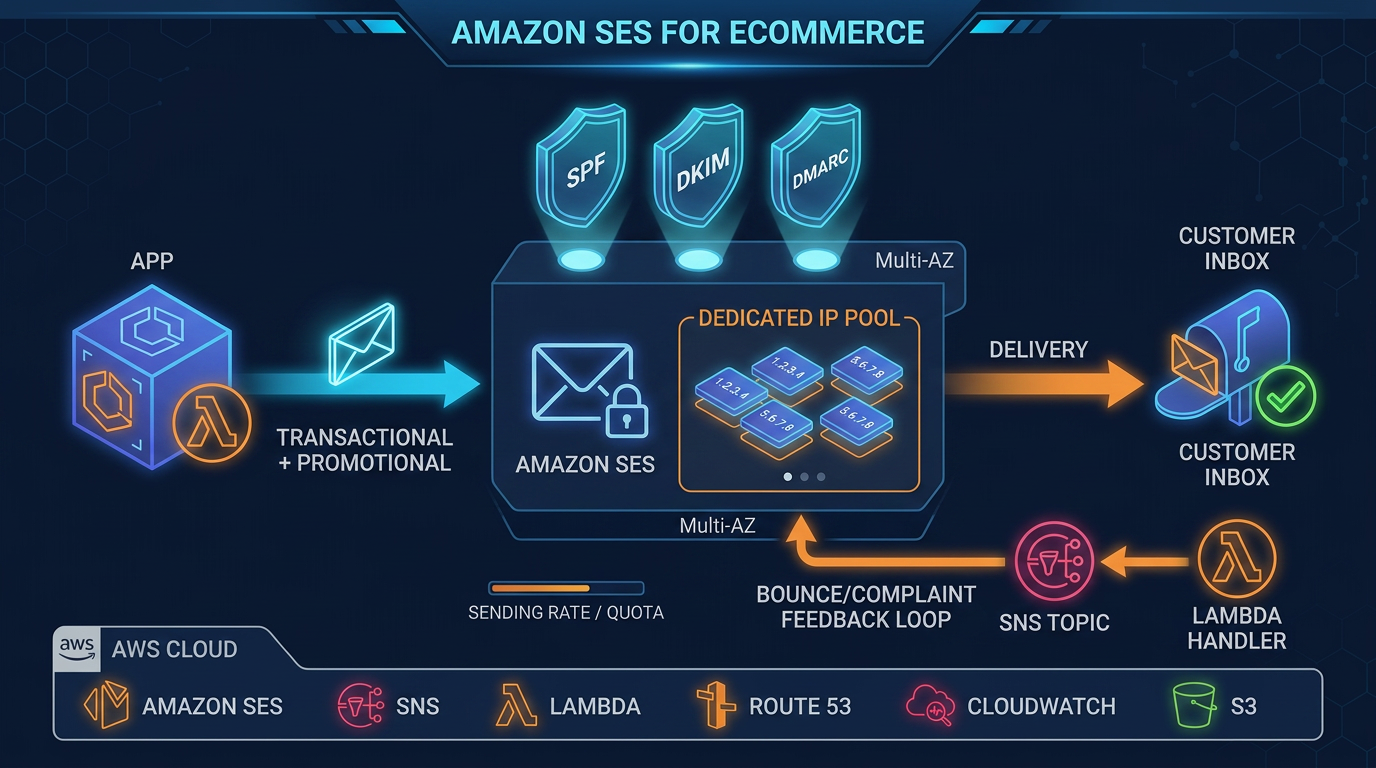
Amazon SES Dedicated IP Warm-Up: Standard vs Managed (2026)
Quick summary: On 3 July 2025 AWS published a dedicated-IP ramp from 1,050 emails on day 1 to 21 million on day 40. Standard dedicated IPs auto-warm on a fixed 45-day percentage; managed dedicated IPs warm per ISP. Use the fast ramp only in the 40–60% engagement band.
Key Takeaways
- On 3 July 2025 AWS published a dedicated-IP ramp from 1,050 emails on day 1 to 21 million on day 40
- Standard dedicated IPs auto-warm on a fixed 45-day percentage; managed dedicated IPs warm per ISP
- Use the fast ramp only in the 40–60% engagement band
- On 3 July 2025, Tyler Holmes published AWS’s guide to IP and domain warming on the Messaging Blog
- The sample ramp in that post starts at 1,050 emails on day 1 and reaches 21,000,000 on day 40, and AWS says to use that pace when engagement sits in the 40–60% band

Table of Contents
On 3 July 2025, Tyler Holmes published AWS’s guide to IP and domain warming on the Messaging Blog. The sample ramp in that post starts at 1,050 emails on day 1 and reaches 21,000,000 on day 40, and AWS says to use that pace when engagement sits in the 40–60% band. The same post states that standard dedicated IPs follow a static 45-day increase, while managed dedicated IPs warm per mailbox provider and can spill extra volume onto the shared pool.
That 45-day clock is still how standard dedicated IP warm-up works: the warm-up percentage rises for 45 days independent of how much you send. Managed dedicated IPs, documented on the dedicated IP overview, warm adaptively per ISP and scale the pool with volume. As of 21 July 2026, how you buy managed capacity changed — see the SES pricing plans guide — but the warm-up mechanics did not turn into a migration project.
Dedicated IP warm-up is the controlled introduction of a new SES dedicated IP (standard or managed) to Gmail, Microsoft, Yahoo, and the rest, so those providers see a history before you send at full volume. It is not an ESP cutover.
If you are leaving SendGrid or another provider, DNS, suppression import, and parallel sending live in the SendGrid migration guide. This post assumes the decision in front of you is the IP.
Which identity is actually new
Warm-up follows the identity that has no history. AWS’s July 2025 guide separates three cases:
- New dedicated IP, established domain. The domain’s reputation helps. You still warm the IP. This is the case this post is for.
- Warm IPs, new domain or subdomain. The IPs are not the bottleneck. The domain still has to earn trust. Splitting
marketing.example.comandtransactional.example.comis the usual shape; the migration and ecommerce SES posts cover stream isolation. - New IP and new domain together. Both clocks run. Starting with the most engaged recipients still applies, and you do not get a reputation assist from either side.
A warm domain does not authorize day-one full volume on a new IP. A warm IP does not authorize a brand-new From domain at full volume either.
Shared, standard, or managed
AWS’s dedicated-IP comparison is blunt about volume. Shared addresses are the default and are the right pool when sending is low or irregular. Both dedicated types suit large, ongoing volume. Most providers only bother tracking an IP after they see real mail from it — AWS’s bar is several hundred emails to that provider inside 24 hours, at least once a month.
| Shared | Standard dedicated | Managed dedicated | |
|---|---|---|---|
| Ready on day one | Yes | No — 45-day auto warm-up by default | No — adaptive warm-up per ISP |
| IP addresses stay put | No | Yes | No — pool size moves with volume |
| Who meters the ramp | SES, on the shared pool | You, unless auto warm-up is left on | SES, per ISP, with spill to shared |
| Fits uneven or event-driven volume | Yes | No | Yes |
| Extra monthly cost | No | Yes, per IP | Yes, pool fee plus usage |
We recommend managed dedicated IPs when daily volume is spiky or nobody will split the list by provider. We recommend standard dedicated IPs only when a partner, a private mail gateway, or SNDS needs a stable IP list, and you will leave the 45-day auto warm-up enabled or run the manual ramp below with a pause rule. Stay on shared IPs when you cannot keep that “several hundred per provider” pulse after the ramp. The trade-off on managed is the one procurement teams miss: you cannot hand a customer a fixed allowlist, because SES adds and removes addresses as volume moves.
Commercial shape, not recalculated here: a-la-carte standard dedicated IPs are still about $24.95 per IP per month on our existing SES pages. Managed dedicated IPs are a monthly fee plus a per-message charge. Since 21 July 2026, SES Pro ($105 per account per region per month) includes managed dedicated IP capacity. Run the bill on the pricing plans worksheet before you lease IPs “for deliverability” you will not warm.
Two clocks, and they are not the same ramp
Teams conflate these and then “finish warm-up” on the wrong day.
Clock A — standard auto warm-up (45 days). When you lease standard dedicated IPs, SES turns automatic warm-up on for the account. The warm-up percentage increases for 45 days regardless of your sending volume. First lease: SES splits mail between your new IPs and the shared pool, and shifts more onto the dedicated IPs over time. Additional lease: SES splits between IPs you already warmed and the new ones. You can disable this under Dedicated IPs → Standard IP pools → Disable auto warm-up. If you disable it, IPs leased afterward show warm-up status Complete without a history — you own every bounce that follows. IPs already in progress are left on their current percentage.
After that process, AWS’s maintenance line is concrete: send about 1,000 emails every day to each provider you want a reputation with, on each dedicated IP you keep. A large jump the week auto warm-up hits 100% is exactly what those providers throttle.
Clock B — the 3 July 2025 mailbox plan (40 days). This is a volume schedule for what providers receive, not the SES warm-up percentage. AWS built it as seven columns — Gmail, Hotmail, Outlook, Yahoo, iCloud, AOL, and everyone else — starting at 150 per column (1,050 total) on day 1. If you cannot segment that finely, use the daily total. The guide says the pace below is reasonable at 40–60% engagement. Below that, hold a step longer. It does not publish a second, slower table, and neither do we.
Managed dedicated IPs do not follow this table. AWS describes them as a more sophisticated process that segments and throttles at the domain level, and spills volume the dedicated pool is not ready for onto shared IPs. Standard auto warm-up does not read this table either. It moves a percentage for 45 days even if you send almost nothing — which is why a quiet standard IP can hit “100%” and still have no reputation. The table is the manual cap when you choose who receives the next send.
Confirm you actually have pools before you argue about percentages. AWS CLI 2.x, SES API v2, caller credentials with ses:ListDedicatedIpPools. Sandbox accounts return an empty list.
aws sesv2 list-dedicated-ip-pools --region us-east-1DedicatedIpPools empty means you are on shared IPs. Warm-up percentage for standard IPs is on the Standard IP pools tab, not in that list call.
Milestone totals from the July 2025 plan
Daily totals only, from the Messaging Blog table. Per-provider cells are intentionally not reprinted; open the AWS post if you segment by domain.
| Day | Daily total |
|---|---|
| 1 | 1,050 |
| 7 | 70,000 |
| 14 | 3,500,000 |
| 21 | 7,700,000 |
| 30 | 14,000,000 |
| 40 | 21,000,000 |
Who receives those sends matters more than the integer. AWS’s order is openers from the last 30 days, then 31–90 days, with less-engaged addresses sprinkled in only after the active segment is stable. Newsletters and other batchable mail are the right first workload. Event-driven mail you cannot delay — password resets, receipts — is a poor warm-up fuel because you cannot hold the cap. Batch what is not time-sensitive. Leave password resets on a pool that is already warm, or on shared IPs, until the new IP has a history. Mixing a holiday promo onto the same new IP as receipts is how a complaint spike lands on transactional mail; stream isolation is covered in the ecommerce SES guide.
Track the ramp in the planner, not in a screenshot of someone else’s ESP.
Reproduce this — Open the warm-up planner CSV and the README. Copy a
planrow per day per provider you can actually segment. Fillplannedfrom your own cap (the milestone rows are the July 2025 daily totals, for reference). Each morning, writeactual, bounce rate, and complaint rate, and setactiontohold,step_back, oradvance.
When to hold or step back
Advance only when yesterday looked like yesterday. The July 2025 guide is explicit: if bounce or complaint rates rise, keep the same volume or roll back a step. Getting to the day-40 total on the calendar is the failure mode. Three patterns that guide names:
- Hard-bounce spike. Stale addresses the previous suppression list missed. Slow or stop the increase until bounces settle. Start on the engaged segment so one bad import does not define the IP.
- Complaint spike. Recipients who do not recognize the new identity use the spam button. Tell them about the From-domain or IP change before the ramp, not after the spike.
- Provider throttle. New senders are watched. Gmail is the strict one in that write-up. Managed dedicated IPs exist so SES’s own data holds you under what the large providers will take during warm-up. On standard IPs, you are the throttle.
Detection is the SES account reputation dashboard (bounce and complaint), configuration-set events, and — once the domain is verified there — Google Postmaster. Numeric ceilings for a program that is already sending are in the B2B cold-email setup; this ramp’s rule is the delta versus the prior day, not a new threshold invented for warm-up week.
What broke — The opening of a dedicated-IP ramp, as AWS described it on 3 July 2025. Hard bounces jump because addresses the last platform never suppressed get mailed from the new IP, or complaints jump because the From identity is unfamiliar. Detection: SES bounce and complaint rates versus the day before, plus Postmaster spam rate when the domain is enrolled. Recovery the guide specifies: stop increasing, or step back a day, until the rates settle. A clean warm-up beats hitting 21 million on schedule.
From a real engagement — TargetBay, an eCommerce marketing automation platform, could not get reputation control from shared pools at the volume it needed. FactualMinds provisioned dedicated IPs and a phased warm-up over several weeks before full capacity. Published result: 200M+ emails per month and zero blacklisting incidents (case study). That write-up does not include a day-by-day ISP table; do not treat the milestone totals above as TargetBay’s ramp.
After the percentage hits 100%
Warm-up is not a graduation. The July 2025 guide says a jump from 1 million to 5 million, or 5 million to 25 million, still looks like a compromised sender to mailbox providers, and so does a Black Friday spike on an IP that has been quiet. Plan those increases as their own ramps. AWS also asks for at least a month of stable traffic after a major program change before you treat the new level as the baseline.
Standard IPs that you manually marked Complete on day 3 are not warmed. The console will say 100%. Providers will not.
What to Do This Week
- Run
aws sesv2 list-dedicated-ip-poolsin the sending region. Empty list: you are on shared IPs — decide whether volume justifies a lease before you build a 40-day sheet. - If the pool is standard, open Dedicated IPs → Standard IP pools and read warm-up status and percentage. Leave auto warm-up on unless you are prepared to set every day’s cap yourself.
- If the pool is managed, stop maintaining a hand-built per-ISP throttle. Watch spillover and complaint rate instead. Confirm the IP list is not something a customer has allowlisted.
- Copy the planner. Put only last-30-day openers in the day-1
plannedcells. If engagement is under the 40–60% band, do not schedule day 7’s 70,000. - Split transactional mail that cannot wait onto an already-warm pool. Warm the new IP with mail you can pause.
- Set a daily check on SES bounce and complaint rates. The action column has three legal values:
hold,step_back,advance. - If the next question is the bill rather than the ramp, use the pricing plans guide. If the next question is the cutover from another ESP, use the migration guide. For a review of the pool design itself, start with Amazon SES consulting.
What This Post Doesn’t Cover
- Provider migration: DNS, API or SMTP cutover, and suppression import (SendGrid → SES).
- Whether Pro at $105/region beats a-la-carte dedicated IP fees at your volume (pricing plans).
- BIMI, VMC, and the DMARC policy mailbox providers require before they show a logo (BIMI on SES).
- Cold-email acquisition, RFC 8058, and the published complaint ceilings (B2B outbound setup).
- Tenant isolation when one customer’s list should not pause another (tenant management).
- A first-party benchmark of daily ISP acceptance on a FactualMinds-owned domain. The totals in the table are AWS’s 3 July 2025 sample, used only inside the engagement band they named.
FAQ
How long does Amazon SES dedicated IP warm-up take?
Standard dedicated IPs auto-warm on a fixed 45-day percentage that rises whether or not you send more mail. A separate mailbox-provider volume plan published by AWS on 3 July 2025 runs 40 days, from 1,050 emails on day 1 to 21 million on day 40, and is meant for lists in the 40–60% engagement band. Some providers trust a new IP in about two weeks; others take up to six.
Should I choose standard or managed dedicated IPs?
Choose managed dedicated IPs when volume is uneven or you will not segment by mailbox provider. Choose standard dedicated IPs when you need static IP addresses for an allowlist or SNDS and you will either leave the 45-day auto-warmup on or enforce a manual ramp with a pause rule. Managed pools change size, so they are not a fixed allowlist.
When should I not lease a dedicated IP?
Stay on the shared pool if you cannot send steadily. AWS recommends shared IPs when volume is low or irregular, and says most providers only track an IP once they see significant volume — on the order of several hundred emails to that provider in 24 hours at least once a month. A dedicated IP you cannot keep warm becomes a cold IP.
What goes wrong if I send full volume from a cold dedicated IP?
Mailbox providers treat a new IP with no history as untrusted. Full volume on day one is commonly throttled, junk-foldered, or blocked. The 3 July 2025 AWS guide also flags hard-bounce spikes from stale addresses and complaint spikes when recipients do not recognize the sending identity. Hold or step the ramp back until bounce and complaint rates stabilize.
Does a warm sending domain skip dedicated IP warm-up?
No. A domain that already has a reputation helps the new IP, and a fully warm IP does not warm a brand-new domain by itself. You still warm whichever identity is new. This post covers the new dedicated IP case.
Do I warm up again after the first 45 days?
Yes, whenever volume jumps. AWS calls out moves from 1 million to 5 million, and from 5 million to 25 million, plus seasonal spikes such as Black Friday, as patterns that look suspicious even after a successful first warm-up. After the 45 days, AWS also says to send about 1,000 emails a day to each provider whose reputation you want to keep, on each dedicated IP.
AWS Cloud Architect & AI Expert
AWS-certified cloud architect and AI expert with deep expertise in cloud migrations, cost optimization, and generative AI on AWS.