Amazon DynamoDB Pricing: The On-Demand vs Provisioned Crossover and the GSI Multiplier
Quick summary: DynamoDB on-demand bills $1.25 per million writes and $0.25 per million reads — pay-per-request convenience with no capacity planning. Provisioned at $0.00065/WCU-hour wins on steady traffic above ~50% utilization. Every GSI doubles the write cost, IA tier cuts storage 60% but adds 25% to request fees, and Global Tables compound the bill per region.
Key Takeaways
- DynamoDB on-demand bills $1
- 25 per million writes and $0
- 25 per million reads — pay-per-request convenience with no capacity planning
- Provisioned at $0
- 00065/WCU-hour wins on steady traffic above ~50% utilization
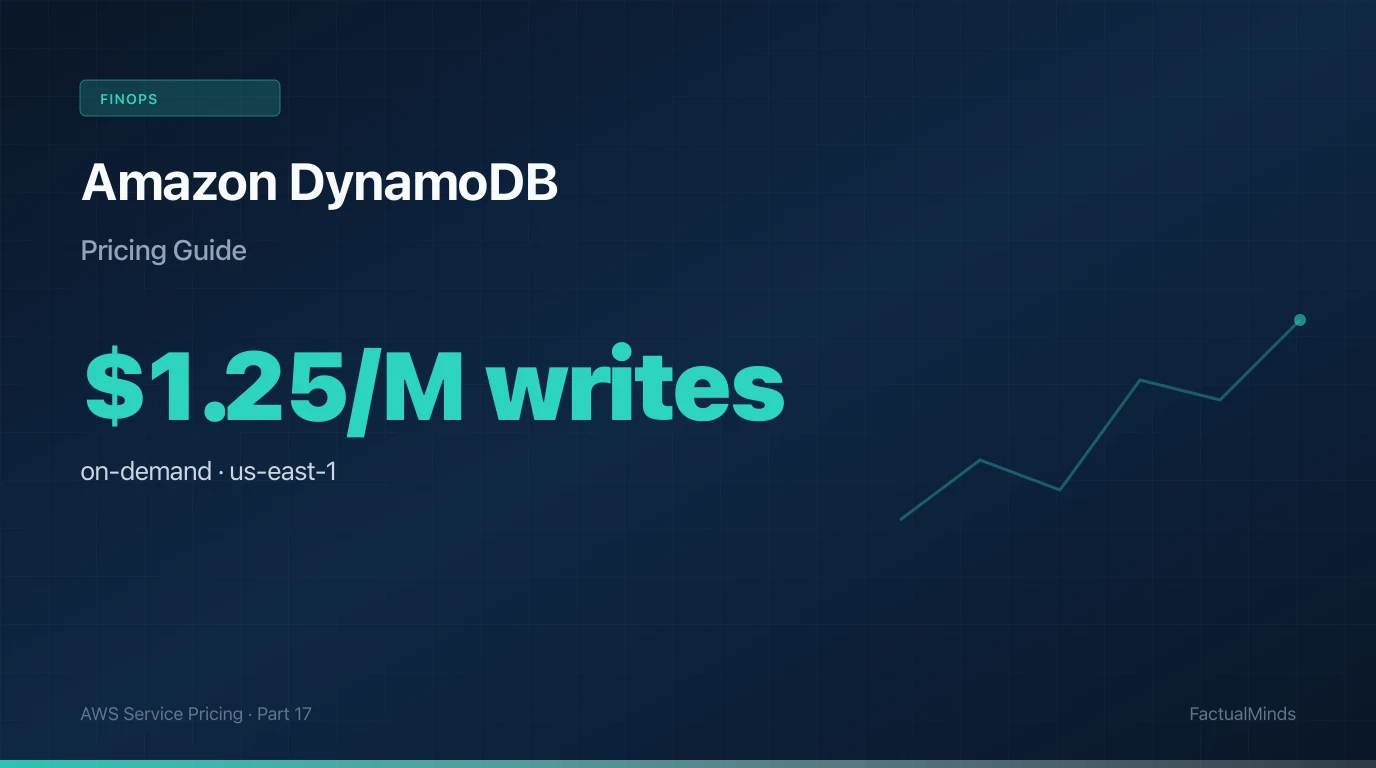
Table of Contents
Amazon DynamoDB has the most flexible pricing model of any AWS database — on-demand for unpredictable traffic, provisioned for steady throughput, two storage classes, optional PITR, Global Tables for multi-region, DAX for caching, Streams for event-driven downstream. The flexibility is the problem. Every dimension represents a cost decision and the wrong default — on-demand for a steady workload, three GSIs when one would do, Standard storage for cold data, PITR on every table — compounds into a bill multiple times what the workload would cost with thoughtful configuration.
Amazon DynamoDB pricing bills capacity (on-demand or provisioned), storage class, GSIs, streams, backups, and Global Tables per region. In us-east-1 (June 2026), on-demand writes cost $1.25 per million and reads $0.25 per million. Most surprises come from GSI write multipliers and keeping hot data on Standard when Standard-IA would fit.
| Mode | Write / read | Crossover |
|---|---|---|
| On-demand | $1.25/M · $0.25/M | Spiky traffic |
| Provisioned | $0.00065 WCU-hr | over 50% sustained util |
| GSI | Multiplies writes | Each index = +1× write |
| Standard-IA | 60% cheaper storage | under 3% access frequency |
This post is the bill story. For DynamoDB single-table modeling and access pattern design, see our DynamoDB single-table design patterns guide. For the RDS-vs-DynamoDB architectural choice, the DynamoDB vs RDS comparison covers when each primitive is right.
DynamoDB On-Demand vs Provisioned: Pricing Dimensions
DynamoDB pricing breakdown — us-east-1, June 2026
Prices in us-east-1
Capacity mode, storage class, and replication topology are the dominant decisions. Streams, backup, and DAX are smaller but compound.
| Dimension | Unit price | Example workload | Monthly cost |
|---|---|---|---|
| On-demand writes 1 WRU = 1 KB write | $1.25 / million WRU | 20M writes / month | $25 |
| On-demand reads 1 RRU = 4 KB strongly-consistent read | $0.25 / million RRU | 200M strongly-consistent reads | $50 |
| Provisioned WCU Pay for capacity whether used or not | $0.00065 / WCU-hour | 500 WCU steady | $237 |
| Provisioned RCU Strongly-consistent uses 1 RCU per 4 KB | $0.00013 / RCU-hour | 1000 RCU steady | $95 |
| Standard storage Includes 25 GB free | $0.25 / GB-month | 500 GB table | $125 |
| Standard-IA storage Request units cost 25% more | $0.10 / GB-month | 500 GB cold-tier table | $50 |
| PITR continuous backup 35-day per-second recoverability | $0.20 / GB-month of source data | 200 GB table | $40 |
| On-demand backup Half the cost of PITR for snapshot-style backup | $0.10 / GB-month + $0.15/GB restore | Daily 200 GB snapshots | ~$20 + restores |
| DynamoDB Streams reads First 100K per account per month free | $0.02 / 100K reads | 5M Streams reads / month | $1 |
| Global Tables (per replica region) Plus inter-region transfer for replication | Each region: full storage + rWCU writes | 2-region Global Table | ~2× single-region cost |
| DAX (caching layer) Reduces RCU consumption when cache hit rate is high | Per-node-hour by instance type | 3-node dax.t3.medium cluster | ~$100 |
On-demand writes
$251 WRU = 1 KB write
- Unit price
- $1.25 / million WRU
- Example workload
- 20M writes / month
On-demand reads
$501 RRU = 4 KB strongly-consistent read
- Unit price
- $0.25 / million RRU
- Example workload
- 200M strongly-consistent reads
Provisioned WCU
$237Pay for capacity whether used or not
- Unit price
- $0.00065 / WCU-hour
- Example workload
- 500 WCU steady
Provisioned RCU
$95Strongly-consistent uses 1 RCU per 4 KB
- Unit price
- $0.00013 / RCU-hour
- Example workload
- 1000 RCU steady
Standard storage
$125Includes 25 GB free
- Unit price
- $0.25 / GB-month
- Example workload
- 500 GB table
Standard-IA storage
$50Request units cost 25% more
- Unit price
- $0.10 / GB-month
- Example workload
- 500 GB cold-tier table
PITR continuous backup
$4035-day per-second recoverability
- Unit price
- $0.20 / GB-month of source data
- Example workload
- 200 GB table
On-demand backup
~$20 + restoresHalf the cost of PITR for snapshot-style backup
- Unit price
- $0.10 / GB-month + $0.15/GB restore
- Example workload
- Daily 200 GB snapshots
DynamoDB Streams reads
$1First 100K per account per month free
- Unit price
- $0.02 / 100K reads
- Example workload
- 5M Streams reads / month
Global Tables (per replica region)
~2× single-region costPlus inter-region transfer for replication
- Unit price
- Each region: full storage + rWCU writes
- Example workload
- 2-region Global Table
DAX (caching layer)
~$100Reduces RCU consumption when cache hit rate is high
- Unit price
- Per-node-hour by instance type
- Example workload
- 3-node dax.t3.medium cluster
Storage cost includes 25 GB free per month per account. Request costs (WRU/RRU/WCU/RCU) start billing from the first unit.
If you only audit one dimension first, count GSIs per table — every index multiplies write cost on every put.
The On-Demand vs Provisioned Crossover
The headline DynamoDB cost decision: capacity mode. On-demand is convenient — no capacity planning, no provisioned-throughput-exceeded errors, scales instantly. Provisioned is cheaper at steady utilization but requires sizing decisions and auto-scaling configuration.
The break-even math:
On-demand vs provisioned — break-even by utilization
Prices in us-east-1
Same workload throughput; different capacity mode. Provisioned wins when utilization stays above ~50% sustained.
| Dimension | Unit price | Example workload | Monthly cost |
|---|---|---|---|
| On-demand 100 writes/sec $1.25/M baseline | ~260M writes/month | 100 WPS × 730 hours × 3600s | ~$325/mo |
| Provisioned 100 WCU (matches on-demand peak) 85% cheaper at 100% utilization | 100 WCU × 730h × $0.00065 | Always-on capacity | ~$47/mo |
| Provisioned 100 WCU at 50% utilization Still cheaper than on-demand | Same fixed cost | Wasted half the capacity | ~$47/mo |
| Provisioned 100 WCU at 25% utilization Now equivalent to on-demand at 25M writes | Same fixed cost | Significantly over-provisioned | ~$47/mo |
| Provisioned 100 WCU at 10% utilization On-demand at $0.0325/mo (no waste) is cheaper | Same fixed cost | Bursty / idle workload | ~$47/mo |
On-demand 100 writes/sec
~$325/mo$1.25/M baseline
- Unit price
- ~260M writes/month
- Example workload
- 100 WPS × 730 hours × 3600s
Provisioned 100 WCU (matches on-demand peak)
~$47/mo85% cheaper at 100% utilization
- Unit price
- 100 WCU × 730h × $0.00065
- Example workload
- Always-on capacity
Provisioned 100 WCU at 50% utilization
~$47/moStill cheaper than on-demand
- Unit price
- Same fixed cost
- Example workload
- Wasted half the capacity
Provisioned 100 WCU at 25% utilization
~$47/moNow equivalent to on-demand at 25M writes
- Unit price
- Same fixed cost
- Example workload
- Significantly over-provisioned
Provisioned 100 WCU at 10% utilization
~$47/moOn-demand at $0.0325/mo (no waste) is cheaper
- Unit price
- Same fixed cost
- Example workload
- Bursty / idle workload
Auto-scaling on provisioned narrows the on-demand gap but lags traffic by minutes. For very bursty traffic, on-demand absorbs spikes provisioned cannot.
The decision tree:
- Predictable, steady, high-utilization workload: provisioned with auto-scaling.
- Variable, bursty, unpredictable workload: on-demand.
- New workload with unknown traffic pattern: start on-demand; switch to provisioned once traffic stabilizes and the steady-state rate is known.
- Mixed workload (steady base + occasional spikes): provisioned for the base + on-demand for spike absorption is not directly supported, but auto-scaling provisioned with conservative max-capacity acts similarly.
The GSI Multiplier
Every Global Secondary Index that includes the attributes of a write incurs an additional WRU/WCU at the same rate as the base table write. A table with 3 GSIs costs 4× the write capacity per write (base + 3 indexes).
The mitigations:
- Sparse GSIs. Only records with a non-null value in the GSI partition key are indexed. For predicates that match a small subset of rows, sparse GSIs dramatically reduce the multiplier.
- Single-table design. Group multiple entity types into one table with the same key structure; fewer GSIs serve the same access patterns. See our single-table design guide.
- GSI projection. GSIs can project all attributes, only key attributes, or a subset. Smaller projections cost less in storage; the write capacity is the same regardless.
- Eventually consistent reads on GSIs. GSIs only support eventually consistent reads by default, which cost half the RCU of strongly consistent.
Standard-IA Storage: Cheap When Cold
DynamoDB Standard-IA storage at $0.10/GB-month is 60% cheaper than Standard at $0.25/GB-month — but read and write request units cost 25% more. The crossover is access frequency: data accessed less than roughly 3% of the time benefits from IA; hotter data costs more on IA than Standard.
The common use cases for IA:
- Audit logs with 7-year retention but rare query.
- Historical session data archived after the session ends.
- Time-series tables with hot/cold partitioning where old partitions are rarely read.
- Tenant-archive tables for inactive customers in B2B SaaS.
The waste pattern: enabling IA on hot tables. The 25% request-unit premium on a high-traffic table exceeds the 60% storage saving when reads/writes dominate the bill.
Global Tables: Each Region Is Full Cost
Global Tables provide multi-region active-active replication for DynamoDB. The pricing model: each region bills its own storage, read/write capacity, and the replicated writes from other regions (rWCUs at the standard per-WCU rate).
A 2-region Global Table effectively doubles the write cost — every write applies in both regions. Add the inter-region replication data transfer at $0.02/GB and the bill grows further. A 3-region Global Table triples the write cost; a 5-region setup quintuples it.
PITR vs On-Demand Backup
PITR at $0.20/GB-month of source table data is roughly 2× the on-demand backup warm-storage rate ($0.10/GB-month). The premium pays for per-second recoverability over the last 35 days.
The right choice depends on RPO:
- PITR: applications requiring per-second recovery (financial transactions, ordered event sourcing).
- On-demand backup with daily schedule: most other workloads. The point-in-time precision of 24-hour granularity is acceptable for most operational restore use cases.
Enabling PITR by default on every table is the most common DynamoDB backup waste pattern. Be deliberate about which tables require per-second recovery.
When to Use Each Capacity / Storage Configuration
On-demand for bursty / new workloads; provisioned for predictable steady traffic; IA for cold data; PITR only when RPO requires per-second precision.
Use when
- On-demand: bursty traffic, unpredictable load, new workloads with unknown shape, dev / test environments
- Provisioned with auto-scaling: steady production traffic above ~50% utilization, well-understood workload
- Reserved Capacity: very predictable, very-high-volume legacy workloads (uncommon for new development)
- Standard-IA storage: audit logs, archived sessions, cold partitions of time-series, inactive tenants
- PITR: financial transactions, state-machine workflows requiring per-second recovery, regulated workloads
- Global Tables: multi-region active-active applications, low-RPO cross-region DR
- DAX: read-heavy workloads with high cache-hit potential (top-N queries, hot keys)
Avoid when
- On-demand for steady high-utilization workloads — provisioned is dramatically cheaper
- GSIs without explicit access-pattern justification — each one multiplies write cost
- IA storage on hot tables — the request-unit premium exceeds the storage saving
- PITR enabled by default — only enable where per-second recovery is required
- Global Tables for read-only multi-region — DAX or app-side cache is cheaper
- Reserved Capacity on tables with traffic uncertainty — auto-scaling provisioned is more flexible
DynamoDB cost optimization is largely capacity-mode and index-strategy decisions, not run-time tuning. Get them right at design time.
A 30-Day DynamoDB Bill Cleanup Plan
Week 1 — Capacity mode audit. For each table, check the CloudWatch ConsumedReadCapacityUnits and ConsumedWriteCapacityUnits against the on-demand vs provisioned crossover. Switch over-provisioned-on-demand tables to provisioned, and switch under-utilized-provisioned tables to on-demand (or right-size the provisioned capacity).
Week 2 — GSI audit. For each table, list GSIs and verify each one serves a high-value query pattern. Drop unused GSIs. For GSIs with low predicate match rates, evaluate converting to sparse GSIs.
Week 3 — Storage class evaluation. Identify tables with cold-tier characteristics (low access frequency, large size, retention-focused). Migrate eligible tables to Standard-IA.
Week 4 — PITR and Global Tables scope. Review PITR-enabled tables; disable on tables where daily on-demand backup would suffice. Review Global Tables setup; evaluate whether read-only secondary regions could be served by DAX instead.
More in This Series
Part of the AWS Service Pricing series (June 2026).
- Previous: Part 16
- Next: Part 18
- Browse all: Cost Optimization & FinOps category
- FinOps pillar: FinOps shift-left: cost feedback in the pull request
What This Post Doesn’t Cover
- DynamoDB Streams + Lambda design patterns — covered in our event-driven architecture content.
- DAX deployment patterns and sizing — covered in our caching architecture content.
- Migration from DynamoDB to RDS or vice versa — covered in the DynamoDB vs RDS comparison.
- DynamoDB Exports to S3 — useful pattern for analytics; bills at $0.10/GB exported plus standard S3 storage.
If You Only Do One Thing This Week
Audit your largest table’s capacity mode against actual utilization. Run a CloudWatch query for ConsumedReadCapacityUnits and ConsumedWriteCapacityUnits over the last 30 days, calculate the average and 95th percentile. If you are on on-demand with sustained utilization that would translate to >50% of a provisioned setup, switch to provisioned with auto-scaling — typical savings 50–70% on the request cost. If you are on provisioned with utilization consistently below 30%, switch to on-demand. The change is a single API call (update-table --billing-mode) and applies immediately.
For the broader data-modeling decisions that affect cost — single-table design, access patterns, key strategy — the DynamoDB single-table design patterns guide covers the design side.
AWS Cloud Architect & AI Expert
AWS-certified cloud architect and AI expert with deep expertise in cloud migrations, cost optimization, and generative AI on AWS.