Amazon Connect + WooCommerce: Order Lookup on a Self-Hosted Store
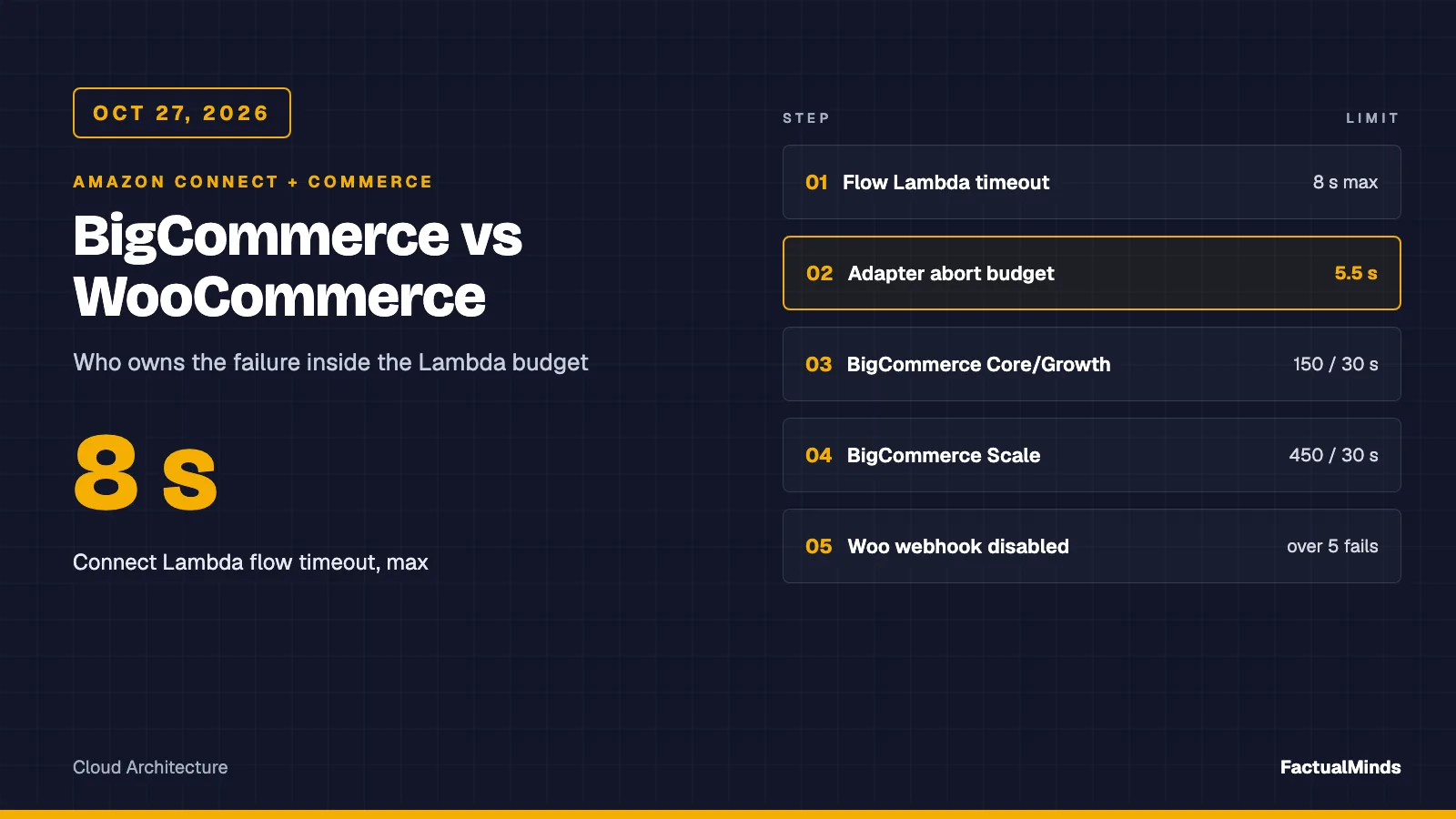
Quick summary: As of October 28, 2026, an Amazon Connect flow waits at most 8 seconds for a Lambda, and WooCommerce disables a webhook after more than 5 consecutive failed deliveries. Between those two numbers sits a read-only key, a free-text search that matches substrings, and a WordPress host you own.
Key Takeaways
- As of October 28, 2026, an Amazon Connect flow waits at most 8 seconds for a Lambda, and WooCommerce disables a webhook after more than 5 consecutive failed deliveries
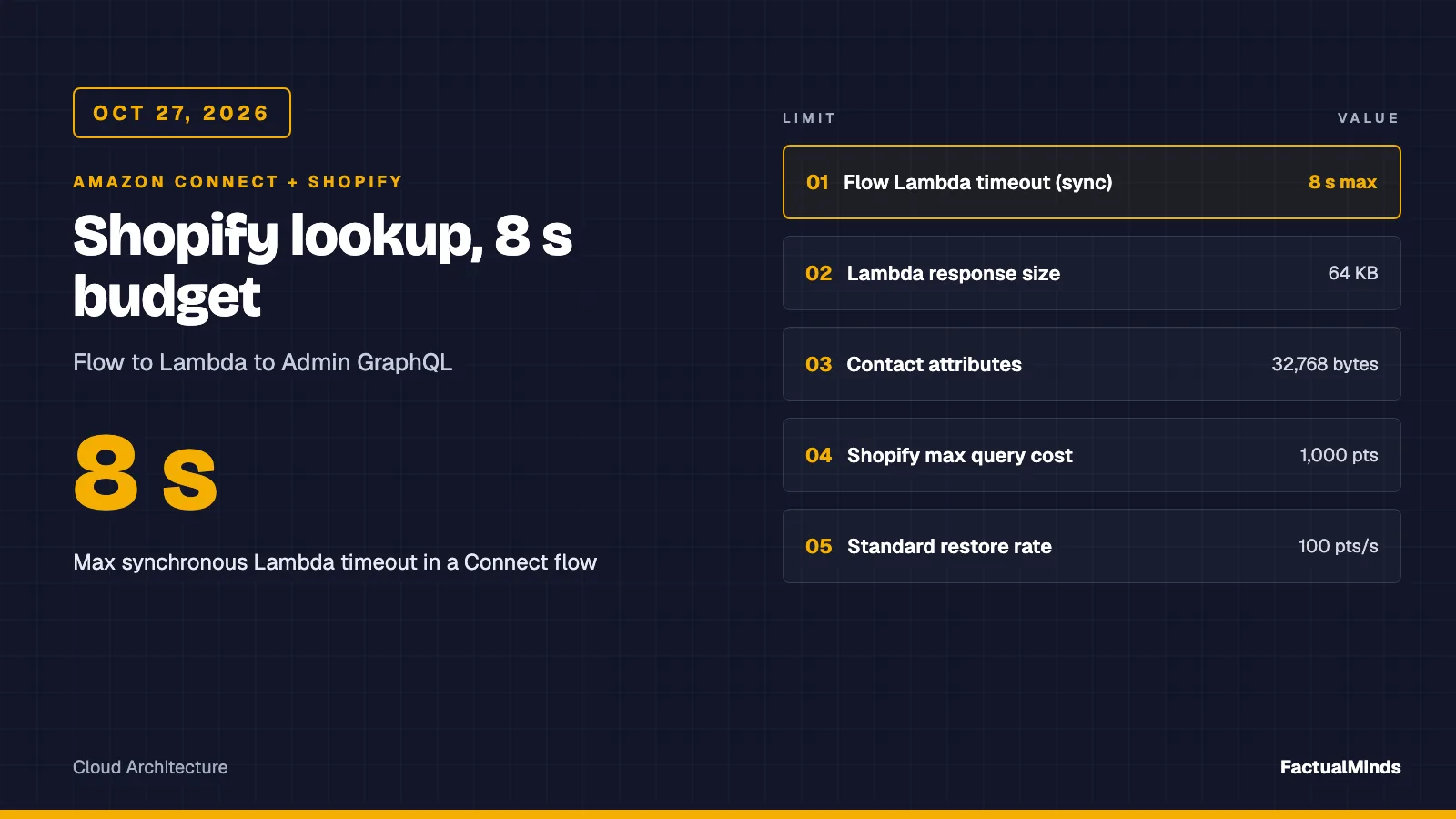
- As of October 28, 2026, the Invoke AWS Lambda function block in an Amazon Connect flow waits for a synchronous Lambda for at most 8 seconds
- A WooCommerce store disables a webhook after more than 5 consecutive failed deliveries, and the REST API that answers your lookup runs on a WordPress host that you or the merchant operate
- For the comparison across BigCommerce and WooCommerce, see Amazon Connect + BigCommerce and WooCommerce
- For the Bedrock agent that answers questions from the same store, a different job, see Bedrock + WooCommerce
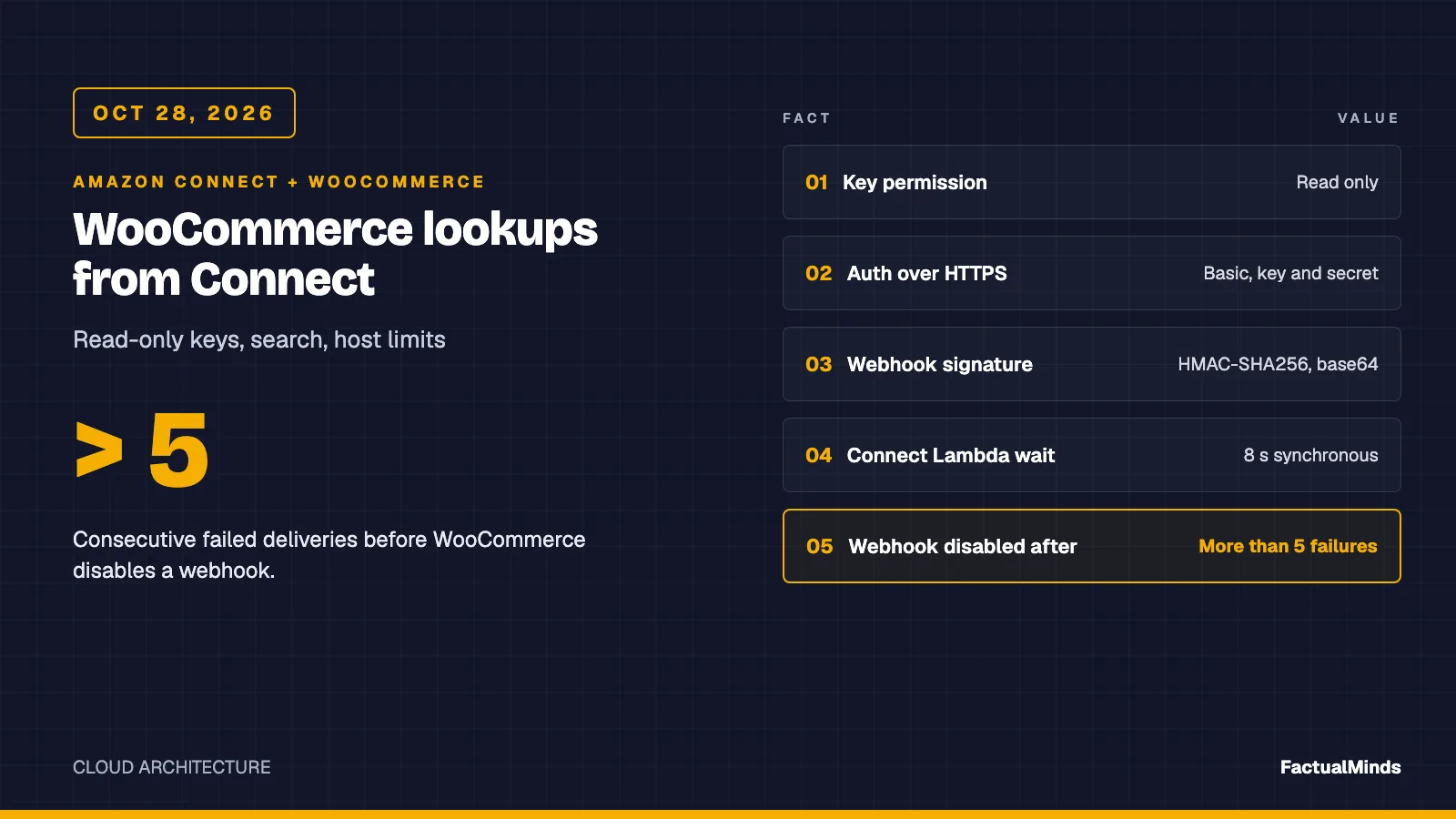
Table of Contents
As of October 28, 2026, the Invoke AWS Lambda function block in an Amazon Connect flow waits for a synchronous Lambda for at most 8 seconds. A WooCommerce store disables a webhook after more than 5 consecutive failed deliveries, and the REST API that answers your lookup runs on a WordPress host that you or the merchant operate.
For the comparison across BigCommerce and WooCommerce, see Amazon Connect + BigCommerce and WooCommerce. For the Bedrock agent that answers questions from the same store, a different job, see Bedrock + WooCommerce. The Connect side is in the Shopify post; the wider case is on Amazon Connect for eCommerce.
Shared plumbing in three sentences: the Lambda block waits at most 8 seconds, so the handler aborts at 5.5 seconds and never throws. The response is a flat string map of letters, digits, dash and underscore. Every failure becomes a lookupStatus value the flow branches on.
Labels: the lookup is a supported integration (WooCommerce’s documented REST API) plus custom engineering. The faster endpoints and the IP allowlist later are design options, not built or tested.
Reproduce this: Run
node --testin the lookup artifact (eight tests,fetchmocked) and in the new webhook verifier folder (four tests). Read the WooCommerce adapter, the handler and the shared helpers alongside this post.
Step 1: Generate a read-only REST key
Source: the WooCommerce REST API documentation, read October 28, 2026.
- Create a dedicated WordPress user, for example
connect-lookup, with the lowest role that can read orders on your store. Do not reuse an administrator. The key follows that user’s roles and capabilities, and it stops working if the user is deleted. - In wp-admin go to WooCommerce, Settings, Advanced, REST API and choose Add key. (Before WooCommerce 3.4 the screen lived under Settings, API, Keys/Apps.)
- Enter a description that names the consumer, such as
Amazon Connect order lookup, prod, so rotation is unambiguous. - Select your dedicated user and set permissions to Read. The other options are Write and Read/Write. A lookup never writes.
- Choose Generate API key. WooCommerce shows the consumer key and consumer secret once. Copy both into AWS Secrets Manager immediately.
- Test from a terminal before touching Connect:
curl -u "$WC_KEY:$WC_SECRET" "https://shop.example.com/wp-json/wc/v3/orders?per_page=1".
Test with an order in each status you intend to speak: a custom role plugin can hide orders from your user.
Step 2: HTTPS, basic auth and the OAuth 1.0a fallback
WooCommerce documents two schemes. Over HTTPS, use HTTP basic auth: consumer key as username, consumer secret as password. The adapter does exactly this, building one Authorization: Basic header per call. If the server does not parse the Authorization header, the documentation allows passing the key and secret as query-string parameters. Avoid that unless you have no choice, because URLs land in access logs, CDN logs and WAF logs.
Over plain HTTP, WooCommerce uses one-legged OAuth 1.0a: signed requests (HMAC-SHA1 or HMAC-SHA256) with oauth_consumer_key, oauth_timestamp, oauth_nonce, oauth_signature and oauth_signature_method, and a 15-minute timestamp window. The adapter deliberately does not implement it.
If basic auth returns 401 with a correct key, the host may be stripping the Authorization header. Confirm once with the query-string form, then fix the host and go back to the header.
Step 3: What search does (and why it is a privacy risk)
The documented order list parameters include no phone filter. Phone and email lookups go through the free-text search parameter. I read the source on October 28, 2026, and the two order stores behave differently.
Legacy post-table store. The default search fields are the billing address index, the shipping address index, billing last name, billing email and billing phone. Each is matched with a substring LIKE of %term%. A numeric term is also added as an order ID. The same function also matches the term as a substring of order item names, and does an exact match on a registered customer’s saved billing or shipping phone. The field list can be changed by the woocommerce_shop_order_search_fields filter, so a plugin can widen it.
HPOS (custom order tables). The default all search runs five filters and ORs them together:
| Filter | Where it looks | Match |
|---|---|---|
order_id | order ID | Exact, when the term is numeric |
transaction_id | payment transaction ID | Substring |
customer_email | billing email column | Prefix |
customers | the billing and shipping address index meta (without full-text indexes) | Substring |
products | order item names | Substring |
The address index is the billing address fields joined with spaces: first and last name, company, both address lines, city, state, postcode, country, email and phone. With MySQL full-text indexes enabled, customers joins the address table instead, and the phone column is only included on a newer database schema version. I did not test either path on a live store. From source: HPOS search does not behave identically to the legacy store. Email is a prefix match in one filter and a substring in another, product names and transaction IDs are searched by default, and the REST controller I read skips the legacy wc_order_search() helper when HPOS is on. The v3 orders controller extends that v2 controller.
The privacy risk follows directly. The store returns every order whose searched fields contain the caller’s digits anywhere, which can include another customer’s postcode, a transaction ID or a product name. Taking the first row is a guess that can read one customer’s order status to a different caller.
A second exposure is unrelated to matching: the list response carries full billing and shipping addresses, emails and line items. The adapter drops all but five fields before returning to Connect, but the data still crossed your Lambda. WordPress core’s _fields parameter trims the response body; the artifact does not use it. It is a design option that shrinks bytes, not necessarily server work.
Step 4: Confirm every hit, and return ambiguous
This is what the adapter does with the search result, read from woocommerce.mjs:
- Order number given:
GET /orders/{id}. A 404 here means no such order and returnsnot_found. - Email given:
search=<email>, newest first,per_page=10. Keep only hits whose billing email equals the caller’s, ignoring case. - Phone only: reduce the caller ID to its last 10 digits. If fewer than 7 digits, return
not_foundwithout calling the store, because a short string matches blank or junk phones everywhere. Search the raw caller ID string, then keep only hits whose billing phone ends in the same 10 digits. - Distinct buyers: build a set of
customer_idplus lowercase billing email. Guest orders havecustomer_id0, so the email separates two guests. If the set has more than one buyer, returnambiguous. - Otherwise: take the newest confirmed hit and return only order ID, status, total in cents, currency, placed date and item count.
ambiguous is the honest outcome for a shared household or business number. The flow should never read either order aloud: ask for the order number, then route to an agent.
A limit the artifact documents: the search string is the raw caller ID, such as +15555550123. A buyer who typed (555) 555-0123 stored text that does not contain it, so the search returns nothing even though the 10-digit comparison would match. We confirmed this on a real store: on both legacy storage and HPOS, +15555550007 returned not_found for an order stored as (555) 555-0007, while the stored format found it. Expect phone misses unless you normalise. We built and tested that fix: the phone-lookup plugin stores the last 10 digits of each order’s billing phone on save, backfills existing orders, and exposes a read-only orders-by-phone endpoint that the adapter uses when WC_PHONE_ENDPOINT=true. The alternative without a plugin is to ask the caller for an email or order number.
Also: order IDs are sequential. A caller-supplied order number is not authentication, so ask for a second factor before reading details.
Step 5: Host-side realities the merchant owns
These are the failures to test before launch, and who fixes each.
| Symptom at the Lambda | Likely cause | Owner |
|---|---|---|
404 with a rest_no_route body on /orders | REST API disabled by a plugin, wrong site URL, or permalink setup | Merchant |
| 401 with a correct key | Host strips the Authorization header | Host |
| 403 with an HTML body | CDN or WAF bot rule blocking AWS address ranges or /wp-json/ | Merchant or CDN admin |
| Responses cached or identical across callers | Page cache or CDN caching /wp-json/ GETs | Merchant |
| Timeouts only during sales | PHP workers saturated by checkout | Host |
| Works at night, slow at noon | Cold object cache, slow LIKE scans on a large order table | Merchant |
| 429 from a security plugin | Plugin-level rate limiting | Merchant |
The adapter separates a missing order from a broken API: a 404 on /orders/{id} is not_found, a 404 anywhere else is an error, so a disabled REST API is never spoken as “you have no orders”. The handler maps 401 and 403 to auth, 429 to throttled, timeouts to timeout, the rest to error. A WAF 403 therefore reads as auth, like a revoked key.
Exclude /wp-json/wc/ from page and CDN caching, and never let a cache key ignore the Authorization header, or one caller’s order can be served to the next. I tested no specific CDN or plugin, so I name none.
Keeping the lookup fast
A free-text search across address index meta, order items and transaction IDs is the query most likely to consume your 5.5-second budget on a big order table. Three options, in order of effort:
- Prefer the order number path.
/orders/{id}is a primary-key fetch. Ask for the order number first when the caller has it. Custom engineering, zero store changes. - A dedicated phone endpoint (built and tested, October 28, 2026). The phone-lookup plugin registers
GET /wp-json/wc-fm-connect/v1/orders-by-phone, matches on normalised digits stored in order meta, and returns trimmed order fields. It filters WooCommerce’s REST authentication into its namespace, so the same read-only consumer key works, and a request without a key gets 401. Its meta query is not indexed; measure it on a large store. The broader idea of one endpoint that also serves email lookups is still a design option: it skips the full REST order object and the multi-sourceORsearch. WooCommerce’s key authentication only applies to its own namespaces by default; the plugin opts its route in with thewoocommerce_rest_is_request_to_rest_apifilter, which we confirmed by getting a 401 without a key and results with one. - An indexed lookup table (design option, not built). Keep a narrow table of normalised phone, lowercase email, order ID, status and updated time, filled from the webhooks below. Index the phone and email columns. Normalising on write also fixes the phone-format misses. The cost is staleness and a replay path.
Decision point: if the host answers the order route in well under 2 seconds under load, call live. If not, use option 2 or 3. A cache cannot tell a caller about an order whose webhook failed 40 seconds ago.
First-party benchmark: the adapter against a real WooCommerce store
On October 28, 2026 we ran the unmodified bigcommerce-woocommerce/handler.mjs and woocommerce.mjs against WordPress (wordpress:php8.3-apache) with WooCommerce 11.2.1 and MySQL 8.4 in Docker on an Apple M4. The store held 202 guest orders: 200 with distinct emails and phones stored as (555) 555-NNNN, and two from different buyers sharing one phone. Node v26.12.1 used a read-only REST key and basic auth over localhost. (WooCommerce accepts basic auth only over HTTPS, so a benchmark-only mu-plugin flagged the local HTTP requests as HTTPS; TLS cost is not in these numbers.)
| Storage | Calls | p50 | p95 | max | Statuses |
|---|---|---|---|---|---|
| Legacy posts tables | 200 | 24 ms | 33 ms | 79 ms | 120 found, 40 ambiguous, 40 not_found |
HPOS (after wp wc hpos enable) | 200 | 24 ms | 39 ms | 77 ms | same |
Every not_found in both runs is the E.164 search term +15555550042, whose order exists with the phone stored as (555) 555-0042. That is the format miss described above, measured rather than inferred, and it behaves the same on both storage modes. The shared phone returned ambiguous every time; email and order-ID lookups found the right order.
With the phone-lookup plugin. We repeated the run with the plugin installed and WC_PHONE_ENDPOINT=true, using E.164 caller IDs only (+15555550007, +15555550150, +15555550199, +15555550042 and the shared +15555559999):
| Storage | Calls | p50 | p95 | max | Statuses |
|---|---|---|---|---|---|
| Legacy posts tables | 200 | 31 ms | 37 ms | 93 ms | 160 found, 40 ambiguous |
| HPOS | 200 | 28 ms | 31 ms | 81 ms | 160 found, 40 ambiguous |
No E.164 caller ID missed. The first version of the plugin filtered with meta_query, which wc_get_orders() ignored on legacy storage, returning the newest orders unfiltered. The adapter’s client-side check rejected those orders, so callers got not_found rather than someone else’s order. The plugin now uses meta_key and meta_value, which both storage modes honour.
What it does not tell you: your host’s network distance and TLS, page caches, WAF or security plugins in front of /wp-json/, PHP under concurrent load, and a large order table. Those are where a self-hosted store gets slow. Measure from a Lambda in your Region against staging before you choose live lookup over the indexed table. Setup, seed script and raw results: benchmark folder.
Webhooks: signature, ack and auto-disable
Source: WooCommerce’s class-wc-webhook.php, read October 28, 2026.
Each delivery is a POST with a JSON body and these headers: X-WC-Webhook-Source, -Topic, -Resource, -Event, -ID, -Delivery-ID and X-WC-Webhook-Signature. The signature is the base64 of the HMAC-SHA256 of the request body, keyed with the webhook’s secret. The hash algorithm can be changed by a filter, so confirm the store has not.
The verifier artifact is 16 lines. It hashes the bytes, decodes the header, compares lengths and then uses crypto.timingSafeEqual. A helper decodes the body when API Gateway or a function URL marks it base64-encoded. Its four tests cover a valid signature, a wrong secret or tampered body, re-serialised JSON (fails) and base64 event decoding.
Operational facts from the same source:
- Success is a status code from 200 up to but not including 303. That counts 2xx plus 301 and 302. Redirects are not followed. Everything else, including a network error, is a failure.
- Auto-disable: after more than 5 consecutive failures the webhook status becomes
disabled, unless a filter (woocommerce_max_webhook_delivery_failures) raises the limit. A success resets the counter. I did not see any notification sent on disable. - The delivery timeout is 60 seconds. Verify, enqueue to SQS, return 200, work later. Dedupe on
X-WC-Webhook-Delivery-ID. - The ping: WooCommerce also has a ping that posts a short form-encoded body (
webhook_id=...) to the delivery URL. In the code I read it carries no signature header, and a non-2xx response returns an error. If your receiver returns 401 for an unsigned request, creating the webhook can fail. Handle the ping explicitly, then verify real deliveries.
There is no AWS destination. Put API Gateway or a Lambda function URL in front, and alarm on webhook status, since nothing else will tell you it was disabled.
Troubleshooting
| Symptom | Check | Fix |
|---|---|---|
lookupStatus=not_configured | WC_SITE_URL, WC_KEY or WC_SECRET missing | Set them; use the URL with no trailing path |
error right after deploy | Site URL wrong, or REST disabled | curl the route; look for rest_no_route |
auth for every caller | Key revoked, user deleted, header stripped, or WAF 403 | Test with curl from a non-AWS host and from the Lambda network path |
timeout spikes | Slow search on a large order table | Order-number path, dedicated endpoint, or cache |
ambiguous more than expected | Shared phones, or a store that reuses one billing phone | Ask for order number; consider the lookup table |
not_found for a known buyer | Phone stored in a different format | Install the phone-lookup plugin, run its backfill, set WC_PHONE_ENDPOINT=true; or search by email |
| Webhook stops arriving | Webhook disabled after more than 5 failures | Fix receiver, then set status back to active |
| Valid webhooks fail verification | Body re-serialised, or base64 not decoded | Hash raw bytes; use rawBody() |
Test plan
node --testin both artifact folders (email and phone paths, short-phone guard,ambiguous, 404 rules, status mapping, no phone in logs).- On staging, create orders for two buyers sharing a phone, a guest and a registered customer with one email, and an order with phone
(555) 555-0123. Confirmambiguous,foundand the format miss. - With a throwaway Read key, confirm a write call fails. Delete the key and confirm
auth. - Repeat step 2 on both legacy and HPOS storage if your version allows it. Our local benchmark covered the shared phone and the format miss on both modes, with guest orders only; the guest-plus-registered email case is untested.
- Block the Lambda at the CDN and confirm the fallback branch fires inside 8 seconds.
- Fail a webhook receiver six times and confirm the status becomes
disabledand your alarm fires.
Security
- Keep the key and secret in AWS Secrets Manager. The artifact reads environment variables for brevity only.
- Rotation: create a new key, store it, deploy, confirm calls succeed, then delete the old key in wp-admin. Rotate on staff changes and on a schedule you set.
- Least privilege: Read permission, dedicated user, a Lambda role limited to
secretsmanager:GetSecretValueon those ARNs. - IP allowlisting (design option, not built). A Lambda outside a VPC does not have a stable source address. To let the host allowlist you, attach the function to a VPC and route outbound traffic through a NAT gateway with an Elastic IP, then allow that address at the host or CDN. Trade-off: a NAT gateway is a single point of failure per Availability Zone unless you pay for more, and it becomes a cost line (below).
- PII: return only status, total, currency, date and item count. Never log the event; the caller’s number is in
CustomerEndpoint.Address. - Disclosure: caller ID is not authentication; ask for a second factor first. Keep card data out of this path entirely.
What broke (derived counter-case): A WAF challenge returns a 403 HTML page for the Lambda’s request. The handler maps 403 to
auth, the alarm reads as a revoked key, and the on-call engineer rotates a perfectly good key at 2 a.m. The fix is in the runbook: check the response body before rotating. This follows from the adapter’s documented status mapping, not from a client incident.
Costs (published prices, checked October 28, 2026)
- Lambda (US East, N. Virginia, x86): $0.20 per 1 million requests and $0.0000166667 per GB-second. Free tier: 1 million requests and 400,000 GB-seconds a month.
- Secrets Manager: $0.40 per secret per month and $0.05 per 10,000 API calls.
- NAT gateway (design option): the VPC pricing page lists $0.045 per hour and $0.045 per GB processed for the US East (Ohio) example; I did not see a separate N. Virginia figure, so check yours. At 730 hours that is about $32.85 a month before data. An in-use public IPv4 address is $0.005 per hour, about $3.65 a month.
- Modeled example: 100,000 lookups a month at 512 MB and 0.6 seconds is 30,000 GB-seconds, about $0.50 of compute plus $0.02 of requests before the free tier. This is arithmetic on published prices, not a measurement. If you add the NAT gateway, it dwarfs the compute.
- Amazon Connect: Connect Customer, the default for new instances, includes AI agents, conversational analytics and summaries in the per-channel rate: chat $0.010 per message, voice $0.038 per minute, email $0.080 and SMS or third-party messaging $0.014, with telephony extra. Connect Customer Basic excludes those AI features. See the Connect pricing page and the Connect next-generation documentation.
- Not included: WordPress hosting, a CDN, SQS or DynamoDB if you cache.
Recommendation
Call WooCommerce live for order-number and email lookups, confirm every hit, and return ambiguous rather than choosing. Move phone lookups to an indexed table fed by signed webhooks if the store has a large order table or mixed phone formats. The trade-off is staleness and one more thing to monitor, against a 5.5-second budget that a slow substring search can spend alone.
What to do this week
- Create the dedicated user and a Read key, store both parts in Secrets Manager, run the curl test.
- Time
/orders/{id}and asearchcall at peak. Decide live versus cache. - Run the adapter tests and the staging data set from the test plan.
- Stand up the webhook receiver with the verifier, handle the ping, alarm on
disabled. - Build the branches:
found,not_found,ambiguous, a shared fallback fortimeout,throttledanderror, and an alarmed one forauth,not_configuredandbad_request.
What this post doesn’t cover
- Customer Profiles, agent workspace and Connect flow setup (see the Shopify post).
- Writing back to WooCommerce: refunds, cancellations, address changes.
- Subscription, marketplace and tracking plugins that change statuses.
- Which CDN, WAF or security plugin your host uses. I tested none.
- Legacy versus HPOS on a hosted production store. We ran both storage modes only on a local Docker store with 202 guest orders (see the benchmark above).
- Whether WooCommerce key authentication works on a custom REST namespace, the
per_pagemaximum, and WordPress’s plain-permalink REST path (?rest_route=), which I did not re-verify.
Frequently asked questions
Which WooCommerce key permission should the Connect Lambda use?
Is the WooCommerce order search an exact match?
When should we not call WooCommerce live from the Connect flow?
What could go wrong with WooCommerce webhooks?
Does verifying the webhook signature work on parsed JSON?
Can the Lambda reach a store that allowlists IP addresses?
Is this a tested production integration?

AWS Cloud Architect & AI Expert
AWS-certified cloud architect and AI expert with deep expertise in cloud migrations, cost optimization, and generative AI on AWS.