Amazon Connect + Odoo 19 (Oct 2026): JSON-2 Setup, API Keys, Phone Match
Quick summary: On October 28, 2026 an Odoo 19 lookup from Amazon Connect needs a Custom plan, a bot user with an API key that expires within 3 months, and a phone match that survives formatting. Step-by-step setup, test plan and troubleshooting.
Key Takeaways
- On October 28, 2026 an Odoo 19 lookup from Amazon Connect needs a Custom plan, a bot user with an API key that expires within 3 months, and a phone match that survives formatting
- On October 28, 2026, an Amazon Connect flow can ask Odoo 19 "who is calling and what do they owe
- For the Bedrock-agent angle on the same ERP, see Amazon Bedrock and Odoo; this one is a plain lookup with no model in the loop
- Broader Connect work is on Amazon Connect consulting
- We read Odoo's 19.0 documentation and the 19.0 source files on GitHub on October 28, 2026
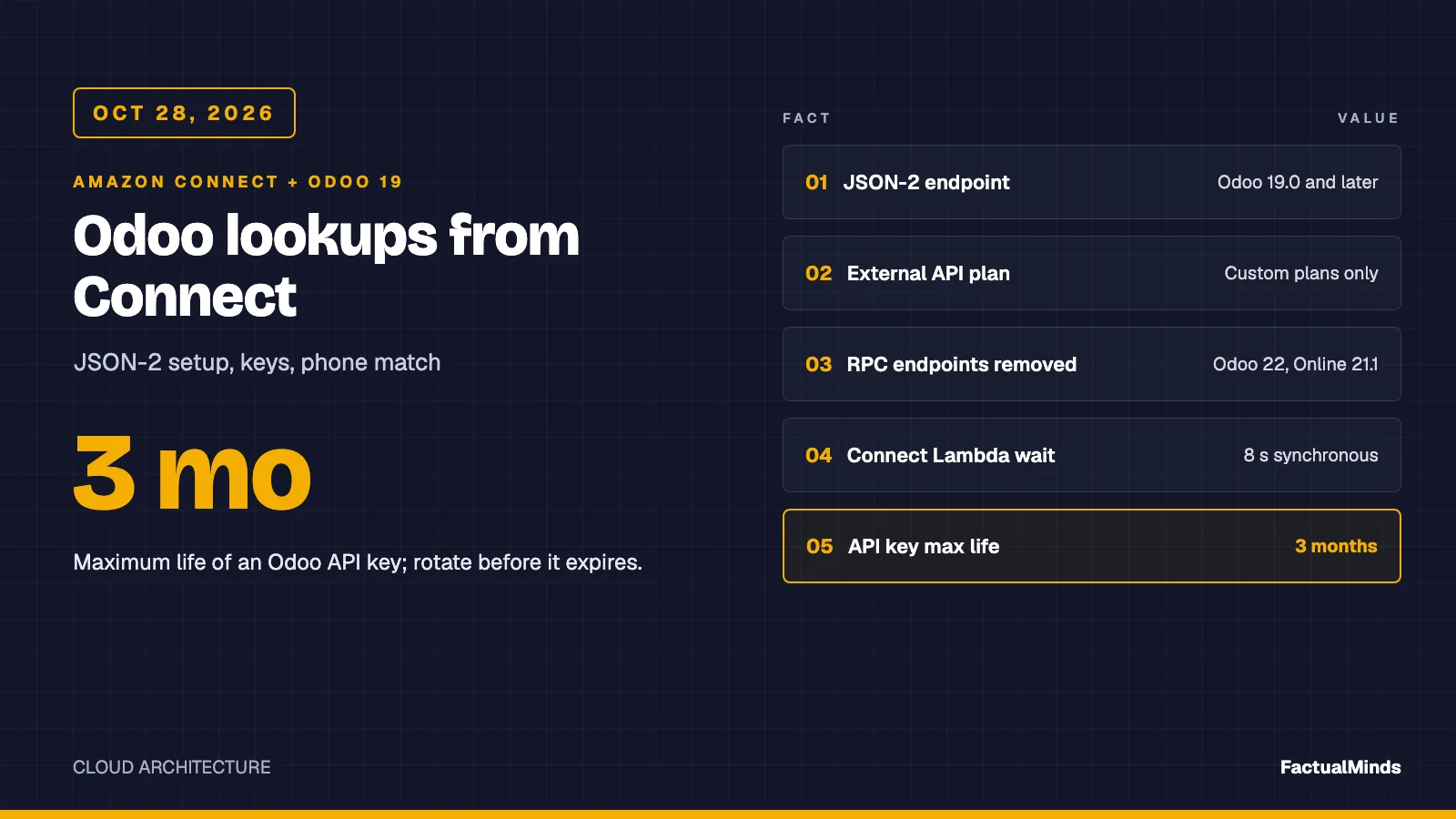
Table of Contents
On October 28, 2026, an Amazon Connect flow can ask Odoo 19 “who is calling and what do they owe?” with three small JSON-2 requests, provided four things are true: your plan includes the external API, a dedicated bot user holds an API key that is at most three months old, the Lambda reaches the Odoo URL inside the flow’s 8 seconds, and the caller’s phone number matches however it was typed into Odoo. This post is the Odoo-only walkthrough. For the comparison across NetSuite, Odoo and JD Edwards, start with the parent ERP post. For the Bedrock-agent angle on the same ERP, see Amazon Bedrock and Odoo; this one is a plain lookup with no model in the loop.
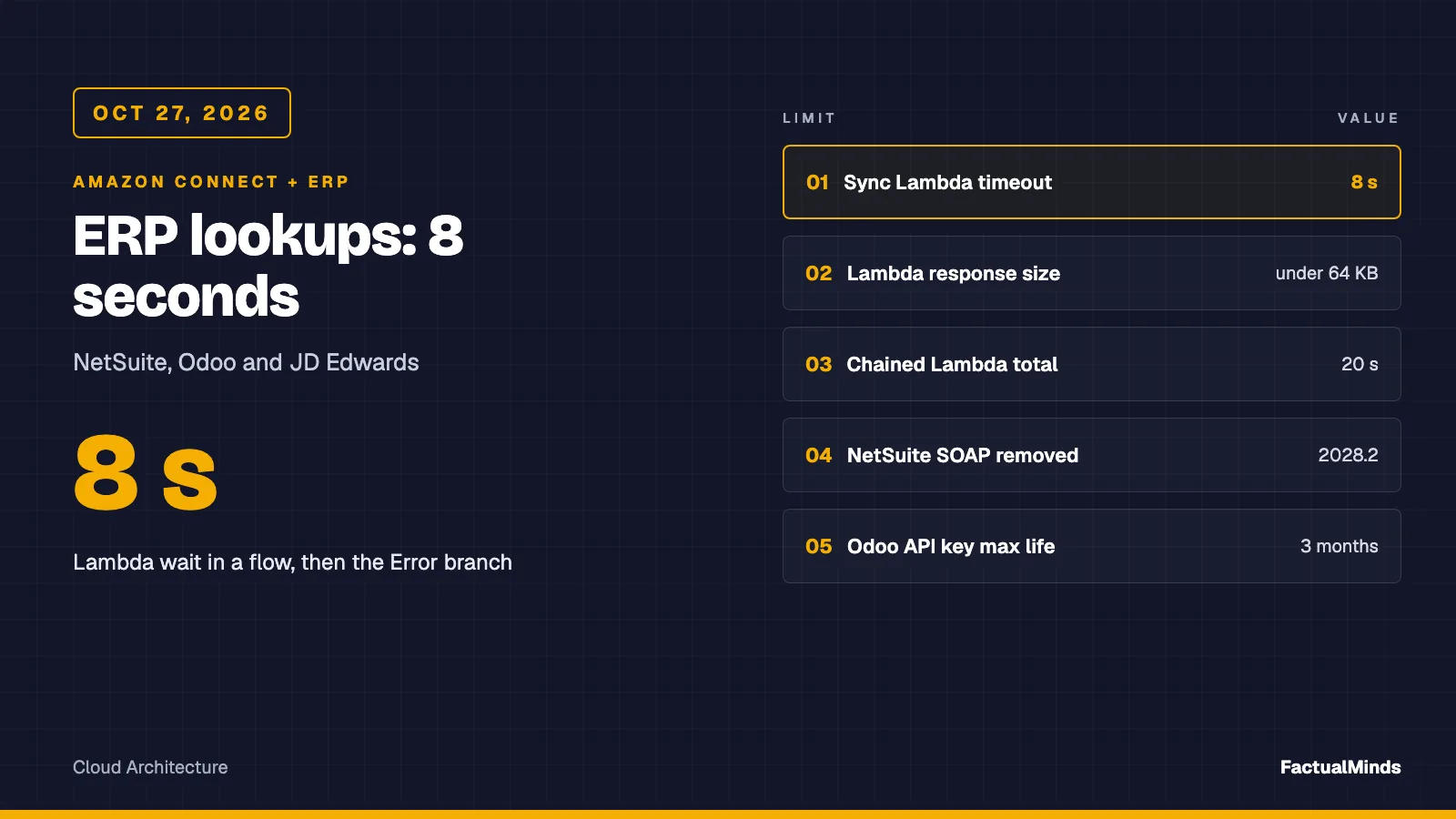
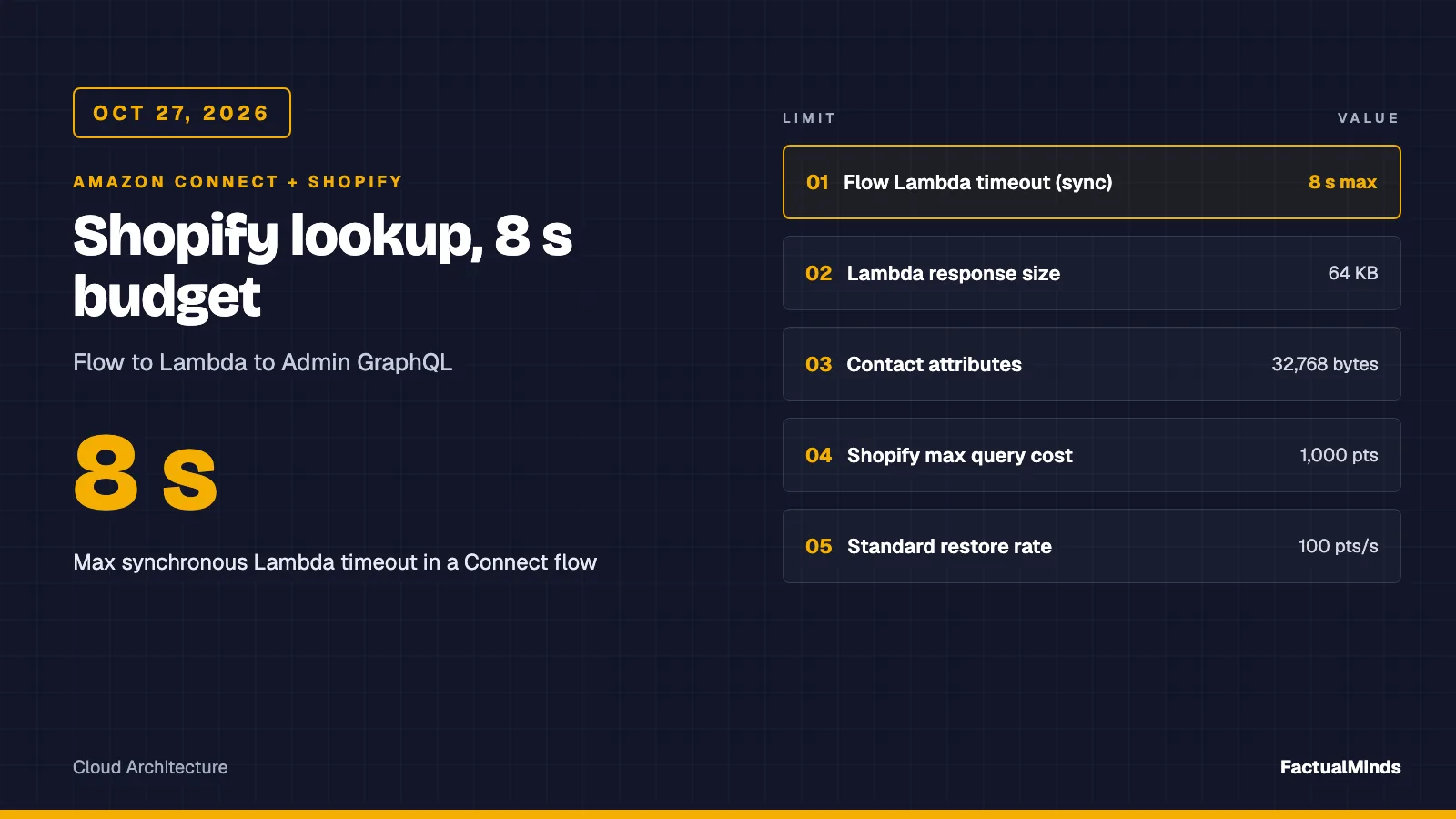
The shared Connect rules, in three sentences: a synchronous Invoke AWS Lambda function block waits at most 8 seconds, the response must be a flat map of strings in [A-Za-z0-9_-] under 64 KB, and the handler should never throw, returning a FALLBACK status the flow can branch on. Everything below is Odoo-specific. Broader Connect work is on Amazon Connect consulting.
We read Odoo’s 19.0 documentation and the 19.0 source files on GitHub on October 28, 2026. The unit tests run against mocked HTTP. We also ran the unmodified adapter against a local Odoo 19.0 container on October 28, 2026; the numbers are in the benchmark section. Where we did not run something, we say so.
Step 1: Check the plan and the version first
Two gates can end the project before any code.
Plan. The External JSON-2 API page states that access to data via the external API is only available on Custom Odoo pricing plans, and is not available on One App Free or Standard. The page says nothing about how this applies to Odoo.sh or self-hosted installations. We could not verify it, so do not guess: ask your Odoo Customer Success Manager for a written answer that names the API and your hosting model.
Version. The page is marked “versionadded 19.0”. The 17.0 and 18.0 documentation pages for the same path carry the Custom-plan note, but not the JSON-2 section. If you run Odoo 17 or 18 on Odoo.sh or on-premise, the JSON-2 adapter in our artifact is not for you. Odoo Online tracks current versions, so it is the simple case.
The deprecation dates, settled
The parent post said the dates had moved. Here is the sequence from Odoo’s own repository:
| Source | What it says |
|---|---|
| Odoo 19.0 docs, October 28, 2026 | /xmlrpc, /xmlrpc/2, /jsonrpc scheduled for removal in Odoo 22 (fall 2028) and Odoo Online 21.1 (winter 2027) |
| Documentation commit, February 4, 2026 | Removal “postponed to Odoo 21.1/22”; it had first been planned for 19.1/20 |
| Documentation commit, October 9, 2026 | Added the Online 21.1 wording to the page text |
So the earlier date you may have read is superseded. The practical meaning: a new build should use JSON-2 now, because on Odoo Online the old endpoints go first (winter 2027). Other controllers declared with @route(type='jsonrpc') (known as type='json' until Odoo 18) are explicitly not covered by the notice.
Step 2: Create a dedicated bot user
Odoo’s page says the JSON-2 API validates every operation against the access rights, record rules and field access of the user whose key is used. For integrations it recommends dedicated bot users: minimum permissions, so a leaked key does little damage; an empty password, which disables login-and-password sign-in; and audit fields (create and write user) that point at the bot, so nobody is impersonated.
Create one internal user, for example connect-lookup, and grant only what the three reads need:
| Read | Model | Group in the 19.0 source |
|---|---|---|
| Find the customer | res.partner | Any internal user (base.group_user) can read partners subject to record rules |
| Count open invoices | account.move | Show Accounting Features - Readonly (account.group_account_readonly) |
| Latest order | sale.order | User: All Documents (sales_team.group_sale_salesman_all_leads), or Own Documents Only if the bot owns nothing and you accept empty results |
Two cautions. First, the Sales groups are not read-only; User: All Documents carries write access to sales records. If a leaked key must not be able to edit orders, create a custom group whose access rules (ir.model.access) grant read only on these models, and test with the bot’s key. We did not build or test that group. Second, multi-company databases add record rules by company, which can hide invoices from a bot in the wrong company. Test with a real partner in each company.
Whether an extra internal user changes your Odoo subscription cost is a licensing question we cannot answer from the documentation.
Step 3: Create the API key and plan its rotation
In Odoo, open the bot user’s Preferences, then Account Security, then New API Key. Per the documentation:
- A description and a duration are both required.
- Odoo says it is not possible to create keys that last for more than three months, so long-lasting keys must be rotated at least every three months. Short durations (typically one day) are advised for interactive use.
- The Generate Key button creates a 160-bit random key, shown once.
- Keys are bound to the user and inherit that user’s rights. There is no separate scope list.
Programmatic management exists too: a user can generate up to 10 keys through the API by default, adjustable with the system parameter base.programmatic_api_keys_limit, and exceeding it returns HTTP 422. For a Connect integration we would not automate this on day one. A calendar reminder at week 10 and a runbook are cheaper than a rotation Lambda that itself needs a key.
A rotation that causes no outage works like this:
- Create the second key (new description, new expiry) while the first still works.
- Write the new value into the Secrets Manager secret.
- Wait for warm Lambda containers to refresh their cached copy (set a cache time-to-live, not “cache forever”).
- Revoke the first key in Odoo.
The sample reads ODOO_API_KEY from the environment for simplicity. In production, read it from AWS Secrets Manager at init and cache it with an expiry, otherwise step 3 never completes until a redeploy.
Step 4: Know the request, the headers and the database
JSON-2 is POST /json/2/<model>/<method> with a JSON body. Headers per the 19.0 page:
| Header | Status |
|---|---|
Host | Required (set by every HTTP client from the URL) |
Authorization: bearer <API key> | Required |
Content-Type: application/json | Required |
X-Odoo-Database | Optional; required when one server hosts several databases and dbfilter does not select by Host |
User-Agent | Recommended |
Odoo Online usually maps one hostname to one database, so the header is rarely needed. On a self-hosted multi-database server it is the first thing to check. The adapter sends X-Odoo-Database only when ODOO_DB is set.
Body keys: ids for record methods, context for an object such as {"lang": "en_US"}, then the method’s parameters by name. A success is HTTP 200 with the return value as JSON. An error is a 4xx or 5xx with an object containing name, message, arguments, context and debug. The debug field is a traceback. Never log the body to a place customers can read.
Each call runs in its own SQL transaction, and you cannot chain calls. For a read-only lookup this is harmless. It is also why the adapter uses search_read, which Odoo’s page names as the example of one method doing search and read consistently in a single transaction.
Step 5: The three reads, and the fields behind them
This is what odoo.mjs does, in order:
res.partner/search_readwithdomain: [["phone","=",<caller>]],fields: ["id","active"],limit: 2andcontext: {"active_test": false}.- In parallel:
account.move/search_countandsale.order/search_readfor that partner.
So the path is three requests with two in flight at once.
Partner: phone, not mobile
In the Odoo 19.0 source, res.partner in the base module defines phone and no mobile. The 17.0 and 18.0 sources define both. If you copy a tutorial that searches mobile, expect an error on 19 (the exact message is a test-database check for you). The 19.0 page also tells you that the models and fields in your database are listed on its own /doc page, which is the authority when custom modules are involved.
Archived partners: active_test: false
Odoo’s ORM hides records whose active is false from searches. A customer you archived last year is therefore invisible unless the context turns the filter off. The adapter passes context: {"active_test": false} so an archived partner comes back with active: false and the flow can say INACTIVE. One cost: archived duplicates also match, which feeds the next case.
Shared numbers: limit: 2
Two partners on one number (a company and its contact, or a family) cannot be disambiguated by phone alone. The adapter asks for two rows; if it gets two, it returns AMBIGUOUS and reads nothing out. The 13 tests in the artifact include this case.
Invoices: account.move
The count filters move_type = out_invoice, state = posted and payment_state in (not_paid, partial). Per the 19.0 source, payment_state can also be in_payment, paid, reversed, blocked and invoicing_legacy. Decide deliberately:
in_payment(payment registered, not yet reconciled) is not counted as open by the adapter. Whether the IVR should call that “paid” is a finance decision.blockedand credit notes (out_refund) are excluded. If finance wants disputed invoices counted, addblocked.
Orders: sale.order
state in 19.0 is one of draft (Quotation), sent (Quotation Sent), sale (Sales Order) or cancel. There is no separate “done” state in the 19.0 source; locking is a distinct boolean. The adapter returns the raw state and the order name, so the flow sees sale and S00042. Map sale to “confirmed” in your prompt copy, not in the adapter.
Step 6: Phone normalisation, the part that decides your hit rate
Connect hands the Lambda the caller ID in E.164 (+14155550123), and the handler rejects anything else before it reaches a query. The shipped adapter then does an exact match on res.partner.phone. Odoo stores whatever a person typed, so +1 415 555 0123 and (415) 555-0123 both miss, and the flow says NOT_FOUND for a real customer. This is the largest source of silent wrong answers, and the adapter, as written, does not solve it.
What the 19.0 source offers, read but not run by us:
- The
phone_validationmodule (hidden category,auto_installwhenbaseandmailare present, so most databases have it) adds a stored fieldphone_sanitizedtores.partner, described in the source as holding the sanitized number “to speed up searches and comparisons”. It is computed from the phone field using the partner’s country and company context. Treat a blank value as “could not parse”. - The same module adds a non-stored, search-only field
phone_mobile_search. Its search strips punctuation from stored values and, for an input starting with+or00, matches both the+and00forms. It raises an error for search terms shorter than 3 characters.
The lowest-risk change we would make is to search ["phone_sanitized","=","+14155550123"] first, falling back to phone_mobile_search only if you see misses in testing. Two caveats the source shows: the module code skips phone_sanitized in the combined search on databases where its index is missing, and phone_sanitized depends on the partner’s country, so partners with no country and a national-format number may stay blank. Neither field name is guaranteed to exist if phone_validation was uninstalled. Check both on your /doc page.
The fix is data quality: one pass that rewrites partner phones to international format, and a validation rule on entry.
First-party benchmark: the adapter against a real Odoo 19 container
On October 28, 2026 we ran the unmodified erp/handler.mjs and erp/odoo.mjs against Odoo 19.0 (Docker image odoo:19.0) with PostgreSQL 16, Sales and Invoicing installed and no demo data. The dataset was 202 partners (two of them sharing one phone), 67 posted customer invoices and 200 sales orders. Node v26.12.1 called the JSON-2 API with a real API key over localhost on an Apple M4.
| Metric | Result |
|---|---|
| Calls (after 5 warm-up calls) | 200, sequential |
| p50 | 10 ms |
| p95 | 11 ms |
| max | 13 ms |
| Statuses | 172 OK, 28 AMBIGUOUS |
What the run confirmed beyond latency: the JSON-2 calls the adapter makes work on 19.0 as written, including context: {active_test: false} on res.partner, payment_state on account.move and state on sale.order; the shared phone returned AMBIGUOUS, not the first partner; an unknown number returned NOT_FOUND.
What it does not tell you: network distance to your Odoo host, TLS, Odoo under concurrent load or with a large database, Connect-to-Lambda overhead and Lambda cold starts. On a real deployment the network round trips dominate: the adapter makes one call and then two in parallel, so budget roughly two round trips plus Odoo’s query time against the 5-second abort. Measure from a Lambda in your Region against staging. Setup, seed script and raw results: benchmark folder.
Step 7: Networking from Lambda to Odoo
| Hosting | Path | What to check |
|---|---|---|
| Odoo Online | Public HTTPS to your *.odoo.com host | Nothing in a VPC is required. Confirm the plan |
| Odoo.sh | Public HTTPS to the project URL | We did not verify IP allow-listing options. Ask |
| On-premise, public | HTTPS through your reverse proxy | Host and X-Odoo-Database routing, TLS certificate chain |
| On-premise, private | Lambda in a VPC over Site-to-Site VPN or Direct Connect | A VPC endpoint or NAT route to reach Secrets Manager; every hop spends the same 8 seconds |
A Lambda inside a VPC with no internet route cannot reach Secrets Manager or a public Odoo. Measure round-trip time from the Lambda’s own subnet. If p95 for the three-request path is above about 3 seconds there, use the cached-summary pattern from the parent post instead of a live call.
Step 8: A test plan you can run in order
Our benchmark container covered part of step 4 (an active partner with a posted invoice, two partners on one number, an unknown number) and step 5, using the admin user’s API key rather than a restricted bot user. Steps 1 to 3 and 6 to 8 we have not run. They are the sequence we would follow, cheapest first.
- Entitlement. From a laptop,
POSTany harmless call (for exampleres.partner/search_countwith{"domain": []}) with the bot key. HTTP 200 means plan and key work. A 401 or 403 means stop and fix before any Lambda. - Plan and version evidence. Open
https://<host>/docand confirmres.partner,account.moveandsale.orderlist the fields from Step 5 and whetherphone_sanitizedexists. - Rights. Repeat the three reads with the bot key. Then try one write (for example, update a partner’s
comment) in a test database; it should fail with an access error. If it succeeds, tighten the group. - Data cases in a test database. One active partner with an unpaid posted invoice; one archived partner; two partners on one number; one number stored as
(415) 555-0123; one partner with no orders. Expected adapter output:ACTIVEwith count;INACTIVE;FALLBACK/AMBIGUOUS;NOT_FOUND(documents the gap);lastOrderStatus=NONE. - Mock suite.
cd examples/architecture-blog-2026/connect-commerce-context/erp && node --test. The suite is mocked and checks output shape, timeout, HTTP 503, 401, ambiguity, archived partners and that logs never contain the phone. - Lambda in situ. Invoke with
event.sample.json(erp: "odoo") using the real secrets and read the single JSON log line:lookupStatus,fallbackReason,ms. - Flow. Use a test number, branch on
lookupStatus, and place a call and a chat. - Expiry drill. Create a key with a one-day duration, let it expire, and confirm the flow lands on
HTTP_401and the metric-filter alarm fires.
Troubleshooting
| Symptom | Likely cause | Check |
|---|---|---|
fallbackReason=HTTP_401 | Key expired, revoked, or wrong database | Key duration is at most 3 months; send X-Odoo-Database if the server hosts several databases |
HTTP_403 | Bot lacks access to a model or a record rule hides it | Re-run Step 8 item 3 as the bot |
HTTP_404 on every call | The server has no /json/2 route (Odoo before 19), or the URL is wrong | Version; ODOO_URL has no trailing path |
HTTP_400 or HTTP_500 on partner search | Field missing in your database (mobile, custom module) | The error body’s message; the /doc page |
| Plan error or access refused for a valid key | Plan does not include the external API | Written confirmation from Odoo |
NOT_FOUND for a known customer | Phone stored in a different format | Search the partner by name in Odoo and compare the stored phone |
INACTIVE never appears | Context missing, or a proxy strips the body | Test the archived partner in Step 8 item 4 |
AMBIGUOUS more than expected | Company and contact share a number, or archived duplicates | Dedupe, or key on phone_sanitized plus partner type |
TIMEOUT | Cold start plus network plus three requests exceed the 5 s budget | Measure p95 from the Lambda subnet; consider the cached pattern |
NOT_CONFIGURED | ODOO_URL or ODOO_API_KEY missing | Environment or secret retrieval |
BAD_RESPONSE | HTTP 200 without accountStatus | Proxy or error page returning 200 |
Note the exact HTTP_<status> strings come from the handler; Odoo’s own message sits in the response body, which the sample deliberately does not forward to the flow.
Security notes
- The key acts as its user. A bot with an empty password and minimum groups limits the blast radius; a personal account does not.
- Keep the key in Secrets Manager with a rotation calendar. Do not put it in Lambda environment variables in production.
- Return four fields to the flow. Values saved with Set contact attributes appear in contact records.
- Odoo’s error body includes a Python traceback in
debug. Keep it out of contact attributes and customer-facing logs. - Caller ID can be spoofed. Do not read out balances or order details on a phone match alone; require verification for anything beyond status.
- Customer and invoice data are personal data. Running on AWS does not make the handling compliant.
Costs (published only)
- Lambda: the published free tier is 1 million requests and 400,000 GB-seconds a month; see the Lambda pricing page.
- Secrets Manager: per secret per month and per 10,000 API calls; init-time caching keeps calls near the cold-start count.
- Site-to-Site VPN or Direct Connect: only for private on-premise Odoo; see the VPN pricing page.
- Amazon Connect: on October 28, 2026 Connect Customer lists chat at $0.010 per message and voice at $0.038 per minute, telephony extra, per the Connect pricing page. The lookup adds Lambda cost, not a separate Connect charge.
- Not published: the Odoo Custom plan, any extra user cost for a bot user, and Odoo.sh or hosting. We list no figure for them.
Reproduce this
Reproduce this — The Odoo adapter is
odoo.mjs, called byhandler.mjs, with the README and a sample event. Runnode --testin that folder; all HTTP is mocked. It has not been run against a live Odoo in this post’s text, apart from any benchmark section above.
What to do this week
- Get written confirmation that your Odoo plan and hosting include the external API.
- Open
/docon a test database and confirm the three models and the phone fields. - Create the bot user, its key with an expiry, and a calendar entry for rotation.
- Run Step 8 items 1 to 4 before touching a flow.
- Decide how to count
in_paymentandblockedinvoices with finance. - Choose the phone strategy: clean the data, or switch the search to
phone_sanitized.
What this post doesn’t cover
- A live run against a production or Odoo.sh database. The benchmark used a local container with 202 partners; the unit tests are mocked.
- Whether Odoo.sh or self-hosted installations are entitled to the external API, and any IP allow-listing on Odoo.sh.
- Odoo 17 and 18 (XML-RPC and JSON-RPC adapters).
- Writes back to Odoo, and a read-only custom group, which we did not build.
- The cached-summary pattern; see the parent post.
- Compliance obligations and Odoo licence cost.
For how we approach the commerce side of Connect, see Amazon Connect for eCommerce.
Frequently asked questions
Which Odoo versions can an Amazon Connect Lambda call with the JSON-2 API?
When are the XML-RPC and JSON-RPC endpoints removed?
How long can an Odoo API key live?
Does the Odoo external API work on every plan?
Why does the lookup use the phone field and not mobile?
Why does the adapter send active_test false?
Can the bot user be read-only?

AWS Cloud Architect & AI Expert
AWS-certified cloud architect and AI expert with deep expertise in cloud migrations, cost optimization, and generative AI on AWS.