Connect + NetSuite (Oct 2026): M2M OAuth, step by step
Quick summary: As of October 28, 2026, Oracle documents a NetSuite OAuth 2.0 access token that lasts 3600 seconds with no refresh token, a certificate capped at 2 years, and a SuiteQL cap of 100,000 rows. Here is the Connect Lambda setup, step by step.
Key Takeaways
- As of October 28, 2026, Oracle documents a NetSuite OAuth 2.0 access token that lasts 3600 seconds with no refresh token, a certificate capped at 2 years, and a SuiteQL cap of 100,000 rows
- Here is the Connect Lambda setup, step by step
- What follows sets up the NetSuite side of an Amazon Connect lookup: integration record, certificate mapping, role, query pattern, and a test plan to run before a caller does
- For the comparison across NetSuite, Odoo and JD Edwards, the shared 8-second Lambda budget and the fallback design, read Amazon Connect ERP integration: NetSuite, Odoo and JD Edwards
- The data-pipeline side (cost and vendor data into AWS) is on the NetSuite integration with AWS page
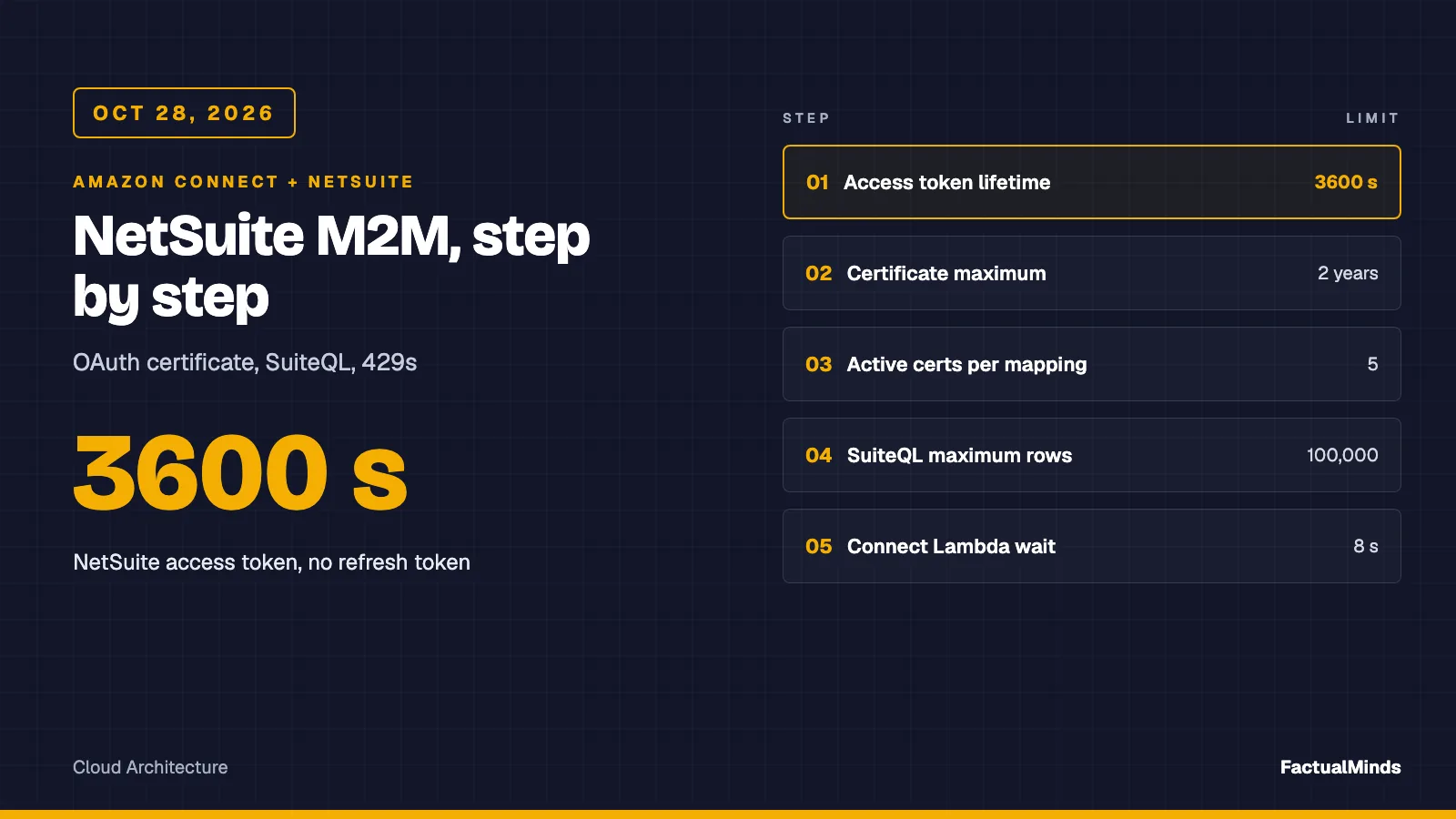
Table of Contents
On October 28, 2026, Oracle’s documentation for NetSuite’s client credentials flow says an access token lasts 3600 seconds, there is no refresh token, a certificate is valid for at most two years, and a SuiteQL query returns at most 100,000 rows. What follows sets up the NetSuite side of an Amazon Connect lookup: integration record, certificate mapping, role, query pattern, and a test plan to run before a caller does.
This is the single-platform deep dive. For the comparison across NetSuite, Odoo and JD Edwards, the shared 8-second Lambda budget and the fallback design, read Amazon Connect ERP integration: NetSuite, Odoo and JD Edwards. The data-pipeline side (cost and vendor data into AWS) is on the NetSuite integration with AWS page. Here the question is narrower: a caller dials, a Lambda asks NetSuite three small questions, and the flow branches.
We have not run the artifact against a live NetSuite account. Its tests mock all HTTP. Where Oracle’s documentation did not settle a fact, this post says so. Broader Connect work is on Amazon Connect consulting.
What is native, what is custom
| Piece | Label |
|---|---|
| Invoke AWS Lambda function block, contact attributes, Customer Profiles | Native (Connect) |
| NetSuite REST web services, SuiteQL, OAuth 2.0 client credentials | Native to NetSuite (Oracle) |
| The Lambda that signs the assertion, queries, and returns a string map | Custom engineering (code in erp/netsuite.mjs and erp/handler.mjs) |
| A normalized phone field, a saved search, a cached summary in Customer Profiles | Custom (you build and maintain it) |
| iPaaS connectors | Third-party, not evaluated |
We found no AWS-provided NetSuite connector for Connect.
Step 1: Features and permissions
What Oracle’s pages state, and what they leave to you:
- Integration record permissions. Oracle says Administrators or users with the Integration Application permission create integration records. Administrators or users with the OAuth 2.0 Authorized Applications Management permission create and revoke the certificate mapping.
- Features. We found no Oracle page listing the feature checkboxes. REST Web Services and OAuth 2.0 under SuiteCloud features are the usual ones; treat the exact names as unverified.
- Role permissions. Third-party setup guides name REST Web Services and Log in using OAuth 2.0 Access Tokens on the integration role. We could not confirm those names on an Oracle page. Also unverified: the exact permission names SuiteQL needs for customer, invoice and sales order records. Start with view-only on those three record types and add only what a sandbox error asks for.
Step 2: Create the integration record
Oracle’s steps:
- Setup, Integration, Manage Integrations, New.
- Enter a name, set State to Enabled.
- On the Authentication subtab, under OAuth 2.0, check Client Credentials (Machine to Machine) Grant.
- Check the REST Web Services scope. The sample asks for
rest_webservicesand nothing else. - Save.
Oracle shows the client ID and client secret only once, on first save. Copy the client ID into Secrets Manager now; it is the JWT iss claim. Oracle states the M2M grant does not support public clients; a server-side Lambda is not one.
Step 3: Generate the certificate and map it
Oracle’s certificate page sets the rules: x.509 public certificate with extension .cer, .pem or .crt; RSA 3072 or 4096 bits, or EC 256, 384 or 521 bits; maximum validity two years (a longer period is shortened automatically); one certificate per unique combination of integration record, role and entity. Oracle emails Administrators about expiry at two months, one month and 14 days.
The RSA-PSS command from Oracle’s page, for the sample’s default PS256 (Oracle’s example uses 365 days; the maximum is two years):
# From Oracle's certificate page: RSA-PSS key and certificate. Sign with PS256.
openssl req -new -x509 -newkey rsa:4096 -keyout private.pem \
  -sigopt rsa_padding_mode:pss -sha256 -sigopt rsa_pss_saltlen:64 \
  -out public.pem -nodes -days 365
Keep private.pem out of source control and load it into Secrets Manager. Upload only public.pem. Then create the mapping:
- Setup, Integration, Manage Authentication, OAuth 2.0 Client Credentials (M2M) Setup, Create New.
- Choose the entity, the role and the application (the integration record from step 2). The application appears in the list only if the M2M box is checked on its record.
- Upload the public certificate and Save.
NetSuite generates a Certificate ID. That value is the kid in the JWT header (NS_CERT_ID in the sample). Oracle allows at most five active certificates per combination of integration record, entity and role, which is what makes overlapping rotation possible: add the new certificate, switch the Lambda, then revoke the old one.
Step 4: The token request
Oracle’s token endpoint is https://<accountID>.suitetalk.api.netsuite.com/services/rest/auth/oauth2/v1/token. Send a form-encoded POST with grant_type=client_credentials, client_assertion_type=urn:ietf:params:oauth:client-assertion-type:jwt-bearer and the signed client_assertion.
What the sample signs, mapped to Oracle’s request-token structure:
| JWT part | Value in the sample | Status |
|---|---|---|
header typ, alg, kid | JWT, PS256 by default, Certificate ID | alg list is Oracle-documented |
iss | integration client ID | documented |
scope | ["rest_webservices"] | the Oracle sample uses an array; the reference page also allows a comma-separated string |
aud | ${NS_BASE}/services/rest/auth/oauth2/v1/token | unverified: Oracle’s own sample uses a different host form (restlets in the host) for its example account, so test this in sandbox |
iat, exp | now, now plus 300 s | Oracle: exp less than 60 minutes after iat |
One detail the docs do not settle: the salt length for RSA-PSS signing. The sample uses 32 bytes. If the token endpoint rejects a signature that you are sure is made with the right key, vary that first.
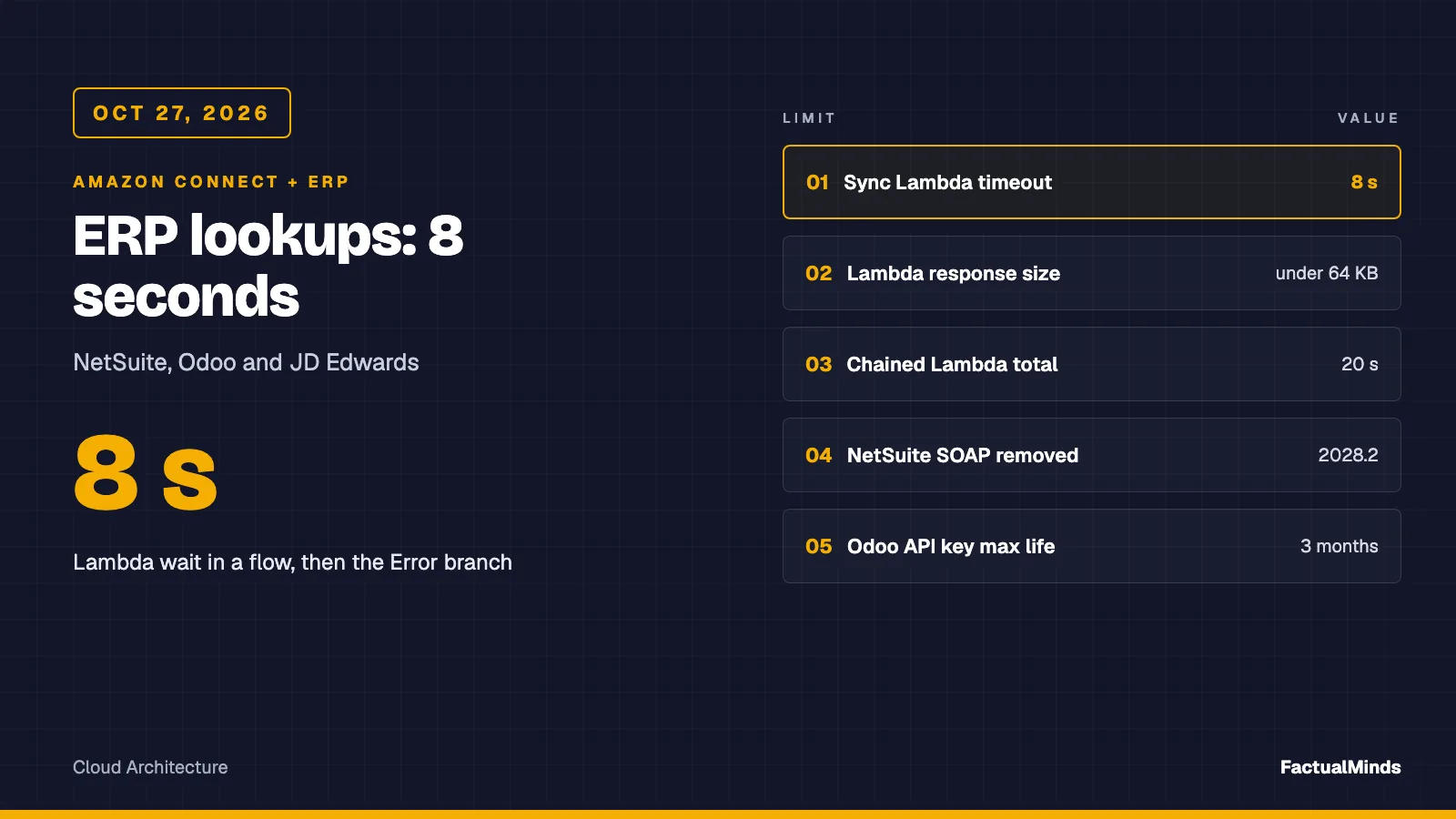
The response is an access_token, expires_in of 3600, and token_type bearer. The sample caches the token in module memory with a 30-second margin, and clears it when a query returns 401. A cold start requests a token immediately, one extra round trip inside your 8 seconds, which is why the handler aborts at 5 seconds.
Step 5: The query pattern
Oracle documents SuiteQL over REST as a POST to /services/rest/query/v1/suiteql, query in the body as q, with the header Prefer: transient. Paging uses the limit and offset URL parameters, and the response shows count, offset, totalResults and items. A query returns at most 100,000 results. Oracle’s page for this does not state the default or maximum limit; some third-party material mentions 1,000 and a hasMore flag, which we did not verify on an Oracle page. Do not build on those numbers.
The sample does not page at all, on purpose. A caller needs three small answers, not a result set. These are the three queries it runs per contact, after the phone is validated as E.164:
SELECT id, isInactive FROM customer WHERE phone = '+14155550123'            -- limit 2
SELECT COUNT(*) AS n FROM transaction
  WHERE entity = 4821 AND type = 'CustInvc' AND status = 'A'                 -- limit 1
SELECT status, tranId FROM transaction
  WHERE entity = 4821 AND type = 'SalesOrd' ORDER BY tranDate DESC           -- limit 1
Three choices in that pattern come from failure modes.
- Limit 2 on the customer query. Two rows means two customer records share the number. The adapter throws
AMBIGUOUSand the flow does not read either account aloud. Picking one would disclose someone else’s order. - An exact
COUNT(*)for open invoices. Fetching a page of invoices and countingitemswould be wrong the moment the count exceeds the page. The count query always returns one row with an exactn.CustInvcwith statusAis how the sample defines open. NetSuite status codes differ by record type and configuration, so verify the code in your account before trusting the number. - Bound parameters are available. Oracle documents
?placeholders with aparamsarray. The sample instead validates the phone to^\+[1-9][0-9]{6,14}$before it enters the string, and a test feeds it an injection-shaped value. Bound parameters would be reasonable extra hardening; we have not made that change.
The newest-sales-order and open-invoice queries run in parallel after the customer is found, so one contact uses up to two concurrent NetSuite requests for a moment.
Step 6: Phone matching without lying to the caller
NetSuite’s phone field is free text. An agent typed (415) 555-0123, an import wrote 415-555-0123, and Connect hands you +14155550123 from the carrier. WHERE phone = '+14155550123' matches only the record that happens to store that exact string, and the miss looks like NOT_FOUND: a real customer treated as a stranger.
Options, in order of how much we would trust them:
- A normalized custom field (a custom entity field you add, such as E.164 phone) kept by a SuiteScript user event or by whatever process loads customers. Query the custom field. Label: custom. This is the one we would build.
- A saved search or lookup table that stores the normalized value. Also custom; slower to maintain, easier to inspect.
- Normalizing inside SuiteQL by stripping punctuation from the stored value. Whether the functions you need are supported in your account is unverified, and the query would no longer be able to use a simple equality on a stored field. Test the cost before you ship it.
- Skip phone as the key: ask the caller for an order number or account ID in the flow and look that up instead.
Shared numbers (a household, a switchboard) still produce AMBIGUOUS, by design.
Step 7: Concurrency and the 429
Oracle’s documentation says web services and RESTlet concurrency are governed per account, as a combined total, that the base limit depends on the service tier, that each SuiteCloud Plus license adds 10, and that the limit is lenient, so a brief overage is possible. We did not obtain the base numbers per tier from an Oracle page, and third-party sources disagree, so we give none.
For REST, Oracle’s error page documents HTTP 429 with o:errorCode CONCURRENCY_LIMIT_EXCEEDED, the detail “Concurrent request limit exceeded. Request blocked.”, and the remedy “retry”. The sample adapter does not retry. In a voice flow an immediate second attempt competes with the next caller, and Connect already retries a failed invoke up to 3 times inside the 8 seconds. It reports HTTP_429 as the fallbackReason.
What could break (modeled, not an incident) — Assume your NetSuite account has an unknown limit of N concurrent requests, and a marketing campaign sends a burst of callers. Each contact uses one request, then two in parallel, so 10 simultaneous contacts can ask for 20. If other integrations (a nightly sync, a warehouse system) already hold most of N, some lookups return 429 and those callers get the generic path. They are not misrouted; they simply lose the personalization. Your burst can also push the other integrations over the limit.
Set reserved concurrency on the Lambda to a number you have agreed with whoever owns the NetSuite account. The Oracle pages we read described no per-integration allocation, so reserved concurrency is your control.
Sandbox and production
The account ID is the subdomain: Oracle’s examples show https://123456.suitetalk.api.netsuite.com. Sandbox accounts have their own account ID. We could not confirm the exact hostname format for sandbox from an Oracle page. A lowercase, hyphenated form such as 1234567-sb1 is commonly used, but treat that as unverified and copy the URL from your sandbox’s own integration setup.
What Oracle does state matters more: the client credentials setup is not copied to other production accounts, Release Preview, sandbox or Next Preview accounts, and refreshing a sandbox clears it. After each refresh, redo the integration record check and the certificate mapping, and update NS_CERT_ID and NS_CLIENT_ID because both will differ per account. Keep one secret per environment.
Mapping to Connect
The Lambda returns a flat string map. lookupStatus is the only key the flow should check first.
| Connect key | NetSuite source | Notes |
|---|---|---|
lookupStatus | handler | OK or FALLBACK. Branch here before reading anything else. |
fallbackReason | handler | TIMEOUT, HTTP_401, HTTP_429, AMBIGUOUS, BAD_RESPONSE, NOT_CONFIGURED, BAD_INPUT |
accountStatus | customer.isInactive | ACTIVE, INACTIVE, NOT_FOUND. The sample compares the returned value to T; verify in your account. |
openInvoiceCount | exact COUNT(*) | count or UNKNOWN |
lastOrderStatus, lastOrderRef | newest SalesOrd | status and tranId, values restricted to letters, digits, dash and underscore |
In the flow, use Invoke AWS Lambda function (synchronous), a timeout below 8 seconds, then Set contact attributes from the External namespace ($.External.accountStatus and so on), then Check contact attributes on lookupStatus. Anything in a contact attribute is stored on the contact record, so return only what the flow needs. Never return a NetSuite internal ID that the flow does not use.
For Customer Profiles, treat the NetSuite values as a cached summary, not a source of truth. If you want an agent workspace to show them, write a custom profile object keyed on the phone or the NetSuite ID from a scheduled job, and let the live lookup win when it succeeds. The profile mechanics are in Customer Profiles in Connect, and showing the result to agents is in the custom agent UI post. Doing both unthinkingly spends NetSuite concurrency twice.
Test plan: run it in this order
- Certificate and mapping, outside Lambda. Build the JWT with a library, call the token endpoint with
curl, and confirm you receive anaccess_tokenandexpires_inof 3600. Fix this before any code of yours is involved. - One SuiteQL call.
POSTSELECT id FROM customerwithlimit=1and the bearer token. A 200 with anitemsarray proves the role can read customers. - Each query by hand. Run the three queries above for one known customer. Compare
nwith a saved search count. - Unit tests. From the
erpfolder runnode --test. The 13 tests (mocked HTTP) cover the token request shape and reuse, the ambiguous and inactive paths, error bodies returned with HTTP 200, missing config, and a log line that never contains the phone. They prove the adapter’s logic. They do not prove NetSuite accepts your signature. - Lambda in sandbox. Invoke with the sample event. Check the log line for
lookupStatusandms. - Flow test. Use Connect’s testing and simulation on the flow, then place a real call from a number stored in the sandbox in three formats.
- Failure drills. Revoke the test certificate (expect
HTTP_401or a token failure, then fallback), pass an unknown number (expectNOT_FOUND), and put two customers on one number (expectAMBIGUOUS). - Alarm. Create a CloudWatch metric filter on
lookupStatusFALLBACKby reason. The handler never throws, so Lambda’sErrorsmetric stays at zero.
A reference checklist for the NetSuite side only is in netsuite-setup/README.md.
Troubleshooting
| Symptom | Likely cause | What to do |
|---|---|---|
HTTP 401, INVALID_LOGIN | Oracle’s documented 401 code. Bad or expired token, role lacks the log-in-with-OAuth permission, or the mapping is wrong | Oracle points to Setup, Users/Roles, User Management, View Login Audit Trail. Read the audit entry first. |
| Token endpoint fails right after you rotated the certificate | Old key or old kid in the Lambda; or the old mapping was revoked and no new one exists | Oracle: after revocation or expiry, create a new mapping. The new Certificate ID becomes the new kid (our inference). Update both secrets together. |
invalid_grant from the token endpoint | Oracle’s wording for an expired access token on reuse; clock skew on iat is our guess, not an Oracle statement | Build a fresh assertion and request again. |
| 401 at the query endpoint hours after deploy | Cached token past its 3600 seconds | The sample clears the cache on 401. The next call gets a new token; the failing call has already fallen back. |
429 CONCURRENCY_LIMIT_EXCEEDED | Account concurrency used up by all integrations | Lower Lambda reserved concurrency, agree a share, consider a SuiteCloud Plus license (price not published). |
NOT_FOUND for a customer who exists | Stored phone format differs from E.164 | Normalized custom field (step 6). |
BAD_RESPONSE | HTTP 200 with no items array, such as an error body | Log the status and shape (not the content) and read the NetSuite response in sandbox. |
AMBIGUOUS | Two customer records share the number | Intended. Route to verification. |
Security
- Least privilege. One integration role, view-only on the three record types, assigned to a dedicated entity. One certificate per integration-role-entity combination, as Oracle requires.
- Secrets. Client ID, Certificate ID and private key in Secrets Manager, read at cold start and cached. Never plain Lambda environment variables outside a test.
- PII. Contact attributes are stored on the contact record. The sample’s log line carries status, reason and milliseconds, never the phone or ERP data.
- Compliance. Using AWS and NetSuite does not make this compliant by itself.
Costs (published only)
- Amazon Connect Customer, checked October 28, 2026: voice $0.038 per minute, chat $0.010 per message, email $0.080, SMS and third-party messaging $0.014, telephony extra. Connect Customer includes AI agents, conversational analytics and summaries in those rates; Connect Customer Basic excludes them. Sources: Connect pricing and the Connect Customer admin guide.
- Lambda and Secrets Manager are metered; use their published pricing pages with your measured invocations. We state no totals.
- NetSuite: the license fee, and a SuiteCloud Plus license if you buy one, are not published. Oracle publishes that each SuiteCloud Plus license adds 10 to the concurrency limit, not the price.
Recommendation
Build the live lookup only when three things hold: a measured p95 under about 3 seconds on the token-cached path, a concurrency share agreed in writing with the NetSuite owner, and a normalized phone field or a different key. The trade-off: a live lookup gives current data and costs account concurrency and failure surface; a cached summary is cheap and stale. If any of the three is missing, ship the cached summary first and keep live lookup for cases where staleness hurts, such as an order status the caller asks about right now.
What to do this week
- Create the integration record and mapping in a sandbox and obtain a token with
curl. - Ask the NetSuite owner for the account’s concurrency limit and who else uses it.
- Decide the phone key: normalized custom field or ask-for-an-identifier.
- Verify the open-invoice status code and the
isInactivevalue in your account. - Run
node --testin the artifact, then invoke the Lambda from sandbox. - Put the certificate expiry (Oracle emails at two months, one month and 14 days) in a calendar you own.
What this post doesn’t cover
- A run against live NetSuite. The tests are mocked.
- Oracle’s feature-checkbox names and the exact SuiteQL permission names, which we could not confirm on an Oracle page.
- Per-tier concurrency numbers, the default and maximum SuiteQL
limit, and the sandbox hostname format. - NetSuite writes (creating cases, changing orders). The scope is read-only.
- Odoo and JD Edwards, covered in Odoo and JD Edwards, and NetSuite licensing, which is not public.
Oracle pages read October 28, 2026: client credentials setup, integration records, certificate conditions, token request and response, SuiteQL through REST, REST error handling and SuiteCloud Plus concurrency.
Frequently asked questions
How long does a NetSuite client credentials access token last?
Which NetSuite signing algorithms and certificates work?
Should we match callers to NetSuite customers by phone number?
What happens when NetSuite returns 429?
When should we not do a live NetSuite lookup in the call flow?
What could go wrong after we rotate the certificate?
Does the sandbox share the production OAuth setup?
What does NetSuite licensing cost for this integration?

AWS Cloud Architect & AI Expert
AWS-certified cloud architect and AI expert with deep expertise in cloud migrations, cost optimization, and generative AI on AWS.