Connect ERP Integration (Oct 2026): 8 Seconds for NetSuite, Odoo, JDE
Quick summary: On October 27, 2026 a Connect flow still gives your Lambda 8 seconds to reach the ERP and return under 64 KB. NetSuite SOAP stops working with 2028.2. Odoo's external API needs a Custom plan. JD Edwards needs an orchestration you write.
Key Takeaways
- On October 27, 2026 a Connect flow still gives your Lambda 8 seconds to reach the ERP and return under 64 KB
- NetSuite SOAP stops working with 2028.2
- Odoo's external API needs a Custom plan
- NetSuite, Odoo and JD Edwards differ in everything else: protocol, authentication, concurrency and licence terms
- Broader Connect work is on Amazon Connect consulting
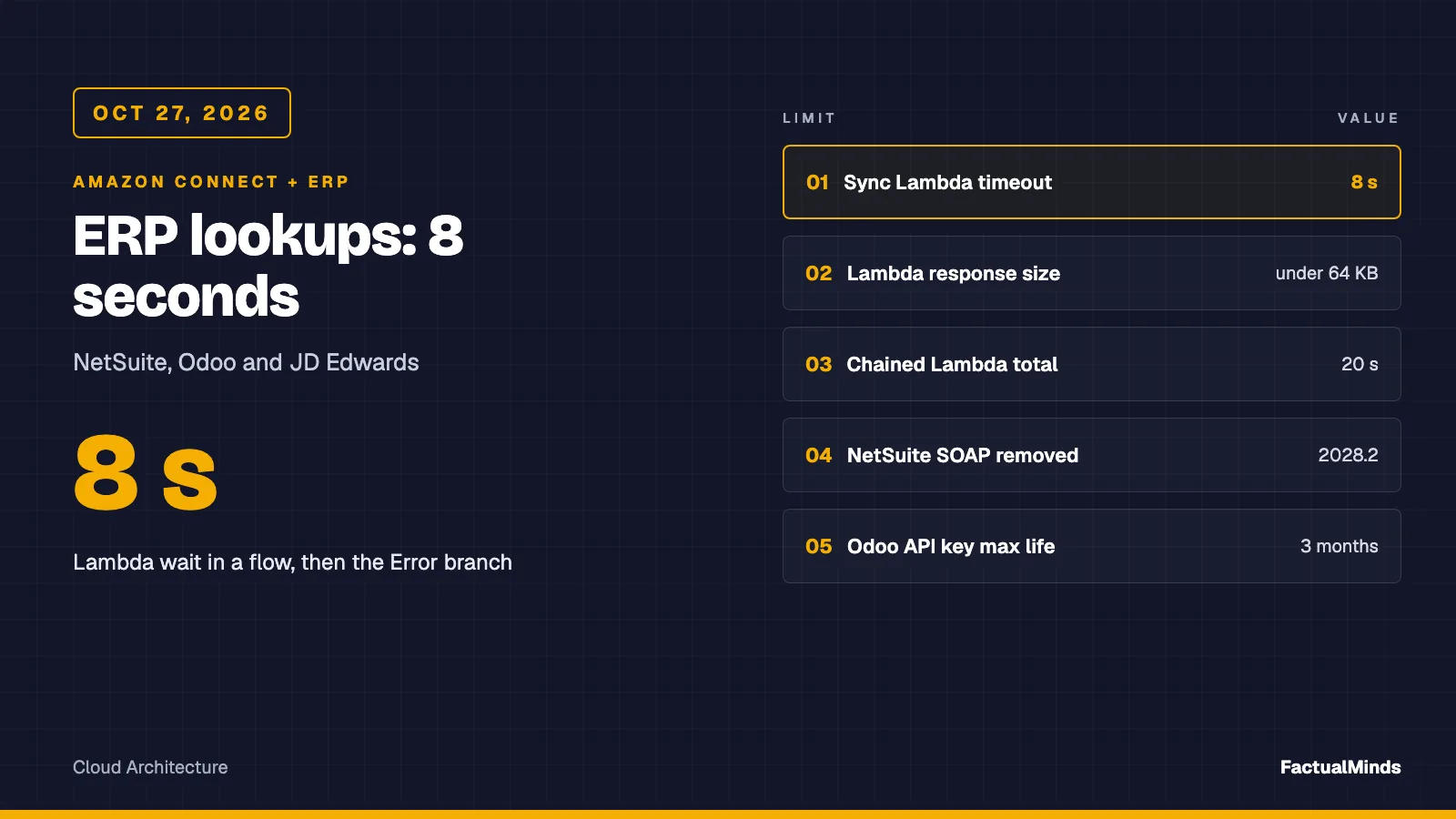
Table of Contents
On October 27, 2026, the rule for every ERP lookup in Amazon Connect is the same: the Invoke AWS Lambda function block waits at most 8 seconds (synchronous), and a Lambda response must be a flat map of strings under 64 KB. NetSuite, Odoo and JD Edwards differ in everything else: protocol, authentication, concurrency and licence terms. The shared design comes first, then each ERP, then a tested adapter that returns the same four fields from all three.
It is a design and a mocked test suite, plus one first-party run: on October 28, 2026 the unmodified Odoo adapter made 200 lookups against a local Odoo 19.0 container at p50 10 ms and p95 11 ms over localhost, with the shared-phone case returning AMBIGUOUS (method, raw results). We have not run it against a live NetSuite or JD Edwards tenant, or a hosted Odoo database, and FactualMinds has no published Connect-ERP engagement to cite. Broader Connect work is on Amazon Connect consulting.
ERP deep dives: setup steps, permissions and troubleshooting for each ERP are in Connect + NetSuite, Connect + Odoo and Connect + JD Edwards.
What agents and callers actually need from the ERP
Keep the first release to what changes a conversation:
- Who is this? Match the caller to a customer record.
- Is the account usable? Active, inactive, on hold.
- What do they owe? Count of open invoices, and balance if finance allows it in the IVR.
- Where is the order? Latest order reference and status.
Everything else (full invoice lines, credit memos, pricing) belongs on the agent screen, fetched on demand, not in the flow. This is the same split we use for commerce platforms in the AI customer support agent guide: small fast reads in automation, rich reads behind an agent’s click.
Architecture and capability labels
Caller -> Connect flow -> Invoke AWS Lambda (sync, 8 s max)
                              |-- Secrets Manager (credentials, cached at init)
                              |-- adapter: NetSuite | Odoo | JD Edwards
                              v
flat string map -> Set contact attributes -> branch on lookupStatus| Piece | Label |
|---|---|
| Invoke AWS Lambda block, contact attributes, Check contact attributes | Native |
Customer Profiles (profile objects, PutProfileObject) | Native |
| AppFlow into Customer Profiles from Salesforce, Zendesk, Marketo, ServiceNow, S3 | Supported integration |
| NetSuite, Odoo, JD Edwards lookups | Custom engineering (the Lambda) |
| iPaaS connectors (Celigo, Workato, MuleSoft, and similar) | Third-party, licensed separately; not evaluated here |
Verify before choosing AppFlow
AppFlow is the first thing people reach for. We checked the supported-applications list on October 27, 2026. It names SAP OData, Microsoft Dynamics 365, QuickBooks Online, Oracle HCM and JDBC among dozens of entries. It does not name NetSuite, Odoo or JD Edwards. The JDBC connector exists, but pointing a contact-center sync at a production ERP database bypasses the vendor’s API, licence and governance model. We would not.
EventBridge is listed as an AppFlow destination. We found no AWS-documented native ERP-to-EventBridge publisher for these three systems, so any push model (NetSuite User Event script, Odoo automated action, JD Edwards orchestration with a notification) is custom code you own.
Live lookup versus cached summary
| Live call in the flow | Cached summary in Customer Profiles | |
|---|---|---|
| Freshness | Seconds | As old as the last sync |
| Failure mode | Eats part of the 8 s, then falls back | Serves stale data confidently |
| ERP load | One burst per contact | One scheduled job |
| Where | IVR, chat bot, flow branching | Agent screen, pre-routing |
Our recommendation: live for the IVR and bot path, cached for the agent screen, and never both pretending to be the same fact. The trade-off is two code paths. The reason is that the IVR path must decide in 8 seconds and tolerate a miss, while the agent path can afford a 10-minute-old balance if it displays the sync time.
A cache is custom: define a profile object type with PutProfileObjectType, then write summaries with PutProfileObject. Detail on shaping the agent view lives in the sibling post on custom agent UI and Customer Profiles.
The Connect Lambda contract
Verified in the AWS Lambda-in-flows guide:
- Synchronous timeout: 8 seconds maximum. Failed invocations are retried up to 3 times within that window.
- Total duration of a sequence of Lambda blocks: 20 seconds.
- Response validation
STRING_MAP: a flat object of string values, alphanumeric, dash and underscore only, under 64 KB of UTF-8. - Values saved with Set contact attributes appear in contact records. Values read directly as
$.External.*do not.
The character rule matters for ERPs. A balance of $1,204.50 or an order status of Pending Fulfillment is not a legal value, even though a docs example elsewhere shows $1000. The adapter replaces anything outside [A-Za-z0-9_-] rather than testing how Connect reacts.
Authentication and secrets
- Put credentials in AWS Secrets Manager, read them in the init phase, cache them for the container’s life.
- One credential per ERP, one least-privileged ERP role: read-only on the customer, invoice and order records you map. No write scopes.
- Never return a token, internal ID or free-text name to the flow unless the flow needs it. Anything in contact attributes is stored on the contact record.
- Validate the caller’s number against E.164 before it reaches a query. The NetSuite adapter builds SuiteQL text, and the test suite includes an injection-shaped phone number.
NetSuite
The generic account-and-data side is on the existing NetSuite integration with AWS page. This section is only what the contact center changes.
Interface. Use SuiteTalk REST web services: the record API for single records, and SuiteQL (a SQL-like query via REST) when you need a join or filter. Use a SuiteScript RESTlet only where REST cannot do the job; Oracle says it supports that scenario but you do not get 100% parity with SOAP. The adapter posts to /services/rest/query/v1/suiteql with a Prefer: transient header and a limit query parameter. Those two details come from integration-vendor documentation, not an Oracle page we could open, so confirm them against your release.
SOAP status. Oracle’s SOAP removal FAQ gives the schedule:
| Release | What Oracle says |
|---|---|
| 2025.2 | Last planned SOAP endpoint |
| 2026.1 | New integrations should use REST with OAuth 2.0 |
| 2027.1 | No new integrations with TBA or SOAP; existing ones keep working |
| 2027.2 | Only the last endpoint supported; older ones disabled one per release |
| 2028.2 | All SOAP endpoints disabled |
A Connect integration started now should not touch SOAP at all.
Authentication. On the integration record, enable Client Credentials (Machine to Machine) Grant and the REST Web Services scope; Oracle notes this grant does not support public clients. Per Oracle, only new integrations must use OAuth 2.0 starting with 2027.1, and OAuth 2.0 is preferred over TBA now. The exact JWT assertion rules (signing algorithm, certificate lifetime, role restrictions) live on a separate Oracle page. We read the overview but not that page, so the adapter’s NS_JWT_ALG default of PS256 and its claims are unverified. Treat the token code as a starting sketch.
Concurrency. This is the NetSuite-specific failure risk. Oracle’s SuiteCloud Plus page says web services and RESTlet requests share one account limit, each SuiteCloud Plus license adds 10, the base limit depends on service tier, and enforcement is “lenient” so brief overages are possible. Base numbers per tier were not in the pages we read, and third-party sources conflict, so we give none. You can allocate part of the limit to a specific integration (Setup, Integration, Manage Integrations).
Design consequence: the adapter makes three SuiteQL calls per contact (find the customer, then an exact COUNT(*) of open invoices and the newest sales order in parallel), and one token request per container. Each call counts against the account’s concurrency limit, so the parallel pair can take two slots at once. Cap Lambda reserved concurrency for the function so a promotion-day call spike cannot take the whole account budget. Licensing cost for SuiteCloud Plus is not published; get a quote.
Role and permissions. Create a dedicated role with view-only on Customer, Invoice and Sales Order, assigned to the integration’s entity. Which exact permission names SuiteQL needs for each table is something we did not verify.
Phone matching. NetSuite phone fields are free text. Exact match on +14155550123 will miss (415) 555-0123. Match on a normalised custom field you maintain, or do not use phone as the key.
Odoo
Existing background: Amazon Bedrock and Odoo integration.
Interface and timeline. Odoo’s current documentation describes the External JSON-2 API: POST /json/2/<model>/<method>, with an Authorization: bearer <API key> header and an optional X-Odoo-Database header when one server hosts several databases. The older XML-RPC (/xmlrpc, /xmlrpc/2) and JSON-RPC (/jsonrpc) endpoints are deprecated. The Odoo 19 page states they are scheduled for removal in Odoo 22 (fall 2028) and Odoo Online 21.1 (winter 2027). A GitHub documentation commit appeared to give an earlier date, so the schedule has moved; check the page for your version. For a new build, use JSON-2.
Keys. Created under Preferences, Account Security, New API Key. A key needs a description and a duration of at most three months, and is shown once. Plan a rotation job. Programmatic key management exists through res.users.apikeys.generate(), limited by default to users with the Settings administration access right, with up to 10 keys per user.
Edition constraint. The same page says external API access is only available on Custom Odoo pricing plans, and not on One App Free or Standard. What that means for self-hosted Community, Enterprise on-premise or Odoo.sh was not on the page we read: unverified. Settle it with your Odoo contract before a project starts. A missing entitlement is a worse surprise than any latency.
Models. The adapter reads res.partner (customer, by phone), account.move (posted out_invoice moves with payment_state of not_paid or partial) and sale.order (latest by date_order). These are standard Odoo models and field names; we did not verify them against a running instance, and customised databases often differ. One search_count plus one search_read run in parallel after the partner lookup, so the path is three requests with two in flight at once.
Odoo user permissions. The API key acts as its user, so create a dedicated user whose access rights are read-only on those three models. Odoo’s docs describe access rights and record rules applying to API calls; confirm in a test database that your rules hide what you expect.
JD Edwards EnterpriseOne
Interface. AIS Server exposes REST services under https://<ais_server>:<port>/jderest/.... For this use case use an orchestration built in Orchestrator Studio: Oracle documents that a saved orchestration is published as a REST service at /jderest/orchestrator/<orchestrationname>, invoked by POST with inputs in the request body. The adapter expects an orchestration named in JDE_ORCHESTRATION that takes phone and outputs the four mapped fields. That orchestration is custom engineering: you design, secure and version it. Its input and output names in our sample are our convention, not an Oracle contract.
Version. AIS v2 services need Tools 9.2.1.2 or later (documented). A minimum Tools release specifically for Orchestrator was not stated on the pages we read; we saw a deployment note that the current Orchestrator Studio line requires the matching Tools release, so verify for your estate.
Authentication. Two documented routes. Send Authorization: Basic ... on each orchestration call (Oracle describes this as used for IoT devices calling orchestrations), which is stateless: credentials are supplied and a temporary session ends with each request. Or request an AIS token at /jderest/v2/tokenrequest (Basic auth plus jde-AIS-Auth-Environment, -Role and -Device headers) and pass it as jde-AIS-Auth. A token route saves repeated sign-on cost but adds state, device binding and an expiry you must handle. The sample uses Basic per call for simplicity. Oracle also documents a JWT bearer option with an external identity provider; it needs trusted-node and certificate configuration. Whether Basic auth is enabled on your AIS Server is an administrator setting; one source we read says it must be enabled in Server Manager.
Network and latency. AIS Servers are commonly on private networks. We did not find an Oracle statement either way, so check your estate. If it is private, the Lambda runs in a VPC with a route over Site-to-Site VPN or Direct Connect. Lambda in a VPC then needs an interface endpoint or NAT route to reach Secrets Manager. Every one of these hops spends the same 8 seconds. Measure from the Lambda subnet, not from a laptop.
Licensing. We did not verify what Oracle requires licence-wise for AIS or Orchestrator use by an external system. Do not assume it is included. Ask your Oracle account team in writing.
Data mapping
| Field (flow attribute) | NetSuite | Odoo | JD Edwards | Profile object (custom) |
|---|---|---|---|---|
accountStatus | customer.isInactive | res.partner.active | orchestration output | AccountStatus |
openInvoiceCount | count of CustInvc with status A | account.move count, posted, unpaid or partial | orchestration output | OpenInvoiceCount |
lastOrderStatus | latest SalesOrd status | sale.order.state | orchestration output | LastOrderStatus |
lastOrderRef | tranId | sale.order.name | orchestration output | LastOrderRef |
lookupStatus | adapter | adapter | adapter | not stored |
The right column is a design you create with PutProfileObjectType. It is not a built-in schema. The flat map is what makes three different ERPs look the same to a flow: add a fifth field in one place and every adapter must provide it or return UNKNOWN.
Failure handling inside 8 seconds
The handler never throws. It aborts the ERP call at 5 seconds (AbortSignal.timeout, capped at 6 seconds whatever ERP_BUDGET_MS says) and returns lookupStatus=FALLBACK with a reason: TIMEOUT, HTTP_401, HTTP_503 and other HTTP codes, AMBIGUOUS, BAD_RESPONSE, BAD_INPUT or NOT_CONFIGURED. All data fields become UNKNOWN.
Three of those reasons exist to stop a wrong answer. AMBIGUOUS: NetSuite and Odoo are asked for two matching customers, and two means a shared number, so neither is read out. BAD_RESPONSE: a 200 response without the expected fields (a NetSuite error body, a broken JDE orchestration) is never reported as OK or NOT_FOUND. NOT_CONFIGURED: missing credentials or URLs are reported as such, not as a customer who does not exist. The Odoo adapter also sends active_test: false, because Odoo filters archived partners out by default and INACTIVE could otherwise never be reported. The flow checks lookupStatus and sends the caller to a human or a generic path.
Why not rely on Connect’s Error branch? Because Connect retries a failed invoke up to 3 times inside the same 8 seconds, and an error branch tells you nothing about why. With a clean fallback you get a reason in the contact record and a branch you designed.
// handler.mjs (Node 24): abort the ERP call before Connect's 8 s ceiling, never throw.
try {
  const raw = await adapter.lookup({ phone, cfg, fetchFn, signal: AbortSignal.timeout(budget) });
  return toStringMap(raw);
} catch (e) {
  const timedOut = e?.name === 'TimeoutError' || e?.name === 'AbortError';
  return fallback(timedOut ? 'TIMEOUT' : (e?.code ?? 'ERP_ERROR'));
}
Where this breaks
What could break (modeled, not an incident) — Three sequential ERP calls that each take 2.8 seconds finish at 8.4 seconds, after Connect has already routed the contact to the Error branch. The Lambda keeps running and bills for it, and the caller hears the failure path. Our budget math: token request (cached after the first call), plus one SuiteQL call and then two in parallel, must fit well inside 5 seconds at your measured p95, or move that ERP to the cached pattern.
Two further breaks to expect: the phone key (free-text formats) returns NOT_FOUND for real customers, and the account-wide concurrency on NetSuite throttles under a spike.
Deployment, testing and validation
- Add the function to the instance (Flows, AWS Lambda) and grant the Connect principal invoke permission.
- Set the block to Synchronous, STRING_MAP, timeout 6 to 7 seconds so the handler’s 5-second abort fires first.
- Test each adapter against a sandbox ERP before production: NetSuite sandbox account, Odoo test database, JD Edwards non-production environment.
- Run
node --testin the artifact. The 13 tests check output shape, fallback on timeout and on HTTP 503, query-injection rejection, the NetSuite token request (claims, and reuse on a warm call), inactive accounts in NetSuite and Odoo, ambiguous matches, error bodies returned with HTTP 200, missing config, and a log line that never contains the phone number. - In the flow, use Connect’s test and simulation to confirm the attribute names you reference match the keys returned.
- Alarm on duration and on
FALLBACKby reason. The handler never throws, so Lambda’sErrorsmetric stays at zero; the signal is the one JSON log line it writes per call (lookupStatus,fallbackReason, duration, never the phone), read through a CloudWatch metric filter.
Reproduce this — The adapters, README, sample event and test file are in
/examples/architecture-blog-2026/connect-commerce-context/erp/. Runcd examples/architecture-blog-2026/connect-commerce-context/erp && node --test. Expected output: 13 passing tests. All HTTP is mocked; it has not been run against live ERPs. The handler ishandler.mjs.
Costs (published only)
- Lambda: the published free tier is 1 million requests and 400,000 GB-seconds a month. Beyond it you pay per request and per GB-second. See the Lambda pricing page for current rates.
- Site-to-Site VPN: charged per connection-hour, plus data transfer out, per the VPN pricing page. Direct Connect has its own pricing.
- Secrets Manager: per secret per month and per 10,000 API calls. Caching at init keeps the call count near the number of cold starts.
- Not published: NetSuite SuiteCloud Plus, an Odoo Custom plan, Oracle JD Edwards licensing, and any third-party iPaaS. We list none of these because we cannot cite a price.
Recommendation
Build a thin Lambda per ERP behind one output contract, start with live reads for the IVR, and add a cached summary for the agent screen only when measured latency says so. The trade-off is custom code that you maintain across ERP releases. We prefer it to an iPaaS for a four-field lookup, because the iPaaS adds a licence, a hop and a second timeout inside the same 8 seconds. Choose an iPaaS when you already run one for finance and want its connectors, monitoring and retry policies, and verify its added latency first.
By ERP: NetSuite is the safest on tooling and the riskiest on shared concurrency. Odoo is the simplest API and the one with the plan question to settle first. JD Edwards has the lowest-level control and the most project work, because you build the orchestration and the network path.
What to do this week
- Measure p95 round-trip from the Lambda’s subnet to the ERP. If it exceeds 3 seconds, plan the cached pattern first.
- Confirm entitlement in writing: NetSuite integration role and concurrency allocation, Odoo plan, Oracle licensing for AIS and Orchestrator.
- Create a read-only ERP user or role for the integration, and store its credentials in Secrets Manager.
- Clone the artifact, replace the field mapping, and run
node --test. - Build the flow with a
lookupStatusbranch before any data branch. - Add the
FALLBACKmetric-filter alarms (by reason) before you route live traffic.
What this post doesn’t cover
- A live run against any of the three ERPs. The only tests are mocked.
- NetSuite OAuth 2.0 client credentials details (JWT algorithm, certificate lifetime, role restrictions), per-tier concurrency numbers, and the Oracle page for SuiteQL limits.
- Odoo licensing outside the documented Custom-plan rule, and any difference between Online, Odoo.sh and self-hosted for the API.
- JD Edwards licensing, the minimum Tools release for Orchestrator, and token expiry values.
- Writes back to the ERP (creating a case, updating an address). Read-only is a deliberate scope.
- Third-party iPaaS evaluation, ERP-to-Connect event push, and the Shopify, BigCommerce and WooCommerce side. See Connect and Shopify and BigCommerce and WooCommerce.
- Compliance. Running on AWS does not make customer or invoice handling compliant.
For an overview of how we approach the commerce side of Connect, see Amazon Connect for eCommerce.
Frequently asked questions
Can Amazon AppFlow load NetSuite, Odoo or JD Edwards data into Connect Customer Profiles?
How long can a Connect flow wait for an ERP lookup?
When should we not call the ERP live from the flow?
What could go wrong with NetSuite concurrency?
Is the Odoo external API available on every plan?
Which NetSuite authentication should a new Connect integration use?
Does using AWS make this integration compliant?
What breaks first on JD Edwards?

AWS Cloud Architect & AI Expert
AWS-certified cloud architect and AI expert with deep expertise in cloud migrations, cost optimization, and generative AI on AWS.