Connect Agent UI (Oct 2026): Pick the Build Path by Constraint
Quick summary: As of October 27, 2026, Amazon Connect Customer offers 4 supported ways to build an agent UI. Customer Profiles bills $0.005 per imported-data profile utilized per day, and 3P apps run only in the agent workspace, not in custom desktops.
Key Takeaways
- As of October 27, 2026, Amazon Connect Customer offers 4 supported ways to build an agent UI
- Customer Profiles bills $0.005 per imported-data profile utilized per day, and 3P apps run only in the agent workspace, not in custom desktops
- Customer Profiles feeds all four, and the $0.005 per imported-data profile utilized per day price is the number to carry into the budget
- Naming note: AWS now writes "Amazon Connect Customer" in many docs
- The facts below come from AWS and open-source documentation linked inline
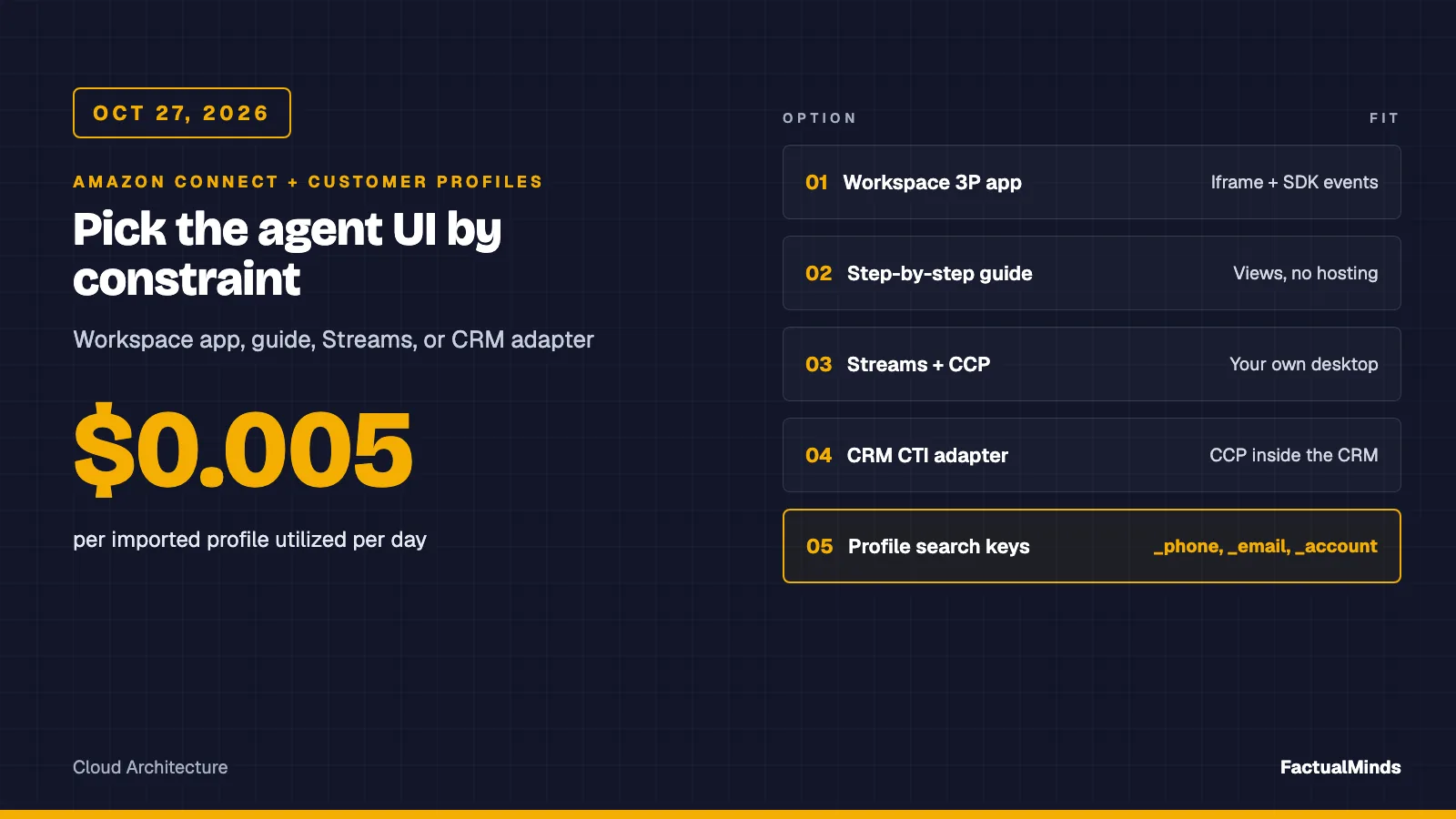
Table of Contents
As of October 27, 2026, Amazon Connect Customer gives you 4 supported ways to build an agent UI: a third-party (3P) app inside the agent workspace, a step-by-step guide built from views, a custom desktop that embeds the CCP with Amazon Connect Streams, and a CTI adapter that puts the CCP inside a CRM. They differ in who owns the softphone, the sign-in, and the accessibility surface. Customer Profiles feeds all four, and the $0.005 per imported-data profile utilized per day price is the number to carry into the budget.
Naming note: AWS now writes “Amazon Connect Customer” in many docs. The console and APIs are the same. This post uses Connect.
I have not run this against a production queue. The facts below come from AWS and open-source documentation linked inline. The code is in the artifact folder and has one node --test file that needs no AWS credentials.
Related builds in this series: Connect + Shopify, BigCommerce and WooCommerce, and NetSuite, Odoo, JD Edwards. For the commerce landing page see Amazon Connect for eCommerce.
Customer Profiles in depth: object type mappings, identity resolution, calculated attributes, quotas and deletion are in the Customer Profiles implementation guide. Here the focus is how profile context reaches the agent’s screen.
The four options, labeled
| Option | Label | Who owns the UI | Fits when | Watch for |
|---|---|---|---|---|
| Agent workspace + 3P app | Native host, your code in an iframe | AWS owns CCP, Profiles, Cases. You own one app. | You need an order or account panel next to native tools | App must allow framing from the workspace. 3P apps are not supported in custom agent applications |
| Step-by-step guide (views) | Native | AWS hosts the view. You write flow and JSON. | A scripted procedure with branching and data from a Lambda | A guide run creates its own chat contact. Billed per message |
| Custom desktop (Streams) | Native library, custom engineering | You own the page, SSO, focus, errors | Agents must work inside a product you already operate | Origin allowlist, softphone and sign-in handling, upgrades |
| CRM CTI adapter | Supported integration | The CRM vendor’s UI hosts the CCP | The CRM is the system of record for agents | Two allowlisted origins. Verify adapter scope in vendor docs |
Pick by the constraint that is hardest to change. If agents already live in Salesforce, do not build a desktop. If the only gap is one panel, do not build a desktop either.
Option 1: the agent workspace with 3P apps
The agent workspace already includes Customer Profiles, Cases, agent assist, and step-by-step guides. A 3P app is a web app that Connect renders in an iframe, opened from the Apps launcher. AWS documents three integration types: Standard application, Service (headless, runs for the whole session and reacts to events such as connect, disconnect, and after contact work), and MCP server (tools for Connect AI agents through a Bedrock AgentCore gateway).
Setup facts from the admin guide:
- The access URL must start with
https, unless it is localhost. - The page must be frameable. The
Content-Security-Policy frame-ancestorsdirective should behttps://your-instance.my.connect.aws. A value ofsame originordenyblocks it. - You set a contact scope (refresh per contact or per browser session) and an initialization timeout in milliseconds.
- Integrations need an instance that uses a service-linked role, and you assign the app to security profiles.
- 3P apps are available in 10 Regions per the release notes, among them US East (N. Virginia), US West (Oregon), Canada (Central), Frankfurt, London, Singapore, Sydney, Tokyo, Seoul, and Cape Town. The Integrations menu is missing in other Regions.
- SSO federation is supported. Your app can complete sign-in in the iframe only if your identity provider allows its sign-in page to be framed.
The SDK
The Connect SDK ships as npm packages. @amazon-connect/app is the minimum for every app. AWS lists @amazon-connect/core, @amazon-connect/contact (ContactClient), @amazon-connect/voice, @amazon-connect/email, and @amazon-connect/app-manager (hosts Cases and step-by-step guides) among the packages. You initialize AmazonConnectApp first, which returns { provider }, then create clients.
Permissions are explicit. An app that subscribes to an event or makes a request it was not granted fails. The SDK’s AppConfig.permissions lists what the app received, which is the first check when a handler never fires.
3P apps are supported only in the agent workspace, and a custom Streams desktop cannot host them. That decides many designs.
Option 2: step-by-step guides (views)
A guide is a flow with a Show view block. Views have a template, an input schema, and actions, and you can reference any flow namespace, including $.External, so a view can show Lambda data. Use the Set JSON option for mapping. The Flows > Views tab renders a view next to its JSON, which AWS’s own best-practices post recommends for avoiding JSON typos.
Two facts shape the design. A running guide creates a separate chat contact with its own record, invisible to the user. And the pricing appendix lists step-by-step guides at $0.010 per message (Oct 27, 2026), so a long guide adds up.
Views can also be embedded in a Streams page with connect.agentApp.initApp("customviews", ...). The Streams docs warn that skipping lifecycle cleanup leaves the view counting against chat concurrency until the contact duration (default 24 hours) or the Show view timeout ends. Call terminateCustomView() when you close the iframe.
Option 3: a custom desktop with Streams
amazon-connect-streams embeds the CCP in an iframe through connect.core.initCCP(container, { ccpUrl, ... }) and exposes events. About the connectRTC name: the softphone WebRTC library is the separate connect-rtc-js repository, and the Streams docs tell you to upgrade it together with Streams.
Facts that bite in real builds, all from the Streams README:
- Approved origins: every page that initializes Streams must be on an origin you add under Approved origins on the instance. Entries must be HTTPS and include scheme, host, and port.
- One browser: using several browsers at once for the same instance is not supported and breaks RTC. Tabs on one browser stay synchronized.
- SAML: use the
loginUrloption to start sign-in through your identity provider.loginPopupdefaults totrue. - Framed softphone:
allowFramedSoftphonedefaults tofalse. If your own page is framed, media will not work until you set it deliberately. - Storage access settings in
initCCPwere deprecated in November 2024. - Chat and tasks need
amazon-connect-chatjsandamazon-connect-taskjs, imported after Streams. - Plan a CCP version path. AWS maintains a migration guide for the new CCP at
/ccp-v2.
A media-less CCP, which does not open the media ports, is possible with Streams, but the AWS networking docs say it still needs CloudFront access.
Contact events and attributes
Context line: Streams 2.x events as documented in Documentation.md. This is the shape used in app.mjs in the artifact. It reads a flow attribute and never blocks the accept button.
connect.contact((contact) => {
  contact.onConnecting(() => loadContext(contact)); // attrs are { name, value } objects
  contact.onConnected(() => focusProfileHeading());
  contact.onEnded(() => clearContextAndRestoreFocus());
});
connect.agent((agent) => {
  agent.onSoftphoneError((e) => say(`Audio problem: ${e.errorType}`)); // errorType, errorMessage, endPointUrl
  agent.onWebSocketConnectionLost(() => say('State may be out of date'));
});
contact.getAttributes() returns a map where each value is { name, value }, and it returns null when the user is only monitoring the contact. Handle both.
Option 4: CRM-embedded CTI
For Salesforce, AWS documents the Connect CTI Adapter: a managed Salesforce package plus an AWS serverless application, with a WebRTC CCP inside Salesforce. It uses the Streams API and Salesforce Open CTI. You must allowlist both the Salesforce page origin and the adapter’s Visualforce origin, or the CCP will not open. Install in a sandbox first, as AWS recommends. This is a supported integration (AWS and Salesforce provided). Our Salesforce on AWS integration page covers the wider picture.
I did not verify ServiceNow or Zendesk CTI adapters in this pass. Both are covered below as Customer Profiles data sources, which is a different thing. Check the vendor’s marketplace listing and the Connect admin guide before you assume an adapter exists for your CRM.
Customer Profiles, the data layer under every option
Domains, profiles, and object types
A domain is the top-level container: profiles, object types, keys, encryption, and retention. A profile has one standard profile object (fields such as FirstName, LastName, PhoneNumber, EmailAddress, ShippingAddress, and custom Attributes) and any number of profile objects, each up to 250 KB of JSON. Other standard objects exist for assets, orders, and cases.
An object type mapping turns source records into this model. AWS’s five questions are worth copying: what makes a record unique (exactly one UNIQUE key), what ties it to a person (at least one PROFILE key), which values go on the profile (field Target such as _profile.FirstName), whether it also describes an order or case, and what else should be searchable. Re-sending a record with the same UNIQUE value replaces it. Every stored key is also searchable.
What can feed it
| Source | Label | Notes |
|---|---|---|
| Salesforce, ServiceNow, Zendesk, Marketo | Supported integration | Pre-built, through Amazon AppFlow. Periodic sync |
| Amazon S3 | Native source | You define the template and mapping |
| Segment, Shopify | Supported integration | AWS describes near real-time ingestion |
| Your own code | Custom engineering | PutProfileObject API |
| NetSuite, Odoo, JD Edwards, BigCommerce, WooCommerce | Not a documented pre-built connector | Use S3 or PutProfileObject. See the sibling posts |
You need a customer managed KMS key before integrating, and AppFlow needs appflow:CreateFlow and DeleteFlow. The Shopify keys _shopifyCustomerId and _shopifyOrderId are valid SearchProfiles key names. The S3 and AppFlow paths are not instant: do not promise agents that an order placed seconds ago is on the profile.
Identity resolution
Rule-based identity resolution matches profiles by up to 15 attributes per rule, in levels. Follow the AWS tips: include a high-cardinality attribute such as phone, email, or account number. A rule level made only of attributes shared by more than 500 profiles is skipped. Enable Match only first, read the results, and only then set MaxAllowedRuleLevelForMerging.
Calculated attributes
Calculated attributes aggregate profile-object data: AVERAGE, COUNT, SUM, FIRST_OCCURRENCE, LAST_OCCURRENCE, MINIMUM, MAXIMUM, MAX_OCCURRENCE, RECENT_OCCURRENCES. Each references one object type and at most two fields. UseHistoricalData backfills older records. The default _frequent_caller counts contacts in a time window. ListCalculatedAttributesForProfile triggers the calculation and returns Value and IsDataPartial, so show partial data as partial.
Profiles APIs and the agent view
SearchProfiles takes a required KeyName and Values, up to 4 AdditionalSearchKeys, a LogicalOperator (default OR), and MaxResults (default 20). Predefined key names include _account, _email, _phone, _fullName, _orderId, and _ctrContactId. Note the default: an OR search across two keys can return two people. Set AND or handle the ambiguous case, as the sample does.
In the workspace, agents see the profile of the contact in focus. In a flow, the Customer profiles block looks up details for routing and greetings. In a custom desktop, connect.agentApp.initApp("customerprofiles", ...) embeds the native profile app at /customerprofiles-v2/. That is often better than rebuilding the profile view.
Security profile permissions control agent access: CustomerProfiles.View, .Edit, .Create, plus separate calculated-attribute, segment, and explorer permissions. Give agents View, not Create, unless the job needs it.
Pulling CRM and ERP context
Do not copy the whole CRM into profiles. Put the identifiers and a few agent-facing facts in Profiles, and fetch live order or invoice detail from the system of record on demand. For the commerce side see Connect + Shopify. For ERP, the call patterns are in the NetSuite, Odoo, JD Edwards post, and a flow-side Lambda must return a flat string map within 8 seconds (see below).
API integration from the custom UI
Never put AWS credentials in a browser. The browser calls your backend. The backend holds a role limited to one domain and returns the minimum fields. The artifact’s profile-context.mjs takes the Customer Profiles call as an injected function, validates input, caps the wait, and returns a flat string map with the email masked.
Context line: Node 24 ESM handler from the artifact, with a mock client as in the test. In Lambda, replace the mock with SearchProfilesCommand from @aws-sdk/client-customer-profiles.
import { makeHandler } from './profile-context.mjs';
const handler = makeHandler(
  (p, opts) => client.send(new SearchProfilesCommand(p), opts), // injected: tests pass a fake; opts.abortSignal cancels on timeout
  { domainName: 'my-domain', timeoutMs: 3000 }
);
const { statusCode, body } = await handler({ phone: '+14155550123' });
// 200 body: { found, profileId, displayName, accountNumber, emailMasked } or { found:'false', reason: 'no_match' | 'ambiguous' }
// 504 on timeout, 502 on AWS errors (reason: auth, throttled, misconfigured or upstream_error)
Least privilege: one role for this backend, allowed profile:SearchProfiles on the domain ARN and nothing else (confirm action names in the Service Authorization Reference). The handler logs one line per failure with the reason and the AWS error name, never the phone or email. Failures return 502 or 504 rather than 200, so API Gateway and browser monitoring see them. If the same lookup runs inside a flow Lambda instead, AWS caps synchronous invocation at 8 seconds, retries on error up to three times until the timeout, and with response validation set to STRING_MAP the function must return a flat object of string values. Use JSON validation only if you need nested data.
Accessibility
AWS’s agent workspace guide recommends meeting WCAG 2.1 AA for your own app and names axe, Pa11y, Lighthouse, WAVE, plus NVDA, JAWS, or VoiceOver and keyboard-only passes. It also points to AWS Artifact for the Connect UI’s accessibility compliance reports. Those reports cover AWS’s UI, not your page.
What the stub does, and why:
- A
role="status"live region announces incoming, connected, and ended. No focus change ononConnecting, so a ringing call does not yank focus out of the CCP. - The connected announcement says whether context is ready, still loading or unavailable, and a failed lookup announces its reason (session or permissions, timeout, more than one profile). It never claims context is ready when it is not.
- Each lookup is tied to its contact ID. A slow answer that arrives after the contact ended is dropped, so it can never paint the previous caller’s name onto the next contact.
- Focus moves to the profile heading only on
onConnected, after the agent chose to accept. OnonEnded, focus returns to where it was. - Profile text uses
textContent, neverinnerHTML. - The CCP container has a labeled
region. The CCP interior is an iframe you cannot restyle.
This stub has not been through a screen reader pass. Treat it as a starting point for your own NVDA and keyboard testing.
What broke
Counter-case, modeled and not a cited client. A phone number is shared by two people in one household, both imported from a CRM. The lookup is _phone with the default OR. SearchProfiles returns two items. A UI that takes Items[0] shows the wrong person’s order history, and the agent reads it aloud. Detection: a compare of the displayed profile ID to the one the agent confirms verbally. Fix: ask for two items, treat more than one as ambiguous, show “verify the customer,” and tighten matching rules while in Match only mode. The test no match and ambiguous match both return found=false locks that behavior.
A second failure is operational. The Streams page loads but onAuthFail fires after the sign-in expires and nobody sees it, because the status text was visual only. The stub routes it to the live region and tells the agent to sign in from the CCP.
Errors, state, and testing
- Init failures: the CCP shows “Initialization Failed” when required domains or ports are not allowlisted. AWS’s fix is the domain allowlist and the endpoint test utility, not code.
- Softphone:
agent.onSoftphoneErrorgiveserrorType,errorMessage,endPointUrl. Show a message. Do not retry in a loop. - State reconciliation: treat
agent.getState()as truth afteronWebSocketConnectionLostandonWebSocketConnectionGained. Do not keep a shadow copy that survives a reconnect. - Local: run
node --teston the handler. Serve the page over HTTPS on an origin you added to Approved origins. - Test instance: use a non-production instance, a test routing profile, and a flow that sets
customerPhonewith Set contact attributes. Place a call from a test number. - Synthetic contacts: Connect’s testing and simulation feature (see the Oct 26 notes in the evaluation form post) is useful for flows, not for your page. For your page, script the events with a stub
connectobject and axe.
Deployment: host the page as a static site, put the backend behind an authenticated endpoint that checks the agent’s session, add the origin to Approved origins, and pin the Streams version. Re-test after every Streams or CCP upgrade.
Costs (published prices, Oct 27, 2026)
From the Connect pricing appendix, US list prices before tax:
- Voice: $0.038 per minute plus telephony. Web calling audio adds $0.010 per minute.
- Chat: $0.010 per message. Step-by-step guides: $0.010 per message.
- Customer Profiles: $0.00 for searching and reading profiles that hold only Connect data. $0.005 per profile utilized daily for imported or merged data, plus $0.005 per additional 100 objects, capped at 30% of stored profiles per day. Storage, updates, and segment creation have no charge.
Example from the appendix logic: a profile with 300 objects costs $0.015 on a day it is utilized. A Streams desktop adds no Connect license line item, but you pay for the web hosting, backend, and the engineering to maintain it. I have not priced that.
Limitations
- 3P apps run only in the agent workspace, in listed Regions.
- Streams supports one browser per agent per instance.
- Imported Customer Profiles data is not real time on the AppFlow and S3 paths.
- Rule-based matching skips low-cardinality rule levels.
- Flow Lambdas stop at 8 seconds synchronous.
My recommendation
Use the workspace first. Add one 3P app for the single panel agents ask for, and let guides handle scripted procedures. Choose Streams when the agent’s home is a product you own and you can staff accessibility and upgrade testing. Streams gives layout control and costs you ownership of the sign-in, softphone, and test burden. A workspace app gives you less layout control and far less to maintain.
What to do this week
- Write down the one panel agents lack. If it is one panel, build a 3P app, not a desktop.
- Check that your Region offers the Integrations menu.
- In a sandbox, create a Customer Profiles domain with a customer managed KMS key and one S3 or Shopify source.
- Run identity resolution in Match only and read the results before merging.
- Clone the artifact, run
node --test, and pointCCP_URLat a test instance. - Run axe and a keyboard-only pass on your page.
Need the build path chosen and tested against your instance? FactualMinds is an AWS Select Tier Services Partner. Start at Amazon Connect consulting or contact us.
What this post doesn’t cover
- A live-instance run: the Streams page and the 3P app path were not executed against a Connect instance for this post.
- ServiceNow and Zendesk CTI adapters: not verified here.
- IAM policy JSON: action names above should be confirmed in the Service Authorization Reference.
- Banking or retail compliance: using these services does not make a deployment compliant. That depends on your controls.
- Segments, Predictive Insights, and Profile explorer: permissions exist, features not covered.
- Browser auth to your backend: choose and test your own.
Related reading
- Amazon Connect Consulting
- Connect Cases CSV Export (Aug 2026)
- AI Customer Support Agent for eCommerce
- AWS for Retail: Complete Guide
Frequently asked questions
Which agent UI option should we start with?
When should we not build a custom desktop with Streams?
What could go wrong with identity resolution?
Can Customer Profiles ingest from NetSuite, Odoo, or JD Edwards?
Do we call Connect or Customer Profiles APIs from the browser?
Does the CCP iframe make our page accessible?
What does Customer Profiles cost in the agent workspace?
What should we do when the profile lookup times out?

AWS Cloud Architect & AI Expert
AWS-certified cloud architect and AI expert with deep expertise in cloud migrations, cost optimization, and generative AI on AWS.